If you’re searching for Jason AI by Reply, you’re most likely trying to figure out whether this AI SDR can actually take over your outbound work and book meetings for you.
Jason AI helps you:
find leads using real-time data,
build multichannel sequences,
personalize every message,
handle replies automatically,
and schedule meetings without manual work.
But before you invest, you need a clear picture of how Jason AI works, what features matter, how much it costs, where it performs well, and where it falls short.
In this review, I’ll break down Jason AI’s workflow, features, pricing, pros and cons, and a better alternative you should also consider.
Let’s get started.
Jason AI Review: Key Takeaways
|
What Is Jason AI?
Jason AI is an AI SDR agent inside Reply that automates your entire outbound sales process, from finding leads to booking meetings.
It learns your product, defines your ideal customer profile (ICP), and uses real-time B2B data (1B+ contacts) to find the right prospects for you.
Jason AI also builds multichannel outreach sequences automatically, including email, LinkedIn, calls, SMS, and WhatsApp.
It writes personalized messages for every prospect using social data, company insights, and your value proposition.
Jason AI can also handle replies, manage objections, and book meetings by checking your real-time calendar.
How Jason AI Works
Jason AI helps you automate outbound by finding leads, creating sequences, personalizing every message, handling replies, and booking meetings.
Here’s how Jason AI works:
1. Create Your ICP: Enter your website and a few details about your product, pain points, and value.
Jason AI uses this to define your ideal customer profile (ICP) automatically.
2. Find Leads With Real-Time Data: Jason AI searches 1B+ global contacts using LinkedIn-style filters (job title, company, industry, location, tech used).
You instantly get a list of verified, relevant prospects.
3. Generate a Multichannel Sequence: Jason AI creates a full outreach sequence for you with steps such as, emails, LinkedIn touches, calls, WhatsApp, SMS, or tasks via Zapier
All steps are arranged in conditional sequences so prospects move through the right path.
4. Personalize Every Message: Jason AI writes unique emails and LinkedIn messages using social media data, website details, job history, and your case studies, value, and pain points
It supports 50+ languages and adjusts tone based on region.
5. Add Prospects to the Sequence: You can add contacts from real-time search, CSV upload, your existing lists, and manual entry.
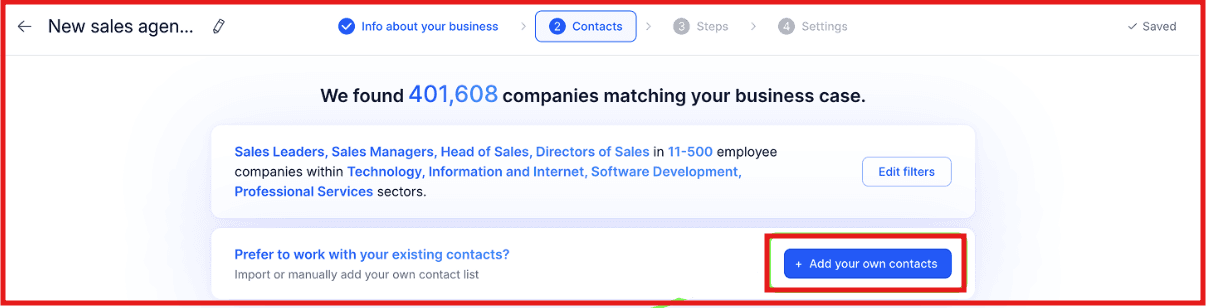
Jason also supports Evergreen mode, which adds new prospects daily.
6. Enable AI Reply Handling: You can choose how Jason handles your replies:
Autopilot: AI reads and sends responses automatically
Copilot: AI drafts replies; you approve
It recognizes interest, objections, follow-ups, and meeting requests.
7. Let Jason AI Book Meetings: You can connect your Google Calendar. Jason AI will:
check real-time availability
prevent double bookings
schedule meetings automatically
Top Features of Jason AI
Here are the most important features of Jason AI and how it helps:
Feature | What It Does |
Real-Time Lead Discovery (1B+ contacts) | Searches over 1B+ global contacts using filters like job title, industry, location, tech used, and intent signals to find accurate leads. |
Multichannel Outreach | Builds sequences with email, LinkedIn actions, calls, WhatsApp (semi-automation), SMS, and Zapier steps. All steps are conditional. |
Deep AI Personalization | Writes unique emails and LinkedIn messages using social data, website info, job history, and your value props. Supports 50+ languages. |
AI Reply Handling (Autopilot & Copilot) | Reads replies, detects intent (interest, objections, meeting requests), and sends or drafts responses automatically. |
Automatic Meeting Booking | Connects to Google Calendar, checks availability, avoids double bookings, and schedules meetings automatically. |
Unlimited Mailboxes & Free Warm-Up | Lets you add unlimited mailboxes, warm them up for free, and improves deliverability using Reply’s deliverability tools. |
Unified Inbox | Shows all replies across email, LinkedIn, SMS, and calls in one place so no message gets missed. |
Smart Audience Suggestions | Uses your ICP and intent data to suggest the best contacts for outreach. |
Jason AI Pricing
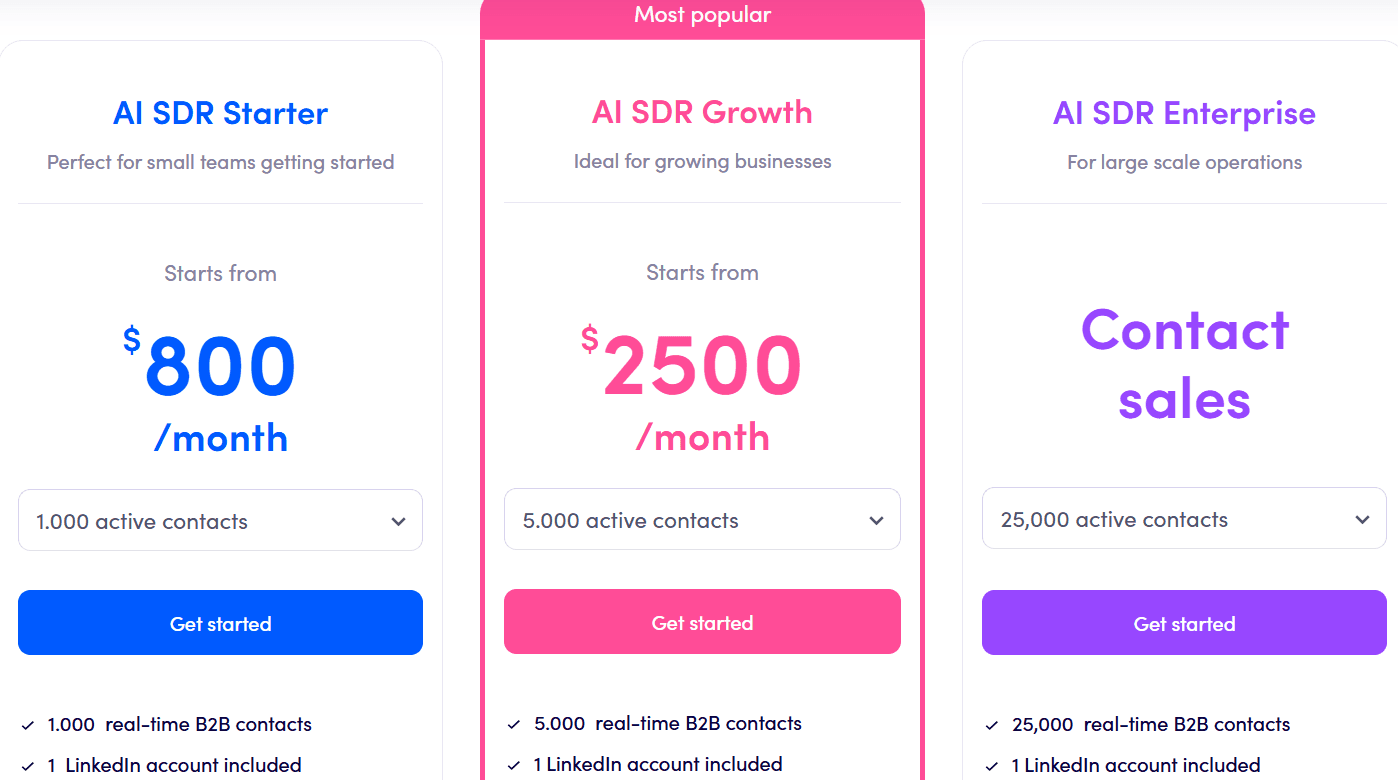
Jason AI is available under the AI SDR plans in Reply.
The price changes based on how many active contacts you want each month.
I. AI SDR Starter – $800/month
You get 1,000 active contacts, 1,000 real-time B2B contacts, 2 LinkedIn accounts, unlimited users, AI personalization, reply handling, multichannel outreach, and unlimited mailboxes with warm-up.
II. AI SDR Growth – $2,500/month
You get 5,000 active contacts, 5,000 real-time B2B contacts, 10 LinkedIn accounts, unlimited users, multichannel automation, AI personalization, deliverability support, white-glove onboarding, Slack channel, and custom playbooks.
III. AI SDR Enterprise – Custom pricing
You get 25,000 active contacts, 25,000 real-time B2B contacts, 25 LinkedIn accounts, unlimited users, all AI features, advanced personalization, multichannel outreach, white-glove onboarding, custom playbooks, prompt engineering, and strategy calls.
Pros and Cons of Jason AI
Pros | Cons |
Automates the entire outbound workflow (ICP → leads → sequences → replies → meetings) | Pricing starts high ($800/month minimum) |
Real-time data from 1B+ contacts with high-accuracy emails | Needs setup time to train Jason with offers, playbooks, and ICP |
Creates multichannel sequences (email, LinkedIn, calls, WhatsApp, SMS, Zapier tasks) | Works best for teams already doing structured outbound |
Personalizes every message using social + web + job data (supports 50+ languages) | LinkedIn automation requires available LinkedIn accounts per plan |
Handles replies with Autopilot or Copilot mode | Advanced features require higher-tier plans (Growth, Enterprise) |
Best Jason AI Alternative for Full Outbound and CRM → Stamina
If you like how Jason AI helps with ICP creation, multichannel sequences, real-time data, and reply handling, but you also need a built-in CRM, marketing automation and better deliverability tools, then Stamina is the stronger option.
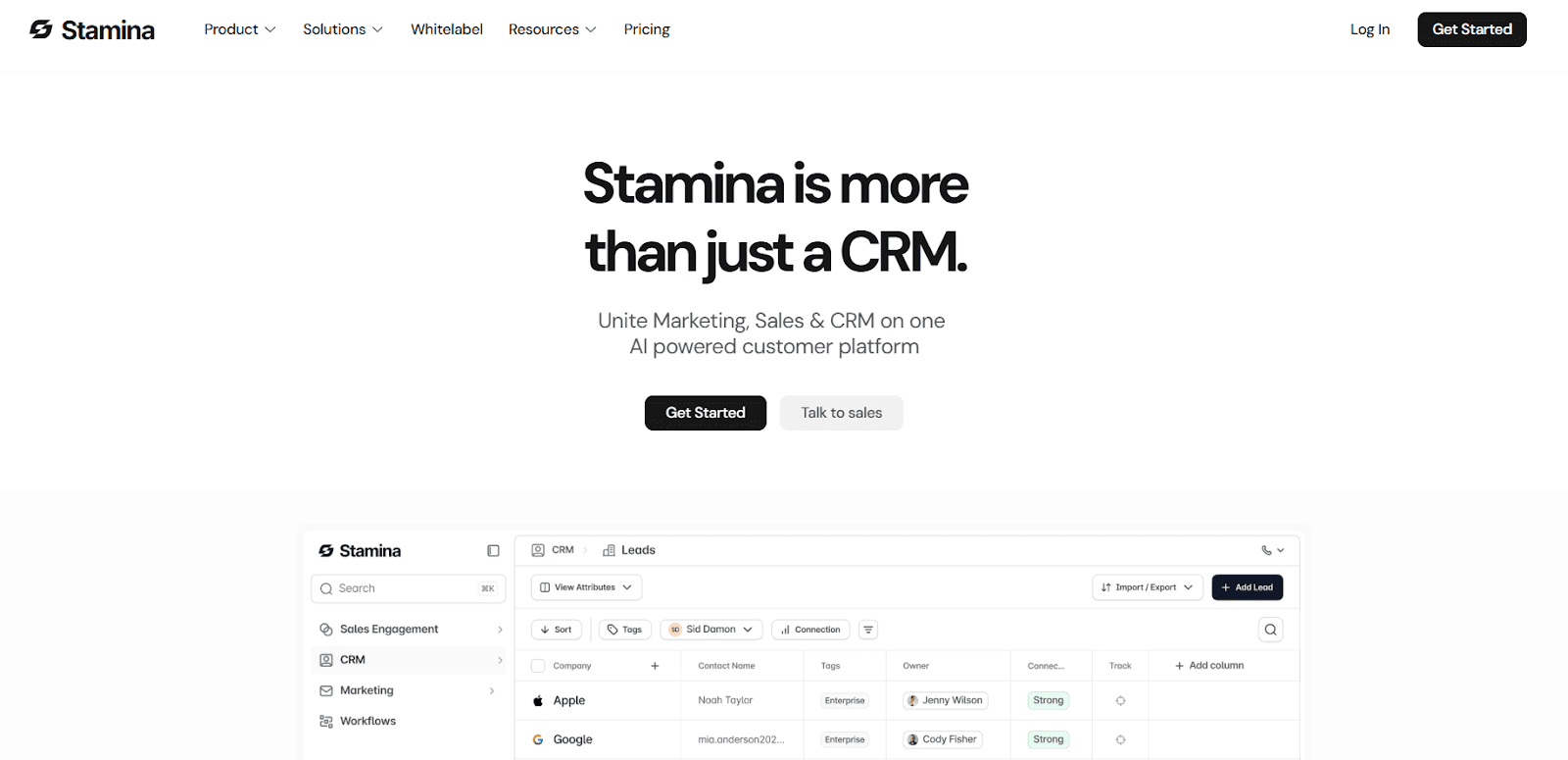
Stamina is an all-in-one sales, CRM, and marketing platform powered by Zara, its AI BDR. Zara researches leads, finds intent signals, builds sequences, and engages prospects automatically.
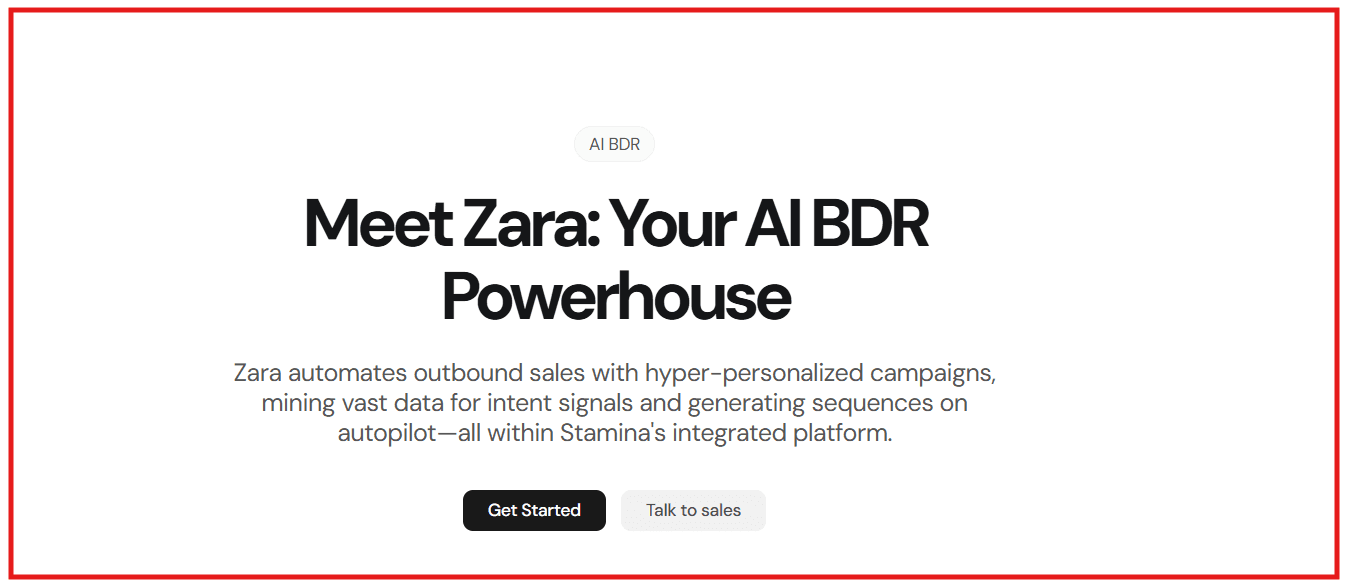
Zara also enriches leads with signals like funding rounds, job posts, website insights, and case studies, then creates personalized sequences in minutes.
Unlike Jason AI, which works only within Reply, Stamina comes with a full CRM, marketing suite, workflow automation, stronger deliverability, and a warm-up network of over 1 million inboxes.
Beyond AI outbound, Stamina offers a full outbound infrastructure with:
AI-driven warmup & dynamic send limits
Real-time inbox placement monitoring
1,000,000+ inbox warmup network
Full CRM with custom objects
Native calling, texting, meetings, and AI call summaries
Marketing automations like broadcasts and drip flows
You also get white-label mode, agency mode, and a unified inbox for all replies.
Pricing starts at $397/month, which is lower than Jason AI’s $800/month entry plan.
Jason AI vs Stamina: Feature Comparison
Feature | Jason AI (Reply) | Stamina |
AI SDR / AI BDR | Jason | Zara |
Personalization Signals | Web + job + social + ICP | Funding + job posts + case studies + ICP + website insights |
Sequence Creation | Multichannel sequences | Multichannel sequences with intent-based angles |
Reply Handling | Autopilot & Copilot | Unified inbox + AI SDR engagement |
CRM | Not included | Full CRM with custom objects |
Deliverability | Warmup + mailbox rotation | AI warmup + dynamic limits + inbox placement tests + 1M+ network |
Workflow Automation | Basic | Advanced cross-team workflows |
White-Label Mode | No | Yes |
Pricing | Starts at $800/month | Starts at $397/month |
If you want Jason’s AI features but also need CRM, better deliverability, richer signals, and a lower price, Stamina is the best choice.
Is Jason AI Worth It?
Jason AI is worth it if you only need AI-powered outbound, ICP creation, multichannel sequences, reply handling, and meeting booking, all inside Reply.
It saves time, removes manual work, and gives you strong deliverability tools.
But Jason AI becomes expensive once you start scaling.
And since it doesn’t include a CRM, marketing automation, or deeper intent-based research, many teams outgrow it quickly.
If you want a tool that does more than outbound and costs less, Stamina is the better choice.
You get outbound, CRM, marketing, and stronger deliverability in one system, without paying extra for multiple tools.
If you want a more complete setup without the higher pricing, try Stamina as your Jason AI alternative.
FAQs About Jason AI
1. What is Jason AI?
Jason AI is Reply’s AI SDR that creates ICPs, finds leads, builds multichannel sequences, personalizes messages, handles replies, and books meetings automatically.
2. Does Jason AI come with real-time data?
Yes. Jason AI can search through 1B+ global contacts using filters like job title, industry, location, and company size.
3. Can Jason AI personalize emails automatically?
Yes. It personalizes emails and LinkedIn messages using social data, website details, job history, and your product inputs like pain points and value.
4. Does Jason AI include a CRM?
No. Jason AI works inside Reply only. It does not include a CRM or marketing automation.
5. Can Jason AI book meetings for me?
Yes. You can connect your Google Calendar, and Jason will book meetings based on real-time availability.
6. Is Jason AI good for small teams?
Yes, especially if the team only needs outbound automation. It removes manual work and handles most tasks automatically.