
How to Send Emails to Multiple People: Your 2026 Guide

Learn how to send emails to multiple people effectively. Our 2026 guide covers To/CC/BCC, mail merge, and CRM for professional results.

0 - Minute Read

You're probably in one of two situations right now. You need to send a quick update to a group, or you're trying to reach a growing audience and your normal inbox is starting to feel like the wrong tool.

That's often where the challenge lies. Sending one email to multiple people sounds simple until privacy, personalization, deliverability, and unsubscribe handling start to matter. What works for an internal heads-up to a small group won't hold up for customer announcements, prospecting, or recurring campaigns.

The right answer depends on why you're sending, how often you're sending, and how many people are involved. There's a practical maturity ladder here. At the bottom, you have BCC in a regular email client. In the middle, you have contact groups and mail merge. At the top, you have engagement platforms built to manage sending, tracking, and automation without wrecking your reputation.

Why Sending to Multiple People Gets Complicated

A lot of email mistakes happen because people treat group sending like a formatting problem. It isn't. It's an operations problem.

If you put a long list of addresses in the To field, everyone can see everyone else. If you use CC the same way, you get the same exposure plus reply-all clutter. If you use BCC, you protect privacy, but you still haven't solved repeatability, opt-outs, segmentation, or measurement.

The complexity shows up earlier than expected. The University of Minnesota's IT guidance says that once you're sending to more than 25 recipients at a time, you should treat it as a large-group send and use a mass email or collaboration tool instead of a standard personal email client, and it also notes that ongoing one-way communications should use specialized tools that support unsubscribe handling and reduce spam risk (University of Minnesota guidance on sending to many recipients).

That threshold matters because it changes the question from “How do I send this?” to “What system should own this communication?”

Practical rule: If the audience is disconnected from one another, don't send a visible group email.

There are also different jobs hiding under the phrase how to send emails to multiple people:

  • A one-time internal note needs speed and basic privacy.

  • A recurring update needs a list or group structure.

  • An external campaign needs personalization and unsubscribe handling.

  • High-volume outreach needs authentication, pacing, and reputation management.

Teams usually climb this ladder the hard way. They start in Gmail or Outlook, run into awkward manual work, then discover that sender reputation and list hygiene are just as important as the message itself.

Choosing Your Method To CC or BCC

The fastest decision starts with the three address fields. They look similar, but they serve very different purposes.

To vs. CC vs. BCC

Field

Primary Use Case

Privacy Level

Best For

To

Direct communication with intended primary recipients

Low in group sends

One person or a small group who already know each other

CC

Keeping additional people informed

Low

Small internal threads where visibility is intentional

BCC

Sending one message without exposing recipient addresses

High

Privacy-preserving group emails in a standard email client

For broad distribution, BCC is the correct default inside a regular inbox. SalesHandy's guidance is straightforward: for operationally correct bulk sending, use BCC or a mail-merge workflow rather than placing many addresses in the To field, and BCC is the simplest privacy-preserving method because recipients receive the message without seeing one another's addresses (SalesHandy on sending to multiple recipients).

When To use CC

CC has a valid use case. It's useful when everyone should see who else is included and that visibility serves the conversation. A manager looping in finance and legal on the same internal thread is a normal example.

It breaks down when the list gets wider or the recipients don't have a reason to know one another. Then CC stops being transparent and starts being sloppy.

Common problems with CC in group sends:

  • Privacy exposure: Every recipient sees the full list.

  • Reply-all noise: One harmless response can drag everyone back into the thread.

  • Mixed expectations: Some recipients think they're expected to act, others think they're only observing.

When BCC works well

BCC is the simple answer when you need to send a single message to a modest group and you don't need deep personalization. Internal announcements, neighborhood updates, or a quick note to a small set of clients can fit here.

Use it like this:

  1. Open a new draft.

  2. Turn on the BCC field if your client hides it.

  3. Put recipients in BCC.

  4. Put your own address or a shared inbox in the To field if needed.

  5. Send the message.

Use CC for visibility. Use BCC for privacy. Don't confuse the two.

What not to do

Putting many addresses in To is the weakest option. It exposes the audience and makes the email feel amateur immediately.

BCC also has limits. It doesn't personalize. It doesn't manage opt-outs. It doesn't create a clean workflow for repeated sends. Once your communication starts to repeat, you need more structure than a hidden recipient field can provide.

Organizing Recipients with Contact Groups and Lists

A month after the first team update goes out, someone asks for the same email to the same audience again. That is usually the point where copy and paste starts causing problems.

A contact group in Outlook or a label in Gmail gives repeat sends basic structure. It saves time, cuts entry mistakes, and makes recurring communication easier to hand off across a team. For internal updates, vendor notices, project committees, or a stable client cohort, that is a sensible next step on the maturity ladder after BCC.
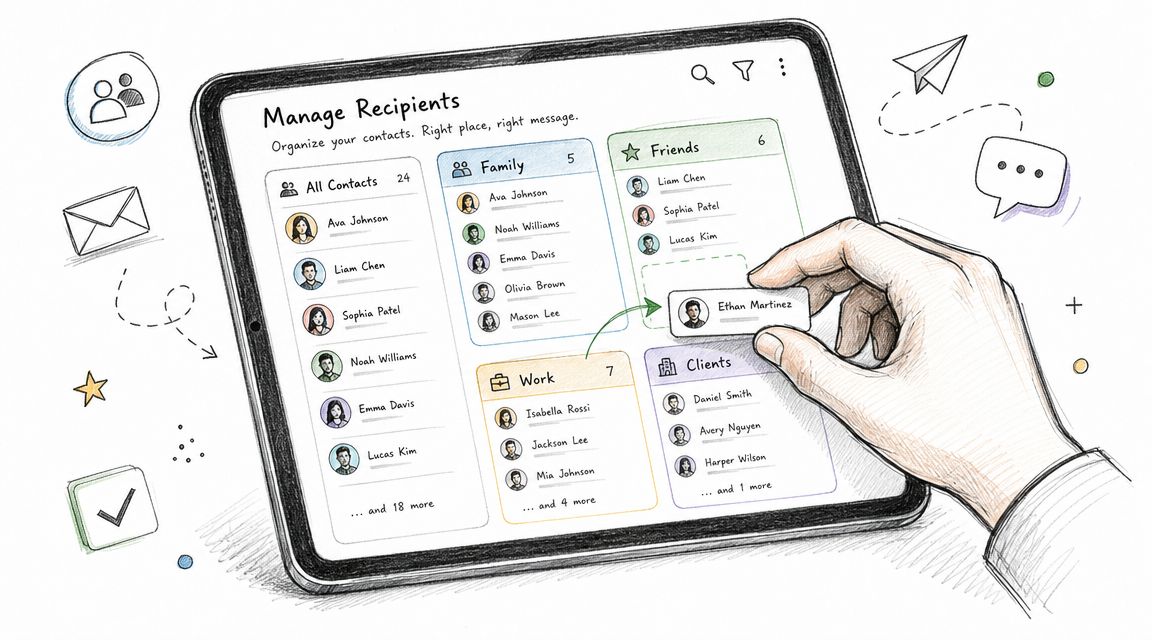
A hand dragging and dropping a contact card into a categorized group on a tablet interface.

What a contact group solves

Contact groups solve organization. They do not solve list hygiene, consent, or ongoing audience management.

That distinction matters. A saved group is still just a shortcut inside one person's email environment unless your team maintains it deliberately. If people change roles, leave a company, or should stop receiving updates, the group can go stale fast.

How to set groups up without creating future mess

The exact clicks differ by email client, but the operating rules stay the same:

  • Name groups by purpose: “Q2 webinar registrants” is safer than “all leads.”

  • Assign an owner: One person or team should be responsible for membership changes.

  • Review membership before recurring sends: Old addresses create bounces, confusion, and awkward replies.

  • Choose the send field carefully: A group dropped into CC still exposes everyone in that group.

The naming point sounds small, but it prevents real mistakes. Clear labels help a sender know whether a list is internal, external, temporary, or permission-based.

When a managed list is the better tool

Many small teams keep stretching contact groups past their useful life. The warning sign is simple. The audience changes often, multiple people need access, or recipients need a way to opt out.

Mailbird makes a practical version of this point. A dedicated group or newsletter service is often the safer long-term setup because it supports sends through a single list address and fits audiences that need clearer subscription handling (Mailbird on sending to undisclosed groups).

At that stage, the job is no longer “save me from retyping addresses.” The job is “manage an audience reliably.”

That shift improves three things:

  • Consent handling: People can be added and removed with more control.

  • Team operations: The audience lives in a shared system instead of one employee's mailbox.

  • Send quality: Fewer stale contacts and fewer manual edits reduce avoidable errors.

If you are building a repeatable audience, acquisition matters too. This guide to strategies for email list growth is useful for teams that want a healthier list instead of a larger pile of addresses.

For teams that need more structure than ad hoc groups, a dedicated list management workflow gives you a cleaner base for shared audience management.

Personalizing at Scale with Mail Merge

A rep sending ten follow-ups can get away with a careful BCC. A team sending fifty partner invites, customer updates, or outbound emails needs something stricter. Once each recipient should see their own name, company, offer, or attachment, mail merge becomes the right tool.

Mail merge sends one email per contact from a shared template and a structured data source. The recipient sees a direct message, not a group send, and their address is not exposed to everyone else.
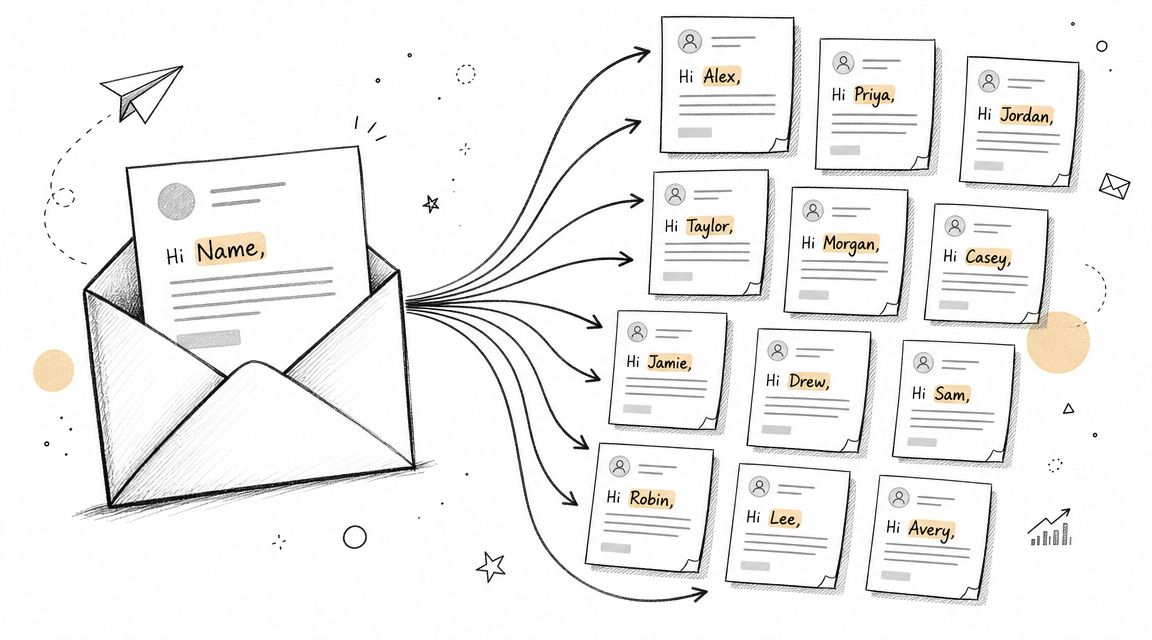
A hand-drawn illustration showing a single email message being personalized and sent to multiple individual recipients.

This is an important step on the maturity ladder. BCC solves privacy for a basic one-off send. Mail merge adds relevance and control without forcing you into a full engagement platform yet.

Why mail merge is the better fit for targeted outreach

The advantage is not just that each person gets a personalized greeting. The primary gain is message fit.

A prospect can get copy tied to their company and role. A customer can get the right renewal note, account owner, or product context. An event lead can get the correct session, city, or follow-up resource. The template stays consistent, but the message reads like it was prepared for one person.

That changes results and risk at the same time. You keep recipient details private, avoid the obvious “mass email” feel, and reduce the chance that someone receives copy meant for a different segment.

A good mail merge feels personal to the reader and stays operationally efficient for the sender.

The basic mail merge workflow

The setup is usually simple:

  1. Prepare a clean recipient file in a spreadsheet or contact list.

  2. Add the fields you want to use such as first name, company, role, owner, or renewal date.

  3. Write one template with placeholders for those fields.

  4. Preview several records before launch, not just the first row.

  5. Send individual emails generated from the template and data.

In practice, data quality is where mail merge succeeds or fails. Bad fields create bad emails fast.

A few checks catch most problems:

  • Look for blanks: If the preview starts with “Hi,” fix the source file before sending.

  • Clean capitalization: Names and company fields should render consistently.

  • Set fallback text: The email still needs to read naturally if a field is missing.

  • Test edge cases: Review records with long names, missing titles, or unusual company formats.

Attachment logic matters too. If each recipient needs a custom proposal, invoice, certificate, or document pack, standard merge fields may not be enough. In those cases, workflows for bulk PDF generation can support the send without forcing manual attachment work.

Teams often stop at “Hello {{FirstName}}” and call it personalization. That is a low bar. Stronger programs vary the body copy, snippets, CTAs, and supporting assets by audience segment. If your process depends on that level of control, a dedicated personalization workflow gives you a cleaner system than patching fields into a basic template.

A short walkthrough can help if you haven't used merge tools before:

Automating Outreach with Engagement Platforms

Mail merge is strong for one campaign. It starts to strain when your team needs ongoing sequences, reply tracking, audience segmentation, and coordination between sales and marketing.

That's when you stop thinking in terms of “sending an email” and start thinking in terms of running a system.

What changes when you outgrow mail merge

A sales rep using mail merge can send personalized first-touch emails. A growth team using an engagement platform can manage the whole follow-up motion.

Those are different jobs. The first is a send tactic. The second is an operating model.

Here's what platforms add that standard inboxes and lightweight merge tools usually don't handle well:

  • Sequencing: Instead of one message, you build multi-step outreach with delays, conditions, and follow-ups.

  • Segmentation: Different audiences get different messaging based on role, lifecycle stage, source, or behavior.

  • Tracking: Teams can see who opened, clicked, replied, or ignored the sequence and adjust from there.

  • Cross-team visibility: Sales, marketing, and customer teams work from a shared view instead of disconnected spreadsheets.
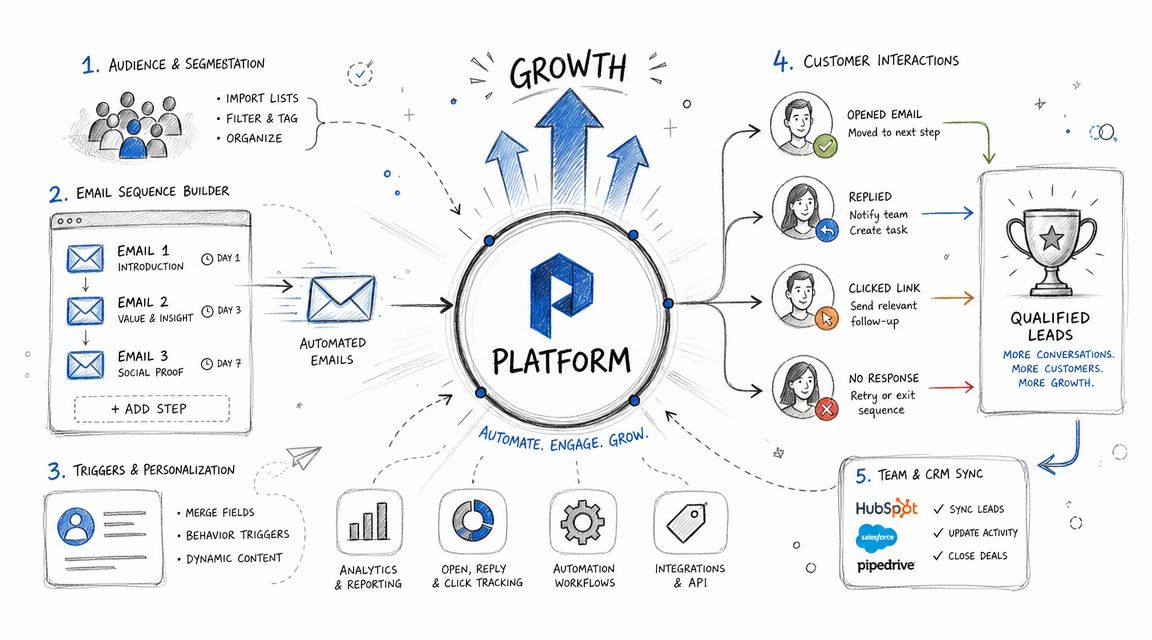
A diagram illustrating an automated email growth platform showing audience segmentation, email sequence building, and lead management.

The practical difference in daily work

In a regular email client, the sender does most of the remembering.

They remember who got the last message. They remember who replied. They remember when to follow up. They remember who should stop receiving outreach.

In an engagement platform, the workflow remembers.

That shift removes a lot of operational fragility. It also makes your process more teachable. New reps can follow a sequence design. Marketing can reuse audience logic. Managers can inspect what's working without digging through individual inboxes.

Where platforms fit for SMBs

A lot of SMB teams assume these systems are only for enterprise setups. That's usually a mistake. The need shows up much earlier, especially when one person is doing outbound, nurture, and basic CRM work at the same time.

A platform like Stamina's workflow automation fits this stage because it connects outreach, list logic, and CRM actions in one place instead of forcing teams to patch together separate tools. That's useful when you need broadcasts, sales sequences, and lead routing to work off the same data.

The right platform doesn't just send more email. It reduces manual decisions around who gets what, when, and why.

Signs you've reached this stage

You've probably outgrown simple methods if any of this sounds familiar:

  • Follow-ups live in someone's memory: Messages go out, but the next step depends on a rep remembering.

  • Lists are duplicated across tools: Marketing has one CSV, sales has another, support has a third.

  • Reporting is fuzzy: You know campaigns were sent, but not what happened next.

  • Audience overlap creates friction: The same contact receives cold outreach and nurture at the same time.

  • Handoffs break: A lead replies, but no one updates the CRM or changes the sequence.

These are process problems, not just email problems.

What works better than batch-and-blast

The strongest setups use automation with restraint. They don't dump the same message on everyone. They route by audience, keep the timing sane, and stop sequences when a person replies or changes stage.

That's the difference between volume and coordination. One creates more sends. The other creates a cleaner buyer experience.

If you're evaluating how to send emails to multiple people for revenue work, this is the top of the maturity ladder. Not because it's flashy, but because it aligns messaging, timing, ownership, and data in one system.

Ensuring Deliverability and Avoiding Common Pitfalls

Getting an email out isn't the same as getting it delivered well.

Many teams get punished for outgrowing their setup without changing their practices. The content might be fine. The audience might be relevant. But poor authentication, bad pacing, old lists, and weak sending hygiene can still push messages into spam or hurt domain reputation.
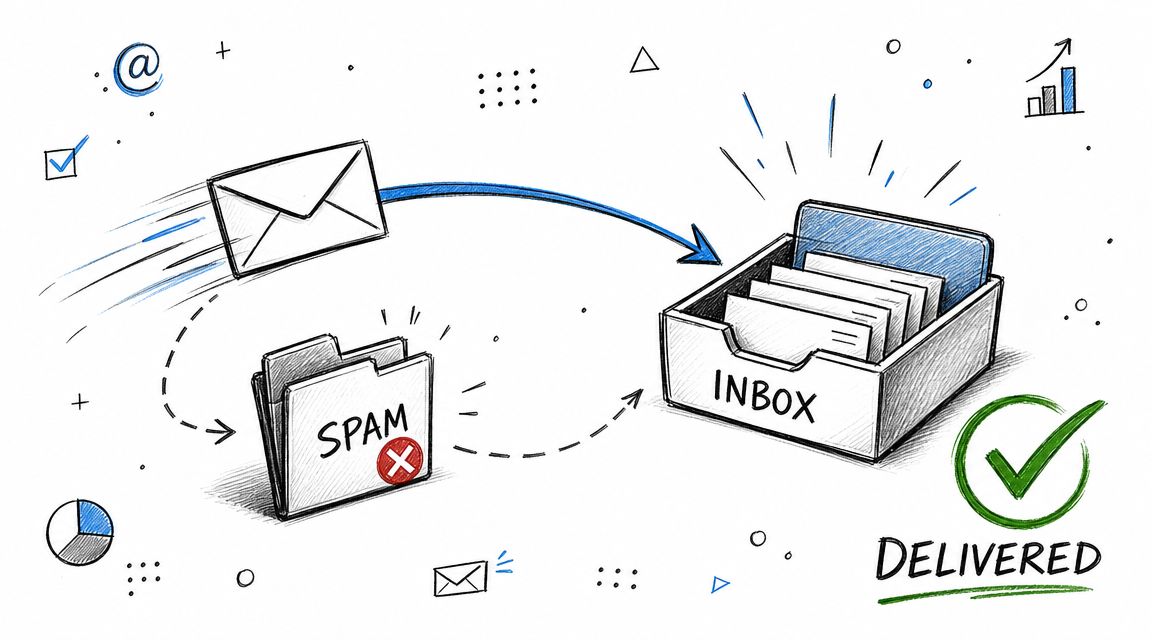
A hand-drawn illustration depicting a successful email delivery from a sender to an organized inbox folder.

The threshold where infrastructure matters

Mailgun notes that a bulk sender is generally anyone sending one email to roughly 5,000 contacts in a day, and Rackspace states that for any organization sending over 5,000 emails per day, DMARC, SPF, and DKIM are mandatory. The same guidance emphasizes that providers monitor bounce rates and authentication signals, and that sending large blasts from new domains can damage reputation. It also recommends IP warming for new dedicated IPs, starting with low daily volume and increasing gradually over several weeks (Mailgun on bulk sending and deliverability rules).

At that point, sending isn't just a campaign task. It's a trust and infrastructure task.

Common mistakes that hurt deliverability

Some problems are technical. Others are self-inflicted workflow issues.

  • Using the wrong tool for repeated sends: A personal inbox isn't built to act like a newsletter system.

  • Sending to stale contacts: Old lists create bounces, complaints, and poor engagement signals.

  • Launching too hard from a new setup: Big first sends from new domains or fresh infrastructure look suspicious.

  • Ignoring unsubscribe needs: Recipients need a clean way to stop future messages in many business contexts.

  • Mixing audience types carelessly: Transactional updates and marketing sends shouldn't be treated like the same stream.

What good sending hygiene looks like

The best practices aren't glamorous, but they work.

First, match the method to the purpose. Use BCC for simple private group notes. Use mail merge for individualized external outreach. Use a proper list or engagement platform for recurring campaigns and customer communication.

Second, keep list quality under control. Remove obvious errors, watch for bounced addresses, and don't treat every collected email as permanent permission for ongoing marketing.

Third, separate operational email from promotional email where your setup allows it. Rackspace's guidance, referenced by Mailgun, recommends using subdomains to separate transactional and bulk marketing traffic in order to protect reputation.

Deliverability is cumulative. Every weak send teaches mailbox providers something about your habits.

If you're building automated sending, especially with AI-assisted workflows, this guide on how to maximize email deliverability for AI agents is a useful companion because it focuses on the mechanics that keep automated outreach from looking abusive.

For teams that want more built-in control over authentication-aware sending, reputation protection, and campaign setup, a dedicated deliverability workflow gives you more guardrails than a general inbox ever will.

A final checklist before you hit send

Run through this before any meaningful multi-recipient send:

  • Check audience fit: Are these people meant to receive this exact message?

  • Protect privacy: If you're in an email client, are you using BCC rather than exposing addresses?

  • Test personalization: Does every merge field render correctly?

  • Respect opt-outs: Can recipients stop future messages when appropriate?

  • Watch pacing: Are you sending in a way your current setup can support?

  • Keep records clean: Are the addresses current and intentional?

The teams that do this well don't just write better emails. They choose the right sending model for the moment they're in.

If your team has moved beyond one-off BCC sends and basic mail merge, Stamina is one option for managing broadcasts, personalization, workflows, and CRM-linked outreach in a single system. That kind of setup is useful when you need to send emails to multiple people consistently without losing control of privacy, process, and deliverability.

You're probably in one of two situations right now. You need to send a quick update to a group, or you're trying to reach a growing audience and your normal inbox is starting to feel like the wrong tool.

That's often where the challenge lies. Sending one email to multiple people sounds simple until privacy, personalization, deliverability, and unsubscribe handling start to matter. What works for an internal heads-up to a small group won't hold up for customer announcements, prospecting, or recurring campaigns.

The right answer depends on why you're sending, how often you're sending, and how many people are involved. There's a practical maturity ladder here. At the bottom, you have BCC in a regular email client. In the middle, you have contact groups and mail merge. At the top, you have engagement platforms built to manage sending, tracking, and automation without wrecking your reputation.

Why Sending to Multiple People Gets Complicated

A lot of email mistakes happen because people treat group sending like a formatting problem. It isn't. It's an operations problem.

If you put a long list of addresses in the To field, everyone can see everyone else. If you use CC the same way, you get the same exposure plus reply-all clutter. If you use BCC, you protect privacy, but you still haven't solved repeatability, opt-outs, segmentation, or measurement.

The complexity shows up earlier than expected. The University of Minnesota's IT guidance says that once you're sending to more than 25 recipients at a time, you should treat it as a large-group send and use a mass email or collaboration tool instead of a standard personal email client, and it also notes that ongoing one-way communications should use specialized tools that support unsubscribe handling and reduce spam risk (University of Minnesota guidance on sending to many recipients).

That threshold matters because it changes the question from “How do I send this?” to “What system should own this communication?”

Practical rule: If the audience is disconnected from one another, don't send a visible group email.

There are also different jobs hiding under the phrase how to send emails to multiple people:

  • A one-time internal note needs speed and basic privacy.

  • A recurring update needs a list or group structure.

  • An external campaign needs personalization and unsubscribe handling.

  • High-volume outreach needs authentication, pacing, and reputation management.

Teams usually climb this ladder the hard way. They start in Gmail or Outlook, run into awkward manual work, then discover that sender reputation and list hygiene are just as important as the message itself.

Choosing Your Method To CC or BCC

The fastest decision starts with the three address fields. They look similar, but they serve very different purposes.

To vs. CC vs. BCC

Field

Primary Use Case

Privacy Level

Best For

To

Direct communication with intended primary recipients

Low in group sends

One person or a small group who already know each other

CC

Keeping additional people informed

Low

Small internal threads where visibility is intentional

BCC

Sending one message without exposing recipient addresses

High

Privacy-preserving group emails in a standard email client

For broad distribution, BCC is the correct default inside a regular inbox. SalesHandy's guidance is straightforward: for operationally correct bulk sending, use BCC or a mail-merge workflow rather than placing many addresses in the To field, and BCC is the simplest privacy-preserving method because recipients receive the message without seeing one another's addresses (SalesHandy on sending to multiple recipients).

When To use CC

CC has a valid use case. It's useful when everyone should see who else is included and that visibility serves the conversation. A manager looping in finance and legal on the same internal thread is a normal example.

It breaks down when the list gets wider or the recipients don't have a reason to know one another. Then CC stops being transparent and starts being sloppy.

Common problems with CC in group sends:

  • Privacy exposure: Every recipient sees the full list.

  • Reply-all noise: One harmless response can drag everyone back into the thread.

  • Mixed expectations: Some recipients think they're expected to act, others think they're only observing.

When BCC works well

BCC is the simple answer when you need to send a single message to a modest group and you don't need deep personalization. Internal announcements, neighborhood updates, or a quick note to a small set of clients can fit here.

Use it like this:

  1. Open a new draft.

  2. Turn on the BCC field if your client hides it.

  3. Put recipients in BCC.

  4. Put your own address or a shared inbox in the To field if needed.

  5. Send the message.

Use CC for visibility. Use BCC for privacy. Don't confuse the two.

What not to do

Putting many addresses in To is the weakest option. It exposes the audience and makes the email feel amateur immediately.

BCC also has limits. It doesn't personalize. It doesn't manage opt-outs. It doesn't create a clean workflow for repeated sends. Once your communication starts to repeat, you need more structure than a hidden recipient field can provide.

Organizing Recipients with Contact Groups and Lists

A month after the first team update goes out, someone asks for the same email to the same audience again. That is usually the point where copy and paste starts causing problems.

A contact group in Outlook or a label in Gmail gives repeat sends basic structure. It saves time, cuts entry mistakes, and makes recurring communication easier to hand off across a team. For internal updates, vendor notices, project committees, or a stable client cohort, that is a sensible next step on the maturity ladder after BCC.

A hand dragging and dropping a contact card into a categorized group on a tablet interface.

What a contact group solves

Contact groups solve organization. They do not solve list hygiene, consent, or ongoing audience management.

That distinction matters. A saved group is still just a shortcut inside one person's email environment unless your team maintains it deliberately. If people change roles, leave a company, or should stop receiving updates, the group can go stale fast.

How to set groups up without creating future mess

The exact clicks differ by email client, but the operating rules stay the same:

  • Name groups by purpose: “Q2 webinar registrants” is safer than “all leads.”

  • Assign an owner: One person or team should be responsible for membership changes.

  • Review membership before recurring sends: Old addresses create bounces, confusion, and awkward replies.

  • Choose the send field carefully: A group dropped into CC still exposes everyone in that group.

The naming point sounds small, but it prevents real mistakes. Clear labels help a sender know whether a list is internal, external, temporary, or permission-based.

When a managed list is the better tool

Many small teams keep stretching contact groups past their useful life. The warning sign is simple. The audience changes often, multiple people need access, or recipients need a way to opt out.

Mailbird makes a practical version of this point. A dedicated group or newsletter service is often the safer long-term setup because it supports sends through a single list address and fits audiences that need clearer subscription handling (Mailbird on sending to undisclosed groups).

At that stage, the job is no longer “save me from retyping addresses.” The job is “manage an audience reliably.”

That shift improves three things:

  • Consent handling: People can be added and removed with more control.

  • Team operations: The audience lives in a shared system instead of one employee's mailbox.

  • Send quality: Fewer stale contacts and fewer manual edits reduce avoidable errors.

If you are building a repeatable audience, acquisition matters too. This guide to strategies for email list growth is useful for teams that want a healthier list instead of a larger pile of addresses.

For teams that need more structure than ad hoc groups, a dedicated list management workflow gives you a cleaner base for shared audience management.

Personalizing at Scale with Mail Merge

A rep sending ten follow-ups can get away with a careful BCC. A team sending fifty partner invites, customer updates, or outbound emails needs something stricter. Once each recipient should see their own name, company, offer, or attachment, mail merge becomes the right tool.

Mail merge sends one email per contact from a shared template and a structured data source. The recipient sees a direct message, not a group send, and their address is not exposed to everyone else.

A hand-drawn illustration showing a single email message being personalized and sent to multiple individual recipients.

This is an important step on the maturity ladder. BCC solves privacy for a basic one-off send. Mail merge adds relevance and control without forcing you into a full engagement platform yet.

Why mail merge is the better fit for targeted outreach

The advantage is not just that each person gets a personalized greeting. The primary gain is message fit.

A prospect can get copy tied to their company and role. A customer can get the right renewal note, account owner, or product context. An event lead can get the correct session, city, or follow-up resource. The template stays consistent, but the message reads like it was prepared for one person.

That changes results and risk at the same time. You keep recipient details private, avoid the obvious “mass email” feel, and reduce the chance that someone receives copy meant for a different segment.

A good mail merge feels personal to the reader and stays operationally efficient for the sender.

The basic mail merge workflow

The setup is usually simple:

  1. Prepare a clean recipient file in a spreadsheet or contact list.

  2. Add the fields you want to use such as first name, company, role, owner, or renewal date.

  3. Write one template with placeholders for those fields.

  4. Preview several records before launch, not just the first row.

  5. Send individual emails generated from the template and data.

In practice, data quality is where mail merge succeeds or fails. Bad fields create bad emails fast.

A few checks catch most problems:

  • Look for blanks: If the preview starts with “Hi,” fix the source file before sending.

  • Clean capitalization: Names and company fields should render consistently.

  • Set fallback text: The email still needs to read naturally if a field is missing.

  • Test edge cases: Review records with long names, missing titles, or unusual company formats.

Attachment logic matters too. If each recipient needs a custom proposal, invoice, certificate, or document pack, standard merge fields may not be enough. In those cases, workflows for bulk PDF generation can support the send without forcing manual attachment work.

Teams often stop at “Hello {{FirstName}}” and call it personalization. That is a low bar. Stronger programs vary the body copy, snippets, CTAs, and supporting assets by audience segment. If your process depends on that level of control, a dedicated personalization workflow gives you a cleaner system than patching fields into a basic template.

A short walkthrough can help if you haven't used merge tools before:

Automating Outreach with Engagement Platforms

Mail merge is strong for one campaign. It starts to strain when your team needs ongoing sequences, reply tracking, audience segmentation, and coordination between sales and marketing.

That's when you stop thinking in terms of “sending an email” and start thinking in terms of running a system.

What changes when you outgrow mail merge

A sales rep using mail merge can send personalized first-touch emails. A growth team using an engagement platform can manage the whole follow-up motion.

Those are different jobs. The first is a send tactic. The second is an operating model.

Here's what platforms add that standard inboxes and lightweight merge tools usually don't handle well:

  • Sequencing: Instead of one message, you build multi-step outreach with delays, conditions, and follow-ups.

  • Segmentation: Different audiences get different messaging based on role, lifecycle stage, source, or behavior.

  • Tracking: Teams can see who opened, clicked, replied, or ignored the sequence and adjust from there.

  • Cross-team visibility: Sales, marketing, and customer teams work from a shared view instead of disconnected spreadsheets.

A diagram illustrating an automated email growth platform showing audience segmentation, email sequence building, and lead management.

The practical difference in daily work

In a regular email client, the sender does most of the remembering.

They remember who got the last message. They remember who replied. They remember when to follow up. They remember who should stop receiving outreach.

In an engagement platform, the workflow remembers.

That shift removes a lot of operational fragility. It also makes your process more teachable. New reps can follow a sequence design. Marketing can reuse audience logic. Managers can inspect what's working without digging through individual inboxes.

Where platforms fit for SMBs

A lot of SMB teams assume these systems are only for enterprise setups. That's usually a mistake. The need shows up much earlier, especially when one person is doing outbound, nurture, and basic CRM work at the same time.

A platform like Stamina's workflow automation fits this stage because it connects outreach, list logic, and CRM actions in one place instead of forcing teams to patch together separate tools. That's useful when you need broadcasts, sales sequences, and lead routing to work off the same data.

The right platform doesn't just send more email. It reduces manual decisions around who gets what, when, and why.

Signs you've reached this stage

You've probably outgrown simple methods if any of this sounds familiar:

  • Follow-ups live in someone's memory: Messages go out, but the next step depends on a rep remembering.

  • Lists are duplicated across tools: Marketing has one CSV, sales has another, support has a third.

  • Reporting is fuzzy: You know campaigns were sent, but not what happened next.

  • Audience overlap creates friction: The same contact receives cold outreach and nurture at the same time.

  • Handoffs break: A lead replies, but no one updates the CRM or changes the sequence.

These are process problems, not just email problems.

What works better than batch-and-blast

The strongest setups use automation with restraint. They don't dump the same message on everyone. They route by audience, keep the timing sane, and stop sequences when a person replies or changes stage.

That's the difference between volume and coordination. One creates more sends. The other creates a cleaner buyer experience.

If you're evaluating how to send emails to multiple people for revenue work, this is the top of the maturity ladder. Not because it's flashy, but because it aligns messaging, timing, ownership, and data in one system.

Ensuring Deliverability and Avoiding Common Pitfalls

Getting an email out isn't the same as getting it delivered well.

Many teams get punished for outgrowing their setup without changing their practices. The content might be fine. The audience might be relevant. But poor authentication, bad pacing, old lists, and weak sending hygiene can still push messages into spam or hurt domain reputation.

A hand-drawn illustration depicting a successful email delivery from a sender to an organized inbox folder.

The threshold where infrastructure matters

Mailgun notes that a bulk sender is generally anyone sending one email to roughly 5,000 contacts in a day, and Rackspace states that for any organization sending over 5,000 emails per day, DMARC, SPF, and DKIM are mandatory. The same guidance emphasizes that providers monitor bounce rates and authentication signals, and that sending large blasts from new domains can damage reputation. It also recommends IP warming for new dedicated IPs, starting with low daily volume and increasing gradually over several weeks (Mailgun on bulk sending and deliverability rules).

At that point, sending isn't just a campaign task. It's a trust and infrastructure task.

Common mistakes that hurt deliverability

Some problems are technical. Others are self-inflicted workflow issues.

  • Using the wrong tool for repeated sends: A personal inbox isn't built to act like a newsletter system.

  • Sending to stale contacts: Old lists create bounces, complaints, and poor engagement signals.

  • Launching too hard from a new setup: Big first sends from new domains or fresh infrastructure look suspicious.

  • Ignoring unsubscribe needs: Recipients need a clean way to stop future messages in many business contexts.

  • Mixing audience types carelessly: Transactional updates and marketing sends shouldn't be treated like the same stream.

What good sending hygiene looks like

The best practices aren't glamorous, but they work.

First, match the method to the purpose. Use BCC for simple private group notes. Use mail merge for individualized external outreach. Use a proper list or engagement platform for recurring campaigns and customer communication.

Second, keep list quality under control. Remove obvious errors, watch for bounced addresses, and don't treat every collected email as permanent permission for ongoing marketing.

Third, separate operational email from promotional email where your setup allows it. Rackspace's guidance, referenced by Mailgun, recommends using subdomains to separate transactional and bulk marketing traffic in order to protect reputation.

Deliverability is cumulative. Every weak send teaches mailbox providers something about your habits.

If you're building automated sending, especially with AI-assisted workflows, this guide on how to maximize email deliverability for AI agents is a useful companion because it focuses on the mechanics that keep automated outreach from looking abusive.

For teams that want more built-in control over authentication-aware sending, reputation protection, and campaign setup, a dedicated deliverability workflow gives you more guardrails than a general inbox ever will.

A final checklist before you hit send

Run through this before any meaningful multi-recipient send:

  • Check audience fit: Are these people meant to receive this exact message?

  • Protect privacy: If you're in an email client, are you using BCC rather than exposing addresses?

  • Test personalization: Does every merge field render correctly?

  • Respect opt-outs: Can recipients stop future messages when appropriate?

  • Watch pacing: Are you sending in a way your current setup can support?

  • Keep records clean: Are the addresses current and intentional?

The teams that do this well don't just write better emails. They choose the right sending model for the moment they're in.

If your team has moved beyond one-off BCC sends and basic mail merge, Stamina is one option for managing broadcasts, personalization, workflows, and CRM-linked outreach in a single system. That kind of setup is useful when you need to send emails to multiple people consistently without losing control of privacy, process, and deliverability.

Share this article

Share this article

Send a shareable link to your team or anyone who might find it useful.

Send a shareable link to your team or anyone who might find it useful.

Copy link

Copied

Share directly to

Table of contents

Give Your Business the Stamina it needs to Thrive