HubSpot is powerful, but scaling with it often means higher costs, complex setups, and features you don’t really use.
If your goal is to grow sales efficiently, you need a platform that’s simpler, faster, and focused on driving revenue.
I’ve shortlisted 5 HubSpot alternatives that I’ve seen teams actually use to scale, without burning time or budget.
Let’s break them down.
TL;DR – 5 HubSpot Alternatives in 2025
Stamina – AI CRM combining sales, marketing, and outreach with automated follow-ups.
Salesforce – Enterprise CRM built for large, complex sales operations.
Zoho CRM – Affordable, all-in-one CRM with automation and AI insights.
Pipedrive – Simple, sales-driven CRM with visual pipelines.
ActiveCampaign – Marketing automation platform for lead nurturing and email flows.
Common Issues With HubSpot
Even though HubSpot is a complete CRM and marketing platform, it comes with some limitations that show up once you start using it deeply:
Strict daily email send caps: One-to-one emails from a connected inbox and emails via sequences have daily limits.
For example, users with Sales Hub Professional can send up to 500 sequence emails/day, and Enterprise users up to 1,000/day.
The send limit includes both scheduled and already-queued emails.
Limited sequence length: You can only include up to 5 automated emails in a single sequence. To go beyond that, you must chain multiple sequences manually.
Sequence assignment rigidity: The user who enrolls a contact in a sequence must also be the sender and the task assignee. You can’t enroll someone under a different user’s identity.
Limits on email logging via IMAP: When using a generic IMAP integration (not Gmail/Outlook), replies may fail to log correctly in the CRM unless the original email is logged and BCC is used.
Expensive feature unlocks: Many advanced functions, like custom reporting, predictive lead scoring, or full automation, are locked behind higher-tier “Professional” and “Enterprise” plans. This makes scaling costly for growing teams.
Risk of sequence failures when limits exceeded: If you exceed past daily email caps, additional sequence sends may fail rather than queue.
How We Evaluated The Top 5 HubSpot Alternatives
To choose the best HubSpot alternatives, the evaluation focused on how well each platform manages outbound outreach, automates workflows, and scales with growing teams.
Ease of setup, showing how quickly each platform can be implemented and adopted.
CRM usability, evaluating how easily teams can track contacts, deals, and pipelines.
Automation performance measures how much of the sales and marketing process can run automatically.
Multi-channel outreach, checking if the platform supports email, LinkedIn, and SMS within one workflow.
Deliverability management, analyzing how each tool protects domain reputation and inbox placement.
Pricing and scalability, assessing whether plans stay affordable as contacts and users increase.
These factors helped identify alternatives that offer HubSpot’s core functionality with fewer restrictions and better flexibility.
5 Best HubSpot Alternatives & Competitors To Scale Your Sales: Quick Comparison
Platform | Core Focus | Automation & Outreach | CRM & Sales Capabilities | Deliverability |
Stamina | Unified AI-powered CRM for marketing, sales & automation | Built-in AI SDR “Zara” automates outreach via email & LinkedIn | Centralized CRM with connected workflows across teams | AI-driven warmup & inbox reputation tracking |
Salesforce | Enterprise CRM & sales automation suite | Advanced automation builder & AI insights with Einstein | Full-funnel pipeline, reporting & enterprise scalability | Native email tools; third-party warmup support |
Zoho CRM | Affordable, modular CRM for SMBs | AI assistant “Zia” for automation & analytics | Custom pipelines, deal tracking & reporting | Basic deliverability; depends on ESP setup |
Pipedrive | Visual sales pipeline CRM | Workflow automation & AI email writing assistant | Forecasting, goal tracking & lead scoring | Reliable sending via Gmail/Outlook; no warmup |
ActiveCampaign | Autonomous marketing & CRM platform | AI agents for email, SMS, WhatsApp & predictive automation | Integrated CRM with lead scoring & routing | Predictive sending & built-in deliverability tools |
1. Stamina
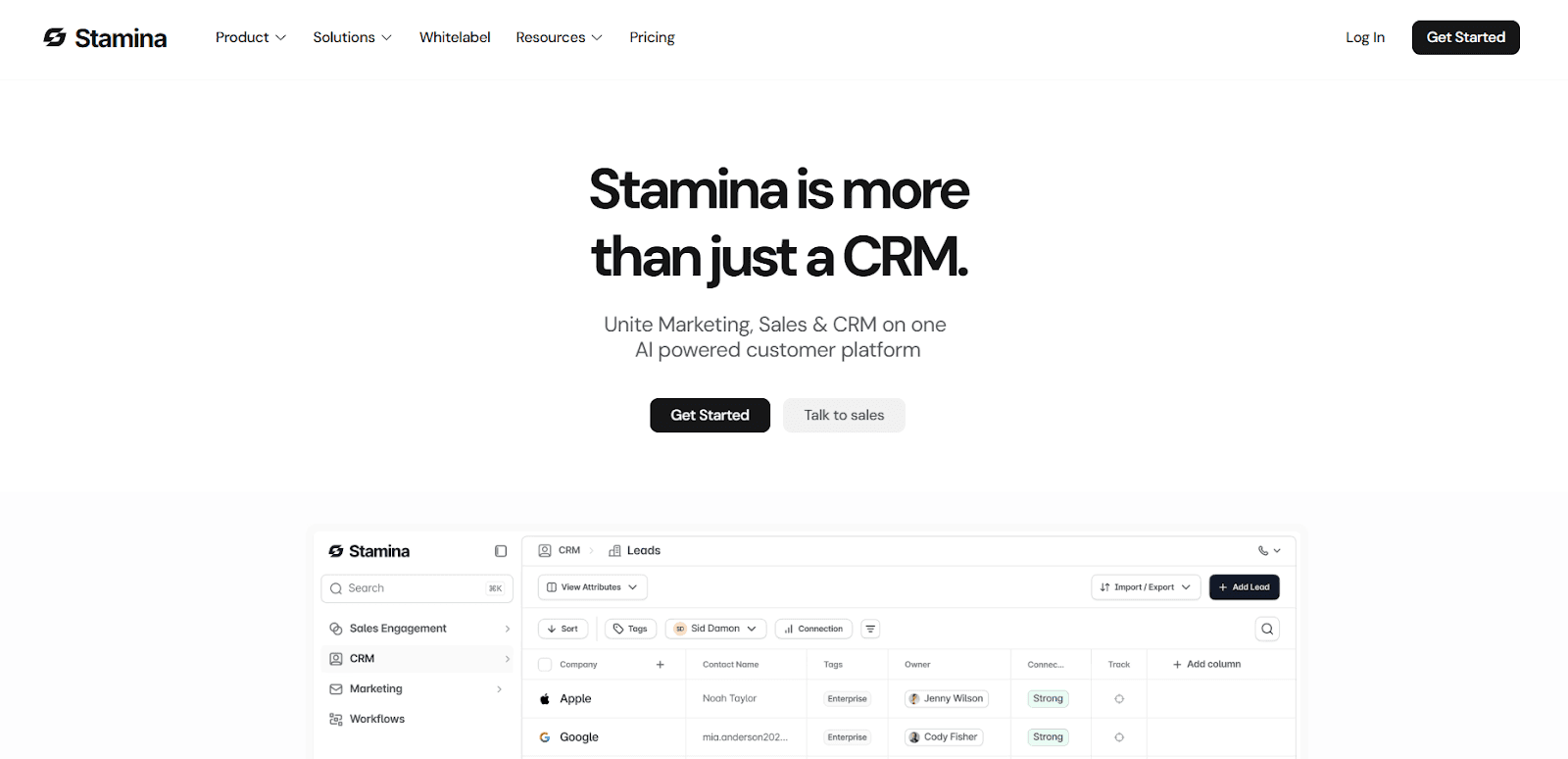
Stamina is an AI-powered CRM platform that combines sales, marketing, and automation into one connected workspace.
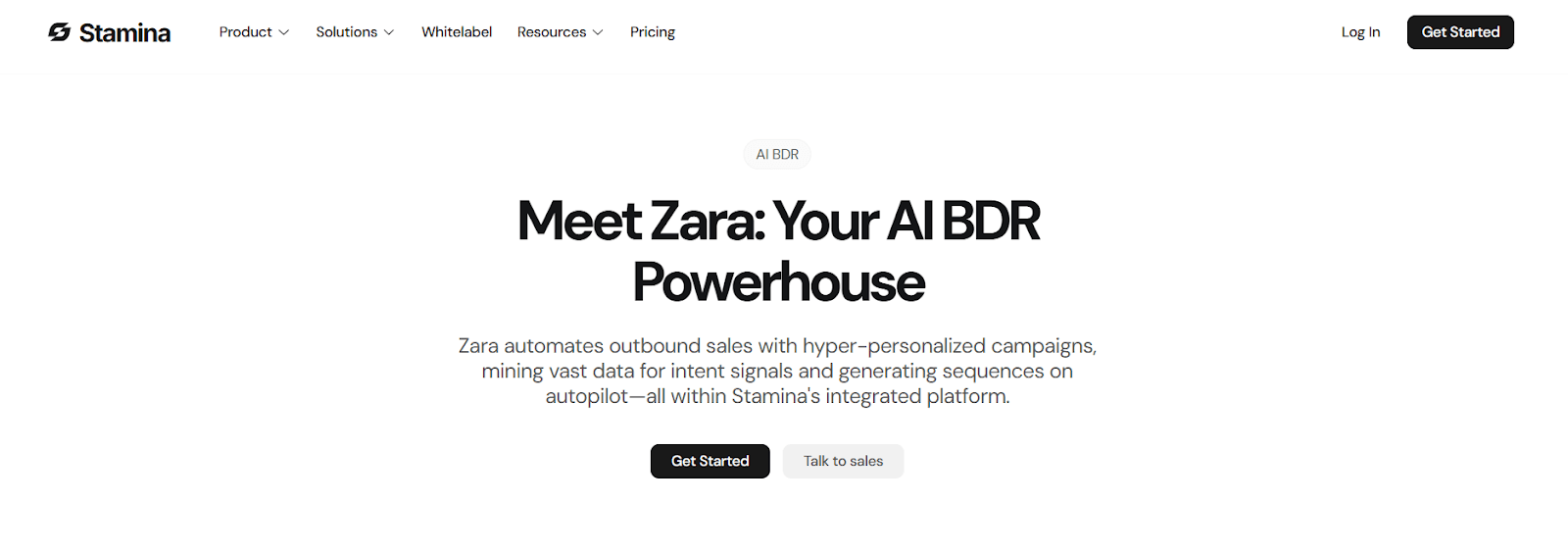
It includes an in-built AI SDR named Zara that handles prospect research, email writing, follow-ups, and scheduling, automating outbound campaigns from start to finish.
Stamina includes AI-driven deliverability tools such as inbox warm-up, live placement tracking, and dynamic send limits, features that HubSpot provides only partially through its Dedicated IP add-on (for marketing emails only).
Key Features of Stamina
Zara automates the full sales development process, researching prospects, detecting buying signals, writing personalized emails, and sending follow-ups. This helps teams scale outbound outreach with less manual effort.
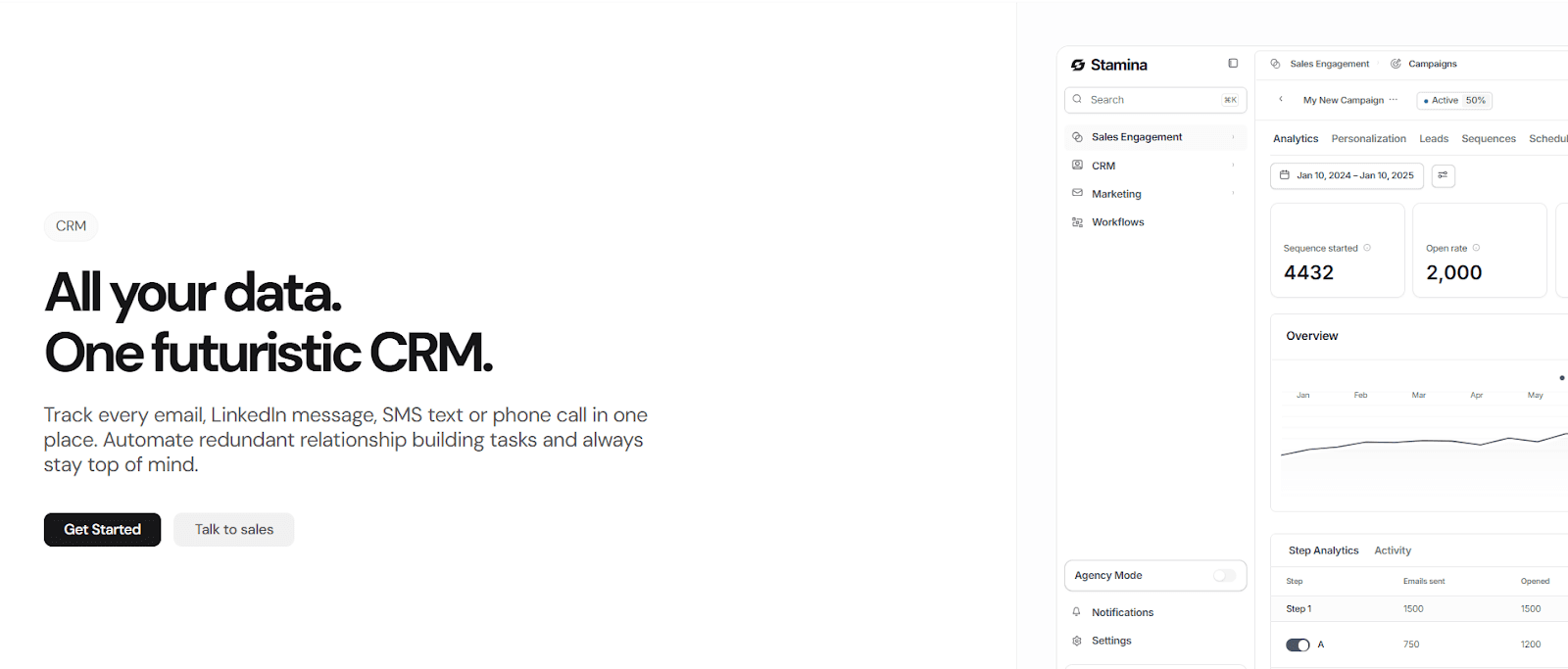
Stamina’s CRM acts as a single source of truth for every customer touchpoint. It syncs emails, calls, LinkedIn messages, and SMS to help teams manage deals and track pipeline activity in real time.
It includes dynamic send limits, inbox placement testing, and automatic warm-up through a 1M+ inbox network. This ensures cold emails consistently land in the primary inbox instead of spam.
You can build behavior-based email campaigns using templates, triggers, and flows, perfect for nurturing signups or re-engaging dormant leads automatically.
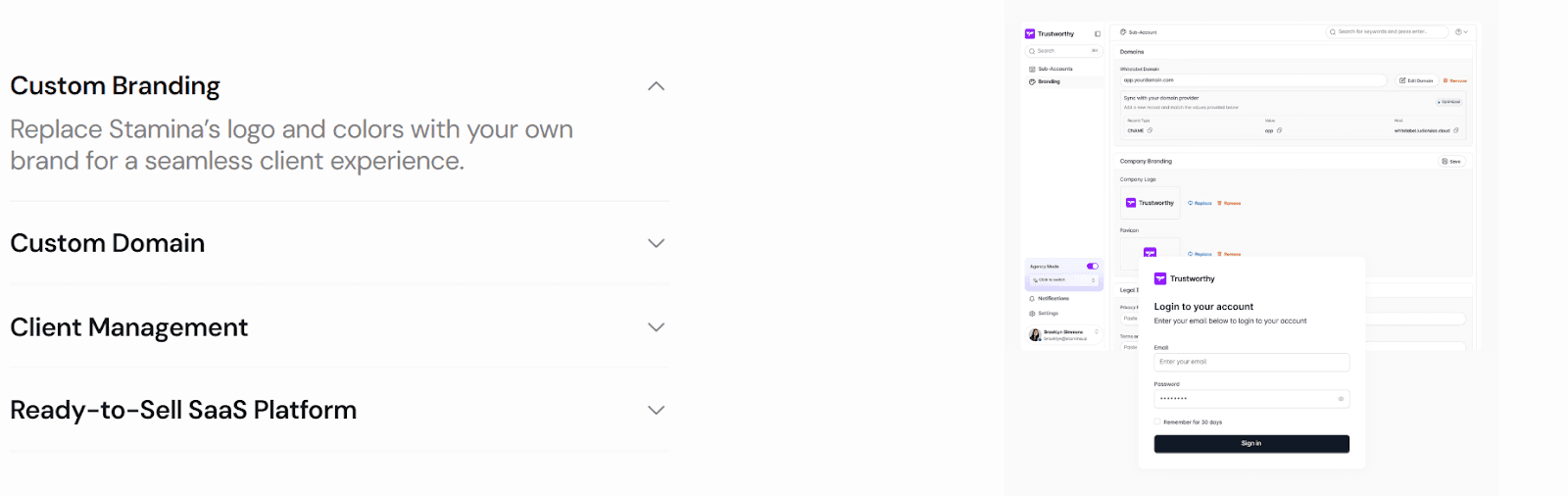
Agencies can rebrand Stamina with their own logo, domain, and colors to resell it as a private-labeled SaaS solution.
Stamina vs HubSpot
Function | Stamina | HubSpot |
AI Automation | AI SDR handles research, writing, and follow-up | Automation available through sequences and workflows; No full SDR automation. |
CRM | Unified CRM for marketing, sales, and outreach | Separated by hubs (Sales, Marketing, Service) |
Deliverability | Built-in AI warm-up, inbox rotation, live placement tracking, and dynamic send limits for all mailboxes | Offers automatic IP warm-up only with Dedicated IP Add-on (Marketing Hub); no deliverability tracking or warm-up for sequences or connected inboxes |
Workflow Builder | Visual, cross-platform automation | Advanced automation in higher-tier plans |
White-Labeling | Full white-label (logo, colors, domain) for agencies | No full white-label; partners get co-branded Campaign Kits and client management tools. |
Pricing | From $397/month | From $20/user/month (Sales Hub Starter); Marketing Hub adds contact-based pricing. |
Pros of Stamina
The AI SDR automates prospect research and outreach, replacing the need for multiple HubSpot tools.
Native deliverability management improves inbox placement and reputation without external warm-up services.
Unified CRM and workflow automation eliminate silos between marketing, sales, and support.
The white-label feature gives agencies a ready-to-resell SaaS product under their own brand.
Integrated email marketing automation helps nurture leads with dynamic content and triggers.
Cons of Stamina
Limited third-party integrations compared to HubSpot’s large app marketplace.
Outbound-first workflows may not fit businesses focused mainly on inbound content.
AI setup time is needed to train workflows and optimize automation behavior.
Stamina Pricing
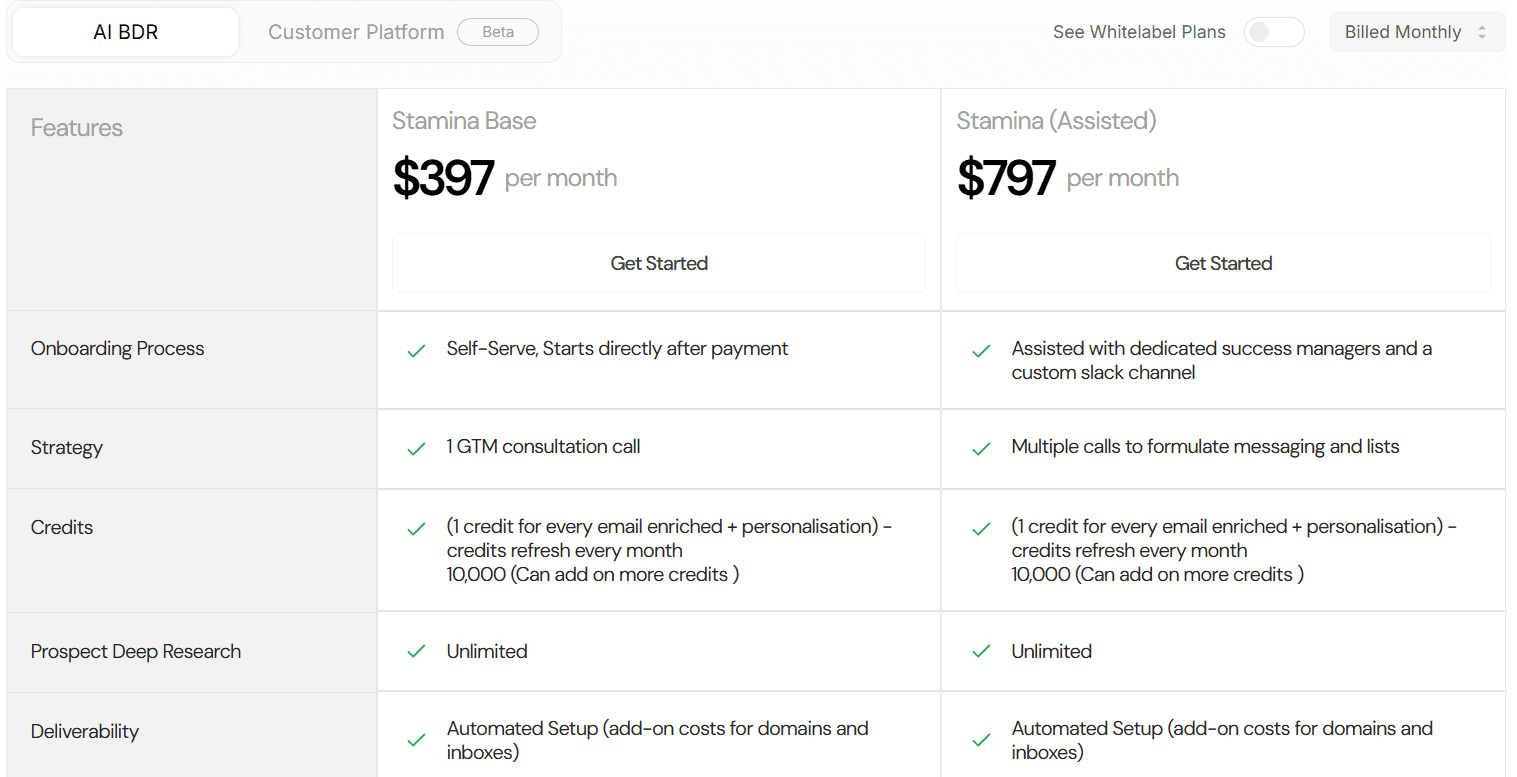
Base Plan – $397/month, includes AI SDR Zara, CRM, 10,000 enrichment credits, marketing automation, and chat support.
Assisted Plan – $797/month, adds Slack support, onboarding calls, and a dedicated success manager.
Credits renew monthly, and one credit is used per enriched and personalized email.
Stamina stands out as a modern HubSpot alternative that combines AI automation, CRM, marketing, and deliverability in one place.
It’s ideal for teams that want to automate outbound operations and manage the full customer journey without switching tools.
2. Salesforce
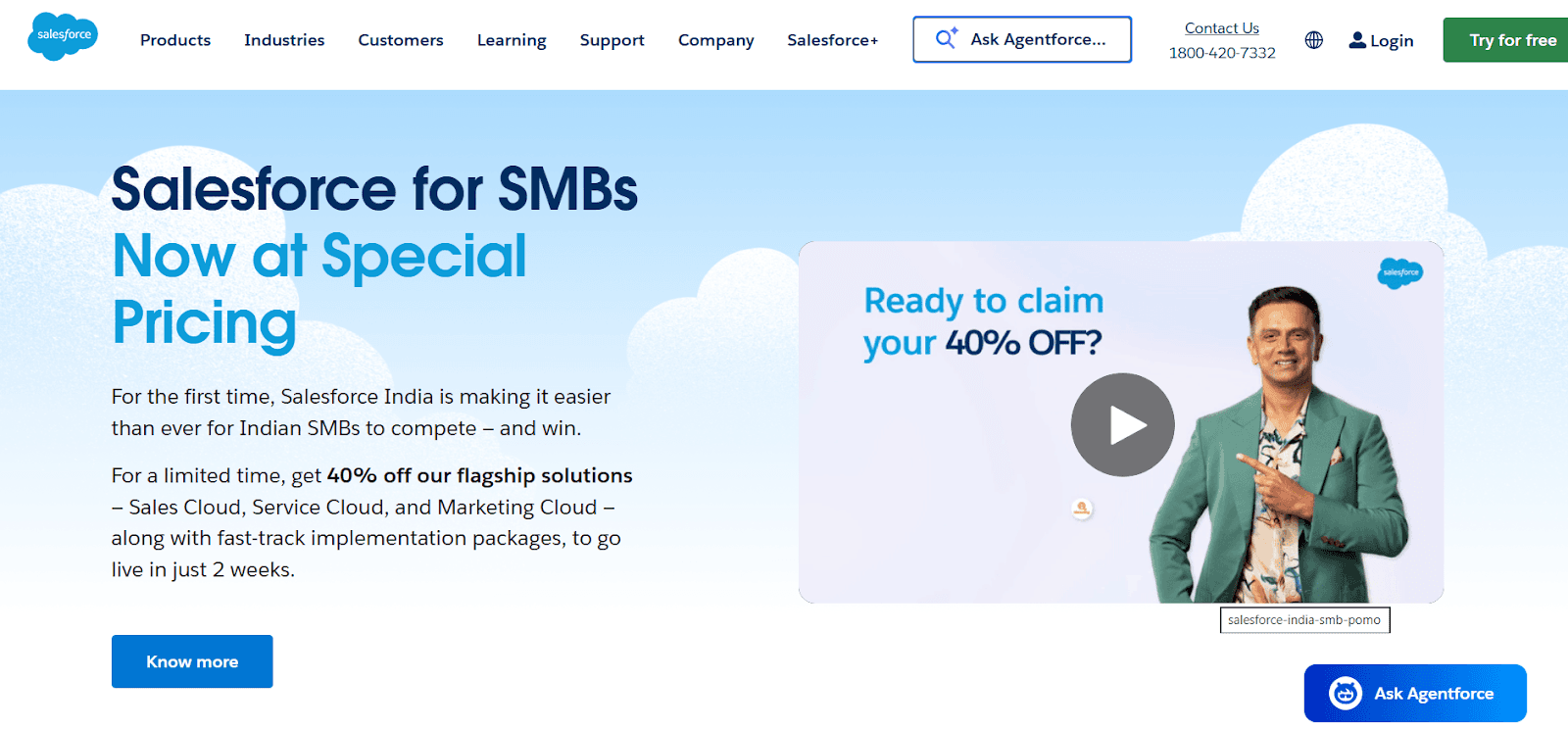
Salesforce is an enterprise CRM platform that unifies sales, marketing, service, and analytics under one ecosystem.
It’s built for SMBs that need deep automation, advanced analytics, and full-funnel visibility.
Salesforce helps companies manage every stage of the sales process, from capturing a lead to automating follow-ups and forecasting revenue, inside one AI-powered platform.
Key Features of Salesforce
Salesforce brings together AI, CRM, and automation under one system.
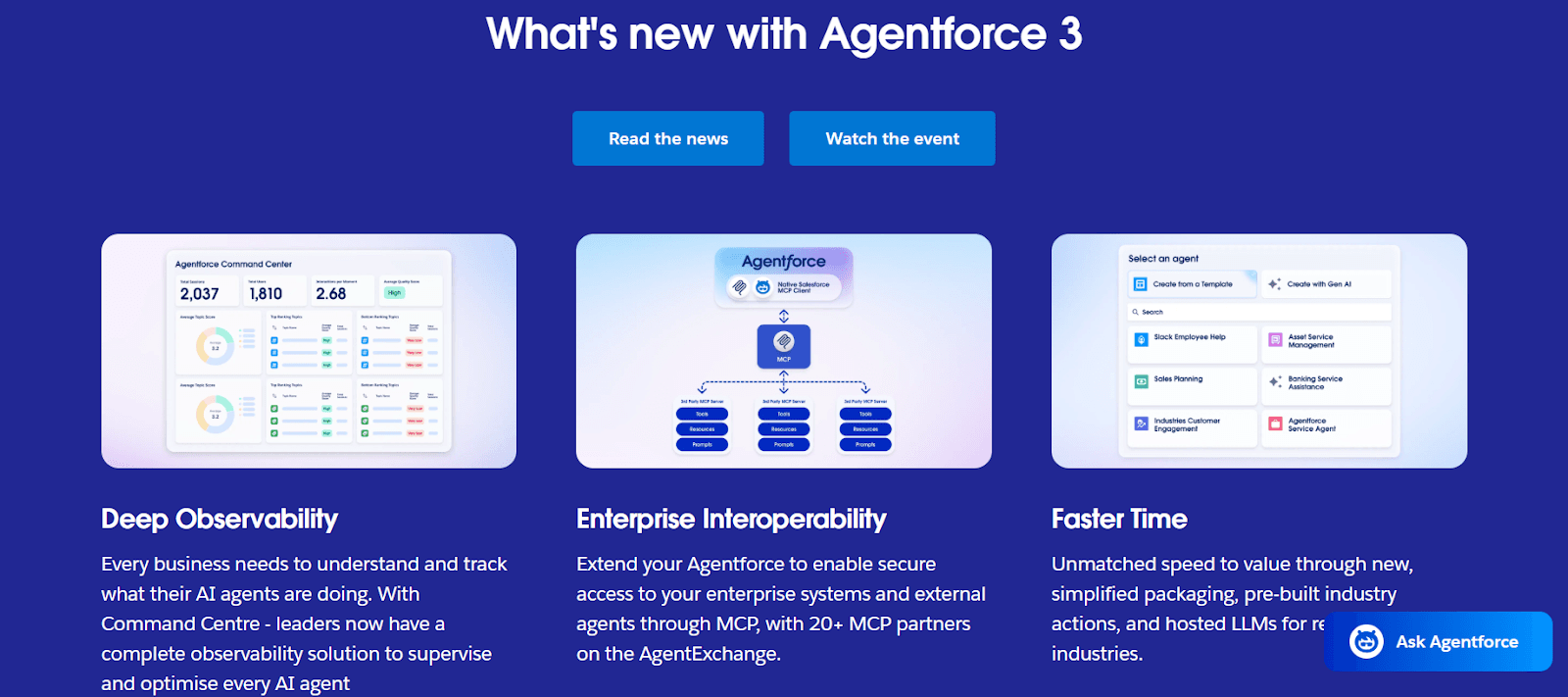
With Agentforce Builder, admins can set custom rules and instructions for AI agents, allowing them to reply to leads, log activities, and book follow-ups automatically. It brings speed and accuracy to everyday sales workflows.
Data Cloud merges customer data from CRMs, websites, and external systems into one view. This allows real-time segmentation and personalization for campaigns and reports.
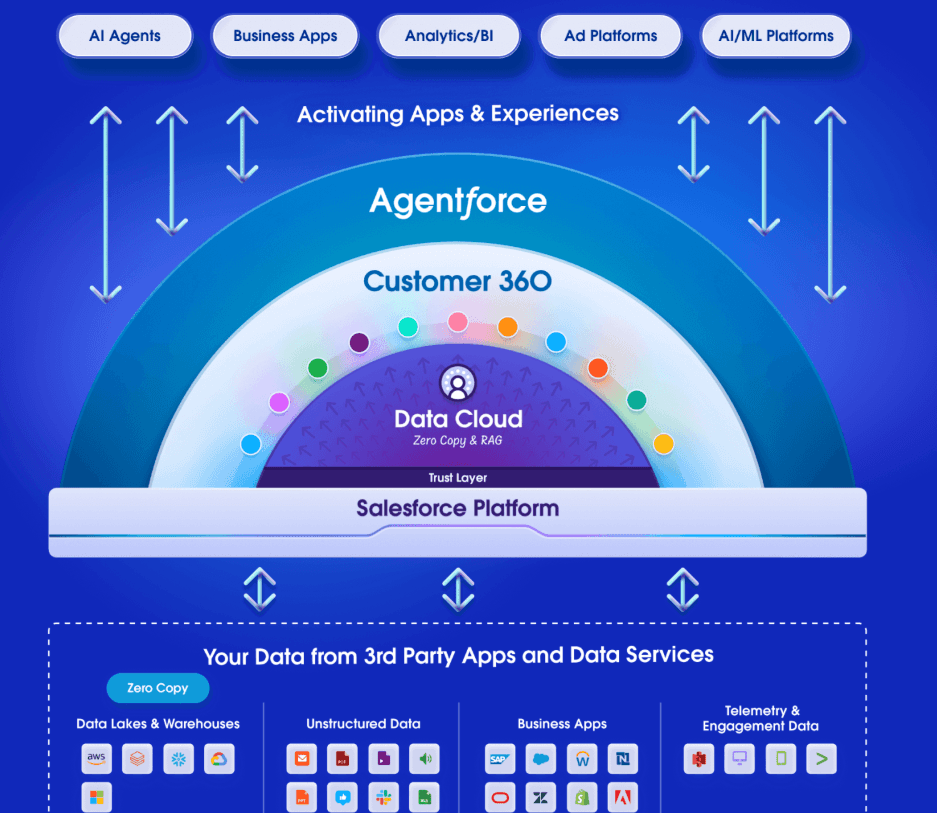
Salesforce connects every department through shared workflows across Slack, marketing, and customer service. This integration ensures that deals, conversations, and customer updates stay in sync without manual effort.
Businesses can turn their existing Salesforce Flows and Apex scripts into agent-ready actions. This reduces rework and helps companies scale automation instantly.
Salesforce vs HubSpot
Function | Salesforce | HubSpot |
AI Automation | Agentforce AI automates workflows and follow-ups | Predictive AI only; no autonomous agents |
CRM Data Model | Customer 360 unifies all business functions | Separate Sales, Marketing, and Service hubs |
Workflow Automation | Advanced automation across multiple apps | Visual automation limited by plan |
Deliverability | Dedicated IPs with auto warm-up (Marketing Cloud) | Dedicated IP add-on only |
Pricing | From $25/user/month (Starter Suite) | From $20–$50/user/month (plus contact tiers) |
Pros of Salesforce
Agentforce AI automatically follows up on leads, writes replies, and completes workflows, reducing manual effort.
Customer 360 gives every department the same live customer data, avoiding duplicate records or data silos.
Einstein AI improves sales performance through lead scoring and revenue forecasting.
Einstein Trust Layer keeps data secure and compliant across all AI tools.
Cons of Salesforce
Setup is complex and requires technical knowledge to customize automation and workflows.
AI and Data Cloud features cost extra, increasing overall pricing for small teams.
The platform can feel heavy or overwhelming for simple outbound or small-scale use cases.
Salesforce Pricing
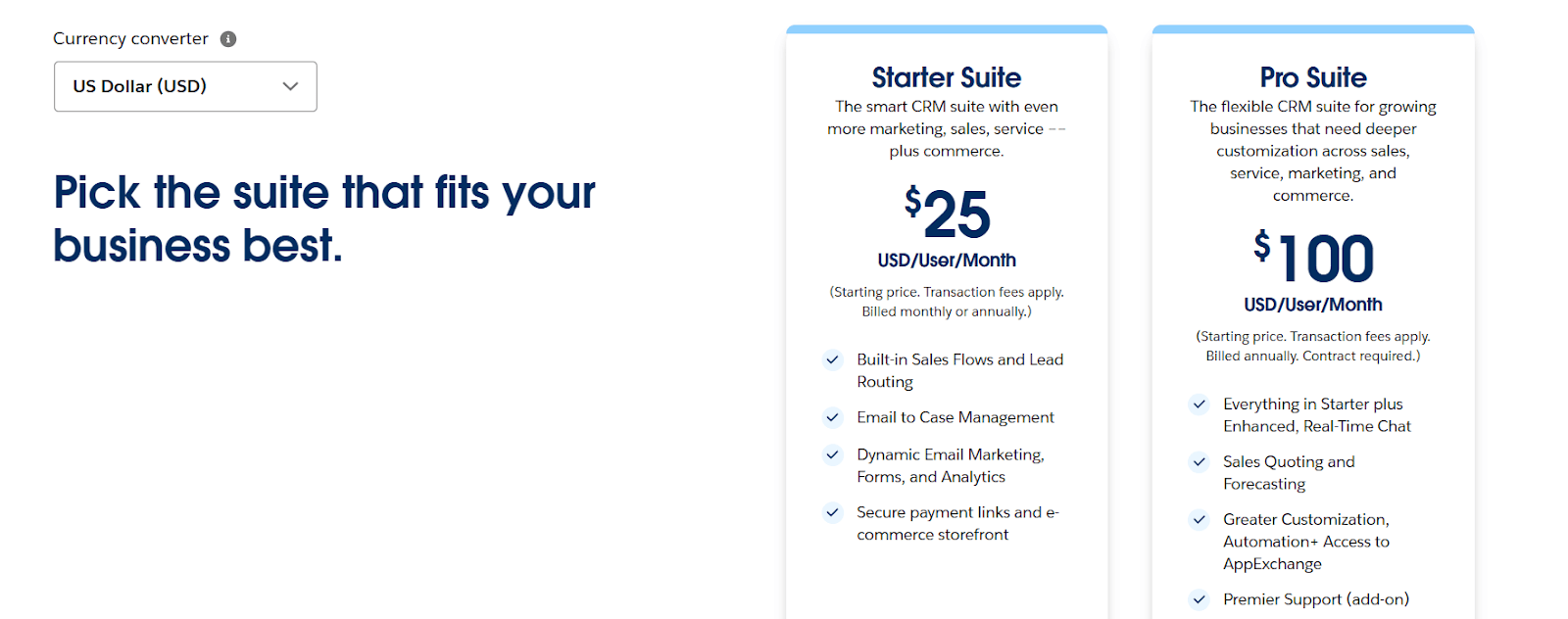
Starter Suite: $25/user/month, includes basic CRM and sales features.
Pro Suite: $80/user/month, adds automation and analytics.
Enterprise + Agentforce Add-ons: Custom pricing, includes AI agents, Data Cloud, and advanced workflows.
Salesforce is best suited for mid to large teams that need a single platform to automate everything, from lead generation to customer support, with strong AI, reporting, and data control.
3. Zoho CRM
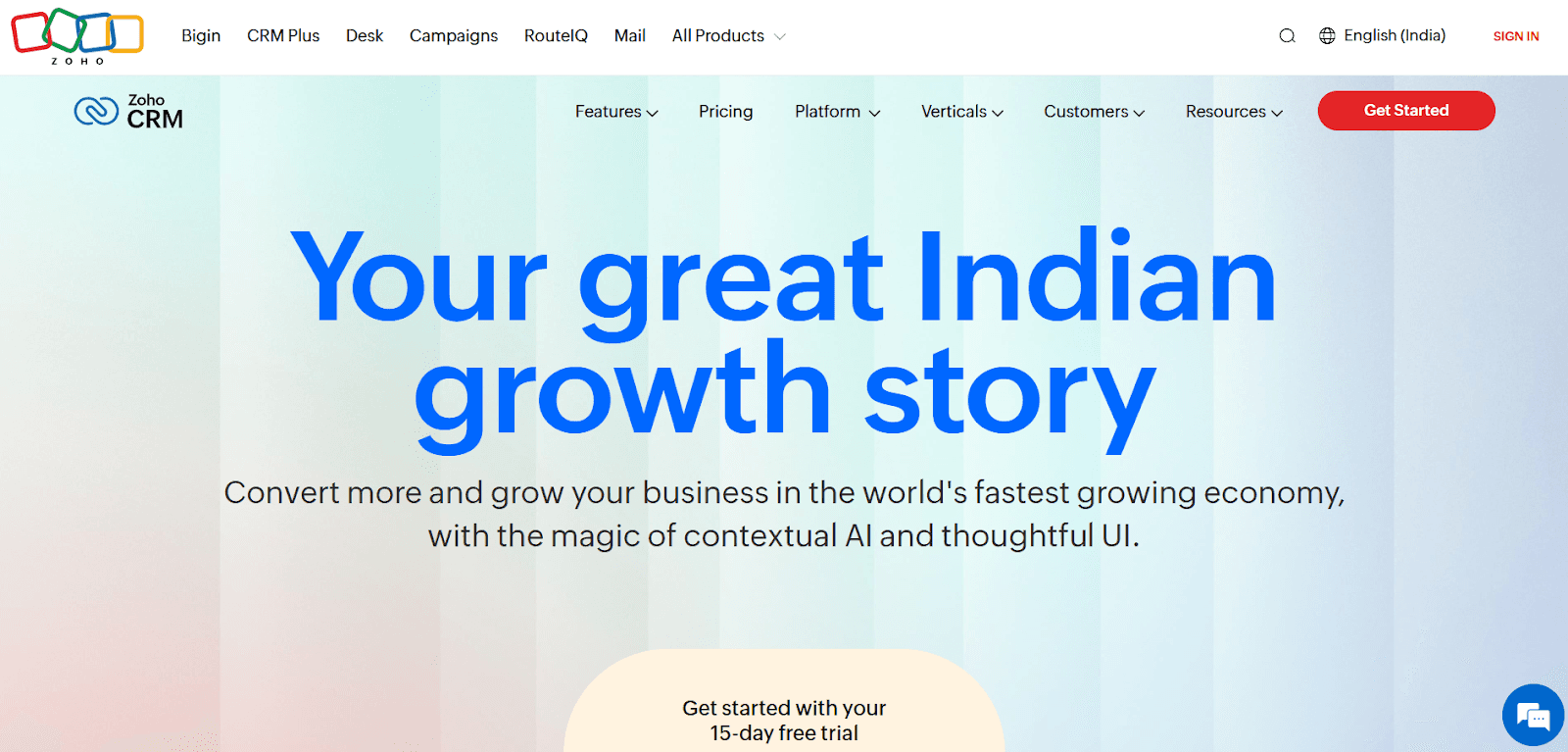
Zoho CRM is a full-scale customer relationship management platform used by 300,000+ businesses worldwide.
It combines sales automation, AI, analytics, and customization in one low-code system.
Zoho CRM offers a complete 360° platform that covers sales, marketing, support, inventory, and analytics, all at a fraction of the cost.
Key Features of Zoho CRM
Zoho focuses on helping teams sell smarter and collaborate better with strong automation and AI capabilities.
Zia is Zoho’s built-in AI that predicts sales outcomes, scores leads, detects anomalies, rewrites emails, and provides voice commands for faster actions.
Teams can design standardized workflows and automate entire customer journeys, from lead capture to closing, ensuring consistent experiences.
A drag-and-drop interface lets you fully redesign CRM modules and layouts without coding. It helps each team personalize its view of data.
The module 360 architecture powers Zoho CRM. It connects data across sales, marketing, inventory, and support, creating one centralized customer view.
Zoho CRM vs HubSpot
Function | Zoho CRM | HubSpot CRM |
AI Automation | Zia predicts, analyzes, and automates actions | Limited predictive AI; no full assistant |
Customization | Full UI, module, and process customization; sandbox testing | Basic UI edits; advanced features in higher tiers |
Process Automation | Blueprint and journey orchestration across teams | Workflow builder limited by plan |
Collaboration | Teamspaces, Feeds, and Portals for external partners | Team tagging and shared inbox only |
Inventory | Includes quotes, orders, invoices, and vendor management | Limited to quotes and products |
Pricing | From $20/user/month | Free base; paid hubs start at $20–$50/user/month |
Pros of Zoho CRM
Blueprint and journey tools help standardize and automate complex sales processes.
Canvas and Module 360 make the CRM visually customizable and adaptable to any workflow.
Its built-in inventory and finance modules eliminate the need for external systems.
There is a strong privacy commitment, no third-party trackers, no ads, and full GDPR/SOC2 compliance.
Cons of Zoho CRM
The interface, while flexible, can feel overwhelming for first-time users.
Some advanced analytics and AI features are available only in Enterprise and Ultimate plans.
Customer support quality varies by region and support tier.
Zoho CRM Pricing
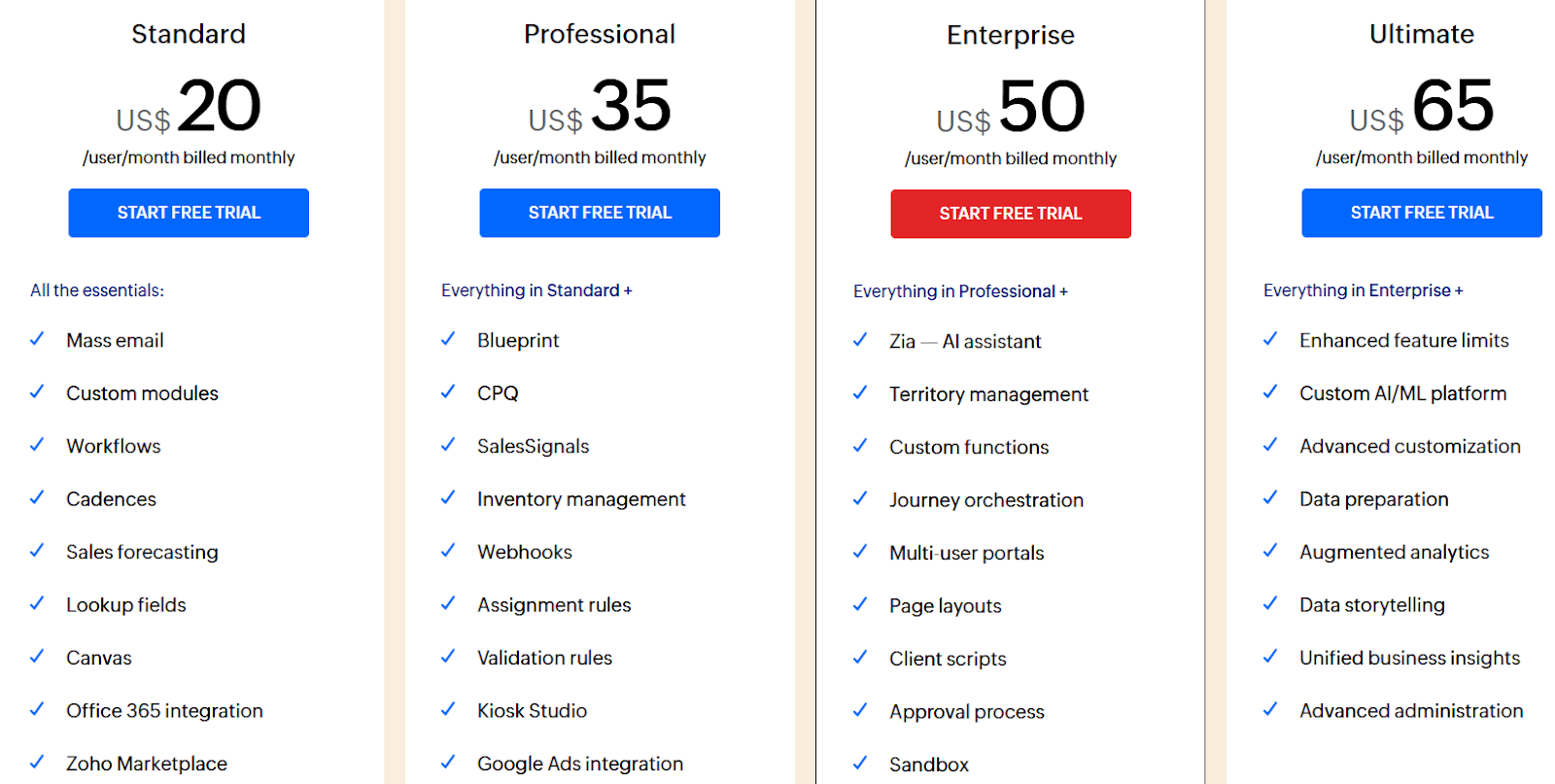
Standard: $20/user/month, includes mass email, custom modules, and workflows.
Professional: $35/user/month, adds Blueprint, CPQ, and inventory management.
Enterprise: $50/user/month, includes Zia AI, journey orchestration, and sandbox.
Ultimate: $65/user/month, includes advanced AI/ML, data storytelling, and custom analytics.
Team User Add-on: $11/user/month, for collaboration spaces.
Free Plan: Up to 3 users with core CRM features and mobile app access.
Zoho CRM is ideal for growing businesses that want enterprise-grade functionality without enterprise-level costs.
Its AI, customization, and workflow automation go beyond HubSpot’s free CRM, making it a stronger choice for teams seeking flexibility, data control, and scalability, all in one affordable platform.
4. Pipedrive
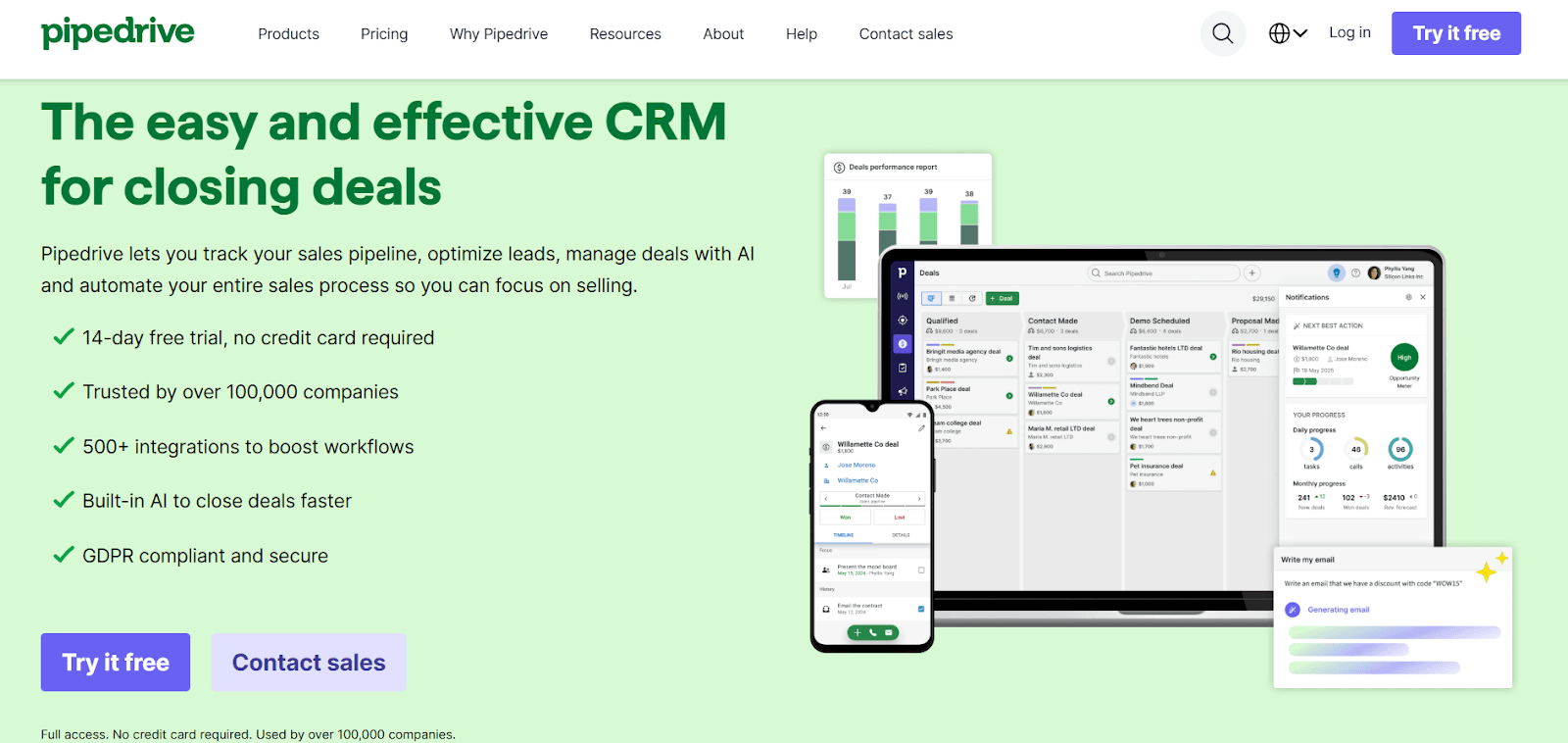
Pipedrive is an easy-to-use sales CRM built to help teams track deals, manage pipelines, and close more sales.
While HubSpot packs multiple hubs for sales, service, and marketing, Pipedrive keeps things simpler by giving teams everything they need to sell faster, not manage software.
Key Features of Pipedrive
Pipedrive focuses on visibility, automation, and simplicity so sales teams can spend more time selling and less time on admin.
Pipedrive’s visual pipeline view lets you drag and drop deals through every stage. Teams can customize stages, add custom fields, and track progress in real time to see which opportunities need follow-ups.
The built-in AI assistant, Nora helps users prioritize leads, generate instant sales reports, and even write or summarize emails. It uses real data to suggest next steps and improve forecasting accuracy.
You can automate repetitive tasks like follow-ups, reminders, and deal updates. Smart workflows and triggers save time and keep deals moving without manual work.
With over 500+ integrations, Pipedrive connects seamlessly with tools like Google Workspace, Slack, Asana, QuickBooks, Zoom, and more, so teams can work in one connected system.
Pipedrive vs HubSpot
Function | Pipedrive | HubSpot CRM |
Ease of Use | Simple interface, easy setup | Broader suite with steeper learning curve |
AI Features | Built-in AI assistant for sales and reports | Predictive AI in premium plans only |
Automation | Automations included from Growth plan | Advanced workflows in higher plans |
Email & Marketing | Native Campaigns add-on for emails | Marketing Hub sold separately |
Integrations | 500+ marketplace integrations | Over 1,500 integrations |
Pricing | $19–$89 per seat/month | $0–$120 per user/month (depends on hub) |
Pros of Pipedrive
Automation triggers handle repetitive admin work like reminders or lead routing, keeping sales pipelines active even when reps are offline.
The Campaigns add-on brings marketing emails into the same CRM, so sales and marketing can work together seamlessly without extra tools.
500+ integrations connect finance, communication, and marketing systems, letting teams build a single workflow without manual syncing.
The mobile CRM app gives full access to deals, notes, and calls on the go, making it ideal for field sales or remote teams.
Cons of Pipedrive
Marketing features such as email campaigns and lead generation tools require separate paid add-ons, which can increase total cost.
Reporting and analytics, while simple and fast, are not as advanced as those in enterprise platforms like Salesforce or HubSpot.
Phone support is only available in higher-tier plans, which may limit quick assistance for smaller teams.
There’s no permanent free plan, only a 14-day trial, which might be a drawback for early-stage startups testing CRMs.
Pipedrive Pricing
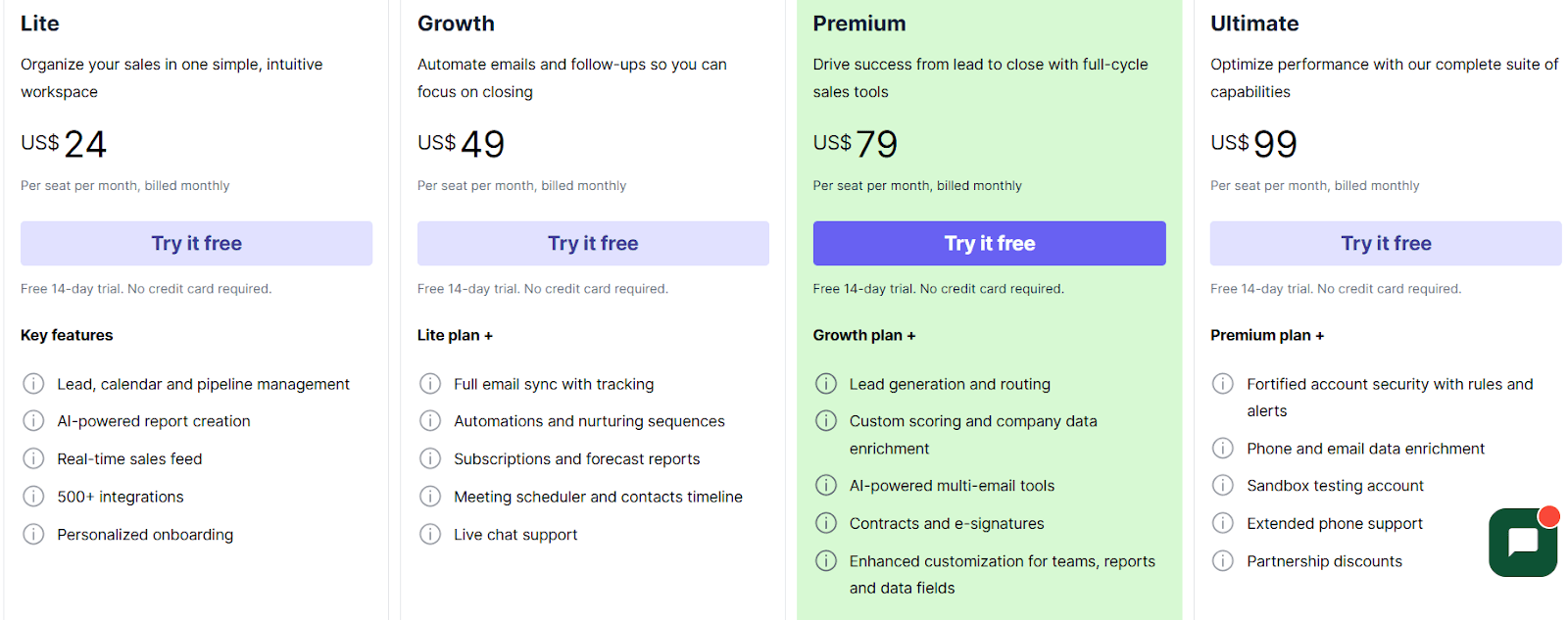
Lite – $24/month: Basic CRM with lead, calendar, and pipeline management, AI reports, and 500+ integrations.
Growth – $49/month: Adds full email sync, automation sequences, and meeting scheduler.
Premium – $79/month: Includes lead routing, AI email tools, contracts, and advanced customization.
Ultimate – $99/month: Adds advanced security, sandbox testing, and extended support.
Free Trial: 14 days, full access, no credit card required.
Pipedrive is perfect for small and mid-sized businesses that want a straightforward CRM to close more deals without complexity.
It offers all essential CRM features, automation, pipeline tracking, and AI tools, at a lower cost than HubSpot, making it ideal for fast-moving sales teams that need clarity, control, and affordability.
5. ActiveCampaign
ActiveCampaign is an automation-focused CRM platform that combines email marketing, sales automation, and customer engagement into one system.
It’s built for businesses that want to automate personalized communication, nurture leads, and manage relationships at scale.
Key Features of ActiveCampaign
ActiveCampaign blends AI, automation, and CRM to create a connected customer experience across marketing and sales.
It centralizes customer data and uses triggers like form fills, email opens, or link clicks to automate responses and follow-ups instantly.
You can track every lead and deal stage automatically while triggering personalized tasks or emails when prospects take key actions.
AI learns engagement patterns and optimizes when emails are delivered to increase open and reply rates.
It offers a drag-and-drop editor with hundreds of customizable templates for campaigns and automations.
ActiveCampaign vs HubSpot
Function | ActiveCampaign | HubSpot |
Core Focus | Automation and email marketing | Inbound marketing and CRM |
AI Features | Predictive sending and content personalization | AI writing and chat features in higher tiers |
CRM | Built-in with deal tracking and automation | Full CRM suite with modular hubs |
Integrations | 900+ apps including Shopify, Slack, and Zapier | 1500+ integrations |
Pricing | Starts at $19/month | Starts at $20–$50/user/month (plus contacts) |
Pros of ActiveCampaign
ActiveCampaign’s automation builder lets users map out complete customer journeys, from lead capture to follow-up.
Its predictive sending feature improves open rates by automatically choosing the best time to reach each contact based on past behavior.
The platform supports multichannel communication, enabling seamless outreach across email, chat, SMS, and social media from one dashboard.
Native CRM and sales automation help teams track deals, manage pipelines, and trigger automated follow-ups in real time.
Cons of ActiveCampaign
The CRM module, while functional, is not as deep or customizable as full CRMs like HubSpot or Salesforce.
Its extensive automation options can feel complex for beginners setting up workflows for the first time.
Advanced features such as predictive content or dedicated IPs are only available on higher-tier plans.
Support is limited to chat and email on lower plans, phone support requires a professional or enterprise subscription.
ActiveCampaign Pricing
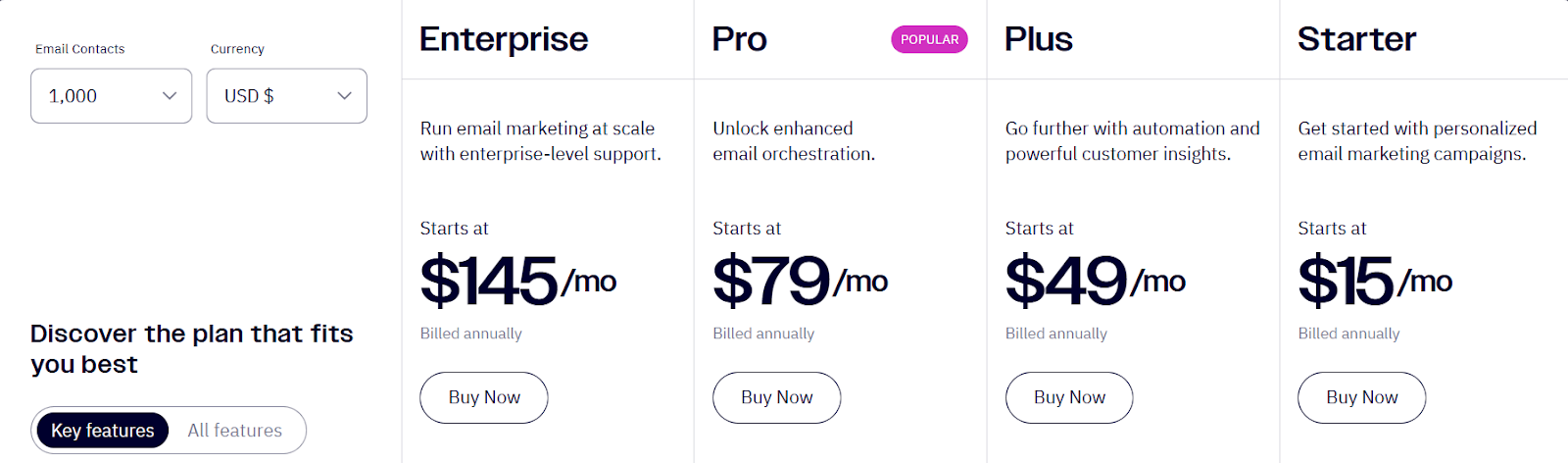
Starter – $15/month: Basic email marketing and automation with limited users.
Plus – $49/month: Adds CRM, automation maps, and integrations.
Pro – $79/month: Includes predictive sending, split automations, and custom reporting.
Enterprise – $149/month: Adds SLA support, dedicated account manager, and custom reporting.
Free Trial: 14-day trial available, no credit card required.
ActiveCampaign is ideal for small to mid-sized businesses that want powerful automation without enterprise complexity.
It gives stronger control over customer journeys than HubSpot at a lower cost, though larger teams may find HubSpot’s CRM depth more suitable.
If automation and personalized engagement are your priorities, ActiveCampaign is one of the most complete HubSpot alternatives available today.
Which HubSpot Alternative Should You Pick?
Choosing the right CRM really depends on what you need most.
Here’s a quick way to decide what fits you best:
Pipedrive – Best if you want something simple to use. It’s easy to set up, affordable, and helps you stay on top of deals without extra work.
Zoho CRM – Great for teams that want full control and custom options. It’s secure, flexible, and good for managing both sales and marketing in one place.
Salesforce – Works well for bigger companies that need deep automation, reports, and advanced tools across departments.
Freshsales – Good balance of price, features, and ease of use. Perfect for small teams getting started.
Stamina – Built for the modern sales era, combining AI SDR automation, outreach, and CRM into one clean, unified system.
If you want a CRM that doesn’t just store contacts but actually acts like a sales assistant, Stamina is the one to choose.
It automates prospecting, follow-ups, and reporting, saving hours every week while keeping your pipeline moving.
Try Stamina today and see how it helps you run your entire sales process from one dashboard.
FAQs about HubSpot Alternatives
1. Why should I look for a HubSpot alternative?
HubSpot is great for inbound marketing, but it can get expensive and complex as your team grows.
Alternatives like Stamina, Zoho, or Pipedrive offer similar or better automation, CRM, and AI features at a lower cost.
2. Which HubSpot alternative is best for small businesses?
If you’re a small team, Pipedrive or Freshsales are easier to set up and manage.
They offer simple automation and clean dashboards without needing technical help.
3. Which CRM is best for AI-powered sales?
Stamina stands out here. It uses AI to handle prospecting, send follow-ups, and manage CRM data automatically — helping you save time and boost conversions.
4. Is Zoho CRM better than HubSpot?
Zoho is better if you need customization, privacy, and flexibility across departments.
HubSpot is stronger for inbound marketing and campaigns, but Zoho gives you more value for the price.
5. Is Salesforce too complex for small teams?
Yes, Salesforce can feel overwhelming for smaller teams because of its advanced setup and higher pricing.
It’s best suited for larger companies with dedicated sales and IT teams.