Marketing Automation Workflow: A 2026 SMB Guide

Build a powerful marketing automation workflow. Learn to capture, nurture, and convert leads with our guide to triggers, actions, KPIs, and templates for SMBs.

0 - Minute Read

Your leads are coming in from different places. A form on the site. A webinar signup. A reply to an outbound email. Maybe a referral that lands in someone’s inbox and sits there for two days because everyone’s busy.

That’s how revenue leaks happen.

Many SMB teams don’t lose deals because the offer is bad. They lose them because follow-up is inconsistent, data is messy, and handoffs depend on memory. One rep remembers to call. Another forgets. Marketing sends a useful PDF, but nobody routes the contact to sales when that same person checks the pricing page later. The business keeps generating interest, then handles it with spreadsheets, inbox flags, and good intentions.

A marketing automation workflow fixes that by turning scattered tasks into a system. It gives your business a repeatable response every time a buyer does something that matters. Someone downloads a guide, they get the right welcome message. Someone goes quiet, they enter a re-engagement sequence. Someone shows buying intent, sales gets notified and the CRM updates without anyone copying data by hand.

That shift isn’t theoretical. In 2025, 75% of companies increased their marketing automation budgets, and the AI marketing automation market is projected to reach $107.5 billion by 2028, according to Digital Applied’s summary of Gartner’s Marketing Technology Survey and market projections.

For a busy owner, the appeal is simple. You stop managing individual tasks and start managing the machine that produces follow-up, qualification, and revenue.

Putting Your Marketing on Autopilot

A lot of SMB marketing still runs like a relay race without baton markers.

A prospect fills out a form. Marketing gets the notification. Someone exports the lead list later. A generic email goes out. Sales gets a Slack message if the marketer remembers. If the lead doesn’t reply, nobody knows whether to call, nurture, or wait. Every step exists. The problem is that none of it is connected.

Where manual marketing breaks

Manual work creates three common problems.

  • Leads age too fast: Interest is highest right after someone takes action. If follow-up waits on a human, the window shrinks.

  • Teams work from different facts: Marketing has campaign data. Sales has call notes. The CRM has partial records. Nobody sees the whole picture.

  • Good campaigns don’t scale: What works for twenty leads becomes chaos at two hundred.

That’s why automation matters more now than it did a few years ago. It’s no longer just an enterprise convenience. It’s how smaller teams stay responsive without hiring a full ops department.

What autopilot means

Autopilot doesn’t mean “set it and forget it.” It means the routine decisions are pre-built.

A strong marketing automation workflow works like a trained front desk, dispatcher, and sales coordinator in one system. It notices a signal, checks context, chooses the next action, and records what happened. It can welcome, route, remind, suppress, score, and escalate.

Practical rule: If a customer action would make a good rep or marketer do something every single time, that action should probably trigger a workflow.

The useful mental shift is this. You’re not automating email. You’re automating response.

That response can include email, but it can also include CRM updates, sales tasks, audience changes, internal alerts, and channel changes based on behavior. For SMBs, that’s how you get consistency without becoming robotic. The machine handles the repeatable part so your team can spend time on judgment, objections, and closing.

What this changes for the business

When workflows are built well, the business gets more predictable.

Marketing stops guessing whether leads were worked. Sales stops complaining that every lead looks the same. Owners stop asking for updates from three different tools just to understand pipeline movement.

A marketing automation workflow doesn’t replace strategy. It enforces it. If your team knows how a prospect should move from first touch to qualified conversation, automation makes that path happen every time.

The Anatomy of a Modern Automation Workflow

Every workflow looks complicated when it’s drawn on a whiteboard. In practice, many of them are built from four parts.

Consider a GPS. A driver enters a destination. The system watches for conditions, gives the next instruction, waits when needed, and reroutes if behavior changes.
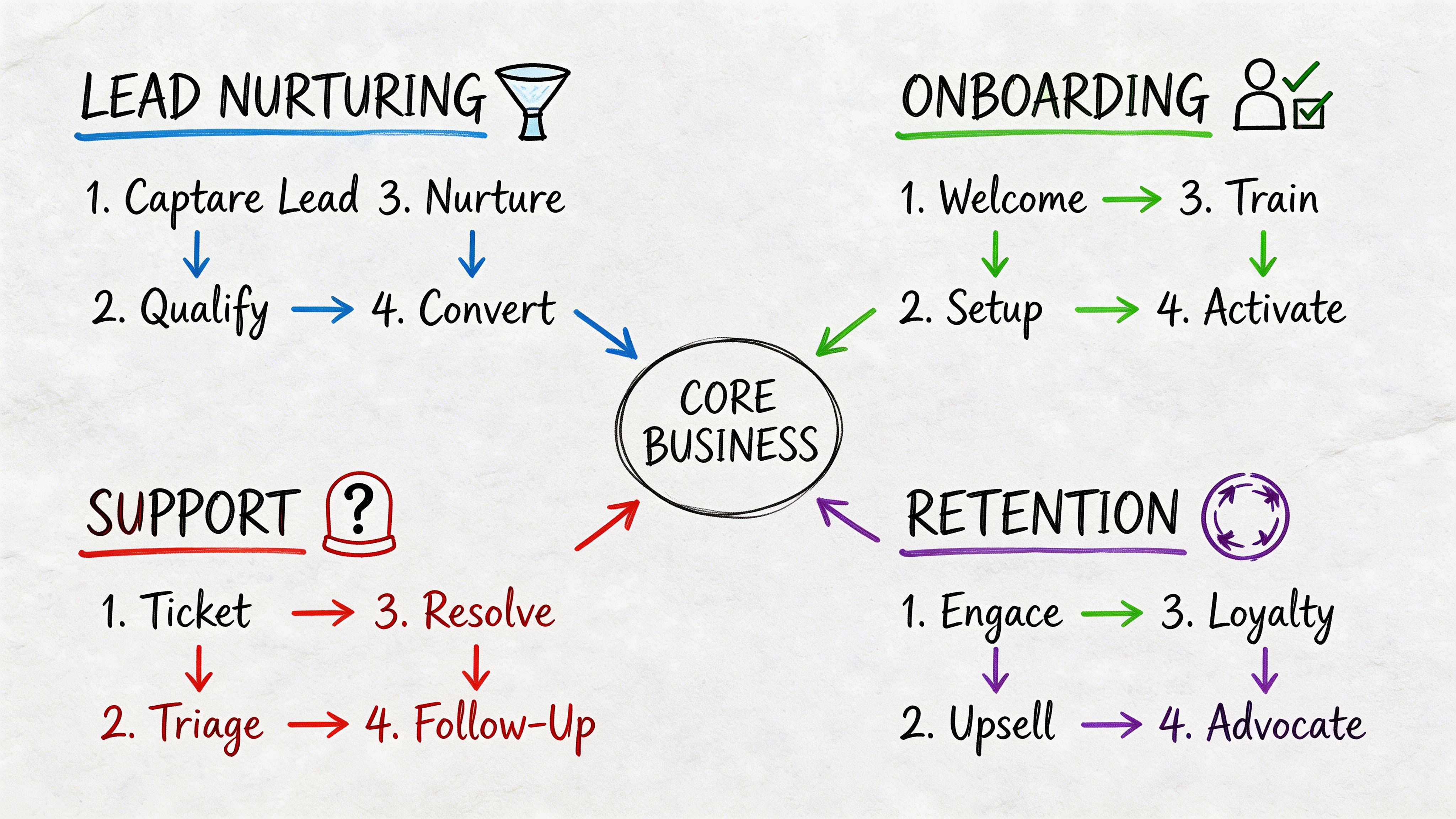
A business flowchart diagram showing four key phases of marketing automation: Lead Nurturing, Onboarding, Support, and Retention.

Triggers start the motion

A trigger is the event that enrolls someone into the workflow.

That can be a form submission, a page visit, a list join, a content download, a demo request, or a period of inactivity. If nothing starts the process, nothing else matters.

Good triggers are specific. “All contacts” is rarely useful. “Submitted contact form for service page” is useful. “Visited pricing page after downloading a case study” is even better.

Actions do the work

An action is what the system does after the trigger fires.

Common actions include:

  • Send a message: Email is the obvious one, but it could also be SMS or an internal notification.

  • Update the record: Change lifecycle stage, assign owner, add a tag, or set a score.

  • Create a task: Tell a rep to call, review, or follow up.

  • Move data elsewhere: Push information into the CRM or another connected tool.

Often, teams underbuild in this area. They create email-only workflows when value comes from cross-functional actions. A lead opening an email matters more when it also updates the score and alerts sales if intent is high.

Delays make automation feel human

A workflow without timing control feels like a robot shouting instructions.

Delays space actions out so your communication matches buyer behavior. Someone who just downloaded a guide may need a short wait before the next message. Someone who requested a demo may need immediate routing.

Use delays to avoid two bad outcomes. First, overwhelming the contact. Second, asking for a sale before you’ve earned attention.

A simple rule helps. Match the delay to the urgency of the action. High-intent actions deserve fast follow-up. Early-stage education needs breathing room.

Conditions create branches

A condition checks whether someone should stay on the same path or take a different one.

Examples are straightforward. If the contact opened the last email, send the next step. If they clicked pricing, alert sales. If they never engaged, slow the cadence or suppress future sends. If they’re already a customer, send onboarding instead of lead nurture.

This turns a sequence into a real marketing automation workflow. Without conditions, you’re sending a fixed drip. With conditions, you’re adapting to behavior.

Here’s a simple comparison:

Component

What it answers

Example

Trigger

What started this?

Form submitted

Action

What should happen now?

Send welcome email

Delay

When should it happen?

Wait two days

Condition

Should the path change?

If pricing page viewed, notify sales

A practical walkthrough of that logic is easier when you can see it in a builder. This guide on how to create a workflow shows the basic structure teams usually need first.

One more point matters. Workflow design should be boring on purpose. If your team can’t explain the trigger, path, and exit rule in plain English, the automation is too clever for its own good.

A visual walkthrough helps if you’re training a team or mapping your first sequence:

Keep the first version simple enough that someone else can debug it when you’re out of office.

Four Essential Workflows Every Business Needs

A lead fills out your form at 10:14 a.m. By noon, nobody has followed up, sales has no context, and the contact is already comparing alternatives. That gap is where revenue slips out.

Start with four workflows that cover the biggest failure points in the funnel: first response, lead nurture, sales handoff, and re-engagement. Each one should do two jobs. Move the contact forward, and make problems easy to spot when something breaks.

Lead capture and welcome

This workflow starts the second a contact raises a hand.

It looks simple, which is why teams often underbuild it. They send a confirmation email, maybe attach the asset, and leave the rest to chance. A better welcome flow sets the next expectation, tags the lead correctly, and creates a clear path for higher-intent behavior.

A practical build looks like this:

  • Trigger: Form submission, newsletter signup, gated content download, or account creation.

  • Immediate action: Send the welcome email with the promised asset or confirmation.

  • Next action: Add the contact to the right audience segment based on source or interest.

  • Follow-up: Send a second message that introduces your offer, a useful resource, or a low-friction next step.

  • Branching rule: If the lead clicks a high-intent link, change their status or route them into a stronger nurture path.

Welcome flows tend to outperform manual follow-up because they hit while attention is still high, as noted earlier in the article.

Keep the first email tight. Deliver what was promised. Tell them what happens next. Give them one CTA, not three.

The failure mode to watch is simple. If contacts enter the workflow but never get tagged, every step after that gets weaker. Check source mapping, form-field sync, and whether your suppression rules are catching people who should stay in.

The first message should reduce uncertainty, not show off your brand vocabulary.

Long-term lead nurturing

A large share of leads will not buy on the first visit. That does not make them bad leads. It means timing, budget, or internal urgency has not lined up yet.

Long-term nurture keeps the conversation alive without creating inbox fatigue. The job is to help the buyer make progress, collect intent signals, and separate curiosity from active evaluation.

A healthy nurture flow often includes:

  1. Early education: Send foundational content tied to the pain point that brought them in.

  2. Problem framing: Show the cost of staying manual or fragmented.

  3. Proof: Share examples, use cases, or implementation ideas relevant to their role.

  4. Commercial signal: Introduce a demo, consultation, or pricing-related asset later in the path.

  5. Behavior branch: Increase urgency for engaged contacts and slow down for passive ones.

The trade-off here is cadence. Send too often and you train people to ignore you. Wait too long and you disappear. For most SMBs, the better approach is a slower sequence with sharper relevance and clear behavior-based branches.

If your nurture emails all sound the same, the workflow is not the only problem. The messaging is. A practical guide to copywriting for email can help you tighten the educational and conversion-focused messages inside the sequence.

Watch for three common faults: the same message going to every segment, no exit rule when someone becomes sales-ready, and no alert when engagement drops to zero for a long stretch. Those are workflow design issues, not just campaign issues.

MQL to SQL handoff

This workflow decides whether buying signals turn into pipeline or sit in a queue until they go cold.

Sales does not need more names. Sales needs timely context. The handoff workflow should combine fit, behavior, and ownership so the right rep sees the right lead with enough detail to act.

A useful handoff workflow includes three layers:

Layer

What the workflow checks

What happens

Engagement

Downloads, opens, return visits, pricing activity

Score updates

Qualification

Role, company fit, industry, territory

Route to the right owner

Response

Threshold reached

Notify sales and trigger relevant outreach

A practical sequence might look like this in plain English:

  • A lead downloads a buying guide.

  • The CRM adds engagement points.

  • The lead later visits the pricing page and crosses the score threshold.

  • The system changes lifecycle stage to sales qualified.

  • The assigned rep gets alerted.

  • The contact receives a customized email with a case study or demo invitation.

  • If sales doesn’t act, the workflow creates a follow-up task.

Lead scoring can shorten sales cycles when it is tied to real buying behavior, as noted earlier in the article. But scoring models fail fast if nobody audits them. A pricing page visit should not mean the same thing for every segment, and old activity should not carry the same weight forever.

The easiest way to diagnose handoff issues is to inspect missed opportunities. Pull a sample of leads that became customers and ask three questions. Did the workflow score them early enough? Did it route them correctly? Did a rep get a task or alert? That review usually exposes whether the problem is scoring, routing, or follow-up discipline.

Re-engagement for dormant leads and customers

Silence creates clutter in the database and hides opportunity. Dormant contacts distort reporting, weaken campaign performance, and sit untouched even though some of them are still a fit.
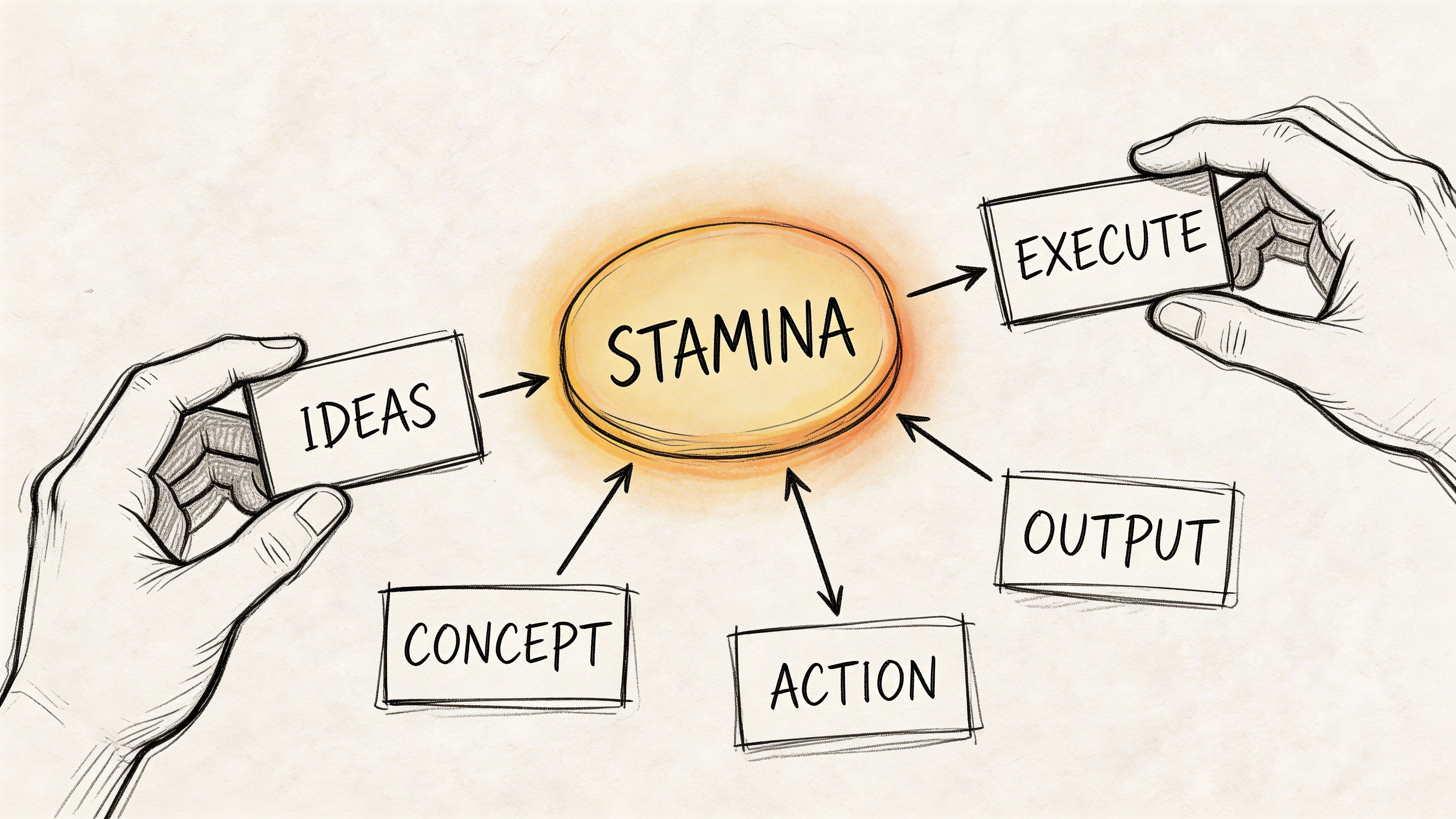
A hand-drawn illustration showing the concept of stamina connected to ideas, execution, concept, action, and output.

A re-engagement workflow gives those contacts a controlled path back in. It also gives your team a clean way to suppress people who are no longer worth mailing.

A practical setup includes:

  • Trigger: Inactivity for a defined period, declining engagement, or a usage gap.

  • First message: A short “still interested?” or “here’s what changed” email.

  • Second step: Educational value, product update, or use-case content.

  • Third step: A stronger offer, invitation, or reason to return.

  • Exit rule: Remove people who re-engage, and suppress or slow contacts who continue ignoring messages.

What matters here is containment. Re-engagement needs its own timing, message, and success criteria. If inactive contacts keep receiving your normal campaign calendar, you blur the signal and make it harder to tell whether the workflow is working.

As noted earlier, dormant-contact campaigns can produce strong results when the offer and timing are right. The operational lesson matters more than the headline number. Define inactivity clearly, set a firm exit rule, and track who returns to active status versus who should be suppressed.

If someone has gone quiet, send a more relevant message with a narrower ask.

The four workflows above cover the points where SMB teams usually lose momentum: after signup, during evaluation, at handoff, and after silence. Build them so a busy operator can answer three questions fast. Who entered, what should have happened next, and where did it fail if nothing happened. That is how automation starts generating revenue instead of adding hidden cleanup work.

Building and Accelerating Workflows with Stamina

The hard part of automation usually isn’t drawing the flow. It’s making the data, messaging, and handoffs work together without three tools fighting each other.

That’s why workflow performance often comes down to architecture. If your contact data lives in one place, campaign activity in another, and sales actions in a third, every automation becomes a stitching exercise. Teams spend more time checking syncs than improving conversion.

Why a unified stack changes execution

A workable setup for SMBs needs a few basics:

  • A CRM as the source of truth: Contact records, lifecycle stage, ownership, and activity history need to stay current.

  • Marketing execution in the same environment: Emails, broadcasts, nurture flows, and segmentation should use the same underlying data.

  • Cross-team automation: Marketing signals should trigger sales actions and CRM updates without manual relay.

Unified platforms make practical sense here. Instead of moving a contact through disconnected tools, the workflow can handle the customer journey in one system.

What this looks like in practice
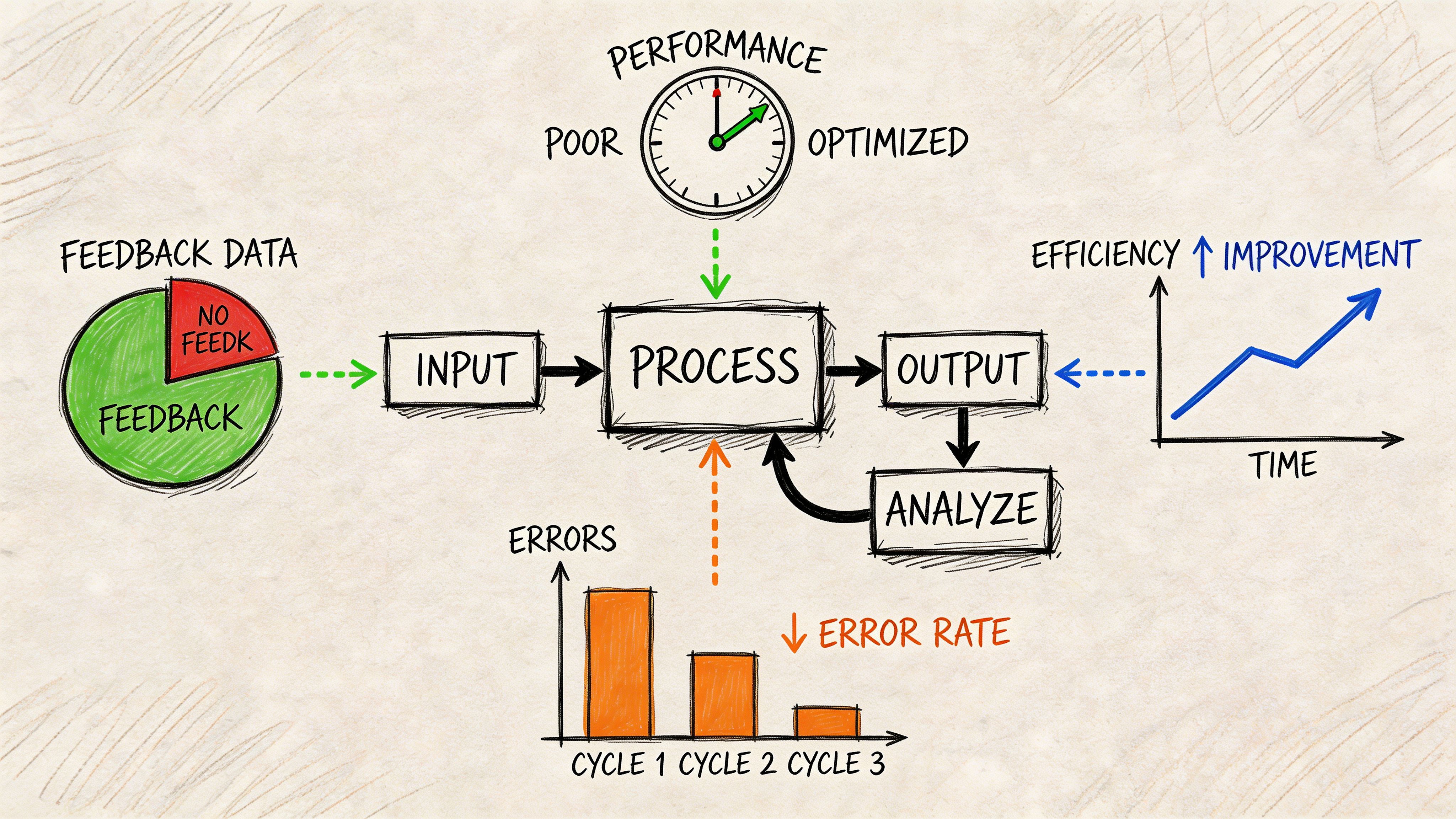
A diagram illustrating a marketing automation workflow process showing input, processing, analysis, and feedback loops for improvement.

Take the MQL-to-SQL example.

Marketing sends a nurture email. A lead clicks. The record updates. The score increases. The workflow checks fit criteria. If the person meets the threshold, the CRM changes status, a rep is assigned, and outbound follow-up begins. That’s one motion, not five disconnected tasks.

Stamina is one platform built for that kind of setup. Its CRM centralizes pipeline and activity data, marketing tools handle broadcasts and automated flows, advanced workflows connect sales, marketing, and CRM actions, and Zara can generate personalized outreach when a qualified lead needs a sales touch. The product workflow layer is described on the Stamina workflows page.

The useful part isn’t the feature list. It’s the reduction in handoff friction.

Where teams usually gain speed

SMB teams tend to get traction fastest in three places.

First, they stop rebuilding segments manually. When the CRM and engagement data are connected, audiences update based on behavior instead of spreadsheet imports.

Second, they tighten response time. Sales doesn’t need to wait for a marketer to notice a high-intent signal and send a message.

Third, they reduce process drift. The business no longer depends on one person remembering the exact next step.

Here’s the practical comparison:

Problem in a fragmented setup

Effect on pipeline

Better workflow behavior

Lead data updates late

Sales contacts people with stale context

CRM updates in real time

Marketing and sales work separately

Qualified leads sit idle

Triggered handoffs create tasks and alerts

Outreach is generic

High-intent leads get bland follow-up

Personalization uses behavior and record data

Trade-offs to respect

Unified automation isn’t magic. It still depends on disciplined setup.

If lifecycle stages are vague, automation will just move bad labels around faster. If your forms collect weak data, segmentation will stay weak. If every team wants its own exceptions, the workflow will become hard to maintain.

That’s why the best implementations start with a narrow set of high-value flows. Welcome. Nurture. Handoff. Re-engagement. Build those well before adding edge cases.

A workflow builder won’t fix process confusion. It will expose it.

The acceleration comes when the platform matches the way revenue work happens. One contact record. Shared visibility. Triggered actions across teams. That’s what turns automation from a campaign tool into operating infrastructure.

Measuring Success and Optimizing Your Workflows

A workflow that runs isn’t necessarily a workflow that works.

The easiest trap in automation is assuming delivery equals performance. Emails sent, tasks created, records updated. Everything looks active. Meanwhile, conversion stalls because contacts are entering the wrong branch, sales alerts are noisy, or a bad field value is sending people down dead-end paths.
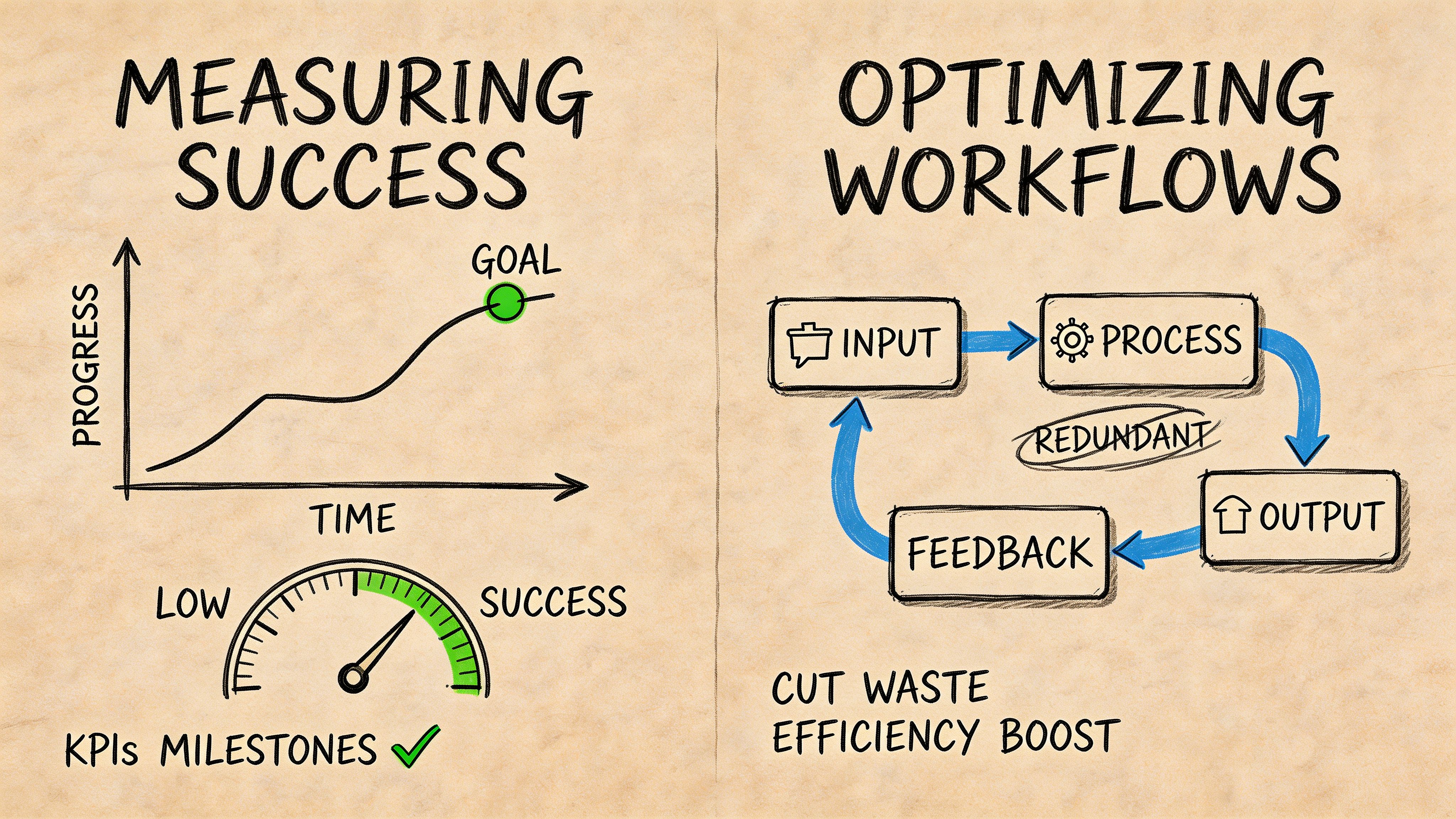
A hand-drawn illustration comparing measuring success through progress charts and optimizing workflows by eliminating redundant processes.

What to monitor every week

You don’t need an analyst to spot workflow trouble. You need a repeatable review habit.

Check performance at the stage level, not just the campaign level.

  • Entry volume: Are the right people entering the workflow?

  • Step-by-step conversion: Where do contacts move forward, stall, or exit?

  • Velocity: How long does it take to move from trigger to desired action?

  • Handoff completion: Did sales act on the routed leads?

  • Suppression and unsubscribe patterns: Are you pushing too often or too broadly?

A marketing automation workflow should have one primary outcome, but it also needs health signals. If the workflow reaches people and nobody progresses, the issue may be message fit. If nobody reaches the sales-alert step, the issue may be scoring or gating.

A simple diagnostic framework

Many guides mention workflow errors but stop at generic advice. That’s not enough when you’re trying to fix a real leak in pipeline.

As noted by Swap Biswas on marketing automation workflows, most guides list common errors but fail to provide actionable frameworks for diagnosing them, and messy data often causes the 20-30% drop-offs that kill conversion rates.

Use this review order when a workflow underperforms:

  1. Check trigger quality Are the right contacts entering? A broad trigger pollutes everything downstream.

  2. Check field reliability If industry, lifecycle stage, owner, or source fields are inconsistent, branches break unannounced.

  3. Check path logic Look for contacts getting stuck in delays, re-entering loops, or missing exit conditions.

  4. Check message relevance If the sequence is technically correct but engagement is weak, the problem is often offer or copy.

  5. Check downstream execution A workflow may route the right lead, but if no rep acts, the business still loses momentum.

Fixing bottlenecks without overbuilding

Don’t respond to every problem by adding more branches.

If contacts are dropping after the first email, test the subject line, CTA, or timing before redesigning the entire flow. If leads qualify too early, adjust the score model or tighten fit rules. If deliverability is the issue, solve that first because a perfect nurture sequence still fails when emails don’t land. Tools that focus on inbox placement and sender health, such as what’s described on Stamina’s deliverability product page, matter because workflow metrics are only trustworthy when messages are reaching recipients.

The strongest operators keep workflows simple, review them often, and treat data hygiene as part of revenue ops rather than admin cleanup.

From Manual Tasks to Automated Revenue Growth

Monday morning usually exposes the problem fast. A form fills on Friday, nobody follows up until Tuesday, a hot prospect cools off, and sales blames marketing while marketing blames process.

A well-built marketing automation workflow fixes that by turning scattered tasks into a repeatable revenue system. New leads get the right response at the right speed. Sales sees qualified opportunities sooner. Prospects who are still researching stay in motion instead of disappearing into the CRM. Just as important for a small team, the system is easier to inspect when something breaks.

That last part matters more than many owners expect. Automation does not fail all at once. It slips. A field stops syncing. A rep assignment rule misfires. A nurture email goes out with the wrong timing. Revenue drops before anyone notices the workflow is the cause.

Teams that get results treat automation like plumbing, not decoration. The value is not the diagram. The value is consistent follow-up, cleaner handoffs, fewer missed opportunities, and a process you can troubleshoot without needing a full ops department.

The payoff is straightforward. Less manual work gives the team more time for selling and customer conversations. Better routing and follow-up reduce lead leakage. Cleaner reporting makes it easier to see which campaigns deserve more budget and which ones need to be fixed or cut.

The businesses that gain the most do not automate every corner of the funnel on day one. They start with the handoffs and follow-up points tied closest to revenue, then tighten the workflow until it holds up under real-world mistakes, bad data, and changing buyer behavior.

If you want to run marketing, sales, and CRM workflows from one place, Stamina is worth a look. It combines CRM, outreach, broadcasts, and cross-team automation so SMB teams can build practical revenue workflows without stitching together a stack of separate tools.

Your leads are coming in from different places. A form on the site. A webinar signup. A reply to an outbound email. Maybe a referral that lands in someone’s inbox and sits there for two days because everyone’s busy.

That’s how revenue leaks happen.

Many SMB teams don’t lose deals because the offer is bad. They lose them because follow-up is inconsistent, data is messy, and handoffs depend on memory. One rep remembers to call. Another forgets. Marketing sends a useful PDF, but nobody routes the contact to sales when that same person checks the pricing page later. The business keeps generating interest, then handles it with spreadsheets, inbox flags, and good intentions.

A marketing automation workflow fixes that by turning scattered tasks into a system. It gives your business a repeatable response every time a buyer does something that matters. Someone downloads a guide, they get the right welcome message. Someone goes quiet, they enter a re-engagement sequence. Someone shows buying intent, sales gets notified and the CRM updates without anyone copying data by hand.

That shift isn’t theoretical. In 2025, 75% of companies increased their marketing automation budgets, and the AI marketing automation market is projected to reach $107.5 billion by 2028, according to Digital Applied’s summary of Gartner’s Marketing Technology Survey and market projections.

For a busy owner, the appeal is simple. You stop managing individual tasks and start managing the machine that produces follow-up, qualification, and revenue.

Putting Your Marketing on Autopilot

A lot of SMB marketing still runs like a relay race without baton markers.

A prospect fills out a form. Marketing gets the notification. Someone exports the lead list later. A generic email goes out. Sales gets a Slack message if the marketer remembers. If the lead doesn’t reply, nobody knows whether to call, nurture, or wait. Every step exists. The problem is that none of it is connected.

Where manual marketing breaks

Manual work creates three common problems.

  • Leads age too fast: Interest is highest right after someone takes action. If follow-up waits on a human, the window shrinks.

  • Teams work from different facts: Marketing has campaign data. Sales has call notes. The CRM has partial records. Nobody sees the whole picture.

  • Good campaigns don’t scale: What works for twenty leads becomes chaos at two hundred.

That’s why automation matters more now than it did a few years ago. It’s no longer just an enterprise convenience. It’s how smaller teams stay responsive without hiring a full ops department.

What autopilot means

Autopilot doesn’t mean “set it and forget it.” It means the routine decisions are pre-built.

A strong marketing automation workflow works like a trained front desk, dispatcher, and sales coordinator in one system. It notices a signal, checks context, chooses the next action, and records what happened. It can welcome, route, remind, suppress, score, and escalate.

Practical rule: If a customer action would make a good rep or marketer do something every single time, that action should probably trigger a workflow.

The useful mental shift is this. You’re not automating email. You’re automating response.

That response can include email, but it can also include CRM updates, sales tasks, audience changes, internal alerts, and channel changes based on behavior. For SMBs, that’s how you get consistency without becoming robotic. The machine handles the repeatable part so your team can spend time on judgment, objections, and closing.

What this changes for the business

When workflows are built well, the business gets more predictable.

Marketing stops guessing whether leads were worked. Sales stops complaining that every lead looks the same. Owners stop asking for updates from three different tools just to understand pipeline movement.

A marketing automation workflow doesn’t replace strategy. It enforces it. If your team knows how a prospect should move from first touch to qualified conversation, automation makes that path happen every time.

The Anatomy of a Modern Automation Workflow

Every workflow looks complicated when it’s drawn on a whiteboard. In practice, many of them are built from four parts.

Consider a GPS. A driver enters a destination. The system watches for conditions, gives the next instruction, waits when needed, and reroutes if behavior changes.

A business flowchart diagram showing four key phases of marketing automation: Lead Nurturing, Onboarding, Support, and Retention.

Triggers start the motion

A trigger is the event that enrolls someone into the workflow.

That can be a form submission, a page visit, a list join, a content download, a demo request, or a period of inactivity. If nothing starts the process, nothing else matters.

Good triggers are specific. “All contacts” is rarely useful. “Submitted contact form for service page” is useful. “Visited pricing page after downloading a case study” is even better.

Actions do the work

An action is what the system does after the trigger fires.

Common actions include:

  • Send a message: Email is the obvious one, but it could also be SMS or an internal notification.

  • Update the record: Change lifecycle stage, assign owner, add a tag, or set a score.

  • Create a task: Tell a rep to call, review, or follow up.

  • Move data elsewhere: Push information into the CRM or another connected tool.

Often, teams underbuild in this area. They create email-only workflows when value comes from cross-functional actions. A lead opening an email matters more when it also updates the score and alerts sales if intent is high.

Delays make automation feel human

A workflow without timing control feels like a robot shouting instructions.

Delays space actions out so your communication matches buyer behavior. Someone who just downloaded a guide may need a short wait before the next message. Someone who requested a demo may need immediate routing.

Use delays to avoid two bad outcomes. First, overwhelming the contact. Second, asking for a sale before you’ve earned attention.

A simple rule helps. Match the delay to the urgency of the action. High-intent actions deserve fast follow-up. Early-stage education needs breathing room.

Conditions create branches

A condition checks whether someone should stay on the same path or take a different one.

Examples are straightforward. If the contact opened the last email, send the next step. If they clicked pricing, alert sales. If they never engaged, slow the cadence or suppress future sends. If they’re already a customer, send onboarding instead of lead nurture.

This turns a sequence into a real marketing automation workflow. Without conditions, you’re sending a fixed drip. With conditions, you’re adapting to behavior.

Here’s a simple comparison:

Component

What it answers

Example

Trigger

What started this?

Form submitted

Action

What should happen now?

Send welcome email

Delay

When should it happen?

Wait two days

Condition

Should the path change?

If pricing page viewed, notify sales

A practical walkthrough of that logic is easier when you can see it in a builder. This guide on how to create a workflow shows the basic structure teams usually need first.

One more point matters. Workflow design should be boring on purpose. If your team can’t explain the trigger, path, and exit rule in plain English, the automation is too clever for its own good.

A visual walkthrough helps if you’re training a team or mapping your first sequence:

Keep the first version simple enough that someone else can debug it when you’re out of office.

Four Essential Workflows Every Business Needs

A lead fills out your form at 10:14 a.m. By noon, nobody has followed up, sales has no context, and the contact is already comparing alternatives. That gap is where revenue slips out.

Start with four workflows that cover the biggest failure points in the funnel: first response, lead nurture, sales handoff, and re-engagement. Each one should do two jobs. Move the contact forward, and make problems easy to spot when something breaks.

Lead capture and welcome

This workflow starts the second a contact raises a hand.

It looks simple, which is why teams often underbuild it. They send a confirmation email, maybe attach the asset, and leave the rest to chance. A better welcome flow sets the next expectation, tags the lead correctly, and creates a clear path for higher-intent behavior.

A practical build looks like this:

  • Trigger: Form submission, newsletter signup, gated content download, or account creation.

  • Immediate action: Send the welcome email with the promised asset or confirmation.

  • Next action: Add the contact to the right audience segment based on source or interest.

  • Follow-up: Send a second message that introduces your offer, a useful resource, or a low-friction next step.

  • Branching rule: If the lead clicks a high-intent link, change their status or route them into a stronger nurture path.

Welcome flows tend to outperform manual follow-up because they hit while attention is still high, as noted earlier in the article.

Keep the first email tight. Deliver what was promised. Tell them what happens next. Give them one CTA, not three.

The failure mode to watch is simple. If contacts enter the workflow but never get tagged, every step after that gets weaker. Check source mapping, form-field sync, and whether your suppression rules are catching people who should stay in.

The first message should reduce uncertainty, not show off your brand vocabulary.

Long-term lead nurturing

A large share of leads will not buy on the first visit. That does not make them bad leads. It means timing, budget, or internal urgency has not lined up yet.

Long-term nurture keeps the conversation alive without creating inbox fatigue. The job is to help the buyer make progress, collect intent signals, and separate curiosity from active evaluation.

A healthy nurture flow often includes:

  1. Early education: Send foundational content tied to the pain point that brought them in.

  2. Problem framing: Show the cost of staying manual or fragmented.

  3. Proof: Share examples, use cases, or implementation ideas relevant to their role.

  4. Commercial signal: Introduce a demo, consultation, or pricing-related asset later in the path.

  5. Behavior branch: Increase urgency for engaged contacts and slow down for passive ones.

The trade-off here is cadence. Send too often and you train people to ignore you. Wait too long and you disappear. For most SMBs, the better approach is a slower sequence with sharper relevance and clear behavior-based branches.

If your nurture emails all sound the same, the workflow is not the only problem. The messaging is. A practical guide to copywriting for email can help you tighten the educational and conversion-focused messages inside the sequence.

Watch for three common faults: the same message going to every segment, no exit rule when someone becomes sales-ready, and no alert when engagement drops to zero for a long stretch. Those are workflow design issues, not just campaign issues.

MQL to SQL handoff

This workflow decides whether buying signals turn into pipeline or sit in a queue until they go cold.

Sales does not need more names. Sales needs timely context. The handoff workflow should combine fit, behavior, and ownership so the right rep sees the right lead with enough detail to act.

A useful handoff workflow includes three layers:

Layer

What the workflow checks

What happens

Engagement

Downloads, opens, return visits, pricing activity

Score updates

Qualification

Role, company fit, industry, territory

Route to the right owner

Response

Threshold reached

Notify sales and trigger relevant outreach

A practical sequence might look like this in plain English:

  • A lead downloads a buying guide.

  • The CRM adds engagement points.

  • The lead later visits the pricing page and crosses the score threshold.

  • The system changes lifecycle stage to sales qualified.

  • The assigned rep gets alerted.

  • The contact receives a customized email with a case study or demo invitation.

  • If sales doesn’t act, the workflow creates a follow-up task.

Lead scoring can shorten sales cycles when it is tied to real buying behavior, as noted earlier in the article. But scoring models fail fast if nobody audits them. A pricing page visit should not mean the same thing for every segment, and old activity should not carry the same weight forever.

The easiest way to diagnose handoff issues is to inspect missed opportunities. Pull a sample of leads that became customers and ask three questions. Did the workflow score them early enough? Did it route them correctly? Did a rep get a task or alert? That review usually exposes whether the problem is scoring, routing, or follow-up discipline.

Re-engagement for dormant leads and customers

Silence creates clutter in the database and hides opportunity. Dormant contacts distort reporting, weaken campaign performance, and sit untouched even though some of them are still a fit.

A hand-drawn illustration showing the concept of stamina connected to ideas, execution, concept, action, and output.

A re-engagement workflow gives those contacts a controlled path back in. It also gives your team a clean way to suppress people who are no longer worth mailing.

A practical setup includes:

  • Trigger: Inactivity for a defined period, declining engagement, or a usage gap.

  • First message: A short “still interested?” or “here’s what changed” email.

  • Second step: Educational value, product update, or use-case content.

  • Third step: A stronger offer, invitation, or reason to return.

  • Exit rule: Remove people who re-engage, and suppress or slow contacts who continue ignoring messages.

What matters here is containment. Re-engagement needs its own timing, message, and success criteria. If inactive contacts keep receiving your normal campaign calendar, you blur the signal and make it harder to tell whether the workflow is working.

As noted earlier, dormant-contact campaigns can produce strong results when the offer and timing are right. The operational lesson matters more than the headline number. Define inactivity clearly, set a firm exit rule, and track who returns to active status versus who should be suppressed.

If someone has gone quiet, send a more relevant message with a narrower ask.

The four workflows above cover the points where SMB teams usually lose momentum: after signup, during evaluation, at handoff, and after silence. Build them so a busy operator can answer three questions fast. Who entered, what should have happened next, and where did it fail if nothing happened. That is how automation starts generating revenue instead of adding hidden cleanup work.

Building and Accelerating Workflows with Stamina

The hard part of automation usually isn’t drawing the flow. It’s making the data, messaging, and handoffs work together without three tools fighting each other.

That’s why workflow performance often comes down to architecture. If your contact data lives in one place, campaign activity in another, and sales actions in a third, every automation becomes a stitching exercise. Teams spend more time checking syncs than improving conversion.

Why a unified stack changes execution

A workable setup for SMBs needs a few basics:

  • A CRM as the source of truth: Contact records, lifecycle stage, ownership, and activity history need to stay current.

  • Marketing execution in the same environment: Emails, broadcasts, nurture flows, and segmentation should use the same underlying data.

  • Cross-team automation: Marketing signals should trigger sales actions and CRM updates without manual relay.

Unified platforms make practical sense here. Instead of moving a contact through disconnected tools, the workflow can handle the customer journey in one system.

What this looks like in practice

A diagram illustrating a marketing automation workflow process showing input, processing, analysis, and feedback loops for improvement.

Take the MQL-to-SQL example.

Marketing sends a nurture email. A lead clicks. The record updates. The score increases. The workflow checks fit criteria. If the person meets the threshold, the CRM changes status, a rep is assigned, and outbound follow-up begins. That’s one motion, not five disconnected tasks.

Stamina is one platform built for that kind of setup. Its CRM centralizes pipeline and activity data, marketing tools handle broadcasts and automated flows, advanced workflows connect sales, marketing, and CRM actions, and Zara can generate personalized outreach when a qualified lead needs a sales touch. The product workflow layer is described on the Stamina workflows page.

The useful part isn’t the feature list. It’s the reduction in handoff friction.

Where teams usually gain speed

SMB teams tend to get traction fastest in three places.

First, they stop rebuilding segments manually. When the CRM and engagement data are connected, audiences update based on behavior instead of spreadsheet imports.

Second, they tighten response time. Sales doesn’t need to wait for a marketer to notice a high-intent signal and send a message.

Third, they reduce process drift. The business no longer depends on one person remembering the exact next step.

Here’s the practical comparison:

Problem in a fragmented setup

Effect on pipeline

Better workflow behavior

Lead data updates late

Sales contacts people with stale context

CRM updates in real time

Marketing and sales work separately

Qualified leads sit idle

Triggered handoffs create tasks and alerts

Outreach is generic

High-intent leads get bland follow-up

Personalization uses behavior and record data

Trade-offs to respect

Unified automation isn’t magic. It still depends on disciplined setup.

If lifecycle stages are vague, automation will just move bad labels around faster. If your forms collect weak data, segmentation will stay weak. If every team wants its own exceptions, the workflow will become hard to maintain.

That’s why the best implementations start with a narrow set of high-value flows. Welcome. Nurture. Handoff. Re-engagement. Build those well before adding edge cases.

A workflow builder won’t fix process confusion. It will expose it.

The acceleration comes when the platform matches the way revenue work happens. One contact record. Shared visibility. Triggered actions across teams. That’s what turns automation from a campaign tool into operating infrastructure.

Measuring Success and Optimizing Your Workflows

A workflow that runs isn’t necessarily a workflow that works.

The easiest trap in automation is assuming delivery equals performance. Emails sent, tasks created, records updated. Everything looks active. Meanwhile, conversion stalls because contacts are entering the wrong branch, sales alerts are noisy, or a bad field value is sending people down dead-end paths.

A hand-drawn illustration comparing measuring success through progress charts and optimizing workflows by eliminating redundant processes.

What to monitor every week

You don’t need an analyst to spot workflow trouble. You need a repeatable review habit.

Check performance at the stage level, not just the campaign level.

  • Entry volume: Are the right people entering the workflow?

  • Step-by-step conversion: Where do contacts move forward, stall, or exit?

  • Velocity: How long does it take to move from trigger to desired action?

  • Handoff completion: Did sales act on the routed leads?

  • Suppression and unsubscribe patterns: Are you pushing too often or too broadly?

A marketing automation workflow should have one primary outcome, but it also needs health signals. If the workflow reaches people and nobody progresses, the issue may be message fit. If nobody reaches the sales-alert step, the issue may be scoring or gating.

A simple diagnostic framework

Many guides mention workflow errors but stop at generic advice. That’s not enough when you’re trying to fix a real leak in pipeline.

As noted by Swap Biswas on marketing automation workflows, most guides list common errors but fail to provide actionable frameworks for diagnosing them, and messy data often causes the 20-30% drop-offs that kill conversion rates.

Use this review order when a workflow underperforms:

  1. Check trigger quality Are the right contacts entering? A broad trigger pollutes everything downstream.

  2. Check field reliability If industry, lifecycle stage, owner, or source fields are inconsistent, branches break unannounced.

  3. Check path logic Look for contacts getting stuck in delays, re-entering loops, or missing exit conditions.

  4. Check message relevance If the sequence is technically correct but engagement is weak, the problem is often offer or copy.

  5. Check downstream execution A workflow may route the right lead, but if no rep acts, the business still loses momentum.

Fixing bottlenecks without overbuilding

Don’t respond to every problem by adding more branches.

If contacts are dropping after the first email, test the subject line, CTA, or timing before redesigning the entire flow. If leads qualify too early, adjust the score model or tighten fit rules. If deliverability is the issue, solve that first because a perfect nurture sequence still fails when emails don’t land. Tools that focus on inbox placement and sender health, such as what’s described on Stamina’s deliverability product page, matter because workflow metrics are only trustworthy when messages are reaching recipients.

The strongest operators keep workflows simple, review them often, and treat data hygiene as part of revenue ops rather than admin cleanup.

From Manual Tasks to Automated Revenue Growth

Monday morning usually exposes the problem fast. A form fills on Friday, nobody follows up until Tuesday, a hot prospect cools off, and sales blames marketing while marketing blames process.

A well-built marketing automation workflow fixes that by turning scattered tasks into a repeatable revenue system. New leads get the right response at the right speed. Sales sees qualified opportunities sooner. Prospects who are still researching stay in motion instead of disappearing into the CRM. Just as important for a small team, the system is easier to inspect when something breaks.

That last part matters more than many owners expect. Automation does not fail all at once. It slips. A field stops syncing. A rep assignment rule misfires. A nurture email goes out with the wrong timing. Revenue drops before anyone notices the workflow is the cause.

Teams that get results treat automation like plumbing, not decoration. The value is not the diagram. The value is consistent follow-up, cleaner handoffs, fewer missed opportunities, and a process you can troubleshoot without needing a full ops department.

The payoff is straightforward. Less manual work gives the team more time for selling and customer conversations. Better routing and follow-up reduce lead leakage. Cleaner reporting makes it easier to see which campaigns deserve more budget and which ones need to be fixed or cut.

The businesses that gain the most do not automate every corner of the funnel on day one. They start with the handoffs and follow-up points tied closest to revenue, then tighten the workflow until it holds up under real-world mistakes, bad data, and changing buyer behavior.

If you want to run marketing, sales, and CRM workflows from one place, Stamina is worth a look. It combines CRM, outreach, broadcasts, and cross-team automation so SMB teams can build practical revenue workflows without stitching together a stack of separate tools.

Share this article

Share this article

Send a shareable link to your team or anyone who might find it useful.

Send a shareable link to your team or anyone who might find it useful.

Copy link

Copied

Share directly to

Table of contents

Give Your Business the Stamina it needs to Thrive