You wrote the email at 10:30 PM because that's when you finally had a quiet hour. The subject line is sharp. The offer is relevant. The call to action is clean. If you send it right now, it lands in a crowded inbox overnight and gets pushed down before your prospect even opens their laptop.
That's why teams that care about pipeline don't treat scheduling as a convenience. They treat it as control. The ability to schedule an email gives you a way to separate the moment you write from the moment the buyer is most likely to see, open, click, and reply.
Why Scheduling an Email Is Your Secret Weapon
Late-night drafting is normal. So is early-morning cleanup, back-to-back meetings, and the urge to hit send as soon as a message is ready. The problem is that your calendar has nothing to do with your recipient's attention.
That gap matters more than ever because email volume is massive. Industry data cited in 2026 estimates there will be 4.73 billion global email users, and more than 3.13 million emails are sent every second worldwide, according to Porch Group Media's email statistics roundup. In a market like that, timing isn't a cosmetic choice. It's part of whether the message gets a fair chance at all.
I've seen strong campaigns underperform for a simple reason. They were sent when the sender was available, not when the audience was. That's common in founder-led sales, lean marketing teams, and agencies juggling client approvals late in the day.
Timing changes the value of the same message
The exact same email can feel timely or irrelevant depending on when it arrives. A renewal reminder that hits during business hours can get forwarded to finance. The same reminder sent too late can sit untouched until it's buried under newer mail.
A scheduled send also creates discipline:
Better review time: You can draft now, then revisit with a clear head before it goes out.
Cleaner coordination: Sales, marketing, and customer success can align launches and follow-ups.
More consistent lead handling: Warm inbound leads don't wait for someone to remember to send the next message.
Practical rule: If email supports revenue, timing belongs in the process, not in someone's memory.
That's especially true when email is part of a broader funnel. If you're building campaigns tied to form fills, demos, or handoffs, email marketing for lead generation works better when send timing is intentional instead of reactive.
How to Schedule Emails in Gmail and Outlook
The mechanics are simple. Often, the focus remains solely on these basic functions.

Schedule an email in Gmail
In Gmail, scheduling is built right into the compose window. You don't need an add-on for the basic action.
Use this click path:
Compose your email as usual.
Click the arrow next to Send.
Choose Schedule send.
Pick a suggested time or click Pick date & time.
Confirm the scheduled send.
After that, Gmail moves the message into a scheduled folder. You can open it again before send time if you need to review or cancel.
What Gmail gets right is speed. It's easy for one-off outreach, internal reminders, and straightforward follow-ups. What it doesn't solve by itself is strategy. It won't decide whether that time is right for the recipient, whether the message should branch based on behavior, or whether the next follow-up should change if the first one gets a reply.
Schedule an email in Outlook
Outlook also supports delayed sending, though the exact interface can vary by version.
The usual workflow looks like this:
Open a new message
Write the email
Find the option for Send Later or the delivery timing control
Choose your date and time
Save the setting and queue the message
In practice, Outlook is common in larger sales organizations and B2B teams working inside Microsoft environments. It's fine for controlled scheduling, especially when you already live in the Microsoft stack.
One thing I tell teams to verify is whether they're scheduling a true cloud-based send or relying on a desktop app state. That sounds minor until someone shuts their laptop or disconnects from the network and assumes the email is handled.
Here's a quick visual walkthrough for users who want the UI on screen before they click around:
When native scheduling is enough
Built-in scheduling is enough when you need to:
Queue one message: A proposal follow-up, meeting recap, or intro email.
Control etiquette: Write now, deliver during business hours.
Avoid manual resend work: Especially when you draft outside your prospect's day.
It starts to break down when your email process lives somewhere else. For example, if your team manages outreach, content, and collaboration inside Notion, this guide on how to send emails from Notion is useful because it shows how teams connect writing and scheduling in one workflow instead of copying drafts between tools.
Best Practices for Timed and Personalized Sends
Good scheduling starts with one question. When is this specific recipient most likely to act? Not open. Not glance. Act.
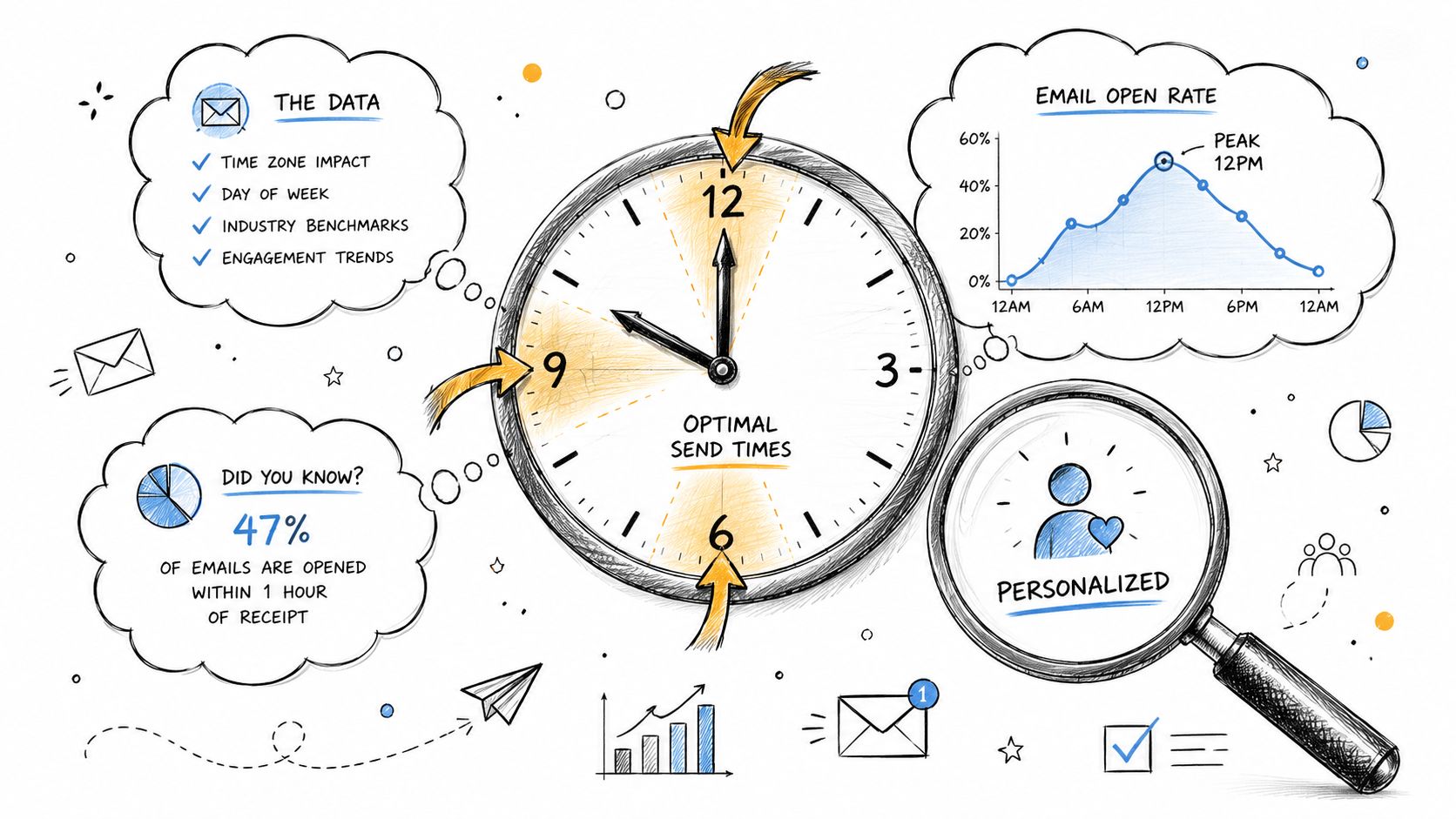
MailerLite's 2026 statistical analysis found that open rates generally peak in the morning, between 8 AM and 11 AM, while click rates are often strongest much later in the day, between 8 PM and 9 PM for most weekdays, as summarized in MailerLite's best time to send email analysis. That's a useful reminder that visibility and action don't always happen in the same window.
Match the send time to the job of the email
A meeting reminder and a product pitch don't need the same timing.
Use timing based on intent:
Email type | Better scheduling logic |
|---|---|
Intro or prospecting email | Send when the recipient is likely to scan new messages |
Demo follow-up | Land it while context from the meeting is still fresh |
Content offer or case-study send | Test windows when the recipient has time to click and read |
Renewal or decision-stage email | Schedule during the buyer's working hours, not yours |
Generic “best time to send” advice causes trouble. It encourages teams to chase a universal answer instead of using a business context answer.
Time zones are not a detail
If your list spans New York, London, and Singapore, a fixed send time can ruin the campaign. Scheduling for your own local morning often means sending at the wrong hour in someone's market.
A practical send workflow looks like this:
Segment the audience first. Don't schedule a global list as if it's one market.
Map time zones before choosing the send window.
Aim for local business hours when the message calls for a work response.
Review opens, clicks, and replies after the send. Then adjust.
Send timing should feel local to the recipient, not convenient to the sender.
That matters even more when personalization is involved. A message that references yesterday's webinar, a downloaded guide, or a recent sales call feels relevant only if it arrives while that context still matters.
Personalization works better when timing supports it
Many teams personalize copy but ignore timing. That creates a mismatch. The message says, “Following up on our conversation,” but it lands so late that it feels automated and stale.
Tighter scheduling improves perceived relevance:
After a meeting: Queue the recap for the next business window if the call ends late.
After a content download: Send while the topic is still active in the buyer's mind.
After a pricing page visit or hand-raise: Use a short delay, not an immediate blast.
If you're building that kind of relevance into outbound or lifecycle email, personalization workflows matter because timing and message logic work best together, not as separate decisions.
Automating Outreach with Stamina's Sales Sequences
Scheduling one email helps an individual seller. Scheduling a sequence changes how a team creates pipeline.
The difference is operational. A single scheduled email is a one-time action. A sequence is a system for what happens next if the lead opens, ignores, clicks, replies, or books.
One message doesn't manage the deal cycle
Most revenue teams don't lose deals because they failed to write one decent email. They lose them because follow-up becomes inconsistent. One rep sends too often. Another waits too long. Marketing launches a campaign that doesn't line up with SDR outreach. Customer handoff emails go out at odd times.
That's where sequence logic matters more than the send-later button.
Email marketing guidance emphasizes that the best approach is to use historical data to determine when your audience is most engaged, and to align every email with a clear business goal and measurable KPI, according to Mailtrap's guidance on email marketing mistakes. That advice applies directly to sales sequences. Every step should have a purpose. Every delay should support that purpose.
What scalable scheduling looks like
A reliable sequence should answer questions a basic inbox tool can't:
What happens if the contact replies after step one
Whether step two should wait based on engagement
How the same campaign should behave across segments
Which send windows perform better for different audiences
How sales and marketing actions stay coordinated
Here's the trade-off in simple terms:
Approach | What it handles well | Where it falls short |
|---|---|---|
Native inbox scheduling | One-off sends, simple reminders, manual follow-ups | No sequence logic, limited team coordination |
Sales sequence tool | Multi-touch outreach, branching, timing control, repeatable process | Requires setup and operating discipline |
The goal isn't to send later. The goal is to build follow-up that happens on time without relying on rep memory.
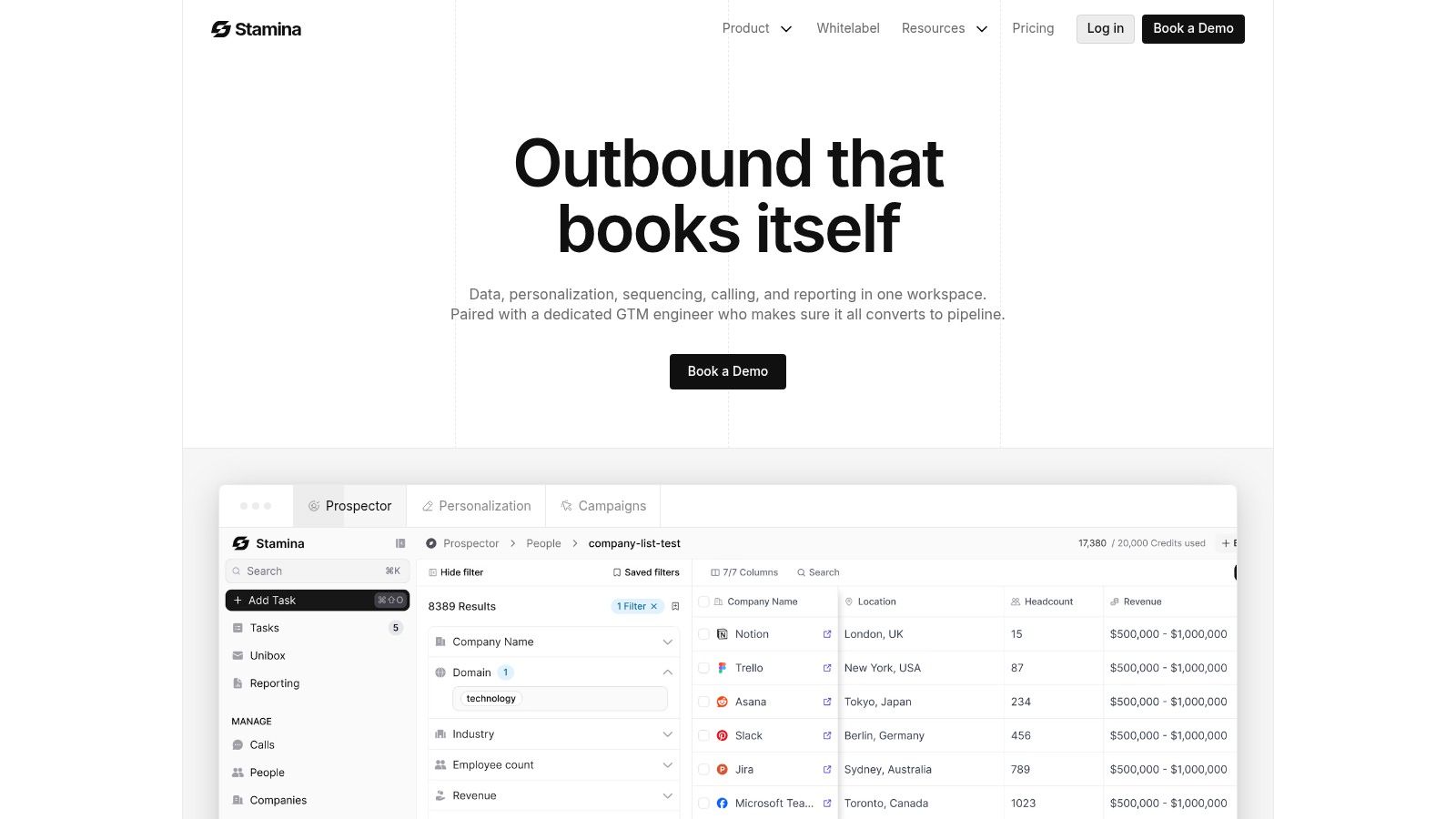
For teams that need that structure, workflow automation for revenue teams is where scheduling becomes operational instead of manual. A platform such as Stamina can connect email timing with sales engagement, CRM context, and cross-team workflow logic so follow-up isn't isolated inside a single inbox.
What works in practice
The strongest sequences are usually boring in the right way. They're consistent, measurable, and tied to a real sales motion.
What tends to work:
Clear objective per sequence: Book a demo, revive a stale opportunity, move a trial user, confirm attendance.
Delays based on buyer context: Shorter waits for hand-raisers, longer spacing for cold outbound.
Controlled personalization: Enough context to feel relevant, not so much that reps can't maintain it.
Post-send review: Open and click data matter, but booked meetings, replies, and progression matter more.
What usually fails:
Sending every prospect on the same generic timeline
Treating all opens as high intent
Stacking too many touches too quickly
Separating campaign timing from pipeline stage
If your team is still managing follow-up from scattered drafts and calendar reminders, the core issue isn't whether you know how to schedule an email. It's whether your process can repeat without slipping.
Common Scheduling Pitfalls and How to Avoid Them
Most scheduling mistakes don't look dramatic when they happen. They look normal. The campaign is queued, the time is set, and everyone assumes the message will land when intended.
The most dangerous assumption is that “10 AM” means the same thing to every platform and every recipient. As noted in Ian Brodie's angle on what most scheduling guides miss, many articles explain how to choose a date and time but skip the harder question of whether that time is interpreted in the sender's timezone, the recipient's timezone, or the account timezone, and what happens when clocks change.
The timezone failure that keeps repeating
This is the classic problem. A team plans an 8 AM send for prospects in a target market. The platform uses the account timezone. The email lands hours early or late. Nobody notices until engagement is weak.
That isn't a minor admin issue. It changes who sees the email near the top of the inbox and who receives it at a dead hour.
Use this check before any multi-region campaign:
Confirm timezone behavior: Check whether the tool uses sender, account, server, or recipient-local time.
Test with internal recipients: Send to teammates in different regions before launching broadly.
Review daylight-saving behavior: Don't assume recurring sends stay aligned through clock changes.
Document the rule: Teams repeat fewer mistakes when the scheduling standard is written down.
Scheduled doesn't always mean editable
Another trap appears after approval. Someone spots stale copy, a broken token, or the wrong offer. They open the scheduled message expecting to tweak it, then learn the platform has already locked a version of the email into the queue.
That's why version control matters. If your team schedules days in advance, you need to know whether a queued message is still a live draft or a frozen snapshot.
If a campaign matters enough to schedule, it matters enough to verify how edits, resends, and time zones actually work in the tool.
Deliverability is part of this conversation too. Timing errors, uneven sequencing, and messy list handling can lower performance even when the copy is solid. For teams refining the operational side of outreach, this guide on optimizing B2B email campaigns is helpful because it connects campaign quality with inbox placement and sending discipline.
If you're running recurring outreach at scale, deliverability controls and monitoring become more important than one-click scheduling because the risk sits in the system, not just in a single send.
Quick Templates for Scheduled Sales Sequences
Teams don't need more theory. They need a sequence they can use today.
The first thing to get right is the distinction between a scheduled email and a repeatable program. Acoustic explicitly notes that once an email is scheduled, the campaign takes a snapshot, so changes require canceling and rescheduling, and it also distinguishes recurring automated messages from program-based repeat sends in its guidance on scheduling email campaigns. That's the line many teams miss. Queuing one message isn't the same as running a controlled sequence.
Simple three-step outbound sequence
Step 1. Initial outreach, scheduled for local business hours
Subject: Quick question about {{company}}
Hi {{first_name}},
I noticed {{relevant observation about company, role, or trigger}}.
Reaching out because teams dealing with {{problem}} usually run into friction around {{specific pain point}}. If this is on your plate, I can share how others approach it.
Open to a short conversation next week?
Best, {{sender_name}}
Step 2. Follow-up, scheduled after a short delay
Subject: Re {{company}}
Hi {{first_name}},
Wanted to follow up in case my note got buried.
The reason I reached out is simple: {{one-sentence value statement tied to role or problem}}.
If useful, I can send a short breakdown by email instead of booking time.
Best, {{sender_name}}
Step 3. Value-add closeout, scheduled later with a different angle
Subject: Resource on {{problem}}
Hi {{first_name}},
One last note from me.
If {{problem}} is a current priority, this may help: {{brief resource, insight, or relevant offer}}. No pressure to reply if timing isn't right.
If you want, I'm happy to reconnect later.
Best, {{sender_name}}
How to use these without sounding automated
Change the reason for each touch. Don't resend the same ask three times.
Use timing intentionally. Match the delay to deal urgency and buyer context.
Keep the closeout useful. A final email should add value, not guilt.
If you want more ideas for follow-up structure, this article on boost revenue with automated emails gives a useful set of patterns for response-driven messaging.
If your team has outgrown manual send-later habits and needs scheduling tied to outreach, CRM context, and follow-up logic, take a look at Stamina. It's built for SMB revenue teams that want email timing to be part of a repeatable system, not a personal reminder.

