
White Label CRM: Your Guide to Building a SaaS Business

Discover how a white label CRM helps agencies and SMBs build recurring revenue. Our complete guide covers benefits, risks, implementation, and selection.

0 - Minute Read

Most agencies don’t hit a growth ceiling because they run out of leads. They hit it because delivery gets messy. One client wants pipeline tracking in HubSpot, another lives in spreadsheets, a third needs automation across email, forms, and follow-up, and your team ends up stitching together tools you don’t control. Margins get thinner every time a client asks for “just one more integration” or “a custom dashboard.”

That’s where a white label crm stops being a nice add-on and starts becoming a business model. Instead of selling labor alone, you sell a branded operating system for sales, marketing, and client management. You stop being only the agency that runs campaigns or consults on growth. You become the company that owns the client’s daily workflow.

The timing is good. The global CRM software market is projected to reach $181.9 billion by 2030, and businesses typically earn $8.71 for every dollar spent on CRM software, while CRM implementations can boost lead conversions by up to 300%, according to RealOffice360’s white-label CRM overview. That matters because SMB clients don’t buy software for the logo. They buy it when it helps them close more deals, follow up faster, and keep customer data in one place.

Agencies that want a tighter stack often move toward an all-in-one business platform because managing separate tools eventually creates more support work than value.

The Agency Growth Ceiling and How to Break It

The ceiling usually shows up in a familiar way. Revenue grows, but so does operational drag. Your account managers spend more time explaining disconnected tools than improving results. Clients ask who owns the automation when a lead doesn’t sync, and suddenly your team is doing software support without software margins.

A white label crm breaks that pattern because it changes what you sell. You’re not just delivering campaigns, lead gen, or consulting hours. You’re packaging those services inside a system your client logs into every day. That shifts the relationship from vendor to infrastructure partner.

What actually changes

When an agency adopts this model well, three things happen:

  • Delivery gets centralized: Leads, tasks, pipeline activity, notes, and reporting live in one environment instead of scattered across inboxes and spreadsheets.

  • Retention gets stronger: Clients are less likely to leave when your team is tied into the process they use to run sales and follow-up.

  • Revenue gets steadier: Monthly software fees smooth out the feast-or-famine cycle that comes with project work.

Practical rule: If your team repeatedly rebuilds the same pipeline, forms, reminders, and reporting stack for different clients, you don’t have a service problem. You have a packaging problem.

The biggest mistake is treating white label software like a side product. It works when it becomes the delivery layer for what you already do well. If your agency wins on lead generation, your CRM should prove response time, source tracking, and pipeline movement. If you win on consulting, the CRM should become the operating system clients depend on after the strategy deck is forgotten.

That’s how you break the ceiling. You stop scaling people alone and start scaling a repeatable system.

What a White Label CRM Really Is

A white label crm is easiest to understand, similar to a ghost kitchen. The kitchen already exists. The equipment works. The staff knows how to keep it running. But the customer sees your menu, your branding, and your experience.

That’s the white-label model in software. A third-party provider builds and maintains the platform. You license it, brand it, configure it, and present it as your own solution.

A minimalist sketch of a professional commercial kitchen interior featuring a chef hat hanging on the wall.

White label is not the same as reselling

People lump these together, but they’re different businesses.

  • Affiliate model: You refer a client to someone else’s CRM and earn a fee. The vendor owns the product, billing relationship, and customer experience.

  • Reseller model: You sell access to another company’s software, but the original brand is usually still visible somewhere in the experience.

  • White-label model: Your client interacts with your brand, often on your domain, with your visual identity and packaging.

That difference matters because clients behave differently when they feel they’re buying a platform from you rather than being passed to a vendor.

Why the distinction matters in practice

In a standard reseller setup, the software company still feels like the owner of the relationship. Support docs, billing notices, login pages, and onboarding often remind the client whose product it really is. In a white-label setup, you control much more of the front-end experience.

That offers an advantage, but it also creates responsibility. You need enough CRM knowledge to configure workflows, permissions, onboarding, and reporting in a way that fits the client’s business. If you don’t, the branding won’t save you.

For founders comparing options before they commit, this list of top CRM platforms for startups is useful because it helps separate pure CRM tools from broader platforms that can support a branded service model.

A lot of agencies also confuse CRM with outbound tooling. They overlap, but they aren’t the same job. This breakdown of a sales engagement platform vs CRM is worth reading before you decide what part of the stack you want to white-label.

The strongest white-label offers don’t try to be everything for everyone. They package a clear operational outcome inside branded software.

If you remember the ghost-kitchen analogy, the decision gets simpler. The kitchen is rented. The menu is yours. The customer judges your brand, not the appliances in the back.

Strategic Benefits and Real-World Use Cases

A white label crm earns its place when it solves three business problems at once. It creates recurring revenue, makes your agency look more established, and gives clients a reason to stay because switching means rebuilding process, not just replacing a vendor.

Agencies can launch a fully branded CRM in as little as 30 days and generate $50 to $200 or more per client per month in recurring revenue, according to AllClients’ guide to white-label CRM. That’s the financial hook. The deeper advantage is operational control.

Recurring revenue that fits agency delivery

Most agencies already manage pieces of the client journey. They capture leads, write follow-ups, monitor campaigns, or clean pipeline data. A white label crm lets you package those activities inside a monthly system fee instead of hiding them inside service retainers.

That doesn’t mean every client should get the same plan. A small local business may only need contact management, follow-up reminders, and a simple deal stage view. A more mature client may need campaign tracking, lead routing, and executive reporting.

Here’s what works in practice:

  • Simple offer first: Start with one core package tied to a clear outcome, such as lead management or follow-up consistency.

  • Service attached to software: Don’t sell the login alone. Include setup, training, and periodic optimization.

  • Usage tied to value: Show clients where the CRM connects to revenue, response time, or visibility.

Stronger branding without custom development

Clients notice when everything feels connected. A branded login page, custom domain, consistent email templates, and reports that match your agency identity all make your business look more established than a loose collection of point tools.

That brand effect is strongest for agencies that sell trust. Real estate, financial advisory, consulting, and high-touch local services benefit when the client experience feels unified. The software becomes proof that your agency has a process, not just opinions.

Clients rarely ask whether you coded the CRM yourself. They care whether it feels consistent, works reliably, and helps their team move faster.

Better retention through workflow ownership

White labeling offers significant strategic power. If you only run ads, another agency can replace you. If you own the lead capture flow, assignment logic, follow-up automation, reporting, and sales pipeline inside a branded CRM, replacing you becomes more disruptive.

That doesn’t mean clients are trapped. It means your value is embedded in how work gets done.

Use cases that translate well

Marketing agencies

A marketing agency can use a white label crm to show where leads came from, where they stalled, and which follow-up process is active. That’s far stronger than sending a monthly slide deck with top-level campaign metrics. The client can see pipeline movement in the same place.

Real estate teams and brokerages

Real estate businesses often need a central place to track inquiries, appointments, agent activity, and deal stages. A branded CRM gives brokers a system they can roll out across agents while keeping the experience under their own identity.

Consultants and fractional operators

Consultants often struggle after the strategy phase. Clients nod in the workshop, then execution falls apart. A white label crm gives the consultant a way to turn advice into repeatable operating structure, with tasks, stages, reminders, and reporting built in.

E-commerce support environments

For e-commerce operators, a CRM can support order context, customer communication, and support workflows in one environment. That matters when growth creates more repeat contacts and more internal handoffs.

The common thread is simple. A white label crm works best when the agency already owns a repeatable client process and needs a system to deliver it cleanly.

Your Feature and Integration Checklist

Most platforms look good in a demo. The problems show up after the contract is signed. A white label crm should be evaluated less like a marketing tool and more like infrastructure. If the platform can’t handle permissions, integrations, and reporting cleanly, your team becomes the workaround.

According to Knack’s white-label CRM article, full rebranding capabilities alongside role-based access controls and API compatibility can accelerate agency time-to-market by 90% compared to custom development, while boosting user adoption by 35% through mobile access and customizable reporting. That’s why the checklist matters. Fast launch only helps if the system stays usable once clients are inside it.

Core functionality that affects client outcomes

Don’t get distracted by flashy extras first. Verify the boring parts.

  • Pipeline management: You need visible deal stages, owner assignment, activity logging, and straightforward movement from one stage to the next.

  • Contact records: Every client will ask for a complete history. Notes, tasks, communication history, and source data should be easy to find.

  • Automation: Follow-ups, reminders, lead routing, and status changes should happen without manual babysitting.

  • Reporting: Dashboards need to answer practical questions. What came in, what converted, what stalled, and who needs attention.

  • Mobile access: If field teams, sales reps, or owners check the CRM on mobile, weak mobile usability will kill adoption fast.

Branding and control that make it feel like your product

A platform isn’t white-label if the original vendor is still obvious.

Look for custom domains, branded login flows, logo and color controls, customizable email templates, and the ability to shape client-facing screens. Role-based access control matters just as much. Clients, managers, sales reps, and admins shouldn’t all see the same thing.

That matters for security, but it also matters for clarity. A simple view for a frontline user beats a cluttered all-access dashboard every time.

Integrations that reduce support tickets

Most launches get rough. Clients already use accounting tools, calendar systems, email providers, forms, and automation connectors; if your CRM can’t exchange data cleanly, your team ends up manually patching workflows.

If you manage support-heavy clients, it also helps to understand how CRM and service tools interact. This guide on how to boost customer support efficiency is useful when you’re deciding whether ticketing and customer history should live together or stay separate.

For automation-heavy use cases, workflow depth matters more than a long feature list. A system like Stamina workflows is relevant when you need marketing, sales, and CRM actions to trigger each other across one operating layer.

White Label CRM Evaluation Checklist

Category

Feature to Verify

Why It Matters

Core CRM

Pipeline stages and deal tracking

Clients need a clear sales process, not just a contact list

Core CRM

Contact history and activity timeline

Your team can troubleshoot and coach from one record

Core CRM

Automation for follow-ups and routing

Manual handoffs create missed leads and support load

Branding

Custom domain and branded login

The platform needs to feel like your product

Branding

Logo, colors, and email template controls

Consistent branding improves trust and usability

Branding

Role-based access controls

Different users need different visibility

Integrations

API access

Custom connections become possible when native ones fall short

Integrations

Native connectors and automation support

Existing client tools need to sync without brittle workarounds

Adoption

Mobile usability

Many SMB teams work from phones more than desktops

Reporting

Custom dashboards and exports

Clients want proof of value in language they understand

Check the failure path: Don’t just ask what the integration can do. Ask what happens when the sync breaks, duplicates appear, or fields change on the source system.

A good white label crm strengthens your position. A weak one turns your agency into unpaid technical support.

The Implementation and Pricing Playbook

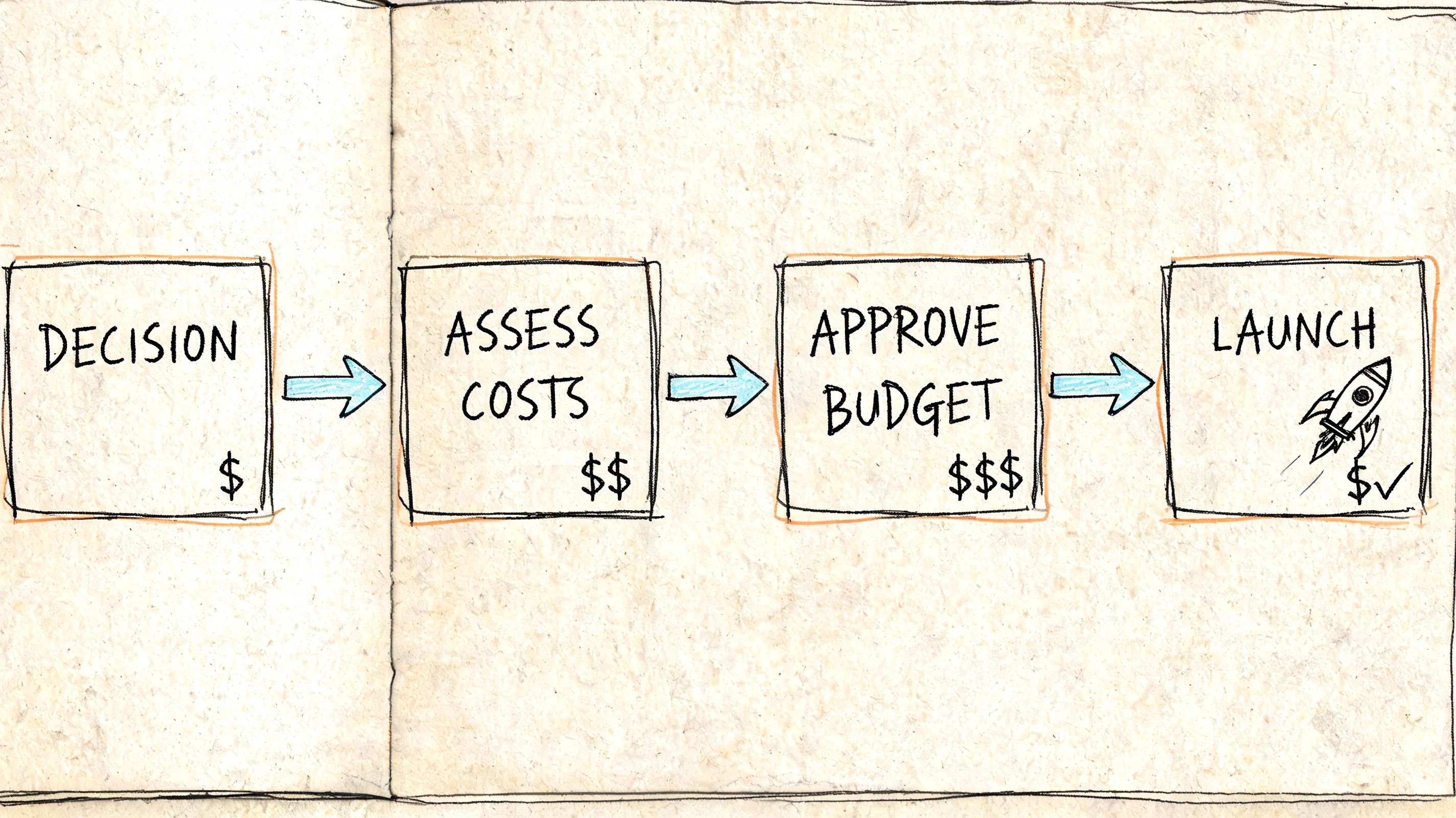
Launching a white label crm is less about software setup than operational sequencing. Agencies that rush to sell seats before they define onboarding, billing, permissions, and support usually create churn in the first few accounts. Agencies that treat the launch like a product rollout tend to build something stable.
A hand-drawn flowchart diagram showing four business steps: Decision, Assess Costs, Approve Budget, and Launch.

Blackswan Media’s white-label CRM breakdown gives a useful benchmark for the economics. Agencies can buy wholesale access for around $497 per month and resell to 10+ clients at $97 to $499 per month each. In that model, the base cost is covered after 1 to 5 clients, and Stripe integration can automate collection.

Step one: set up the product before you sell it

The first version of your offer should be narrow. Don’t start by promising every client a fully custom system. Start with one repeatable configuration built around a client type you already understand.

Handle the basics first:

  1. Brand the environment: Custom domain, logo, colors, and core templates.

  2. Create default pipeline structure: Stages should reflect a real sales or delivery process.

  3. Define user roles: Owners, managers, reps, and clients need different views.

  4. Build baseline automations: Lead assignment, reminders, status updates, and follow-up sequences.

  5. Prepare onboarding assets: Short videos, checklists, and a kickoff agenda save support time later.

If your setup process changes wildly from one client to the next, your margins will disappear into onboarding.

Step two: package by outcome, not by feature clutter

Most SMB clients don’t want a giant menu of options. They want a recommendation that fits their stage.

A practical structure usually looks like this:

  • Starter package: Basic CRM, pipeline, contact records, branded environment, and simple automation

  • Growth package: Adds deeper workflows, more reporting, and tighter handoff logic

  • Done-with-you package: Includes setup, admin support, and periodic optimization from your team

The point isn’t to create endless tiers. The point is to make buying easy and delivery repeatable.

For teams comparing what a software-first monthly model could look like, reviewing Stamina pricing helps frame how all-in-one platforms package sales, marketing, and CRM capabilities.

Sell the operating result. “No lead gets missed” is easier to buy than “includes workflows, tags, pipelines, and custom fields.”

Step three: make billing boring

Boring billing is good billing. The less your team touches invoices manually, the better.

Use recurring billing from the start. Charge the software fee separately from service when possible, even if both are sold together. That creates cleaner reporting on product revenue and makes future account changes easier to manage.

Clients should know:

  • what the monthly platform fee includes

  • what setup covers

  • what happens when they add users, brands, or advanced workflows

  • who to contact for billing versus support

Here’s a helpful product walkthrough to pair with pricing discussions:

Step four: write contracts that address ownership and service levels

This part gets skipped too often. If you’re white-labeling a CRM, your client agreement needs to say who owns the data, how data is exported if the relationship ends, what level of support is included, and what depends on the underlying platform provider.

At minimum, your agreement should cover:

  • Data ownership: Client data remains the client’s data.

  • Access rights: Clarify admin access, user seat rules, and what happens on cancellation.

  • Service boundaries: Separate platform support from broader consulting or campaign work.

  • Third-party dependency: State that hosting, uptime, and platform updates depend partly on the software provider.

  • Exit process: Explain how account handoff or export works.

Step five: onboard in a fixed order

The best onboarding I’ve seen follows the same sequence every time. Import data, validate fields, confirm pipeline stages, connect lead sources, train users by role, then set the reporting cadence. Don’t dump every feature on day one.

A client’s first week should answer only a few questions. Where do leads appear? What do I do next? How do I know whether the team is following up? If those answers are clear, adoption usually follows. If they aren’t, the CRM gets blamed for what is really an onboarding failure.

Choosing Your Partner and Avoiding Critical Risks

A client calls at 8:07 a.m. Their leads stopped routing overnight, two sales reps cannot log in, and the appointment reminders did not send. They do not care that the failure sits with your upstream software vendor. Your logo is on the login screen, so the problem belongs to you.

That is the ultimate test of a white label crm partner. Features matter, but operational reliability matters more. You are not just buying software. You are attaching your reputation, support load, and margins to another company’s product decisions.

A hand representing a vendor reaches out to a person balancing on a tightrope near a warning sign.

Vendor risk shows up in day-to-day operations

The sales demo usually highlights funnels, pipelines, and automation builders. The harder questions show up after you have ten or twenty SMB accounts live.

One vendor pushes a UI change that confuses front-desk staff at your dental clients. Another changes API behavior and your lead source integration starts dropping records. A third raises reseller pricing with 30 days’ notice and your margin disappears unless you reprice accounts. None of that is rare. It is the operating reality of reselling software you do not control.

Three risk areas deserve attention from the start:

  • Service failures: Outages, delayed syncs, broken automations, and login issues land in your support queue first.

  • Roadmap mismatch: The vendor may spend six months building features for another segment while your clients still need better permissions, reporting, or call tracking.

  • Commercial exposure: Seat pricing, support tiers, and reseller rules can change faster than your client contracts.

If the platform breaks in public, your agency absorbs the trust hit.

What to verify before you commit

A good partner is not just feature-rich. A good partner is predictable under load, clear in support, and realistic about data access.

Check these areas carefully.

SLA and incident handling

Do not accept vague language about uptime. Ask how incidents are reported, who communicates during an outage, what response times apply, and whether maintenance windows are announced in advance. Credits are helpful, but communication quality usually matters more because your team still has to calm clients down in real time.

Data portability

Ask for a real exit path, not a sales promise. Export a sample account during the trial. See what you get. Contacts are easy. Notes, custom fields, conversation history, recordings, tasks, and automation logic are where migrations get ugly.

API and integration depth

At this stage, many deals go sideways. A platform can look polished in the core CRM and still create daily friction if the API is thin or the webhooks are unreliable. If your fulfillment depends on forms, ad platforms, calendars, invoicing tools, phone systems, or reporting layers, test those flows before signing.

Do not settle for “we integrate with Zapier” as the whole answer. For some agencies that is enough. For high-volume lead routing or multi-step onboarding, it often becomes a fragile chain of patches.

Account structure and permissions

SMB clients rarely need enterprise complexity, but they do need clear boundaries. Confirm how sub-accounts work, what admins can see, how staff permissions are controlled, and whether one client can ever view another client’s assets by mistake. A messy account hierarchy turns support into a constant cleanup job.

Branding depth

Some vendors offer light rebranding, not a true white-label experience. Check the login page, mobile app, email notifications, system alerts, domains, and any help documentation clients might see. The original vendor’s name should not keep surfacing in places your client uses every week.

Integration headaches are usually the hidden profit killer

The easiest way to lose money on a white-labeled platform is not the monthly software fee. It is the labor required to keep messy integrations alive.

A simple local service client may need Facebook Lead Ads, Google Business Profile messaging, website forms, missed-call text back, and calendar booking to work without delays. If one connection is unreliable, your team starts babysitting imports, fixing duplicate contacts, and explaining reporting gaps. The client sees “CRM issues.” You see unbilled support hours.

This is why I prefer vendors with boring strengths. Stable syncing. Clear logs. Good webhook support. Usable error messages. Fast rollback when something fails. Those details do not sell the trial. They protect the margin after launch.

Risk controls that actually help

The safest setup is not the one with the longest feature list. It is the one you can support repeatedly without custom rescue work.

Use a control list like this:

  1. Run a live trial with one internal account first. Route real leads, test automations, break things on purpose, and see how support responds.

  2. Export data before launch and on a set schedule after launch. Do not wait until a relationship sours to find out what cannot be moved.

  3. Standardize your integration stack. Fewer app combinations means fewer strange failures.

  4. Keep manual backup procedures. If forms fail or reminders stop, your team should know how to capture leads and notify clients the same day.

  5. Limit early customization. Heavy custom builds feel impressive, but they make support and migration harder.

  6. Review vendor changes monthly. Roadmap updates, pricing changes, and support policy shifts should never surprise your team.

How to spot a bad fit early

Poor-fit vendors reveal themselves during the trial if you test the right things.

Red flags include slow answers from support, unclear export options, shallow permissions, missing audit trails, weak API documentation, and workflows that only function with third-party connectors piled on top. Another warning sign is a reseller program built for a few large accounts when your model depends on many SMB clients with similar setups and fast onboarding.

Choose for the clients you serve now. If your agency wins on repeatable systems for home services, clinics, legal, or local B2B, pick the partner that handles that environment cleanly. The wrong vendor can still work in a demo. It usually breaks down during onboarding, support, and renewals.

Agencies that make real money with white label crm do not ignore dependency risk. They price for it, build processes around it, and keep an exit path open.

From Service Provider to Platform Owner

A white label crm changes the shape of an agency. It takes you from selling effort to selling infrastructure. That doesn’t eliminate service work. It makes service more durable because your expertise is now embedded in the system clients use to run lead flow, follow-up, and reporting.

That shift matters because service businesses are easy to compare. Platform-backed businesses are harder to replace. When your team owns both execution and the operating layer, the relationship gets deeper and the revenue gets steadier.

The model isn’t effortless. You still have to choose the right vendor, define onboarding, manage integrations, set pricing, and protect yourself from dependency risk. But those are buildable problems. They’re far easier than trying to scale a custom software product from scratch or trying to grow an agency forever on retainers alone.

The strongest operators I’ve seen treat white labeling with the same seriousness they’d give a new line of business. They narrow the niche, standardize the setup, keep contracts clean, and stay disciplined about support boundaries. That’s what turns a branded CRM from a side offer into a real recurring revenue engine.

Owning your stack doesn’t always mean writing the code yourself. It means controlling the client experience, the packaging, the process, and the commercial relationship in a way that compounds over time.

If you’re exploring a white-label route and want an option built around unified sales, marketing, and CRM workflows, Stamina is worth a look. It’s designed for growing teams and agencies that need one system for pipeline management, outreach, automation, and client operations, with agency-oriented capabilities that can support a branded delivery model.

Most agencies don’t hit a growth ceiling because they run out of leads. They hit it because delivery gets messy. One client wants pipeline tracking in HubSpot, another lives in spreadsheets, a third needs automation across email, forms, and follow-up, and your team ends up stitching together tools you don’t control. Margins get thinner every time a client asks for “just one more integration” or “a custom dashboard.”

That’s where a white label crm stops being a nice add-on and starts becoming a business model. Instead of selling labor alone, you sell a branded operating system for sales, marketing, and client management. You stop being only the agency that runs campaigns or consults on growth. You become the company that owns the client’s daily workflow.

The timing is good. The global CRM software market is projected to reach $181.9 billion by 2030, and businesses typically earn $8.71 for every dollar spent on CRM software, while CRM implementations can boost lead conversions by up to 300%, according to RealOffice360’s white-label CRM overview. That matters because SMB clients don’t buy software for the logo. They buy it when it helps them close more deals, follow up faster, and keep customer data in one place.

Agencies that want a tighter stack often move toward an all-in-one business platform because managing separate tools eventually creates more support work than value.

The Agency Growth Ceiling and How to Break It

The ceiling usually shows up in a familiar way. Revenue grows, but so does operational drag. Your account managers spend more time explaining disconnected tools than improving results. Clients ask who owns the automation when a lead doesn’t sync, and suddenly your team is doing software support without software margins.

A white label crm breaks that pattern because it changes what you sell. You’re not just delivering campaigns, lead gen, or consulting hours. You’re packaging those services inside a system your client logs into every day. That shifts the relationship from vendor to infrastructure partner.

What actually changes

When an agency adopts this model well, three things happen:

  • Delivery gets centralized: Leads, tasks, pipeline activity, notes, and reporting live in one environment instead of scattered across inboxes and spreadsheets.

  • Retention gets stronger: Clients are less likely to leave when your team is tied into the process they use to run sales and follow-up.

  • Revenue gets steadier: Monthly software fees smooth out the feast-or-famine cycle that comes with project work.

Practical rule: If your team repeatedly rebuilds the same pipeline, forms, reminders, and reporting stack for different clients, you don’t have a service problem. You have a packaging problem.

The biggest mistake is treating white label software like a side product. It works when it becomes the delivery layer for what you already do well. If your agency wins on lead generation, your CRM should prove response time, source tracking, and pipeline movement. If you win on consulting, the CRM should become the operating system clients depend on after the strategy deck is forgotten.

That’s how you break the ceiling. You stop scaling people alone and start scaling a repeatable system.

What a White Label CRM Really Is

A white label crm is easiest to understand, similar to a ghost kitchen. The kitchen already exists. The equipment works. The staff knows how to keep it running. But the customer sees your menu, your branding, and your experience.

That’s the white-label model in software. A third-party provider builds and maintains the platform. You license it, brand it, configure it, and present it as your own solution.

A minimalist sketch of a professional commercial kitchen interior featuring a chef hat hanging on the wall.

White label is not the same as reselling

People lump these together, but they’re different businesses.

  • Affiliate model: You refer a client to someone else’s CRM and earn a fee. The vendor owns the product, billing relationship, and customer experience.

  • Reseller model: You sell access to another company’s software, but the original brand is usually still visible somewhere in the experience.

  • White-label model: Your client interacts with your brand, often on your domain, with your visual identity and packaging.

That difference matters because clients behave differently when they feel they’re buying a platform from you rather than being passed to a vendor.

Why the distinction matters in practice

In a standard reseller setup, the software company still feels like the owner of the relationship. Support docs, billing notices, login pages, and onboarding often remind the client whose product it really is. In a white-label setup, you control much more of the front-end experience.

That offers an advantage, but it also creates responsibility. You need enough CRM knowledge to configure workflows, permissions, onboarding, and reporting in a way that fits the client’s business. If you don’t, the branding won’t save you.

For founders comparing options before they commit, this list of top CRM platforms for startups is useful because it helps separate pure CRM tools from broader platforms that can support a branded service model.

A lot of agencies also confuse CRM with outbound tooling. They overlap, but they aren’t the same job. This breakdown of a sales engagement platform vs CRM is worth reading before you decide what part of the stack you want to white-label.

The strongest white-label offers don’t try to be everything for everyone. They package a clear operational outcome inside branded software.

If you remember the ghost-kitchen analogy, the decision gets simpler. The kitchen is rented. The menu is yours. The customer judges your brand, not the appliances in the back.

Strategic Benefits and Real-World Use Cases

A white label crm earns its place when it solves three business problems at once. It creates recurring revenue, makes your agency look more established, and gives clients a reason to stay because switching means rebuilding process, not just replacing a vendor.

Agencies can launch a fully branded CRM in as little as 30 days and generate $50 to $200 or more per client per month in recurring revenue, according to AllClients’ guide to white-label CRM. That’s the financial hook. The deeper advantage is operational control.

Recurring revenue that fits agency delivery

Most agencies already manage pieces of the client journey. They capture leads, write follow-ups, monitor campaigns, or clean pipeline data. A white label crm lets you package those activities inside a monthly system fee instead of hiding them inside service retainers.

That doesn’t mean every client should get the same plan. A small local business may only need contact management, follow-up reminders, and a simple deal stage view. A more mature client may need campaign tracking, lead routing, and executive reporting.

Here’s what works in practice:

  • Simple offer first: Start with one core package tied to a clear outcome, such as lead management or follow-up consistency.

  • Service attached to software: Don’t sell the login alone. Include setup, training, and periodic optimization.

  • Usage tied to value: Show clients where the CRM connects to revenue, response time, or visibility.

Stronger branding without custom development

Clients notice when everything feels connected. A branded login page, custom domain, consistent email templates, and reports that match your agency identity all make your business look more established than a loose collection of point tools.

That brand effect is strongest for agencies that sell trust. Real estate, financial advisory, consulting, and high-touch local services benefit when the client experience feels unified. The software becomes proof that your agency has a process, not just opinions.

Clients rarely ask whether you coded the CRM yourself. They care whether it feels consistent, works reliably, and helps their team move faster.

Better retention through workflow ownership

White labeling offers significant strategic power. If you only run ads, another agency can replace you. If you own the lead capture flow, assignment logic, follow-up automation, reporting, and sales pipeline inside a branded CRM, replacing you becomes more disruptive.

That doesn’t mean clients are trapped. It means your value is embedded in how work gets done.

Use cases that translate well

Marketing agencies

A marketing agency can use a white label crm to show where leads came from, where they stalled, and which follow-up process is active. That’s far stronger than sending a monthly slide deck with top-level campaign metrics. The client can see pipeline movement in the same place.

Real estate teams and brokerages

Real estate businesses often need a central place to track inquiries, appointments, agent activity, and deal stages. A branded CRM gives brokers a system they can roll out across agents while keeping the experience under their own identity.

Consultants and fractional operators

Consultants often struggle after the strategy phase. Clients nod in the workshop, then execution falls apart. A white label crm gives the consultant a way to turn advice into repeatable operating structure, with tasks, stages, reminders, and reporting built in.

E-commerce support environments

For e-commerce operators, a CRM can support order context, customer communication, and support workflows in one environment. That matters when growth creates more repeat contacts and more internal handoffs.

The common thread is simple. A white label crm works best when the agency already owns a repeatable client process and needs a system to deliver it cleanly.

Your Feature and Integration Checklist

Most platforms look good in a demo. The problems show up after the contract is signed. A white label crm should be evaluated less like a marketing tool and more like infrastructure. If the platform can’t handle permissions, integrations, and reporting cleanly, your team becomes the workaround.

According to Knack’s white-label CRM article, full rebranding capabilities alongside role-based access controls and API compatibility can accelerate agency time-to-market by 90% compared to custom development, while boosting user adoption by 35% through mobile access and customizable reporting. That’s why the checklist matters. Fast launch only helps if the system stays usable once clients are inside it.

Core functionality that affects client outcomes

Don’t get distracted by flashy extras first. Verify the boring parts.

  • Pipeline management: You need visible deal stages, owner assignment, activity logging, and straightforward movement from one stage to the next.

  • Contact records: Every client will ask for a complete history. Notes, tasks, communication history, and source data should be easy to find.

  • Automation: Follow-ups, reminders, lead routing, and status changes should happen without manual babysitting.

  • Reporting: Dashboards need to answer practical questions. What came in, what converted, what stalled, and who needs attention.

  • Mobile access: If field teams, sales reps, or owners check the CRM on mobile, weak mobile usability will kill adoption fast.

Branding and control that make it feel like your product

A platform isn’t white-label if the original vendor is still obvious.

Look for custom domains, branded login flows, logo and color controls, customizable email templates, and the ability to shape client-facing screens. Role-based access control matters just as much. Clients, managers, sales reps, and admins shouldn’t all see the same thing.

That matters for security, but it also matters for clarity. A simple view for a frontline user beats a cluttered all-access dashboard every time.

Integrations that reduce support tickets

Most launches get rough. Clients already use accounting tools, calendar systems, email providers, forms, and automation connectors; if your CRM can’t exchange data cleanly, your team ends up manually patching workflows.

If you manage support-heavy clients, it also helps to understand how CRM and service tools interact. This guide on how to boost customer support efficiency is useful when you’re deciding whether ticketing and customer history should live together or stay separate.

For automation-heavy use cases, workflow depth matters more than a long feature list. A system like Stamina workflows is relevant when you need marketing, sales, and CRM actions to trigger each other across one operating layer.

White Label CRM Evaluation Checklist

Category

Feature to Verify

Why It Matters

Core CRM

Pipeline stages and deal tracking

Clients need a clear sales process, not just a contact list

Core CRM

Contact history and activity timeline

Your team can troubleshoot and coach from one record

Core CRM

Automation for follow-ups and routing

Manual handoffs create missed leads and support load

Branding

Custom domain and branded login

The platform needs to feel like your product

Branding

Logo, colors, and email template controls

Consistent branding improves trust and usability

Branding

Role-based access controls

Different users need different visibility

Integrations

API access

Custom connections become possible when native ones fall short

Integrations

Native connectors and automation support

Existing client tools need to sync without brittle workarounds

Adoption

Mobile usability

Many SMB teams work from phones more than desktops

Reporting

Custom dashboards and exports

Clients want proof of value in language they understand

Check the failure path: Don’t just ask what the integration can do. Ask what happens when the sync breaks, duplicates appear, or fields change on the source system.

A good white label crm strengthens your position. A weak one turns your agency into unpaid technical support.

The Implementation and Pricing Playbook

Launching a white label crm is less about software setup than operational sequencing. Agencies that rush to sell seats before they define onboarding, billing, permissions, and support usually create churn in the first few accounts. Agencies that treat the launch like a product rollout tend to build something stable.

A hand-drawn flowchart diagram showing four business steps: Decision, Assess Costs, Approve Budget, and Launch.

Blackswan Media’s white-label CRM breakdown gives a useful benchmark for the economics. Agencies can buy wholesale access for around $497 per month and resell to 10+ clients at $97 to $499 per month each. In that model, the base cost is covered after 1 to 5 clients, and Stripe integration can automate collection.

Step one: set up the product before you sell it

The first version of your offer should be narrow. Don’t start by promising every client a fully custom system. Start with one repeatable configuration built around a client type you already understand.

Handle the basics first:

  1. Brand the environment: Custom domain, logo, colors, and core templates.

  2. Create default pipeline structure: Stages should reflect a real sales or delivery process.

  3. Define user roles: Owners, managers, reps, and clients need different views.

  4. Build baseline automations: Lead assignment, reminders, status updates, and follow-up sequences.

  5. Prepare onboarding assets: Short videos, checklists, and a kickoff agenda save support time later.

If your setup process changes wildly from one client to the next, your margins will disappear into onboarding.

Step two: package by outcome, not by feature clutter

Most SMB clients don’t want a giant menu of options. They want a recommendation that fits their stage.

A practical structure usually looks like this:

  • Starter package: Basic CRM, pipeline, contact records, branded environment, and simple automation

  • Growth package: Adds deeper workflows, more reporting, and tighter handoff logic

  • Done-with-you package: Includes setup, admin support, and periodic optimization from your team

The point isn’t to create endless tiers. The point is to make buying easy and delivery repeatable.

For teams comparing what a software-first monthly model could look like, reviewing Stamina pricing helps frame how all-in-one platforms package sales, marketing, and CRM capabilities.

Sell the operating result. “No lead gets missed” is easier to buy than “includes workflows, tags, pipelines, and custom fields.”

Step three: make billing boring

Boring billing is good billing. The less your team touches invoices manually, the better.

Use recurring billing from the start. Charge the software fee separately from service when possible, even if both are sold together. That creates cleaner reporting on product revenue and makes future account changes easier to manage.

Clients should know:

  • what the monthly platform fee includes

  • what setup covers

  • what happens when they add users, brands, or advanced workflows

  • who to contact for billing versus support

Here’s a helpful product walkthrough to pair with pricing discussions:

Step four: write contracts that address ownership and service levels

This part gets skipped too often. If you’re white-labeling a CRM, your client agreement needs to say who owns the data, how data is exported if the relationship ends, what level of support is included, and what depends on the underlying platform provider.

At minimum, your agreement should cover:

  • Data ownership: Client data remains the client’s data.

  • Access rights: Clarify admin access, user seat rules, and what happens on cancellation.

  • Service boundaries: Separate platform support from broader consulting or campaign work.

  • Third-party dependency: State that hosting, uptime, and platform updates depend partly on the software provider.

  • Exit process: Explain how account handoff or export works.

Step five: onboard in a fixed order

The best onboarding I’ve seen follows the same sequence every time. Import data, validate fields, confirm pipeline stages, connect lead sources, train users by role, then set the reporting cadence. Don’t dump every feature on day one.

A client’s first week should answer only a few questions. Where do leads appear? What do I do next? How do I know whether the team is following up? If those answers are clear, adoption usually follows. If they aren’t, the CRM gets blamed for what is really an onboarding failure.

Choosing Your Partner and Avoiding Critical Risks

A client calls at 8:07 a.m. Their leads stopped routing overnight, two sales reps cannot log in, and the appointment reminders did not send. They do not care that the failure sits with your upstream software vendor. Your logo is on the login screen, so the problem belongs to you.

That is the ultimate test of a white label crm partner. Features matter, but operational reliability matters more. You are not just buying software. You are attaching your reputation, support load, and margins to another company’s product decisions.

A hand representing a vendor reaches out to a person balancing on a tightrope near a warning sign.

Vendor risk shows up in day-to-day operations

The sales demo usually highlights funnels, pipelines, and automation builders. The harder questions show up after you have ten or twenty SMB accounts live.

One vendor pushes a UI change that confuses front-desk staff at your dental clients. Another changes API behavior and your lead source integration starts dropping records. A third raises reseller pricing with 30 days’ notice and your margin disappears unless you reprice accounts. None of that is rare. It is the operating reality of reselling software you do not control.

Three risk areas deserve attention from the start:

  • Service failures: Outages, delayed syncs, broken automations, and login issues land in your support queue first.

  • Roadmap mismatch: The vendor may spend six months building features for another segment while your clients still need better permissions, reporting, or call tracking.

  • Commercial exposure: Seat pricing, support tiers, and reseller rules can change faster than your client contracts.

If the platform breaks in public, your agency absorbs the trust hit.

What to verify before you commit

A good partner is not just feature-rich. A good partner is predictable under load, clear in support, and realistic about data access.

Check these areas carefully.

SLA and incident handling

Do not accept vague language about uptime. Ask how incidents are reported, who communicates during an outage, what response times apply, and whether maintenance windows are announced in advance. Credits are helpful, but communication quality usually matters more because your team still has to calm clients down in real time.

Data portability

Ask for a real exit path, not a sales promise. Export a sample account during the trial. See what you get. Contacts are easy. Notes, custom fields, conversation history, recordings, tasks, and automation logic are where migrations get ugly.

API and integration depth

At this stage, many deals go sideways. A platform can look polished in the core CRM and still create daily friction if the API is thin or the webhooks are unreliable. If your fulfillment depends on forms, ad platforms, calendars, invoicing tools, phone systems, or reporting layers, test those flows before signing.

Do not settle for “we integrate with Zapier” as the whole answer. For some agencies that is enough. For high-volume lead routing or multi-step onboarding, it often becomes a fragile chain of patches.

Account structure and permissions

SMB clients rarely need enterprise complexity, but they do need clear boundaries. Confirm how sub-accounts work, what admins can see, how staff permissions are controlled, and whether one client can ever view another client’s assets by mistake. A messy account hierarchy turns support into a constant cleanup job.

Branding depth

Some vendors offer light rebranding, not a true white-label experience. Check the login page, mobile app, email notifications, system alerts, domains, and any help documentation clients might see. The original vendor’s name should not keep surfacing in places your client uses every week.

Integration headaches are usually the hidden profit killer

The easiest way to lose money on a white-labeled platform is not the monthly software fee. It is the labor required to keep messy integrations alive.

A simple local service client may need Facebook Lead Ads, Google Business Profile messaging, website forms, missed-call text back, and calendar booking to work without delays. If one connection is unreliable, your team starts babysitting imports, fixing duplicate contacts, and explaining reporting gaps. The client sees “CRM issues.” You see unbilled support hours.

This is why I prefer vendors with boring strengths. Stable syncing. Clear logs. Good webhook support. Usable error messages. Fast rollback when something fails. Those details do not sell the trial. They protect the margin after launch.

Risk controls that actually help

The safest setup is not the one with the longest feature list. It is the one you can support repeatedly without custom rescue work.

Use a control list like this:

  1. Run a live trial with one internal account first. Route real leads, test automations, break things on purpose, and see how support responds.

  2. Export data before launch and on a set schedule after launch. Do not wait until a relationship sours to find out what cannot be moved.

  3. Standardize your integration stack. Fewer app combinations means fewer strange failures.

  4. Keep manual backup procedures. If forms fail or reminders stop, your team should know how to capture leads and notify clients the same day.

  5. Limit early customization. Heavy custom builds feel impressive, but they make support and migration harder.

  6. Review vendor changes monthly. Roadmap updates, pricing changes, and support policy shifts should never surprise your team.

How to spot a bad fit early

Poor-fit vendors reveal themselves during the trial if you test the right things.

Red flags include slow answers from support, unclear export options, shallow permissions, missing audit trails, weak API documentation, and workflows that only function with third-party connectors piled on top. Another warning sign is a reseller program built for a few large accounts when your model depends on many SMB clients with similar setups and fast onboarding.

Choose for the clients you serve now. If your agency wins on repeatable systems for home services, clinics, legal, or local B2B, pick the partner that handles that environment cleanly. The wrong vendor can still work in a demo. It usually breaks down during onboarding, support, and renewals.

Agencies that make real money with white label crm do not ignore dependency risk. They price for it, build processes around it, and keep an exit path open.

From Service Provider to Platform Owner

A white label crm changes the shape of an agency. It takes you from selling effort to selling infrastructure. That doesn’t eliminate service work. It makes service more durable because your expertise is now embedded in the system clients use to run lead flow, follow-up, and reporting.

That shift matters because service businesses are easy to compare. Platform-backed businesses are harder to replace. When your team owns both execution and the operating layer, the relationship gets deeper and the revenue gets steadier.

The model isn’t effortless. You still have to choose the right vendor, define onboarding, manage integrations, set pricing, and protect yourself from dependency risk. But those are buildable problems. They’re far easier than trying to scale a custom software product from scratch or trying to grow an agency forever on retainers alone.

The strongest operators I’ve seen treat white labeling with the same seriousness they’d give a new line of business. They narrow the niche, standardize the setup, keep contracts clean, and stay disciplined about support boundaries. That’s what turns a branded CRM from a side offer into a real recurring revenue engine.

Owning your stack doesn’t always mean writing the code yourself. It means controlling the client experience, the packaging, the process, and the commercial relationship in a way that compounds over time.

If you’re exploring a white-label route and want an option built around unified sales, marketing, and CRM workflows, Stamina is worth a look. It’s designed for growing teams and agencies that need one system for pipeline management, outreach, automation, and client operations, with agency-oriented capabilities that can support a branded delivery model.

Share this article

Share this article

Send a shareable link to your team or anyone who might find it useful.

Send a shareable link to your team or anyone who might find it useful.

Copy link

Copied

Share directly to

Table of contents

Give Your Business the Stamina it needs to Thrive