

You’re on LinkedIn, you find exactly the right person, and then the workflow stalls.
The title matches. The company fits your ICP. The timing looks good. But there’s no email, no direct dial, and no clean way to move that discovery into outreach without opening more tabs, copying fields by hand, and hoping nothing breaks on the way to your CRM.
That’s the daily friction point for a lot of sales teams. It isn’t usually strategy that slows prospecting down. It’s the gap between spotting a real opportunity and having enough verified context to act on it.
The zoominfo chrome extension exists for that moment. It puts contact and company intelligence into the browser tab where your rep is already working, whether that’s LinkedIn, a company site, or a directory page. Used well, it removes one of the most annoying bottlenecks in outbound.
Used poorly, it becomes another point tool that helps you find people but leaves the harder part untouched. Data alone doesn’t create pipeline. Teams still need a clean handoff into outreach, nurture, CRM hygiene, and coordinated follow-up.
Your Prospecting Bottleneck Is About to Disappear
A rep finds the Head of Operations at a fast-growing software company on LinkedIn. Good title. Good account. Good fit.
Then the usual slowdown starts. The rep opens another tab, searches for the company, checks a CRM record, tries to find an email pattern, and pings a teammate to see whether anyone’s already working the account. Ten minutes later, the rep still hasn’t sent anything.
That’s the problem the zoominfo chrome extension solves best. It collapses the time between discovery and action.
Instead of forcing the rep back into a separate research workflow, the extension brings business data into the page they’re already viewing. On a practical level, that means your SDR can stay in flow while researching prospects and move faster from “this person looks relevant” to “this person is ready for outreach.”
The best prospecting tools don’t just surface data. They preserve momentum.
Its significance is overlooked. Prospecting quality drops when reps constantly context-switch. They lose the thread, skip notes, forget to check related stakeholders, or push good accounts to later because the next step feels tedious.
The extension helps at the front end. It doesn’t replace sequencing, nurture, or CRM discipline. But it does remove the first dead end.
If your team is also evaluating how AI can take over repetitive selling tasks after the contact is found, it’s worth reviewing how modern AI sales assistants fit into the workflow after enrichment.
What Is the ZoomInfo Chrome Extension Exactly
The zoominfo chrome extension gives reps browser-based sales intelligence at the moment they are researching an account.
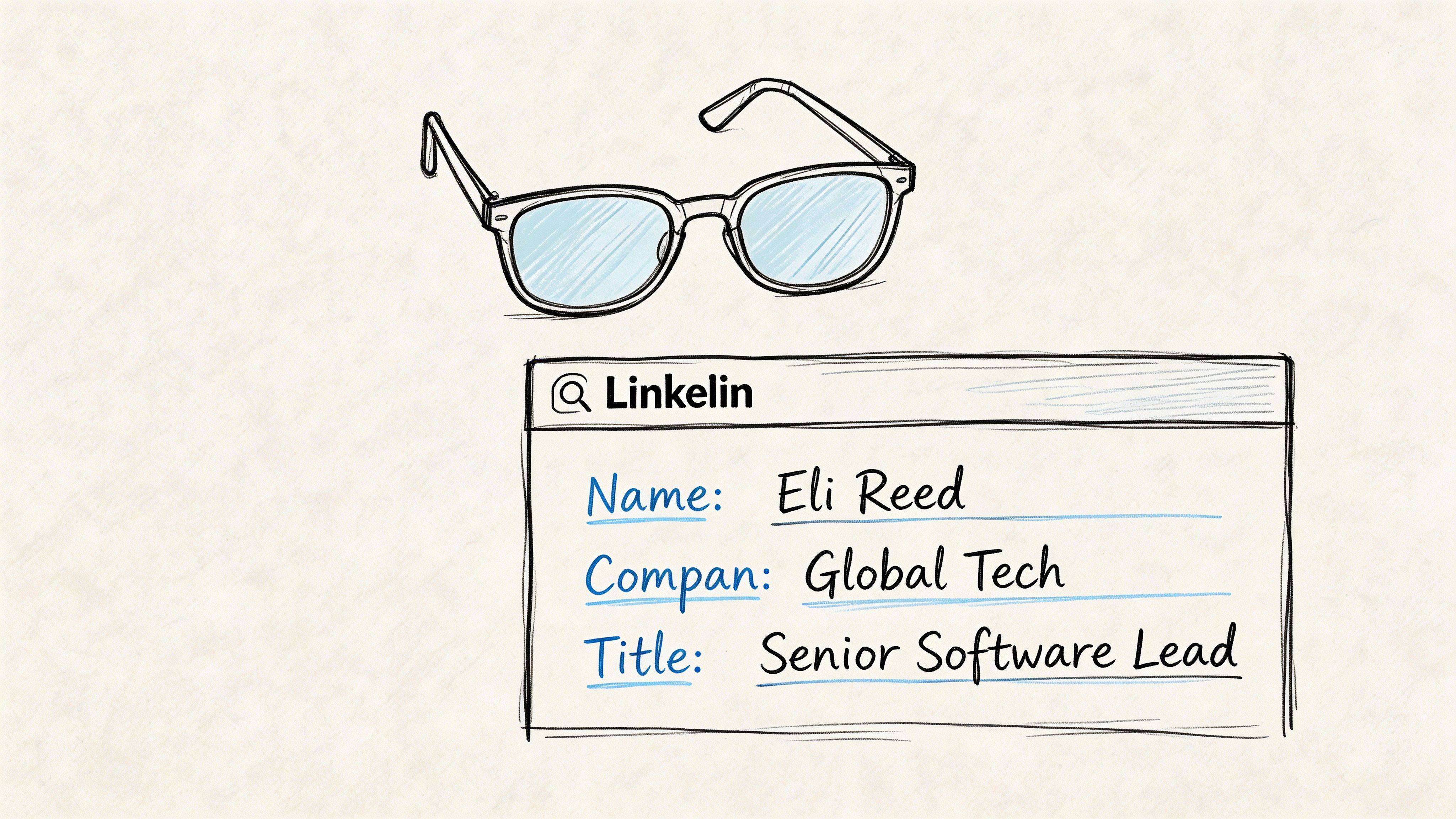
A rep can be on LinkedIn, a company site, or another business page and pull contact and company details without breaking flow to run a separate search. That matters in real sales environments because the first drop in productivity usually happens between identifying a prospect and deciding what to do with them.
What it does in practice
For SDRs, the value is speed. They can review a profile, pull contact details, and judge whether the person belongs in the sequence while they are still on the page.
For AEs, the extension is more about account judgment. It helps them confirm company context before a call, spot nearby stakeholders, and decide whether an account deserves more time from sales or solutions engineering.
Marketing and recruiting teams use it differently, but the pattern is similar. They need quick access to a person, their company, and enough context to decide whether that record belongs in a target list, campaign, or sourcing workflow.
It also connects to the broader ZoomInfo environment, so teams can push records into systems they already use instead of retyping data by hand. That is useful, but it is also where the trade-off starts to show. The extension speeds up lookup and export. It does not fully manage qualification, sequencing, ownership, or handoff once the record leaves the browser.
Who it’s built for
The extension fits teams that do a high volume of web-based research and need answers quickly inside the tab they are already using.
It is especially useful when reps spend much of the day in places like:
LinkedIn profiles where they verify role, seniority, and likely ownership
Company websites where they confirm fit, product lines, or geography
Target account research pages where they need fast enrichment during account review
Recruiting surfaces where sourcing teams want direct contact access
Teams that want a cleaner front-end workflow often outgrow the extension-only model. A dedicated prospecting workflow platform gives reps one place to find, qualify, and route prospects instead of splitting that work across browser tools, CRM tabs, and manual follow-up.
What problem it solves
The extension solves a specific bottleneck. Your rep finds the right person and can act on that discovery faster.
That makes it a strong point solution for initial prospecting.
The gap comes after the lookup. Revenue teams still need a reliable way to turn that data into pipeline, coordinate account ownership, maintain clean records, and carry context into outreach and follow-up. If those steps live in separate tools and habits, the browser experience gets faster but the revenue process still fragments.
That is the right way to evaluate the zoominfo chrome extension. It is strong at the top of the workflow. It is weaker as the system that carries prospect data through to revenue.
Key Features for High-Performing Revenue Teams
Many teams initially view the zoominfo chrome extension as a contact finder. That undersells it.
At its best, it acts like a lightweight intelligence layer across the browser. The biggest advantage is speed. The more often a rep can qualify, enrich, and move forward without tab-hopping, the more consistent your top-of-funnel execution becomes.
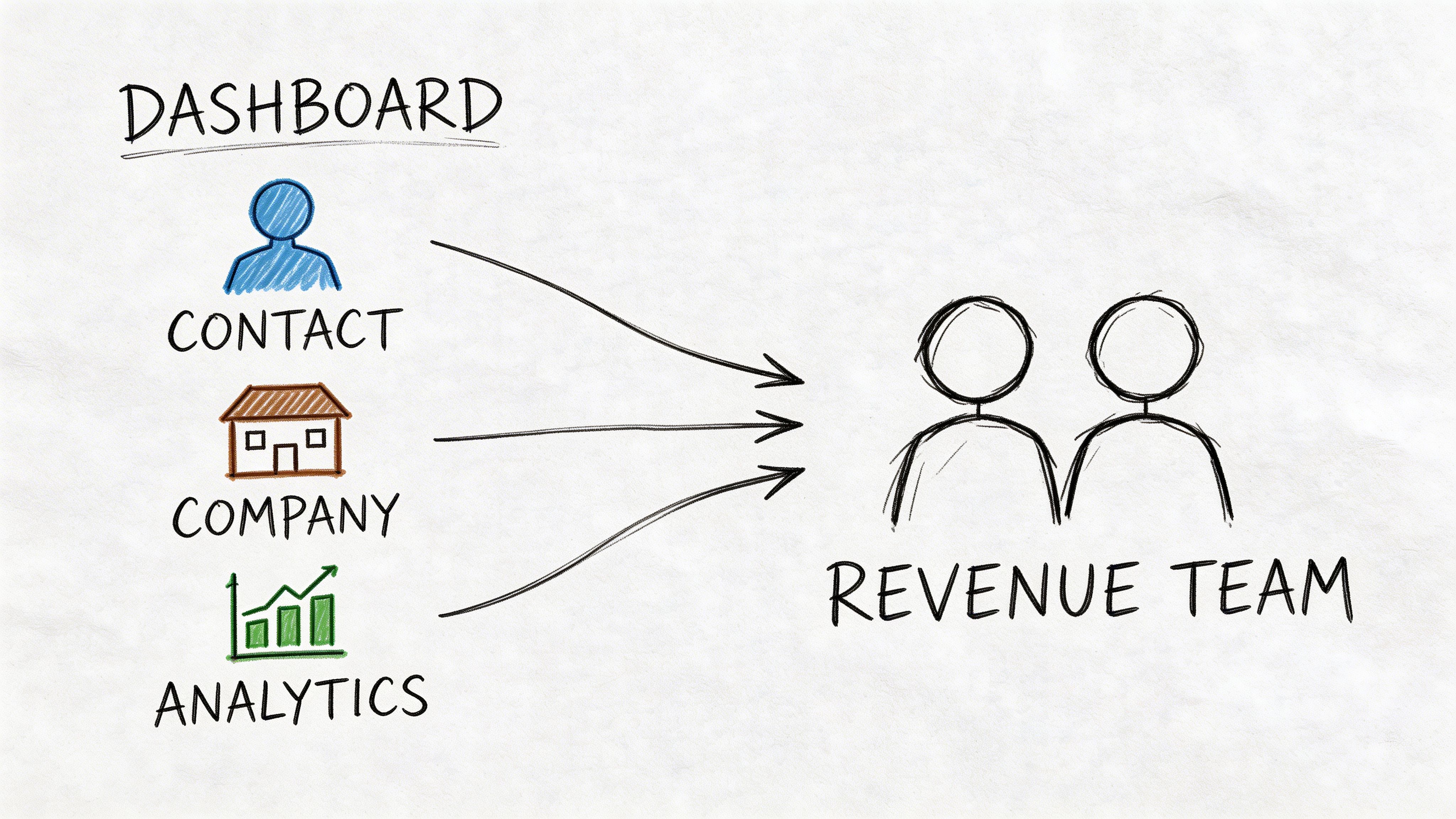
The platform behind the extension provides access to a vast database of business contacts and company profiles, and organizations using the extension have reported a 20% increase in lead conversion rates and a 25% increase in customer satisfaction scores (Oncely’s ZoomInfo Chrome Extension overview).
Contact access that removes first-step friction
The first job is obvious. Reps need ways to reach people.
When the extension performs well, it lets them surface:
Email addresses for immediate outbound use
Phone numbers when calling is part of the motion
Role context so outreach doesn’t start blind
Weak prospecting workflows break before the first touch, underscoring the importance of direct contact detail. Reps identify a viable prospect, but the lack of direct contact detail pushes the record into a backlog instead of a sequence.
Company context that sharpens qualification
Good reps don’t just ask, “Can I reach them?”
They ask, “Is this account worth working now?”
The extension helps by surfacing company-level context directly in the browsing session. That can support faster qualification around account fit, likely buying environment, and whether the page you’re viewing belongs to a real target or just a passing curiosity.
Practical rule: If a tool gives your rep a contact but not enough company context to prioritize that contact, you haven’t fixed prospecting. You’ve just sped up list building.
For managers, the tool’s value in these situations surpasses a simple database lookup. It encourages better judgment at the moment of discovery.
Org charts and multi-threaded account work
This is one of the more useful capabilities for serious outbound teams.
A rep lands on one person, then sees adjacent decision-makers or likely influencers within the same account. That allows them to work the account as a buying group instead of betting everything on a single contact.
Later in the workflow, this is also where message quality starts to matter. If your team identifies multiple stakeholders, they need role-specific messaging. A solid personalization system becomes much more important once the extension helps uncover the broader account.
Here’s a quick product walkthrough that shows the browser-centric nature of the tool:
Export and workflow acceleration
The extension also matters because it sits at the moment of discovery.
That means your rep can enrich a prospect and move that record into downstream systems without relying on a separate cleanup step. For operationally mature teams, that reduces delay between research and action.
Three feature groups tend to create the most value:
Feature area | What the rep gets | Why it matters |
|---|---|---|
Contact data | Direct access to people | Faster first outreach |
Account insight | Better understanding of the company | Stronger qualification |
Stakeholder mapping | Visibility into multiple contacts | Better account coverage |
What doesn’t work is treating every surfaced contact as sequence-ready. The extension gives access. It doesn’t make every record strategic.
A Practical Guide to Installation and Setup
A bad rollout looks the same almost every time. Reps install the extension, click around LinkedIn for five minutes, then start asking why exports are failing, why records are duplicating in CRM, or why half the team can’t see the same data. The extension is fast once it’s configured well. It creates work just as fast when setup is loose.
Start with access, not training.
The extension only helps if each rep has the right ZoomInfo login, the browser is allowed to run it on the sites your team uses, and your admins have decided where exported records should go. Skip that work and the tool turns into a point solution that finds contacts but leaves ops cleaning up the mess.
Get the browser layer working first
Install the extension, pin it in Chrome, and verify the rep is signed in with the correct ZoomInfo credentials. Then test it on a live page your team uses for prospecting.
That last step matters more than teams expect. I’ve seen extensions marked “deployed” in admin docs while reps were still blocked by browser permissions or signed into the wrong account. A working setup should be confirmed in the field, not assumed from an install checklist.
A clean first pass usually includes:
Pinning the extension so reps can access it without hunting through the browser menu
Confirming site permissions on LinkedIn and other approved research pages
Opening a real prospect record to verify the extension loads, matches correctly, and returns usable data
Set the export path before reps build habits
This is the part sales ops should own closely.
Before anyone starts prospecting at volume, confirm what happens after a rep clicks export. Check which system receives the record, which fields populate, whether account ownership rules apply, and how duplicates are handled. If those decisions are still vague, the extension will speed up bad process instead of improving pipeline creation.
Sloppy export logic doesn’t save time. It shifts cleanup work from the rep to ops and creates mistrust in the data.
Teams also need to define the next action, not just the data capture. If a rep finds a strong contact in the browser, the handoff into sequencing, routing, or enrichment should already be mapped. A connected workflow automation system for post-export actions closes that gap. Without it, the extension helps with discovery but still leaves reps stitching together the rest of the motion by hand.
Keep the first rollout narrow
Start with one use case that has clear value and low ambiguity. LinkedIn prospecting is usually the best place to begin because reps already work there and the success criteria are easy to spot.
Don’t train the team on every possible workflow on day one. Train lookup, qualification, and export first. Once those actions are consistent, expand into more advanced account research and cross-functional use cases.
That trade-off is worth being honest about. The ZoomInfo extension is strong at the top of the workflow. It helps reps identify people and accounts quickly. It does not solve the operational layer that turns a found contact into a governed, repeatable revenue process. Teams that need that full path should treat the extension as one input, not the whole system.
Everyday Workflows for Sales and Marketing
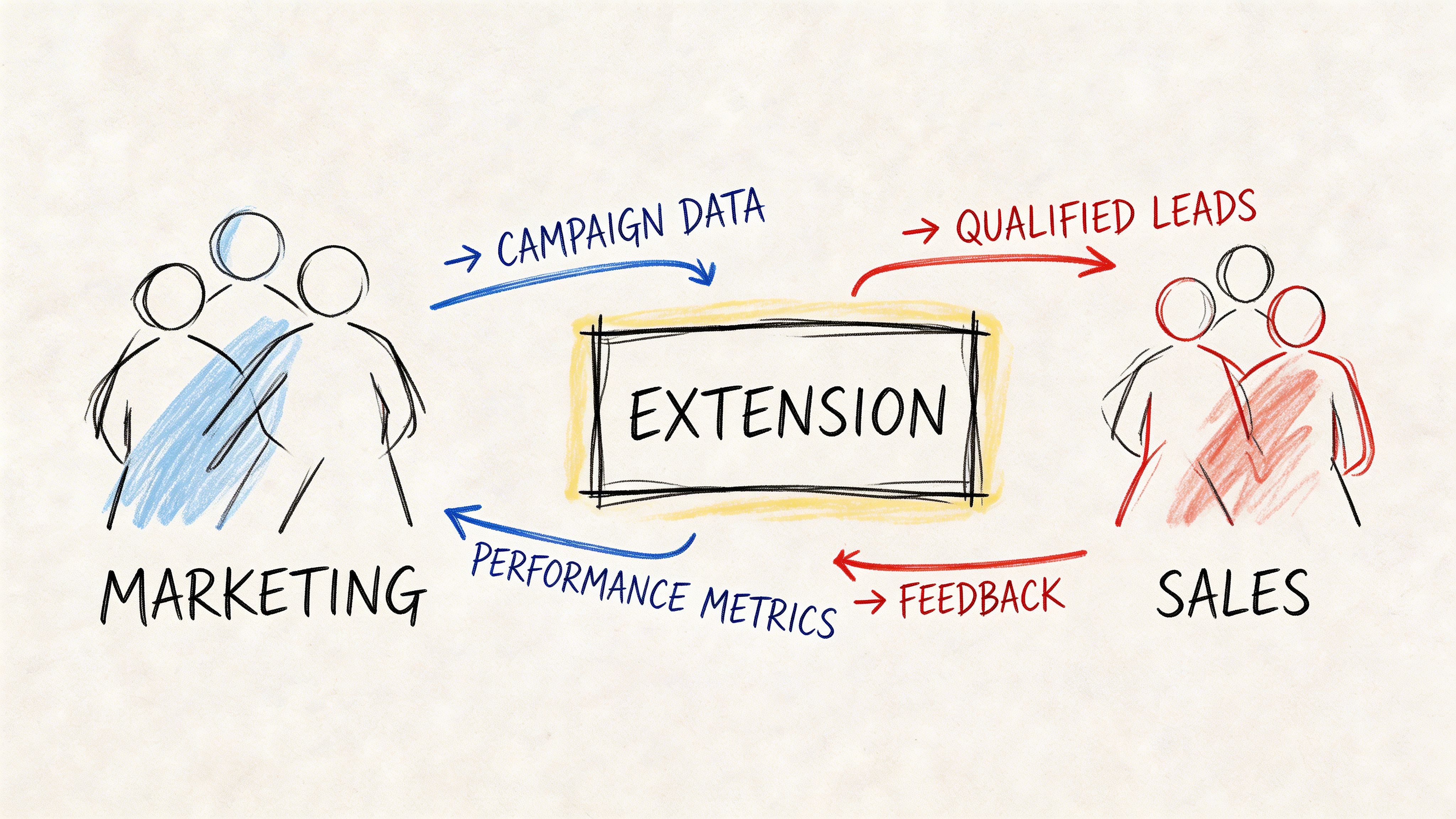
The zoominfo chrome extension makes the most sense when you watch how people use it during the day. Different roles get value from the same browser behavior, but they use it for different reasons.
SDR workflow on LinkedIn
An SDR is building a list for a vertical campaign.
They start with a narrow segment, open target profiles, and use the extension to validate whether each person belongs in the sequence. The win here isn’t just contact retrieval. It’s the ability to decide quickly whether the person is senior enough, whether the account looks relevant, and whether there are adjacent people worth adding.
A good SDR workflow with the extension looks like this:
Start from account criteria rather than random profile browsing
Check the first contact and then inspect the account around them
Export only records that pass a real qualification bar
That last point matters. Teams waste browser tools by exporting everyone they can find.
AE workflow before meetings and expansion plays
AEs use the extension differently.
They’re less focused on building raw volume and more focused on account understanding. Before a discovery call, an AE can review the person they’re meeting, look for other likely stakeholders, and get enough context to avoid asking questions they should’ve answered in prep.
That also helps with expansion work. If an AE is trying to broaden an existing relationship, the extension can support faster identification of operational, finance, or technical contacts tied to the same account.
A browser tool is most valuable to AEs when it helps them ask better questions, not just find more names.
Marketing workflow for account research
Marketing teams get the most value when they use the extension for ABM-style research rather than broad list scraping.
A marketer reviewing target accounts can use the browser layer to understand who sits inside the buying committee and whether the messaging should speak to a single operator, a department leader, or a cross-functional group.
That supports stronger handoff into:
Role | Best use of the extension | Common mistake |
|---|---|---|
SDR | Build qualified contact lists | Exporting low-fit records |
AE | Prep for buying group conversations | Using it only for direct dials |
Marketing | Research account structure and contacts | Treating it like a list vendor |
What works and what doesn’t
What works is using the extension at the moment a human is already making a judgment call.
What doesn’t work is using it as a substitute for process. If your team has weak ICP discipline, poor messaging, or no clear follow-up ownership, the extension won’t fix that. It will only make those gaps show up faster.
Navigating Data Privacy and Tool Limitations
Every sales leader should be honest about what a data extension can and can’t do.
The zoominfo chrome extension is useful. It is not magic. Contact data can age, job titles change, and company pages don’t always tell the full story of buying readiness. Reps still need to verify what matters before launching outreach.
Data quality is directional, not perfect
This is the most common operational mistake. Teams treat surfaced data as final truth.
A better mindset is to treat the extension as a strong starting point for outreach and account research. Before a rep starts a meaningful sequence, they should still sanity-check role relevance, account fit, and whether there’s already activity in the CRM.
That’s especially important in named-account selling. One wrong export is manageable. Repeated blind exports create duplicate records, conflicting ownership, and sloppy account history.
Privacy and compliance still sit with your team
A browser tool doesn’t remove your obligation to use data responsibly.
If your team works under GDPR, CCPA, or internal compliance standards, the process around the tool matters as much as the tool itself. You need clear rules for who can export data, how records enter outreach, and what gets logged in your system of record.
The point-solution ceiling
This is the bigger strategic limitation.
The extension is excellent at helping teams find information at the top of the funnel. It is not the system that manages nurture, campaign orchestration, reply handling, pipeline movement, or cross-functional coordination after the lead is found.
Good point tools solve a narrow problem fast. Growing teams eventually need the workflow around that problem to be just as strong.
That’s the line many SMB teams eventually hit. They don’t need more tabs with data. They need fewer disconnected steps between research and revenue.
Replacing or Augmenting with an Integrated Platform
Many teams don’t replace a tool like the zoominfo chrome extension because it fails at prospecting. They replace or augment it because the rest of the workflow remains fragmented.
A rep finds a contact. Then they export it. Then they switch systems to launch outreach. Then someone else updates the CRM. Then marketing tries to nurture the lead from a separate platform. Then sales ops cleans duplicates after the fact.
That sequence is common. It’s also where speed dies.
Where the browser model starts to break
A browser extension is strongest at one moment. Discovery.
The problem is what happens immediately after discovery. If your process still depends on manual sequencing, disconnected personalization, and separate systems for CRM and nurture, the browser win gets diluted by operational drag.
This gets more obvious when teams start doing account-based outreach. The Galadon analysis notes that the extension’s integration architecture supports multi-threaded outreach strategies that can increase deal probability by 40-60% when teams identify multiple decision-makers and export them into a coordinated play (Galadon’s ZoomInfo Chrome Extension analysis).
That represents the key strategic value. Not just finding one person, but building a coordinated motion around multiple stakeholders.
Why some teams keep the extension and change the system around it
For many teams, the right move isn’t ripping out the extension. It’s surrounding it with a more integrated operating model.
If reps like the browser experience, keep it. But the handoff after export needs to be tighter than “send it somewhere and hope someone works it.”
An integrated platform changes the shape of the work:
Prospecting feeds directly into engagement instead of sitting in a queue
Personalization lives close to the record instead of in a separate writing process
CRM updates happen inside the same motion instead of after the fact
Marketing and sales share context instead of duplicating account research
Prospecting Tool Comparison
Tool | Best For | Key Differentiator | Workflow |
|---|---|---|---|
ZoomInfo Chrome Extension | Initial prospect discovery in-browser | Contact and account intelligence where reps already browse | Find data, export, continue work in other systems |
Lusha | Lightweight contact lookup | Simpler point-solution experience | Quick lookup, then manual follow-through |
Apollo | Teams that want prospecting plus built-in engagement | Combines data and outreach in one environment | Prospect and sequence in the same platform |
Stamina | SMB teams that want one connected revenue system | Unifies prospecting, engagement, nurture, and CRM with AI support | Discover, personalize, engage, nurture, and manage pipeline in one place |
The decision many SMB teams need to make
You don’t need to decide whether data access matters. It does.
You need to decide whether your biggest problem is finding contacts or turning contact data into consistent revenue execution.
If the pain is purely at the front end, the extension is a strong point solution. If the pain shows up in handoff, personalization, follow-up, and CRM consistency, then a point tool is only solving the easiest part of the motion.
That’s where integrated systems start to win. They reduce the number of transitions between “we found someone interesting” and “we created a real sales opportunity.”
Is the ZoomInfo Extension Right for Your Team
For existing ZoomInfo customers, the answer is yes.
If your reps spend a lot of time on LinkedIn, company websites, and manual account research, the zoominfo chrome extension can remove a real bottleneck. It helps people act faster at the exact moment they discover a prospect worth pursuing.
It’s especially useful for teams that already have a mature CRM and engagement stack and need cleaner in-browser enrichment.
It’s less complete for teams whose real problem starts after the contact is found. If outreach is inconsistent, nurture is disconnected, or sales and marketing work from different systems, the extension won’t solve the deeper revenue ops issue.
The best way to evaluate it is simple:
Choose it if your main pain is prospect discovery and browser-based research.
Augment it or move beyond it if your pain is workflow fragmentation from prospecting through close.
That’s the trade-off. Strong point solution at the front of the funnel. Limited answer for the full go-to-market engine.
If your team is ready to move from scattered point tools to one connected system, Stamina gives SMBs a unified way to prospect, personalize outreach, run nurture, and manage CRM in the same platform. It’s built for teams that don’t just want more data. They want cleaner execution from first touch to closed revenue.

