Customer Support Platform: The Complete SMB Guide for 2026

Choosing a customer support platform? This guide helps SMBs evaluate features, KPIs, and integrations to turn support into a revenue engine. Learn more.

0 - Minute Read

Your team probably handles support in five places right now.

There's a shared inbox. A founder's personal inbox. A chat widget. Social DMs. Maybe a spreadsheet where someone tracks open issues because the actual system never became the primary system. Sales has notes that support can't see. Marketing knows which campaign brought the customer in, but support doesn't. The customer repeats the same story every time they talk to someone new.

That setup feels manageable until it starts leaking revenue.

A delayed refund request turns into a cancellation. A feature question that should have become an upsell call gets answered with a one-line email. A frustrated customer posts publicly because no one noticed their private message. Most SMBs don't have a support problem. They have a context problem.

A modern customer support platform fixes that only if it becomes the operating layer for customer relationships, not just a nicer ticket queue.

Why Your Disconnected Tools Are Costing You Customers

Disconnected tools don't fail loudly. They fail in small moments that compound.

A lead becomes a customer, then asks for help through email. Support replies without seeing the sales promise. The customer later messages your social account. A second teammate responds without knowing the first conversation happened. By the time someone realizes the issue is really a billing, onboarding, and product-adoption problem all at once, the customer has already decided you're hard to work with.

That's why this category matters so much now. The global customer service software market is projected to surge from $14.9 billion to $68.19 billion by 2031, and companies using full-featured support platforms report 23 times higher customer satisfaction rates, according to customer service market benchmarks from AnswerConnect.

The real cost isn't ticket volume

Founders often look at support tooling as an efficiency purchase. That's too narrow.

The full cost of a fragmented stack shows up in places you won't see on a basic help desk dashboard:

  • Lost renewals: Customers leave when every interaction starts from zero.

  • Missed expansion: Support hears pain points and buying signals first, but those signals rarely make it back to sales.

  • Slower execution: Teams spend time finding context instead of solving the issue.

  • Inconsistent service: The answer depends on who sees the message first, not on company policy.

Disconnected support isn't just messy operations. It's a broken handoff between revenue teams.

When support, CRM, and engagement data live apart, your team can't spot patterns early. That's why it helps to understand customer behavior with integrated data, especially if you're trying to connect support conversations to retention, expansion, and product adoption.

A support platform should reduce friction across the business

The right platform doesn't add another inbox. It removes the need to check three of them.

For an SMB, the goal is simple. One place where the team can see who the customer is, what they bought, what they were promised, what they've asked before, and what should happen next. If your current stack can't do that, you're paying an operational tax every day.

That's also why more SMBs are moving toward connected systems instead of stitching together separate apps over time. If you're thinking at the business level rather than the help-desk level, this perspective on unifying your business with an all-in-one business platform is useful.

Beyond Ticketing What Is a Modern Support Platform

A modern customer support platform is mission control for customer relationships.

A ticketing tool records an issue. A platform connects the issue to the customer, the account history, the channel, the internal owner, the knowledge base, and the next action. That's a very different job.

A conductor leading an orchestra of musicians whose heads are replaced by communication icons for customer support.

A ticket system tracks work

Traditional help desks were built around queue management. Someone submits a request, it gets assigned, and an agent closes it. That model still matters, but it breaks down when the customer moves between channels or when multiple teams need the same context.

If your support process depends on agents copying notes into Slack, forwarding emails, or asking sales for background, you don't have a platform. You have a patchwork.

A platform coordinates people, channels, and data

A modern platform should give your team a unified workspace across email, chat, social, phone, and portal interactions. It should also preserve history so a customer doesn't have to restart the conversation every time the channel changes.

For companies with active public channels, a specialized look at social media customer service software can help clarify where social support fits inside the broader platform model. Social is important, but it should feed the same system of record as every other touchpoint.

The test is simple. If a customer switches channels, does your team keep the context or lose it?

That distinction also matters when people compare “engagement” tools with “support” tools. The lines overlap more than they used to, especially when workflows, messaging, and CRM data need to live together. This broader view of what a customer engagement platform is helps explain why support can't stay isolated from the rest of the customer journey.

Reactive service is outdated

The best platforms don't just wait for tickets.

They surface repeat issues, recommend relevant knowledge, route by context, summarize prior conversations, and make it easier for agents to step into a case already informed. That changes the support experience from reactive cleanup to guided problem-solving.

For an SMB founder, that shift matters because every customer-facing interaction carries retention risk and growth potential. A platform helps your team act like one company, not a series of disconnected departments.

Core Features That Drive SMB Growth

Most feature lists are useless because they describe software from the vendor's point of view. SMBs should evaluate features by what they remove, what they speed up, and what they make measurable.
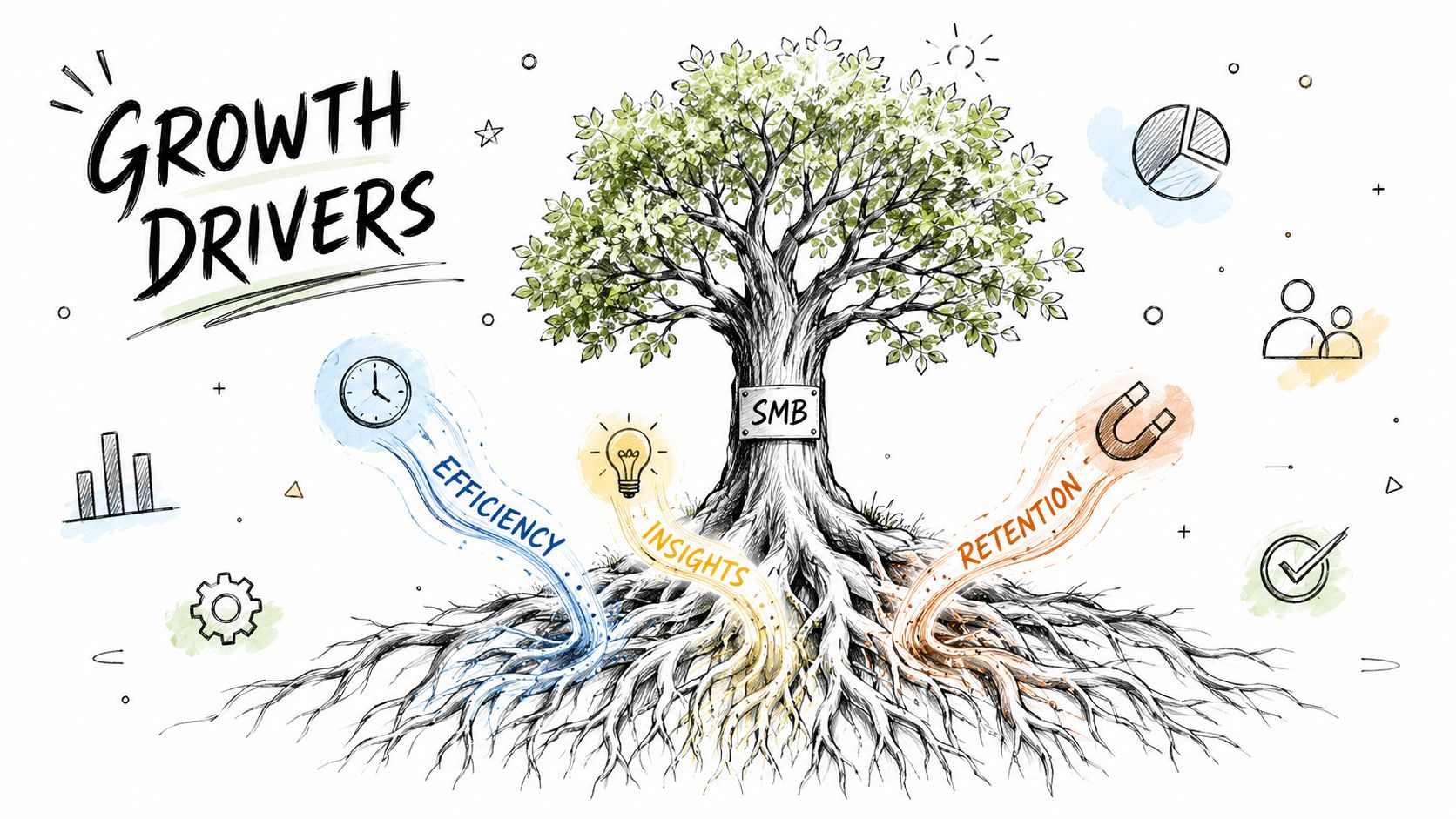
A hand-drawn illustration showing a tree representing SMB growth driven by efficiency, insights, and customer retention.

Omnichannel clarity

A unified inbox matters because it collapses context switching.

When support can see email, chat, and social conversations in one place, handoffs get cleaner and duplicate responses drop. More importantly, the customer experience becomes coherent. They aren't talking to “email support” and “social support.” They're talking to your company.

That principle becomes more valuable when support data feeds the same customer record used by sales and marketing. These CRM best practices are relevant here because support quality improves when account history, pipeline details, and engagement activity stop living in separate systems.

Automation that removes repetitive work

Automation should take the repetitive layer off the team, not bury the team under bad logic.

According to Capterra's guidance on AI-powered customer service, effective AI-powered platforms combine workflow automation for follow-ups and self-service guidance, omnichannel visibility across channels, and data quality controls so automation runs on clean, reliable records.

That's the important part many buyers skip. Automation quality depends on data quality. If customer records are duplicated, outdated, or incomplete, the platform will automate confusion at scale.

A practical way to think about feature value:

Capability

What it should do for an SMB

Unified conversation view

Reduce searching, forwarding, and repeated questions

Workflow automation

Handle follow-ups, routing, and routine replies consistently

Knowledge base and self-service

Let customers solve straightforward issues without waiting

AI assistance

Summarize cases, suggest responses, and surface relevant context

Data controls

Keep records clean enough for automation to be trustworthy

A short walkthrough can help make that more concrete:

Knowledge and self-service that actually deflect work

A knowledge base isn't valuable because it exists. It's valuable when it prevents repeat contacts.

That means articles should be tied to real issue patterns, updated by frontline learning, and easy for agents to use during live conversations. A neglected knowledge base becomes a content graveyard. A maintained one reduces queue load and helps customers solve simple issues on their own.

  • Start with repeat questions: Build articles from actual support volume, not a theoretical FAQ.

  • Use agent feedback: If agents keep rewriting the same explanation, that answer belongs in the knowledge base.

  • Track what fails: Search terms with poor results often show where self-service is breaking.

Choosing Your Platform Architecture

Architecture decisions look technical on paper, but for an SMB they usually come down to one question. Are you buying an advantage or future cleanup work?

Cloud versus on-premise

For most SMBs, cloud software is the practical default.

It lowers the maintenance burden, shortens setup time, and makes it easier to adapt as the team changes. You're not trying to become a software operations shop. You're trying to serve customers better and keep internal complexity under control.

On-premise systems can make sense in narrow situations where internal infrastructure requirements or governance constraints are unusually strict. But most growing companies underestimate the ongoing effort. Maintenance, upgrades, user management, and custom integrations all become your problem.

Point solutions versus a unified platform

This is the decision that usually creates long-term friction.

A point-solution stack can look smart at first. One tool for chat. Another for ticketing. Another for social. Another for CRM sync. Another for automation. Each product may be good on its own, but the seams become your operating model.

Here's the trade-off in plain terms:

Model

Strength

Weakness

Point solutions

Flexible at the start

Adds integration work, duplicate data, and reporting gaps

Unified platform

Shared data model and simpler handoffs

Requires discipline in tool selection up front

Practical rule: If a workflow crosses multiple tools every day, the integration cost isn't future risk. It's current waste.

The hidden tax is in the handoffs

Founders usually notice software spend before they notice system friction. The bigger cost often sits in workarounds. Teams copy information manually. Managers reconcile reports by hand. Support and sales argue over account history because each tool shows a different version of the customer.

That's why architecture should be evaluated alongside process design. If support activity should influence outreach, renewals, or lifecycle campaigns, the plumbing matters, making connected thinking around marketing automation and CRM integration relevant. If your support platform can't participate in the same operating system as the rest of the business, you'll keep rebuilding context manually.

How to Evaluate and Select the Right Platform

Most demos are designed to impress you in the first fifteen minutes. Your job is to make the vendor survive the last forty-five.

A good evaluation process doesn't start with features. It starts with operating requirements. What has to be true in daily use for this platform to reduce friction instead of adding another layer of administration?

Questions that expose platform quality

Start with scenario-based questions, not checkbox questions.

Ask the vendor to show how they handle a customer who starts in chat, follows up by email, and then needs escalation to a technical owner. Ask how account history appears to the agent. Ask what the reporting looks like when you want to understand repeat contacts, unresolved issues, or self-service gaps.

Then get specific on operational criteria:

  • SLA design: What response-time and resolution commitments can be configured by issue type, account tier, or urgency?

  • Escalation logic: How does the platform route sensitive or complex cases to the right team without losing context?

  • Security posture: What coverage exists for compliance requirements such as GDPR?

  • Integration depth: Does it connect cleanly to your existing CRM, messaging, and internal workflows?

According to EverHelp's technical support guidance, prioritizing specific response-time and resolution SLAs, security compliance like GDPR, and integration with your tech stack can help resolve high-priority issues within 10 minutes and reduce escalations by 30%.

What to test before you buy

Don't evaluate in the abstract. Use your own real workflows.

A lightweight scorecard usually tells you more than a polished demo:

Evaluation area

What to test

Channel handling

Can one conversation stay intact across channels?

Knowledge quality

Can agents and customers both find useful answers quickly?

Reporting

Can you see repeat contacts, resolution patterns, and workflow bottlenecks?

Admin usability

Can a manager change routing or workflows without heavy support?

Data model

Does the platform organize around the customer, not just the ticket?

If you're comparing mainstream help desk options, this LicenseTrim advice for Zendesk users is worth reading because it highlights the practical buying questions teams often miss once pricing and packaging become the center of the discussion.

If a vendor can't show your workflow with your complexity, don't assume you'll configure your way into success later.

Avoid the three common buying mistakes

  1. Buying for channels alone
    Channel coverage matters, but channel coverage without shared context is just multichannel chaos.

  2. Overvaluing AI labels
    “Has AI” is not a buying standard. Better routing, cleaner summaries, and useful suggestions are.

  3. Ignoring admin burden
    A platform that needs constant specialist attention won't stay clean in an SMB environment.

Implementation and Best Practices for Success

Implementation fails when leaders treat it like software installation instead of operating change.

The platform may be technically live in a week, but the effective transition occurs when the team trusts the workflows, uses the system consistently, and stops maintaining parallel processes on the side.
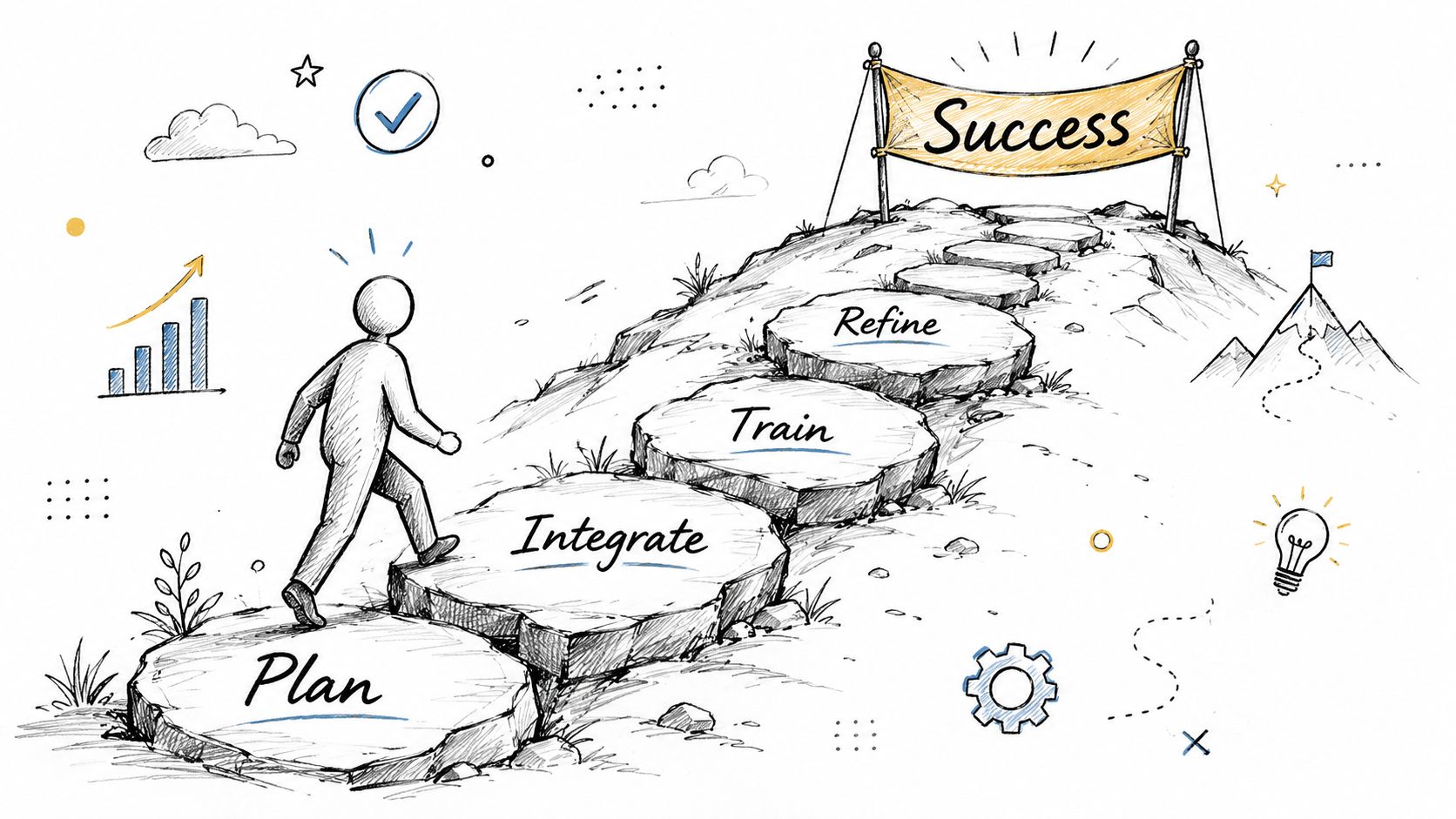
A line-art illustration showing a person climbing stone steps labeled Plan, Integrate, Train, and Refine towards Success.

Start with process, not configuration

Before moving data, decide how support should work.

Which cases should be automated? Which ones need human review? What gets escalated immediately? Which team owns billing issues versus product issues versus renewal-risk issues? If you skip these decisions, the new platform will mirror old confusion with better design.

A simple rollout sequence works better than a big-bang launch:

  • Plan the workflows: Map intake, routing, escalation, and ownership before setup.

  • Clean the data: Remove duplicates and fix key customer records before migration.

  • Train by scenario: Teach the team with real cases, not generic feature tours.

  • Refine after launch: Review what agents bypass, because those workarounds usually point to design flaws.

Use AI where it improves judgment, not where it replaces it

AI can speed up support, but it shouldn't be allowed to fake competence.

Platform28's guidance on generative AI for customer support and IVR makes the right point. Success should be measured with baseline metrics like Average Handle Time and First Contact Resolution, and the focus should be on whether AI improves routing and real-time context instead of relying on vendor projections.

That means AI is usually a good fit for summarization, categorization, draft assistance, and knowledge recommendations. It is a poor fit for emotionally sensitive issues, regulated edge cases, and conversations where trust matters more than speed.

Let automation handle repetition. Let people handle exceptions, emotion, and judgment.

Protect the human path

Every support workflow needs a visible human escape hatch.

Customers shouldn't have to fight a bot to reach a person when the issue is serious. Agents shouldn't be forced to follow automation paths that clearly don't fit the situation. The fastest way to erode trust in a new system is to make it feel efficient for the company and exhausting for the customer.

Good implementation creates consistency without stripping away discretion.

Integrating Support into Your Growth Engine

Support becomes strategic when its signals move beyond the support team.

A customer asking repeated “how do I” questions may need onboarding help. A customer requesting a feature workaround may be a product feedback source. A customer asking about limits, seats, or advanced use cases may be showing expansion intent. None of that helps the business if support data stays trapped in the queue.
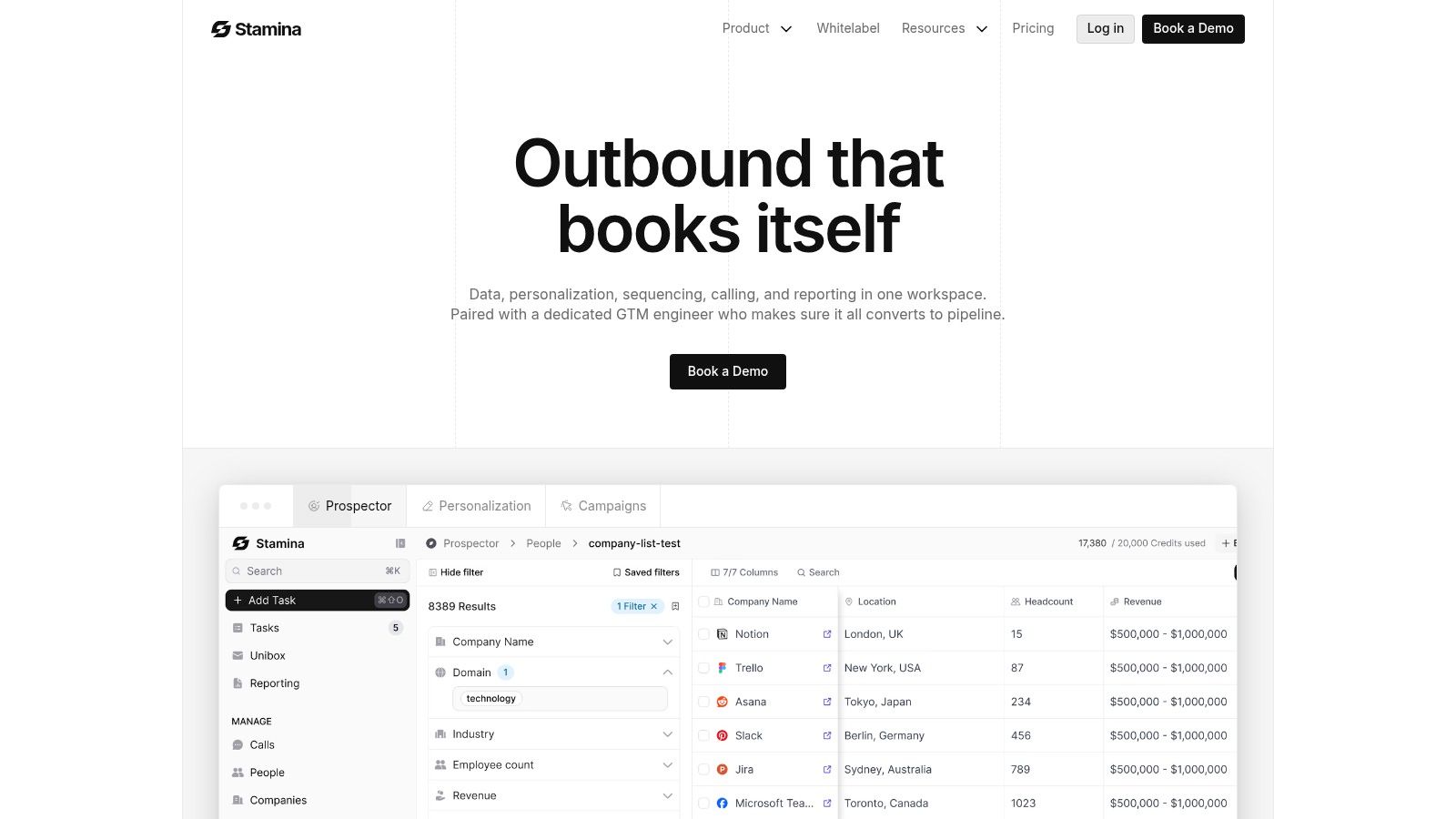
Screenshot from https://stamina.io

Where support creates revenue value

Support contributes to growth in ways founders often underestimate.

A clean platform lets the company connect service activity to broader customer outcomes:

  • Retention signals: Repeated issues, unresolved onboarding friction, and slow adoption can flag churn risk earlier.

  • Expansion cues: Questions about advanced functionality, account limits, or additional users often belong in a sales follow-up path.

  • Product insight: Recurring support themes usually reveal where the product creates friction or confusion.

  • Marketing proof: Positive service interactions can surface testimonials, references, and stories worth capturing.

The ROI question most teams ask too late

Many buyers stop at “does it support all our channels?” That's not enough.

As DeskDay notes in its guide to omnichannel customer support platforms, the true ROI of a unified platform is measured by its effect on reducing repeat contacts and improving self-service outcomes, not just channel coverage. SMBs need to know whether the system collapses context into one system of record and reduces operational friction.

That's the difference between software that looks modern and software that changes the business.

A founder-level way to think about it

Treat support like a listening function tied directly to revenue operations.

If your platform can show account history, support patterns, engagement context, and internal ownership in one place, support stops being the team that closes tickets. It becomes the team that protects renewals, reveals upsell timing, sharpens onboarding, and gives leadership a cleaner view of customer health.

That's when a customer support platform stops being a cost center purchase and starts acting like growth infrastructure.

If you're trying to replace disconnected tools with one operating system for customer and revenue work, Stamina is worth a close look. It brings marketing, sales, and CRM into a single platform so your team can act on customer context instead of chasing it across separate systems.

Your team probably handles support in five places right now.

There's a shared inbox. A founder's personal inbox. A chat widget. Social DMs. Maybe a spreadsheet where someone tracks open issues because the actual system never became the primary system. Sales has notes that support can't see. Marketing knows which campaign brought the customer in, but support doesn't. The customer repeats the same story every time they talk to someone new.

That setup feels manageable until it starts leaking revenue.

A delayed refund request turns into a cancellation. A feature question that should have become an upsell call gets answered with a one-line email. A frustrated customer posts publicly because no one noticed their private message. Most SMBs don't have a support problem. They have a context problem.

A modern customer support platform fixes that only if it becomes the operating layer for customer relationships, not just a nicer ticket queue.

Why Your Disconnected Tools Are Costing You Customers

Disconnected tools don't fail loudly. They fail in small moments that compound.

A lead becomes a customer, then asks for help through email. Support replies without seeing the sales promise. The customer later messages your social account. A second teammate responds without knowing the first conversation happened. By the time someone realizes the issue is really a billing, onboarding, and product-adoption problem all at once, the customer has already decided you're hard to work with.

That's why this category matters so much now. The global customer service software market is projected to surge from $14.9 billion to $68.19 billion by 2031, and companies using full-featured support platforms report 23 times higher customer satisfaction rates, according to customer service market benchmarks from AnswerConnect.

The real cost isn't ticket volume

Founders often look at support tooling as an efficiency purchase. That's too narrow.

The full cost of a fragmented stack shows up in places you won't see on a basic help desk dashboard:

  • Lost renewals: Customers leave when every interaction starts from zero.

  • Missed expansion: Support hears pain points and buying signals first, but those signals rarely make it back to sales.

  • Slower execution: Teams spend time finding context instead of solving the issue.

  • Inconsistent service: The answer depends on who sees the message first, not on company policy.

Disconnected support isn't just messy operations. It's a broken handoff between revenue teams.

When support, CRM, and engagement data live apart, your team can't spot patterns early. That's why it helps to understand customer behavior with integrated data, especially if you're trying to connect support conversations to retention, expansion, and product adoption.

A support platform should reduce friction across the business

The right platform doesn't add another inbox. It removes the need to check three of them.

For an SMB, the goal is simple. One place where the team can see who the customer is, what they bought, what they were promised, what they've asked before, and what should happen next. If your current stack can't do that, you're paying an operational tax every day.

That's also why more SMBs are moving toward connected systems instead of stitching together separate apps over time. If you're thinking at the business level rather than the help-desk level, this perspective on unifying your business with an all-in-one business platform is useful.

Beyond Ticketing What Is a Modern Support Platform

A modern customer support platform is mission control for customer relationships.

A ticketing tool records an issue. A platform connects the issue to the customer, the account history, the channel, the internal owner, the knowledge base, and the next action. That's a very different job.

A conductor leading an orchestra of musicians whose heads are replaced by communication icons for customer support.

A ticket system tracks work

Traditional help desks were built around queue management. Someone submits a request, it gets assigned, and an agent closes it. That model still matters, but it breaks down when the customer moves between channels or when multiple teams need the same context.

If your support process depends on agents copying notes into Slack, forwarding emails, or asking sales for background, you don't have a platform. You have a patchwork.

A platform coordinates people, channels, and data

A modern platform should give your team a unified workspace across email, chat, social, phone, and portal interactions. It should also preserve history so a customer doesn't have to restart the conversation every time the channel changes.

For companies with active public channels, a specialized look at social media customer service software can help clarify where social support fits inside the broader platform model. Social is important, but it should feed the same system of record as every other touchpoint.

The test is simple. If a customer switches channels, does your team keep the context or lose it?

That distinction also matters when people compare “engagement” tools with “support” tools. The lines overlap more than they used to, especially when workflows, messaging, and CRM data need to live together. This broader view of what a customer engagement platform is helps explain why support can't stay isolated from the rest of the customer journey.

Reactive service is outdated

The best platforms don't just wait for tickets.

They surface repeat issues, recommend relevant knowledge, route by context, summarize prior conversations, and make it easier for agents to step into a case already informed. That changes the support experience from reactive cleanup to guided problem-solving.

For an SMB founder, that shift matters because every customer-facing interaction carries retention risk and growth potential. A platform helps your team act like one company, not a series of disconnected departments.

Core Features That Drive SMB Growth

Most feature lists are useless because they describe software from the vendor's point of view. SMBs should evaluate features by what they remove, what they speed up, and what they make measurable.

A hand-drawn illustration showing a tree representing SMB growth driven by efficiency, insights, and customer retention.

Omnichannel clarity

A unified inbox matters because it collapses context switching.

When support can see email, chat, and social conversations in one place, handoffs get cleaner and duplicate responses drop. More importantly, the customer experience becomes coherent. They aren't talking to “email support” and “social support.” They're talking to your company.

That principle becomes more valuable when support data feeds the same customer record used by sales and marketing. These CRM best practices are relevant here because support quality improves when account history, pipeline details, and engagement activity stop living in separate systems.

Automation that removes repetitive work

Automation should take the repetitive layer off the team, not bury the team under bad logic.

According to Capterra's guidance on AI-powered customer service, effective AI-powered platforms combine workflow automation for follow-ups and self-service guidance, omnichannel visibility across channels, and data quality controls so automation runs on clean, reliable records.

That's the important part many buyers skip. Automation quality depends on data quality. If customer records are duplicated, outdated, or incomplete, the platform will automate confusion at scale.

A practical way to think about feature value:

Capability

What it should do for an SMB

Unified conversation view

Reduce searching, forwarding, and repeated questions

Workflow automation

Handle follow-ups, routing, and routine replies consistently

Knowledge base and self-service

Let customers solve straightforward issues without waiting

AI assistance

Summarize cases, suggest responses, and surface relevant context

Data controls

Keep records clean enough for automation to be trustworthy

A short walkthrough can help make that more concrete:

Knowledge and self-service that actually deflect work

A knowledge base isn't valuable because it exists. It's valuable when it prevents repeat contacts.

That means articles should be tied to real issue patterns, updated by frontline learning, and easy for agents to use during live conversations. A neglected knowledge base becomes a content graveyard. A maintained one reduces queue load and helps customers solve simple issues on their own.

  • Start with repeat questions: Build articles from actual support volume, not a theoretical FAQ.

  • Use agent feedback: If agents keep rewriting the same explanation, that answer belongs in the knowledge base.

  • Track what fails: Search terms with poor results often show where self-service is breaking.

Choosing Your Platform Architecture

Architecture decisions look technical on paper, but for an SMB they usually come down to one question. Are you buying an advantage or future cleanup work?

Cloud versus on-premise

For most SMBs, cloud software is the practical default.

It lowers the maintenance burden, shortens setup time, and makes it easier to adapt as the team changes. You're not trying to become a software operations shop. You're trying to serve customers better and keep internal complexity under control.

On-premise systems can make sense in narrow situations where internal infrastructure requirements or governance constraints are unusually strict. But most growing companies underestimate the ongoing effort. Maintenance, upgrades, user management, and custom integrations all become your problem.

Point solutions versus a unified platform

This is the decision that usually creates long-term friction.

A point-solution stack can look smart at first. One tool for chat. Another for ticketing. Another for social. Another for CRM sync. Another for automation. Each product may be good on its own, but the seams become your operating model.

Here's the trade-off in plain terms:

Model

Strength

Weakness

Point solutions

Flexible at the start

Adds integration work, duplicate data, and reporting gaps

Unified platform

Shared data model and simpler handoffs

Requires discipline in tool selection up front

Practical rule: If a workflow crosses multiple tools every day, the integration cost isn't future risk. It's current waste.

The hidden tax is in the handoffs

Founders usually notice software spend before they notice system friction. The bigger cost often sits in workarounds. Teams copy information manually. Managers reconcile reports by hand. Support and sales argue over account history because each tool shows a different version of the customer.

That's why architecture should be evaluated alongside process design. If support activity should influence outreach, renewals, or lifecycle campaigns, the plumbing matters, making connected thinking around marketing automation and CRM integration relevant. If your support platform can't participate in the same operating system as the rest of the business, you'll keep rebuilding context manually.

How to Evaluate and Select the Right Platform

Most demos are designed to impress you in the first fifteen minutes. Your job is to make the vendor survive the last forty-five.

A good evaluation process doesn't start with features. It starts with operating requirements. What has to be true in daily use for this platform to reduce friction instead of adding another layer of administration?

Questions that expose platform quality

Start with scenario-based questions, not checkbox questions.

Ask the vendor to show how they handle a customer who starts in chat, follows up by email, and then needs escalation to a technical owner. Ask how account history appears to the agent. Ask what the reporting looks like when you want to understand repeat contacts, unresolved issues, or self-service gaps.

Then get specific on operational criteria:

  • SLA design: What response-time and resolution commitments can be configured by issue type, account tier, or urgency?

  • Escalation logic: How does the platform route sensitive or complex cases to the right team without losing context?

  • Security posture: What coverage exists for compliance requirements such as GDPR?

  • Integration depth: Does it connect cleanly to your existing CRM, messaging, and internal workflows?

According to EverHelp's technical support guidance, prioritizing specific response-time and resolution SLAs, security compliance like GDPR, and integration with your tech stack can help resolve high-priority issues within 10 minutes and reduce escalations by 30%.

What to test before you buy

Don't evaluate in the abstract. Use your own real workflows.

A lightweight scorecard usually tells you more than a polished demo:

Evaluation area

What to test

Channel handling

Can one conversation stay intact across channels?

Knowledge quality

Can agents and customers both find useful answers quickly?

Reporting

Can you see repeat contacts, resolution patterns, and workflow bottlenecks?

Admin usability

Can a manager change routing or workflows without heavy support?

Data model

Does the platform organize around the customer, not just the ticket?

If you're comparing mainstream help desk options, this LicenseTrim advice for Zendesk users is worth reading because it highlights the practical buying questions teams often miss once pricing and packaging become the center of the discussion.

If a vendor can't show your workflow with your complexity, don't assume you'll configure your way into success later.

Avoid the three common buying mistakes

  1. Buying for channels alone
    Channel coverage matters, but channel coverage without shared context is just multichannel chaos.

  2. Overvaluing AI labels
    “Has AI” is not a buying standard. Better routing, cleaner summaries, and useful suggestions are.

  3. Ignoring admin burden
    A platform that needs constant specialist attention won't stay clean in an SMB environment.

Implementation and Best Practices for Success

Implementation fails when leaders treat it like software installation instead of operating change.

The platform may be technically live in a week, but the effective transition occurs when the team trusts the workflows, uses the system consistently, and stops maintaining parallel processes on the side.

A line-art illustration showing a person climbing stone steps labeled Plan, Integrate, Train, and Refine towards Success.

Start with process, not configuration

Before moving data, decide how support should work.

Which cases should be automated? Which ones need human review? What gets escalated immediately? Which team owns billing issues versus product issues versus renewal-risk issues? If you skip these decisions, the new platform will mirror old confusion with better design.

A simple rollout sequence works better than a big-bang launch:

  • Plan the workflows: Map intake, routing, escalation, and ownership before setup.

  • Clean the data: Remove duplicates and fix key customer records before migration.

  • Train by scenario: Teach the team with real cases, not generic feature tours.

  • Refine after launch: Review what agents bypass, because those workarounds usually point to design flaws.

Use AI where it improves judgment, not where it replaces it

AI can speed up support, but it shouldn't be allowed to fake competence.

Platform28's guidance on generative AI for customer support and IVR makes the right point. Success should be measured with baseline metrics like Average Handle Time and First Contact Resolution, and the focus should be on whether AI improves routing and real-time context instead of relying on vendor projections.

That means AI is usually a good fit for summarization, categorization, draft assistance, and knowledge recommendations. It is a poor fit for emotionally sensitive issues, regulated edge cases, and conversations where trust matters more than speed.

Let automation handle repetition. Let people handle exceptions, emotion, and judgment.

Protect the human path

Every support workflow needs a visible human escape hatch.

Customers shouldn't have to fight a bot to reach a person when the issue is serious. Agents shouldn't be forced to follow automation paths that clearly don't fit the situation. The fastest way to erode trust in a new system is to make it feel efficient for the company and exhausting for the customer.

Good implementation creates consistency without stripping away discretion.

Integrating Support into Your Growth Engine

Support becomes strategic when its signals move beyond the support team.

A customer asking repeated “how do I” questions may need onboarding help. A customer requesting a feature workaround may be a product feedback source. A customer asking about limits, seats, or advanced use cases may be showing expansion intent. None of that helps the business if support data stays trapped in the queue.

Screenshot from https://stamina.io

Where support creates revenue value

Support contributes to growth in ways founders often underestimate.

A clean platform lets the company connect service activity to broader customer outcomes:

  • Retention signals: Repeated issues, unresolved onboarding friction, and slow adoption can flag churn risk earlier.

  • Expansion cues: Questions about advanced functionality, account limits, or additional users often belong in a sales follow-up path.

  • Product insight: Recurring support themes usually reveal where the product creates friction or confusion.

  • Marketing proof: Positive service interactions can surface testimonials, references, and stories worth capturing.

The ROI question most teams ask too late

Many buyers stop at “does it support all our channels?” That's not enough.

As DeskDay notes in its guide to omnichannel customer support platforms, the true ROI of a unified platform is measured by its effect on reducing repeat contacts and improving self-service outcomes, not just channel coverage. SMBs need to know whether the system collapses context into one system of record and reduces operational friction.

That's the difference between software that looks modern and software that changes the business.

A founder-level way to think about it

Treat support like a listening function tied directly to revenue operations.

If your platform can show account history, support patterns, engagement context, and internal ownership in one place, support stops being the team that closes tickets. It becomes the team that protects renewals, reveals upsell timing, sharpens onboarding, and gives leadership a cleaner view of customer health.

That's when a customer support platform stops being a cost center purchase and starts acting like growth infrastructure.

If you're trying to replace disconnected tools with one operating system for customer and revenue work, Stamina is worth a close look. It brings marketing, sales, and CRM into a single platform so your team can act on customer context instead of chasing it across separate systems.

Share this article

Share this article

Send a shareable link to your team or anyone who might find it useful.

Send a shareable link to your team or anyone who might find it useful.

Copy link

Copied

Share directly to

Table of contents

Give Your Business the Stamina it needs to Thrive

PRODUCT

COMPANY

RESOURCES

© 2026 Stamina Software Technologies Inc. All rights reserved.

PRODUCT

COMPANY

RESOURCES

© 2026 Stamina Software Technologies Inc. All rights reserved.

PRODUCT

COMPANY

RESOURCES

© 2026 Stamina Software Technologies Inc. All rights reserved.