Unlock Emails: How to Find Someone's Email on LinkedIn

Learn how to find someone's email on LinkedIn with 6 proven methods. Manual checks, advanced tools, & verification. Build your prospect list today.

0 - Minute Read

You’ve got the prospect. The title matches your ICP. The company fits. Their recent LinkedIn activity even gives you a clean angle for outreach. Then you click the profile and hit the same wall everyone hits: no email, no obvious contact path, and no appetite to waste a good lead on a weak InMail.

That’s why how to find someone's email on linkedin is still a practical sales skill, not a growth hack. The trick isn’t just uncovering an address. It’s knowing which method is worth your time, which tools prove useful, when to verify before sending, and where the compliance lines sit now that LinkedIn has tightened enforcement.

The short version is simple. Start with what’s visible. Move to database-backed tools when speed matters. Use domain-based guessing only when you can verify it. If you need repeatable outreach, stop thinking in terms of one-off finds and build a process that won’t break the next time a browser extension stops working.

Why Finding Emails on LinkedIn Is a Critical Sales Skill

A lot of outbound work stalls in the same place. A rep finds the right person on LinkedIn, saves the profile, maybe sends a connection request, and then waits. That delay kills momentum.

Email is usually where the main sales conversation happens. It gives teams a direct channel they can track, organize, and follow up through without relying on whether a prospect checks LinkedIn messages. It also lets you tie outreach to CRM activity, reply handling, and sequence logic instead of leaving everything trapped inside a social platform.

Why inbox access changes the quality of outreach

The difference isn’t just convenience. It’s control.

With a verified email address, a rep can:

  • Personalize with context from the LinkedIn profile, recent post, or company trigger

  • Track delivery and engagement inside their sales workflow

  • Follow up consistently instead of hoping a prospect notices a DM

  • Route replies properly so sales activity doesn’t disappear across inboxes and tabs

That’s why experienced teams treat LinkedIn as the discovery layer, not the final destination.

Most reps don’t have a prospecting problem. They have a contact path problem.

Why this matters more now

Finding a direct email used to be framed as a nice bonus. It isn’t anymore. If your process depends on one channel only, your pipeline gets fragile fast. LinkedIn can still surface great prospects, but if you can’t move the conversation off-platform, your outreach stays shallow.

The practical skill is knowing the hierarchy. Check what the prospect chose to share. Use enrichment when speed matters. Fall back to pattern recognition when the obvious options fail. And always assume a found email is only useful if it’s verified and usable in a compliant workflow.

Foundational Methods The Manual Check vs Email Finders

The first pass should always be boring. Boring is fast, cheap, and surprisingly effective when it works.

Start with the profile itself. Check Contact Info. Scan the About section. Look for a business email in obvious public-facing areas. This method has one huge advantage: if the email is there, accuracy is high because the contact disclosed it directly on LinkedIn. The downside is scale. Manual profile checking takes individual effort and doesn't hold up when a team is working through a larger prospect list, as noted in this breakdown of LinkedIn email discovery trade-offs.

The manual check

Manual lookup works best in a narrow set of cases:

  • First-degree connections: Contact Info is worth checking first because it’s the lowest-effort path.

  • Founder or consultant profiles: Some people add an email in the About section because they want inbound contact.

  • Small batches of high-value accounts: If you’re only working a handful of strategic prospects, manual checking is fine.

The problem is that most decision-makers don’t expose their email publicly on LinkedIn. That’s why manual work alone rarely supports an outbound motion.

Where email finder extensions help

Tools like Hunter.io, Kaspr, and Apollo.io offer a solution. Their browser extensions sit on top of LinkedIn and pull likely business emails from their own databases, rather than from what the profile publicly displays. That’s the key distinction. They aren’t magic. They’re database lookups tied to the person and company you’re viewing.

For many teams, that’s a huge productivity gain. You stay inside LinkedIn, enrich quickly, and push data into the next step of your workflow. If you’re evaluating stacks, it helps to compare top sales intelligence platforms instead of treating every extension as interchangeable. It also helps to understand the limits of extension-based prospecting, especially if you’ve relied heavily on browser overlays like the ZoomInfo Chrome extension.

Method

Accuracy

Effort Level

Scalability

Best For

LinkedIn Contact Info check

High when available

High

Low

First-degree connections and one-off checks

LinkedIn About section scan

Medium to high when available

Medium

Low

Founder-led businesses and public-facing roles

Chrome email finder extensions

High

Low

High

SDR teams enriching lists quickly

Mixed manual plus tool workflow

High

Medium

Medium to high

Teams balancing precision and output

What’s usually a waste of time

Some habits feel productive but don’t deliver much:

  • Refreshing the same locked-down profile: If nothing is visible, it probably won’t become visible.

  • Trusting the first unverified email a tool returns: A likely email isn’t the same as a safe email.

  • Running everything manually at scale: Reps burn time on lookup work instead of outreach.

Practical rule: Use manual checks for obvious wins. Use tools for throughput. Don’t confuse free with efficient.

The best baseline workflow is simple. Check the profile first. If nothing’s there, use a reputable finder. If the tool returns nothing or you don’t trust the result, move to domain-based guessing and verification.

Advanced Technique The Educated Guess and Verify Method

When LinkedIn is locked down and your extension comes back empty, you need a fallback that’s structured, not random. That fallback is educated guessing tied to domain verification.

Many reps make avoidable mistakes. They guess an address format, send the email, and hope the bounce doesn’t hurt anything. That approach creates deliverability problems and clutters CRM data with bad contacts.

Step one is always the domain

Reliable email discovery starts with the correct company domain. If you guess the wrong domain, every email pattern you test after that is junk.

Use the company website, a whois lookup, or a Google site: search to confirm the exact domain before you build any permutations, as manual methods without proper domain verification can produce 30-40% bounce rates, while tool-assisted verification reduces that to 5-10% by validating syntax and mailbox existence, according to Hyperclapper’s analysis of domain-based email validation.

Build likely patterns, then verify

Once you know the domain, test the common structures:

  1. firstname@company.com

  2. f.lastname@company.com

  3. firstname.lastname@company.com

Those are common patterns, but not universal ones. Larger companies sometimes use custom formats, and global organizations often add edge cases that make blind guessing unreliable.

That’s why the process has two parts:

  • Create the most likely pattern variants

  • Verify before any email is sent

If you’re running outreach seriously, pair this step with a deliverability check instead of treating verification like an optional cleanup task. A platform with built-in email deliverability controls helps because the value of a guessed email is close to zero if it harms sender reputation.

When this method is worth using

This method shines in a few specific situations:

  • High-value prospects: You don’t want to drop an account because one tool missed the contact.

  • Smaller target lists: Manual validation is still manageable.

  • Companies with consistent naming conventions: Pattern recognition works better when a domain follows a clear schema.

If you can’t verify the domain and the mailbox, you haven’t really found the email. You’ve made a guess.

The educated guess and verify method is slower than a strong database tool. It’s still worth learning because it gives you a repeatable backup when the easy paths fail.

From Single Emails to Scalable Outreach Workflows

Finding one email is a task. Running outbound for a team is operations.
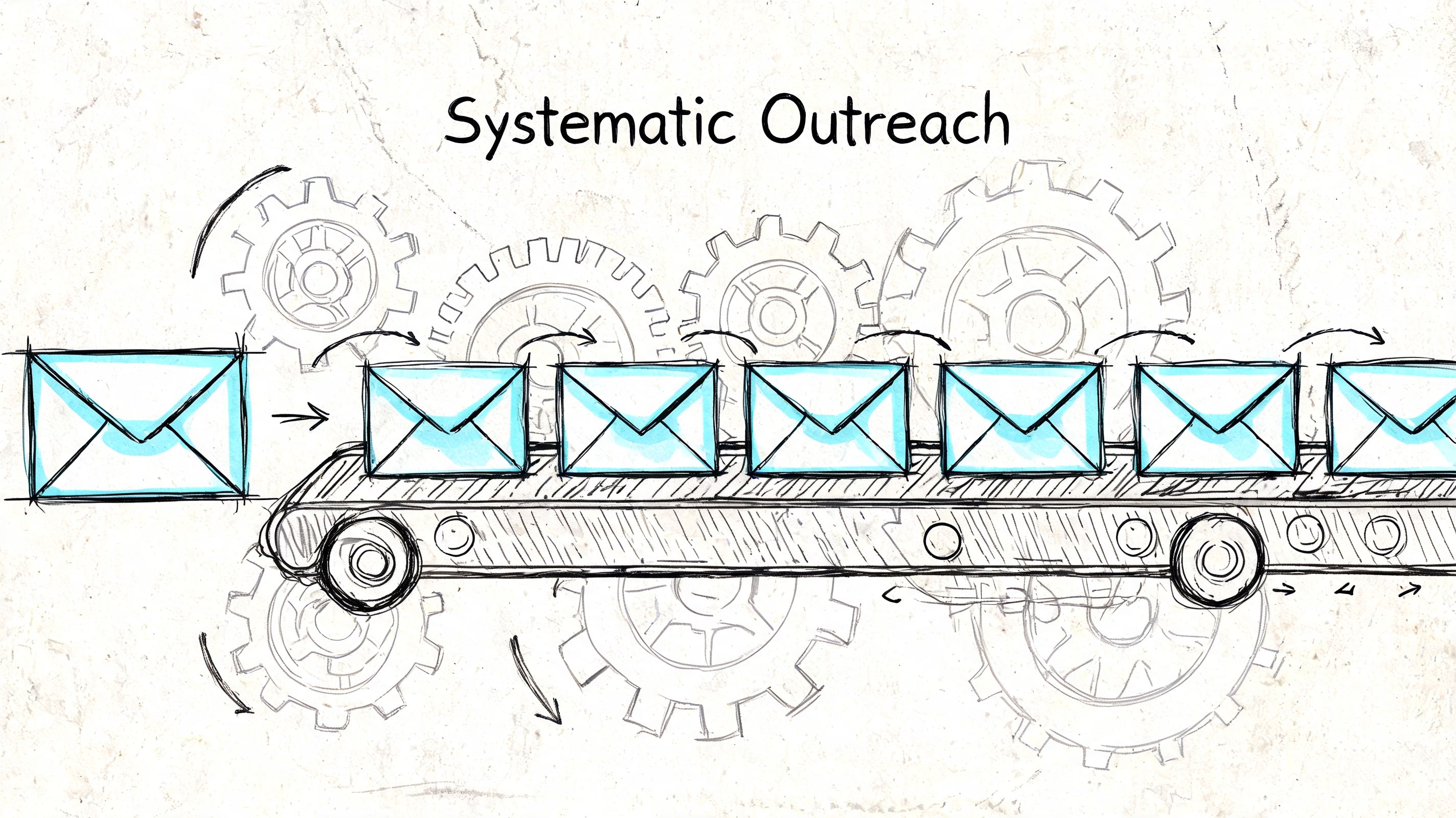
A hand-drawn illustration depicting a conveyor belt moving envelopes to represent the concept of systematic outreach.

Most guides stop at the point where an address is found. That’s not enough for an SDR team, an agency, or a founder doing repeatable outbound. Once you have a list, the primary question becomes: how do you enrich contacts, verify them, sync them into your CRM, and launch relevant outreach without stitching together a dozen fragile steps?

Why free tools break first

Smaller teams usually hit a wall. For SMB SDR teams without Sales Navigator, free-tier tools often cap at around 100 emails per month, and accuracy tends to decline outside the easiest markets, according to Skrapp’s discussion of LinkedIn email finding limits. The same source cites a 2025 HubSpot study saying 68% of SMBs abandon LinkedIn outreach due to low yield, and notes that AI platforms that unify social signals with CRM can drive 4x higher conversion through personalized sequences.

That tracks with what many operators see in practice. Piecemeal tooling looks cheap at first, but the cost shows up elsewhere:

  • reps waste time exporting and cleaning records

  • duplicate contacts spread across tools

  • invalid emails never make it back into the system

  • follow-up consistency collapses when data lives in browser tabs instead of workflows

What a scalable process looks like

A durable workflow usually has these stages:

  1. Prospect selection Build the list from ICP filters, account research, or social signals.

  2. Email enrichment Use a finder or enrichment source to append business emails where possible.

  3. Verification Validate addresses before enrollment.

  4. CRM sync Push the contact and account data into a system of record.

  5. Sequence enrollment Trigger outreach with messaging tied to role, activity, or account context.

  6. Reply and status handling Update ownership, stage, and follow-up paths inside the CRM.

The key shift is operational. Don’t think of email discovery as a standalone action. Think of it as one stage in a pipeline that starts with targeting and ends with a real conversation.

Where integrated systems make more sense

If you’re doing this repeatedly, integrated platforms are safer than relying on a stack of disconnected extensions. Stamina is one example. It combines prospecting, email resolution, sequencing, workflows, and CRM functions in one environment, which reduces the handoffs that usually break outbound processes. If you’re mapping that kind of system, it helps to look at how teams create a workflow that connects prospect identification, enrichment, and outreach instead of handling each step separately.

A good workflow doesn’t just find contacts. It decides what happens next without forcing reps to rebuild context every time.

That’s the difference between scraping together emails and running a repeatable outbound motion.

Navigating Privacy Compliance and LinkedIn's Rules

Most articles about finding emails on LinkedIn still act like the platform rules haven’t changed. They have.

A hand-drawn illustration showing an envelope inside a shield next to a signpost pointing towards privacy and rules.

If your process depends on scraping extensions that sit in a gray area, you need to assume more breakage, more account risk, and more operational noise. Since March 2025 API restrictions, some Chrome extensions fail on over 35% of 2nd/3rd-degree connections, and LinkedIn’s Q1 2026 report showed 500+ enforcement actions against scrapers, according to Amplemarket’s summary of the current enforcement environment.

That matters even if your team hasn’t been hit directly. A method doesn’t need to be fully banned to become unreliable. If success rates are unstable and access keeps tightening, the workflow itself becomes a liability.

What compliance means in practice

For outbound teams, compliance isn’t an abstract legal topic. It affects process design.

A safer approach usually means:

  • Using data sources with clear enrichment logic instead of aggressive scraping

  • Respecting privacy regulations such as GDPR and CCPA when collecting and using contact data

  • Keeping outreach relevant and role-based instead of spraying generic cold emails

  • Maintaining opt-out handling and CRM records so contact preferences are actually enforced

This is also why integrated CRM enrichment is gaining ground over standalone browser extensions. The more your process depends on unofficial extraction, the more vulnerable it is to policy shifts and technical lockouts.

Scraping may feel faster in the moment. Stable systems win over time.

A practical overview of this shift is below.

What not to do

Some habits carry more risk than people admit:

  • Building outreach around non-compliant scraping alone: If the extension breaks, your pipeline stalls.

  • Emailing unverified addresses pulled from questionable sources: That creates both compliance and deliverability issues.

  • Ignoring recordkeeping: If a contact opts out and your tools aren’t synced, you’ll keep messaging them.

The better long-term play is straightforward. Use LinkedIn for discovery, rely on compliant enrichment and verification methods, and keep the full record inside a system that can support legal outreach and operational consistency.

Turning a Found Email into a Real Conversation

Finding the email is only half the work. A weak first message wastes a good contact.

The best cold emails tied to LinkedIn don’t sound like they were generated from a list. They use one concrete reason for reaching out. That might be a recent post, a role change, a hiring push, a product launch, or a shared connection. Keep the opening tight and make it obvious you did the research.

Subject lines and opening lines that work better

Try direct subject lines like:

  • Question about your post on [topic]

  • Idea for [team/company name]

  • Quick note after seeing your LinkedIn update

  • [Mutual connection] suggested I reach out

Opening lines should do one job. Prove relevance fast.

Examples:

  • Saw your post on expanding outbound coverage. I had one thought on how teams usually tighten follow-up without adding more manual work.

  • Noticed you’re hiring across sales ops. That usually means process strain shows up before headcount catches up.

  • We both know [mutual connection], and they mentioned your team is focused on improving handoff between marketing and sales.

Keep the email simple

A solid first email usually has three parts:

  1. Context Why this person, why now.

  2. Relevance The problem, opportunity, or trigger you noticed.

  3. Low-friction ask A short question or a modest next step.

If you want sharper examples, a curated set of best sales email templates can help as a starting point, but the actual gain comes from adapting them to the signal you found on LinkedIn. For teams working on message quality at scale, guidance on copywriting for email is more useful than another list of generic intros.

Good outreach doesn’t start with the template. It starts with the reason the prospect should care.

The hierarchy is simple. Check LinkedIn manually first. Use finder tools when speed matters. Fall back to domain guessing only with verification. Build workflows instead of one-off hacks. And once you have the email, write like a person with a relevant reason to be in that inbox.

If you want to turn LinkedIn prospecting into a repeatable system, Stamina gives teams one place to handle prospecting, email resolution, outreach workflows, and CRM follow-through without depending on a patchwork of separate tools.

You’ve got the prospect. The title matches your ICP. The company fits. Their recent LinkedIn activity even gives you a clean angle for outreach. Then you click the profile and hit the same wall everyone hits: no email, no obvious contact path, and no appetite to waste a good lead on a weak InMail.

That’s why how to find someone's email on linkedin is still a practical sales skill, not a growth hack. The trick isn’t just uncovering an address. It’s knowing which method is worth your time, which tools prove useful, when to verify before sending, and where the compliance lines sit now that LinkedIn has tightened enforcement.

The short version is simple. Start with what’s visible. Move to database-backed tools when speed matters. Use domain-based guessing only when you can verify it. If you need repeatable outreach, stop thinking in terms of one-off finds and build a process that won’t break the next time a browser extension stops working.

Why Finding Emails on LinkedIn Is a Critical Sales Skill

A lot of outbound work stalls in the same place. A rep finds the right person on LinkedIn, saves the profile, maybe sends a connection request, and then waits. That delay kills momentum.

Email is usually where the main sales conversation happens. It gives teams a direct channel they can track, organize, and follow up through without relying on whether a prospect checks LinkedIn messages. It also lets you tie outreach to CRM activity, reply handling, and sequence logic instead of leaving everything trapped inside a social platform.

Why inbox access changes the quality of outreach

The difference isn’t just convenience. It’s control.

With a verified email address, a rep can:

  • Personalize with context from the LinkedIn profile, recent post, or company trigger

  • Track delivery and engagement inside their sales workflow

  • Follow up consistently instead of hoping a prospect notices a DM

  • Route replies properly so sales activity doesn’t disappear across inboxes and tabs

That’s why experienced teams treat LinkedIn as the discovery layer, not the final destination.

Most reps don’t have a prospecting problem. They have a contact path problem.

Why this matters more now

Finding a direct email used to be framed as a nice bonus. It isn’t anymore. If your process depends on one channel only, your pipeline gets fragile fast. LinkedIn can still surface great prospects, but if you can’t move the conversation off-platform, your outreach stays shallow.

The practical skill is knowing the hierarchy. Check what the prospect chose to share. Use enrichment when speed matters. Fall back to pattern recognition when the obvious options fail. And always assume a found email is only useful if it’s verified and usable in a compliant workflow.

Foundational Methods The Manual Check vs Email Finders

The first pass should always be boring. Boring is fast, cheap, and surprisingly effective when it works.

Start with the profile itself. Check Contact Info. Scan the About section. Look for a business email in obvious public-facing areas. This method has one huge advantage: if the email is there, accuracy is high because the contact disclosed it directly on LinkedIn. The downside is scale. Manual profile checking takes individual effort and doesn't hold up when a team is working through a larger prospect list, as noted in this breakdown of LinkedIn email discovery trade-offs.

The manual check

Manual lookup works best in a narrow set of cases:

  • First-degree connections: Contact Info is worth checking first because it’s the lowest-effort path.

  • Founder or consultant profiles: Some people add an email in the About section because they want inbound contact.

  • Small batches of high-value accounts: If you’re only working a handful of strategic prospects, manual checking is fine.

The problem is that most decision-makers don’t expose their email publicly on LinkedIn. That’s why manual work alone rarely supports an outbound motion.

Where email finder extensions help

Tools like Hunter.io, Kaspr, and Apollo.io offer a solution. Their browser extensions sit on top of LinkedIn and pull likely business emails from their own databases, rather than from what the profile publicly displays. That’s the key distinction. They aren’t magic. They’re database lookups tied to the person and company you’re viewing.

For many teams, that’s a huge productivity gain. You stay inside LinkedIn, enrich quickly, and push data into the next step of your workflow. If you’re evaluating stacks, it helps to compare top sales intelligence platforms instead of treating every extension as interchangeable. It also helps to understand the limits of extension-based prospecting, especially if you’ve relied heavily on browser overlays like the ZoomInfo Chrome extension.

Method

Accuracy

Effort Level

Scalability

Best For

LinkedIn Contact Info check

High when available

High

Low

First-degree connections and one-off checks

LinkedIn About section scan

Medium to high when available

Medium

Low

Founder-led businesses and public-facing roles

Chrome email finder extensions

High

Low

High

SDR teams enriching lists quickly

Mixed manual plus tool workflow

High

Medium

Medium to high

Teams balancing precision and output

What’s usually a waste of time

Some habits feel productive but don’t deliver much:

  • Refreshing the same locked-down profile: If nothing is visible, it probably won’t become visible.

  • Trusting the first unverified email a tool returns: A likely email isn’t the same as a safe email.

  • Running everything manually at scale: Reps burn time on lookup work instead of outreach.

Practical rule: Use manual checks for obvious wins. Use tools for throughput. Don’t confuse free with efficient.

The best baseline workflow is simple. Check the profile first. If nothing’s there, use a reputable finder. If the tool returns nothing or you don’t trust the result, move to domain-based guessing and verification.

Advanced Technique The Educated Guess and Verify Method

When LinkedIn is locked down and your extension comes back empty, you need a fallback that’s structured, not random. That fallback is educated guessing tied to domain verification.

Many reps make avoidable mistakes. They guess an address format, send the email, and hope the bounce doesn’t hurt anything. That approach creates deliverability problems and clutters CRM data with bad contacts.

Step one is always the domain

Reliable email discovery starts with the correct company domain. If you guess the wrong domain, every email pattern you test after that is junk.

Use the company website, a whois lookup, or a Google site: search to confirm the exact domain before you build any permutations, as manual methods without proper domain verification can produce 30-40% bounce rates, while tool-assisted verification reduces that to 5-10% by validating syntax and mailbox existence, according to Hyperclapper’s analysis of domain-based email validation.

Build likely patterns, then verify

Once you know the domain, test the common structures:

  1. firstname@company.com

  2. f.lastname@company.com

  3. firstname.lastname@company.com

Those are common patterns, but not universal ones. Larger companies sometimes use custom formats, and global organizations often add edge cases that make blind guessing unreliable.

That’s why the process has two parts:

  • Create the most likely pattern variants

  • Verify before any email is sent

If you’re running outreach seriously, pair this step with a deliverability check instead of treating verification like an optional cleanup task. A platform with built-in email deliverability controls helps because the value of a guessed email is close to zero if it harms sender reputation.

When this method is worth using

This method shines in a few specific situations:

  • High-value prospects: You don’t want to drop an account because one tool missed the contact.

  • Smaller target lists: Manual validation is still manageable.

  • Companies with consistent naming conventions: Pattern recognition works better when a domain follows a clear schema.

If you can’t verify the domain and the mailbox, you haven’t really found the email. You’ve made a guess.

The educated guess and verify method is slower than a strong database tool. It’s still worth learning because it gives you a repeatable backup when the easy paths fail.

From Single Emails to Scalable Outreach Workflows

Finding one email is a task. Running outbound for a team is operations.

A hand-drawn illustration depicting a conveyor belt moving envelopes to represent the concept of systematic outreach.

Most guides stop at the point where an address is found. That’s not enough for an SDR team, an agency, or a founder doing repeatable outbound. Once you have a list, the primary question becomes: how do you enrich contacts, verify them, sync them into your CRM, and launch relevant outreach without stitching together a dozen fragile steps?

Why free tools break first

Smaller teams usually hit a wall. For SMB SDR teams without Sales Navigator, free-tier tools often cap at around 100 emails per month, and accuracy tends to decline outside the easiest markets, according to Skrapp’s discussion of LinkedIn email finding limits. The same source cites a 2025 HubSpot study saying 68% of SMBs abandon LinkedIn outreach due to low yield, and notes that AI platforms that unify social signals with CRM can drive 4x higher conversion through personalized sequences.

That tracks with what many operators see in practice. Piecemeal tooling looks cheap at first, but the cost shows up elsewhere:

  • reps waste time exporting and cleaning records

  • duplicate contacts spread across tools

  • invalid emails never make it back into the system

  • follow-up consistency collapses when data lives in browser tabs instead of workflows

What a scalable process looks like

A durable workflow usually has these stages:

  1. Prospect selection Build the list from ICP filters, account research, or social signals.

  2. Email enrichment Use a finder or enrichment source to append business emails where possible.

  3. Verification Validate addresses before enrollment.

  4. CRM sync Push the contact and account data into a system of record.

  5. Sequence enrollment Trigger outreach with messaging tied to role, activity, or account context.

  6. Reply and status handling Update ownership, stage, and follow-up paths inside the CRM.

The key shift is operational. Don’t think of email discovery as a standalone action. Think of it as one stage in a pipeline that starts with targeting and ends with a real conversation.

Where integrated systems make more sense

If you’re doing this repeatedly, integrated platforms are safer than relying on a stack of disconnected extensions. Stamina is one example. It combines prospecting, email resolution, sequencing, workflows, and CRM functions in one environment, which reduces the handoffs that usually break outbound processes. If you’re mapping that kind of system, it helps to look at how teams create a workflow that connects prospect identification, enrichment, and outreach instead of handling each step separately.

A good workflow doesn’t just find contacts. It decides what happens next without forcing reps to rebuild context every time.

That’s the difference between scraping together emails and running a repeatable outbound motion.

Navigating Privacy Compliance and LinkedIn's Rules

Most articles about finding emails on LinkedIn still act like the platform rules haven’t changed. They have.

A hand-drawn illustration showing an envelope inside a shield next to a signpost pointing towards privacy and rules.

If your process depends on scraping extensions that sit in a gray area, you need to assume more breakage, more account risk, and more operational noise. Since March 2025 API restrictions, some Chrome extensions fail on over 35% of 2nd/3rd-degree connections, and LinkedIn’s Q1 2026 report showed 500+ enforcement actions against scrapers, according to Amplemarket’s summary of the current enforcement environment.

That matters even if your team hasn’t been hit directly. A method doesn’t need to be fully banned to become unreliable. If success rates are unstable and access keeps tightening, the workflow itself becomes a liability.

What compliance means in practice

For outbound teams, compliance isn’t an abstract legal topic. It affects process design.

A safer approach usually means:

  • Using data sources with clear enrichment logic instead of aggressive scraping

  • Respecting privacy regulations such as GDPR and CCPA when collecting and using contact data

  • Keeping outreach relevant and role-based instead of spraying generic cold emails

  • Maintaining opt-out handling and CRM records so contact preferences are actually enforced

This is also why integrated CRM enrichment is gaining ground over standalone browser extensions. The more your process depends on unofficial extraction, the more vulnerable it is to policy shifts and technical lockouts.

Scraping may feel faster in the moment. Stable systems win over time.

A practical overview of this shift is below.

What not to do

Some habits carry more risk than people admit:

  • Building outreach around non-compliant scraping alone: If the extension breaks, your pipeline stalls.

  • Emailing unverified addresses pulled from questionable sources: That creates both compliance and deliverability issues.

  • Ignoring recordkeeping: If a contact opts out and your tools aren’t synced, you’ll keep messaging them.

The better long-term play is straightforward. Use LinkedIn for discovery, rely on compliant enrichment and verification methods, and keep the full record inside a system that can support legal outreach and operational consistency.

Turning a Found Email into a Real Conversation

Finding the email is only half the work. A weak first message wastes a good contact.

The best cold emails tied to LinkedIn don’t sound like they were generated from a list. They use one concrete reason for reaching out. That might be a recent post, a role change, a hiring push, a product launch, or a shared connection. Keep the opening tight and make it obvious you did the research.

Subject lines and opening lines that work better

Try direct subject lines like:

  • Question about your post on [topic]

  • Idea for [team/company name]

  • Quick note after seeing your LinkedIn update

  • [Mutual connection] suggested I reach out

Opening lines should do one job. Prove relevance fast.

Examples:

  • Saw your post on expanding outbound coverage. I had one thought on how teams usually tighten follow-up without adding more manual work.

  • Noticed you’re hiring across sales ops. That usually means process strain shows up before headcount catches up.

  • We both know [mutual connection], and they mentioned your team is focused on improving handoff between marketing and sales.

Keep the email simple

A solid first email usually has three parts:

  1. Context Why this person, why now.

  2. Relevance The problem, opportunity, or trigger you noticed.

  3. Low-friction ask A short question or a modest next step.

If you want sharper examples, a curated set of best sales email templates can help as a starting point, but the actual gain comes from adapting them to the signal you found on LinkedIn. For teams working on message quality at scale, guidance on copywriting for email is more useful than another list of generic intros.

Good outreach doesn’t start with the template. It starts with the reason the prospect should care.

The hierarchy is simple. Check LinkedIn manually first. Use finder tools when speed matters. Fall back to domain guessing only with verification. Build workflows instead of one-off hacks. And once you have the email, write like a person with a relevant reason to be in that inbox.

If you want to turn LinkedIn prospecting into a repeatable system, Stamina gives teams one place to handle prospecting, email resolution, outreach workflows, and CRM follow-through without depending on a patchwork of separate tools.

Share this article

Share this article

Send a shareable link to your team or anyone who might find it useful.

Send a shareable link to your team or anyone who might find it useful.

Copy link

Copied

Share directly to

Table of contents

Give Your Business the Stamina it needs to Thrive