How to Improve Email Open Rates: A 2026 Guide

Struggling with low engagement? Learn how to improve email open rates with our 2026 guide on deliverability, subject lines, segmentation, and AI-driven testing.

0 - Minute Read

You sent a campaign you were sure would work. The offer was relevant. The copy was solid. The list looked big enough to matter. Then the numbers came back flat, and now you're staring at a familiar question: was the email weak, or did people never really see it?

That distinction matters more than many acknowledge. A lot of advice on how to improve email open rates jumps straight to subject lines, emojis, urgency, or send-time hacks. Some of that helps. But if your emails are landing in spam, promotions, or getting filtered because your list is stale, better copy won't save you. And if Apple's Mail Privacy Protection is muddying your open data, you can also end up optimizing the wrong thing.

The practical path is simpler than the internet makes it sound. Diagnose the type of problem first. Fix the inbox issue if that's the issue. Fix the message if the inbox is healthy. Then measure success using signals that still mean something.

Start by Diagnosing Your Open Rate Problem

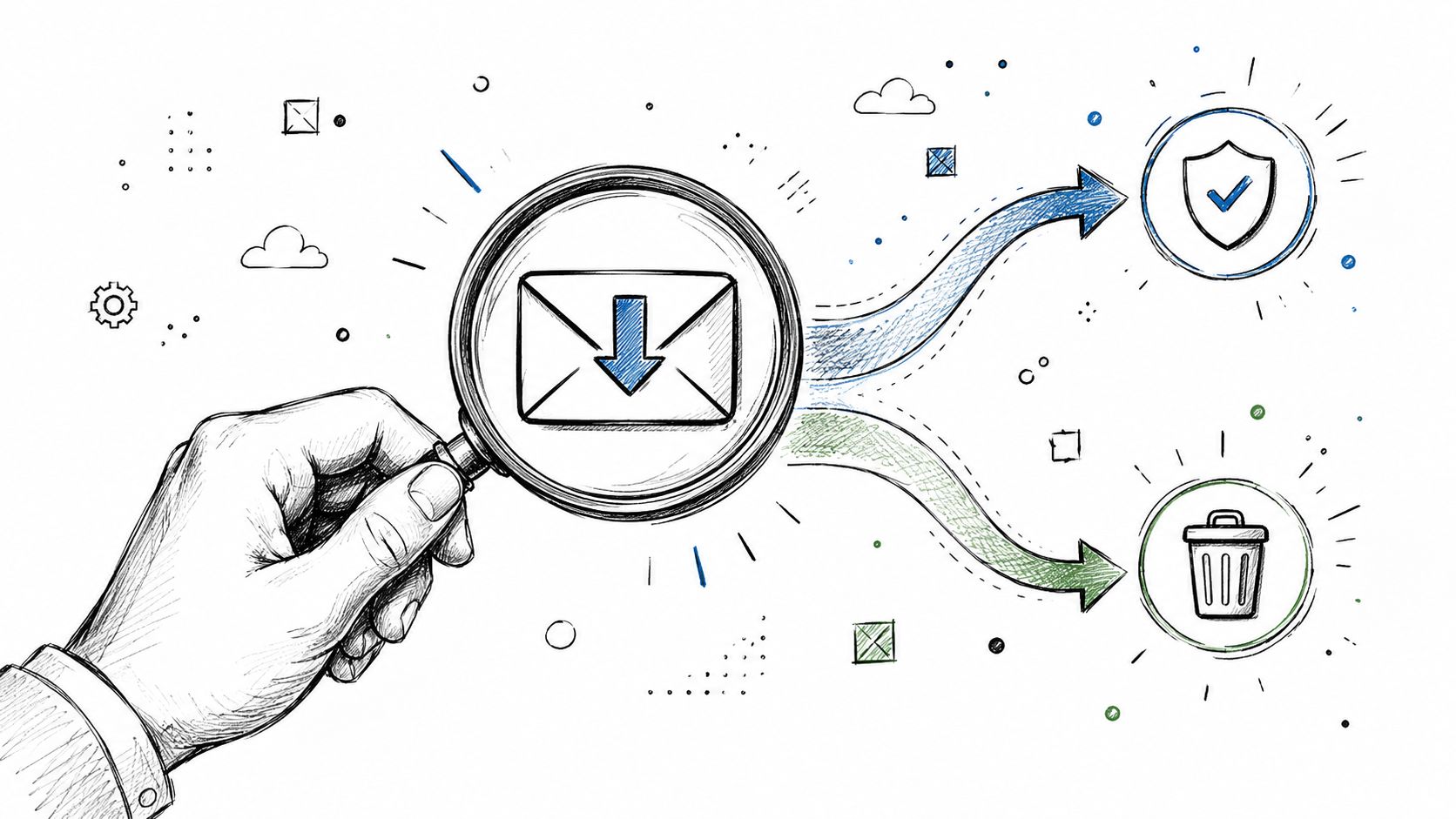
Low open rates usually come from two different failures.

One is deliverability. Your emails aren't consistently reaching the inbox, so recipients never get a fair chance to open them. The other is message-market fit at the inbox level. The email is getting delivered, but the sender name, subject line, preview text, or audience targeting isn't compelling enough to earn the open.
Start by Diagnosing Your Open Rate Problem

Many organizations blur those together and start rewriting subject lines too early. That's expensive. It wastes time, and it hides the underlying operational issue.

Look for the pattern before changing the copy

Start with a simple decision framework.

Signal

More likely cause

Broad underperformance across campaigns and segments

Deliverability

Strong performance with one segment but weak performance with another

Relevance or targeting

Clicks and replies from a small group, silence from the rest

Mixed issue, often list quality

Good performance from known engaged contacts, poor performance from older contacts

List hygiene problem

Subject line changes barely move results

Usually not just a copy problem

This is why the best open-rate work starts with triage, not creativity. Neutral guidance collected by iContact points to the same base requirements: list hygiene, trusted sender practices, segmentation, and re-engagement should come before chasing open-rate gains, which is why many teams need a troubleshooting process that separates inbox problems from messaging problems (iContact guidance on improving email open rates).

If you want a broader tactical companion after diagnosis, Clepher's guide to mastering email open rate optimization is a useful reference because it covers common levers without pretending one fix solves every campaign.

Run a practical inbox-vs-message test

Don't overcomplicate this. Run a small set of checks:

  • Check engaged segments first. Send to people who have clicked recently, replied recently, or signed up recently. If this group still underperforms, suspect deliverability before content.

  • Compare by source. Leads from recent forms, product signups, or hand-raised interest usually behave differently from old imports. If newer, permission-based leads open while older names don't, your problem may be list age and quality.

  • Review sender consistency. If one sender name gets traction and another doesn't, trust may be the issue, not the topic.

  • Watch behavior after the open. If opens look acceptable but clicks and replies are dead, your actual problem is post-open relevance, not inbox placement.

Practical rule: If a clean, recently engaged segment won't respond, stop rewriting copy and audit deliverability.

Treat diagnosis as an operating discipline

Smaller teams can beat larger ones. Enterprises often have more tools, but SMBs can move faster when they stop treating every underperforming campaign like a creative failure.

Build a habit of labeling each campaign problem one of three ways:

  1. Inbox problem

  2. Message problem

  3. Measurement problem

That third category matters now. Privacy changes have made raw opens less trustworthy in many cases, so not every apparent drop or spike means what it used to mean. If you don't separate those categories, you'll fix the wrong layer of the system.

Build a Foundation of Trust with Deliverability

You send a campaign with a better subject line, tighter copy, and a cleaner CTA. Open rates still sag. That usually means the problem sits upstream, at the inbox placement layer, not the creative layer.

Build a Foundation of Trust with Deliverability

Mailbox providers decide whether they trust your sending setup before a buyer decides whether your message deserves attention. That trust comes from operational basics many teams ignore until performance drops. Permission-based acquisition, SPF, DKIM, DMARC, careful warm-up on new infrastructure, and close monitoring of reputation and volume spikes all affect placement and, by extension, opens, as outlined by Pushwoosh in its email open-rate guidance (Pushwoosh on deliverability and inbox placement).

If you need a plain-English reference for the mechanics, Static Forms has a useful primer on mastering email deliverability strategies.

What the trust stack actually does

The technical side matters because it answers a simple question for receiving servers: should this sender be treated as legitimate?

  • SPF verifies that your sending source is allowed to send on behalf of your domain.

  • DKIM signs the message so receiving servers can confirm it was not altered in transit.

  • DMARC tells providers what to do when those checks fail and ties policy back to your domain identity.

You do not need to become the person who manages DNS records full time. You do need someone on the team who can confirm this setup is correct, stays correct after tool changes, and gets checked before volume ramps. One broken record can depress results across every campaign, and post-Apple MPP, inflated opens can hide that longer than teams expect.

List quality decides whether trust holds

Poor list hygiene hurts deliverability faster than mediocre copy.

I have seen teams protect list size because it makes reporting look healthier. Inbox providers do not care about your total addressable database. They care whether recipients engage, ignore, delete, unsubscribe, or mark your mail as spam. If you keep sending to stale contacts, the sending domain builds the wrong reputation, and future campaigns get filtered more aggressively.

A working model looks like this:

  • Collect with clear consent. Double opt-in slows growth, but it usually improves list quality.

  • Split active and aging segments. Recent clickers, recent signups, and recent buyers should not be mixed with old non-responders.

  • Run re-engagement before suppression. Give inactive contacts a short, focused chance to stay on the list.

  • Remove bad-fit records from regular sends. Invalid addresses, stale imports, and chronically inactive names cost more than they contribute.

For teams that want tighter monitoring, email deliverability operations can centralize placement checks, reputation monitoring, and troubleshooting instead of leaving them scattered across ESP dashboards.

Before you scale volume, watch this walkthrough on the mechanics behind inbox placement and sender trust:

Warm up volume with intent

Reputation is easiest to build slowly and hardest to repair after a bad launch.

A new domain, a fresh IP, or a sudden spike in send volume gives mailbox providers very little historical context. Start with your highest-intent audience first. Recent engagers, recent customers, and subscribers who have clicked lately produce the positive signals you need. Dumping a full database onto new infrastructure is one of the fastest ways to create an inbox problem and then misread it as a content problem.

This part feels boring. It still decides whether your best campaigns get seen.

Craft Subject Lines and Previews That Earn Clicks

Once the inbox is healthy, the game changes. Now you're competing for attention, not access.

Most weak subject lines fail for one of three reasons. They're vague, they sound mass-produced, or they ask for attention before they've earned trust. Good ones make a narrow promise, sound like a message from a credible sender, and match what the recipient already cares about.

What bad subject lines usually sound like

A few common misses:

  • Too generic
    "Quick update" says nothing.

  • Too self-centered
    "About our new platform features" puts your priorities first.

  • Too promotional too early
    "Limited-time offer" can work in retail, but in B2B or relationship-driven email it often reads like a delete signal.

The preview text often makes this worse. Teams either ignore it or let inboxes pull random first-line copy. That wastes the second line of persuasion.

Better before-and-after examples

Here are the kinds of changes that usually improve performance:

Weak version

Stronger version

Quick question

Saw your hiring push. Is follow-up slipping?

Monthly product update

Three workflow changes your team can use this week

We can help with outbound

Your reps don't need more leads. They need faster follow-up

Checking in

Still want the guide, or should I close the loop?

What's better about the right-hand column isn't hype. It's specificity. The message implies context and gives the reader a reason to care now.

Preview text should finish the thought, not repeat it.

  • Subject: Your reps don't need more leads
    Preview: They need fewer manual follow-ups and better timing.

  • Subject: Still want the guide?
    Preview: If priorities changed, I'll stop reaching out.

That pairing works because it creates closure, curiosity, or relevance without sounding manipulative.

Write for recognition before cleverness

In practice, the best-performing subject lines often sound more human than creative. Clear beats cute. Familiar beats flashy. Relevance beats novelty.

A few rules worth keeping:

  • Use the sender name deliberately. People open emails from people and brands they recognize.

  • Front-load meaning. Mobile inboxes cut off long lines fast.

  • Match the email body. If the subject overpromises, future opens drop because trust erodes.

  • Earn curiosity. Mystery works only when the sender already has credibility.

If you're writing follow-ups and want sharper examples, this guide to a subject line for follow-up email is a strong tactical reference because it shows how intent changes the line.

The best subject line isn't the one that sounds smartest. It's the one your audience can understand in a glance and trust enough to open.

Use preheaders as a second hook

Think of preview text as your recovery lane. If the subject line doesn't fully land, the preheader can rescue the open.

Good preview text usually does one of four jobs:

  1. Adds missing context

  2. Clarifies who the email is for

  3. Increases urgency without sounding spammy

  4. Reduces uncertainty about what happens next

This is one of the simplest ways to improve email open rates because it doesn't require a new campaign strategy. It requires discipline. Many organizations just haven't built the habit.

Go Beyond a First Name with Smart Segmentation

Personalization isn't putting a first name in the subject line. That's mail merge. Sometimes it helps, sometimes it feels cheap, and by itself it rarely fixes relevance.

Segmentation is what changes performance because it changes who gets what message.

Go Beyond a First Name with Smart Segmentation

If you've ever sent one newsletter to everyone on your list and then wondered why open rates drifted down over time, this is usually the reason. Broad sends flatten differences that matter. Buyers in evaluation mode don't want the same message as inactive leads, long-time customers, or webinar registrants.

The segments that matter most

For SMB teams, useful segmentation doesn't have to be complex. Start with buckets that map to behavior and buying context.

  • Behavioral segments
    Recent clickers, recent site visitors, repeat buyers, trial users, no-shows, and dormant contacts.

  • Firmographic segments
    Industry, company size, role, and customer type for B2B programs.

  • Lifecycle segments
    New lead, active opportunity, current customer, at-risk account, re-engagement pool.

These segments produce better opens because they create better alignment between timing, message, and intent.

Why suppression is part of segmentation

A lot of teams think segmentation means making more lists. It also means deciding who should not get the email.

SuperOffice notes that if a subscriber doesn't open three emails in a row, they may be less interested, and continuing to send to them can push mail toward the spam folder. iContact also recommends regular list hygiene and removing inactive or incorrect addresses (SuperOffice on inactive subscribers and list hygiene).

That has a practical implication. Every broadcast should have a suppression logic, not just a target audience.

Audience decision

What it protects

Exclude recent non-openers from broad campaigns

Deliverability

Create a separate re-engagement track

Sender reputation

Pause stale leads from normal sends

Inbox placement

Prioritize recent engagers for new campaigns

Positive engagement signals

If you're building this inside an automation system, a solid marketing automation workflow helps operationalize these rules so segmentation doesn't depend on manual list pulls every week.

Relevance scales better than personalization tokens

Here's the hard truth. A highly relevant message to a smaller group will usually outperform a generalized message to a larger one, even when the larger one feels more efficient.

That's because recipients don't reward effort. They reward fit.

Segmentation isn't about sending more emails. It's about sending fewer wrong ones.

When teams ask how to improve email open rates, this is one of the most powerful levers. Not because it's flashy, but because it compounds. Better targeting improves opens, clicks, replies, and future deliverability at the same time.

Optimize Send Times and Test for Real Engagement

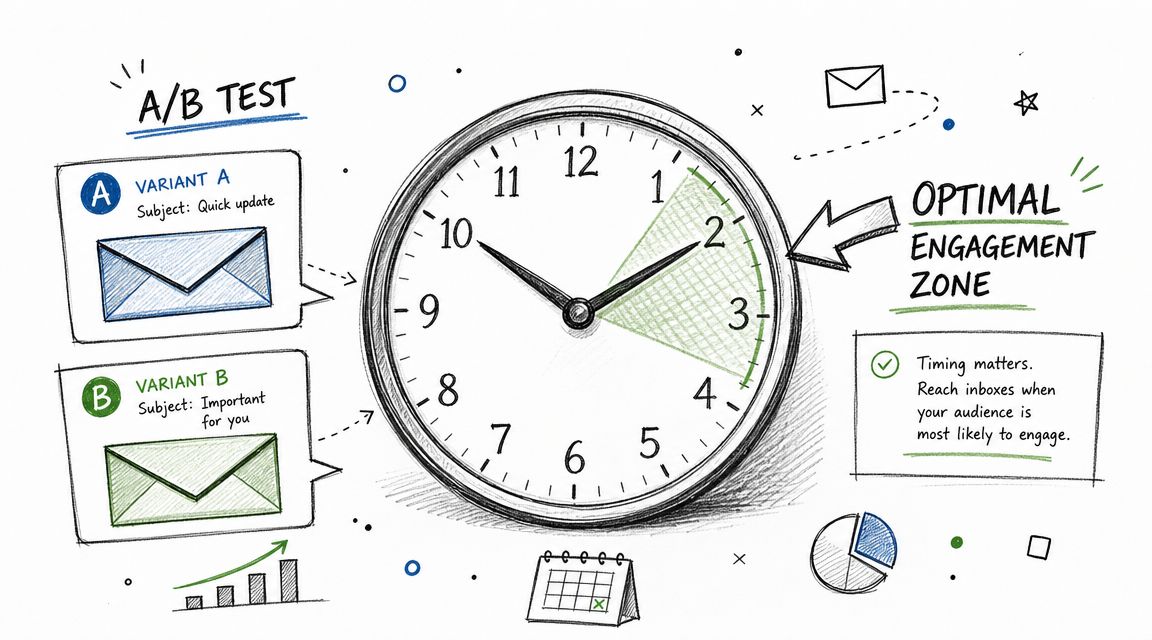
There isn't a universal best send time. There is only the best send window for your audience, your offer, and the behavior you want.

That matters even more now because open data has become noisier. Apple's Mail Privacy Protection changed what many teams can trust in open-rate reporting. Braze recommends using historical engagement by day and hour, controlled tests, send-time optimization, and behavioral and lifecycle segmentation, which points toward a better standard: optimize for qualified engagement, not raw open lift alone (Braze on modern open-rate strategy).
Optimize Send Times and Test for Real Engagement

What to measure after MPP

Opens still have directional value, but they can't be your only decision signal.

Use a layered scorecard:

  • Clicks show that the inbox event turned into action.

  • Replies matter for outbound and founder-led sales motions.

  • Site activity after send helps validate real interest.

  • Conversions by segment tell you whether the email reached the right people at the right time.

This changes how you judge experiments. A subject line that inflates opens but weakens clicks isn't a winner. It's noise.

How to run a clean A B test

Testing is frequently inadequate. Teams change too many variables, call a winner too early, or compare sends that went out at different times.

Campaign Monitor recommends a more disciplined model: run a controlled subject-line A/B test on a sample, hold send time constant, and then deploy the winner after it reaches statistical significance. One benchmark approach is to split about 30% of the list into two 15% test cells and send the winning version to the remainder (Campaign Monitor on statistically significant A/B testing).

That structure works because it separates testing from full-send exposure.

A simple testing sequence that holds up

  1. Pick one variable. Subject line is the cleanest place to start.

  2. Keep timing constant. Different send windows create muddy results.

  3. Define the primary success metric first. Open rate, click rate, reply rate, or downstream action.

  4. Wait for significance before rollout. Premature calls create fake learnings.

  5. Log the pattern. Over time, you'll spot whether your audience responds better to directness, specificity, questions, or sender-led framing.

If timing is part of your experiment set, use a system that lets you schedule an email with precision so your test windows stay clean.

Measurement shift: In a post-MPP world, the best email isn't the one that "wins" opens. It's the one that drives the next meaningful action.

Automate and Scale Your Success with AI Tools

Manual optimization works. It just doesn't scale well once volume grows, segments multiply, and sales and marketing start sharing the same audience.

AI and automation thus become operational advantages, not gimmicks. The true value isn't in generating more email copy for the sake of it. The value is in turning the best practices above into repeatable systems: segment selection, send-time logic, variant generation, re-engagement triggers, and closed-loop reporting.

What should be automated first

The best candidates are the tasks your team skips when things get busy:

  • Variant creation for subject lines and opening lines

  • Behavior-based routing into nurture, follow-up, or re-engagement

  • Lifecycle-specific messaging so prospects and customers don't get the same sequence

  • Testing workflows that rotate controlled experiments instead of one-off guesses

Consistency beats heroics. Teams don't fail from lack of ideas; they fail because the good process isn't maintained campaign after campaign.

Use AI where pattern recognition matters

Braze's recommendation to rely on historical day-and-hour engagement, controlled testing, send-time optimization, and behavioral segmentation supports a modern playbook: optimize for qualified engagement, then let systems scale what works. That same logic applies when you're building follow-up paths from events and webinars.

For example, teams building nurture after live events can borrow structural ideas from B2B webinar follow-up sequences, where the primary advantage comes from sequencing by attendance, intent, and follow-up behavior instead of sending one generic recap to everyone.

The real win is shared signal across teams

Most stacks break because Marketing has campaign data. Sales has reply data. CRM has pipeline data. Nobody sees the full picture, so email optimization gets reduced to opens and clicks inside one tool.

The more effective model is unified signal flow:

Input

Automated response

Contact clicks but doesn't book

Move into follow-up sequence

Lead goes inactive

Trigger re-engagement path

Prospect visits key pages

Adjust messaging angle

Customer engages with expansion content

Route to lifecycle campaign

When automation is connected across channels, your email program improves because relevance improves. And relevance is still the cleanest path to better open behavior, even in a privacy-distorted environment.

The teams that get this right stop asking whether a campaign "performed" in isolation. They ask whether it moved a qualified buyer closer to action. That's the standard worth optimizing for.

If you want one platform that brings this together, Stamina is built for exactly that. It gives growing teams a unified sales, marketing, and CRM system, with automation and AI features that help you segment smarter, run better outreach, coordinate follow-up, and turn disconnected campaign activity into revenue motion.

You sent a campaign you were sure would work. The offer was relevant. The copy was solid. The list looked big enough to matter. Then the numbers came back flat, and now you're staring at a familiar question: was the email weak, or did people never really see it?

That distinction matters more than many acknowledge. A lot of advice on how to improve email open rates jumps straight to subject lines, emojis, urgency, or send-time hacks. Some of that helps. But if your emails are landing in spam, promotions, or getting filtered because your list is stale, better copy won't save you. And if Apple's Mail Privacy Protection is muddying your open data, you can also end up optimizing the wrong thing.

The practical path is simpler than the internet makes it sound. Diagnose the type of problem first. Fix the inbox issue if that's the issue. Fix the message if the inbox is healthy. Then measure success using signals that still mean something.

Start by Diagnosing Your Open Rate Problem

Low open rates usually come from two different failures.

One is deliverability. Your emails aren't consistently reaching the inbox, so recipients never get a fair chance to open them. The other is message-market fit at the inbox level. The email is getting delivered, but the sender name, subject line, preview text, or audience targeting isn't compelling enough to earn the open.

Start by Diagnosing Your Open Rate Problem

Many organizations blur those together and start rewriting subject lines too early. That's expensive. It wastes time, and it hides the underlying operational issue.

Look for the pattern before changing the copy

Start with a simple decision framework.

Signal

More likely cause

Broad underperformance across campaigns and segments

Deliverability

Strong performance with one segment but weak performance with another

Relevance or targeting

Clicks and replies from a small group, silence from the rest

Mixed issue, often list quality

Good performance from known engaged contacts, poor performance from older contacts

List hygiene problem

Subject line changes barely move results

Usually not just a copy problem

This is why the best open-rate work starts with triage, not creativity. Neutral guidance collected by iContact points to the same base requirements: list hygiene, trusted sender practices, segmentation, and re-engagement should come before chasing open-rate gains, which is why many teams need a troubleshooting process that separates inbox problems from messaging problems (iContact guidance on improving email open rates).

If you want a broader tactical companion after diagnosis, Clepher's guide to mastering email open rate optimization is a useful reference because it covers common levers without pretending one fix solves every campaign.

Run a practical inbox-vs-message test

Don't overcomplicate this. Run a small set of checks:

  • Check engaged segments first. Send to people who have clicked recently, replied recently, or signed up recently. If this group still underperforms, suspect deliverability before content.

  • Compare by source. Leads from recent forms, product signups, or hand-raised interest usually behave differently from old imports. If newer, permission-based leads open while older names don't, your problem may be list age and quality.

  • Review sender consistency. If one sender name gets traction and another doesn't, trust may be the issue, not the topic.

  • Watch behavior after the open. If opens look acceptable but clicks and replies are dead, your actual problem is post-open relevance, not inbox placement.

Practical rule: If a clean, recently engaged segment won't respond, stop rewriting copy and audit deliverability.

Treat diagnosis as an operating discipline

Smaller teams can beat larger ones. Enterprises often have more tools, but SMBs can move faster when they stop treating every underperforming campaign like a creative failure.

Build a habit of labeling each campaign problem one of three ways:

  1. Inbox problem

  2. Message problem

  3. Measurement problem

That third category matters now. Privacy changes have made raw opens less trustworthy in many cases, so not every apparent drop or spike means what it used to mean. If you don't separate those categories, you'll fix the wrong layer of the system.

Build a Foundation of Trust with Deliverability

You send a campaign with a better subject line, tighter copy, and a cleaner CTA. Open rates still sag. That usually means the problem sits upstream, at the inbox placement layer, not the creative layer.

Build a Foundation of Trust with Deliverability

Mailbox providers decide whether they trust your sending setup before a buyer decides whether your message deserves attention. That trust comes from operational basics many teams ignore until performance drops. Permission-based acquisition, SPF, DKIM, DMARC, careful warm-up on new infrastructure, and close monitoring of reputation and volume spikes all affect placement and, by extension, opens, as outlined by Pushwoosh in its email open-rate guidance (Pushwoosh on deliverability and inbox placement).

If you need a plain-English reference for the mechanics, Static Forms has a useful primer on mastering email deliverability strategies.

What the trust stack actually does

The technical side matters because it answers a simple question for receiving servers: should this sender be treated as legitimate?

  • SPF verifies that your sending source is allowed to send on behalf of your domain.

  • DKIM signs the message so receiving servers can confirm it was not altered in transit.

  • DMARC tells providers what to do when those checks fail and ties policy back to your domain identity.

You do not need to become the person who manages DNS records full time. You do need someone on the team who can confirm this setup is correct, stays correct after tool changes, and gets checked before volume ramps. One broken record can depress results across every campaign, and post-Apple MPP, inflated opens can hide that longer than teams expect.

List quality decides whether trust holds

Poor list hygiene hurts deliverability faster than mediocre copy.

I have seen teams protect list size because it makes reporting look healthier. Inbox providers do not care about your total addressable database. They care whether recipients engage, ignore, delete, unsubscribe, or mark your mail as spam. If you keep sending to stale contacts, the sending domain builds the wrong reputation, and future campaigns get filtered more aggressively.

A working model looks like this:

  • Collect with clear consent. Double opt-in slows growth, but it usually improves list quality.

  • Split active and aging segments. Recent clickers, recent signups, and recent buyers should not be mixed with old non-responders.

  • Run re-engagement before suppression. Give inactive contacts a short, focused chance to stay on the list.

  • Remove bad-fit records from regular sends. Invalid addresses, stale imports, and chronically inactive names cost more than they contribute.

For teams that want tighter monitoring, email deliverability operations can centralize placement checks, reputation monitoring, and troubleshooting instead of leaving them scattered across ESP dashboards.

Before you scale volume, watch this walkthrough on the mechanics behind inbox placement and sender trust:

Warm up volume with intent

Reputation is easiest to build slowly and hardest to repair after a bad launch.

A new domain, a fresh IP, or a sudden spike in send volume gives mailbox providers very little historical context. Start with your highest-intent audience first. Recent engagers, recent customers, and subscribers who have clicked lately produce the positive signals you need. Dumping a full database onto new infrastructure is one of the fastest ways to create an inbox problem and then misread it as a content problem.

This part feels boring. It still decides whether your best campaigns get seen.

Craft Subject Lines and Previews That Earn Clicks

Once the inbox is healthy, the game changes. Now you're competing for attention, not access.

Most weak subject lines fail for one of three reasons. They're vague, they sound mass-produced, or they ask for attention before they've earned trust. Good ones make a narrow promise, sound like a message from a credible sender, and match what the recipient already cares about.

What bad subject lines usually sound like

A few common misses:

  • Too generic
    "Quick update" says nothing.

  • Too self-centered
    "About our new platform features" puts your priorities first.

  • Too promotional too early
    "Limited-time offer" can work in retail, but in B2B or relationship-driven email it often reads like a delete signal.

The preview text often makes this worse. Teams either ignore it or let inboxes pull random first-line copy. That wastes the second line of persuasion.

Better before-and-after examples

Here are the kinds of changes that usually improve performance:

Weak version

Stronger version

Quick question

Saw your hiring push. Is follow-up slipping?

Monthly product update

Three workflow changes your team can use this week

We can help with outbound

Your reps don't need more leads. They need faster follow-up

Checking in

Still want the guide, or should I close the loop?

What's better about the right-hand column isn't hype. It's specificity. The message implies context and gives the reader a reason to care now.

Preview text should finish the thought, not repeat it.

  • Subject: Your reps don't need more leads
    Preview: They need fewer manual follow-ups and better timing.

  • Subject: Still want the guide?
    Preview: If priorities changed, I'll stop reaching out.

That pairing works because it creates closure, curiosity, or relevance without sounding manipulative.

Write for recognition before cleverness

In practice, the best-performing subject lines often sound more human than creative. Clear beats cute. Familiar beats flashy. Relevance beats novelty.

A few rules worth keeping:

  • Use the sender name deliberately. People open emails from people and brands they recognize.

  • Front-load meaning. Mobile inboxes cut off long lines fast.

  • Match the email body. If the subject overpromises, future opens drop because trust erodes.

  • Earn curiosity. Mystery works only when the sender already has credibility.

If you're writing follow-ups and want sharper examples, this guide to a subject line for follow-up email is a strong tactical reference because it shows how intent changes the line.

The best subject line isn't the one that sounds smartest. It's the one your audience can understand in a glance and trust enough to open.

Use preheaders as a second hook

Think of preview text as your recovery lane. If the subject line doesn't fully land, the preheader can rescue the open.

Good preview text usually does one of four jobs:

  1. Adds missing context

  2. Clarifies who the email is for

  3. Increases urgency without sounding spammy

  4. Reduces uncertainty about what happens next

This is one of the simplest ways to improve email open rates because it doesn't require a new campaign strategy. It requires discipline. Many organizations just haven't built the habit.

Go Beyond a First Name with Smart Segmentation

Personalization isn't putting a first name in the subject line. That's mail merge. Sometimes it helps, sometimes it feels cheap, and by itself it rarely fixes relevance.

Segmentation is what changes performance because it changes who gets what message.

Go Beyond a First Name with Smart Segmentation

If you've ever sent one newsletter to everyone on your list and then wondered why open rates drifted down over time, this is usually the reason. Broad sends flatten differences that matter. Buyers in evaluation mode don't want the same message as inactive leads, long-time customers, or webinar registrants.

The segments that matter most

For SMB teams, useful segmentation doesn't have to be complex. Start with buckets that map to behavior and buying context.

  • Behavioral segments
    Recent clickers, recent site visitors, repeat buyers, trial users, no-shows, and dormant contacts.

  • Firmographic segments
    Industry, company size, role, and customer type for B2B programs.

  • Lifecycle segments
    New lead, active opportunity, current customer, at-risk account, re-engagement pool.

These segments produce better opens because they create better alignment between timing, message, and intent.

Why suppression is part of segmentation

A lot of teams think segmentation means making more lists. It also means deciding who should not get the email.

SuperOffice notes that if a subscriber doesn't open three emails in a row, they may be less interested, and continuing to send to them can push mail toward the spam folder. iContact also recommends regular list hygiene and removing inactive or incorrect addresses (SuperOffice on inactive subscribers and list hygiene).

That has a practical implication. Every broadcast should have a suppression logic, not just a target audience.

Audience decision

What it protects

Exclude recent non-openers from broad campaigns

Deliverability

Create a separate re-engagement track

Sender reputation

Pause stale leads from normal sends

Inbox placement

Prioritize recent engagers for new campaigns

Positive engagement signals

If you're building this inside an automation system, a solid marketing automation workflow helps operationalize these rules so segmentation doesn't depend on manual list pulls every week.

Relevance scales better than personalization tokens

Here's the hard truth. A highly relevant message to a smaller group will usually outperform a generalized message to a larger one, even when the larger one feels more efficient.

That's because recipients don't reward effort. They reward fit.

Segmentation isn't about sending more emails. It's about sending fewer wrong ones.

When teams ask how to improve email open rates, this is one of the most powerful levers. Not because it's flashy, but because it compounds. Better targeting improves opens, clicks, replies, and future deliverability at the same time.

Optimize Send Times and Test for Real Engagement

There isn't a universal best send time. There is only the best send window for your audience, your offer, and the behavior you want.

That matters even more now because open data has become noisier. Apple's Mail Privacy Protection changed what many teams can trust in open-rate reporting. Braze recommends using historical engagement by day and hour, controlled tests, send-time optimization, and behavioral and lifecycle segmentation, which points toward a better standard: optimize for qualified engagement, not raw open lift alone (Braze on modern open-rate strategy).

Optimize Send Times and Test for Real Engagement

What to measure after MPP

Opens still have directional value, but they can't be your only decision signal.

Use a layered scorecard:

  • Clicks show that the inbox event turned into action.

  • Replies matter for outbound and founder-led sales motions.

  • Site activity after send helps validate real interest.

  • Conversions by segment tell you whether the email reached the right people at the right time.

This changes how you judge experiments. A subject line that inflates opens but weakens clicks isn't a winner. It's noise.

How to run a clean A B test

Testing is frequently inadequate. Teams change too many variables, call a winner too early, or compare sends that went out at different times.

Campaign Monitor recommends a more disciplined model: run a controlled subject-line A/B test on a sample, hold send time constant, and then deploy the winner after it reaches statistical significance. One benchmark approach is to split about 30% of the list into two 15% test cells and send the winning version to the remainder (Campaign Monitor on statistically significant A/B testing).

That structure works because it separates testing from full-send exposure.

A simple testing sequence that holds up

  1. Pick one variable. Subject line is the cleanest place to start.

  2. Keep timing constant. Different send windows create muddy results.

  3. Define the primary success metric first. Open rate, click rate, reply rate, or downstream action.

  4. Wait for significance before rollout. Premature calls create fake learnings.

  5. Log the pattern. Over time, you'll spot whether your audience responds better to directness, specificity, questions, or sender-led framing.

If timing is part of your experiment set, use a system that lets you schedule an email with precision so your test windows stay clean.

Measurement shift: In a post-MPP world, the best email isn't the one that "wins" opens. It's the one that drives the next meaningful action.

Automate and Scale Your Success with AI Tools

Manual optimization works. It just doesn't scale well once volume grows, segments multiply, and sales and marketing start sharing the same audience.

AI and automation thus become operational advantages, not gimmicks. The true value isn't in generating more email copy for the sake of it. The value is in turning the best practices above into repeatable systems: segment selection, send-time logic, variant generation, re-engagement triggers, and closed-loop reporting.

What should be automated first

The best candidates are the tasks your team skips when things get busy:

  • Variant creation for subject lines and opening lines

  • Behavior-based routing into nurture, follow-up, or re-engagement

  • Lifecycle-specific messaging so prospects and customers don't get the same sequence

  • Testing workflows that rotate controlled experiments instead of one-off guesses

Consistency beats heroics. Teams don't fail from lack of ideas; they fail because the good process isn't maintained campaign after campaign.

Use AI where pattern recognition matters

Braze's recommendation to rely on historical day-and-hour engagement, controlled testing, send-time optimization, and behavioral segmentation supports a modern playbook: optimize for qualified engagement, then let systems scale what works. That same logic applies when you're building follow-up paths from events and webinars.

For example, teams building nurture after live events can borrow structural ideas from B2B webinar follow-up sequences, where the primary advantage comes from sequencing by attendance, intent, and follow-up behavior instead of sending one generic recap to everyone.

The real win is shared signal across teams

Most stacks break because Marketing has campaign data. Sales has reply data. CRM has pipeline data. Nobody sees the full picture, so email optimization gets reduced to opens and clicks inside one tool.

The more effective model is unified signal flow:

Input

Automated response

Contact clicks but doesn't book

Move into follow-up sequence

Lead goes inactive

Trigger re-engagement path

Prospect visits key pages

Adjust messaging angle

Customer engages with expansion content

Route to lifecycle campaign

When automation is connected across channels, your email program improves because relevance improves. And relevance is still the cleanest path to better open behavior, even in a privacy-distorted environment.

The teams that get this right stop asking whether a campaign "performed" in isolation. They ask whether it moved a qualified buyer closer to action. That's the standard worth optimizing for.

If you want one platform that brings this together, Stamina is built for exactly that. It gives growing teams a unified sales, marketing, and CRM system, with automation and AI features that help you segment smarter, run better outreach, coordinate follow-up, and turn disconnected campaign activity into revenue motion.

Share this article

Share this article

Send a shareable link to your team or anyone who might find it useful.

Send a shareable link to your team or anyone who might find it useful.

Copy link

Copied

Share directly to

Table of contents

Give Your Business the Stamina it needs to Thrive