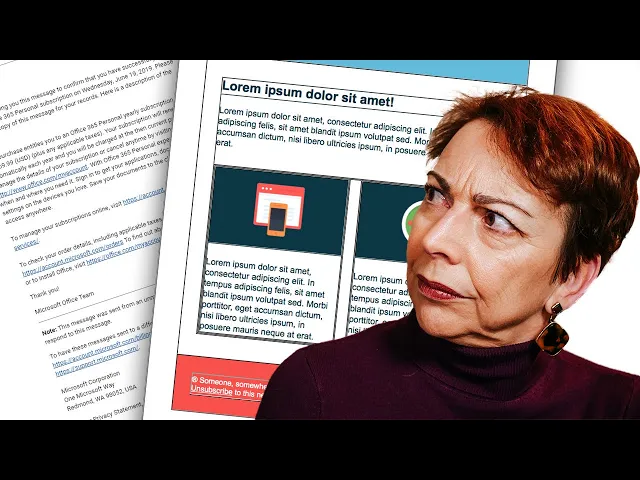
Most advice on html vs text email is too simplistic. It treats the choice like a branding decision, as if the main question is whether your message should look polished or look personal.
That’s the wrong question.
The core decision is whether you want the email to get seen, get read, and get acted on. In practice, the plainest version often wins. Not because design never matters, but because inbox providers, recipients, and buying contexts don’t reward visual flair the same way a landing page does.
For SMBs, that matters even more. You usually don’t have the margin for wasted sends, bloated templates, or campaigns that look great in review and underperform in the inbox. The professional answer usually isn’t “always send HTML” or “always send plain text.” It’s to match format to intent, then use a hybrid setup that gives you both coverage and control.
The Real Question Behind HTML vs Text Email
B2B marketing teams and sales reps often frame this as a design choice. In practice, it is a revenue choice. The format you send affects whether the message looks personal, how much control you have over presentation, and how reliably you can track the outcome.
That is why the smartest setup is rarely HTML-only or plain-text-only.
For SMBs, the better question is simple. What format gives you the best chance to reach the inbox, match buyer expectations, and still measure performance without adding unnecessary complexity? In many cases, that points to Multipart MIME as the professional standard. It sends both versions together, gives modern clients the HTML version when it helps, and keeps a readable plain text fallback for clients, filters, and recipients who prefer it.
The trade-off is operational, not theoretical. Plain text works well for outreach that needs replies and one-to-one conversations. HTML works well for campaigns that depend on layout, brand consistency, product visuals, or clear button-based calls to action. Multipart MIME covers both use cases without forcing an all-or-nothing decision.
Here’s the practical way to evaluate it:
Decision area | Plain text | HTML | Multipart MIME |
|---|---|---|---|
Cold outreach | Feels personal and low-friction | Can look promotional too early | Strong default if text version is clean |
Newsletters | Limited visual control | Better for layout and brand consistency | Usually the professional standard |
Deliverability risk | Lower complexity | More code, links, and rendering variables | Safer than HTML-only |
Tracking options | More limited | Better support for visual CTAs and pixels | Keeps flexibility |
Best use | Replies and direct conversations | Broadcasts and branded content | Most mature all-around setup |
Three factors should drive the choice.
First, deliverability. A well-written message that lands in promotions, spam, or a broken rendering state has little chance of producing pipeline.
Second, engagement type. A sales email asking for a reply and a lifecycle campaign asking for a click are doing different jobs. They should not always use the same format.
Third, audience context. A cold prospect, a trial user, and a long-time customer read emails through different levels of trust. Format should reflect that.
If you want another grounded take on the trade-offs, Breaker’s email format guide is a useful reference because it frames the decision around real sending scenarios rather than design preference.
Understanding the Technical Differences
HTML and plain text aren’t just stylistic choices. They’re different message structures, and that structure affects rendering, tracking, deliverability, and maintenance.
What an HTML email actually is
An HTML email is a small web page delivered inside an inbox. It can include layout tables, inline styling, images, buttons, tracking pixels, branded headers, and linked assets. That gives marketers control over presentation, but it also adds code weight and more opportunities for things to break.
A plain text email strips all of that away. No rendered images. No styled buttons. No custom fonts. Just text, spacing, and links presented in the simplest format email clients can handle.
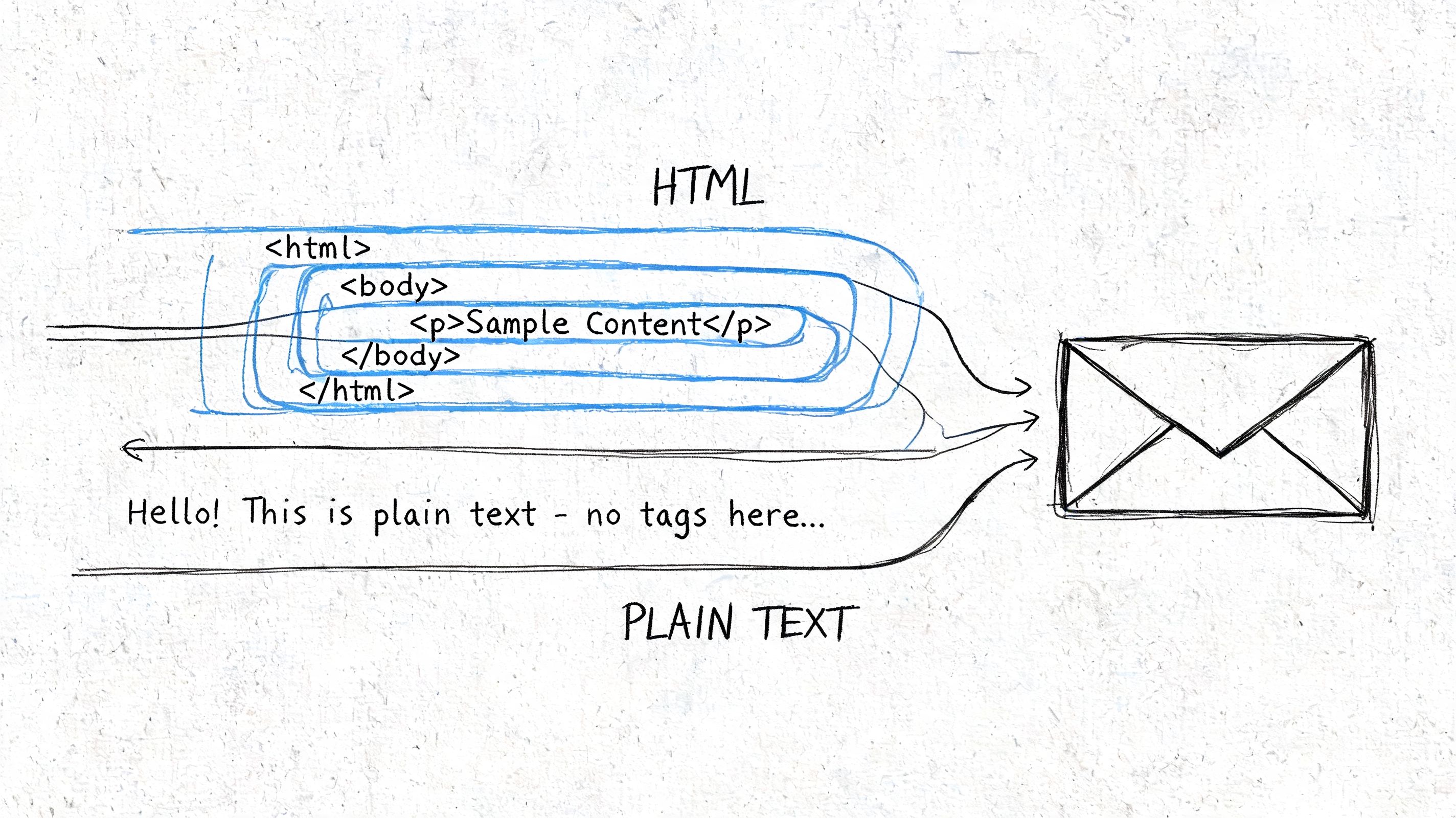
That simplicity isn’t just aesthetic. Longitudinal research covering messages from 2008 to 2021 found HTML emails averaged 18.4 times larger than plain text equivalents, with bloat worsening over time and extremes reaching 137.5x according to Ross Dean’s analysis of ASCII vs HTML email size and errors. Larger messages create more room for rendering issues, more bandwidth overhead, and more code for filters and clients to inspect.
Why plain text behaves differently
Plain text wins on consistency. It loads fast, renders almost universally, and avoids the code-level mistakes that can creep into HTML templates. If an SDR sends a simple outreach email, the recipient usually sees the same message regardless of client.
HTML is more fragile. Outlook may render one way, Apple Mail another, Gmail another. The more custom the layout, the more QA work the email needs.
Practical rule: If the email’s job is to start a conversation, remove anything that doesn’t help a real person read and respond.
That doesn’t mean HTML should be avoided. It means HTML should earn its place.
Why Multipart MIME is the standard
The strongest setup isn’t picking one format forever. It’s Multipart MIME, where a single send includes both a plain text part and an HTML part. The recipient’s email client decides which version to display.
This hybrid approach is underused in SMB teams, even though it solves the false binary. It keeps a plain text fallback for compatibility and deliverability while preserving HTML for branding, layout, and richer interaction. If you want a practical refresher on markup basics before building those templates, this guide on how to format HTML emails is worth reviewing.
Multipart MIME also reduces the downside of HTML-only sending. It gives mailbox providers and clients a cleaner signal that your message follows standard email construction, and it prevents the “pretty but brittle” problem that shows up when teams obsess over design and ignore the plain text version.
How Email Format Impacts Deliverability and Inbox Placement
If you send enough volume, you learn this fast. Delivered doesn’t always mean seen.
A message can technically arrive and still land in Promotions, a cluttered tab, or a filtered folder where it gets ignored. Format plays into that outcome because mailbox providers inspect message structure, not just the copy.
Why HTML gets more scrutiny
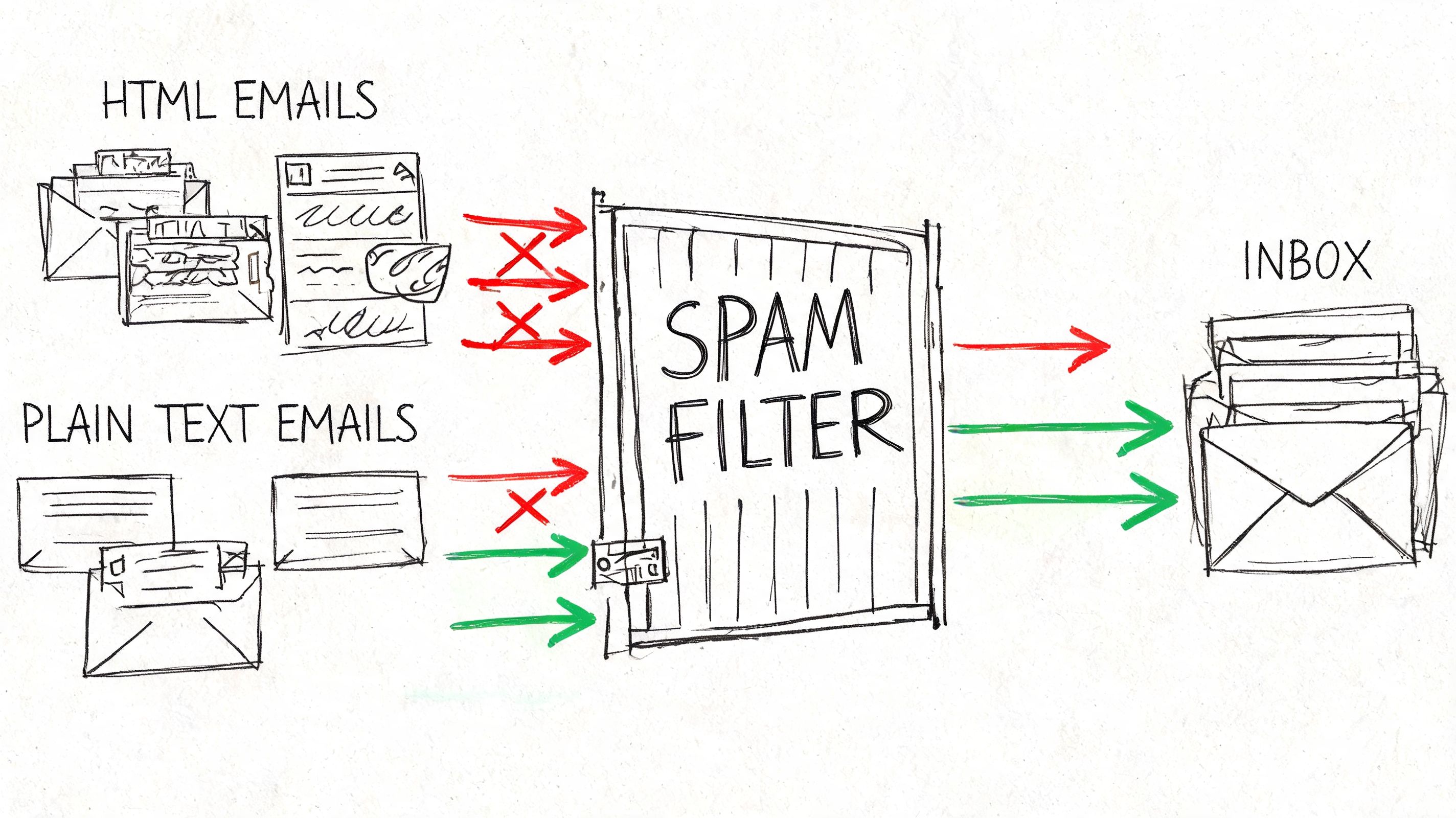
HTML gives filters more signals to score. That includes broken tags, image references, tracking elements, link density, styling complexity, and hidden formatting. Plain text has far fewer of those variables.
That’s one reason plain text often reaches more visible inbox placement, while HTML is more likely to be treated as commercial messaging. The format alone doesn’t decide everything, but it changes the starting conditions.
According to MailMonitor’s review of deliverability and inbox placement mechanics, plain text emails tend to land in Primary/Priority placements more often, while HTML emails are more frequently routed into Promotions/Commercial tabs. The same source notes that modern filters also weigh sender reputation, authentication such as SPF, DKIM, and DMARC, engagement, and list quality. That’s the right way to look at it. Format matters, but it’s part of a broader system.
One practical safeguard is to monitor the factors outside format too, especially authentication and reputation. Teams that need a clearer operating view should pay attention to email deliverability controls inside Stamina, because deliverability is never just a template issue.
The cost of rich formatting
HTML-only messages often fail in smaller ways before they fail in obvious ways. A linked image doesn’t load. A button looks off in Outlook. A malformed tag changes how the message is parsed. A cluttered footer adds visual noise. Each issue makes the message look more like bulk mail and less like communication.
HubSpot testing summarized in the same MailMonitor discussion found that while HTML and plain text can achieve equivalent initial deliverability under best practices, rich HTML elements still hurt visible performance. HTML emails with GIFs or complex templates saw 37% lower open rates than equivalent plain text messages in those tests.
Here’s a useful walkthrough if you want to hear the deliverability angle explained from an operator’s perspective:
What actually works
The best deliverability posture is simple:
Authenticate properly: Format won’t save a weak sending setup.
Keep HTML restrained: Clean code beats decorative complexity.
Match format to audience: Cold outbound should not look like a retail promotion.
Send multipart, not HTML-only: That reduces rendering and filtering risk.
Watch engagement quality: Inbox providers trust senders that recipients read and interact with.
Plain text is often the better first impression. HTML is usually a better second or third touch, once the recipient already recognizes you.
Comparing Engagement Personalization and Tracking
Once the email reaches the inbox, the trade-off changes. Now the question is less about placement and more about what the format helps you do.
HTML gives you more presentational control. Plain text gives you more conversational credibility. Neither is universally better.
Where HTML helps
HTML is stronger when brand presentation matters. You can control spacing, hierarchy, color, buttons, logos, and modular sections. That makes it useful for newsletters, event announcements, product launches, onboarding sequences, and lifecycle campaigns where the visual structure carries part of the message.
It also supports common tracking methods more easily. Open tracking pixels, styled CTA buttons, and modular content blocks fit naturally into HTML workflows. That’s helpful for marketing teams that need to measure content engagement across large subscriber groups.
Where plain text wins
Plain text feels closer to a real email from a real person. That matters in outreach, founder-led selling, customer success follow-up, and any sequence where you want the recipient to reply rather than browse.
Benchmark data summarized in Benchmark Email’s comparison of text-based versus HTML email performance found plain text emails delivered 21% higher click-to-open rates and 17% higher click-through rates than HTML. The same source notes that in testing against HTML with template images, plain text generated 51% more total clicks, and Litmus documented that 60% of customers converted from plain text style versions in direct A/B tests.
That doesn’t mean plain text is more “personalized” by default. It means the format removes friction. Personalization still depends on message relevance, segmentation, and context. If the email references the recipient’s role, timing, use case, or behavior, both formats can be personalized. But plain text often makes that personalization feel more believable.
For teams building personalized messages at scale, Stamina’s personalization workflows are more relevant than visual bells and whistles. Relevance is what creates response.
The metrics that matter
Open tracking in HTML is useful, but it isn’t always the cleanest signal. Some clients block images. Others preload assets. That can distort opens in either direction.
Clicks and replies are usually harder to fake and closer to buying intent.
Metric | HTML Email | Plain Text Email | Advantage |
|---|---|---|---|
Visual branding | Strong | Limited | HTML |
CTA presentation | Buttons and styled layouts | Basic linked text | HTML |
Perceived authenticity | Lower in cold outreach | Higher in direct outreach | Plain text |
Open measurement | Easier with pixels | More limited | HTML |
Click efficiency | Lower in cited benchmarks | Higher in cited benchmarks | Plain text |
Reply likelihood | Often lower in sales contexts | Often stronger in sales contexts | Plain text |
Use HTML when layout improves comprehension. Use plain text when trust is the conversion path.
When to Use Each Format For Sales and Marketing
Treat format as a stage-of-funnel decision, not a brand preference.
Sales emails and marketing emails do different jobs. One is trying to start a conversation with a specific buyer. The other is trying to distribute information, create demand, or drive traffic across a larger audience. Those jobs should not use the same format by default.
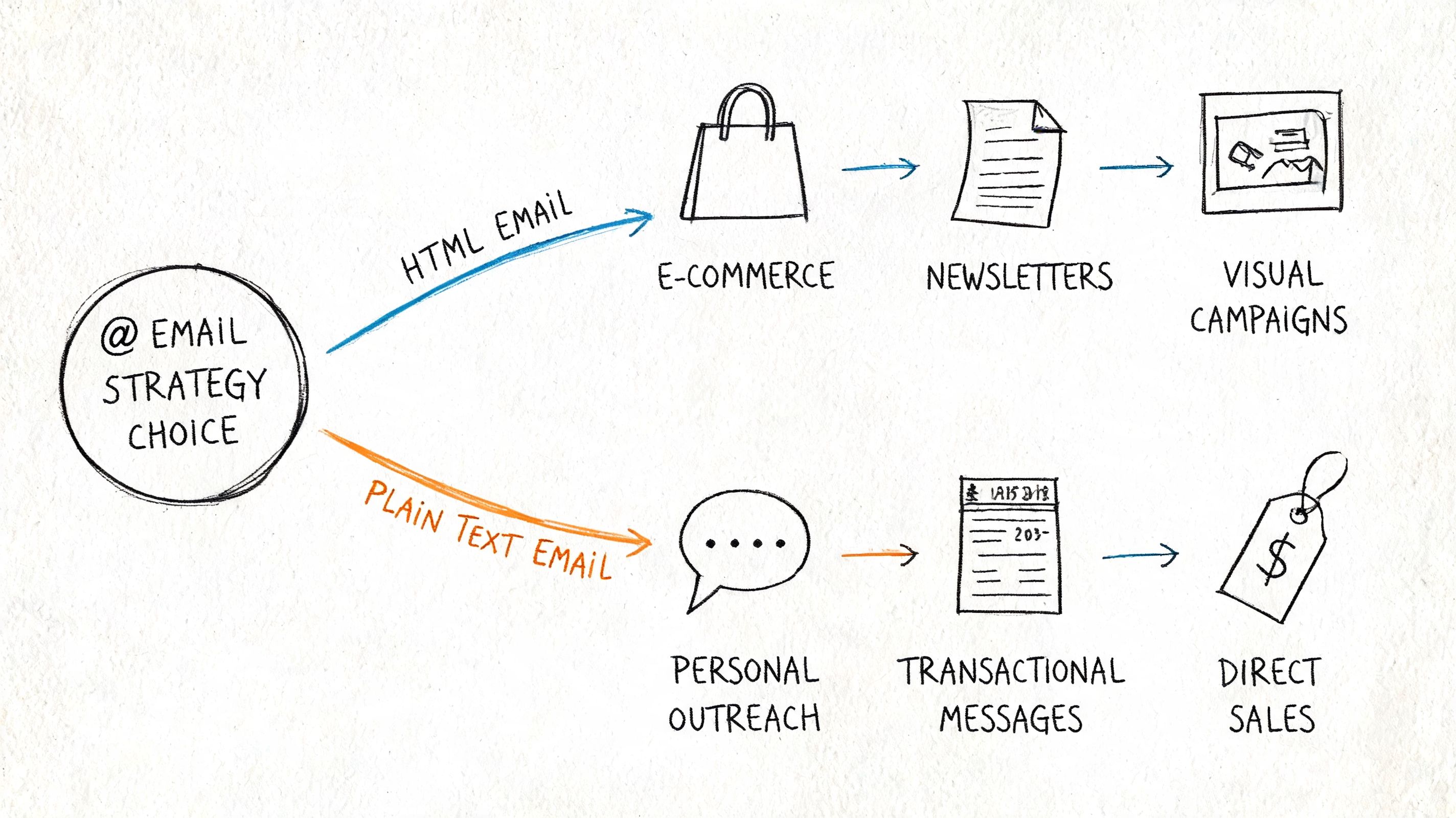
Use plain text for direct sales motion
Plain text works best when the recipient should feel like they got a real note from a real person.
That matters most in cold outbound, partner outreach, founder-led sales, and follow-ups tied to a specific trigger such as a referral, demo request, or event conversation. In those cases, heavy formatting often creates suspicion before the buyer even reads the first line. Earlier in the article, the benchmark data showed that plain text often outperforms image-heavy HTML in cold outreach. The practical takeaway is simple. If trust and replies are the goal, start with plain text or a plain-text-style email.
Use plain text when the email needs to:
Get a reply, not a browse
Reference a specific person, company, pain point, or recent action
Read cleanly on mobile with no design dependency
Move fast through testing and rep iteration
Copy quality matters more than format here. A weak email stays weak in plain text. Teams refining outbound messaging should spend as much time on structure, specificity, and CTA language as they do on template choice. This guide to email copywriting is a useful companion for that work.
Use HTML for marketing broadcasts
HTML earns its place when presentation improves comprehension.
A newsletter with several stories, a product announcement with screenshots, or a promotion with multiple offers is easier to scan in HTML. Design can help the reader find the main message, understand the hierarchy, and click the right next step. That is useful in opted-in marketing where the audience already expects a branded experience.
HTML is usually the better fit for:
Newsletters with sections, headlines, and multiple destinations
Product marketing emails that benefit from visuals, feature blocks, or release notes
Promotional campaigns where merchandising and CTA placement affect results
Lifecycle marketing where brand consistency supports retention and expansion
The professional standard is the hybrid
The effective choice is rarely HTML or plain text alone. The better operating model is Multipart MIME, with both versions sent together and the visible experience matched to the use case.
For SMB teams, that usually means:
Cold sequence openers: plain text or HTML that looks like plain text
Mid-funnel nurture: restrained HTML inside a multipart send
Newsletters and promotions: full HTML with a clean text alternative
Transactional and customer success emails: minimal formatting, high clarity
That setup gives sales teams the authenticity they want and marketing teams the structure and tracking they need. It also reduces the operational mistake of forcing one format across every campaign.
A simple rule works well in practice. If the message should feel personal, keep it plain. If the message needs layout to make sense, use HTML. If you want professional-grade delivery and engagement across both, send multipart.
Implement a Hybrid Strategy with A/B Testing
The most reliable way to stop arguing about email format is to stop treating it like ideology. Use Multipart MIME as your default technical setup, then test what each audience responds to.
Build the hybrid baseline
Most modern email platforms can send both a plain text part and an HTML part in the same message. Even when the software generates the text version automatically, it’s worth reviewing it manually. Auto-generated text often turns clean copy into awkward line breaks, messy link formatting, or unreadable footer clutter.
A workable baseline looks like this:
Start with the plain text version. Write the message as if it must work with no design support at all.
Create the HTML version second. Keep the same core message, then add only the formatting that improves clarity.
Check rendering in major clients. If the HTML adds risk without adding comprehension, cut it.
Send both together. That’s the hybrid model that should be treated as standard.
For sequence planning, this overview of drip campaign structure is a useful lens because format should change with sequence stage, not just channel preference.
Test the business outcome, not just the template
The wrong test is “Which version looks better?” The right test is “Which version drives the action we care about from this audience?”
A strong A/B framework usually includes:
One audience segment at a time: Don’t compare newsletter subscribers with cold leads.
Identical copy where possible: If format changes and copy changes, you won’t know what caused the lift.
One primary metric: Replies for sales. Clicks for content. Conversions for offers.
Secondary checks: Opens, unsubscribes, and qualitative reply quality.
A clear next step: Promote the winner, then test a smaller variable inside that format.
What to watch closely
In outreach, reply quality often matters more than open rate. In lifecycle marketing, click distribution may matter more than total clicks. In promotions, conversion rate is the definitive test.
That’s why hybrid sending works so well operationally. You keep compatibility high, lower the risk of HTML-only failures, and still gather enough performance data to refine by audience.
Don’t ask whether HTML or plain text is better in general. Ask which format moves this specific recipient to the next step.
Build Your Optimal Email Strategy with Stamina
The practical answer to html vs text email is to stop treating it like a winner-take-all decision.
Use the format that matches the job. Plain text usually fits cold outreach, renewal follow-up, and sales sequences where a real reply is the goal. HTML fits newsletters, product updates, and promotional sends where layout helps the reader understand the offer. Multipart MIME should sit underneath both as the professional default, because it gives mailbox providers and recipients a usable version either way.
That is how experienced teams handle the trade-off. They do not choose between deliverability and presentation. They set up sending so they can protect inbox placement, preserve readability across clients, and still measure performance where tracking makes sense.
For SMBs, this matters because email format is not a design preference. It affects pipeline.
A sales team sending heavily designed cold emails may hurt reply rates even if the template looks polished. A marketing team sending text-only product announcements may miss clicks because the message is harder to scan. The better system is format by context, with a hybrid send structure in the background so one campaign does not force the same rules on every audience.
If your team wants to run that playbook in one place, Stamina combines outbound, marketing automation, CRM, and AI-assisted personalization in a single platform. You can send plain-text-style sales emails, build HTML campaigns for nurture and promos, keep contact history tied to every touchpoint, and test format decisions without patching together separate tools.
That is the standard worth aiming for. Use plain text where conversation matters. Use HTML where clarity and brand presentation improve results. Send both through Multipart MIME so you are not making an avoidable trade-off.

