Your Guide to an AI Agent for Marketing

Discover how an AI agent for marketing can automate outreach, nurture leads, and unify your sales data. A practical guide for SMBs.

0 - Minute Read

You probably have this stack right now.

A CRM that only sales updates. An email tool that marketing uses. A form builder feeding leads into a spreadsheet. A prospecting tool that knows who visited your site, but not what happened after. A sales rep copying notes from one tab to another because nothing quite connects. Meanwhile, you still need more pipeline, faster follow-up, and cleaner reporting.

That's why the idea of an AI agent for marketing matters to SMBs. Not as another app. Not as a smarter chatbot. As a working layer that sits across your go-to-market motion and does the handoffs.

For a lean team, the biggest win isn't isolated automation. It's getting marketing, sales, and CRM data to behave like one system.

The End of Juggling Marketing Tools

A common SMB setup looks efficient from the outside. There's a CRM for contacts, an email platform for campaigns, a lead source or two, maybe LinkedIn outreach, and a calendar link for demos. Then the cracks show.

A lead downloads something. Marketing sees it. Sales doesn't. A rep follows up days later with a generic message because the website activity never made it into the CRM. Another prospect gets three different emails from three different systems because no one set clear ownership rules. The team isn't lazy. The tools are just fragmented.

That's where an AI agent for marketing changes the model. Instead of automating one action inside one platform, it can connect the steps. It can pull in lead context, decide what matters, trigger outreach, update records, and route the next task without someone stitching everything together manually.

The market is moving in that direction for a reason. The global AI agents market is projected to grow from USD 7.84 billion in 2025 to USD 52.62 billion by 2030, at a 46.3% CAGR, according to MarketsandMarkets. The same source notes that 88% of marketers already use AI in daily work, with 51% using it to optimize content and 40% using it for research. That matters because the practical entry point isn't sci-fi autonomy. It's repeatable workflow execution.

Practical rule: If your team keeps exporting CSVs to move work between marketing and sales, you don't have an automation problem. You have a system design problem.

SMBs feel this more than enterprise teams because there's less room for waste. One missed lead handoff hurts. One bad list import hurts. One week spent reconciling campaign data hurts.

That's why many teams are moving away from stitched-together point tools and toward an all-in-one business platform model. The appeal isn't convenience alone. It's operational coherence. A connected system gives an AI agent enough context to do useful work across the funnel, not just inside one isolated task.

What Is an AI Marketing Agent Really

An AI marketing agent is easiest to understand if you stop thinking about software categories and start thinking about roles.

It's an AI employee for a defined revenue job.

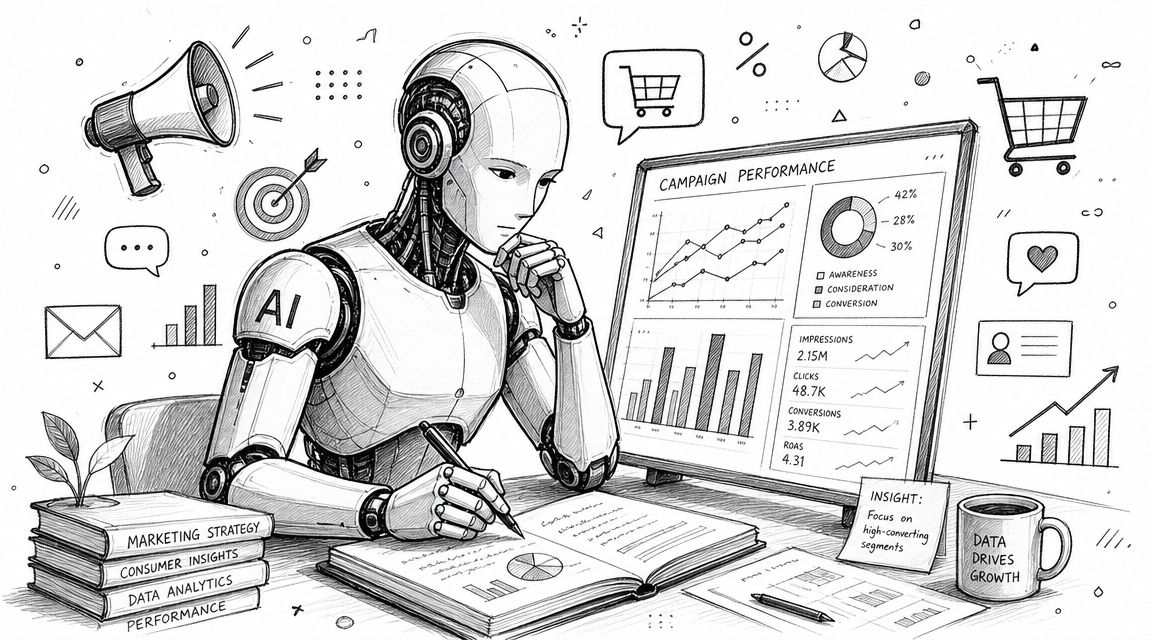
You give it a goal, access to approved tools and data, and clear boundaries. It doesn't just wait for a prompt. It can research, decide on next actions, execute a sequence, and log what happened. That's a different model from a chatbot or a simple automation rule.
What Is an AI Marketing Agent Really

What it is not

A chatbot reacts. You ask, it answers.

A workflow tool follows a script. If a form is submitted, send an email. If a field changes, notify sales. Useful, but rigid.

An AI marketing agent works more like a junior operator with very good memory and very fast hands. You might give it a target like, “Find ideal accounts in this segment, identify likely decision-makers, draft personalized first-touch emails, and push ready-to-review contacts into the CRM.” It can break that into steps and carry them out within the rules you set.

That's why the category matters. An agent doesn't replace your judgment. It reduces the amount of coordination work your team has to do between systems.

What makes it useful in practice

The biggest practical difference is that an agent works across functions.

A point tool usually solves one narrow task. Prospecting software finds names. Email software sends messages. CRM software stores records. A true AI agent for marketing can unify those motions into one operating loop. It can notice a prospect fits your ICP, pull context from prior touchpoints, choose the right message angle, trigger outreach, and assign the right human follow-up.

That's also why industry examples are becoming more specific. If you want to see how this idea is being applied in a niche vertical, this AI agent for beauty brands example is useful because it shows the agent concept as an operating layer, not just a content generator.

The useful question isn't “Does it use AI?” The useful question is “Can it complete a revenue task with context and guardrails?”

How SMB owners should evaluate the idea

Think in terms of jobs to be done.

An agent should be able to own a repeatable motion such as:

  • Prospecting: Build a list based on your ICP and enrich it with context.

  • Outreach preparation: Draft personalized messages tied to company, role, and intent.

  • Lead triage: Decide which inbound leads need fast follow-up and which need nurture.

  • CRM hygiene: Update records so the next person sees the full story.

If that sounds close to a sales function, it is. Marketing and sales are already overlapping in outbound, nurture, and conversion workflows. That's why the line between an AI marketing agent and an artificial intelligence sales assistant is getting thinner. For SMBs, the value often comes from one agent working across both sides of that boundary instead of forcing another handoff.

Core Capabilities of a Modern AI Agent

An AI agent for marketing becomes useful when it can do real revenue work, not just generate drafts. The easiest way to judge capability is to ask whether it can support the full path from signal to action.
Core Capabilities of a Modern AI Agent

Autonomous research and prospecting

Here, many SMB teams feel the first relief.

Instead of asking a rep or marketer to manually build target lists, the agent can search for companies that match your ICP, identify relevant contacts, and gather usable context before anyone writes a first-touch message. It can look at firmographic fit, role relevance, prior engagement, and available account notes, then organize that into something your team can act on.

What matters is not just speed. It's consistency. A human rep under time pressure will often cut corners. An agent will usually follow the same qualification logic every time if you set it up correctly.

A strong system can also push that research into structured workflows rather than leaving it in random notes. That's where connected marketing and sales workflows matter. The agent's output needs to become the next team action, not another information pile.

Personalized multichannel outreach

Many tools often overpromise and underdeliver.

Most AI tools can write email copy. That's not impressive anymore. The useful capability is generating outreach that reflects actual account context, then coordinating it across channels without sounding robotic or duplicative.

A modern agent should be able to:

  • Draft context-aware emails: It should reference relevant company details, role-based pain points, and prior interactions.

  • Adjust message angle: A founder, a sales leader, and an ops manager shouldn't get the same framing.

  • Sequence touchpoints: It can space and vary follow-ups instead of blasting one generic template repeatedly.

  • Hand off at the right time: If a prospect engages, the system should shift from automated touch to human response.

The trade-off is quality control. If you let an agent personalize without enough constraints, it can produce messages that are technically customized but strategically weak. Good outreach isn't just specific. It's relevant, timely, and brief.

Working standard: If the message reads like it was written to prove the AI did research, it's probably too long.

Dynamic lead nurturing

SMBs often treat nurture as a static email sequence. That's fine until buyer behavior changes.

An agent can improve this by responding to what a lead does. If someone fills out a form, visits your pricing page, ignores two emails, then returns through a direct visit, those signals should shape the next touch. A fixed workflow usually can't interpret that well. An agent can.

Done well, this creates a more natural progression:

  • Marketing captures interest.

  • The agent evaluates fit and behavior.

  • The system decides whether to nurture, route, or escalate.

  • Sales enters at a moment that makes sense.

The “central nervous system” idea materializes. The agent isn't just sending content. It's coordinating the movement of leads through the funnel.

Performance analysis and optimization

A useful agent doesn't stop at execution. It also helps your team learn.

That doesn't mean it replaces strategic analysis. It means it can flag patterns quickly. Which segments are engaging. Which messages are stalling. Which sources create leads that never progress. Which follow-ups produce replies versus silence.

For SMBs, that matters because the team usually doesn't have a dedicated revops analyst studying every campaign. An agent can surface what deserves attention so humans spend less time pulling reports and more time making decisions.

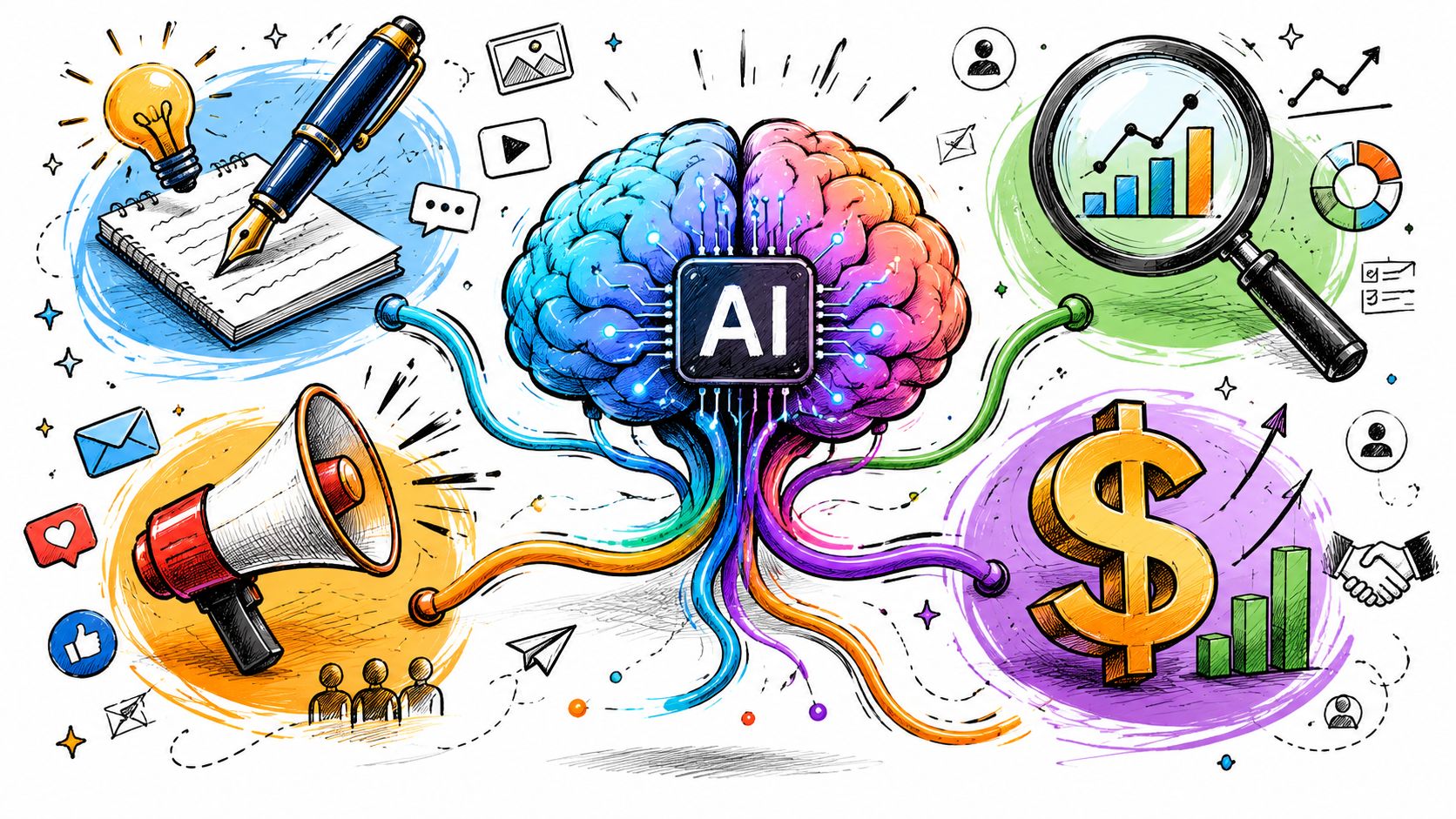
In practice, the strongest setups combine all four capabilities into one loop:

  1. Find the right people

  2. Reach out with relevant context

  3. Adapt based on behavior

  4. Feed results back into the next action

That's when an AI agent for marketing stops being a novelty and starts acting like a revenue operator.

How SMBs Win with AI Agent Workflows

Capabilities sound nice in product demos. Workflows are what change the week.

The pattern that works for SMBs is simple. Give the agent one clear operating lane, connect it to the right systems, and let it handle the repetitive decisions that currently slow the team down.

The AI SDR for a lean SaaS team

A small B2B SaaS company usually hits the same wall at some point. The founder wants outbound. Marketing can define the ICP. Sales can run calls. Nobody has enough time to do prospect research, personalization, sequencing, follow-up, and CRM updates at the same standard every day.

An AI SDR workflow fixes that by taking ownership of the top-of-funnel mechanics.

The agent can identify target accounts, gather account context, draft personalized outreach, enroll contacts into sequences, and log everything in the CRM. A human rep then spends time on replies, objections, and meetings instead of list-building and copy-pasting.

The key advantage isn't just labor savings. It's tighter alignment. Marketing's ICP definition, sales' outreach logic, and CRM activity history all live in one process rather than three disconnected tools.

The automated nurture flow for a service business

A local or regional service business often has a different problem. Leads come in steadily, but follow-up quality varies by day, by staff workload, or by who happened to see the inquiry first.

An agent can clean that up fast.

A lead submits a form. The system checks service type, location, prior interactions, and website behavior. Then it triggers the next best response. One lead gets a quick qualification email. Another gets a booking prompt. Another gets educational follow-up because they're interested but not ready.

That kind of workflow is especially helpful when the business has long consideration cycles or multiple service lines. The agent creates continuity where human teams often create inconsistency.

If you want a grounding in how these connected plays are typically structured, this guide to a marketing automation workflow is a useful companion because it shows how trigger logic, routing, and follow-up should fit together.

Here's a simple walkthrough of the idea in action:

Proactive sales engagement for an agency

Agencies often sit on more intent data than they realize. Someone revisits the site. A prospect checks the pricing page. A target account engages with content. Sales doesn't act because no one sees the signal in time.

An agent workflow closes that gap.

It monitors buying signals, matches them to account and contact records, and triggers a relevant next step. That might mean drafting a warm outreach email for the account owner, creating a follow-up task, or moving the contact into a personalized sequence.

This works because timing matters more than volume in many agency sales motions. The agent doesn't have to email everyone. It has to notice when someone gives you a reason to engage.

A good workflow doesn't automate more messages. It automates better timing.

What works and what doesn't

The workflows above work when the team sets clean boundaries.

What tends to work:

  • Single owner per workflow: One team owns the logic, even if multiple teams benefit.

  • Clear handoff rules: The agent knows when to continue and when to escalate to a human.

  • Structured CRM updates: Every action writes back to the same record.

  • Narrow starting scope: One motion first, then expansion.

What usually fails:

  • Trying to automate the whole funnel at once

  • Letting multiple tools send outreach without coordination

  • Using generic prompts with no ICP definition

  • Ignoring what happens after the first reply

The lesson is straightforward. SMBs don't win by buying the most advanced AI. They win by turning one messy recurring process into one reliable operating system.

Fueling Your Agent with Data and Integrations

An AI agent for marketing is only as useful as the context it can see.

If your CRM is incomplete, your website signals are trapped in a separate tool, and campaign engagement lives somewhere else, the agent will make weak decisions. Not because the model is bad. Because the operating picture is bad.

Unified customer profile first

The first requirement is a unified customer profile.

That means one reliable record for each account or contact, with historical context attached. Past conversations, email engagement, lifecycle stage, owner, notes, deal status, and relevant firmographic details should live in one place the agent can access.

Without that, the agent can't tell the difference between a new lead and an active opportunity. It may send the wrong message, route to the wrong person, or repeat a question your team already answered last week.

A lot of SMB pain comes from trying to fake a unified record with syncs between separate systems. That setup often breaks at the exact moment you need precision.

Real-time signals matter more than batch syncs

The second requirement is live behavioral data.

Demandbase's guidance is clear that AI marketing agents deliver the biggest lift when connected to real-time behavioral event streams and a unified customer profile, and that batch-only refreshes leave the agent making decisions from incomplete context, reducing the quality of personalization and lead routing, as explained in its piece on AI agents for marketing.

That means your agent should know what's happening now, not just what happened in yesterday's sync.

Useful signals include:

  • Website behavior: Important page visits, repeat sessions, and conversion-path activity

  • Email engagement: Opens, clicks, replies, and signs of renewed interest

  • Sales activity: Calls booked, tasks completed, and recent rep touches

  • CRM changes: Stage movement, ownership changes, and qualification status

If you're thinking through what useful event data looks like in practice, these actionable website analytics insights are a helpful reference because they focus on behavioral signals that can drive next actions.

If the agent can't see the latest buyer behavior, it's working from stale memory.

Integration quality beats integration count

SMBs get distracted by long integration lists. That's the wrong test.

What matters is whether the platform can unify data in a way the agent can use. A shallow integration that copies a few fields isn't enough. The agent needs identity resolution, activity history, and write-back capability so every action improves the shared system.

That's why all-in-one environments often have an advantage here. They reduce the number of translation layers between data, decision, and execution. For agent workflows, fewer handoffs usually means fewer mistakes.

Measuring Success and Evaluating AI Platforms

If you can't tie the agent to operating outcomes, you're buying theater.

The business case is stronger now because adopters are reporting measurable gains. PwC's May 2025 survey found that 66% of adopters report increased productivity and 57% report cost savings, and the same verified data set also notes 37% cost savings in marketing operations and a 61% increase in employee efficiency for organizations using AI agents, summarized in PwC's AI agent survey.
Measuring Success and Evaluating AI Platforms

Track business metrics, not novelty metrics

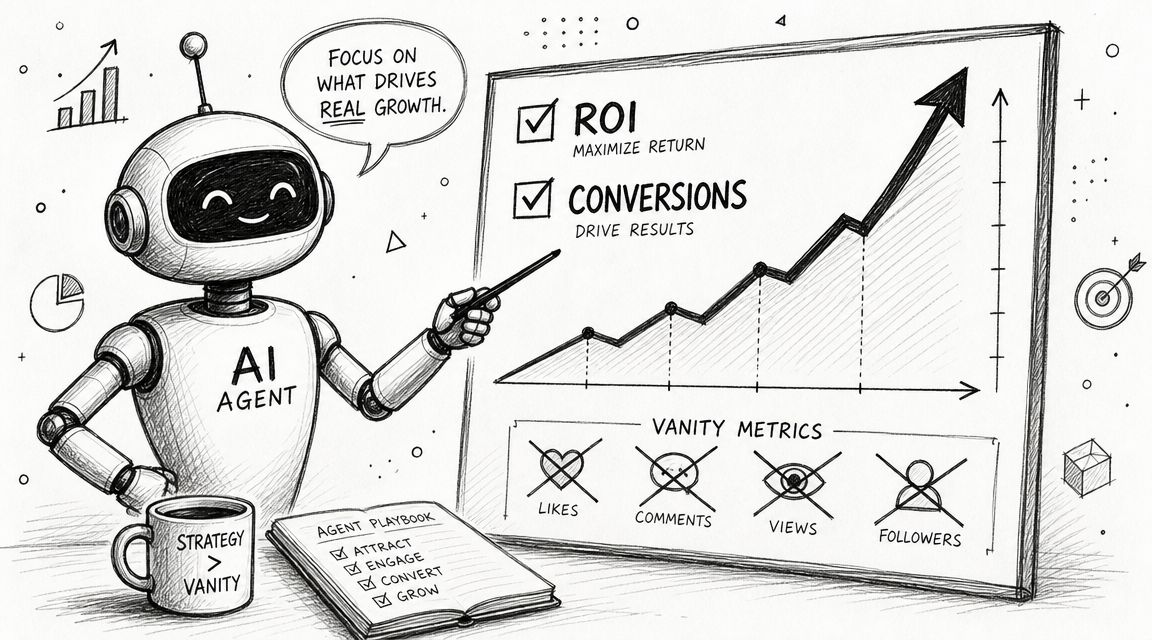
A lot of teams measure the wrong things at the start. They count prompts, drafts, or how many tasks the AI completed. Those are activity metrics. They don't tell you whether revenue work improved.

Focus on a short list:

  • Cost per demo booked: Does the workflow reduce the effort and spend required to create meetings?

  • Lead-to-opportunity conversion: Are more qualified leads moving into real pipeline?

  • Sales cycle length: Are faster follow-ups and better routing reducing delay?

  • Pipeline coverage: Is the team engaging more of the right accounts consistently?

  • Rep time reclaimed: Are humans spending less time on admin and more time on live selling?

For a first rollout, pick one primary metric and one secondary metric. Otherwise, teams get lost in interpretation.

What to look for in a platform

Most vendor pages blur together. A better approach is to judge platforms like you'd judge a new hire. Can this system understand the job, access the right information, take action safely, and leave behind clean records?

Here's a practical comparison framework.

Criteria

What to Look For

Why It Matters for SMBs

Agent autonomy

The agent can execute multi-step tasks, not just generate suggestions

Reduces manual coordination across small teams

CRM connection

Deep access to contact, account, activity, and pipeline data

Prevents blind outreach and messy handoffs

Real-time signal use

The platform reacts to live buyer behavior, not delayed syncs

Improves timing for follow-up and routing

Workflow control

You can define goals, triggers, approvals, and exceptions clearly

Keeps automation aligned with your process

Write-back and logging

Every action updates the shared system of record

Preserves visibility for marketing and sales

Cross-team support

Marketing, sales, and CRM actions can run in one motion

Helps SMBs avoid another point solution

Usability

Non-technical users can adjust workflows without heavy implementation work

Makes iteration realistic for lean teams

Guardrails

Approval steps, permissions, and messaging controls are built in

Lowers the risk of embarrassing automation mistakes

One practical vendor test

Ask every vendor the same question.

Can the platform identify a high-fit lead, use current engagement context, send an on-brand first touch, update the CRM, notify the owner, and adapt the next step if the prospect engages?

If the answer requires multiple products and manual glue, it isn't really acting as a unified agent layer.

This is also where one integrated platform can make more sense than a stack of specialized tools. For example, Stamina combines CRM, marketing, sales engagement, workflows, and an AI SDR called Zara inside one system. That's relevant if your main goal is connecting lead capture, outbound, nurture, and pipeline management without building custom handoffs between separate apps.

Your Implementation Checklist for AI Marketing

Most SMB teams should start smaller than they think.

The best first deployment is one repeated motion with clear ownership, visible data, and an obvious success metric. Once that works, expansion gets easier because the operating rules are already in place.

A practical launch sequence

  1. Define one concrete goal
    Pick a single outcome such as better outbound consistency, faster inbound follow-up, or cleaner lead routing.

  2. Clean the records that matter most
    You don't need perfect data everywhere. You need clean account, contact, and activity data for the workflow you're launching.

  3. Choose a platform with a unified data model
    If the agent has to guess across disconnected systems, performance will suffer.

  4. Start with one high-impact workflow
    AI SDR outreach, inbound qualification, or proactive follow-up are usually better starting points than broad campaign orchestration.

  5. Set guardrails early
    Define what the agent can send automatically, what needs approval, and when a human should take over.

  6. Review weekly and refine
    Check message quality, routing accuracy, CRM updates, and business outcomes. Tight feedback loops matter more than ambitious scope.

If your team is thinking beyond the first workflow and wants a more technical perspective on orchestration, this piece on building production-ready agentic systems is a useful companion because it focuses on the operational discipline these systems need once they move from demo to production.

Start with the bottleneck that wastes the most human time. Don't start with the fanciest use case.

An AI agent for marketing works best when it becomes the connective tissue between your tools, teams, and customer data. For SMBs, that's a significant opportunity. Not replacing marketers or reps, but giving them one system that can see the full picture and move revenue work forward without constant manual coordination.

If you want to replace disconnected point tools with one system that unifies marketing, sales, and CRM, take a look at Stamina. It's built for SMB teams that need lead generation, nurture, sales engagement, and pipeline visibility to run from a single source of truth.

You probably have this stack right now.

A CRM that only sales updates. An email tool that marketing uses. A form builder feeding leads into a spreadsheet. A prospecting tool that knows who visited your site, but not what happened after. A sales rep copying notes from one tab to another because nothing quite connects. Meanwhile, you still need more pipeline, faster follow-up, and cleaner reporting.

That's why the idea of an AI agent for marketing matters to SMBs. Not as another app. Not as a smarter chatbot. As a working layer that sits across your go-to-market motion and does the handoffs.

For a lean team, the biggest win isn't isolated automation. It's getting marketing, sales, and CRM data to behave like one system.

The End of Juggling Marketing Tools

A common SMB setup looks efficient from the outside. There's a CRM for contacts, an email platform for campaigns, a lead source or two, maybe LinkedIn outreach, and a calendar link for demos. Then the cracks show.

A lead downloads something. Marketing sees it. Sales doesn't. A rep follows up days later with a generic message because the website activity never made it into the CRM. Another prospect gets three different emails from three different systems because no one set clear ownership rules. The team isn't lazy. The tools are just fragmented.

That's where an AI agent for marketing changes the model. Instead of automating one action inside one platform, it can connect the steps. It can pull in lead context, decide what matters, trigger outreach, update records, and route the next task without someone stitching everything together manually.

The market is moving in that direction for a reason. The global AI agents market is projected to grow from USD 7.84 billion in 2025 to USD 52.62 billion by 2030, at a 46.3% CAGR, according to MarketsandMarkets. The same source notes that 88% of marketers already use AI in daily work, with 51% using it to optimize content and 40% using it for research. That matters because the practical entry point isn't sci-fi autonomy. It's repeatable workflow execution.

Practical rule: If your team keeps exporting CSVs to move work between marketing and sales, you don't have an automation problem. You have a system design problem.

SMBs feel this more than enterprise teams because there's less room for waste. One missed lead handoff hurts. One bad list import hurts. One week spent reconciling campaign data hurts.

That's why many teams are moving away from stitched-together point tools and toward an all-in-one business platform model. The appeal isn't convenience alone. It's operational coherence. A connected system gives an AI agent enough context to do useful work across the funnel, not just inside one isolated task.

What Is an AI Marketing Agent Really

An AI marketing agent is easiest to understand if you stop thinking about software categories and start thinking about roles.

It's an AI employee for a defined revenue job.

You give it a goal, access to approved tools and data, and clear boundaries. It doesn't just wait for a prompt. It can research, decide on next actions, execute a sequence, and log what happened. That's a different model from a chatbot or a simple automation rule.

What Is an AI Marketing Agent Really

What it is not

A chatbot reacts. You ask, it answers.

A workflow tool follows a script. If a form is submitted, send an email. If a field changes, notify sales. Useful, but rigid.

An AI marketing agent works more like a junior operator with very good memory and very fast hands. You might give it a target like, “Find ideal accounts in this segment, identify likely decision-makers, draft personalized first-touch emails, and push ready-to-review contacts into the CRM.” It can break that into steps and carry them out within the rules you set.

That's why the category matters. An agent doesn't replace your judgment. It reduces the amount of coordination work your team has to do between systems.

What makes it useful in practice

The biggest practical difference is that an agent works across functions.

A point tool usually solves one narrow task. Prospecting software finds names. Email software sends messages. CRM software stores records. A true AI agent for marketing can unify those motions into one operating loop. It can notice a prospect fits your ICP, pull context from prior touchpoints, choose the right message angle, trigger outreach, and assign the right human follow-up.

That's also why industry examples are becoming more specific. If you want to see how this idea is being applied in a niche vertical, this AI agent for beauty brands example is useful because it shows the agent concept as an operating layer, not just a content generator.

The useful question isn't “Does it use AI?” The useful question is “Can it complete a revenue task with context and guardrails?”

How SMB owners should evaluate the idea

Think in terms of jobs to be done.

An agent should be able to own a repeatable motion such as:

  • Prospecting: Build a list based on your ICP and enrich it with context.

  • Outreach preparation: Draft personalized messages tied to company, role, and intent.

  • Lead triage: Decide which inbound leads need fast follow-up and which need nurture.

  • CRM hygiene: Update records so the next person sees the full story.

If that sounds close to a sales function, it is. Marketing and sales are already overlapping in outbound, nurture, and conversion workflows. That's why the line between an AI marketing agent and an artificial intelligence sales assistant is getting thinner. For SMBs, the value often comes from one agent working across both sides of that boundary instead of forcing another handoff.

Core Capabilities of a Modern AI Agent

An AI agent for marketing becomes useful when it can do real revenue work, not just generate drafts. The easiest way to judge capability is to ask whether it can support the full path from signal to action.

Core Capabilities of a Modern AI Agent

Autonomous research and prospecting

Here, many SMB teams feel the first relief.

Instead of asking a rep or marketer to manually build target lists, the agent can search for companies that match your ICP, identify relevant contacts, and gather usable context before anyone writes a first-touch message. It can look at firmographic fit, role relevance, prior engagement, and available account notes, then organize that into something your team can act on.

What matters is not just speed. It's consistency. A human rep under time pressure will often cut corners. An agent will usually follow the same qualification logic every time if you set it up correctly.

A strong system can also push that research into structured workflows rather than leaving it in random notes. That's where connected marketing and sales workflows matter. The agent's output needs to become the next team action, not another information pile.

Personalized multichannel outreach

Many tools often overpromise and underdeliver.

Most AI tools can write email copy. That's not impressive anymore. The useful capability is generating outreach that reflects actual account context, then coordinating it across channels without sounding robotic or duplicative.

A modern agent should be able to:

  • Draft context-aware emails: It should reference relevant company details, role-based pain points, and prior interactions.

  • Adjust message angle: A founder, a sales leader, and an ops manager shouldn't get the same framing.

  • Sequence touchpoints: It can space and vary follow-ups instead of blasting one generic template repeatedly.

  • Hand off at the right time: If a prospect engages, the system should shift from automated touch to human response.

The trade-off is quality control. If you let an agent personalize without enough constraints, it can produce messages that are technically customized but strategically weak. Good outreach isn't just specific. It's relevant, timely, and brief.

Working standard: If the message reads like it was written to prove the AI did research, it's probably too long.

Dynamic lead nurturing

SMBs often treat nurture as a static email sequence. That's fine until buyer behavior changes.

An agent can improve this by responding to what a lead does. If someone fills out a form, visits your pricing page, ignores two emails, then returns through a direct visit, those signals should shape the next touch. A fixed workflow usually can't interpret that well. An agent can.

Done well, this creates a more natural progression:

  • Marketing captures interest.

  • The agent evaluates fit and behavior.

  • The system decides whether to nurture, route, or escalate.

  • Sales enters at a moment that makes sense.

The “central nervous system” idea materializes. The agent isn't just sending content. It's coordinating the movement of leads through the funnel.

Performance analysis and optimization

A useful agent doesn't stop at execution. It also helps your team learn.

That doesn't mean it replaces strategic analysis. It means it can flag patterns quickly. Which segments are engaging. Which messages are stalling. Which sources create leads that never progress. Which follow-ups produce replies versus silence.

For SMBs, that matters because the team usually doesn't have a dedicated revops analyst studying every campaign. An agent can surface what deserves attention so humans spend less time pulling reports and more time making decisions.

In practice, the strongest setups combine all four capabilities into one loop:

  1. Find the right people

  2. Reach out with relevant context

  3. Adapt based on behavior

  4. Feed results back into the next action

That's when an AI agent for marketing stops being a novelty and starts acting like a revenue operator.

How SMBs Win with AI Agent Workflows

Capabilities sound nice in product demos. Workflows are what change the week.

The pattern that works for SMBs is simple. Give the agent one clear operating lane, connect it to the right systems, and let it handle the repetitive decisions that currently slow the team down.

The AI SDR for a lean SaaS team

A small B2B SaaS company usually hits the same wall at some point. The founder wants outbound. Marketing can define the ICP. Sales can run calls. Nobody has enough time to do prospect research, personalization, sequencing, follow-up, and CRM updates at the same standard every day.

An AI SDR workflow fixes that by taking ownership of the top-of-funnel mechanics.

The agent can identify target accounts, gather account context, draft personalized outreach, enroll contacts into sequences, and log everything in the CRM. A human rep then spends time on replies, objections, and meetings instead of list-building and copy-pasting.

The key advantage isn't just labor savings. It's tighter alignment. Marketing's ICP definition, sales' outreach logic, and CRM activity history all live in one process rather than three disconnected tools.

The automated nurture flow for a service business

A local or regional service business often has a different problem. Leads come in steadily, but follow-up quality varies by day, by staff workload, or by who happened to see the inquiry first.

An agent can clean that up fast.

A lead submits a form. The system checks service type, location, prior interactions, and website behavior. Then it triggers the next best response. One lead gets a quick qualification email. Another gets a booking prompt. Another gets educational follow-up because they're interested but not ready.

That kind of workflow is especially helpful when the business has long consideration cycles or multiple service lines. The agent creates continuity where human teams often create inconsistency.

If you want a grounding in how these connected plays are typically structured, this guide to a marketing automation workflow is a useful companion because it shows how trigger logic, routing, and follow-up should fit together.

Here's a simple walkthrough of the idea in action:

Proactive sales engagement for an agency

Agencies often sit on more intent data than they realize. Someone revisits the site. A prospect checks the pricing page. A target account engages with content. Sales doesn't act because no one sees the signal in time.

An agent workflow closes that gap.

It monitors buying signals, matches them to account and contact records, and triggers a relevant next step. That might mean drafting a warm outreach email for the account owner, creating a follow-up task, or moving the contact into a personalized sequence.

This works because timing matters more than volume in many agency sales motions. The agent doesn't have to email everyone. It has to notice when someone gives you a reason to engage.

A good workflow doesn't automate more messages. It automates better timing.

What works and what doesn't

The workflows above work when the team sets clean boundaries.

What tends to work:

  • Single owner per workflow: One team owns the logic, even if multiple teams benefit.

  • Clear handoff rules: The agent knows when to continue and when to escalate to a human.

  • Structured CRM updates: Every action writes back to the same record.

  • Narrow starting scope: One motion first, then expansion.

What usually fails:

  • Trying to automate the whole funnel at once

  • Letting multiple tools send outreach without coordination

  • Using generic prompts with no ICP definition

  • Ignoring what happens after the first reply

The lesson is straightforward. SMBs don't win by buying the most advanced AI. They win by turning one messy recurring process into one reliable operating system.

Fueling Your Agent with Data and Integrations

An AI agent for marketing is only as useful as the context it can see.

If your CRM is incomplete, your website signals are trapped in a separate tool, and campaign engagement lives somewhere else, the agent will make weak decisions. Not because the model is bad. Because the operating picture is bad.

Unified customer profile first

The first requirement is a unified customer profile.

That means one reliable record for each account or contact, with historical context attached. Past conversations, email engagement, lifecycle stage, owner, notes, deal status, and relevant firmographic details should live in one place the agent can access.

Without that, the agent can't tell the difference between a new lead and an active opportunity. It may send the wrong message, route to the wrong person, or repeat a question your team already answered last week.

A lot of SMB pain comes from trying to fake a unified record with syncs between separate systems. That setup often breaks at the exact moment you need precision.

Real-time signals matter more than batch syncs

The second requirement is live behavioral data.

Demandbase's guidance is clear that AI marketing agents deliver the biggest lift when connected to real-time behavioral event streams and a unified customer profile, and that batch-only refreshes leave the agent making decisions from incomplete context, reducing the quality of personalization and lead routing, as explained in its piece on AI agents for marketing.

That means your agent should know what's happening now, not just what happened in yesterday's sync.

Useful signals include:

  • Website behavior: Important page visits, repeat sessions, and conversion-path activity

  • Email engagement: Opens, clicks, replies, and signs of renewed interest

  • Sales activity: Calls booked, tasks completed, and recent rep touches

  • CRM changes: Stage movement, ownership changes, and qualification status

If you're thinking through what useful event data looks like in practice, these actionable website analytics insights are a helpful reference because they focus on behavioral signals that can drive next actions.

If the agent can't see the latest buyer behavior, it's working from stale memory.

Integration quality beats integration count

SMBs get distracted by long integration lists. That's the wrong test.

What matters is whether the platform can unify data in a way the agent can use. A shallow integration that copies a few fields isn't enough. The agent needs identity resolution, activity history, and write-back capability so every action improves the shared system.

That's why all-in-one environments often have an advantage here. They reduce the number of translation layers between data, decision, and execution. For agent workflows, fewer handoffs usually means fewer mistakes.

Measuring Success and Evaluating AI Platforms

If you can't tie the agent to operating outcomes, you're buying theater.

The business case is stronger now because adopters are reporting measurable gains. PwC's May 2025 survey found that 66% of adopters report increased productivity and 57% report cost savings, and the same verified data set also notes 37% cost savings in marketing operations and a 61% increase in employee efficiency for organizations using AI agents, summarized in PwC's AI agent survey.

Measuring Success and Evaluating AI Platforms

Track business metrics, not novelty metrics

A lot of teams measure the wrong things at the start. They count prompts, drafts, or how many tasks the AI completed. Those are activity metrics. They don't tell you whether revenue work improved.

Focus on a short list:

  • Cost per demo booked: Does the workflow reduce the effort and spend required to create meetings?

  • Lead-to-opportunity conversion: Are more qualified leads moving into real pipeline?

  • Sales cycle length: Are faster follow-ups and better routing reducing delay?

  • Pipeline coverage: Is the team engaging more of the right accounts consistently?

  • Rep time reclaimed: Are humans spending less time on admin and more time on live selling?

For a first rollout, pick one primary metric and one secondary metric. Otherwise, teams get lost in interpretation.

What to look for in a platform

Most vendor pages blur together. A better approach is to judge platforms like you'd judge a new hire. Can this system understand the job, access the right information, take action safely, and leave behind clean records?

Here's a practical comparison framework.

Criteria

What to Look For

Why It Matters for SMBs

Agent autonomy

The agent can execute multi-step tasks, not just generate suggestions

Reduces manual coordination across small teams

CRM connection

Deep access to contact, account, activity, and pipeline data

Prevents blind outreach and messy handoffs

Real-time signal use

The platform reacts to live buyer behavior, not delayed syncs

Improves timing for follow-up and routing

Workflow control

You can define goals, triggers, approvals, and exceptions clearly

Keeps automation aligned with your process

Write-back and logging

Every action updates the shared system of record

Preserves visibility for marketing and sales

Cross-team support

Marketing, sales, and CRM actions can run in one motion

Helps SMBs avoid another point solution

Usability

Non-technical users can adjust workflows without heavy implementation work

Makes iteration realistic for lean teams

Guardrails

Approval steps, permissions, and messaging controls are built in

Lowers the risk of embarrassing automation mistakes

One practical vendor test

Ask every vendor the same question.

Can the platform identify a high-fit lead, use current engagement context, send an on-brand first touch, update the CRM, notify the owner, and adapt the next step if the prospect engages?

If the answer requires multiple products and manual glue, it isn't really acting as a unified agent layer.

This is also where one integrated platform can make more sense than a stack of specialized tools. For example, Stamina combines CRM, marketing, sales engagement, workflows, and an AI SDR called Zara inside one system. That's relevant if your main goal is connecting lead capture, outbound, nurture, and pipeline management without building custom handoffs between separate apps.

Your Implementation Checklist for AI Marketing

Most SMB teams should start smaller than they think.

The best first deployment is one repeated motion with clear ownership, visible data, and an obvious success metric. Once that works, expansion gets easier because the operating rules are already in place.

A practical launch sequence

  1. Define one concrete goal
    Pick a single outcome such as better outbound consistency, faster inbound follow-up, or cleaner lead routing.

  2. Clean the records that matter most
    You don't need perfect data everywhere. You need clean account, contact, and activity data for the workflow you're launching.

  3. Choose a platform with a unified data model
    If the agent has to guess across disconnected systems, performance will suffer.

  4. Start with one high-impact workflow
    AI SDR outreach, inbound qualification, or proactive follow-up are usually better starting points than broad campaign orchestration.

  5. Set guardrails early
    Define what the agent can send automatically, what needs approval, and when a human should take over.

  6. Review weekly and refine
    Check message quality, routing accuracy, CRM updates, and business outcomes. Tight feedback loops matter more than ambitious scope.

If your team is thinking beyond the first workflow and wants a more technical perspective on orchestration, this piece on building production-ready agentic systems is a useful companion because it focuses on the operational discipline these systems need once they move from demo to production.

Start with the bottleneck that wastes the most human time. Don't start with the fanciest use case.

An AI agent for marketing works best when it becomes the connective tissue between your tools, teams, and customer data. For SMBs, that's a significant opportunity. Not replacing marketers or reps, but giving them one system that can see the full picture and move revenue work forward without constant manual coordination.

If you want to replace disconnected point tools with one system that unifies marketing, sales, and CRM, take a look at Stamina. It's built for SMB teams that need lead generation, nurture, sales engagement, and pipeline visibility to run from a single source of truth.

Share this article

Share this article

Send a shareable link to your team or anyone who might find it useful.

Send a shareable link to your team or anyone who might find it useful.

Copy link

Copied

Share directly to

Table of contents

Give Your Business the Stamina it needs to Thrive