
Your reps are probably living the same split-screen day most sales teams know too well. One tab has LinkedIn, another has the CRM, another has company news, another has your sequencing tool, and somewhere in that mess sits a blank email draft that still needs to sound personal. The work isn't just writing. It's hunting for context, deciding what matters, and trying to turn scattered signals into something a prospect might answer.
That's where an AI sales email generator becomes useful. Not as a novelty writing tool, and not as a bulk template spinner. A significant shift happens when AI stops being a point feature and starts operating inside a connected revenue system that sees signals, customer data, outreach history, and follow-up workflows in one place.
A lot of teams buy the first part and miss the second. They add AI copy generation, but leave their data fragmented and their execution disconnected. The result is faster draft creation, but not a better pipeline engine. When the system is unified, the generator doesn't just help an SDR write emails. It changes how marketing signals flow into sales action, how follow-up happens, and how the CRM becomes operational instead of archival.
How AI Sales Email Generators Actually Work
An AI sales email generator works best when you think of it as a research assistant with writing ability, not as a glorified mail merge. Old tools mostly took a template, dropped in a first name, company name, and maybe an industry field, then pushed the same message to everyone. That isn't personalization. It's formatting.
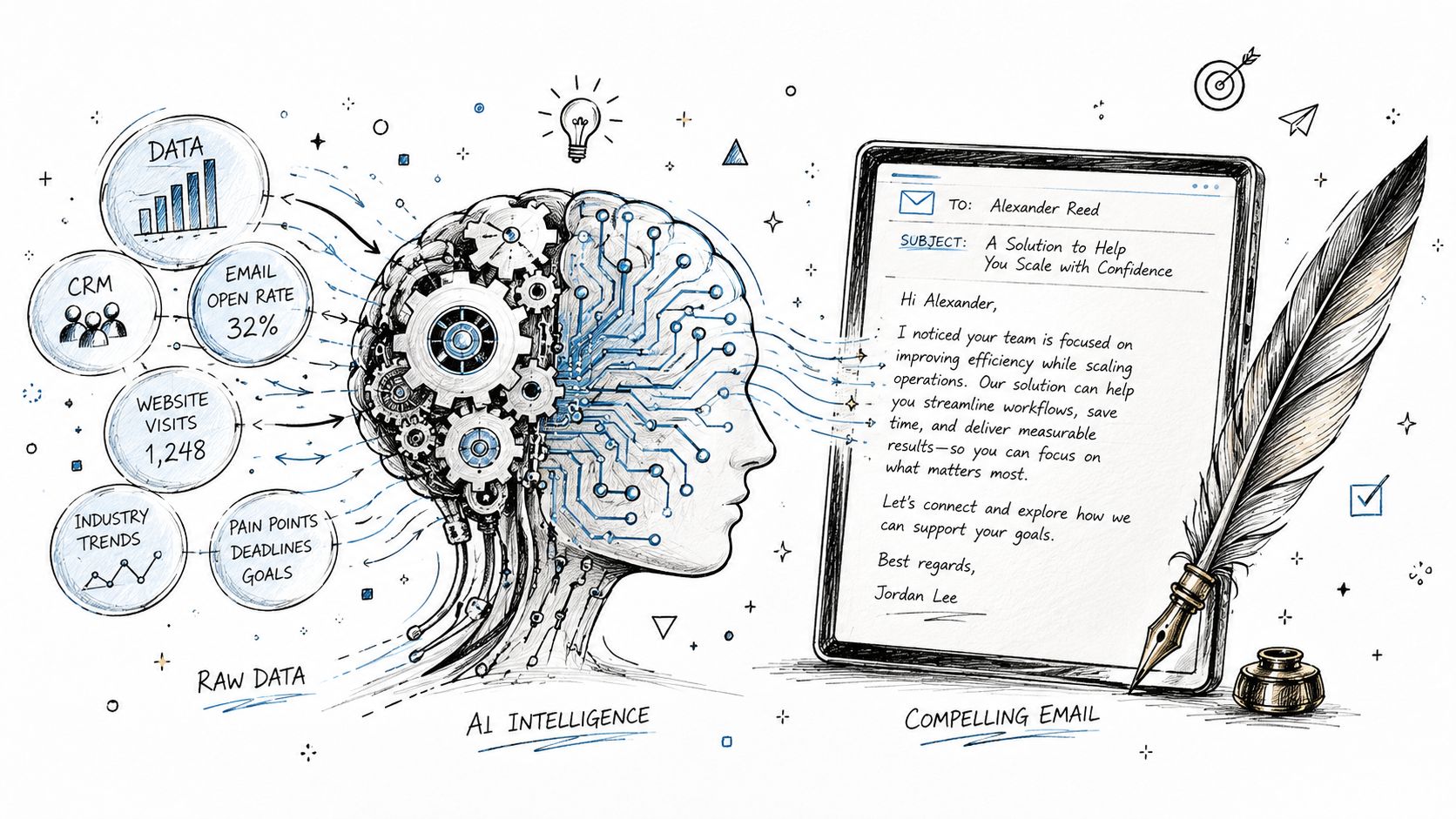
What changed is signal-based selling. Instead of starting from a static list, the system starts from buyer behavior or account context. The strongest setups watch for signals such as website activity, company changes, or role changes, then use those signals to trigger relevant outreach. According to Autobound's 2026 state of AI sales prospecting, signal-based selling drives reply rates of 15–25% versus the 3–5% industry average for generic cold email.
Data grounding is the part that matters
The phrase to pay attention to is data grounding. The model shouldn't invent a reason to email someone. It should synthesize actual context pulled from the systems your team already uses.
That usually means inputs like:
CRM records that show account ownership, stage, notes, and prior activity
Company trigger events such as funding rounds or hiring patterns
Behavioral signals like page visits or engagement with previous outreach
Role and pain point context that shape the angle and call to action
If you want a useful outside perspective on how this kind of orchestration works beyond pure text generation, Robotomail's guide for autonomous email workflows is worth reading. It's helpful for teams trying to connect generation with actual execution.
What the workflow looks like in practice
The cleanest flow is simple:
A prospect or account shows intent.
The AI pulls relevant context from available data.
It drafts an email tied to that specific signal.
A rep reviews the draft and adjusts tone, claim strength, or CTA.
The message enters a sequence instead of living as a one-off draft.
Practical rule: If the AI can't point to a real signal, it shouldn't be writing the opening line.
That's also why disconnected tools underperform. If your generator sits outside the systems that hold buyer context, it's forced to guess. If you're mapping out how AI fits into day-to-day selling, Stamina's article on using AI in sales is a good operational reference because it frames AI around workflows instead of novelty.
The Real Benefits and Common Pitfalls of AI Outreach
The upside is obvious once you run this at team scale. Human SDRs hit a ceiling fast because research, writing, and sending all compete for the same hours. According to AI SDR Guide's 2026 adoption statistics, human SDRs typically send 40–60 emails per day, while AI-powered agents generate and send an average of 1,200 personalized emails daily per agent, a 20–30x volume advantage.
That kind of output changes planning. You're no longer deciding whether a rep has time to prospect. You're deciding which accounts deserve human attention first, because the system can cover so much more top-of-funnel activity continuously.
Where the gains are real
The best benefits aren't just about sending more messages.
A strong AI sales email generator helps teams:
Shrink research time so reps spend less of the day assembling basic account context
Standardize first drafts so newer reps don't start from a blank page every time
Increase coverage across more accounts, segments, and buying committee members
Maintain momentum because the workflow doesn't stall when reps are buried in meetings
There's also an operational advantage that is often underestimated. AI systems don't get tired, don't skip follow-ups because the day got chaotic, and don't lose track of who should have been contacted after a trigger event. That consistency is where a lot of pipeline lift comes from.
Where teams get burned
The failures are just as predictable.
First, many teams let the tool write in a generic house style that sounds like every other AI-generated sales email. Prospects can spot it quickly. The language is polished but empty. It references nothing concrete, offers no real point of view, and asks for time before earning attention.
Second, teams confuse draft speed with strategy. A fast draft based on weak inputs is still weak outreach.
Bad AI outreach usually isn't a model problem. It's an input problem.
Third, deliverability gets ignored. If you scale volume without proper controls, your domain reputation suffers and the inbox placement problem wipes out all the productivity gains.
A good operating model treats AI as a co-pilot for first drafts and workflow execution, not as a send-and-forget autopilot. Human review still matters, especially for segments with higher deal value, sensitive timing, or multi-stakeholder complexity.
What works and what doesn't
Approach | What happens |
|---|---|
Generic prompt plus mass send | Fast output, weak relevance, poor trust |
Signal-based draft plus rep review | Better context, stronger messaging, cleaner handoff |
High volume without deliverability controls | More sends, worse inbox placement |
AI tied to real workflow triggers | Outreach happens on time and with context |
The trade-off is straightforward. You can use AI to multiply bad outreach, or you can use it to scale disciplined outreach. The tool won't decide that for you.
Building Your AI-Powered Sales Workflow
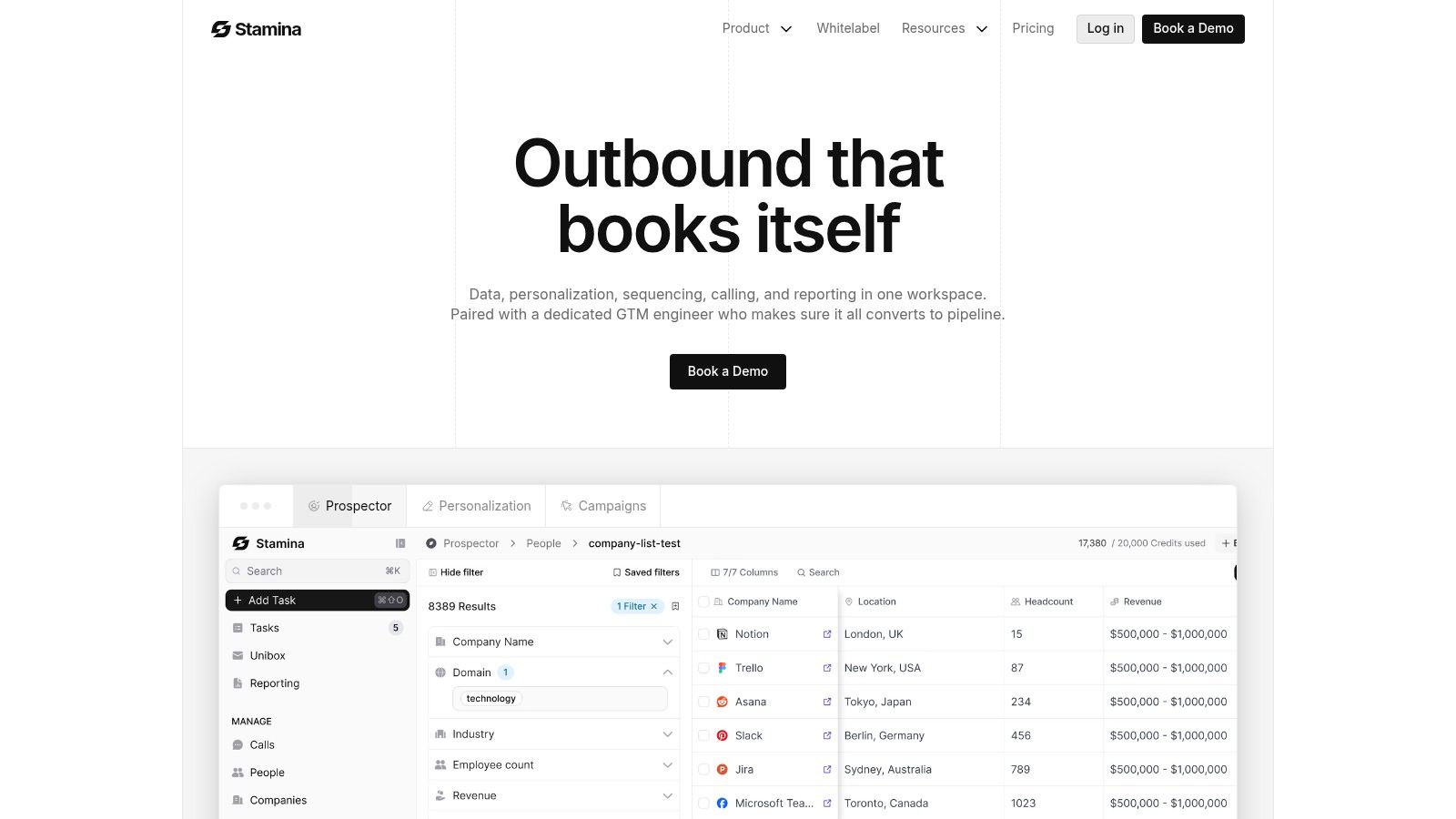
The most practical way to evaluate an AI sales email generator is to follow a single rep's workflow from signal to send. If the process still requires jumping across five tools, copy-pasting context, and manually rebuilding a sequence, the system isn't really improving the revenue engine. It's just adding a writing assistant.
Here's what a cleaner workflow looks like for an SDR at a growing SMB.
Start with the signal, not the list
A rep logs in and sees a prospect surface because of a meaningful trigger. Maybe the account visited key pages, maybe engagement picked up, maybe the company showed a change worth acting on. The important part is that the motion starts with intent or context, not with “send 100 emails before lunch.”
The AI then uses available details about the prospect's role, likely pain points, and the value proposition to create drafts. According to MarketBetter's explanation of AI email generation workflows, these systems can generate 2–3 distinct tonal variants for the same deal, which helps reps tailor outreach without rewriting from scratch. The same source notes that traditional email writing consumes 21% of a sales rep's day.
Review the draft like an operator
This is the step teams skip when they're drunk on automation.
The rep should check four things before anything sends:
Is the signal real and strong enough to justify outreach now?
Is the value proposition connected to that signal, or is it generic?
Does the tone sound like the rep, not like a model trying too hard?
Is the CTA low-friction for the prospect's likely level of awareness?
One of the advantages of a connected setup is that this review happens in the same environment where tasks, contact records, and follow-up logic already live. That's much cleaner than generating copy in one app and rebuilding execution somewhere else. For teams designing that kind of orchestration, Stamina's piece on sales workflow automation shows the operational side well.
After the draft is approved, the email shouldn't sit alone. It should drop into a broader sequence with planned follow-ups and non-email touches.
A short product walkthrough helps make that concrete:
Put the message inside a connected play
The strongest workflow doesn't end at “email generated.”
It continues like this:
The first email goes out based on the trigger.
The system schedules follow-up logic.
The rep gets a LinkedIn task or manual call task when needed.
Replies, meetings, and contact activity update the CRM automatically.
Marketing and sales can both see what happened.
That's the strategic difference between an email generator and a unified platform. One makes writing faster. The other shortens the path from buyer signal to coordinated action.
Essential Criteria for Choosing an AI Sales Tool
Most buying processes go off track because teams compare AI sales tools as if they're shopping for copy features. Subject line generator, tone selector, prompt box, sequence builder. Those matter, but they aren't the hard part. The hard part is whether the tool can access enough context to produce useful outreach and whether that outreach becomes part of a connected operating system.
If I were evaluating tools today, I'd care less about the flash demo and more about the architecture behind it.

Check the data layer first
The first question is simple. What can the AI see?
If the answer is “a few form fields and a prompt window,” expect shallow personalization. If the answer includes CRM records, engagement history, account context, trigger events, and workflow status, the tool has a chance to produce messages that feel timely.
Use this filter:
Breadth of inputs matters more than the number of templates
Freshness of data matters more than how pretty the editor looks
Context continuity matters more than one-click generation
A lot of prospecting roundups can help you build the shortlist. HuntingAlice's prospecting tool recommendations are useful here because they look across categories, not just AI writers.
Separate point solutions from systems
A standalone generator can still be useful. It may save reps time on drafts. But it often creates a new gap between message creation and revenue execution.
The difference shows up fast:
Evaluation area | Point solution | Connected platform |
|---|---|---|
Personalization source | Limited fields or manual prompts | Multi-layer data and live context |
Workflow handoff | Manual copy-paste into sequences | Native sequencing and task flow |
CRM updates | Partial or delayed | Built into the process |
Cross-team use | Mostly SDR-only | Sales, marketing, and CRM aligned |
Buy for coordination, not just composition.
The non-negotiables
Some criteria aren't optional.
Look for:
Deep CRM integration so account state, activity, and ownership stay accurate
Two-way workflow sync so outreach and response data don't disappear into another tool
Personalization beyond merge fields because buyers don't answer placeholder relevance
Control over approval and review so leaders can decide where automation ends
Scalability with guardrails so the team can expand usage without losing message quality
The biggest mistake SMBs make is buying a fast-writing tool when they really need a revenue coordination layer. If email generation stays detached from marketing triggers, sales execution, and CRM truth, the team gets local efficiency but not a system-wide advantage.
Writing Effective Prompts and Calibrating Your AI
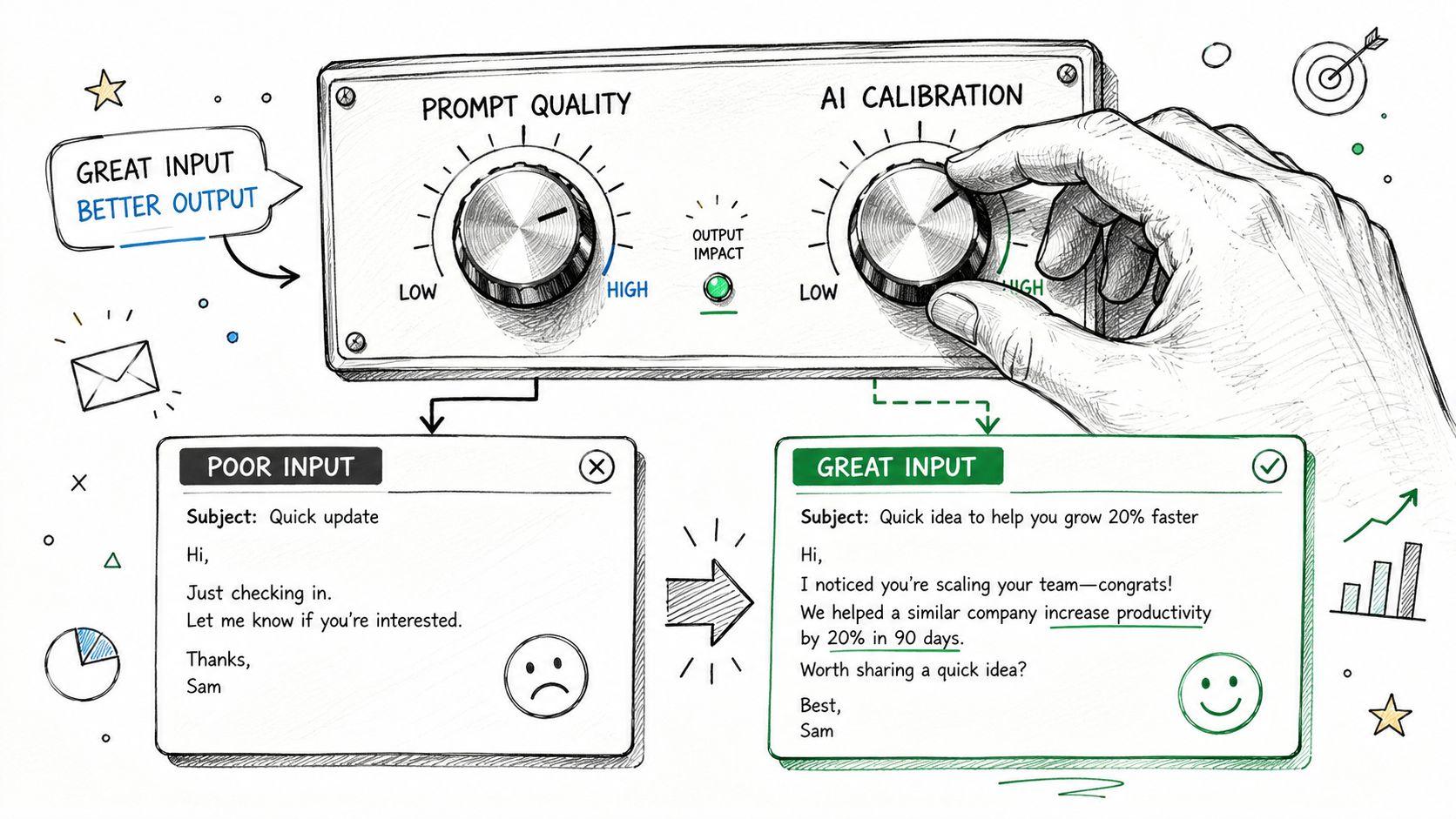
Most bad AI outreach starts with a lazy prompt. The rep types “write a cold email to a VP of Sales,” the model returns something polished and generic, and then everyone blames the tool. The problem wasn't the model. The problem was the absence of grounded inputs.
A good AI sales email generator needs direction on three things: what happened, why it matters, and how your offer connects.
Ground the prompt before you ask for copy
The fastest way to improve output is to include a real signal, a specific business angle, and a defined tone.
Compare these two prompt styles:
Weak prompt
Write a cold email to a VP of Sales at a SaaS company.
Stronger prompt
Write a concise outbound email to a VP of Sales at a SaaS company that appears to be expanding its SDR team. Connect that hiring motion to the challenge of maintaining message quality and rep ramp consistency. Keep the tone direct and conversational. End with a low-friction CTA.
The second prompt gives the model something to reason from. It's no longer filling space. It's making an argument.
According to Tomba's analysis of AI sales email generation, signal-to-value mapping and rep voice calibration are what separate good AI outreach from noise. The same source notes that named-event personalization delivers a 28% lift in reply rates, while superficial name drops add only 6%.
Calibrate the voice, not just the facts
A lot of teams stop at data grounding and miss the voice problem. Even a factually relevant email can still sound wrong for your team. It may be too formal, too eager, too stuffed with buzzwords, or too obviously machine-written.
That's why reps should build a lightweight calibration process:
Save examples of emails that sound like your best reps.
Identify recurring style traits such as brevity, directness, question style, and CTA pattern.
Feed those traits into the prompt or system instructions.
Review early outputs and correct them consistently.
The goal isn't perfect automation. The goal is a draft that needs seconds of editing instead of a full rewrite.
For teams that want examples to refine tone and structure, Stamina's library of sales email templates is useful as a calibration reference.
A practical prompt framework
Use this framework when prompting any generator:
Signal
What happened that justifies outreach?Pain point
What challenge is likely connected to that event?Value proposition
What do you help with that fits this moment?Tone
Should it sound direct, executive, consultative, or casual?Constraint
Keep it short, specific, and easy to answer.
That combination produces far better output than generic “write me an email” prompting. It also gives managers a coachable standard. You can inspect the prompt quality, not just the final draft.
A/B Testing and Measuring Your AI Outreach
Once AI-generated emails are live, teams often look at the wrong scoreboard. They obsess over opens, stare at subject lines, and miss the more important question. Did the message create replies, positive engagement, and meetings worth having?
An AI sales email generator should make testing easier because it can create variants quickly. But speed only helps if the team tests meaningful differences.
Measure the outcomes that affect pipeline
The most useful review cadence is simple. Look at response quality, not just activity volume.
Track outcomes like:
Reply quality because not every response is useful
Meetings booked because that's the first hard handoff to pipeline
Positive versus neutral or negative replies so you know whether the message resonates
Performance by signal type to see which triggers deserve more coverage
Open rates can still be directional, but they're a weak foundation for decision-making. Privacy changes and inbox behavior make them too noisy to use as the main optimization target.
Test the angle, not just the subject line
A lot of teams run shallow A/B tests. They change two words in the subject line and call it optimization. That rarely teaches much.
Better tests compare one clear messaging decision against another. For example:
Test variable | Variant A | Variant B |
|---|---|---|
Opening angle | References recent account signal | Leads with role-specific pain |
Core message | Focuses on inefficiency | Focuses on missed revenue |
CTA style | Ask for quick feedback | Ask for a short meeting |
Tone | Direct and concise | Slightly more consultative |
Run one major variable at a time when possible. If you change the signal, pain point, proof, and CTA all at once, you won't know what caused the difference.
Good testing isolates the reason a prospect answered, not just the version they happened to receive.
Build a feedback loop your reps will actually use
The useful pattern is operational, not academic.
Create a short weekly review around questions like:
Which signals are producing the strongest replies?
Which value propositions are getting ignored?
Which prompts consistently create drafts that need the least editing?
Which sequences are booking meetings instead of just generating activity?
Then feed those learnings back into prompt instructions, sequence logic, and approval rules. Over time, the generator gets better because the team gets better at defining what “good” looks like.
That's the point of measurement. Not to admire dashboards, but to improve the next round of outreach with evidence.
Compliance Security and Deliverability Rules
AI makes it easy to scale outbound. That's exactly why deliverability and compliance become more important, not less. If your messages don't land in the inbox, or if your process ignores legal guardrails, the rest of the workflow doesn't matter.
This is the part many teams postpone until performance drops. That's backwards. Deliverability needs to be part of the setup from day one.
The technical rules you can't skip
According to ZoomInfo's guidance on AI sales email generators, effective deployment requires domain authentication with SPF and DKIM, safe daily volume limits for warmed domains, and clear opt-out language to maintain inbox placement when scaling outreach.
That guidance lines up with what operators see in the field. Teams usually run into trouble when they push volume before their infrastructure is ready.
Use a simple pre-flight checklist:
Authenticate your domain so receiving servers can verify your mail
Warm sending accounts carefully before increasing outreach volume
Respect safe daily limits instead of treating new inboxes like bulk senders
Include opt-out language so recipients have a clear path to disengage
If your team needs a practical companion resource focused on inbox placement, CleanMyList's article on preventing emails from landing in spam is a helpful read.
Compliance is operational, not legal theater
CAN-SPAM and GDPR aren't abstract policy topics. They affect how your workflow should be built.
That means:
Know who you're contacting and why the outreach is relevant
Store consent and activity history in a place the team can access
Honor opt-outs fast across all sequences and future campaigns
Keep messaging transparent about who's reaching out and what the recipient can do next
This is one reason unified systems outperform stitched-together stacks. Compliance breaks when one tool suppresses a contact but another tool still tries to send.
Protect deliverability as volume rises
As automation expands, review these areas regularly:
Area | What to watch |
|---|---|
Sending reputation | Whether inbox placement starts slipping |
Sequence quality | Whether emails become repetitive or too generic |
Suppression logic | Whether opt-outs and exclusions are applied everywhere |
Workflow governance | Who can launch, approve, and scale campaigns |
For teams building those controls into daily operations, Stamina's deliverability product overview gives a useful view of how these protections fit into the broader outreach stack.
The bottom line is simple. AI can multiply output. It can also multiply mistakes. Strong deliverability practices and clear compliance controls are what keep scale from turning into self-inflicted damage.
If your team wants more than a standalone writing tool, Stamina is built for the bigger shift. It connects AI-powered outreach, sales engagement, marketing automation, CRM, and deliverability into one revenue system, so signals turn into action without the usual handoff gaps.

