Sales Workflow Automation: Boost Revenue for SMBs

Unlock growth with sales workflow automation. Our guide for SMBs shows how to automate lead routing, nurturing, & tasks to close deals & boost revenue.

0 - Minute Read

Your sales team isn't losing deals because people are lazy. They're losing them because the process keeps asking humans to do machine work.

A lead fills out a form. Someone checks the inbox an hour later. A rep copies the contact into the CRM, forgets one field, then means to follow up after lunch. Another lead comes in from a webinar list and sits in a spreadsheet because nobody knows who owns it. By Friday, the pipeline looks busy, but half the activity is admin, not selling.

That's the normal SMB sales mess. Good reps spend too much time updating records, chasing reminders, and figuring out which lead deserves attention first. Managers see the symptoms as inconsistency. One rep follows up fast, another doesn't. One opportunity is documented cleanly, another lives in someone's memory.

The fix usually isn't “work harder.” It's building a sales system that runs the routine parts automatically, so reps can spend their energy where it matters.

Moving from Sales Chaos to Automated Calm

A growing SMB usually hits the same wall. In the early stage, everyone can keep the sales process in their head. The founder knows the hottest accounts, the first rep remembers to follow up, and a shared spreadsheet seems good enough. Then lead volume rises, channels multiply, and the whole thing starts to wobble.

One rep responds quickly to website leads. Another waits until the end of the day. Demo requests land in one inbox, outbound replies in another, and meeting notes live in random places. Deals don't only get lost because the pitch was weak. They get lost because the handoffs were sloppy.

That's where sales workflow automation starts to matter. It turns repeated sales tasks into a system of triggers and actions. New lead arrives. Route it. High-intent prospect visits a key page. Notify the right rep. Deal advances. Create the next task automatically.

For SMBs, that shift is less about fancy software and more about operational discipline. If you haven't cleaned up the process itself, it helps to start with sales process optimization before automating the moving parts.

Sales teams don't need more hustle reminders. They need fewer avoidable decisions.

When automation is set up well, the team feels calmer almost immediately. Reps stop babysitting the CRM. Managers stop asking where things stand because the system shows it. Follow-up becomes consistent instead of heroic.

That's the practical promise of sales workflow automation. It doesn't replace selling. It removes the friction around selling.

What Is Sales Workflow Automation Really

Sales workflow automation is a connected system that moves work forward when a defined event happens. It functions as a smart assembly line for revenue. A prospect enters at one end, and the system handles the routine routing, updating, reminding, and sequencing that used to depend on memory.
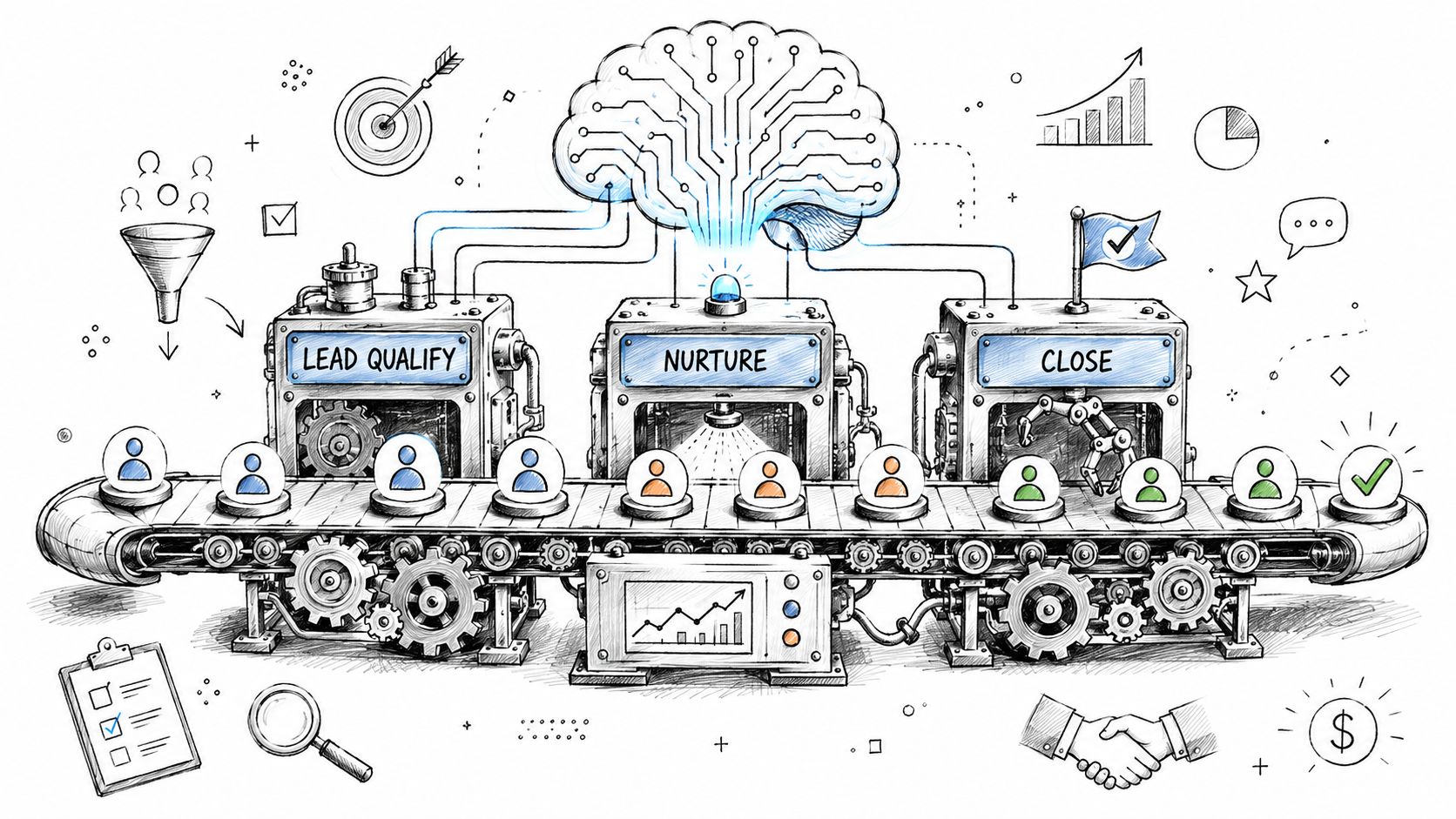
A hand-drawn illustration depicting a sales workflow automation process with machines processing leads on a conveyor belt.

The difference between task automation and workflow automation

A lot of teams confuse one-off automation with real workflow design.

A task automation might send a reminder email when a rep forgets to log a note. Useful, but isolated. Sales workflow automation connects multiple steps across tools and stages. A form submission can create a contact, check territory rules, assign an owner, add the lead to a sequence, create a follow-up task, and alert a manager if the lead matches a key account list.

That orchestration is what makes the process dependable.

If you want a practical visual of how that works across stages, this guide on B2B sales funnel automation shows how teams connect lead capture, nurturing, and movement through the funnel without relying on manual handoffs.

The trigger and action model

At the core, sales workflow automation runs on simple logic:

  • Trigger: A prospect books a demo, opens a pricing email, replies to outreach, or reaches a score threshold.

  • Rule: The system checks what should happen next based on source, fit, intent, or deal stage.

  • Action: It updates records, assigns work, sends a message, pauses a sequence, or creates the next step.

That sounds basic because it is. Good automation should feel boring. The more dramatic the setup, the more likely it breaks.

A lot of SMB teams make the same mistake. They automate the obvious low-value tasks and stop there. A 2025 industry analysis on lead quality and automation gaps says 80% of sales automation efforts solve only the easy 20% of the problem, while the hard 80%, ensuring lead quality, gets neglected. That's why some teams “automate” more activity and still don't get better outcomes.

Why SMBs need it more than big companies

Large enterprises can absorb bad process with more headcount. SMBs can't.

If you have a small team, every hour a rep spends on copying data, chasing no-fit leads, or manually deciding who should respond is expensive. Automation acts like an extra layer of sales coordination without adding another manager.

The trick is not to automate everything. The trick is to automate the parts that keep good leads moving and bad leads from clogging the system. That usually starts with a clear process map. If you're building from scratch, this walkthrough on how to create a workflow is the right first step.

The Undeniable Business Case for SMBs

Most SMB leaders don't need another lecture about efficiency. They want to know if sales workflow automation produces revenue, reduces waste, and helps a lean team do more without adding chaos.

The business case is strong when automation is tied to the right work.

It improves output, not just activity

According to workflow automation statistics compiled by DocuClipper, companies report an 80 percent increase in lead quantity, a 75 percent rise in conversions, a 14.5 percent boost in sales productivity, and a 12.2 percent reduction in marketing expenses.

Those numbers matter because they cut across the usual SMB objections. This isn't only about saving reps from admin. It's about moving more leads through the pipeline and converting a larger share of them.

Practical rule: If an automation doesn't help the team respond faster, prioritize better, or follow up more consistently, it's probably a side project.

It gives a small team leverage

A five-person sales team doesn't need to behave like a five-person team if the process is well designed.

One rep can handle inbound faster when routing is automatic. Another can keep nurture moving because sequences run without manual scheduling. Managers can review pipeline quality without pulling status updates from Slack, inboxes, and spreadsheets. The team operates more efficiently because the system handles the repeatable work the same way every time.

That consistency also protects against one of the most common SMB problems. Pipeline performance often swings based on who remembered what. Automation lowers that randomness.

It supports growth without multiplying headcount friction

Growth exposes process weakness. More leads don't help if the handoff gets worse as volume rises.

A manual system usually scales in the worst possible way. More tabs, more duplicate data, more missed follow-up, more rep confusion. Automation scales differently. It lets the business add volume while preserving response rules, ownership logic, and pipeline discipline.

Here's the simplest way to understand:

Sales motion

Manual process

Automated process

Lead assignment

Someone checks and forwards it

Routed instantly by rules

Follow-up

Depends on rep memory

Triggered by lead behavior or stage

CRM updates

Logged late or not at all

Synced as actions happen

Manager visibility

Pulled together manually

Visible in one workflow-driven system

The caveat is important. More automation won't save a bad funnel. If low-quality leads flood the top of the pipeline, all you've done is process noise faster. SMBs get the biggest returns when they combine workflow automation with stronger qualification logic.

Four Essential Sales Workflows to Automate First

If you automate the wrong things first, your team will think automation doesn't work. Start with workflows that remove drag from daily selling and improve lead handling quality, not just speed.
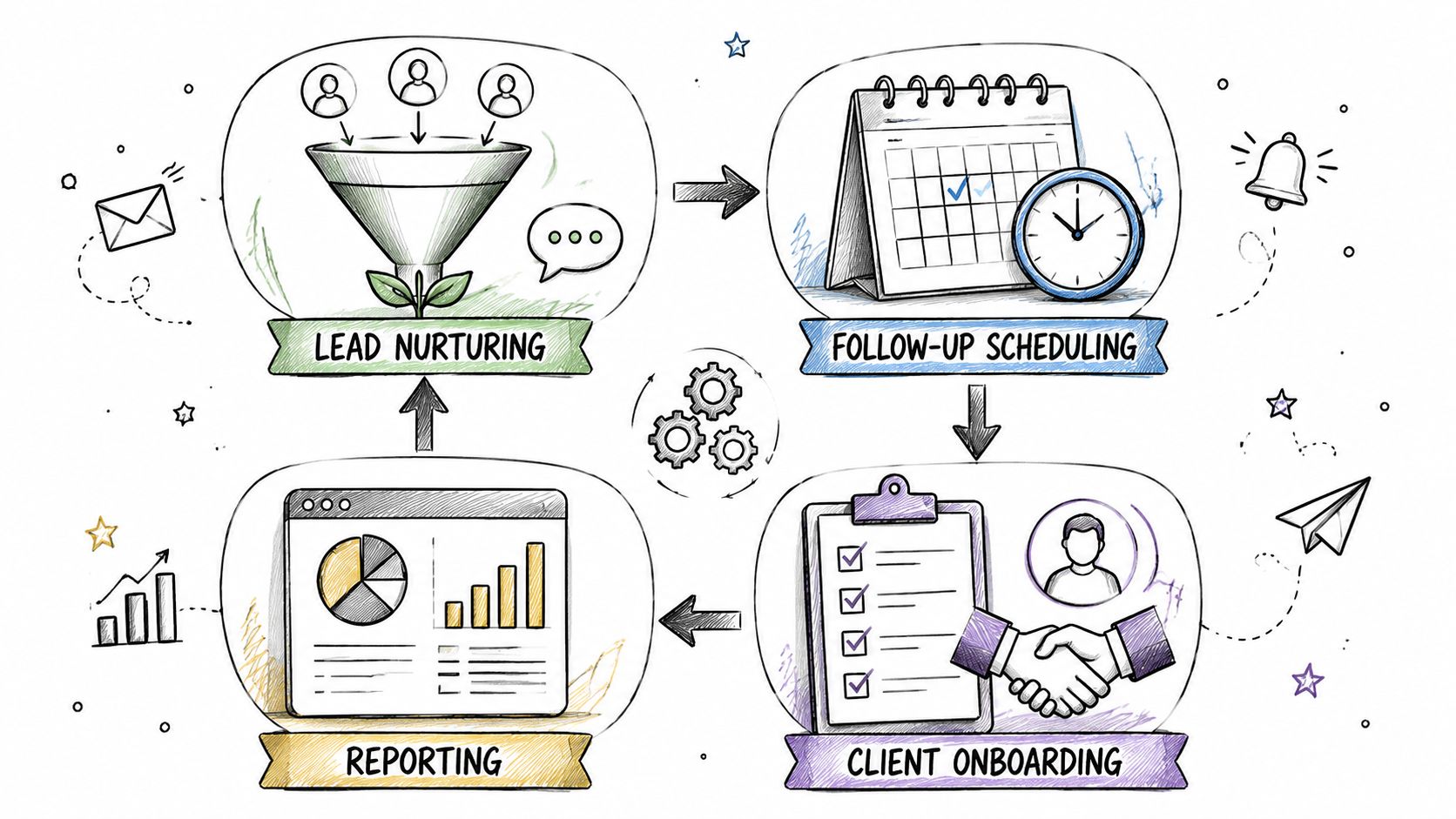
A hand-drawn illustration showing a four-step sales workflow automation process including lead nurturing, scheduling, onboarding, and reporting.

Intelligent lead capture and routing

The problem is simple. Leads come in from forms, chat, webinar tools, outbound replies, and referrals. If routing depends on a person checking multiple systems, response time slips and ownership gets fuzzy.

The automated version should do more than assign round-robin. It should look at source, geography, company fit, product line, or account owner rules. A demo request from an ideal customer profile shouldn't wait in the same queue as a generic inquiry.

A practical setup looks like this:

  • Inbound form trigger: New lead enters from HubSpot Forms, Typeform, or a site form.

  • Qualification check: The system evaluates firmographic fields, enrichment, or behavior signals.

  • Routing action: High-fit leads go to an AE or SDR immediately. Lower-fit leads enter nurture instead of clogging the active queue.

  • Notification step: The assigned rep gets a task or Slack alert with context, not just a name and email.

Many teams would also benefit from tightening their scoring. If you need a framework, this guide to lead scoring automation is useful for building routing rules around fit and intent instead of pure volume.

Automated prospecting and nurture sequences

A lead shouldn't go cold because a rep got busy.

For most SMBs, the highest-value early automation is a sequence that starts when a lead takes a defined action, then adjusts based on engagement. Email, call tasks, and reminders should work together. The system should stop the sequence when the prospect replies or books time.

What works is relevance plus restraint. What fails is dumping every lead into the same canned cadence.

A strong nurture workflow usually includes:

  • Source-aware messaging: Website demo requests, webinar attendees, and outbound replies need different follow-up.

  • Exit conditions: Stop outreach when someone responds, unsubscribes, or moves to an active deal.

  • Escalation logic: If a lead shows stronger intent, alert the rep and move them to a higher-priority path.

If you're comparing tooling for this, RoverLead AI has useful insights on sales automation platforms that can help you evaluate sequence, routing, and CRM coordination features.

Here's a quick walkthrough that shows how teams often structure these flows in practice:

Automated task creation and reminders

This workflow sounds small, but it fixes a common leak.

Reps leave calls with good intentions. Send recap. Schedule follow-up. Pull in technical contact. Update next step. Then the day gets away from them. The deal doesn't die dramatically. It just slows down.

Automating task creation keeps the next action attached to the customer event. If a call ends and the deal remains open, create the follow-up task. If a prospect opens a proposal but doesn't reply, prompt the rep. If a sequence finishes with no engagement, create a review task instead of letting the lead disappear.

The CRM should tell reps what to do next. Reps shouldn't have to reconstruct the process from memory.

Deal stage and data hygiene triggers

This is the least glamorous workflow and one of the most important.

When deal stages, close dates, owners, and notes are wrong, the whole sales system becomes unreliable. Forecasting gets shaky. Handoffs get messy. Managers start running the business through side conversations because the CRM can't be trusted.

Automate the maintenance work around stage changes:

  • Stage advancement: Require or prompt for missing fields before a deal can move.

  • Closed-lost logic: Capture reason codes and remove prospects from active sequences.

  • Closed-won handoff: Notify onboarding, finance, or customer success automatically.

  • Stale pipeline checks: Flag deals with no recent activity for review.

One platform providing these connected workflow needs alongside CRM and engagement is Stamina. It combines sales, marketing, CRM, and workflow automation in one system, which can reduce the handoff problems that show up when teams stitch together too many separate tools.

Implementation Best Practices and Pitfalls to Avoid

Most automation failures don't come from the software. They come from rushing a messy process into a faster messy process.

A lot of teams buy tools before they define ownership, qualification, stage rules, or data standards. Then they wonder why automations fire at the wrong time, route bad leads, or create duplicate records.

Start with the manual path

Before building anything, write down how a lead moves today. Where does it enter? Who owns it first? What makes it sales-ready? When should marketing keep nurturing instead of handing it off?

That exercise exposes bottlenecks. You'll usually find at least one hidden dependency, like a rep manually checking LinkedIn before deciding priority, or a manager reassigning leads because territory logic was never documented.

For broader process discipline, this sales operations optimization guide is a good companion read because it forces the same question every SMB should ask: what should the system do automatically, and what still needs a human decision?

Build one workflow well

The adoption numbers look strong, but implementation still trips teams up. According to Gitnux workflow automation data, 89 percent of organizations have already adopted or plan to adopt workflow automation, yet only 68 percent have automated more than half of their repetitive workflows. That gap says a lot. Starting is common. Scaling cleanly is harder.

So don't launch ten automations in one sprint.

Pick one painful, repeatable workflow with clear boundaries. Lead routing is often the best candidate. It's visible, easy to test, and directly tied to revenue response time. Once that works, move to follow-up sequencing or task creation.

Involve the sales team early

Reps know where the friction is. They also know where bad automation becomes annoying.

If you build without them, you'll create rules that look fine on a whiteboard and fail in practice. A rep will tell you that inbound partners need different messaging than paid leads, or that “pricing page visit” isn't a strong enough signal by itself. That input matters because sales workflow automation only works when the triggers reflect actual buying behavior.

Watch for these common mistakes

  • Automating a bad process: If qualification is vague, automation will spread that vagueness faster.

  • Ignoring data hygiene: Duplicate contacts and incomplete fields break routing and reporting.

  • Overcomplicating the logic: If nobody can explain the workflow, nobody will maintain it.

  • Skipping testing: Always test edge cases, not just the happy path.

  • Treating launch as done: Workflows need tuning as your funnel, team, and product evolve.

Bad automation feels efficient for a week, then turns into cleanup work for months.

Keep the first version tight. Fewer branches, clearer ownership, better data discipline.

Measuring Success and Embracing AI

Once workflows are live, the next question is straightforward. Are they helping the team close more business, or just moving data around faster?

You don't need a giant reporting stack to answer that. You need a small set of indicators tied to sales behavior and pipeline movement.

What to measure first

Track metrics that show whether the workflow changed execution:

  • Lead response time: Are qualified inbound leads getting a faster first touch?

  • Conversion by stage: Are more leads moving from first contact to meeting, and from meeting to opportunity?

  • Sales cycle flow: Are deals stalling less often at the same stage?

  • Task completion discipline: Are reps acting on next steps created by the system?

  • Lead quality by source: Which channels produce leads that progress?
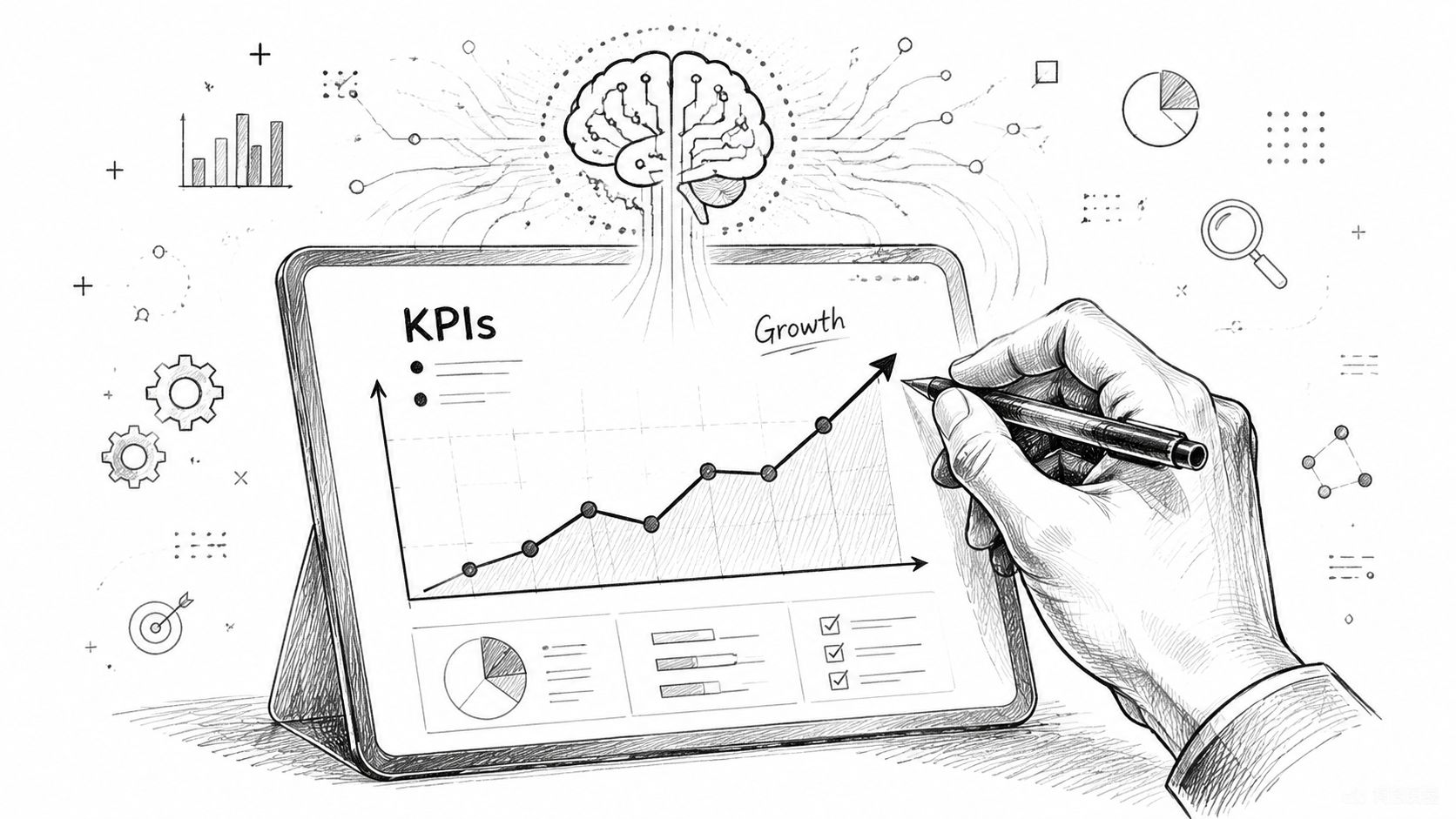
A hand using a digital pen on a tablet to analyze business KPIs and growth statistics.

The key is to compare before and after the workflow launch. If routing got faster but stage conversion didn't improve, you may have a qualification problem, not a speed problem. If sequence completion looks high but meeting rates stay flat, the messaging may be wrong.

Where AI changes the game

Rule-based automation is useful. AI adds prioritization.

Instead of saying, “If a lead fills out this form, assign it,” AI-powered sales workflow automation can interpret engagement patterns across call notes, email behavior, and CRM activity to update priority in real time. According to OneAway's analysis of AI-powered sales workflow automation, AI-integrated teams achieve 77% higher revenue per rep compared to traditional workflows by using predictive models to interpret signals and dynamically update lead prioritization.

That matters because not all active leads deserve the same response. AI helps the system distinguish between surface activity and actual buying intent.

If you're thinking about how that fits into day-to-day execution, this guide on how to use AI in sales is a practical place to start.

Use AI with guardrails

AI should help reps focus, not bury them in false urgency.

Use it to rank and re-rank leads, suggest timing, and surface behavioral patterns. Don't hand over every message, every score, and every decision without review. The strongest setups combine automation, AI, and human judgment in the same operating model.

Unify Your Sales Engine with an All-in-One Platform

The final problem most SMBs run into isn't whether to automate. It's where the automation should live.

When CRM data sits in one tool, outreach in another, forms in a third, and reporting in a spreadsheet, every workflow becomes a chain of fragile handoffs. One field mismatch or sync delay creates confusion. Reps stop trusting the system, so they build side processes. That's how a modern stack slowly turns back into manual work.

An all-in-one platform solves a practical operational problem. It gives sales workflow automation a single source of truth for contacts, activity, pipeline, and messaging.
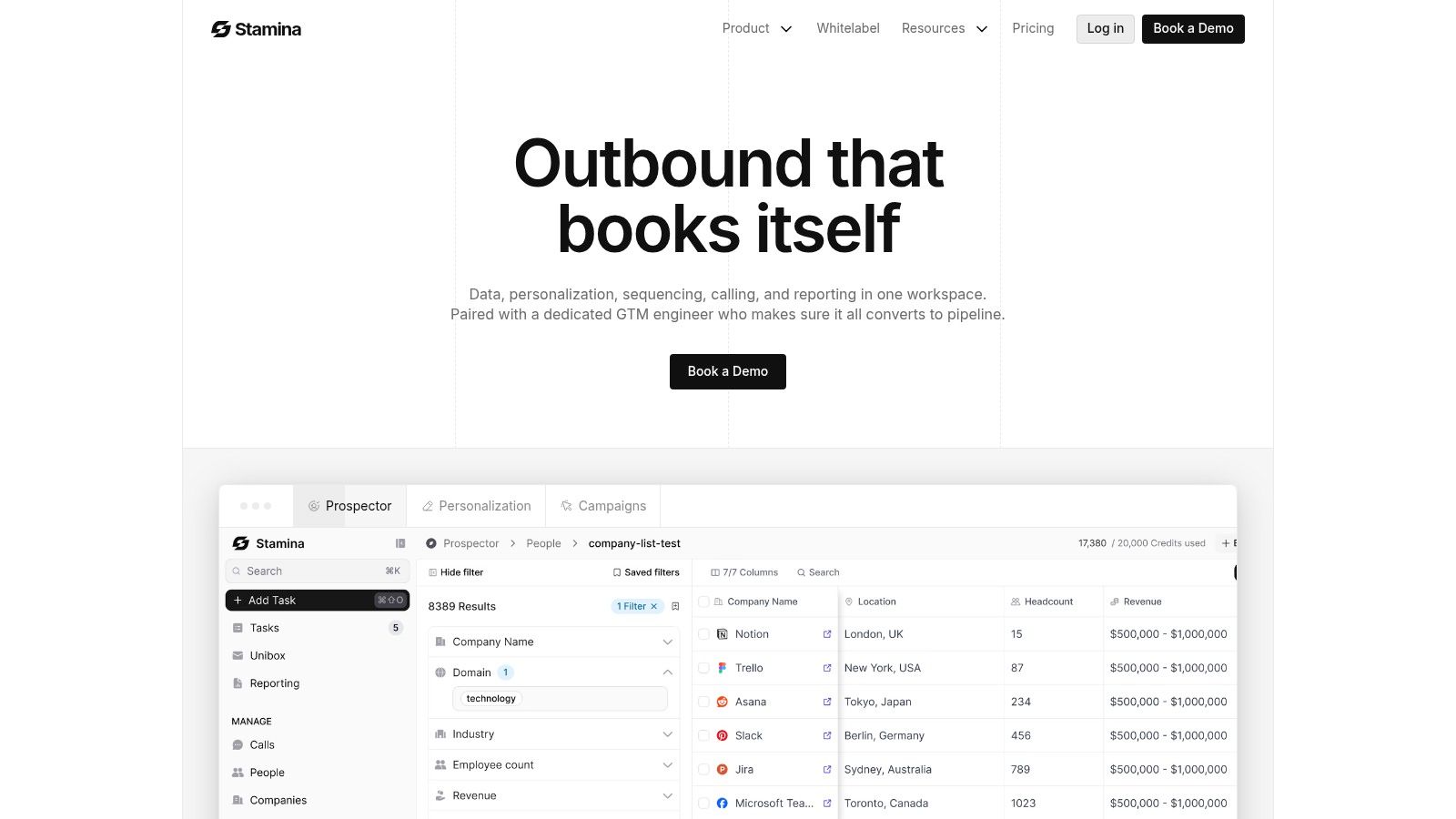
Screenshot from https://stamina.io

That matters even more as teams bring AI into prospecting and follow-up. According to McKinsey's sales automation insights, emerging workflows are becoming more hyper-personalized and context-aware, but 40% of SMBs report lower trust in AI-drafted messages due to generic tone. In practice, that means disconnected tools don't just create workflow issues. They also make personalization weaker because context is scattered.

A unified setup makes it easier to combine lead capture, scoring, sequencing, CRM updates, and human review in one operating layer. That's how SMBs avoid automating noise and start automating the right motions.

If you want to reduce manual selling work without piecing together a stack of separate tools, Stamina gives growing SMBs one place to run CRM, outreach, lead nurturing, and workflow automation with AI built into the process. It's a practical option for teams that want fewer handoff errors, cleaner data, and a more connected sales system.

Your sales team isn't losing deals because people are lazy. They're losing them because the process keeps asking humans to do machine work.

A lead fills out a form. Someone checks the inbox an hour later. A rep copies the contact into the CRM, forgets one field, then means to follow up after lunch. Another lead comes in from a webinar list and sits in a spreadsheet because nobody knows who owns it. By Friday, the pipeline looks busy, but half the activity is admin, not selling.

That's the normal SMB sales mess. Good reps spend too much time updating records, chasing reminders, and figuring out which lead deserves attention first. Managers see the symptoms as inconsistency. One rep follows up fast, another doesn't. One opportunity is documented cleanly, another lives in someone's memory.

The fix usually isn't “work harder.” It's building a sales system that runs the routine parts automatically, so reps can spend their energy where it matters.

Moving from Sales Chaos to Automated Calm

A growing SMB usually hits the same wall. In the early stage, everyone can keep the sales process in their head. The founder knows the hottest accounts, the first rep remembers to follow up, and a shared spreadsheet seems good enough. Then lead volume rises, channels multiply, and the whole thing starts to wobble.

One rep responds quickly to website leads. Another waits until the end of the day. Demo requests land in one inbox, outbound replies in another, and meeting notes live in random places. Deals don't only get lost because the pitch was weak. They get lost because the handoffs were sloppy.

That's where sales workflow automation starts to matter. It turns repeated sales tasks into a system of triggers and actions. New lead arrives. Route it. High-intent prospect visits a key page. Notify the right rep. Deal advances. Create the next task automatically.

For SMBs, that shift is less about fancy software and more about operational discipline. If you haven't cleaned up the process itself, it helps to start with sales process optimization before automating the moving parts.

Sales teams don't need more hustle reminders. They need fewer avoidable decisions.

When automation is set up well, the team feels calmer almost immediately. Reps stop babysitting the CRM. Managers stop asking where things stand because the system shows it. Follow-up becomes consistent instead of heroic.

That's the practical promise of sales workflow automation. It doesn't replace selling. It removes the friction around selling.

What Is Sales Workflow Automation Really

Sales workflow automation is a connected system that moves work forward when a defined event happens. It functions as a smart assembly line for revenue. A prospect enters at one end, and the system handles the routine routing, updating, reminding, and sequencing that used to depend on memory.

A hand-drawn illustration depicting a sales workflow automation process with machines processing leads on a conveyor belt.

The difference between task automation and workflow automation

A lot of teams confuse one-off automation with real workflow design.

A task automation might send a reminder email when a rep forgets to log a note. Useful, but isolated. Sales workflow automation connects multiple steps across tools and stages. A form submission can create a contact, check territory rules, assign an owner, add the lead to a sequence, create a follow-up task, and alert a manager if the lead matches a key account list.

That orchestration is what makes the process dependable.

If you want a practical visual of how that works across stages, this guide on B2B sales funnel automation shows how teams connect lead capture, nurturing, and movement through the funnel without relying on manual handoffs.

The trigger and action model

At the core, sales workflow automation runs on simple logic:

  • Trigger: A prospect books a demo, opens a pricing email, replies to outreach, or reaches a score threshold.

  • Rule: The system checks what should happen next based on source, fit, intent, or deal stage.

  • Action: It updates records, assigns work, sends a message, pauses a sequence, or creates the next step.

That sounds basic because it is. Good automation should feel boring. The more dramatic the setup, the more likely it breaks.

A lot of SMB teams make the same mistake. They automate the obvious low-value tasks and stop there. A 2025 industry analysis on lead quality and automation gaps says 80% of sales automation efforts solve only the easy 20% of the problem, while the hard 80%, ensuring lead quality, gets neglected. That's why some teams “automate” more activity and still don't get better outcomes.

Why SMBs need it more than big companies

Large enterprises can absorb bad process with more headcount. SMBs can't.

If you have a small team, every hour a rep spends on copying data, chasing no-fit leads, or manually deciding who should respond is expensive. Automation acts like an extra layer of sales coordination without adding another manager.

The trick is not to automate everything. The trick is to automate the parts that keep good leads moving and bad leads from clogging the system. That usually starts with a clear process map. If you're building from scratch, this walkthrough on how to create a workflow is the right first step.

The Undeniable Business Case for SMBs

Most SMB leaders don't need another lecture about efficiency. They want to know if sales workflow automation produces revenue, reduces waste, and helps a lean team do more without adding chaos.

The business case is strong when automation is tied to the right work.

It improves output, not just activity

According to workflow automation statistics compiled by DocuClipper, companies report an 80 percent increase in lead quantity, a 75 percent rise in conversions, a 14.5 percent boost in sales productivity, and a 12.2 percent reduction in marketing expenses.

Those numbers matter because they cut across the usual SMB objections. This isn't only about saving reps from admin. It's about moving more leads through the pipeline and converting a larger share of them.

Practical rule: If an automation doesn't help the team respond faster, prioritize better, or follow up more consistently, it's probably a side project.

It gives a small team leverage

A five-person sales team doesn't need to behave like a five-person team if the process is well designed.

One rep can handle inbound faster when routing is automatic. Another can keep nurture moving because sequences run without manual scheduling. Managers can review pipeline quality without pulling status updates from Slack, inboxes, and spreadsheets. The team operates more efficiently because the system handles the repeatable work the same way every time.

That consistency also protects against one of the most common SMB problems. Pipeline performance often swings based on who remembered what. Automation lowers that randomness.

It supports growth without multiplying headcount friction

Growth exposes process weakness. More leads don't help if the handoff gets worse as volume rises.

A manual system usually scales in the worst possible way. More tabs, more duplicate data, more missed follow-up, more rep confusion. Automation scales differently. It lets the business add volume while preserving response rules, ownership logic, and pipeline discipline.

Here's the simplest way to understand:

Sales motion

Manual process

Automated process

Lead assignment

Someone checks and forwards it

Routed instantly by rules

Follow-up

Depends on rep memory

Triggered by lead behavior or stage

CRM updates

Logged late or not at all

Synced as actions happen

Manager visibility

Pulled together manually

Visible in one workflow-driven system

The caveat is important. More automation won't save a bad funnel. If low-quality leads flood the top of the pipeline, all you've done is process noise faster. SMBs get the biggest returns when they combine workflow automation with stronger qualification logic.

Four Essential Sales Workflows to Automate First

If you automate the wrong things first, your team will think automation doesn't work. Start with workflows that remove drag from daily selling and improve lead handling quality, not just speed.

A hand-drawn illustration showing a four-step sales workflow automation process including lead nurturing, scheduling, onboarding, and reporting.

Intelligent lead capture and routing

The problem is simple. Leads come in from forms, chat, webinar tools, outbound replies, and referrals. If routing depends on a person checking multiple systems, response time slips and ownership gets fuzzy.

The automated version should do more than assign round-robin. It should look at source, geography, company fit, product line, or account owner rules. A demo request from an ideal customer profile shouldn't wait in the same queue as a generic inquiry.

A practical setup looks like this:

  • Inbound form trigger: New lead enters from HubSpot Forms, Typeform, or a site form.

  • Qualification check: The system evaluates firmographic fields, enrichment, or behavior signals.

  • Routing action: High-fit leads go to an AE or SDR immediately. Lower-fit leads enter nurture instead of clogging the active queue.

  • Notification step: The assigned rep gets a task or Slack alert with context, not just a name and email.

Many teams would also benefit from tightening their scoring. If you need a framework, this guide to lead scoring automation is useful for building routing rules around fit and intent instead of pure volume.

Automated prospecting and nurture sequences

A lead shouldn't go cold because a rep got busy.

For most SMBs, the highest-value early automation is a sequence that starts when a lead takes a defined action, then adjusts based on engagement. Email, call tasks, and reminders should work together. The system should stop the sequence when the prospect replies or books time.

What works is relevance plus restraint. What fails is dumping every lead into the same canned cadence.

A strong nurture workflow usually includes:

  • Source-aware messaging: Website demo requests, webinar attendees, and outbound replies need different follow-up.

  • Exit conditions: Stop outreach when someone responds, unsubscribes, or moves to an active deal.

  • Escalation logic: If a lead shows stronger intent, alert the rep and move them to a higher-priority path.

If you're comparing tooling for this, RoverLead AI has useful insights on sales automation platforms that can help you evaluate sequence, routing, and CRM coordination features.

Here's a quick walkthrough that shows how teams often structure these flows in practice:

Automated task creation and reminders

This workflow sounds small, but it fixes a common leak.

Reps leave calls with good intentions. Send recap. Schedule follow-up. Pull in technical contact. Update next step. Then the day gets away from them. The deal doesn't die dramatically. It just slows down.

Automating task creation keeps the next action attached to the customer event. If a call ends and the deal remains open, create the follow-up task. If a prospect opens a proposal but doesn't reply, prompt the rep. If a sequence finishes with no engagement, create a review task instead of letting the lead disappear.

The CRM should tell reps what to do next. Reps shouldn't have to reconstruct the process from memory.

Deal stage and data hygiene triggers

This is the least glamorous workflow and one of the most important.

When deal stages, close dates, owners, and notes are wrong, the whole sales system becomes unreliable. Forecasting gets shaky. Handoffs get messy. Managers start running the business through side conversations because the CRM can't be trusted.

Automate the maintenance work around stage changes:

  • Stage advancement: Require or prompt for missing fields before a deal can move.

  • Closed-lost logic: Capture reason codes and remove prospects from active sequences.

  • Closed-won handoff: Notify onboarding, finance, or customer success automatically.

  • Stale pipeline checks: Flag deals with no recent activity for review.

One platform providing these connected workflow needs alongside CRM and engagement is Stamina. It combines sales, marketing, CRM, and workflow automation in one system, which can reduce the handoff problems that show up when teams stitch together too many separate tools.

Implementation Best Practices and Pitfalls to Avoid

Most automation failures don't come from the software. They come from rushing a messy process into a faster messy process.

A lot of teams buy tools before they define ownership, qualification, stage rules, or data standards. Then they wonder why automations fire at the wrong time, route bad leads, or create duplicate records.

Start with the manual path

Before building anything, write down how a lead moves today. Where does it enter? Who owns it first? What makes it sales-ready? When should marketing keep nurturing instead of handing it off?

That exercise exposes bottlenecks. You'll usually find at least one hidden dependency, like a rep manually checking LinkedIn before deciding priority, or a manager reassigning leads because territory logic was never documented.

For broader process discipline, this sales operations optimization guide is a good companion read because it forces the same question every SMB should ask: what should the system do automatically, and what still needs a human decision?

Build one workflow well

The adoption numbers look strong, but implementation still trips teams up. According to Gitnux workflow automation data, 89 percent of organizations have already adopted or plan to adopt workflow automation, yet only 68 percent have automated more than half of their repetitive workflows. That gap says a lot. Starting is common. Scaling cleanly is harder.

So don't launch ten automations in one sprint.

Pick one painful, repeatable workflow with clear boundaries. Lead routing is often the best candidate. It's visible, easy to test, and directly tied to revenue response time. Once that works, move to follow-up sequencing or task creation.

Involve the sales team early

Reps know where the friction is. They also know where bad automation becomes annoying.

If you build without them, you'll create rules that look fine on a whiteboard and fail in practice. A rep will tell you that inbound partners need different messaging than paid leads, or that “pricing page visit” isn't a strong enough signal by itself. That input matters because sales workflow automation only works when the triggers reflect actual buying behavior.

Watch for these common mistakes

  • Automating a bad process: If qualification is vague, automation will spread that vagueness faster.

  • Ignoring data hygiene: Duplicate contacts and incomplete fields break routing and reporting.

  • Overcomplicating the logic: If nobody can explain the workflow, nobody will maintain it.

  • Skipping testing: Always test edge cases, not just the happy path.

  • Treating launch as done: Workflows need tuning as your funnel, team, and product evolve.

Bad automation feels efficient for a week, then turns into cleanup work for months.

Keep the first version tight. Fewer branches, clearer ownership, better data discipline.

Measuring Success and Embracing AI

Once workflows are live, the next question is straightforward. Are they helping the team close more business, or just moving data around faster?

You don't need a giant reporting stack to answer that. You need a small set of indicators tied to sales behavior and pipeline movement.

What to measure first

Track metrics that show whether the workflow changed execution:

  • Lead response time: Are qualified inbound leads getting a faster first touch?

  • Conversion by stage: Are more leads moving from first contact to meeting, and from meeting to opportunity?

  • Sales cycle flow: Are deals stalling less often at the same stage?

  • Task completion discipline: Are reps acting on next steps created by the system?

  • Lead quality by source: Which channels produce leads that progress?

A hand using a digital pen on a tablet to analyze business KPIs and growth statistics.

The key is to compare before and after the workflow launch. If routing got faster but stage conversion didn't improve, you may have a qualification problem, not a speed problem. If sequence completion looks high but meeting rates stay flat, the messaging may be wrong.

Where AI changes the game

Rule-based automation is useful. AI adds prioritization.

Instead of saying, “If a lead fills out this form, assign it,” AI-powered sales workflow automation can interpret engagement patterns across call notes, email behavior, and CRM activity to update priority in real time. According to OneAway's analysis of AI-powered sales workflow automation, AI-integrated teams achieve 77% higher revenue per rep compared to traditional workflows by using predictive models to interpret signals and dynamically update lead prioritization.

That matters because not all active leads deserve the same response. AI helps the system distinguish between surface activity and actual buying intent.

If you're thinking about how that fits into day-to-day execution, this guide on how to use AI in sales is a practical place to start.

Use AI with guardrails

AI should help reps focus, not bury them in false urgency.

Use it to rank and re-rank leads, suggest timing, and surface behavioral patterns. Don't hand over every message, every score, and every decision without review. The strongest setups combine automation, AI, and human judgment in the same operating model.

Unify Your Sales Engine with an All-in-One Platform

The final problem most SMBs run into isn't whether to automate. It's where the automation should live.

When CRM data sits in one tool, outreach in another, forms in a third, and reporting in a spreadsheet, every workflow becomes a chain of fragile handoffs. One field mismatch or sync delay creates confusion. Reps stop trusting the system, so they build side processes. That's how a modern stack slowly turns back into manual work.

An all-in-one platform solves a practical operational problem. It gives sales workflow automation a single source of truth for contacts, activity, pipeline, and messaging.

Screenshot from https://stamina.io

That matters even more as teams bring AI into prospecting and follow-up. According to McKinsey's sales automation insights, emerging workflows are becoming more hyper-personalized and context-aware, but 40% of SMBs report lower trust in AI-drafted messages due to generic tone. In practice, that means disconnected tools don't just create workflow issues. They also make personalization weaker because context is scattered.

A unified setup makes it easier to combine lead capture, scoring, sequencing, CRM updates, and human review in one operating layer. That's how SMBs avoid automating noise and start automating the right motions.

If you want to reduce manual selling work without piecing together a stack of separate tools, Stamina gives growing SMBs one place to run CRM, outreach, lead nurturing, and workflow automation with AI built into the process. It's a practical option for teams that want fewer handoff errors, cleaner data, and a more connected sales system.

Share this article

Share this article

Send a shareable link to your team or anyone who might find it useful.

Send a shareable link to your team or anyone who might find it useful.

Copy link

Copied

Share directly to

Table of contents

Give Your Business the Stamina it needs to Thrive

PRODUCT

COMPANY

RESOURCES

© 2026 Stamina Software Technologies Inc. All rights reserved.

PRODUCT

COMPANY

RESOURCES

© 2026 Stamina Software Technologies Inc. All rights reserved.

PRODUCT

COMPANY

RESOURCES

© 2026 Stamina Software Technologies Inc. All rights reserved.