
Most founders don't start with CRM software for startups. They start with a spreadsheet, an inbox, a calendar, and the belief that they'll clean it up later.
That works until it doesn't. A warm lead gets buried under investor emails. Two people message the same prospect with different context. A demo gets booked, then forgotten because the note lived in someone's head instead of a system. At that point, the problem isn't organization. It's that the company has no reliable revenue operating system.
Your First Revenue Hire Should Be a CRM
Early-stage teams usually think about hiring before they think about systems. That's backwards. Before you add another SDR, account executive, or growth marketer, you need the thing that captures demand, tracks motion, and remembers every follow-up without getting tired.

A good CRM acts like your first always-on revenue hire. It keeps lead records clean, creates accountability around pipeline stages, and gives everyone the same version of reality. That matters because startup sales problems rarely come from a lack of hustle. They come from fragmented execution.
There's also a clear adoption gap. 91% of companies with over 10 employees use a CRM, but only 50% of businesses with fewer than 10 employees do, according to these CRM adoption statistics. That gap matters because most startups live in the exact stage where chaos starts to compound, but process still feels optional.
Practical rule: If revenue depends on memory, your system is already failing.
The mistake is treating CRM as a database purchase. It's not. It's the operating layer for how leads enter the business, how handoffs happen, how follow-ups get enforced, and how founders stop guessing what the pipeline looks like.
That's why all-in-one approaches are often easier for startups than stitching together separate marketing, sales, and contact tools. When the stack is fragmented, teams spend more time syncing information than moving deals. A unified system reduces that drag, which is the core promise behind an all-in-one business platform.
Founders don't need more dashboards. They need a system that makes revenue work repeatable.
When Spreadsheets and Sticky Notes Start to Fail
The usual argument against a CRM is simple: we're too small.
That sounds sensible right up until the first few dozen active opportunities start moving at once. Then the spreadsheet stops being a lightweight solution and starts acting like a silent bottleneck.
The first cracks show up in follow-up
Manual systems fail in boring ways first. A founder marks a lead as “interested” in a sheet but forgets to set a next step. Someone takes notes during a call, but those notes stay in a private doc. A prospect replies after two weeks, and nobody remembers the original context.
None of those failures looks dramatic on its own. Together, they create a pipeline that feels busy but behaves unpredictably.
Here's what usually breaks first:
Lead ownership gets fuzzy when contact records live across inboxes, spreadsheets, and chat threads.
Next actions disappear because there's no enforced task flow tied to deal stages.
Forecasting becomes fiction when one person's “likely” means another person's “not started.”
Handoffs get messy between marketing, founder-led sales, and any new rep joining the team.
A startup can survive imperfect messaging. It struggles to survive unreliable follow-up.
Visibility disappears before founders notice
The bigger issue isn't just lost leads. It's missing visibility. With disconnected tools, nobody can answer simple questions quickly: What's in pipeline? Which deals are stalled? Where do leads drop off? Which source brings the best-fit opportunities?
A spreadsheet can store data. It can't enforce process.
That difference is why manual tracking often creates false confidence. The sheet exists, so the team assumes the system exists. But if no one updates it consistently, if activities aren't tied to records, and if meetings or emails sit outside the sales record, then the company is managing revenue with partial memory.
Collaboration gets worse as the team grows
One person can operate from memory for a while. Two or three people can't, especially if they split marketing, outbound, founder sales, and onboarding. The classic symptoms show up fast:
Double-contacting prospects because nobody sees prior outreach.
Re-qualifying the same lead because context didn't carry over.
Losing historical detail when a team member leaves or shifts roles.
Debating pipeline status instead of acting on it.
This is why “we'll get a CRM later” often costs more than the software itself. By the time the team feels the pain clearly, bad habits are already embedded. People have built their own workarounds. Data is scattered. Definitions differ. Cleanup becomes a project instead of a setup.
Sticky notes aren't the enemy. The lack of a shared operating system is.
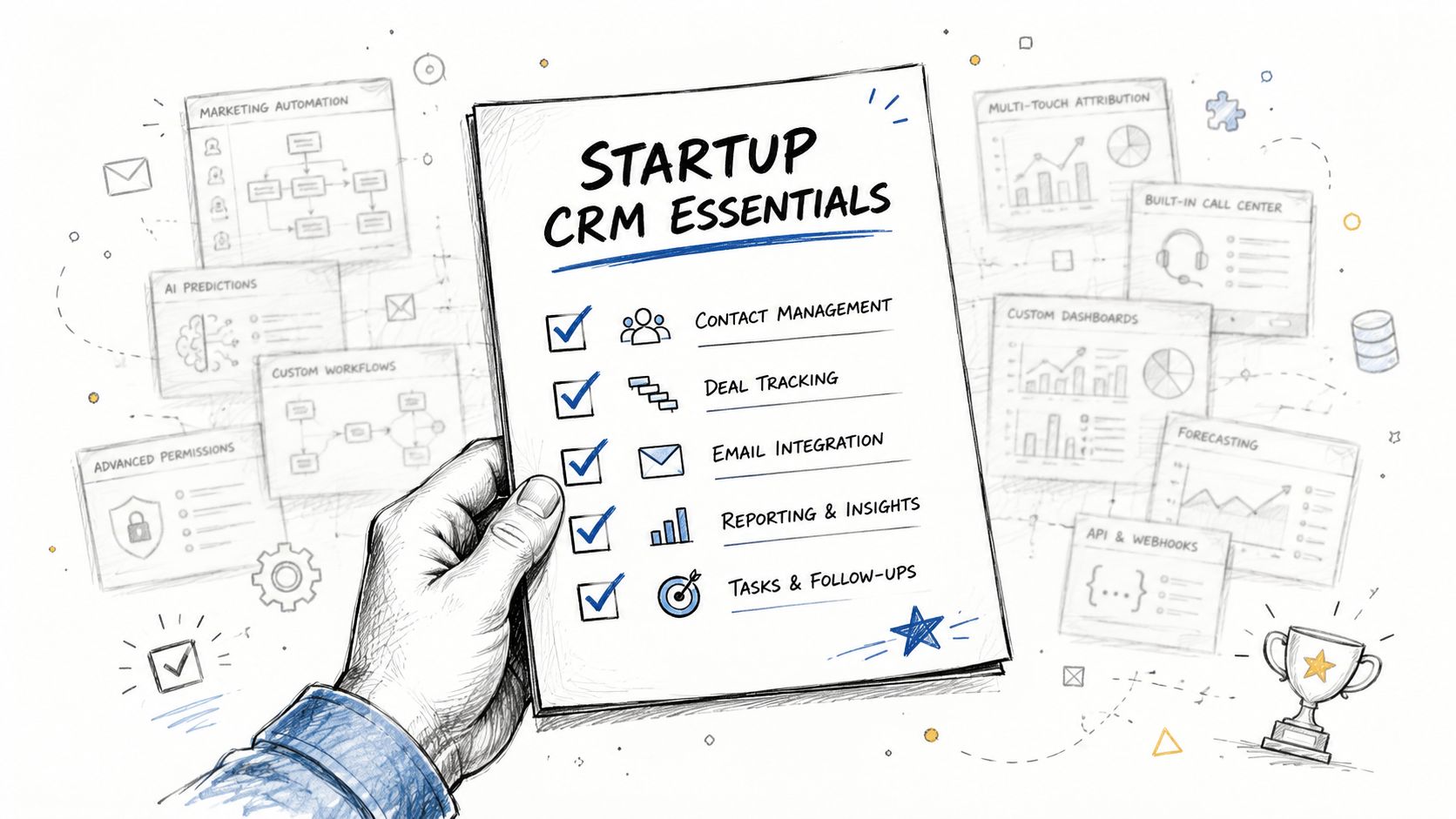
The Startup CRM Checklist What Really Matters
Most CRM buying lists are too long. Startups don't need every feature. They need the few capabilities that reduce friction, speed up adoption, and support how revenue happens.
Speed and simplicity
If the team can't understand the system quickly, they won't use it consistently. That sounds obvious, but founders still buy CRMs with enterprise-style complexity because they worry about “growing into” them.
That usually backfires. A startup needs a CRM that makes common actions obvious: logging activity, moving deals, assigning tasks, viewing history, and checking next steps. If basic workflow takes too many clicks, reps will work outside the system.
Pricing that scales without punishing growth
Cheap at the start can become expensive fast. Founders should look past the entry plan and ask a harder question: what happens when the team adds users, automation, reporting, and marketing workflows?
The right pricing model doesn't force a painful migration the moment the company starts gaining traction. It should let the business begin lean, then expand process depth without breaking the budget or splitting tools apart.
Automation that removes admin work
Founders often underestimate how much revenue time disappears into manual updates. That's why automation is one of the few startup CRM features that deserves to be considered indispensable.
Look for practical automation, not decorative automation:
Automatic activity capture so emails, calls, and meetings don't rely on memory
Lead routing that sends the right contact to the right owner
Task creation tied to stage changes or form submissions
Follow-up sequences that keep outreach moving without manual reminders
A lot of teams buy software and then use it like a digital filing cabinet. That's exactly what strong CRM best practices are meant to prevent.
One source of truth across teams
Your CRM should unify customer and prospect context. If marketing data lives in one place, sales data in another, and customer conversations in a third, reporting gets distorted and handoffs get weak.
The best startup setup is one where everyone sees the same record and understands the same account history. That doesn't mean every tool must disappear. It means the CRM has to function as the central operating record.
A quick walkthrough helps when you're evaluating these trade-offs in live products.
Mobile access isn't optional
Startup selling happens away from desks. Founders are at events, reps are between calls, and follow-up often needs to happen immediately. Sales reps gain 15% higher productivity when using mobile-accessible CRM applications, based on startup CRM findings on mobile access and productivity.
That makes mobile support a core requirement, not a nice extra. If updating the CRM on the go is painful, data quality drops first. Adoption follows.
Comparing Startup CRM Options
The startup CRM market gets confusing because many tools look similar in demos. In practice, they solve different problems and create different trade-offs. The easiest way to evaluate them is by approach, not brand.
Startup CRM approaches at a glance
Approach | Core Focus | Best For | Potential Downside |
|---|---|---|---|
Sales-focused CRM | Deal tracking, pipeline management, rep workflow | Founder-led sales teams that need immediate structure | Can become manual and disconnected from marketing |
Marketing-first platform | Lead capture, nurturing, campaign automation | Startups with inbound motion and strong content engine | Sales workflow may feel secondary or expensive as needs grow |
All-in-one revenue platform | Shared data across marketing, sales, and CRM | Teams that want one operating system from day one | Requires discipline to define process clearly at setup |
Sales-focused tools
Pipedrive is the classic example here. It's popular because the pipeline view is easy to grasp, and founders can get started without much setup. For a simple outbound motion, that's attractive.
The downside shows up later. If your process needs stronger automation, better cross-team visibility, or tighter alignment with marketing activity, a sales-only tool can start feeling narrow. Teams then bolt on email tools, forms, automations, and reporting layers until the original simplicity disappears.
Marketing-first platforms
HubSpot often wins early because the entry point feels accessible and the marketing side is polished. If your startup relies on inbound forms, nurturing, and content-driven lead generation, that can make sense.
But there's a practical trade-off. Marketing-first systems can create a strange split where top-of-funnel is strong, while day-to-day sales execution feels less central. As the startup matures, teams often find themselves paying for breadth while still wanting more precision in rep workflow and pipeline control.
All-in-one revenue systems
This category makes the most sense for startups that already know they don't want a patchwork stack. Instead of treating CRM as a contact database and solving outreach, nurturing, and pipeline in separate products, these systems are designed as one operating layer.
That matters because the biggest startup CRM problem usually isn't missing one feature. It's the friction between tools. Data drifts. Ownership gets muddy. Reporting becomes a reconciliation exercise.
Buy for operating coherence, not demo polish.
An all-in-one approach can reduce that fragmentation. It gives founders a better chance to build process once instead of rebuilding it every time the team adds a new tool.
Where common tools fit
Founders usually compare names such as HubSpot, Pipedrive, Salesforce, Zoho, Freshworks, or sales-focused newer entrants. Each can work in the right context.
A few practical observations matter more than feature grids:
Salesforce is powerful, but many startups buy complexity they won't use.
HubSpot is easy to start with, but teams should model the longer-term cost and workflow fit.
Pipedrive is approachable for straightforward pipeline management, especially early.
Zoho and Freshworks can appeal to budget-conscious or feature-hungry teams, but usability fit matters more than checklist volume.
If you want a broader market view before shortlisting, this overview of the best CRM for small business is a useful parallel read, especially for founders crossing from startup mode into more structured SMB operations.
The right choice comes down to one question: do you want a tool for storing pipeline, or a system for running revenue?
How to Implement a CRM Without Your Team Hating It
Most CRM failures are blamed on software. Most of them are really rollout failures.
A founder picks a tool, announces it in a meeting, asks everyone to “keep it updated,” and assumes adoption will follow. It usually doesn't. The main reason CRM implementations fail is lack of user adoption, often when founders choose a tool without consulting the sales team, as noted in this startup CRM adoption guidance.
Involve the people who have to live in it
The sales team doesn't need veto power over every decision, but they do need real involvement. If reps think the CRM adds reporting overhead without making their work easier, they'll avoid it or fake compliance.
The practical fix is simple. Shortlist a few options, let the team test actual workflows, and ask pointed questions:
Can they log a call fast?
Can they see next actions without hunting?
Does the pipeline reflect how deals really move?
Will they use it on a busy day, not just in a demo?
That process creates buy-in because people can see where the tool helps them, not just where leadership wants visibility.
Start with a minimum viable setup
Startups often overbuild the CRM at launch. They create too many fields, too many stages, too many automations, and too many required inputs. Then the system feels heavy before it has earned trust.
A better rollout uses a minimum viable setup:
Define one pipeline that matches the actual sales motion.
Track essential fields only such as account, contact, source, stage, owner, and next step.
Automate one or two repetitive actions like follow-up tasks or lead assignment.
Set one reporting view leadership will review every week.
That gives the team a working system without turning setup into a months-long project.
The best early CRM is the one your team updates without being chased.
Clean data matters, but perfection doesn't
Data migration scares founders because old spreadsheets are usually messy. That's normal. Don't let cleanup delay implementation forever.
Move only what the team will use. Current opportunities, active contacts, recent lead sources, and key account history usually matter. Ancient lists, duplicate records, and vague notes often don't. Sometimes the smartest move is controlled data bankruptcy: carry over the useful records and leave the clutter behind.
Train by workflow, not by menu
Most CRM training fails because it teaches navigation instead of work. People don't need a tour of every tab. They need to know how to do their job faster.
Train by scenarios:
New inbound lead arrives. What happens next?
Demo is completed. How is the opportunity updated?
Deal goes quiet. What task or sequence gets triggered?
A rep hands off context. Where does that live?
This kind of training feels relevant immediately. It also exposes process confusion fast, which is good. It's better to find that in week one than after months of bad data.
Review behavior early
Implementation doesn't end at launch. Leaders need to watch for signs the system is being bypassed. Missing next steps, uneven stage usage, or activity only updated before review meetings are all warning signals.
Fix those quickly. Not with policing, but by tightening the workflow so the CRM is the easiest place to work. If the system helps reps close deals, they'll use it. If it only helps managers inspect them, they won't.
Sample Workflows for a High-Growth Startup
A good CRM becomes real when you can see work moving through it. The biggest shift is moving from static records to active workflows that carry context forward automatically.
Marketing handoff that doesn't lose context
A prospect downloads a guide, fills out a form, and joins a nurture flow. They open emails, revisit the site, and request a demo. At that point, the CRM should do more than create a contact. It should carry the engagement history into the sales record, assign ownership, and trigger a clear next action.
That handoff is where many startups drop momentum. Marketing knows the lead is warm, but sales sees only a name and email. The rep starts cold because the system failed to preserve context.
If you're tightening that handoff, these email CRM integration tips are useful for reducing the gap between inbox activity and your system of record.
Sales engagement that creates consistency
Now the rep takes over. They run a sequence, log call outcomes, update the deal stage after the discovery call, and set the next meeting. The manager can open the pipeline and understand what's moving, what's stuck, and which deals lack a next action.
A workflow-based CRM is particularly effective. It doesn't just store notes. It structures rep behavior. The same account history, tasks, and stage definitions keep founder-led selling from becoming tribal knowledge that nobody else can inherit.
One of the strongest workflow patterns is simple: every active deal must have an owner, a stage, and a next step. If one of those is missing, the opportunity isn't really being managed.
AI-supported prospecting that speeds the top of funnel
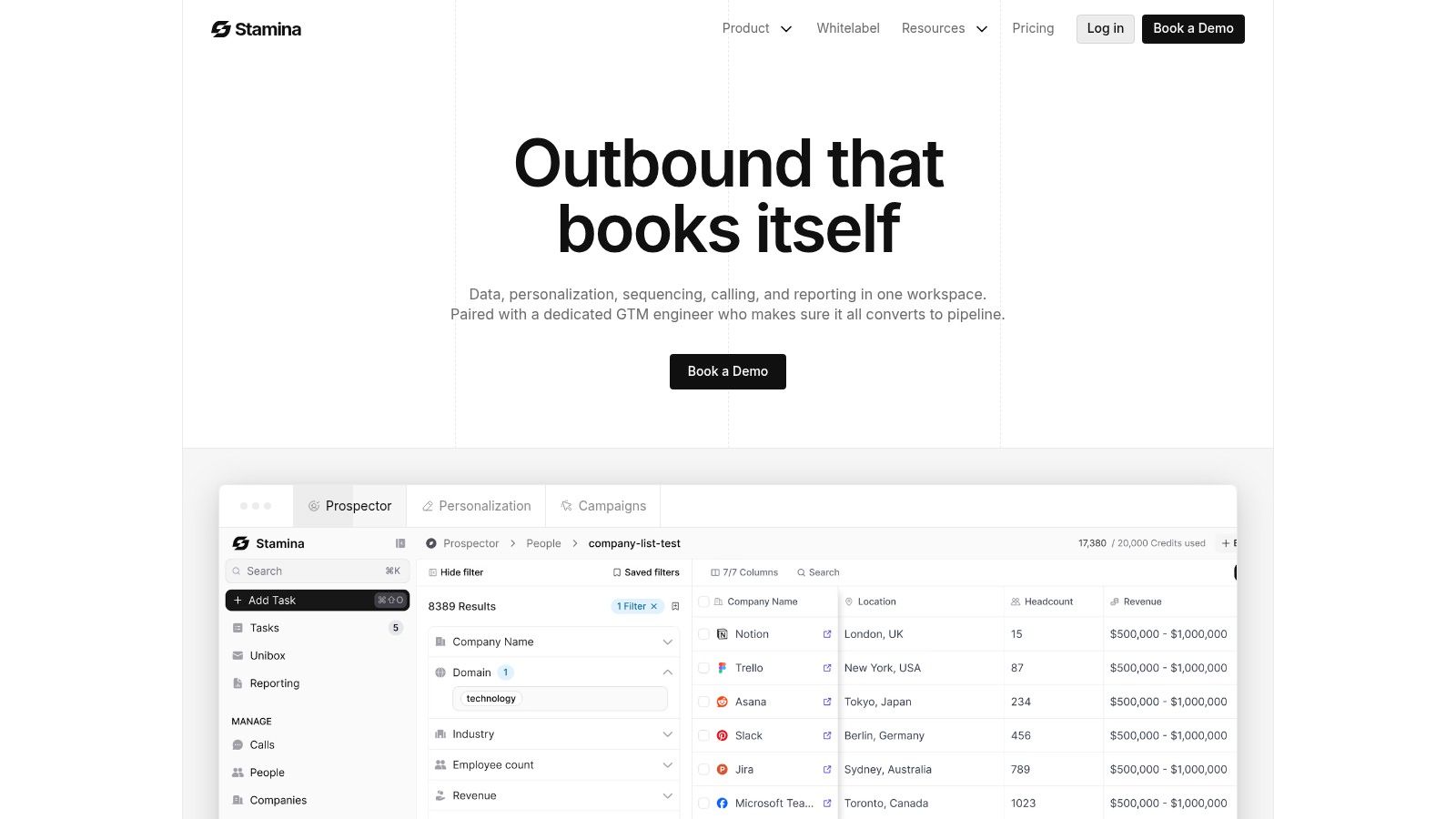
The most advanced startup teams now use CRM systems with embedded AI for prospecting and prioritization. Modern CRMs with embedded AI, like Stamina's Zara, use predictive lead scoring and smart activity tracking to analyze historical data, forecast deal likelihood, and suggest optimal contact times, according to this overview of AI-driven CRM workflow capabilities.
That matters because early-stage teams don't just need storage. They need help deciding where to spend limited selling time.
A CRM becomes a revenue system when it starts helping the team choose, not just record.
In practice, an AI-supported workflow can identify target accounts, surface likely-fit prospects, suggest outreach timing, and support personalized first-touch messaging at scale. That shortens the distance between data and action. It also reduces the usual startup problem where a rep knows there are leads somewhere, but not which ones deserve attention first.
If you want to model these plays more concretely, this guide to CRM workflow design offers useful examples of how teams turn a CRM into a working motion instead of a static database.
Measuring Your CRM ROI and Key Growth Metrics
Founders eventually ask the right question: is this system making us better, or just more organized?
A well-implemented CRM should improve measurable outcomes, not just record activity. The upside can be substantial. Startups that effectively implement a CRM report a potential 300% increase in sales conversion rates, a 47% rise in customer retention, and revenue growth as high as 245%, according to startup CRM performance data.
The metrics that actually matter
You don't need a huge dashboard. You need a few metrics that reveal whether the revenue system is working:
Lead-to-demo rate tracks whether top-of-funnel quality and follow-up are improving.
Conversion by stage shows where deals stall or leak.
Sales cycle length tells you whether the process is getting faster or just busier.
Customer acquisition efficiency helps connect pipeline activity to cost discipline.
Retention trend shows whether the team is handing off and serving customers well after the sale.
These metrics matter because they combine leading and lagging indicators. You can spot process problems before they show up fully in revenue.
A simple operating cadence
Most startups don't need advanced analytics first. They need consistency. Review pipeline weekly, inspect stage movement, and look for two things: where deals are accumulating and where next steps are missing.
A useful starter dashboard includes:
Metric | Basic formula | What it helps you see |
|---|---|---|
Lead-to-demo rate | demos booked ÷ leads created | Lead quality and speed of follow-up |
Stage conversion | deals advancing ÷ deals entering stage | Process friction inside the funnel |
Sales cycle length | close date minus creation date | Whether execution is becoming more efficient |
Retention trend | returning or retained customers over time | Post-sale health and customer value |
If you're fundraising off this progress, clean CRM reporting also improves the investor conversation. Instead of telling a story from memory, you can show operating discipline. For founders building in Europe, it can also help to identify top France CRM investors who already understand the category and the metrics behind it.
The main point is simple. CRM ROI doesn't come from owning the software. It comes from using one system to drive consistent behavior, better visibility, and faster decisions.
If your startup is ready to replace scattered tools with one revenue operating system, Stamina is worth a look. It brings marketing, sales, CRM, workflows, and AI-powered outreach into a single platform, so your team can stop patching together process and start running it.

