
You've got the right prospect. Their title fits, the company fits, and your message is ready. Then the workflow stalls on the smallest detail in the stack: you don't have a working email address.
That's where many teams waste time. They bounce between Google, LinkedIn, company pages, enrichment tools, and spreadsheet guesses as if finding someone email is a collection of hacks. It isn't. The teams that do this well treat it like an operating process. They start with manual signals, move to pattern matching, verify before sending, and automate only after the workflow is clean.
That shift matters because a bad email search doesn't just slow one rep down. It creates bounced outreach, dirty CRM records, and weak follow-up execution. A good search process does the opposite. It gives you verified contacts, cleaner data, and a repeatable way to scale prospecting without burning your domain.
Why Smart Email Finding Is More Than Just Guesswork
The frustrating part about email discovery is that the contact often feels close. You know the person's name. You know where they work. You can usually find their LinkedIn profile in seconds. But direct business emails are often missing from public pages, and when they are public, they're often stale or generic.
That's why modern email finding stopped being a pure lookup task. It became a data-quality workflow. Recent guidance on the category notes that email-finding has evolved from manual web searching into a mature software category because public contact data is incomplete and often outdated, and newer tool stacks now combine discovery, enrichment, validation, and CRM freshness to reduce bounce risk and improve data quality, as described in Debounce's guide on finding someone's email address.

What changed in practice
A few years ago, a rep could get away with rough guessing. Today, that creates more problems than it solves. Inbox providers care about bounce behavior. CRM data decays fast. Teams also need faster prospect turnaround, which means they can't afford a manual hunt for every contact.
The practical model now looks like this:
Start with known inputs. Use the person's full name and company domain first.
Infer a pattern. Figure out how the company structures employee addresses.
Verify before outreach. Don't send just because an address looks plausible.
Escalate to tools when needed. Manual search is fine for one contact, but not for list building.
Smart prospecting starts when you stop asking, “Can I find an email?” and start asking, “Can I trust this record enough to send?”
Why this matters to sales ops
Sales teams often think the win is finding one address. A lasting win is building a system that keeps records usable across prospecting, sequencing, and CRM management.
That's the difference between isolated tricks and a dependable workflow. Once you frame finding someone email this way, your choices get clearer. Manual methods still matter. Pattern inference matters more. Verification is essential. Automation comes last, not first.
Manual Search Methods That Still Work in 2026
Before you buy credits, do the cheap work first. Manual search still works well when you're targeting a small set of accounts, researching senior buyers, or double-checking data from another source.
The key is to search in a sequence instead of opening random tabs. Start with the company website, then search engines, then social profiles, then pattern clues from other employees. Since business email formats are often highly predictable, discovery is often a pattern-matching problem rather than a blind search, as explained in Hunter's guide to finding someone's email address.

Start with pages that reveal patterns
Most reps go straight to the contact page. That's fine, but it's usually the worst page for direct contacts. Better places to check:
About and team pages. Smaller firms sometimes list employee bios with direct contact details.
Author pages and blog bios. Marketing leaders and founders sometimes publish their own inboxes there.
Press or media pages. These often expose naming conventions, even when they don't list your target.
Footer and legal pages. You may not find the person, but you might find the domain's generic inboxes and role-based naming style.
If you find just one direct employee email, you may already have what you need. One example usually reveals the company format.
Use search operators like a prospector
Basic Google queries still uncover a lot. Keep them simple and specific:
site:company.com "firstname lastname"site:company.com "@company.com""firstname lastname" "@company.com"site:linkedin.com/in "firstname lastname" companysite:company.com ("contact" OR "team" OR "about") "firstname"
Use search results to locate references, PDFs, bios, or cached mentions that don't show up in navigation.
For LinkedIn-specific digging, this walkthrough on how to find someone's email on LinkedIn is a practical companion if the profile is your main starting point.
Build a manual fallback path
When direct search fails, move to adjacent signals instead of repeating the same query. A simple fallback path looks like this:
Find another employee at the same company.
Identify that employee's public email.
Infer the structure.
Generate likely versions for your target.
Hold them for verification, not immediate sending.
If you want another grounded overview of manual and lookup-based tactics, BillionVerify's guide to finding emails is useful because it approaches the problem from multiple data points instead of treating email as a standalone field.
Practical rule: Manual search is worth a few focused minutes. After that, either verify a strong pattern-based guess or switch channels. Endless searching usually means the record isn't publicly available.
What doesn't work well anymore? Random scraping tools, copy-pasting old directory data into your CRM, and emailing every permutation you can think of. Manual research is still valuable, but only when it feeds a disciplined process.
From Educated Guesses to Verified Contacts
A guessed email isn't a contact record. It's a hypothesis.
That distinction matters because sending to unverified addresses creates hard bounces, and Outseta's cold email guidance notes that hard-bounce rates above 2% begin to damage sender reputation, while rates above 5% can create serious inbox-provider penalties. That's why email discovery is really a data-quality problem, not just a search problem.
What verification actually protects
Verification isn't busywork. It protects three things your outbound program depends on:
Your domain reputation. Bad addresses create failed sends that mailbox providers notice.
Your sequence performance. Follow-ups don't matter if the first message never reaches a live inbox.
Your CRM trustworthiness. Once reps lose trust in contact data, they start building side spreadsheets.
A lot of teams skip this step because a guessed address “looks right.” That's exactly how domains get burned.
If an email is inferred but not verified, it doesn't belong in a live sequence.
What a good workflow looks like
The workflow is simple, and that's why it works:
Known person, known company. Start with the strongest likely format.
Verification pass. Check whether the address appears deliverable.
Send only clean records. Suppress unknown or risky guesses.
Use another channel when needed. LinkedIn, website forms, or referrals often save time when verification is inconclusive.
For teams that rely on browser-based prospecting and enrichment, it helps to see how verification fits into the broader tooling layer. This review of the ZoomInfo Chrome extension is useful for understanding how contact capture and validation often get bundled together in daily workflows.
What reps often get wrong
They treat finding and verifying as separate jobs owned by different people. In practice, the rep or prospector should own both. The moment a record is created, someone should know whether it's safe to use.
That's the standard to hold. Not “good enough to try.” Good enough to send without hurting deliverability.
The Best Email Finder Tools for Accurate Data
A rep has the name, the company, and a live opportunity. Ten minutes later, they still do not know whether the contact record is safe to use. That is the point where tools earn their keep.
Paid email finders are useful when the job shifts from occasional research to repeatable contact coverage. They save time on name-plus-domain searches, help teams work through account lists faster, and reduce the amount of manual checking required before a record reaches the CRM. As noted earlier from HostArmada's email-finding guide, paid lookup tools can return high match rates quickly. The operational question is not whether a tool can find an address. It is whether the result is clear enough to trust, easy enough to route into your workflow, and strict enough to avoid bad sends.

What to evaluate before you buy
The wrong buying process creates the usual mess. Reps use one tool for single lookups, another for LinkedIn, a third for verification, and none of them agree on status labels. Now the team has more data, but less confidence.
Use a simple evaluation frame:
Tool criterion | What to look for | Why it matters |
|---|---|---|
Accuracy model | Clear labels such as verified, risky, catch-all, or unknown | Reps need decision-ready statuses, not vague confidence scores. |
Search input | Name plus domain, company search, LinkedIn input, bulk CSV | Input flexibility affects adoption and speed. |
CRM integration | Native sync or a clean export and import path | Manual re-entry creates duplicates and stale records fast. |
Pricing model | Credit-based vs subscription | Finance and ops need to predict cost per sourced contact. |
Bulk workflow | List enrichment, suppression rules, and batch verification | Single-record lookup tools slow down fast once account volume rises. |
Categories that matter more than brand names
Tool categories matter more than feature checklists because each one fits a different stage of the workflow.
Single-contact finders fit one-off searches where a rep needs one address now.
Database-plus-verification tools fit teams working through account lists and checking multiple stakeholders at each company.
Prospecting platforms fit teams that want contact discovery, qualification, and outbound execution connected in one motion.
One example in that third category is Stamina Prospector for contact discovery and outreach workflow automation. It is closer to an operating layer than a standalone lookup tool. That distinction matters when the main bottleneck is not finding one email, but keeping sourcing rules, verification status, and outbound actions aligned across the team.
A quick walkthrough can help if you're comparing how these products fit into live prospecting motions:
The fallback that separates disciplined teams from messy ones
No tool covers every contact. You will still run into missing records, catch-all domains, and conflicting results across vendors. Good teams have a fallback process before that record reaches a sequence.
The practical fallback is simple. Check whether the company uses a consistent email pattern, confirm it against another employee if possible, and verify the target address before using it. That is slower than clicking "find email," but it is still faster than cleaning up bounce-heavy lists or repairing rep trust in the CRM.
This same workflow shows up outside sales use cases too. For example, How to Contact guest discovery approaches contact research as a structured sourcing problem rather than a one-off trick.
Use tools to compress the research step. Keep human judgment on anything unclear. If a vendor cannot show result quality clearly, cannot support bulk hygiene, or makes it too easy to push unknown emails into live outreach, it creates more operational risk than value.
Beyond Finding an Email How to Scale Your Outreach
The jump from one contact to a repeatable pipeline usually happens organically. A team starts with a handful of manual lookups. Then someone builds a spreadsheet of target accounts. Then reps need multiple contacts per company, plus follow-up sequences, plus CRM updates, plus some way to keep the whole thing current.
At that point, email finding stops being a task and becomes part of revenue operations.
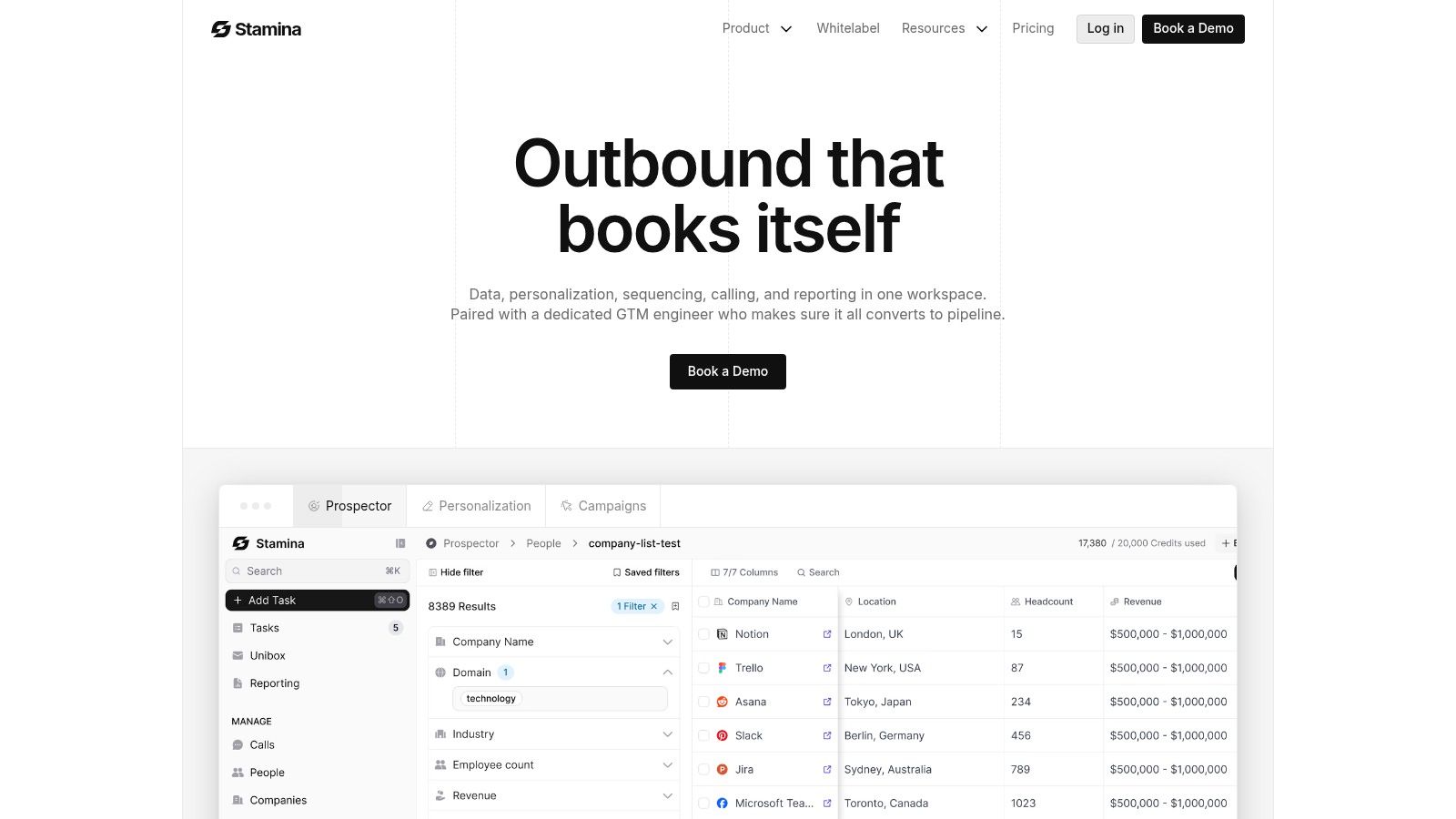
What the workflow looks like when it scales
A typical progression looks like this:
A founder starts by searching for a few ideal buyers manually. They can handle that for a while. Then they hire an SDR or outsource prospecting. Suddenly the process breaks because nobody follows the same rules. Some contacts come from LinkedIn, others from a finder, others from old lists. Verification standards drift. Messaging quality drops because reps spend too much time hunting data and not enough time researching the buyer.
The fix isn't another spreadsheet tab. The fix is one workflow that connects contact discovery, qualification, sequencing, and CRM hygiene.
The moment you need repeatability, your contact-finding process has to live inside the same operating system as your outreach.
A cleaner operating model
Teams that scale this well tend to do a few things consistently:
Enrich against an account list. Start with firms and roles you actually want.
Verify before enrollment. Don't let unconfirmed records enter sequences.
Keep research attached to the contact. Notes, role context, and intent clues should stay in one place.
Launch outreach from the same system. The less copy-paste between tools, the fewer data errors you create.
That same logic shows up outside classic outbound use cases too. If you're sourcing creators, experts, or show guests instead of buyers, How to Contact guest discovery is a useful example of how contact discovery becomes part of a larger outreach pipeline rather than a standalone lookup exercise.
Where scale usually breaks
It usually breaks in one of three places:
Dirty records enter the CRM and no one trusts the data.
Research and outreach happen in separate tools so context gets lost.
Follow-up quality drops because reps spend their time fixing lists.
If your team is already sending outbound, contact quality and message performance should be managed together. This piece on how to improve email open rates is worth reviewing for that reason. Better opens don't come from subject lines alone. They also depend on whether you're reaching the right inbox with the right record quality.
When teams unify prospecting, CRM updates, and sequence execution, they don't just find more emails. They create fewer bad records, launch faster, and spend more time on targeting and copy than list cleanup.
Finding Emails The Right Way Ethics and Best Practices
Just because you can find an address doesn't mean you should use it carelessly. Good outbound starts with relevance, restraint, and a clear reason to contact the person.
That matters even more because the reliability of email-finding methods varies across markets, roles, and regions, which is one reason BuzzStream's guide to finding someone's email address highlights the need for fallback strategies and better enrichment rather than blind pattern guessing. A freelancer, an executive, and an SMB owner don't leave the same public trail. Your approach should reflect that.
Rules worth following
Lead with relevance. If your first line could be sent to anyone, don't send it.
Use the least intrusive path first. A direct email isn't always the best opening move.
Respect opt-out expectations. Give people a clear way to stop hearing from you.
Keep your data handling clean. If you're collecting public information at scale, use sound operational practices.
For teams that collect contact data through broader web research, this guide to web scraping proxies best practices is a useful operational reference. The point isn't to scrape more aggressively. It's to collect data responsibly and keep your process stable.
What to do when you still can't find the email
Sometimes the right answer is to stop searching.
Use a fallback channel instead:
LinkedIn connection request with a specific reason for contact
Generic company inbox if the ask is relevant and easy to route
Contact form for smaller firms where founders still monitor submissions
Referral request through a mutual connection or customer
A missing email address isn't a dead end. It's a signal to change channels.
The best operators know when to automate and when to back off. They don't force outreach into inboxes that aren't reachable, and they don't confuse access with permission. Finding someone email is only useful when it leads to a message the recipient can reasonably welcome.
If your team wants one place to manage prospect discovery, outreach, and CRM activity, Stamina is built for that operating model. It gives SMBs a connected system for AI-powered prospecting, personalized outbound, and pipeline management so contact finding doesn't stay stuck as a manual side task.

