Most small business owners don't have a marketing problem. They have a systems problem.
Leads come in from a form, a referral, a social post, or a website visit. Then the actual mess starts. Someone has to reply, log the contact, remember the follow-up, send the right info, update the pipeline, and keep the conversation moving. If that someone is also the owner, sales rep, and customer service desk, things slip. Not because the business doesn't care, but because manual work always loses to urgent work.
That is why marketing automation for small business matters. Not as an enterprise add-on. Not as a fancy email tool. As operating infrastructure.
The opportunity is larger than often recognized. 75% of small businesses still don't use any automation tools, even though small businesses that implement it see a 14.5% increase in sales productivity and a 12.2% reduction in marketing overhead according to Growth Automation Labs. The same source notes that automation can eliminate up to 80% of repetitive tasks that eat up 5 to 10 hours per week.
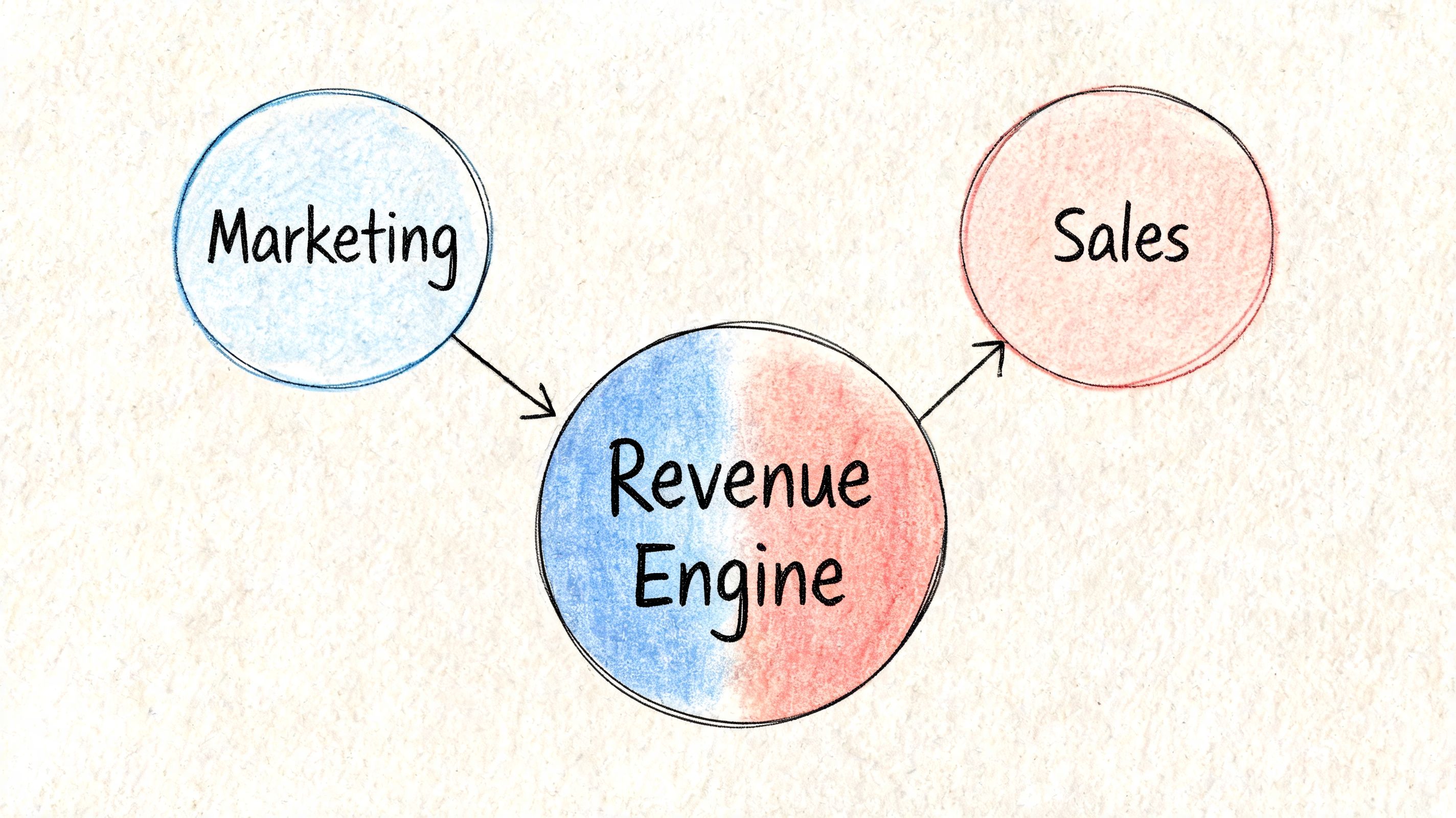
The businesses that get the most from automation don't treat it as a set of disconnected campaigns. They build a connected revenue engine. Marketing captures intent. Sales acts on it. CRM keeps the history clean. Follow-up happens without relying on memory. That is what this playbook is about.
Introduction
A typical small business setup looks workable from the outside. A website collects inquiries. Someone sends newsletters from one tool. Sales tracks deals in a spreadsheet or a lightweight CRM. Follow-ups sit in inboxes, calendar reminders, and sticky notes.
Inside the business, it feels different. Leads wait too long. Existing customers get generic messages. Good prospects disappear because no one had time to follow up twice. Marketing and sales operate as separate jobs even when they're handled by the same person.
That is where automation starts paying off. Not when you build a massive sequence library. When you remove repeatable work from the daily pile and create a consistent path from first touch to closed deal.
For a small team, a key value isn't just speed. It's reliability. Every new lead gets a response. Every sales-ready contact gets routed. Every campaign creates data you can use later. The point is to build a system that works on busy days, not only on organized ones.
The Foundation Planning Your Automation Strategy
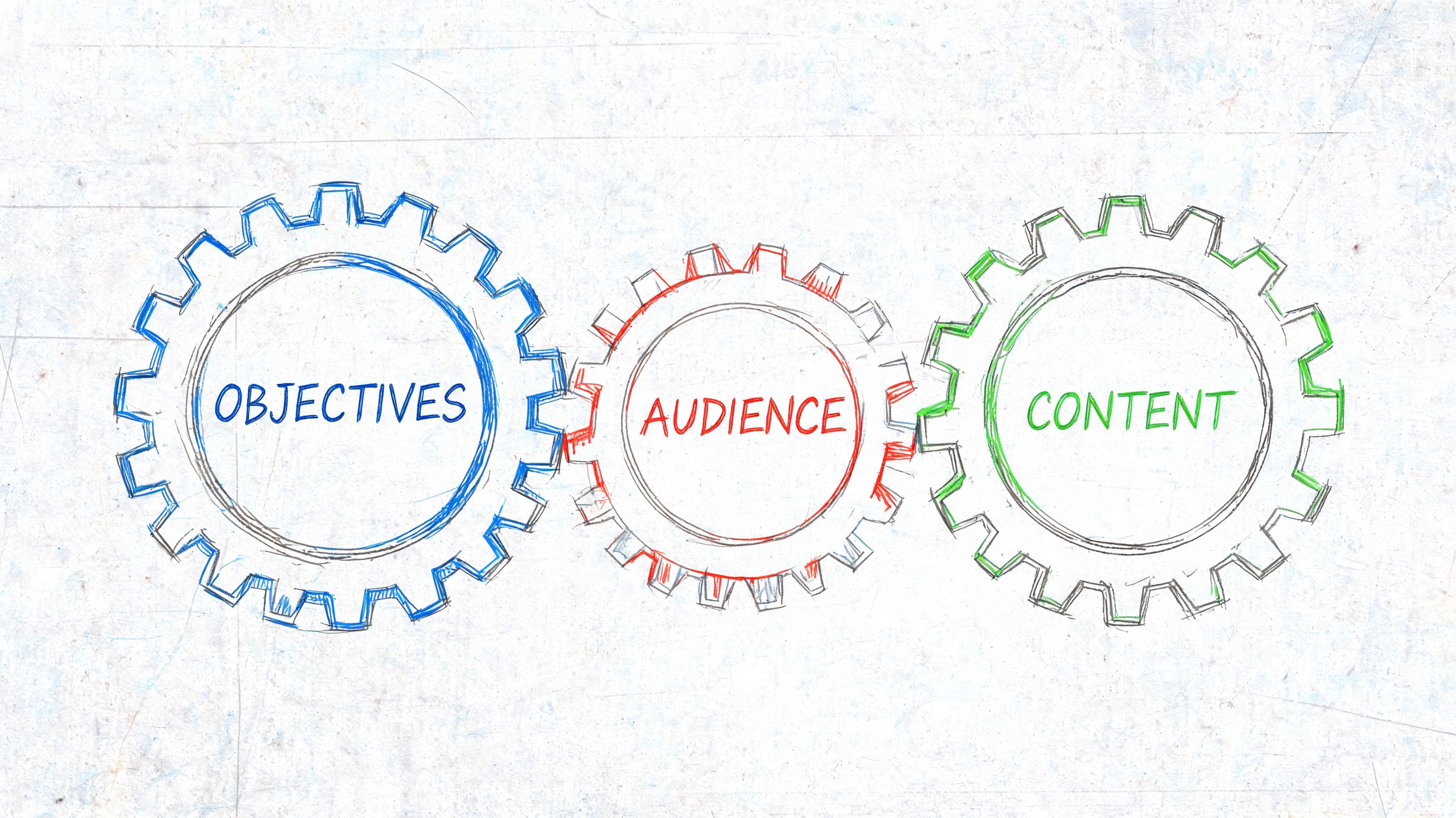
A small business can buy the right software and still get no result from it. I see that pattern all the time. The team sets up a form, builds a few emails, and connects a CRM. Six weeks later, leads are still slipping through because nobody defined what should happen after the first click, who owns the follow-up, or how marketing activity should turn into a sales conversation.
Technology only helps after those decisions are clear.
Start with operational pain, not features
The best starting point is a short audit of repeated work. Look for the tasks your team handles over and over, the handoffs that break, and the moments where a lead goes cold because no one responded fast enough.
For a small business, the first automation opportunities usually show up in a few places:
Lead response: form fills, quote requests, demo requests, and consultation bookings that need an immediate reply
Follow-up reminders: leads who got one response but never got a second or third touch
Contact updates: copying information from inboxes or forms into a CRM
Basic nurture: a welcome series after someone downloads a guide, joins a list, or asks for information
Post-sale communication: onboarding, review requests, appointment reminders, or renewal prompts
The point is not to automate everything. The point is to remove the repeatable work that blocks revenue work.
That distinction matters. A lot of small teams treat marketing automation as an email tool. In practice, the higher-value use case is building a connected revenue engine. A form submission should not stop at "send autoresponder." It should create context for sales, update the record, assign ownership, and signal when a lead is ready for a human conversation. If you plan that connection early, your automations will support both inbound marketing and outbound sales motion instead of creating two disconnected systems.
Pick one business outcome
Vague goals create messy workflows. "We need automation" is not a strategy. "We need to cut lead response time and route qualified inquiries to sales" is a strategy.
Choose one business outcome for the first build:
Primary goal | Best first automation | Why it works |
|---|---|---|
Generate more leads | Lead capture plus instant follow-up | It shortens response time and keeps inquiry volume from going stale |
Improve lead quality | Welcome and nurture sequence | It gives contacts enough context before a sales conversation |
Increase close rate | MQL to sales handoff workflow | It keeps qualified leads from sitting untouched in the CRM |
Improve retention | Onboarding or re-engagement flow | It keeps customers active after the sale |
If you are unsure where to start, find the stage where revenue slows down. For one company, that might be inbound leads waiting two days for a reply. For another, it is sales reps getting names with no source data, no behavior history, and no priority signal. Start with the bottleneck that affects pipeline, not the workflow that sounds the most interesting.
Define the trigger, action, and owner
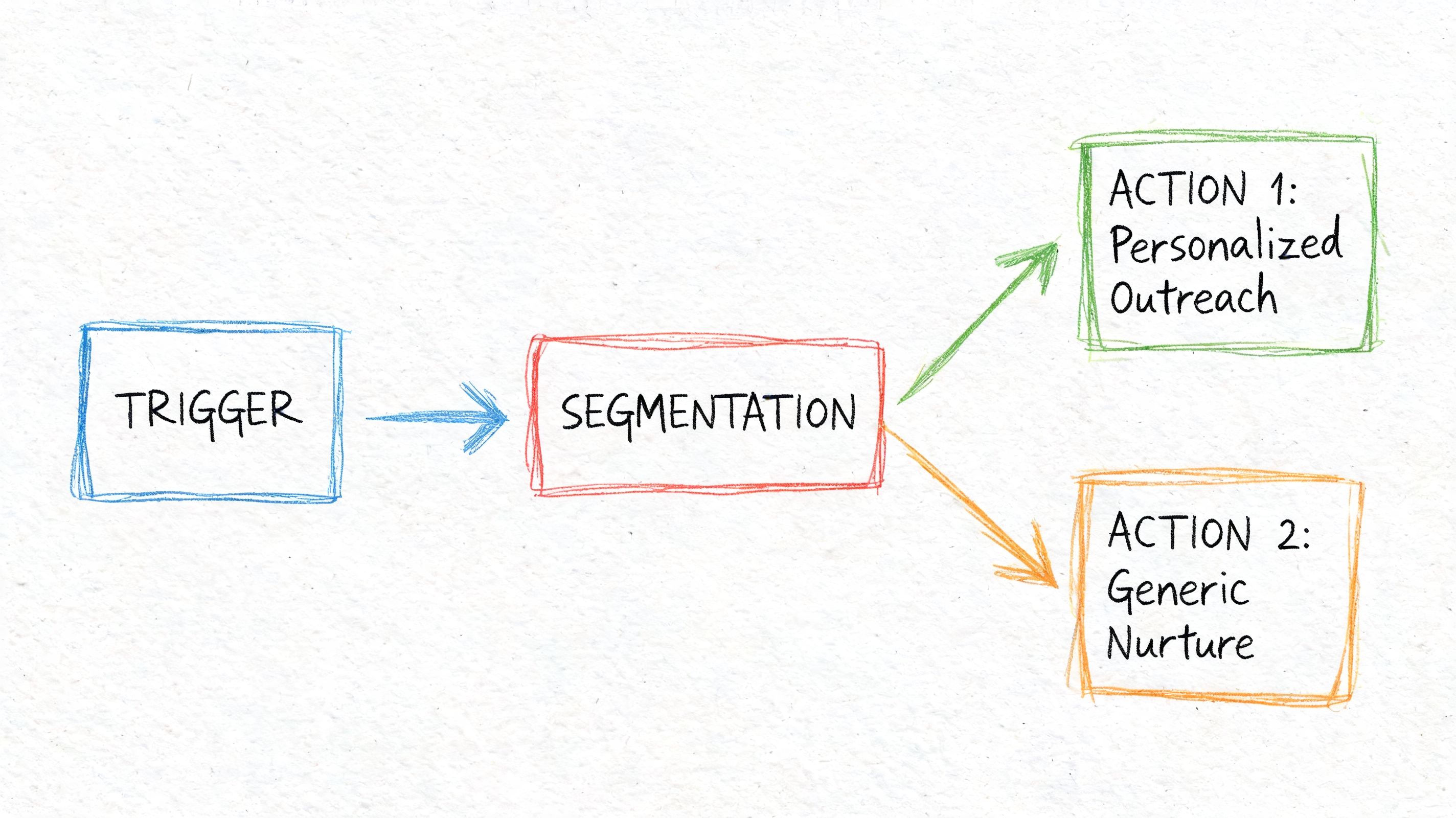
Every workflow needs three things: a trigger, an action, and an owner.
The trigger is the event that starts the process. Someone submits a form, visits a pricing page, books a call, replies to an email, or reaches a defined lead score.
The action is what the system does next. It sends an email, creates a task, updates lifecycle stage, assigns a record, alerts sales, or puts the contact into a nurture path.
The owner is the person responsible for the outcome. Many small businesses often get into trouble in this regard. Automation can handle the motion, but it should not remove accountability. If a high-intent lead requests a demo and no rep follows up because "the workflow was running," the problem is not the workflow. The problem is missing ownership.
A simple worksheet is enough to plan this well:
What event should start this workflow
What response should happen immediately
What should happen if the lead engages
What should happen if the lead ignores it
Who checks performance and fixes issues
I also recommend defining one sales-facing step for each marketing workflow, even in the early stages. That could be a task for a rep after a pricing-page visit, an alert when a contact replies, or an AI prospecting list that feeds similar-fit accounts into outbound follow-up. That is how automation starts supporting revenue generation instead of just campaign delivery.
Keep your first build boring
Simple workflows win early.
A straightforward inquiry acknowledgment, welcome flow, or review request sequence is easier to test, easier to maintain, and far more likely to stay live after the first month. Small teams usually get in trouble when they start with branching logic, complicated lead scoring, and channel-spanning journeys before they have clean data and clear process rules.
If you're comparing systems, it helps to discover marketing automation for your business with an eye on the basics first: triggers, CRM sync, reporting, sales task creation, and ease of editing. Fancy features matter less than whether your team can keep the system accurate.
Tool choice still matters because disconnected apps create hidden work. If you're weighing connected systems versus separate tools, this breakdown of an all-in-one business platform is useful because the handoff between marketing, sales, and CRM is often where small teams lose visibility.
Start with one workflow that the team will maintain, one handoff that sales will trust, and one source of truth for contact data. That foundation gives you something small businesses rarely have at the start: a process that keeps running when everyone is busy.
Building Your First Automated Campaigns
The easiest campaign to build is usually the one every small business needs. A welcome and nurture sequence for new inbound leads.
It works because it solves two common problems at once. You respond immediately, and you keep the conversation warm without relying on memory.
Build around one concrete trigger
Take a small B2B consulting firm. A prospect downloads a checklist from the website or submits a contact form asking about services. That action becomes the trigger.
The biggest improvement comes from what happens next. According to 310 Creative, small businesses implementing marketing automation see an 18% increase in lead generation and a 12% average improvement in conversion rates. The same source makes a point that experienced operators already know is true: every workflow needs testing before launch, including links, personalization tokens, and formatting.
For a local service business, I wouldn't start with a seven-email sequence. I'd build three emails and one decision point.
Segment before you write
A single welcome email to everyone is better than silence. But simple segmentation usually makes the sequence much stronger.
You don't need advanced data. Start with what the lead already told you:
Source: contact form, guide download, webinar sign-up, quote request
Interest: service category, product category, topic of content consumed
Intent level: informational lead versus sales-ready inquiry
A contractor might split leads into "request a quote" and "downloaded homeowner guide." An ecommerce brand might separate "new subscriber" from "added to cart but didn't buy." Same toolset, different logic.
When you segment this early, your emails stop sounding like broadcast copy. They start sounding like a relevant response.
A simple three-email sequence that works
Here is a practical structure for a first campaign.
Timing | Job of the email | |
|---|---|---|
Welcome and value | Immediately | Confirm the sign-up or inquiry and deliver what was promised |
Education and trust | Later, after the first email | Answer a common question and reduce hesitation |
Soft call to action | Later, after the second email | Ask for the next step without forcing the sale |
Email 1 should be direct. Thank them, deliver the guide or next step, and set expectations. If this is a quote request, confirm that someone will follow up. If it's a newsletter sign-up, tell them what kind of content they'll receive.
Email 2 should teach, not pitch. A consultant could explain the most common mistake buyers make before hiring help. A local ecommerce store could explain how to choose the right product variant. This builds trust because you're helping the buyer make sense of the decision.
Email 3 should make the next step easy. Book a call. Reply with a question. Browse a shortlist. Request a quote. Start a trial. Keep the ask small.
If your team needs help tightening the message, this guide to copywriting for email is useful because weak automation usually isn't a workflow problem. It's a messaging problem.
A lot of teams are also revisiting their broader automation mix as they plan for what's next. If you're updating your stack or content approach, these future B2B marketing plans are worth reviewing for how nurture, outbound, and sales alignment fit together.
Before you launch, watch a practical walkthrough like the one below and compare it against your own setup logic.
What good testing looks like
Most first campaigns don't fail because the idea was wrong. They fail because no one tested the details.
Use a short pre-launch checklist:
Check every link: make sure each CTA lands on the correct page
Test personalization: confirm names, company fields, or service fields populate correctly
Review on mobile: many small business audiences read first emails on phones
Verify timing: don't stack all emails too close together
Confirm exclusions: avoid sending nurture emails to leads who have already booked or purchased
A workflow is only automated if it works without supervision. If you still need to fix it manually every week, you built a recurring task, not a system.
That distinction matters.
Connecting Marketing and Sales With Workflows
Most small business automation stops too early. It sends emails, maybe tags a contact, then leaves the rest to chance.
That is where pipeline leaks happen. Marketing warms the lead. Sales never gets a clear handoff. Nobody knows which lead is ready, who owns the follow-up, or what was already sent.
Build a handoff that doesn't depend on memory
A connected workflow should answer one question clearly. What happens when a lead shows buying intent?
That answer usually includes several system actions at once:
A lead engages with a meaningful signal. They complete a nurture sequence, request pricing, reply to an email, or visit a high-intent page.
The platform updates the CRM record.
The lead status changes from marketing-managed to sales-owned.
A task is created for the assigned rep or founder.
The rep gets context on what the lead did before the handoff.
Marketing automation transitions into revenue operations. The workflow is no longer just messaging. It is coordination.
The business case for this is strong. According to inBeat, 63% of top-performing companies use marketing automation, and they often achieve 10%+ revenue boosts within 6 to 9 months through better lead management. The same source notes that triggered campaigns can drive as much as 75% of revenue for some B2B businesses.
A practical example for a small team
Take a small agency with one founder and one SDR. A prospect downloads a service guide, opens the follow-up email, visits the pricing page, and replies with a question.
A disconnected setup creates friction. The SDR may not see the website activity. The founder may not know which email drove the reply. The CRM may still show the lead as cold.
A connected workflow does the opposite:
The contact record updates automatically
The lead gets reassigned to sales
A task appears with a clear follow-up deadline
The SDR sees the pages viewed, emails opened, and content downloaded
The first outreach references the actual behavior that signaled interest
That final point matters. Relevance improves response quality more than volume ever will.
Add AI where personalization usually breaks down
This is the gap most small business content ignores. Marketing automation is often framed as broadcast plus nurture. But modern revenue teams also need outbound and follow-up to be personalized without hiring a larger SDR function.
That is where AI-assisted prospecting and sales engagement fit. A platform such as Stamina combines marketing automation, CRM, workflows, and AI SDR functionality so a team can trigger follow-up actions across the full lead lifecycle, including personalized first-touch outreach based on activity and profile data.
That kind of setup is useful when a warm prospect needs more than a canned email. For example, if a lead visited key pages, engaged with content, and matched a target segment, the system can prepare a more customized handoff for sales instead of dropping the person into a generic sequence.
If you're designing these cross-team automations, this guide on how to create a workflow is a good reference point because workflow quality usually comes down to logic, ownership, and clean trigger design, not the number of branches.
The best handoff is invisible to the buyer. They don't see a department change. They see a company that remembers what they did and responds accordingly.
Measuring What Matters From Clicks to Revenue
A small business launches a nurture sequence, sees solid open rates, and assumes the system is working. Then the owner asks a simple question: which workflow created meetings, pipeline, or closed deals? That is usually where the reporting falls apart.
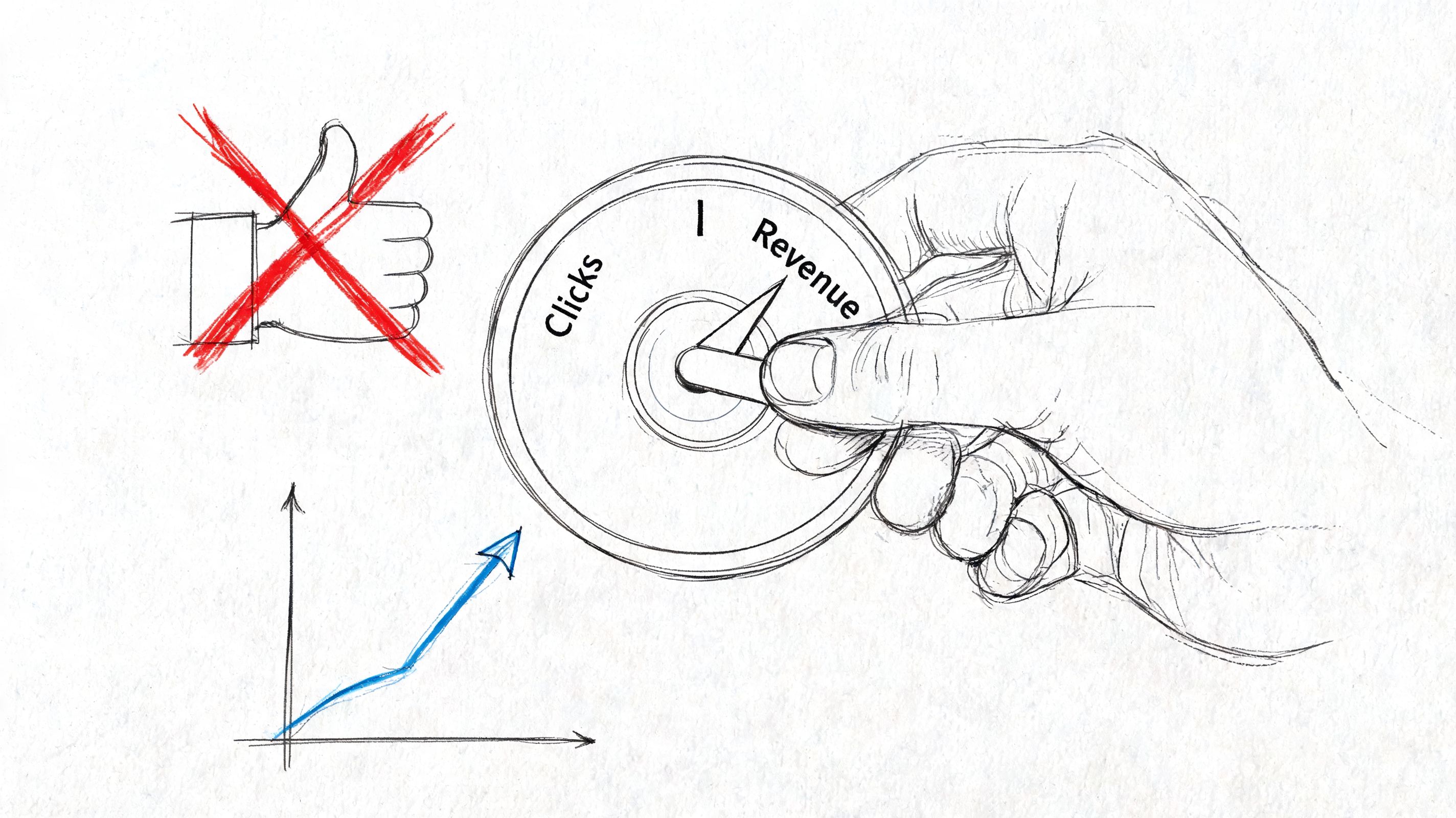
Small teams often measure channel activity because it is easy to pull. Revenue teams need to measure business movement. If marketing automation is part of a connected engine, the standard is higher than clicks. It should help produce qualified opportunities, shorten follow-up time, and improve conversion from first touch through closed deal.
Separate performance diagnostics from revenue metrics
Keep two scoreboards.
The first is for workflow diagnostics. Use it to spot delivery problems, weak offers, or message fatigue. Open rate, click rate, reply rate, form completion, and unsubscribe rate all belong here. These metrics help teams troubleshoot. They do not prove business impact on their own.
The second scoreboard is for commercial outcomes. This is the one that should guide budget, headcount, and process decisions.
Track questions like these:
Which workflows create qualified meetings, not just email engagement?
Do leads in automated paths convert to opportunities or customers at a higher rate?
Does automation reduce time from inquiry to first sales action?
Which campaigns influence revenue, proposals, or booked calls?
Which lead sources produce the strongest downstream sales results?
That distinction matters because a workflow can look healthy in the marketing platform and still underperform in the pipeline. I have seen welcome sequences with strong clicks produce weak deal quality because the content attracted curiosity, not buying intent.
Compare outcomes, not isolated numbers
Single metrics rarely help much in isolation. Comparisons do.
Compare automated leads against non-automated leads. Compare one segment against another. Compare lead-to-meeting rate before and after a workflow goes live. Compare contacts who reached a key milestone in the journey against contacts who stalled halfway through.
That is how small teams move from reporting activity to explaining contribution.
A connected setup makes this easier. When campaign engagement, CRM stage changes, sales tasks, and prospecting activity live in one system, it becomes much easier to see whether a lead clicked an email, booked a meeting, received outbound follow-up, and turned into revenue. That is the gap in many small business automation programs. They report marketing touches in one tool and sales outcomes somewhere else, so nobody can trace what worked.
Build a scorecard your team will review
The best scorecard is the one your team can update and use every month. Keep it small and tied to decisions.
Metric | Why it matters | What to compare |
|---|---|---|
Workflow completion rate | Shows where contacts drop out | Compare by source, offer, or segment |
Lead-to-opportunity rate | Connects automation to pipeline quality | Automated leads versus non-automated leads |
Time to first sales action | Shows whether handoff is fast enough | Before and after automation |
Opportunity-to-customer rate | Reveals whether leads are sales-ready | Compare across workflows |
Revenue influenced by workflow | Identifies which journeys affect closed business | Compare across campaigns and channels |
Unsubscribe or opt-out rate | Flags message mismatch or frequency issues | Compare across sequences |
For teams using separate systems for email, CRM, outbound, and reporting, this usually breaks on attribution and speed. Someone exports data, cleans it manually, and by the time the report is ready, the team has already changed the campaign. A tighter reporting process helps. This guide to ad hoc reporting for fast operational analysis is useful if your team needs quick answers without building a full BI stack first.
Treat vanity metrics as signals, not verdicts
High engagement can mean strong messaging. It can also mean the topic was interesting to people who were never likely to buy.
Low engagement does not always mean failure either. Some of the best-performing automations in revenue terms look average at the email level because they target smaller, higher-intent audiences and trigger the right sales action at the right time.
The point is simple. Measure the step where attention becomes pipeline, and where pipeline becomes revenue. That is where marketing automation proves it belongs in the revenue engine.
Optimizing and Scaling Your Automation Engine
Most automation projects don't fail at launch. They fail in maintenance.
The workflow goes live. It performs well enough. Then nobody reviews it for months. Messaging gets stale. Sales changes its process. Offers shift. New objections show up. The automation keeps running, but it no longer reflects how the business sells.
Treat optimization as operating rhythm
Small teams often avoid optimization because it sounds like a large project. It isn't. It is a recurring review habit.
That matters because many teams already feel the setup burden before they see the payoff. As MarketBetter points out, many SMBs face the "time cost" catch-22. They don't have the bandwidth to implement the systems that would save bandwidth later. The same source notes that small businesses that successfully adopt automation see an 18% increase in lead generation and a 12% improvement in conversion rates.
The answer is not to automate more. The answer is to review what you already automated and improve it in small steps.
Use a simple monthly review cadence
A workable review rhythm can fit into one meeting or one focused block on the calendar.
Check these areas each month:
Workflow performance: look for drop-off points, stalled contacts, or unusual unsubscribe patterns
Sales feedback: ask whether the leads entering sales are better prepared
Message freshness: update outdated references, weak CTAs, or repetitive copy
Logic gaps: find places where engaged contacts should branch differently
Data hygiene: clean bad tags, duplicate records, or incorrect ownership
This kind of review prevents a common SMB problem. The automation runs, but nobody trusts it. Once trust drops, people start adding manual work back into the process.
Scale by depth, not by count
The wrong way to scale is to build more workflows because the builder makes it easy.
The right way is to improve one working automation until it reliably supports the business, then add the next adjacent one. For example:
Refine the welcome sequence
Add a sales handoff for engaged leads
Add onboarding for new customers
Add re-engagement for inactive contacts
Add outbound support based on intent signals
That order keeps the system coherent.
Run tests that a small team can actually maintain
You don't need a full experimentation program. You need a few focused tests with a clear reason behind them.
Good SMB tests include:
Subject line test: compare clarity versus curiosity
CTA test: compare "book a call" against "reply with a question"
Timing test: send earlier or later in the sequence
Branching test: send different follow-up content based on a clicked link
Sales alert test: notify a rep after one high-intent action versus several signals combined
Avoid changing everything at once. If the result improves, you want to know why.
Small teams scale automation by reducing uncertainty. One reliable improvement beats five unproven ideas.
Conclusion
Marketing automation for small business works best when you stop treating it as a marketing feature and start treating it as a revenue system.
The important shift isn't from manual emails to automated emails. It's from disconnected tasks to connected workflows. A lead comes in. The right message goes out. The CRM updates. Sales knows when to act. Performance ties back to revenue. The system supports the team instead of demanding more from it.
That is what makes automation useful for a small business with limited time and headcount. It doesn't replace judgment, relationship building, or good sales work. It protects them. It removes repetitive effort so people can spend more time on conversations that move deals forward.
The strongest setups are usually simple at first. One clear objective. One high-impact workflow. One clean handoff. One review habit. Then the engine grows from there.
This is also why unified systems matter. When marketing, sales engagement, and CRM live in separate tools, small teams spend too much effort stitching together context. When those functions work from the same record and the same workflow layer, automation becomes easier to trust, easier to measure, and easier to improve.
You don't need an enterprise team to build that kind of operation. You need a practical process, disciplined workflow design, and a platform that doesn't force you to rebuild context at every step.
If you're trying to connect marketing automation, sales engagement, and CRM in one place, Stamina is built for that model. It gives growing SMBs one system for campaigns, workflows, pipeline management, and AI-assisted prospecting, so the handoff from first touch to closed deal is easier to run and easier to measure.

