Marketing Automation with AI: Boost SMB Growth

Unlock growth with marketing automation with AI. SMBs can unify sales & marketing, automate lead scoring, & generate more pipeline in 2026. Get your guide!

0 - Minute Read

Your marketing stack probably works. It just doesn't work together.

A lead fills out a form in one tool. The email platform sends a follow-up. Sales never sees the context in the CRM. Someone exports a CSV to patch the gap. A week later, the same prospect gets a generic nurture email after already booking a call. That's the normal state for a lot of SMBs. The problem isn't effort. It's fragmentation.

That's why marketing automation with AI matters now. Not as another app for writing subject lines or scheduling drips, but as the system that connects marketing, sales, and CRM activity into one operating model. The shift is already underway. 87% of professional marketers used generative AI in at least one workflow in Q1 2026, up from 51% in 2024, according to Omnibound's roundup of AI marketing adoption statistics. If your team is still stitching together point tools by hand, you're competing against businesses that respond faster, route better, and personalize at a level manual workflows can't sustain.

The fix usually isn't “add more automation.” It's consolidate first, then automate from one source of truth. That's the difference between a busy stack and a revenue system. If you're trying to replace tool sprawl with something connected, this guide on how to unify your business with an all-in-one business platform is a useful place to start.

The End of Disconnected Marketing

The pattern is easy to spot when you've seen enough RevOps cleanups.

A founder buys an email tool because they need campaigns out fast. Sales adds a sequencing tool because follow-up is inconsistent. Customer data lives in the CRM, except for webinar leads, which live in a spreadsheet, and website intent signals, which sit in analytics no one checks daily. Each tool does its job. The handoffs fail.

Where SMB teams get stuck

Disconnected systems create three predictable problems:

  • Lead context disappears: Marketing knows what content a lead engaged with, but sales gets only a name, company, and maybe a source field.

  • Timing breaks down: Teams send the right message too late, or the wrong message after a buyer has already moved to the next stage.

  • Reporting turns unreliable: Attribution becomes an argument instead of a decision-making tool because each platform measures a different version of the truth.

This is why many SMBs feel busy but not efficient. The team is active. Pipeline still leaks.

Practical rule: If your staff has to reconcile buyer activity across multiple dashboards before taking action, you don't have automation. You have admin work disguised as process.

The shift from tasks to systems

Most small businesses start with isolated automations. Send a thank-you email after a form fill. Notify sales after a demo request. Add a lead to a list after a download. Those are useful, but they don't solve coordination.

Real progress starts when you stop asking, “What can I automate in this tool?” and start asking, “How should marketing, sales, and CRM react together when buyer intent changes?”

That's the difference between disconnected marketing and orchestrated marketing automation with AI. One triggers tasks. The other coordinates responses across teams.

In practice, that means one system can see that a contact visited a pricing page, opened a nurture email, matched your ideal customer profile, and should now move from generic nurture into a tighter sales sequence. No spreadsheet. No Slack scramble. No rep guessing whether the lead is ready.

For growing SMBs, that's the operational change that matters most. Not more features. Better coordination.

What AI Marketing Automation Really Is

Traditional automation is useful, but it's limited. It follows rules you set in advance.

If a contact fills out a form, send email A.
If they click, wait two days and send email B.
If they don't reply, assign a task.

That's fine for basic workflows. It breaks when buyer behavior gets messy, which it always does.

The vending machine versus the personal barista

A simple way to think about the jump to AI is this:

A traditional automation system is a vending machine. You press a button, it gives the preassigned output. Reliable, but rigid.

An AI-powered automation system is more like a personal barista. It remembers what you usually order, notices when your habits change, and adjusts the recommendation based on context.

That's what changes in marketing automation with AI. The system doesn't just execute a fixed branch. It adapts based on patterns in behavior, timing, and engagement.

According to Get Ryze's explanation of AI-driven marketing automation, AI-driven platforms process millions of data points per second and segment audiences using more than 200 behavioral signals such as browsing patterns and engagement history. They can generate follow-up sequences without requiring a marketer to manually define every rule.

Here's the practical comparison:

Capability

Traditional Automation (The Vending Machine)

AI-Powered Automation (The Personal Barista)

Decision model

Fixed if-then rules

Learns from patterns in behavior

Segmentation

Static lists and manual criteria

Dynamic segments based on live signals

Follow-up logic

Prebuilt sequences

Adapts messaging and timing to context

Personalization

Basic field merge and segment-level copy

Content and sequencing shaped by individual behavior

Optimization

Manual review and edits

Continuous adjustment based on response patterns

Scale

More complexity means more rules to maintain

More data improves the system's ability to react

What changes operationally

The biggest misconception is that AI automation means “the tool writes content for me.” That's a small piece of it.

The larger shift is architectural. Instead of separate systems firing isolated actions, AI can evaluate signals across channels and recommend or trigger the next best move. That could mean routing a contact to sales, pausing a nurture sequence, changing the email variant, or escalating a high-intent account.

If you want a grounded primer before buying software, this piece on understanding AI automation beyond hype does a good job separating useful capability from inflated claims.

What it does not do well by itself

AI still doesn't replace clear positioning, clean data, or human judgment. If your CRM is full of duplicates and your lifecycle stages are inconsistent, the system will automate bad decisions faster. If your offer is weak, personalization won't rescue it.

That's why smart teams use AI for pattern recognition, routing, draft generation, and optimization, while keeping messaging strategy and pipeline design under human control. If you're evaluating that balance, this guide to an AI agent for marketing is worth reading.

Better automation doesn't start with prompts. It starts with deciding which decisions the machine should make, and which ones people should keep.

Key Benefits for Growing Businesses

SMBs don't need abstract promises. They need fewer manual tasks, cleaner handoffs, and more qualified pipeline.

That's where marketing automation with AI earns its place. It solves operational bottlenecks that usually show up when a team is growing faster than its systems.
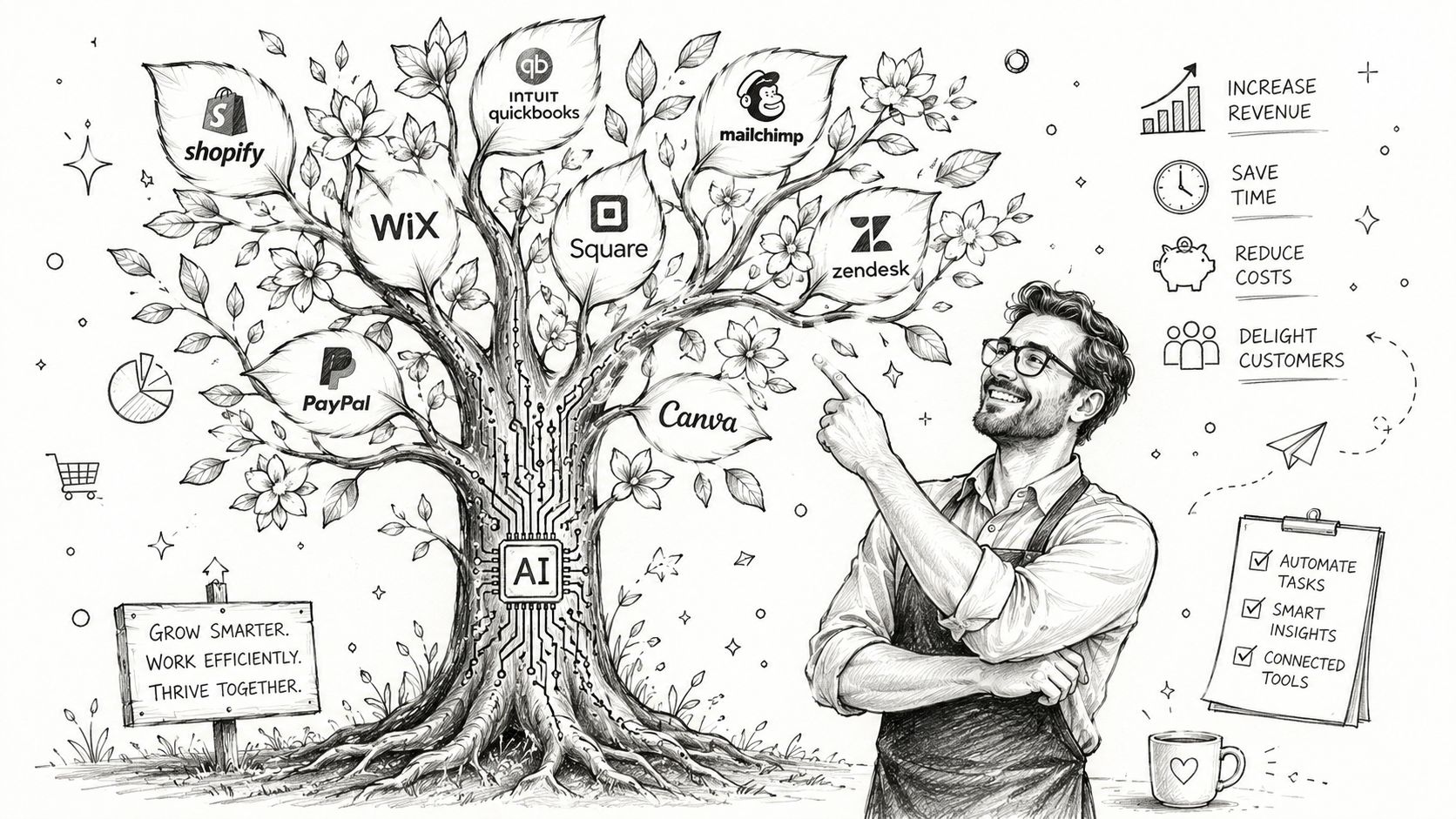
A man pointing at a business tree illustration representing AI-driven marketing automation tools for growth.

Time goes back to the team

Routine work is where most small teams get buried. Building list segments, assigning leads, checking campaign responses, updating records, and chasing follow-ups all consume hours that should go to strategy and pipeline creation.

According to Gitnux's AI marketing automation statistics roundup, marketers using AI save between 6 and 13 hours per week on routine tasks. That's not a vanity benefit. It changes what a lean team can get done without adding headcount.

Lead quality improves before volume does

A lot of companies chase more leads when poor qualification is the problem. Sales spends time on contacts who engaged lightly, while stronger opportunities sit in general nurture because nobody noticed the pattern quickly enough.

AI helps by ranking and routing based on actual behavior, not just a downloaded asset or a manually assigned score. In practice, that means fewer false positives and better timing for outreach. That's often the first revenue impact I see in SMB environments. Not prettier dashboards. Better handoffs.

Personalization becomes realistic

Many organizations discuss personalization but often possess capacity only for basic segmenting. One message for founders. One for operations. One for agencies. That's still broad.

AI-powered systems can personalize timing, message order, and content variation without forcing someone to build endless branches manually. Gitnux reports that companies using AI automation see a 31% increase in click-through rates through personalization engines, and 76% report positive ROI within the first 12 months in the same source.

That matters because personalization only helps when it's sustainable. If your team can't maintain it, it won't last.

The upside is operational, not just promotional

Here's the business case in plain terms:

  • Less manual admin: Teams spend less time moving data and more time acting on it.

  • Better sales focus: Reps work leads with stronger intent signals instead of chasing every form fill.

  • Stronger campaign response: Messages get more relevant because the system uses live behavior, not stale assumptions.

  • Faster proof of value: Many teams see return early enough to justify expanding the use case.

The main trade-off is setup discipline. You don't get these gains from switching on AI features in a messy stack. You get them by cleaning lifecycle stages, standardizing ownership, and connecting your systems so the automation has enough context to act intelligently.

Real-World AI Automation Workflows for SMBs

The easiest way to judge marketing automation with AI is to look at workflows, not feature lists. SMBs usually get the most value from a small number of connected plays that remove handoff friction.

Here's what that looks like in practice.
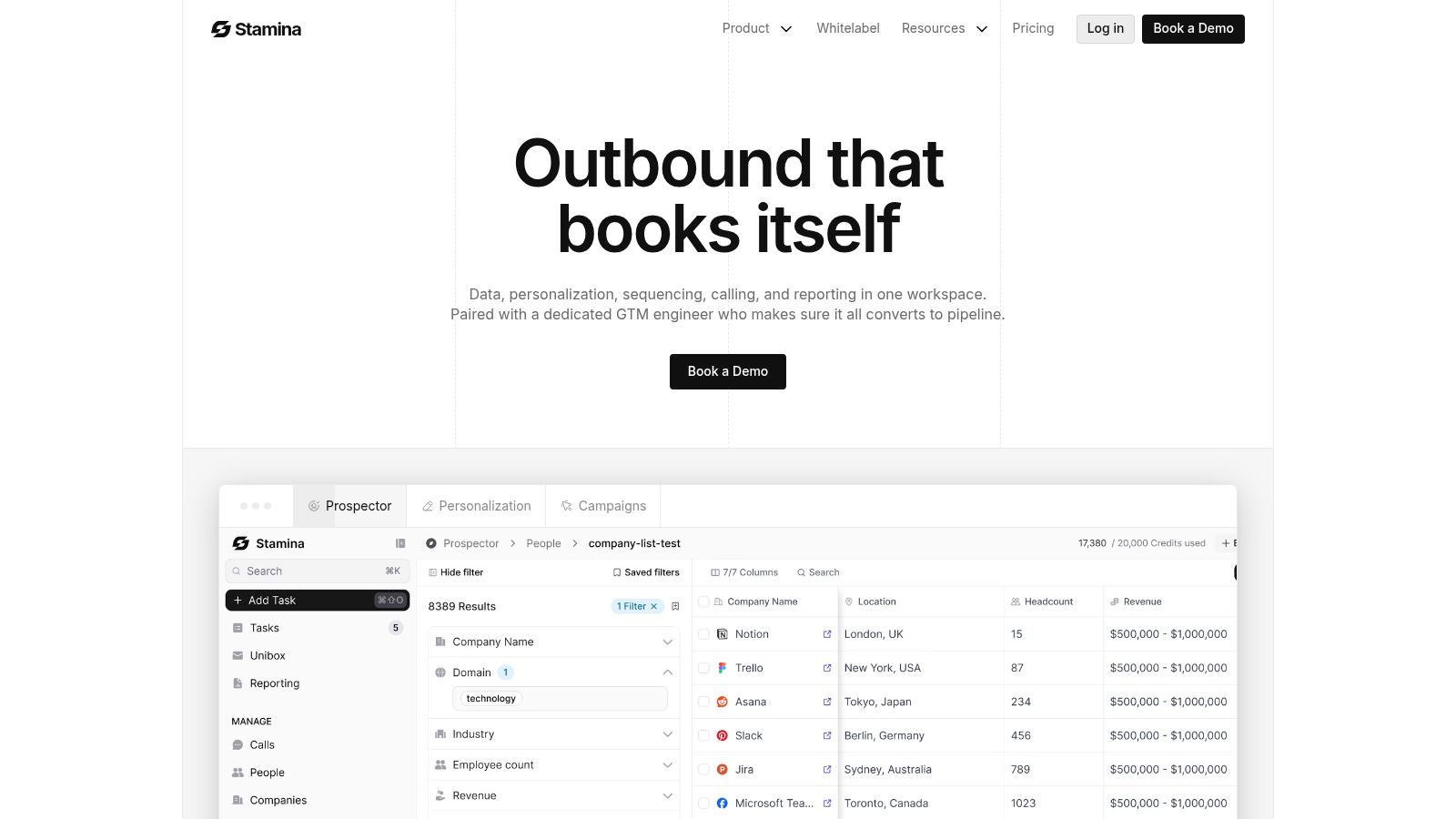
Screenshot from https://stamina.io

AI SDR workflow

A common problem in small teams is that website interest shows up, but nobody acts on it quickly enough. By the time a rep reviews traffic, the moment is gone.

An AI SDR workflow closes that gap. The system identifies relevant visitor or prospect signals, enriches the account view, drafts outreach based on fit and activity, and places the lead into the right sequence. The rep doesn't start from zero. They start with context.

AI offers true utility. Not because it replaces the rep, but because it handles the repetitive setup work that usually delays first contact.

A good implementation should do four things well:

  1. Detect intent signals from web activity, campaign engagement, or social signals.

  2. Match against your target criteria so outreach isn't sprayed at low-fit accounts.

  3. Generate personalized first-touch messaging that reflects actual context.

  4. Hand control to a human quickly once a lead replies or reaches a defined threshold.

If the tool keeps talking after a prospect asks a nuanced buying question, the workflow is poorly designed.

Intelligent lead scoring and nurturing

Most SMB nurture systems are too blunt. Everyone who downloads the same guide gets the same follow-up, regardless of buying stage.

A better model uses AI to separate hot, warm, and early-stage contacts continuously. A buyer showing repeat visits, email engagement, and category-specific interest should move differently than someone who skimmed one page and bounced.

That changes routing:

  • High-intent leads go directly to sales with context attached.

  • Mid-intent leads enter a tighter nurture stream with content tied to their likely pain points.

  • Low-intent contacts stay in broader education until behavior changes.

The strongest nurture flows don't feel automated to the buyer. They feel timely.

Static nurture often creates two failure modes. Sales gets leads too early, or marketing holds them too long. AI helps reduce both by reacting to live behavior instead of a one-time trigger.

If you're thinking about adjacent use cases beyond email, this guide on how to generate social media content with AI is a practical example of where AI can support production without becoming the entire strategy.

AI-powered content personalization

Email personalization is where many businesses start, but orchestration is the key advantage.

Instead of dropping a first name into a template, a unified system can change which proof points, offers, or content blocks appear based on lifecycle stage, engagement history, or sales status. Someone evaluating vendors may need a different email body than someone still diagnosing the problem.

That only works when your email system, CRM, and pipeline state talk to each other.

For a deeper look at how these sequences fit into broader system design, this walkthrough of a marketing automation workflow is useful.

A short product walkthrough helps make that more concrete:

What usually works and what usually fails

The workflows that work share a few traits:

  • They start with one revenue bottleneck: missed follow-up, weak qualification, or stale nurture.

  • They define human takeover points: reply received, meeting booked, objection raised, or account flagged.

  • They pull from shared data: one contact record, one lifecycle model, one ownership model.

The workflows that fail usually have the opposite pattern. Too many tools. Too many triggers. No clear owner. AI generates activity, but nobody trusts the output enough to act on it.

That's why orchestration matters more than isolated automation. The play isn't “add AI to email.” The play is “connect demand generation, sales motion, and CRM state so the next action makes sense.”

Implementing AI Automation and Orchestration

Most SMB implementations go wrong before the first workflow launches. They buy AI features on top of a fragmented stack and expect the software to fix process design.

It won't.

The shift is moving from siloed workflows to AI-driven orchestration across marketing, sales, and CRM, where the system supports smarter routing and sequencing while people keep strategic control, as explained in StackAdapt's overview of AI in marketing automation.
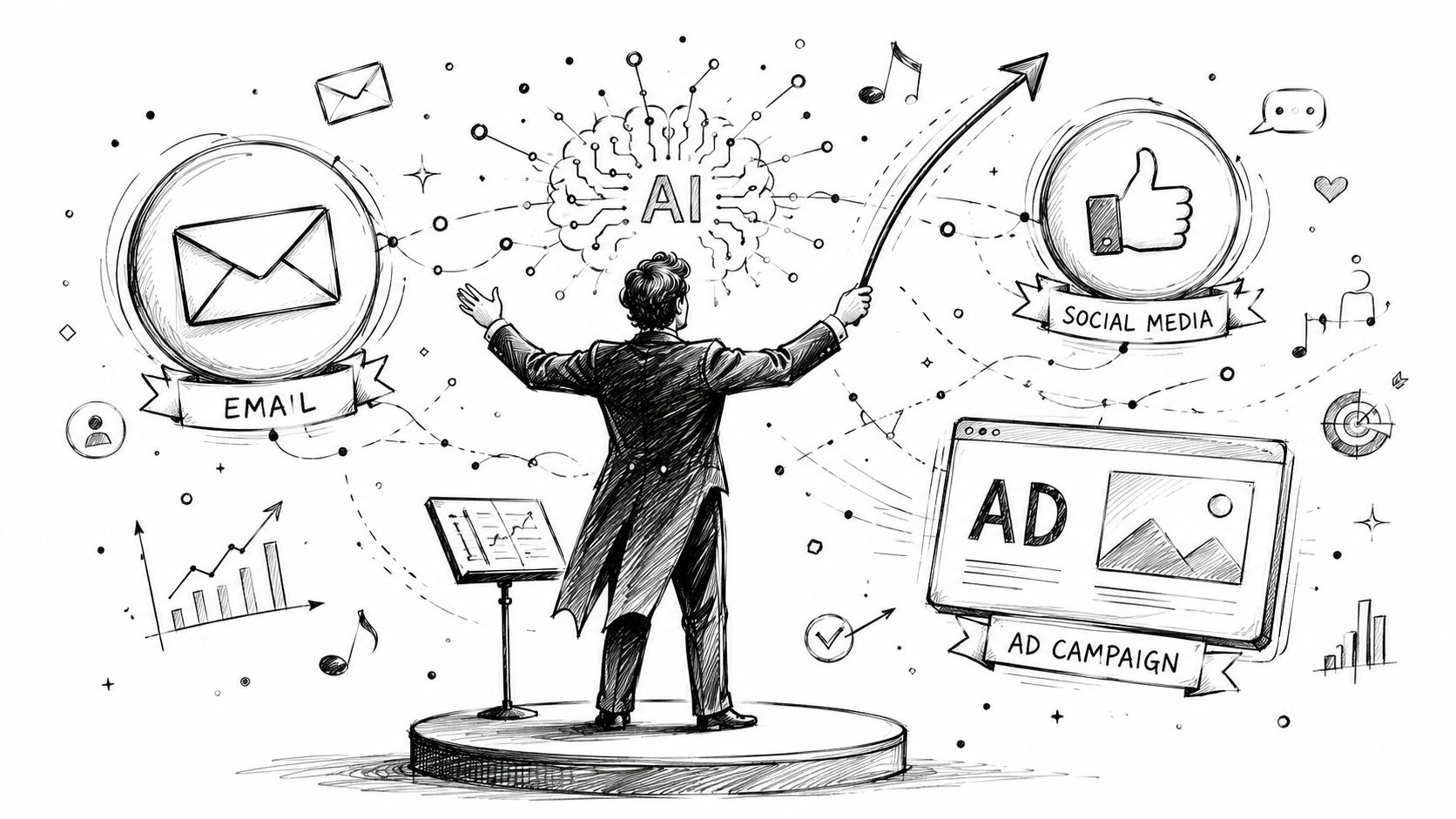
A conductor orchestrating a digital marketing campaign using AI to manage email, social media, and advertising.

Step one starts with data, not campaigns

Before you automate anything, centralize the records that matter:

  • Contacts and accounts: one owner, one lifecycle stage, one source of truth

  • Engagement history: email activity, form fills, page visits, meeting activity

  • Sales context: open opportunities, status changes, disqualification reasons

  • Operational rules: who owns what, when handoffs occur, and what qualifies for escalation

If those inputs live in separate systems with different field logic, AI won't orchestrate well. It will just amplify inconsistency.

This is why CRM integration matters more than flashy generation features. Without shared data, your automation can't coordinate across teams. If you're assessing that foundation, this guide to marketing automation and CRM integration is a solid reference.

Start with one orchestration play

Don't launch five automations at once. Pick one workflow that crosses functions.

Good starting candidates include:

  • Inbound handoff orchestration: marketing captures and qualifies, sales gets routed leads with context.

  • Re-engagement orchestration: dormant leads get reactivated based on fresh activity and reassigned when intent returns.

  • Open pipeline support: marketing suppresses generic nurture when a deal enters an active sales stage and sends stage-relevant content instead.

Those are better pilot choices than “automate all campaigns,” because they force alignment between teams.

Operating principle: If marketing and sales can't agree on stage definitions, don't automate the handoff yet.

Set guardrails before autonomy

Once the first workflow works, define where AI can act on its own and where it must stop.

A practical guardrail model looks like this:

Decision area

AI can do

Human should keep

Drafting

First-pass email copy, sequence variants, nurture suggestions

Final messaging standards and sensitive communications

Routing

Assign based on fit, behavior, and ownership rules

Exception handling and strategic account reassignment

Optimization

Adjust send timing, reorder nurture steps, pause weak variants

Budget, offer strategy, and campaign narrative

Escalation

Flag high-intent behavior and notify owners

Discovery, objection handling, and closing decisions

Measure revenue movement, not activity volume

Teams often evaluate AI automation using the easiest numbers available, then miss whether the system is helping revenue.

Track metrics tied to actual movement in the funnel. Lead velocity. Sales cycle length. Speed to first qualified touch. Acceptance rate from marketing to sales. Re-engagement quality. Pipeline progression after nurture.

Those measures show whether your orchestration layer is improving coordination. Open rates alone won't tell you that.

Common Pitfalls and Staying Compliant

A lot of AI automation advice makes the same mistake. It treats autonomy as the goal.

It isn't. Control is the goal. AI is useful when it expands capacity inside clear boundaries.

A common concern is whether AI agents can run campaigns without human oversight. The safer path is the one described in this discussion of AI agents in marketing: build an AI-ready data foundation first, pilot use cases with defined parameters, then scale carefully to reduce the risk of over-optimizing.

Pitfall one is bad input

If your contact records are incomplete, your attribution is inconsistent, or your lifecycle stages mean different things to different teams, the system will produce noisy output.

You can't solve that with better prompting. Clean data matters because AI decisions depend on context. Deduplicate records. Standardize fields. Audit ownership rules. Then automate.

Pitfall two is losing the human touch

AI can draft, rank, route, and optimize. It shouldn't own your brand judgment.

The worst implementations let automation keep talking after the interaction becomes nuanced. Buyers notice fast when a sequence keeps pushing generic responses after they've asked a serious question. Hand the conversation to a person early enough that trust isn't damaged.

A good rule is simple:

  • Use AI for repetitive execution

  • Use people for judgment-heavy communication

  • Review high-impact flows regularly

If a workflow reaches a pricing objection, a renewal risk, or a strategic account question, automation should assist the human, not impersonate one.

Pitfall three is ignoring compliance until later

Personalization and orchestration depend on customer data. That means privacy, consent handling, retention rules, and disclosure standards can't be an afterthought.

The exact legal requirements depend on where you operate and what data you process, so involve counsel when needed. Operationally, teams should know what data they're using, why they're using it, how long they keep it, and where human review is required. For a practical governance lens, Cyndra's AI governance insights are a useful reference point.

The companies that get value from marketing automation with AI don't hand everything to the machine. They define the system clearly, keep humans in the right decisions, and treat data quality as part of revenue ops, not cleanup work for later.

If you want one system for marketing, sales, and CRM instead of a stack of disconnected tools, take a look at Stamina. It's built for SMB teams that need AI-powered outreach, lead nurturing, and revenue orchestration from a single source of truth.

Your marketing stack probably works. It just doesn't work together.

A lead fills out a form in one tool. The email platform sends a follow-up. Sales never sees the context in the CRM. Someone exports a CSV to patch the gap. A week later, the same prospect gets a generic nurture email after already booking a call. That's the normal state for a lot of SMBs. The problem isn't effort. It's fragmentation.

That's why marketing automation with AI matters now. Not as another app for writing subject lines or scheduling drips, but as the system that connects marketing, sales, and CRM activity into one operating model. The shift is already underway. 87% of professional marketers used generative AI in at least one workflow in Q1 2026, up from 51% in 2024, according to Omnibound's roundup of AI marketing adoption statistics. If your team is still stitching together point tools by hand, you're competing against businesses that respond faster, route better, and personalize at a level manual workflows can't sustain.

The fix usually isn't “add more automation.” It's consolidate first, then automate from one source of truth. That's the difference between a busy stack and a revenue system. If you're trying to replace tool sprawl with something connected, this guide on how to unify your business with an all-in-one business platform is a useful place to start.

The End of Disconnected Marketing

The pattern is easy to spot when you've seen enough RevOps cleanups.

A founder buys an email tool because they need campaigns out fast. Sales adds a sequencing tool because follow-up is inconsistent. Customer data lives in the CRM, except for webinar leads, which live in a spreadsheet, and website intent signals, which sit in analytics no one checks daily. Each tool does its job. The handoffs fail.

Where SMB teams get stuck

Disconnected systems create three predictable problems:

  • Lead context disappears: Marketing knows what content a lead engaged with, but sales gets only a name, company, and maybe a source field.

  • Timing breaks down: Teams send the right message too late, or the wrong message after a buyer has already moved to the next stage.

  • Reporting turns unreliable: Attribution becomes an argument instead of a decision-making tool because each platform measures a different version of the truth.

This is why many SMBs feel busy but not efficient. The team is active. Pipeline still leaks.

Practical rule: If your staff has to reconcile buyer activity across multiple dashboards before taking action, you don't have automation. You have admin work disguised as process.

The shift from tasks to systems

Most small businesses start with isolated automations. Send a thank-you email after a form fill. Notify sales after a demo request. Add a lead to a list after a download. Those are useful, but they don't solve coordination.

Real progress starts when you stop asking, “What can I automate in this tool?” and start asking, “How should marketing, sales, and CRM react together when buyer intent changes?”

That's the difference between disconnected marketing and orchestrated marketing automation with AI. One triggers tasks. The other coordinates responses across teams.

In practice, that means one system can see that a contact visited a pricing page, opened a nurture email, matched your ideal customer profile, and should now move from generic nurture into a tighter sales sequence. No spreadsheet. No Slack scramble. No rep guessing whether the lead is ready.

For growing SMBs, that's the operational change that matters most. Not more features. Better coordination.

What AI Marketing Automation Really Is

Traditional automation is useful, but it's limited. It follows rules you set in advance.

If a contact fills out a form, send email A.
If they click, wait two days and send email B.
If they don't reply, assign a task.

That's fine for basic workflows. It breaks when buyer behavior gets messy, which it always does.

The vending machine versus the personal barista

A simple way to think about the jump to AI is this:

A traditional automation system is a vending machine. You press a button, it gives the preassigned output. Reliable, but rigid.

An AI-powered automation system is more like a personal barista. It remembers what you usually order, notices when your habits change, and adjusts the recommendation based on context.

That's what changes in marketing automation with AI. The system doesn't just execute a fixed branch. It adapts based on patterns in behavior, timing, and engagement.

According to Get Ryze's explanation of AI-driven marketing automation, AI-driven platforms process millions of data points per second and segment audiences using more than 200 behavioral signals such as browsing patterns and engagement history. They can generate follow-up sequences without requiring a marketer to manually define every rule.

Here's the practical comparison:

Capability

Traditional Automation (The Vending Machine)

AI-Powered Automation (The Personal Barista)

Decision model

Fixed if-then rules

Learns from patterns in behavior

Segmentation

Static lists and manual criteria

Dynamic segments based on live signals

Follow-up logic

Prebuilt sequences

Adapts messaging and timing to context

Personalization

Basic field merge and segment-level copy

Content and sequencing shaped by individual behavior

Optimization

Manual review and edits

Continuous adjustment based on response patterns

Scale

More complexity means more rules to maintain

More data improves the system's ability to react

What changes operationally

The biggest misconception is that AI automation means “the tool writes content for me.” That's a small piece of it.

The larger shift is architectural. Instead of separate systems firing isolated actions, AI can evaluate signals across channels and recommend or trigger the next best move. That could mean routing a contact to sales, pausing a nurture sequence, changing the email variant, or escalating a high-intent account.

If you want a grounded primer before buying software, this piece on understanding AI automation beyond hype does a good job separating useful capability from inflated claims.

What it does not do well by itself

AI still doesn't replace clear positioning, clean data, or human judgment. If your CRM is full of duplicates and your lifecycle stages are inconsistent, the system will automate bad decisions faster. If your offer is weak, personalization won't rescue it.

That's why smart teams use AI for pattern recognition, routing, draft generation, and optimization, while keeping messaging strategy and pipeline design under human control. If you're evaluating that balance, this guide to an AI agent for marketing is worth reading.

Better automation doesn't start with prompts. It starts with deciding which decisions the machine should make, and which ones people should keep.

Key Benefits for Growing Businesses

SMBs don't need abstract promises. They need fewer manual tasks, cleaner handoffs, and more qualified pipeline.

That's where marketing automation with AI earns its place. It solves operational bottlenecks that usually show up when a team is growing faster than its systems.

A man pointing at a business tree illustration representing AI-driven marketing automation tools for growth.

Time goes back to the team

Routine work is where most small teams get buried. Building list segments, assigning leads, checking campaign responses, updating records, and chasing follow-ups all consume hours that should go to strategy and pipeline creation.

According to Gitnux's AI marketing automation statistics roundup, marketers using AI save between 6 and 13 hours per week on routine tasks. That's not a vanity benefit. It changes what a lean team can get done without adding headcount.

Lead quality improves before volume does

A lot of companies chase more leads when poor qualification is the problem. Sales spends time on contacts who engaged lightly, while stronger opportunities sit in general nurture because nobody noticed the pattern quickly enough.

AI helps by ranking and routing based on actual behavior, not just a downloaded asset or a manually assigned score. In practice, that means fewer false positives and better timing for outreach. That's often the first revenue impact I see in SMB environments. Not prettier dashboards. Better handoffs.

Personalization becomes realistic

Many organizations discuss personalization but often possess capacity only for basic segmenting. One message for founders. One for operations. One for agencies. That's still broad.

AI-powered systems can personalize timing, message order, and content variation without forcing someone to build endless branches manually. Gitnux reports that companies using AI automation see a 31% increase in click-through rates through personalization engines, and 76% report positive ROI within the first 12 months in the same source.

That matters because personalization only helps when it's sustainable. If your team can't maintain it, it won't last.

The upside is operational, not just promotional

Here's the business case in plain terms:

  • Less manual admin: Teams spend less time moving data and more time acting on it.

  • Better sales focus: Reps work leads with stronger intent signals instead of chasing every form fill.

  • Stronger campaign response: Messages get more relevant because the system uses live behavior, not stale assumptions.

  • Faster proof of value: Many teams see return early enough to justify expanding the use case.

The main trade-off is setup discipline. You don't get these gains from switching on AI features in a messy stack. You get them by cleaning lifecycle stages, standardizing ownership, and connecting your systems so the automation has enough context to act intelligently.

Real-World AI Automation Workflows for SMBs

The easiest way to judge marketing automation with AI is to look at workflows, not feature lists. SMBs usually get the most value from a small number of connected plays that remove handoff friction.

Here's what that looks like in practice.

Screenshot from https://stamina.io

AI SDR workflow

A common problem in small teams is that website interest shows up, but nobody acts on it quickly enough. By the time a rep reviews traffic, the moment is gone.

An AI SDR workflow closes that gap. The system identifies relevant visitor or prospect signals, enriches the account view, drafts outreach based on fit and activity, and places the lead into the right sequence. The rep doesn't start from zero. They start with context.

AI offers true utility. Not because it replaces the rep, but because it handles the repetitive setup work that usually delays first contact.

A good implementation should do four things well:

  1. Detect intent signals from web activity, campaign engagement, or social signals.

  2. Match against your target criteria so outreach isn't sprayed at low-fit accounts.

  3. Generate personalized first-touch messaging that reflects actual context.

  4. Hand control to a human quickly once a lead replies or reaches a defined threshold.

If the tool keeps talking after a prospect asks a nuanced buying question, the workflow is poorly designed.

Intelligent lead scoring and nurturing

Most SMB nurture systems are too blunt. Everyone who downloads the same guide gets the same follow-up, regardless of buying stage.

A better model uses AI to separate hot, warm, and early-stage contacts continuously. A buyer showing repeat visits, email engagement, and category-specific interest should move differently than someone who skimmed one page and bounced.

That changes routing:

  • High-intent leads go directly to sales with context attached.

  • Mid-intent leads enter a tighter nurture stream with content tied to their likely pain points.

  • Low-intent contacts stay in broader education until behavior changes.

The strongest nurture flows don't feel automated to the buyer. They feel timely.

Static nurture often creates two failure modes. Sales gets leads too early, or marketing holds them too long. AI helps reduce both by reacting to live behavior instead of a one-time trigger.

If you're thinking about adjacent use cases beyond email, this guide on how to generate social media content with AI is a practical example of where AI can support production without becoming the entire strategy.

AI-powered content personalization

Email personalization is where many businesses start, but orchestration is the key advantage.

Instead of dropping a first name into a template, a unified system can change which proof points, offers, or content blocks appear based on lifecycle stage, engagement history, or sales status. Someone evaluating vendors may need a different email body than someone still diagnosing the problem.

That only works when your email system, CRM, and pipeline state talk to each other.

For a deeper look at how these sequences fit into broader system design, this walkthrough of a marketing automation workflow is useful.

A short product walkthrough helps make that more concrete:

What usually works and what usually fails

The workflows that work share a few traits:

  • They start with one revenue bottleneck: missed follow-up, weak qualification, or stale nurture.

  • They define human takeover points: reply received, meeting booked, objection raised, or account flagged.

  • They pull from shared data: one contact record, one lifecycle model, one ownership model.

The workflows that fail usually have the opposite pattern. Too many tools. Too many triggers. No clear owner. AI generates activity, but nobody trusts the output enough to act on it.

That's why orchestration matters more than isolated automation. The play isn't “add AI to email.” The play is “connect demand generation, sales motion, and CRM state so the next action makes sense.”

Implementing AI Automation and Orchestration

Most SMB implementations go wrong before the first workflow launches. They buy AI features on top of a fragmented stack and expect the software to fix process design.

It won't.

The shift is moving from siloed workflows to AI-driven orchestration across marketing, sales, and CRM, where the system supports smarter routing and sequencing while people keep strategic control, as explained in StackAdapt's overview of AI in marketing automation.

A conductor orchestrating a digital marketing campaign using AI to manage email, social media, and advertising.

Step one starts with data, not campaigns

Before you automate anything, centralize the records that matter:

  • Contacts and accounts: one owner, one lifecycle stage, one source of truth

  • Engagement history: email activity, form fills, page visits, meeting activity

  • Sales context: open opportunities, status changes, disqualification reasons

  • Operational rules: who owns what, when handoffs occur, and what qualifies for escalation

If those inputs live in separate systems with different field logic, AI won't orchestrate well. It will just amplify inconsistency.

This is why CRM integration matters more than flashy generation features. Without shared data, your automation can't coordinate across teams. If you're assessing that foundation, this guide to marketing automation and CRM integration is a solid reference.

Start with one orchestration play

Don't launch five automations at once. Pick one workflow that crosses functions.

Good starting candidates include:

  • Inbound handoff orchestration: marketing captures and qualifies, sales gets routed leads with context.

  • Re-engagement orchestration: dormant leads get reactivated based on fresh activity and reassigned when intent returns.

  • Open pipeline support: marketing suppresses generic nurture when a deal enters an active sales stage and sends stage-relevant content instead.

Those are better pilot choices than “automate all campaigns,” because they force alignment between teams.

Operating principle: If marketing and sales can't agree on stage definitions, don't automate the handoff yet.

Set guardrails before autonomy

Once the first workflow works, define where AI can act on its own and where it must stop.

A practical guardrail model looks like this:

Decision area

AI can do

Human should keep

Drafting

First-pass email copy, sequence variants, nurture suggestions

Final messaging standards and sensitive communications

Routing

Assign based on fit, behavior, and ownership rules

Exception handling and strategic account reassignment

Optimization

Adjust send timing, reorder nurture steps, pause weak variants

Budget, offer strategy, and campaign narrative

Escalation

Flag high-intent behavior and notify owners

Discovery, objection handling, and closing decisions

Measure revenue movement, not activity volume

Teams often evaluate AI automation using the easiest numbers available, then miss whether the system is helping revenue.

Track metrics tied to actual movement in the funnel. Lead velocity. Sales cycle length. Speed to first qualified touch. Acceptance rate from marketing to sales. Re-engagement quality. Pipeline progression after nurture.

Those measures show whether your orchestration layer is improving coordination. Open rates alone won't tell you that.

Common Pitfalls and Staying Compliant

A lot of AI automation advice makes the same mistake. It treats autonomy as the goal.

It isn't. Control is the goal. AI is useful when it expands capacity inside clear boundaries.

A common concern is whether AI agents can run campaigns without human oversight. The safer path is the one described in this discussion of AI agents in marketing: build an AI-ready data foundation first, pilot use cases with defined parameters, then scale carefully to reduce the risk of over-optimizing.

Pitfall one is bad input

If your contact records are incomplete, your attribution is inconsistent, or your lifecycle stages mean different things to different teams, the system will produce noisy output.

You can't solve that with better prompting. Clean data matters because AI decisions depend on context. Deduplicate records. Standardize fields. Audit ownership rules. Then automate.

Pitfall two is losing the human touch

AI can draft, rank, route, and optimize. It shouldn't own your brand judgment.

The worst implementations let automation keep talking after the interaction becomes nuanced. Buyers notice fast when a sequence keeps pushing generic responses after they've asked a serious question. Hand the conversation to a person early enough that trust isn't damaged.

A good rule is simple:

  • Use AI for repetitive execution

  • Use people for judgment-heavy communication

  • Review high-impact flows regularly

If a workflow reaches a pricing objection, a renewal risk, or a strategic account question, automation should assist the human, not impersonate one.

Pitfall three is ignoring compliance until later

Personalization and orchestration depend on customer data. That means privacy, consent handling, retention rules, and disclosure standards can't be an afterthought.

The exact legal requirements depend on where you operate and what data you process, so involve counsel when needed. Operationally, teams should know what data they're using, why they're using it, how long they keep it, and where human review is required. For a practical governance lens, Cyndra's AI governance insights are a useful reference point.

The companies that get value from marketing automation with AI don't hand everything to the machine. They define the system clearly, keep humans in the right decisions, and treat data quality as part of revenue ops, not cleanup work for later.

If you want one system for marketing, sales, and CRM instead of a stack of disconnected tools, take a look at Stamina. It's built for SMB teams that need AI-powered outreach, lead nurturing, and revenue orchestration from a single source of truth.

Share this article

Share this article

Send a shareable link to your team or anyone who might find it useful.

Send a shareable link to your team or anyone who might find it useful.

Copy link

Copied

Share directly to

Table of contents

Give Your Business the Stamina it needs to Thrive

PRODUCT

COMPANY

RESOURCES

© 2026 Stamina Software Technologies Inc. All rights reserved.

PRODUCT

COMPANY

RESOURCES

© 2026 Stamina Software Technologies Inc. All rights reserved.

PRODUCT

COMPANY

RESOURCES

© 2026 Stamina Software Technologies Inc. All rights reserved.