Prospect Research Tools: A Guide for SMB Sales Teams in 2026

Learn how to use prospect research tools to find and engage high-value leads. This guide covers features, evaluation criteria, and workflows for SMBs.

0 - Minute Read

Your SDRs are doing the work. They're building lists, checking LinkedIn, skimming company websites, and writing outbound that sounds personalized enough to pass a quick glance. Then the replies come back flat, or don't come back at all.

That usually isn't a volume problem. It's a context problem.

Most SMB sales teams still prospect from fragments: a job title, a company name, maybe a recent post, maybe a funding mention if someone had time to look. The rep sends an email based on guesswork, then moves on to the next name. Multiply that across a team and you get a workflow that looks busy but produces very little learning.

Prospect research tools matter because they change what the rep knows before first contact. More important, they change what happens after that knowledge is found. The actual upgrade isn't “better data” in the abstract. It's moving from disconnected research to a system where insight flows directly into outreach, CRM records, and follow-up.

From Cold Outreach to Warm Conversations

A common sales floor pattern looks like this. An SDR pulls a list of operations leaders at mid-sized companies, writes a sequence, swaps in first name and company name, and adds one sentence from LinkedIn. The copy is clean. The targeting seems reasonable. But the message still feels cold because the rep doesn't know why this account matters right now.

The problem gets worse when managers respond by asking for more activity. More calls. More emails. More prospects. That usually creates more noise, not more traction.

What changes performance is a shift from contact-level prospecting to account-and-person context. A rep who knows the buyer's role, business priorities, public signals, relationship paths, and likely motivations can open with relevance instead of filler. That doesn't guarantee a meeting, but it gives the conversation a reason to start.

For teams already running outbound on social channels, this is the same lesson behind strong LinkedIn lead generation campaigns. Reach improves when targeting and message timing come from actual buyer context, not a broad persona and a hope that one hook fits everyone.

Practical rule: If a rep can't explain why this prospect should care now, the outreach isn't ready.

The best prospect research tools support that shift. They help reps stop treating research as a pre-call chore and start using it as part of daily pipeline creation. In practice, that means fewer generic sequences, tighter account selection, and first messages that sound like they belong in a real business conversation.

What Prospect Research Tools Actually Do

Prospect research tools act like an analyst sitting beside your sales team. They gather scattered signals, compare them, and turn them into one usable view of the account and the person.

That matters because the raw ingredients are usually spread everywhere. Reps bounce between company sites, social profiles, news mentions, databases, and internal notes. The tool's job is to collapse that hunt into a profile you can act on.

A digital illustration of a researcher with headphones analyzing various data metrics and global information on screens.

The shift from scattered facts to a case file

A useful way to think about these platforms is as a case-building system. A detective doesn't win by collecting random clues. They win by connecting clues into a credible explanation of what happened and what to do next.

Sales works the same way. A good tool doesn't just hand you data. It helps answer questions like:

  • Who is this account really Is it in your ICP, adjacent to it, or a poor fit dressed up as a logo you recognize?

  • What signals matter Did leadership change, did the company expand, did the prospect engage publicly with a problem your product solves?

  • Why now Is there an event or pressure point that gives your outreach timing and relevance?

  • Who should reach out Is there a relationship path through a customer, investor, advisor, partner, or colleague?

According to Kindsight's overview of prospect research tools, these platforms aggregate data from over 44+ vetted sources to build unified 360° donor profiles. While that example comes from fundraising, the operating principle maps directly to sales. Pull business, relationship, and contextual indicators into one profile, then use scoring to prioritize action instead of forcing reps to assemble the picture manually.

Why aggregation alone isn't enough

A weak tool gives you a pile of fields. A strong tool gives you direction.

That's where synthesis matters. The platform should help a rep understand which details deserve attention and which ones are trivia. If you're comparing categories and capabilities, it helps to frame the market through the lens of sales intelligence platforms, because the value isn't in having more records. It's in making those records useful in live selling motions.

The best prospect research tools don't replace judgment. They give reps a faster path to informed judgment.

When teams adopt these tools well, research stops being a background task for “when there's time.” It becomes part of how accounts are selected, sequenced, and worked every day.

Key Data Points and Core Tool Features

Not all data improves outbound. Some data only makes the profile look fuller. The details that change results are the ones that help a rep decide fit, timing, message angle, and next step.

The cleanest framework comes from three filters. NonProfit PRO's guide to prospect research strategy says strong prospect prioritization depends on capacity, affinity, and philanthropy. In sales, the labels can translate slightly, but the logic still holds.

The data that actually matters

Capacity is about ability. In fundraising, that means financial means. In B2B sales, it maps to buying power and organizational capacity. Can this company support your price point, implementation effort, and contract shape? A small team can still be a fit, but you need signals that the deal is structurally possible.

Affinity is about alignment. Does the account care about the problem you solve? Are they operating in a segment where your message will resonate? Have they shown public interest in adjacent issues, tools, or strategic initiatives?

Philanthropy is about demonstrated behavior. In sales terms, this is less about charitable giving and more about proof of action. Has the company invested in related systems, partnerships, hiring patterns, or market moves that show willingness to spend in this area?

Those three filters keep reps from chasing attractive names with no real path forward.

Here's the practical translation for SMB sales teams:

  • Firmographic fit: industry, size, business model, geography, and account maturity

  • Role and influence: whether the contact can sponsor, champion, approve, or only observe

  • Buying environment: current tools, change activity, team growth, and internal pressure

  • Relationship context: shared connections, prior conversations, warm intros, partner overlap

  • Timing signals: launches, hiring shifts, leadership changes, or problem-related public activity

If your reps also need direct contact routes, pairing research quality with reliable execution basics matters. A lot of teams get the profile right and still fail because they can't operationalize outreach. For this reason, practical work such as finding someone's email becomes part of the same workflow rather than a separate scramble.

The features that make data usable

Raw fields don't save time. Features do.

Look for tools that turn context into action:

  • Scoring models: Useful scoring ranks accounts and contacts based on your sales motion, not generic popularity.

  • Alerts: Trigger events help reps act while relevance is fresh.

  • Relationship mapping: This shows who can open a door before you send a blind message.

  • Profile summaries: Reps need a quick read, not a research report.

  • CRM sync: If insights stay trapped in the research layer, adoption falls fast.

Field note: Teams don't struggle because there's too little data. They struggle because nobody decided which data should change rep behavior.

A bloated profile slows selling. A sharp profile makes next actions obvious.

How to Evaluate Tools for Your Sales Team

Most SMBs don't need the platform with the longest feature page. They need the one their team will use every day without building another admin burden.

That means evaluating prospect research tools as part of your revenue system, not as a standalone purchase. A fancy database that lives outside your CRM and outreach flow often becomes shelfware after the initial excitement wears off.

The questions that separate good tools from distracting ones

Start with data quality and relevance. Coverage only matters if it matches your market. A platform can be rich in one vertical and thin in another. Ask whether the signals support your actual ICP and whether reps can verify key details without starting over manually.

Then test usability. If the workflow takes too many clicks, reps will go back to LinkedIn, search, and instinct. The right tool should help a new rep understand an account quickly and know what to do next.

Predictive capability is worth examining too. DonorSearch's guide notes that advanced platforms use machine learning to organize prospect lists and generate suggestions on who to prioritize first, which helps reduce wasted effort. For sales teams, the point isn't the buzzword. It's whether the system helps your reps focus on likely wins before they burn time on poor fits.

Prospect Research Tool Evaluation Checklist

Criterion

What to Look For

Why It Matters for SMBs

Data relevance

Coverage in your industry, company sizes, and buyer roles

Broad databases aren't helpful if your niche is thin

Workflow speed

Fast profile review, clear summaries, low click depth

Small teams can't afford research-heavy selling

Prioritization

Scoring or ranking tied to fit and timing

Reps need help choosing where to spend limited hours

CRM integration

Two-way sync, field mapping, activity visibility

If data stays isolated, managers can't coach from it

Outreach readiness

Contact details, trigger signals, usable personalization points

Research only pays off when it supports action

Adoption risk

Simple onboarding, clear interface, minimal setup burden

Complex tools often stall after rollout

Reporting value

Visibility into usage, response patterns, and pipeline movement

Leaders need to know if the tool changes behavior

A related lesson shows up outside software. In service businesses focused on securing booked restoration jobs, lead quality and speed-to-action matter more than merely buying more names. Sales tech is the same. Better prioritization beats bigger lists.

Judge the tool inside your actual stack

Many evaluations go wrong here. Buyers compare vendor demos without checking how the platform fits their current CRM, sequencing tool, and reporting setup.

If your team is reassessing systems at the same time, it helps to review what a workable CRM for sales teams should support before choosing a research layer. Otherwise you risk buying a tool that looks smart in isolation but creates more manual work in daily execution.

The best choice usually isn't the tool with the most data. It's the one that creates the least friction between insight and outreach.

Beyond Data A Practical Sales Workflow

Organizations generally don't fail at finding information. They fail at carrying it into action.

That's the gap that turns a promising research purchase into another browser tab nobody wants to open. Reps collect context, copy pieces into the CRM, forget half of it, and then launch a sequence that barely reflects what they found.
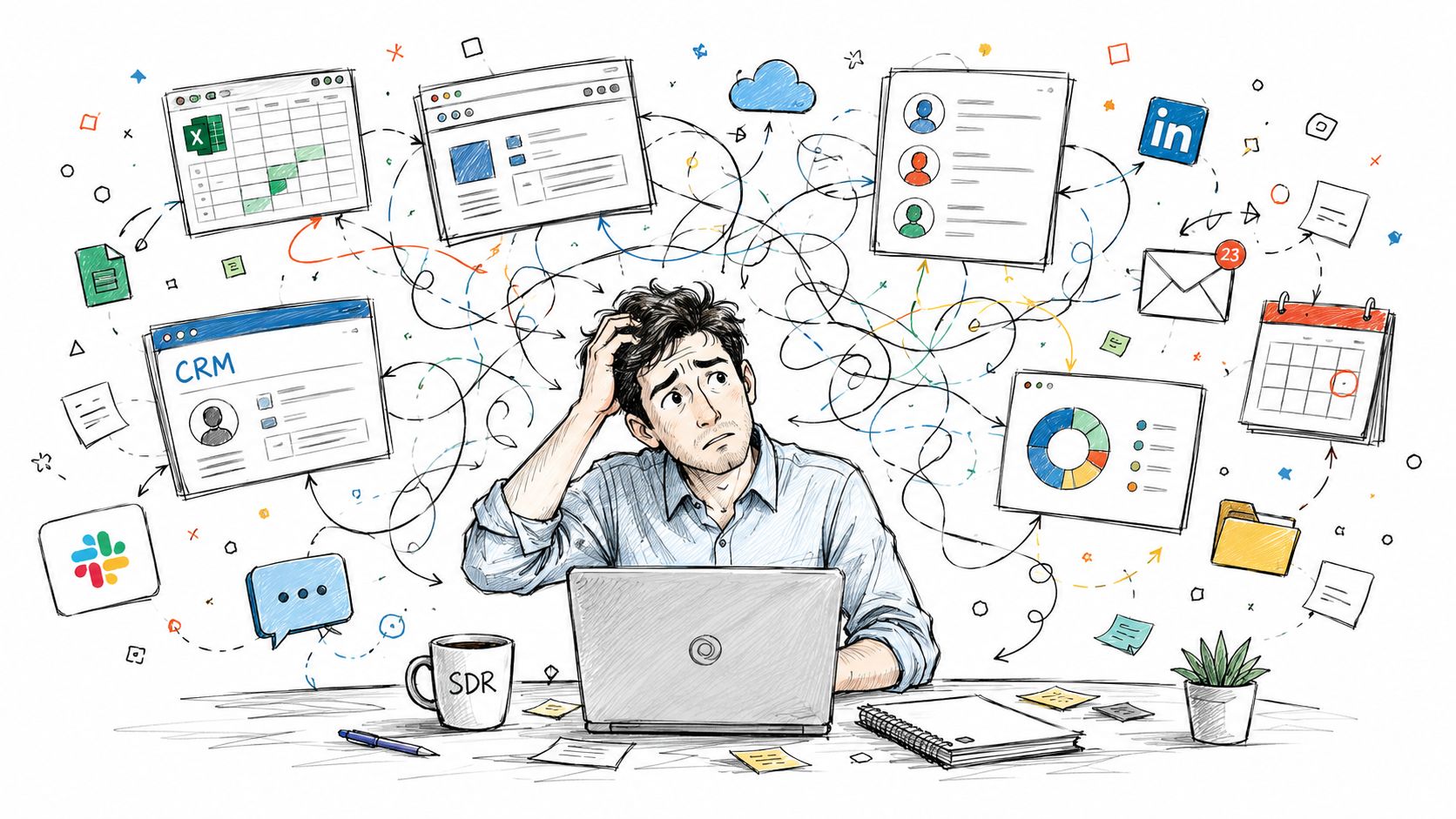
Stressed professional working on a laptop surrounded by complex digital workflows, data tools, and communication icons.

The broken workflow most teams tolerate

A typical disconnected process looks like this:

  1. A rep researches the account in one tool.

  2. They paste notes into the CRM.

  3. They export or rebuild the list in an outreach tool.

  4. They write personalization by hand.

  5. None of the follow-up learning flows back cleanly into the original profile.

Every handoff creates loss. Notes get shortened. Fields stay empty. Signals go stale. Managers can't tell whether a sequence failed because the angle was wrong, the timing was off, or the account never fit in the first place.

According to AFP Global's discussion of wealth screening versus prospect research, many guides don't explain how to synthesize capacity, philanthropic, and affinity markers into actionable CRM profiles for ongoing relationship management. That same operational problem shows up in sales. Teams gather useful signals but never turn them into living account records that shape future touches.

A research insight that never reaches the CRM is usually gone by the next meeting.

What an activated workflow looks like

The fix is simple in principle and harder in execution. Research has to feed the systems reps already use.

That means:

  • Profiles update the CRM automatically: key fields, tags, and account notes should land where the team works pipeline

  • Signals trigger plays: leadership changes, intent clues, or relationship paths should start the right task or sequence

  • Personalization uses structured inputs: reps shouldn't rewrite account context from scratch every time

  • Follow-up outcomes enrich the record: replies, objections, meetings, and no-response patterns should sharpen the next action

For teams trying to map this out, resources like PostSyncer's CRM integration how-to are useful because they focus on the practical side of moving external signals into customer records instead of leaving them isolated in yet another tool.

A short walkthrough helps illustrate how connected workflows behave in real systems:

Why this changes close rates more than bigger lists

A rep with 50 well-activated accounts often outperforms a rep with 500 loosely researched names. Not because the second rep lacks effort, but because the first rep has continuity. They know what triggered outreach, what message angle was used, what happened next, and how the account should be worked after the first touch.

That continuity is what turns research into revenue. Without it, prospect research tools become expensive reference libraries. With it, they become part of the sales motion itself.

The Advantage of Unified Research and Outreach

The strongest setup is a unified one. Research, outreach, and CRM management live in the same operating environment, so reps don't spend their day translating data between tools.

That changes the role of prospect research tools. Instead of acting like a sidecar database, research becomes an embedded capability that informs targeting, message generation, follow-up, and pipeline management in one flow.

One record, one workflow, fewer dropped signals

When research and execution are unified, every signal has a place to go. A website visit can inform account priority. A social interaction can influence timing. A contact update can refresh the sequence logic. The CRM record becomes the working memory of the account rather than a partial log someone updates retrospectively.
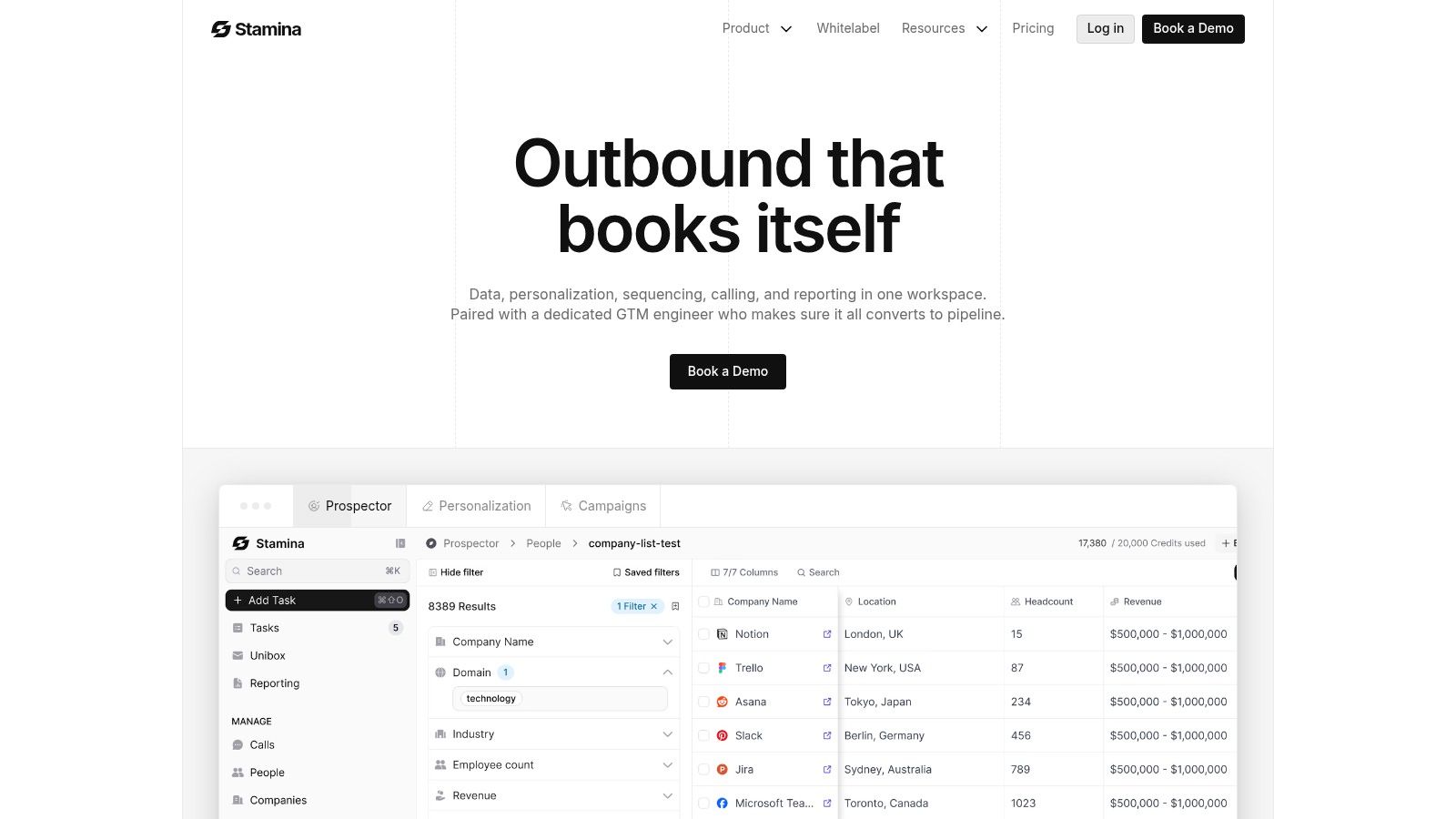
Screenshot from https://stamina.io

That's why many teams are moving away from point solutions. They're not rejecting specialized tools because the tools are bad. They're rejecting the drag created by moving among too many disconnected systems.

One option in this category is Stamina, which combines CRM, outbound engagement, workflows, and an AI SDR in one platform so research can feed directly into prospecting and follow-up. The practical value isn't just consolidation. It's that the same system can identify prospects, generate personalized outreach, track responses, and keep the account record current.

Why embedded research is easier to scale

A unified platform also makes process design cleaner. Instead of documenting a brittle chain of manual steps, sales leaders can build repeatable plays around triggers, segmentation, and ownership rules. If you're designing that kind of operating model, it helps to think in terms of creating workflow automation, not just buying another data source.

Unified systems don't make reps less thoughtful. They remove the clerical work that prevents thoughtful selling.

For SMBs, that matters more than feature depth in isolation. Small teams need an advantage. The advantage comes from reducing friction between finding the right prospect and sending the right message at the right moment.

Stop Collecting Data Start Closing Deals

The requirement isn't for more names, but for a cleaner path from insight to action.

That's the key lesson with prospect research tools. The value isn't in filling spreadsheets with extra details. It's in helping reps choose better accounts, understand why those accounts matter, and act on that understanding inside the same workflow they use to sell.

If your current process still depends on copy-paste research, scattered notes, and disconnected outreach tools, the bottleneck isn't effort. It's system design. A rep can't sell efficiently when every useful signal has to be manually carried from one app to another.

The teams that get this right build around activation. Research updates records. Records trigger outreach. Outreach produces feedback. Feedback improves targeting. That loop is what turns isolated data points into a compounding sales process.

Prospect research tools are worth buying when they help create that loop. If they don't, they'll become another source of admin work dressed up as intelligence.

The goal isn't to buy a research product. It's to build a sales system that makes good research impossible to waste.

If you want a simpler way to connect prospecting, outreach, and CRM work in one place, take a look at Stamina. It gives SMB teams a unified platform for identifying accounts, generating personalized outbound, managing pipeline activity, and keeping customer data current without stitching together a stack of disconnected tools.

Your SDRs are doing the work. They're building lists, checking LinkedIn, skimming company websites, and writing outbound that sounds personalized enough to pass a quick glance. Then the replies come back flat, or don't come back at all.

That usually isn't a volume problem. It's a context problem.

Most SMB sales teams still prospect from fragments: a job title, a company name, maybe a recent post, maybe a funding mention if someone had time to look. The rep sends an email based on guesswork, then moves on to the next name. Multiply that across a team and you get a workflow that looks busy but produces very little learning.

Prospect research tools matter because they change what the rep knows before first contact. More important, they change what happens after that knowledge is found. The actual upgrade isn't “better data” in the abstract. It's moving from disconnected research to a system where insight flows directly into outreach, CRM records, and follow-up.

From Cold Outreach to Warm Conversations

A common sales floor pattern looks like this. An SDR pulls a list of operations leaders at mid-sized companies, writes a sequence, swaps in first name and company name, and adds one sentence from LinkedIn. The copy is clean. The targeting seems reasonable. But the message still feels cold because the rep doesn't know why this account matters right now.

The problem gets worse when managers respond by asking for more activity. More calls. More emails. More prospects. That usually creates more noise, not more traction.

What changes performance is a shift from contact-level prospecting to account-and-person context. A rep who knows the buyer's role, business priorities, public signals, relationship paths, and likely motivations can open with relevance instead of filler. That doesn't guarantee a meeting, but it gives the conversation a reason to start.

For teams already running outbound on social channels, this is the same lesson behind strong LinkedIn lead generation campaigns. Reach improves when targeting and message timing come from actual buyer context, not a broad persona and a hope that one hook fits everyone.

Practical rule: If a rep can't explain why this prospect should care now, the outreach isn't ready.

The best prospect research tools support that shift. They help reps stop treating research as a pre-call chore and start using it as part of daily pipeline creation. In practice, that means fewer generic sequences, tighter account selection, and first messages that sound like they belong in a real business conversation.

What Prospect Research Tools Actually Do

Prospect research tools act like an analyst sitting beside your sales team. They gather scattered signals, compare them, and turn them into one usable view of the account and the person.

That matters because the raw ingredients are usually spread everywhere. Reps bounce between company sites, social profiles, news mentions, databases, and internal notes. The tool's job is to collapse that hunt into a profile you can act on.

A digital illustration of a researcher with headphones analyzing various data metrics and global information on screens.

The shift from scattered facts to a case file

A useful way to think about these platforms is as a case-building system. A detective doesn't win by collecting random clues. They win by connecting clues into a credible explanation of what happened and what to do next.

Sales works the same way. A good tool doesn't just hand you data. It helps answer questions like:

  • Who is this account really Is it in your ICP, adjacent to it, or a poor fit dressed up as a logo you recognize?

  • What signals matter Did leadership change, did the company expand, did the prospect engage publicly with a problem your product solves?

  • Why now Is there an event or pressure point that gives your outreach timing and relevance?

  • Who should reach out Is there a relationship path through a customer, investor, advisor, partner, or colleague?

According to Kindsight's overview of prospect research tools, these platforms aggregate data from over 44+ vetted sources to build unified 360° donor profiles. While that example comes from fundraising, the operating principle maps directly to sales. Pull business, relationship, and contextual indicators into one profile, then use scoring to prioritize action instead of forcing reps to assemble the picture manually.

Why aggregation alone isn't enough

A weak tool gives you a pile of fields. A strong tool gives you direction.

That's where synthesis matters. The platform should help a rep understand which details deserve attention and which ones are trivia. If you're comparing categories and capabilities, it helps to frame the market through the lens of sales intelligence platforms, because the value isn't in having more records. It's in making those records useful in live selling motions.

The best prospect research tools don't replace judgment. They give reps a faster path to informed judgment.

When teams adopt these tools well, research stops being a background task for “when there's time.” It becomes part of how accounts are selected, sequenced, and worked every day.

Key Data Points and Core Tool Features

Not all data improves outbound. Some data only makes the profile look fuller. The details that change results are the ones that help a rep decide fit, timing, message angle, and next step.

The cleanest framework comes from three filters. NonProfit PRO's guide to prospect research strategy says strong prospect prioritization depends on capacity, affinity, and philanthropy. In sales, the labels can translate slightly, but the logic still holds.

The data that actually matters

Capacity is about ability. In fundraising, that means financial means. In B2B sales, it maps to buying power and organizational capacity. Can this company support your price point, implementation effort, and contract shape? A small team can still be a fit, but you need signals that the deal is structurally possible.

Affinity is about alignment. Does the account care about the problem you solve? Are they operating in a segment where your message will resonate? Have they shown public interest in adjacent issues, tools, or strategic initiatives?

Philanthropy is about demonstrated behavior. In sales terms, this is less about charitable giving and more about proof of action. Has the company invested in related systems, partnerships, hiring patterns, or market moves that show willingness to spend in this area?

Those three filters keep reps from chasing attractive names with no real path forward.

Here's the practical translation for SMB sales teams:

  • Firmographic fit: industry, size, business model, geography, and account maturity

  • Role and influence: whether the contact can sponsor, champion, approve, or only observe

  • Buying environment: current tools, change activity, team growth, and internal pressure

  • Relationship context: shared connections, prior conversations, warm intros, partner overlap

  • Timing signals: launches, hiring shifts, leadership changes, or problem-related public activity

If your reps also need direct contact routes, pairing research quality with reliable execution basics matters. A lot of teams get the profile right and still fail because they can't operationalize outreach. For this reason, practical work such as finding someone's email becomes part of the same workflow rather than a separate scramble.

The features that make data usable

Raw fields don't save time. Features do.

Look for tools that turn context into action:

  • Scoring models: Useful scoring ranks accounts and contacts based on your sales motion, not generic popularity.

  • Alerts: Trigger events help reps act while relevance is fresh.

  • Relationship mapping: This shows who can open a door before you send a blind message.

  • Profile summaries: Reps need a quick read, not a research report.

  • CRM sync: If insights stay trapped in the research layer, adoption falls fast.

Field note: Teams don't struggle because there's too little data. They struggle because nobody decided which data should change rep behavior.

A bloated profile slows selling. A sharp profile makes next actions obvious.

How to Evaluate Tools for Your Sales Team

Most SMBs don't need the platform with the longest feature page. They need the one their team will use every day without building another admin burden.

That means evaluating prospect research tools as part of your revenue system, not as a standalone purchase. A fancy database that lives outside your CRM and outreach flow often becomes shelfware after the initial excitement wears off.

The questions that separate good tools from distracting ones

Start with data quality and relevance. Coverage only matters if it matches your market. A platform can be rich in one vertical and thin in another. Ask whether the signals support your actual ICP and whether reps can verify key details without starting over manually.

Then test usability. If the workflow takes too many clicks, reps will go back to LinkedIn, search, and instinct. The right tool should help a new rep understand an account quickly and know what to do next.

Predictive capability is worth examining too. DonorSearch's guide notes that advanced platforms use machine learning to organize prospect lists and generate suggestions on who to prioritize first, which helps reduce wasted effort. For sales teams, the point isn't the buzzword. It's whether the system helps your reps focus on likely wins before they burn time on poor fits.

Prospect Research Tool Evaluation Checklist

Criterion

What to Look For

Why It Matters for SMBs

Data relevance

Coverage in your industry, company sizes, and buyer roles

Broad databases aren't helpful if your niche is thin

Workflow speed

Fast profile review, clear summaries, low click depth

Small teams can't afford research-heavy selling

Prioritization

Scoring or ranking tied to fit and timing

Reps need help choosing where to spend limited hours

CRM integration

Two-way sync, field mapping, activity visibility

If data stays isolated, managers can't coach from it

Outreach readiness

Contact details, trigger signals, usable personalization points

Research only pays off when it supports action

Adoption risk

Simple onboarding, clear interface, minimal setup burden

Complex tools often stall after rollout

Reporting value

Visibility into usage, response patterns, and pipeline movement

Leaders need to know if the tool changes behavior

A related lesson shows up outside software. In service businesses focused on securing booked restoration jobs, lead quality and speed-to-action matter more than merely buying more names. Sales tech is the same. Better prioritization beats bigger lists.

Judge the tool inside your actual stack

Many evaluations go wrong here. Buyers compare vendor demos without checking how the platform fits their current CRM, sequencing tool, and reporting setup.

If your team is reassessing systems at the same time, it helps to review what a workable CRM for sales teams should support before choosing a research layer. Otherwise you risk buying a tool that looks smart in isolation but creates more manual work in daily execution.

The best choice usually isn't the tool with the most data. It's the one that creates the least friction between insight and outreach.

Beyond Data A Practical Sales Workflow

Organizations generally don't fail at finding information. They fail at carrying it into action.

That's the gap that turns a promising research purchase into another browser tab nobody wants to open. Reps collect context, copy pieces into the CRM, forget half of it, and then launch a sequence that barely reflects what they found.

Stressed professional working on a laptop surrounded by complex digital workflows, data tools, and communication icons.

The broken workflow most teams tolerate

A typical disconnected process looks like this:

  1. A rep researches the account in one tool.

  2. They paste notes into the CRM.

  3. They export or rebuild the list in an outreach tool.

  4. They write personalization by hand.

  5. None of the follow-up learning flows back cleanly into the original profile.

Every handoff creates loss. Notes get shortened. Fields stay empty. Signals go stale. Managers can't tell whether a sequence failed because the angle was wrong, the timing was off, or the account never fit in the first place.

According to AFP Global's discussion of wealth screening versus prospect research, many guides don't explain how to synthesize capacity, philanthropic, and affinity markers into actionable CRM profiles for ongoing relationship management. That same operational problem shows up in sales. Teams gather useful signals but never turn them into living account records that shape future touches.

A research insight that never reaches the CRM is usually gone by the next meeting.

What an activated workflow looks like

The fix is simple in principle and harder in execution. Research has to feed the systems reps already use.

That means:

  • Profiles update the CRM automatically: key fields, tags, and account notes should land where the team works pipeline

  • Signals trigger plays: leadership changes, intent clues, or relationship paths should start the right task or sequence

  • Personalization uses structured inputs: reps shouldn't rewrite account context from scratch every time

  • Follow-up outcomes enrich the record: replies, objections, meetings, and no-response patterns should sharpen the next action

For teams trying to map this out, resources like PostSyncer's CRM integration how-to are useful because they focus on the practical side of moving external signals into customer records instead of leaving them isolated in yet another tool.

A short walkthrough helps illustrate how connected workflows behave in real systems:

Why this changes close rates more than bigger lists

A rep with 50 well-activated accounts often outperforms a rep with 500 loosely researched names. Not because the second rep lacks effort, but because the first rep has continuity. They know what triggered outreach, what message angle was used, what happened next, and how the account should be worked after the first touch.

That continuity is what turns research into revenue. Without it, prospect research tools become expensive reference libraries. With it, they become part of the sales motion itself.

The Advantage of Unified Research and Outreach

The strongest setup is a unified one. Research, outreach, and CRM management live in the same operating environment, so reps don't spend their day translating data between tools.

That changes the role of prospect research tools. Instead of acting like a sidecar database, research becomes an embedded capability that informs targeting, message generation, follow-up, and pipeline management in one flow.

One record, one workflow, fewer dropped signals

When research and execution are unified, every signal has a place to go. A website visit can inform account priority. A social interaction can influence timing. A contact update can refresh the sequence logic. The CRM record becomes the working memory of the account rather than a partial log someone updates retrospectively.

Screenshot from https://stamina.io

That's why many teams are moving away from point solutions. They're not rejecting specialized tools because the tools are bad. They're rejecting the drag created by moving among too many disconnected systems.

One option in this category is Stamina, which combines CRM, outbound engagement, workflows, and an AI SDR in one platform so research can feed directly into prospecting and follow-up. The practical value isn't just consolidation. It's that the same system can identify prospects, generate personalized outreach, track responses, and keep the account record current.

Why embedded research is easier to scale

A unified platform also makes process design cleaner. Instead of documenting a brittle chain of manual steps, sales leaders can build repeatable plays around triggers, segmentation, and ownership rules. If you're designing that kind of operating model, it helps to think in terms of creating workflow automation, not just buying another data source.

Unified systems don't make reps less thoughtful. They remove the clerical work that prevents thoughtful selling.

For SMBs, that matters more than feature depth in isolation. Small teams need an advantage. The advantage comes from reducing friction between finding the right prospect and sending the right message at the right moment.

Stop Collecting Data Start Closing Deals

The requirement isn't for more names, but for a cleaner path from insight to action.

That's the key lesson with prospect research tools. The value isn't in filling spreadsheets with extra details. It's in helping reps choose better accounts, understand why those accounts matter, and act on that understanding inside the same workflow they use to sell.

If your current process still depends on copy-paste research, scattered notes, and disconnected outreach tools, the bottleneck isn't effort. It's system design. A rep can't sell efficiently when every useful signal has to be manually carried from one app to another.

The teams that get this right build around activation. Research updates records. Records trigger outreach. Outreach produces feedback. Feedback improves targeting. That loop is what turns isolated data points into a compounding sales process.

Prospect research tools are worth buying when they help create that loop. If they don't, they'll become another source of admin work dressed up as intelligence.

The goal isn't to buy a research product. It's to build a sales system that makes good research impossible to waste.

If you want a simpler way to connect prospecting, outreach, and CRM work in one place, take a look at Stamina. It gives SMB teams a unified platform for identifying accounts, generating personalized outbound, managing pipeline activity, and keeping customer data current without stitching together a stack of disconnected tools.

Share this article

Share this article

Send a shareable link to your team or anyone who might find it useful.

Send a shareable link to your team or anyone who might find it useful.

Copy link

Copied

Share directly to

Table of contents

Give Your Business the Stamina it needs to Thrive

PRODUCT

COMPANY

RESOURCES

© 2026 Stamina Software Technologies Inc. All rights reserved.

PRODUCT

COMPANY

RESOURCES

© 2026 Stamina Software Technologies Inc. All rights reserved.

PRODUCT

COMPANY

RESOURCES

© 2026 Stamina Software Technologies Inc. All rights reserved.