The 10 Best CRM for Sales Teams in 2026

Searching for the best CRM for sales teams? We review 10 top platforms like Salesforce, HubSpot & Stamina on features, pricing, pros, and cons for 2026.

0 - Minute Read

Your team is probably in the same spot most sales leaders hit before a CRM change. Reps are working from a mix of inboxes, spreadsheets, call notes, and half-used tools. Management wants cleaner forecasting. Marketing wants attribution. Sales wants fewer clicks and less admin. Every vendor says they can fix it all.

That's why choosing the best CRM for sales teams feels harder than it should. You sit through demos full of polished dashboards, AI promises, and workflow diagrams, but the core question stays simple. Will reps use it once the rollout energy fades? If the answer is no, the platform becomes an expensive reporting shell.

A strong sales CRM should help people move deals forward. It should surface context before a call, automate follow-up that reps forget to send, and make pipeline reviews easier instead of more political. It should feel like a working system, not another place to update fields after the core work is done.

Below is a practical comparison of the best CRM for sales teams right now, ranked by fit for actual sales motions. Some are better for SMB pipeline discipline. Some are built for outbound. Some are ideal if your company already lives in Microsoft or Google. If you're also tightening top-of-funnel execution, these B2B lead generation insights are worth reading alongside your CRM shortlist.

1. Stamina
Stamina

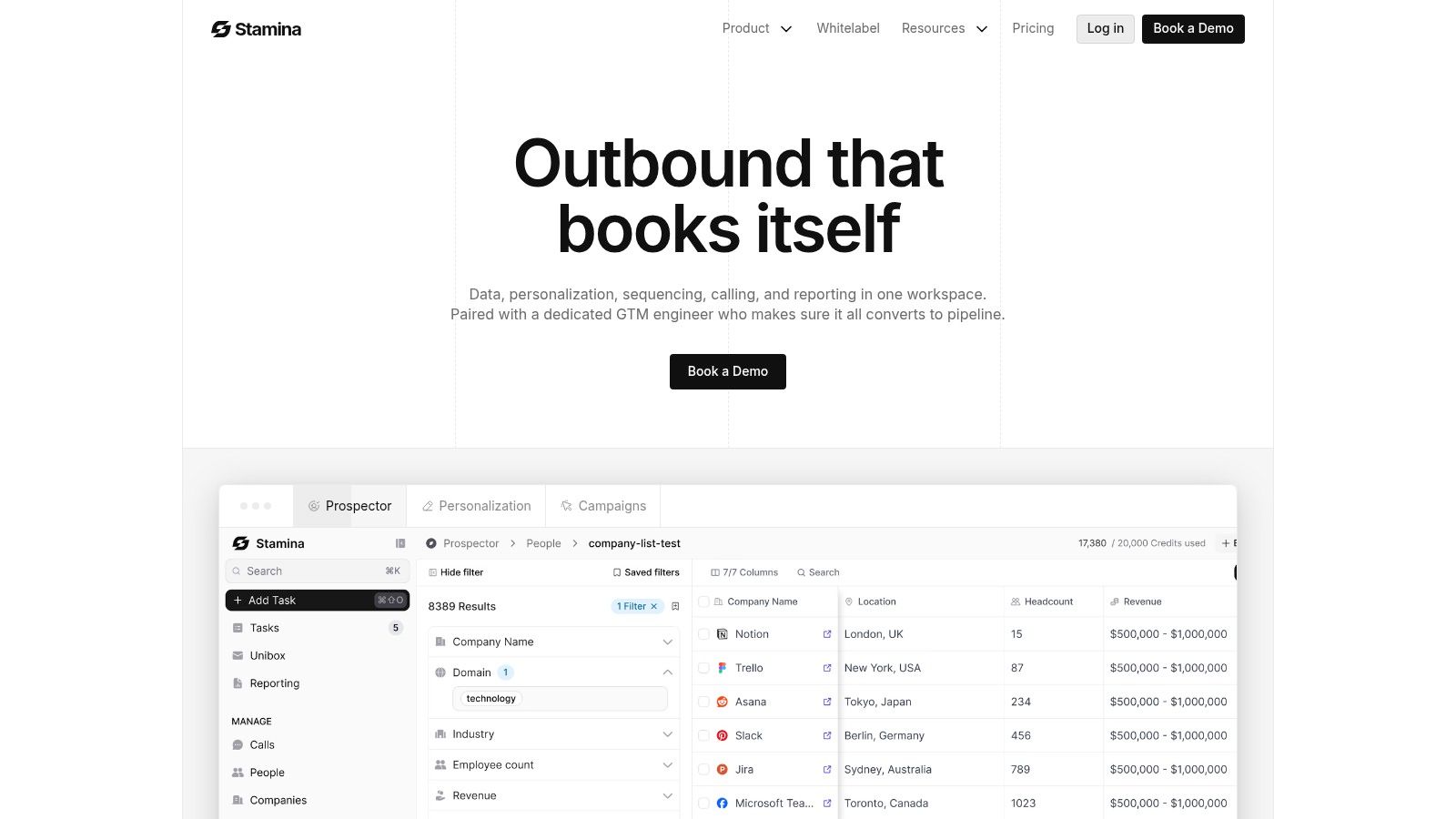
A common SMB problem looks like this. Reps prospect in one tool, run sequences in another, update deals in a third, and ask marketing to patch the gaps with spreadsheets and Zapier. Stamina is built for teams that want to stop managing that handoff layer and run sales, marketing, and automation from one revenue system.

That matters if the buying issue is workflow fragmentation, not just pipeline visibility. Stamina combines CRM, sales engagement, marketing automation, and orchestration in one platform, so the system matches how demand gets created and worked. For sales leaders comparing tools by use case instead of feature volume, that puts Stamina in a different bucket from classic CRMs that need several add-ons before reps can execute outbound.

Best for SMB teams that want one revenue system

Stamina fits best when pipeline comes from a mix of outbound, inbound, and nurture, and the team wants one place to manage the full motion. Sales can work active opportunities and prospecting from the same system. Marketing can run nurture and lifecycle workflows without handing off partial context. Leadership gets cleaner visibility into activity, account history, and deal progression without stitching reports together across multiple apps.

The standout piece is Zara, Stamina's built-in AI SDR. Zara helps reps identify accounts, research prospects, and draft personalized outreach inside the platform. For teams trying to improve outbound without adding another sequencing, enrichment, and writing stack, that changes the buying math. The value is less about AI as a novelty and more about reducing tool switching in the daily rep workflow.

I'd put Stamina near the top of the list for sales teams that have already learned a hard lesson. Best-in-class stacks sound efficient until no one owns the connectors, field mapping breaks, and basic reporting turns into a monthly cleanup project.

It also has a practical edge for agencies and consultants. Agency mode and white-label flexibility are meaningful if you run outbound or lifecycle programs for clients and need tenant separation, brand control, or repeatable campaign operations.

What works well and what to watch

The main strength is system cohesion. Sales engagement, CRM records, workflow automation, and marketing activity live together, which reduces dependence on fragile integrations. That matters even more once you start syncing data into other tools or handling workflows like mapping data between Salesforce and Intercom, where field definitions and ownership rules can get messy fast.

The trade-off is implementation discipline. A platform that covers more of the revenue process needs clearer decisions up front on lifecycle stages, routing, ownership, sequence rules, and reporting definitions. If those basics are still fuzzy, the software will centralize the confusion instead of fixing it. Teams new to CRM selection should ground the evaluation in the core role of customer relationship management before adding AI and automation requirements on top.

A few practical notes:

  • Best fit: Growing SMBs replacing a fragmented sales and marketing stack.

  • Strong motion: AI-assisted outbound, lifecycle nurture, and shared sales-marketing execution.

  • Main drawback: Pricing is not public, so you'll need a direct conversation to assess fit and cost.

  • Watch for: Change management if reps and marketers are attached to separate specialist tools.

For teams ranking the best CRM for sales teams by workflow fit, not brand recognition, Stamina is one of the strongest options here for unified execution across prospecting, nurture, and pipeline management.

2. Salesforce Sales Cloud
Salesforce Sales Cloud

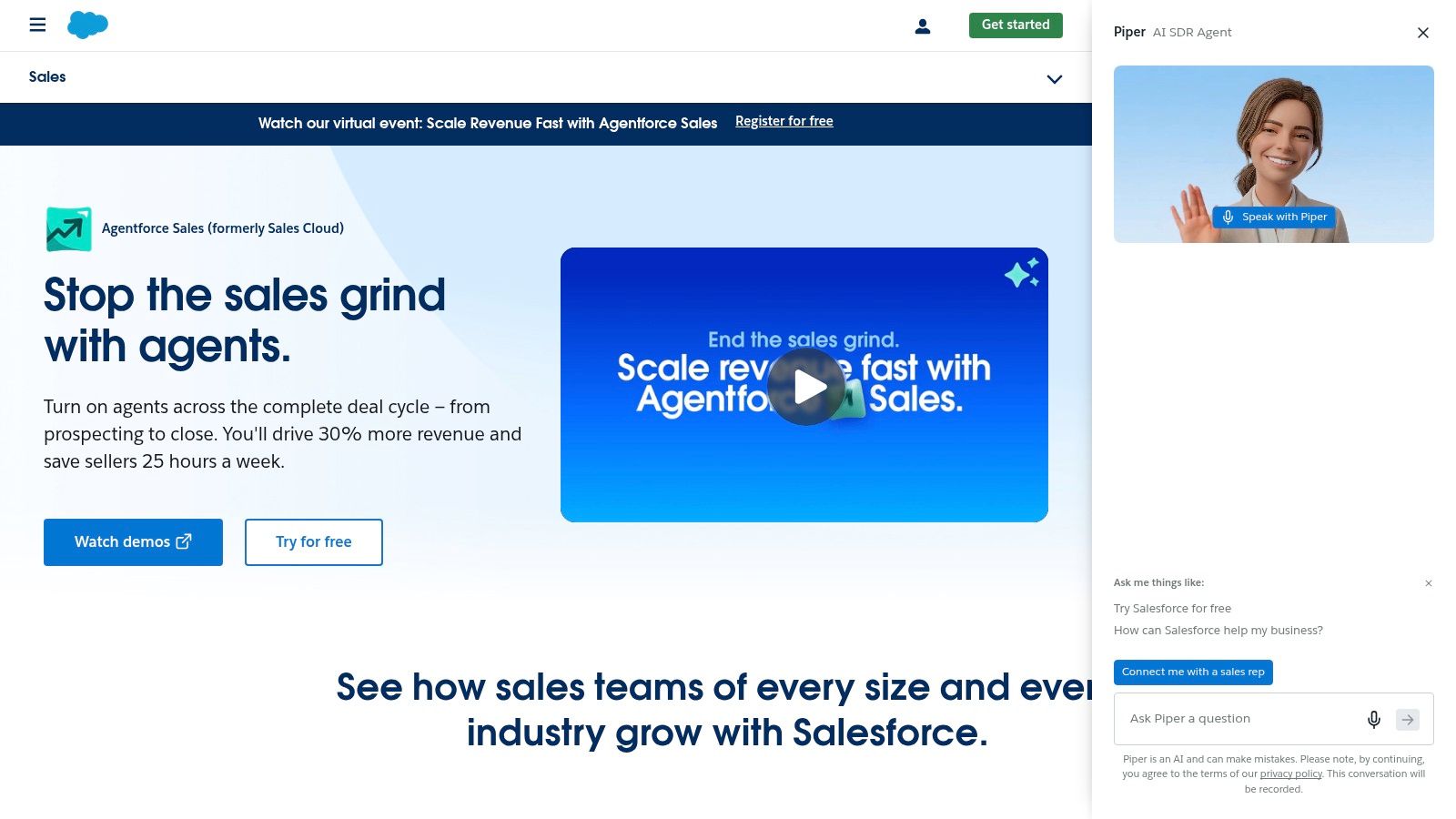
Salesforce Sales Cloud is still the default answer for large, complex sales organizations. If your sales process involves layered permissions, multiple business units, territory rules, custom objects, approvals, and deep reporting requirements, Salesforce can handle it better than almost anything else.

That doesn't mean it's the right answer for everyone. A lot of sales teams buy Salesforce for what it might become, then struggle under the admin burden long before they get there. If you don't have internal ops talent or implementation support, you can end up with a powerful system that reps avoid.

Best for complex B2B sales operations

Salesforce is strongest when the business needs a platform, not just a CRM. It's built for organizations that expect process complexity and want room to customize heavily over time. Forecasting, enterprise governance, partner ecosystems, and add-on depth are its core strengths.

If you're earlier in your CRM journey, start by grounding the basics of customer relationship management before assuming you need the heaviest platform on the market. Most failed CRM rollouts happen because the company bought for theoretical scale instead of current workflow pain.

A simple process in a heavily customized CRM often performs worse than a clear process in a simpler one.

Salesforce also benefits from a huge ecosystem. If you need implementation help or niche extensions, you'll usually find a partner or app for it. Teams doing advanced handoffs may also care about operational details like mapping data between Salesforce and Intercom, because integration design becomes part of the buying decision fast.

Trade-offs that matter in the real world

Salesforce can become expensive and operationally heavy once you add the features sales teams desire. It also asks more from sales ops than SMB-focused CRMs do. Field design, validation logic, reporting structure, and user permissions need active management.

Choose Salesforce when complexity is real, not aspirational.

  • Best for: Enterprise and upper mid-market teams with custom process needs.

  • Works well for: Structured forecasting, territory management, deep configuration.

  • What doesn't: Fast, low-friction rollout for lean teams without admin support.

Use Salesforce Sales Cloud if your business needs a system you can extensively mold. Skip it if what you really need is rep adoption and speed.

3. HubSpot Sales Hub (with HubSpot CRM)
HubSpot Sales Hub (with HubSpot CRM)

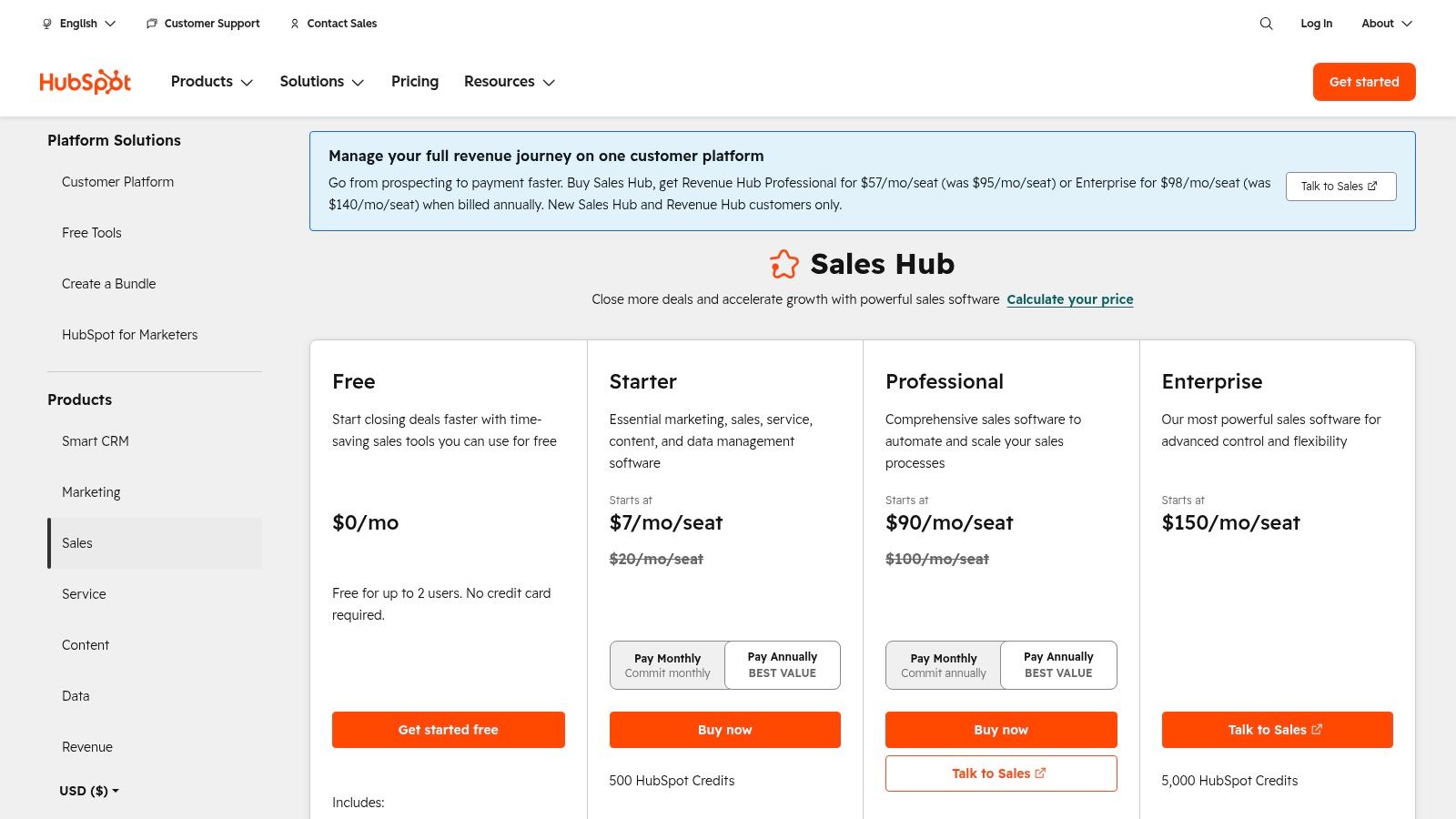
HubSpot is the easiest recommendation for teams that want sales and marketing on the same platform without a long implementation cycle. It's approachable, well-documented, and generally easier for reps and marketers to understand than more admin-heavy systems.

Where HubSpot shines is context. Sales can see marketing activity, service can see deal history, and the contact record becomes the shared truth across teams. That's a big deal for inbound-heavy companies where pipeline doesn't start with cold outbound.

Best for inbound-led SMB and mid-market teams

If your sales team depends on form fills, content engagement, webinars, or lifecycle nurture, HubSpot is hard to ignore. The handoff from marketing to sales is cleaner than in most disconnected stacks, and the user experience is strong enough that adoption usually comes faster.

It also scales more gracefully than many teams expect. The issue isn't capability. It's cost creep. As you add hubs, seats, and more advanced functionality, the platform can become much more expensive than it looked in the early evaluation stage.

A few clear takeaways:

  • Best for: Teams that want sales, marketing, and service tied together.

  • Works well for: Inbound sales, lifecycle visibility, fast onboarding.

  • Watch for: Rising total cost once you expand beyond a basic footprint.

Where it falls short

For pure outbound teams, HubSpot can feel broader than necessary. You may end up paying for ecosystem value that your reps don't use. It's also less appealing if your organization wants highly customized process logic without moving into higher complexity and higher spend.

Still, for ease of use and cross-functional alignment, HubSpot Sales Hub remains one of the safest choices in the market. If your goal is practical time-to-value, not maximum customization, it's one of the best CRM options for sales teams.

4. Pipedrive
Pipedrive

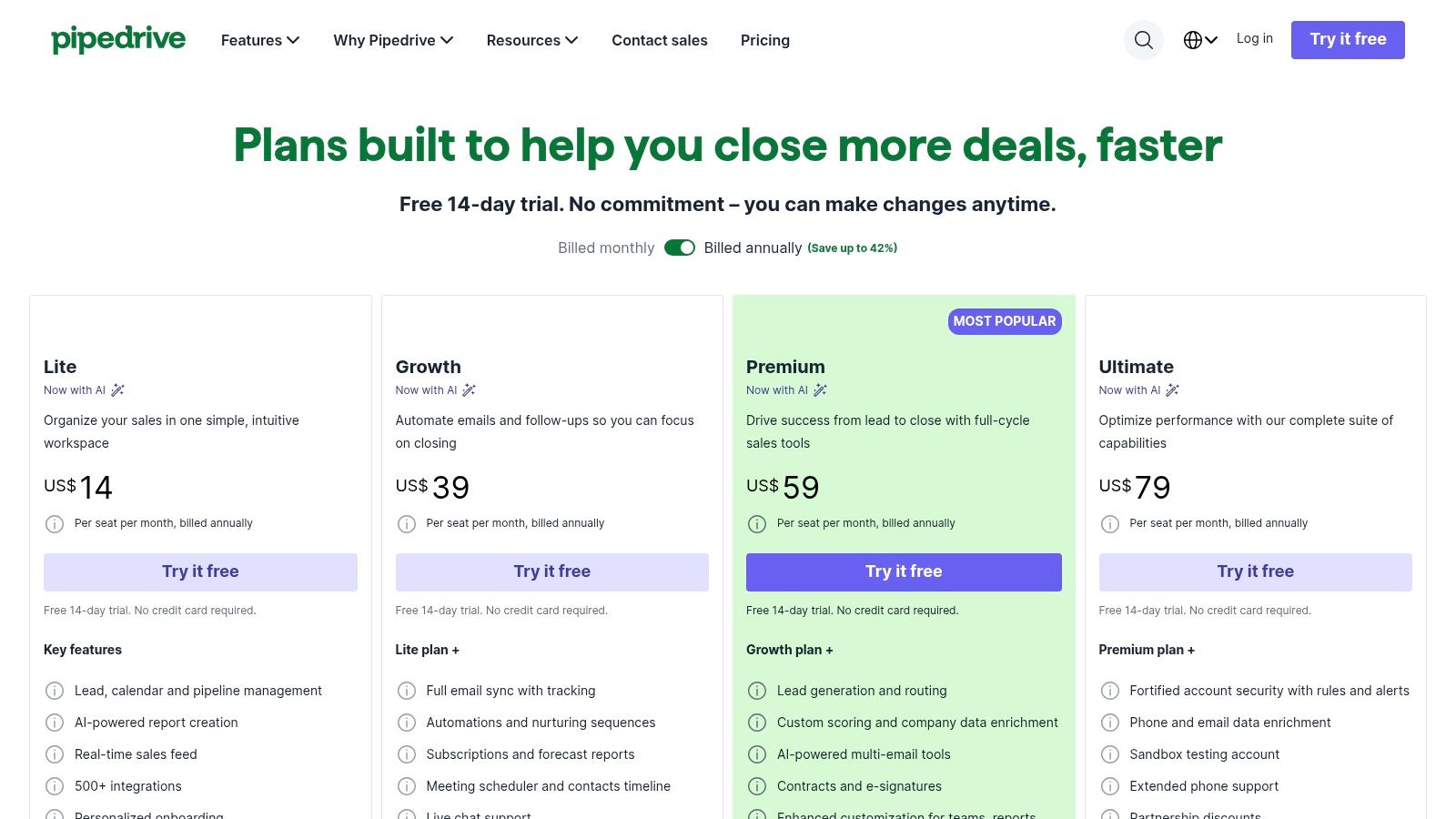
Pipedrive is what I recommend when a team says, “We just need reps to use the CRM.” Its strength is obvious within minutes. The pipeline is visual, the interface is intuitive, and deal movement feels natural instead of administrative.

For SMB sales teams, that usability matters more than giant feature breadth. Reps usually understand it fast, managers can inspect pipeline without building a reporting project, and rollout friction is low.

Best for visual pipeline management

Pipedrive is best when your sales motion is deal-centric and activity-driven. Reps work opportunities, schedule follow-ups, move deals across stages, and need a clean view of what's stalled. It does that well.

Its simplicity also makes it a good platform for building healthier CRM workflows. If your current process is messy, Pipedrive can help because it doesn't hide behind complexity. Bad stages and bad habits become visible quickly.

The best Pipedrive deployments keep the pipeline strict. Too many stages and optional fields turn a simple CRM into clutter.

What buyers often miss

Pipedrive's base experience is clean, but some capabilities sit behind add-ons or higher tiers. That's not automatically a problem, but you need to price the stack you'll use, not the one in the entry demo.

It's also not the best fit for companies with heavy customization needs, multi-object complexity, or enterprise governance requirements.

  • Best for: SMB teams that want fast adoption and a clean deal pipeline.

  • Works well for: Activity management, pipeline reviews, simple automation.

  • Less ideal for: Highly complex sales processes or all-in-one revenue operations.

If you're looking for the best CRM for sales teams that value usability first, Pipedrive belongs near the top of the shortlist.

5. Zoho CRM

Zoho CRM is one of the better options for budget-conscious teams that still want real flexibility. It covers a lot of ground, especially if your company already uses other Zoho products for support, campaigns, analytics, or operations.

That said, Zoho is not the most polished product in this list. It can do a lot, but it often asks more from admins and power users to get the most from it. Buyers who expect elegant defaults sometimes bounce off it too early.

Best for value-focused teams with process discipline

Zoho works well for companies that care about total cost of ownership and are willing to invest time in configuration. If your team wants custom modules, approvals, workflows, and a broader business software ecosystem without stepping into enterprise CRM pricing territory, Zoho is attractive.

It's also a reasonable fit for teams trying to formalize their process using practical CRM best practices. In that sense, Zoho rewards clarity. If your stages, routing, and ownership rules are defined well, the platform becomes much more effective.

The trade-off is user experience

The downside is that Zoho can feel less intuitive than tools like HubSpot or Pipedrive. Admins can usually make it work. Frontline reps may need more training and better internal documentation.

That doesn't make it a bad product. It makes it a product that favors structured operators over casual users.

  • Best for: Cost-conscious SMBs moving toward mid-market complexity.

  • Works well for: Automation, custom modules, ecosystem breadth.

  • Main drawback: The interface and setup experience aren't as smooth as easier-to-adopt rivals.

For the right team, Zoho CRM offers a lot of capability without forcing an enterprise-style commitment.

6. Freshsales (Freshworks)

Freshsales sits in a sweet spot for smaller teams that want built-in communication tools without wiring together multiple vendors. Contact management, deals, phone, email, and sequences are all part of the appeal.

That makes it useful for teams that want a practical, modern CRM but don't want to spend months on implementation. It's especially appealing when sales and marketing may eventually need to live closer together under the same roof.

Best for SMBs that want built-in outreach

Freshsales works well when your reps need one place to manage contacts, follow-ups, and conversations. The built-in communication layer reduces tool sprawl, and the platform is easier to get live than heavier enterprise options.

If your company is small and trying to choose between simplicity and capability, Freshsales deserves a look alongside guides on the best CRM for small business. It offers a pragmatic middle path. More structure than lightweight tools, less overhead than enterprise suites.

Teams often underestimate how much adoption improves when calling, email, and deal tracking live in one interface.

Where it can hit limits

The main limitation is analytical depth. Freshsales is solid for day-to-day selling, but it's not usually the first choice for highly complex reporting or advanced enterprise governance. Some advanced functions also depend on higher tiers or broader Freshworks adoption.

  • Best for: Small teams that want sales communication and CRM in one place.

  • Works well for: Quick setup, built-in phone and email, straightforward outbound.

  • Less ideal for: Organizations needing deep analytics or extensive platform extensibility.

For lean teams, Freshsales often feels more complete than its market position suggests.

7. Microsoft Dynamics 365 Sales

Dynamics 365 Sales makes the most sense when the rest of your company already runs on Microsoft. Outlook, Teams, Azure, Power BI, and Power Automate are the primary reason to buy it. The CRM itself is capable, but the surrounding ecosystem is the stronger argument.

This is a common buying pattern in larger organizations. IT prefers governance consistency, finance prefers vendor consolidation, and sales inherits the platform decision. That isn't always bad. In some companies, it's exactly the right call.

Best for Microsoft-centric organizations

If your reps live in Outlook and your operations team already builds automations in the Power Platform, Dynamics can fit naturally. Copilot capabilities, Teams collaboration, and enterprise security are meaningful advantages when your company is standardized on Microsoft.

The flip side is complexity. Dynamics usually rewards companies with technical depth. Without good solution design, implementations can become overbuilt and hard for sellers to use effectively.

Practical fit and friction

Dynamics is not the CRM I'd choose for a scrappy SMB that just wants better pipeline hygiene next quarter. It's better suited to organizations that need governance, integration with Microsoft infrastructure, and room for enterprise customization.

  • Best for: Companies already committed to Microsoft 365 and Azure.

  • Works well for: Outlook and Teams-centric workflows, governance, low-code extensions.

  • Main drawback: It often requires stronger admin and architecture capability than buyers expect.

If that ecosystem alignment matters, Microsoft Dynamics 365 Sales can be a very strong operational choice.

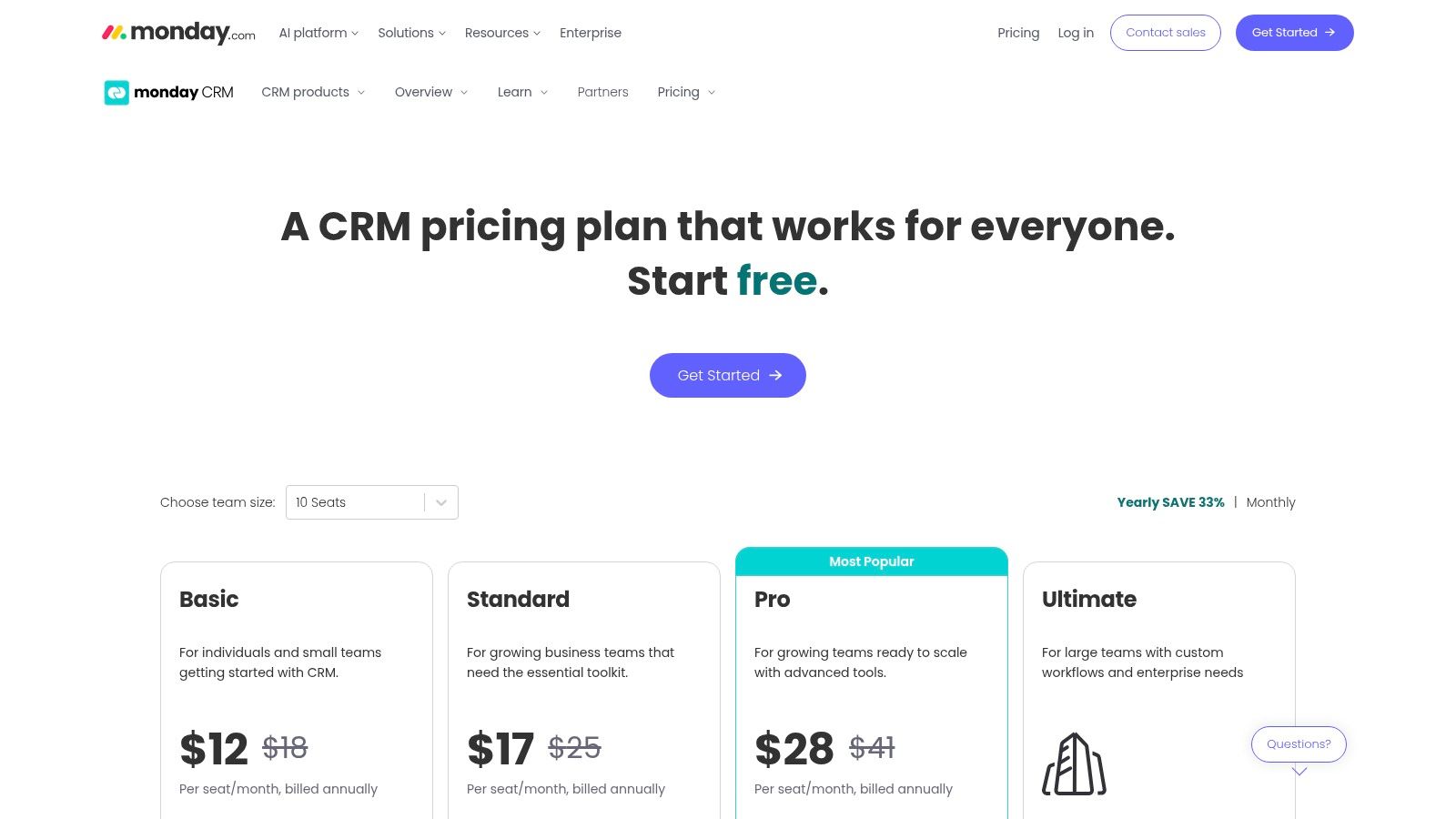
8. monday sales CRM
monday sales CRM

monday sales CRM is a good fit for teams that want flexibility more than strict CRM convention. If your company already uses monday.com for projects or operations, bringing sales into the same environment can simplify collaboration.

The board-based model is the selling point. You can shape workflows quickly, expose status across departments, and adapt the system without a heavy admin project. That's valuable when the handoff from sales to onboarding or delivery matters as much as the sale itself.

Best for cross-functional workflow visibility

monday works best when sales is one part of a larger operating system. Agencies, service businesses, and teams with tight post-sale coordination often like it because they can keep pipeline and execution close together.

What it doesn't do as naturally as dedicated CRMs is sales-native rigor. Some specialized forecasting and pipeline management expectations still feel stronger in tools built specifically for sales teams first.

A quick buyer lens:

  • Best for: Teams that want CRM plus broader work management in one platform.

  • Works well for: Custom boards, cross-team collaboration, fast workflow changes.

  • Less ideal for: Purist sales teams that want classic CRM depth out of the box.

For flexible operating models, monday sales CRM is often more useful than a stricter CRM, even if it's not as sales-native in every area.

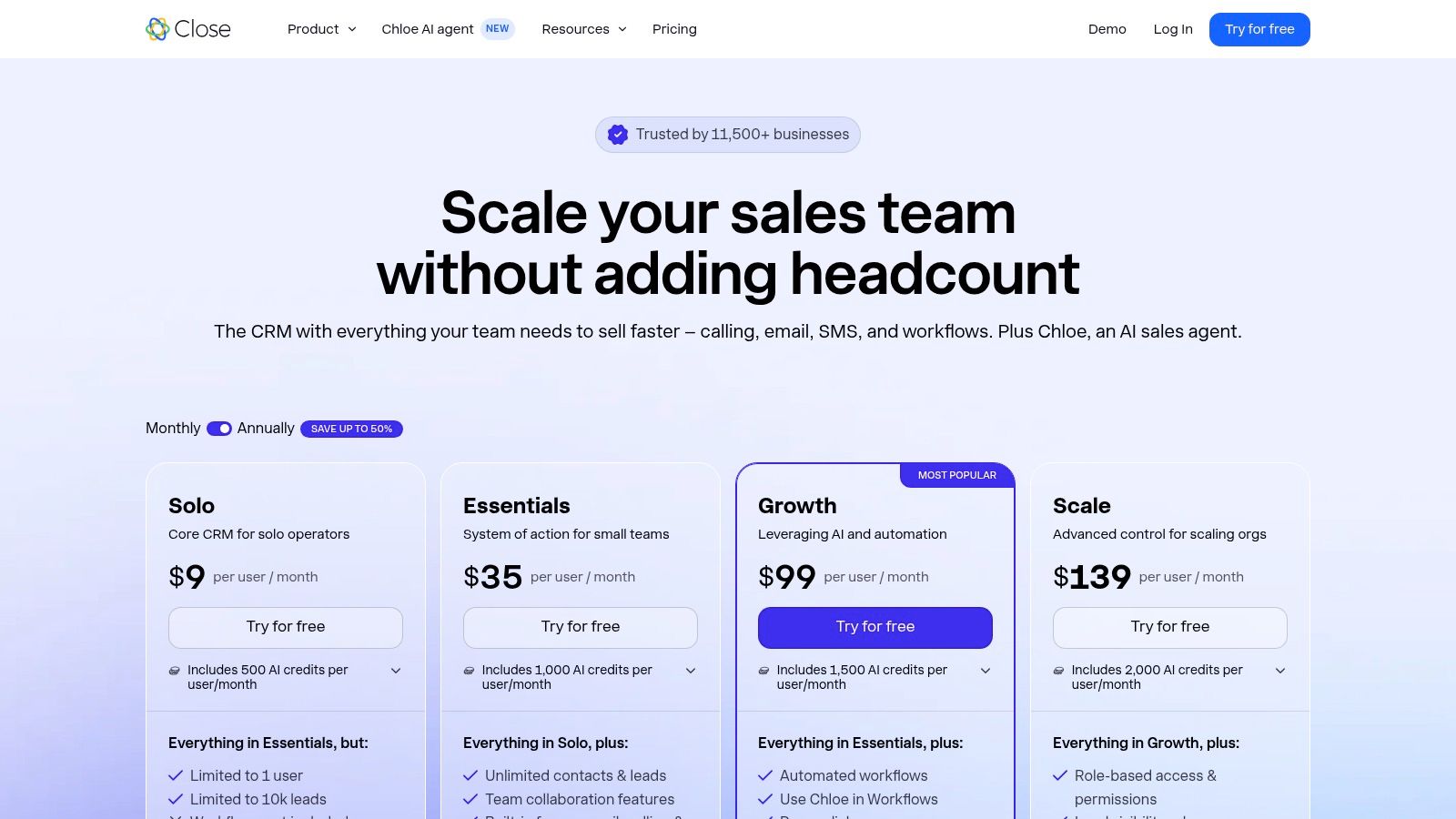
9. Close
Close

Close is built for teams that sell through volume and speed. If your reps spend much of the day calling, texting, emailing, and working through outbound tasks, Close feels purpose-built in a way general CRMs often don't.

This is one of the clearest examples of matching the CRM to the motion. For inside sales and outbound-heavy workflows, the communication layer is the product. Native calling, SMS, and dialer functionality aren't side features. They're the center of the system.

Best for high-velocity outbound teams

Close works well for SDR teams, inside sales groups, and founders who still run outbound themselves. The all-in-one outreach model reduces switching between systems, and the centralized inbox helps reps keep momentum.

Its AI sales agent, Chloe, adds to that outbound orientation. That makes Close especially relevant for teams exploring AI-assisted qualification and top-of-funnel execution, but still wanting a human-led sales process around it.

Choose Close when rep output depends on communication speed. Don't choose it just because “all-in-one outreach” sounds efficient.

When it's the wrong tool

Close is less attractive for extensively layered enterprise selling. If your deals depend on complex account structures, advanced object modeling, or heavy operational customization, you'll feel the edges sooner.

  • Best for: Phone-heavy outbound and inside sales teams.

  • Works well for: Native calling, SMS, task-driven outreach, rapid setup.

  • Not great for: Complex enterprise sales ops or broader cross-functional CRM needs.

For high-activity outbound, Close is one of the sharpest tools on this list.

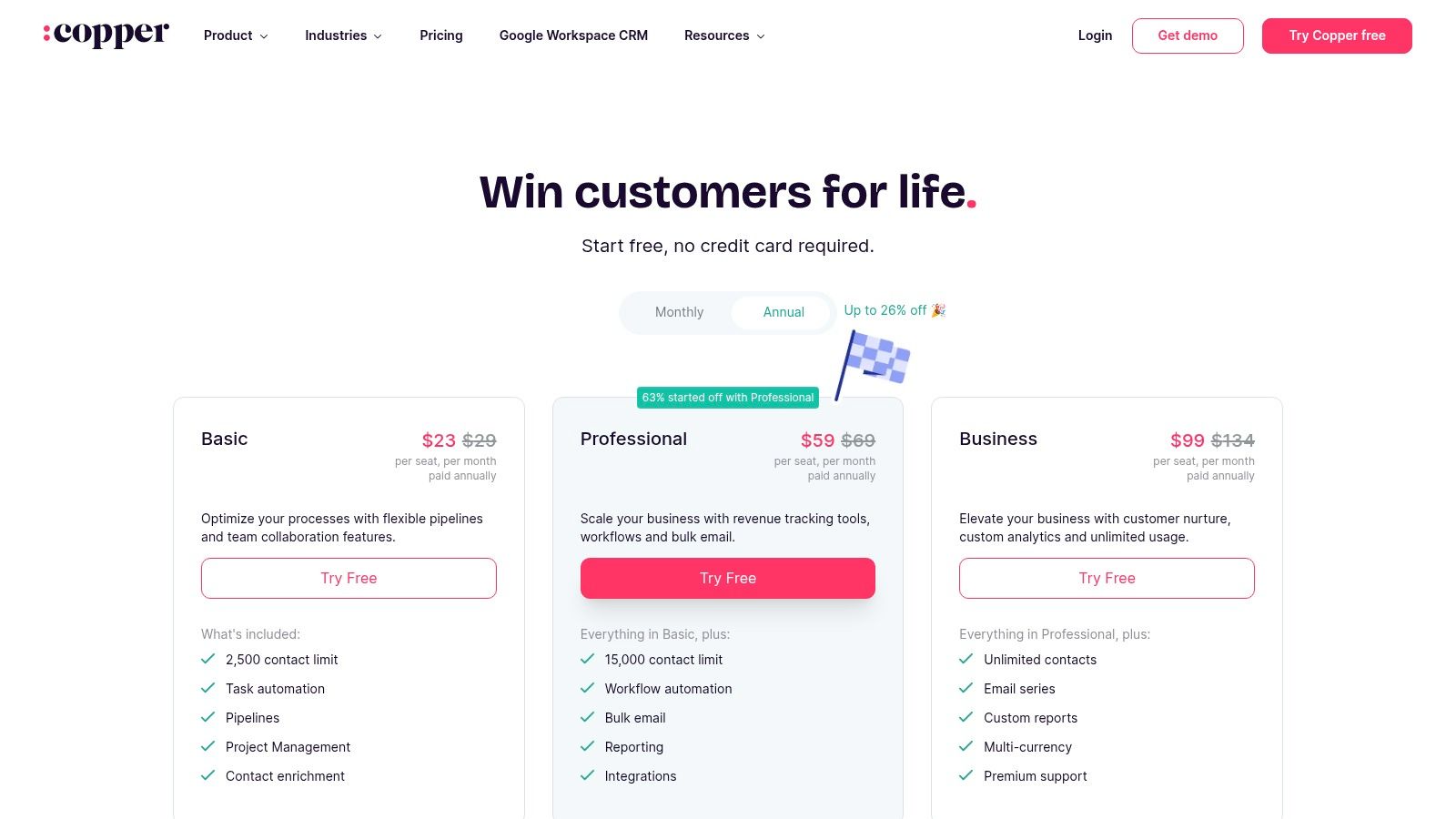
10. Copper
Copper

Copper's biggest advantage is simple. It feels native to Google Workspace. If your team lives in Gmail, Calendar, and Drive, Copper reduces the friction that usually causes CRM neglect.

That makes it appealing for relationship-driven teams that don't need a huge amount of operational complexity. The interface is clean, the learning curve is mild, and adoption tends to be easier when reps can work from familiar tools.

Best for Google-first small teams

Copper is a smart choice for smaller sales teams, agencies, consultancies, and founder-led revenue motions where Google Workspace is the center of daily work. Reps don't have to context-switch as much, which helps maintain data quality without constant management pressure.

Its strength is low-friction relationship tracking, not maximal feature depth. That distinction matters. Copper is easier to love when your process is straightforward.

Why some teams outgrow it

Teams with more advanced reporting, deeper process customization, or broader ecosystem demands may outgrow Copper faster than they expect. It also won't fit Microsoft-first organizations at all.

  • Best for: Google Workspace-centric sales teams that value simplicity.

  • Works well for: Gmail-centric relationship management and fast adoption.

  • Main drawback: Lighter feature depth than broader CRM platforms.

For Google-first selling environments, Copper is still one of the cleanest options available.

Top 10 Sales CRMs: Feature Comparison

Product

Core features

UX & setup

Unique selling point

Best for

Pricing & scale

Stamina

Unified marketing + sales + CRM, AI SDR (Zara), sales engagement, workflows

SMB-friendly, requires initial setup/training

AI SDR that auto-identifies prospects and writes personalized outreach; agency/white‑label options

Growing SMBs and agencies wanting one AI-driven revenue stack

Contact vendor / demo; enterprise-grade for SMBs

Salesforce Sales Cloud

Deep SFA, forecasting, CPQ, large app ecosystem

Powerful but higher admin overhead

Massive extensibility and partner network

Complex B2B enterprises with custom needs

Tiered (Starter→Unlimited); can be costly with add‑ons

HubSpot Sales Hub

CRM + sequences, meetings, forecasts, conversation intelligence

Very quick to deploy; strong UX

Tight Marketing↔Sales alignment and multi‑hub bundling

SMB → mid‑market teams seeking fast time‑to‑value

Free → Enterprise; costs grow with hubs/seats

Pipedrive

Visual Kanban pipelines, activity management, automations

Intuitive, fast adoption

Highly visual pipeline UX and affordable entry

SMB sales teams focused on deal tracking

Affordable entry tiers; add‑ons for advanced features

Zoho CRM

Lead/deal management, automation, Zia AI, custom modules

Flexible but can need admin time

Competitive pricing with broad Zoho app ecosystem

Cost-conscious SMBs scaling to mid‑market

Free → Enterprise; attractive TCO

Freshsales (Freshworks)

Contact/deal mgmt, built‑in phone, sequences, AI insights

Easy setup; built‑in communications

Native telephony + optional Suite for marketing

SMBs wanting integrated communications

Competitive pricing; usable free tier

Microsoft Dynamics 365 Sales

SFA, Copilot AI, Outlook/Teams integration, Power Platform

Requires admin/solution design skills

Deep Microsoft 365/Azure integration and Power Platform extensibility

Microsoft‑centric organizations and enterprises

Complex licensing; enterprise focused

monday sales CRM

Custom boards, automations, integrations, collaboration

Fast prototyping; low‑code config

Work OS approach that spans sales → delivery

Teams needing cross‑team workflows and collaboration

Seat‑based pricing; 3‑seat minimum; flexible scaling

Close

Built‑in dialer, SMS, email tracking, AI agent (Chloe)

Quick setup; self‑serve pricing

Purpose‑built for high‑velocity outbound with native telephony

Inside sales and outbound teams

Transparent plans; telephony/SMS usage fees apply

Copper

Gmail & Workspace native CRM, pipelines, task automation

Extremely easy for Google‑first teams

Deep Gmail/Calendar integration for low friction adoption

Small Google Workspace–centric sales teams

Simple pricing; lower tiers limit contacts/features

Your CRM Is Your Co-Pilot, Not Just a Database

A sales team usually knows the CRM decision is wrong within the first month. Reps stop updating fields unless a manager asks. Forecast calls turn into cleanup sessions. Sales ops starts building workarounds in spreadsheets because the system does not match how deals move.

The best CRM for sales teams is the one that fits the sales motion, the reporting needs, and the team's tolerance for process. That is why this guide ranked tools by real workflow fit, not by who can stack the longest feature list on a pricing page. A high-volume outbound team has different requirements than an inbound-heavy SMB, a field sales org, or an enterprise team with strict approval rules.

Bad CRM decisions usually start with the buying process. Teams buy for edge cases instead of the core motion. They overvalue polished demos and undervalue daily rep behavior. I have seen companies buy enterprise software when the underlying issue was poor outbound execution and weak follow-up discipline. I have also seen teams choose a lightweight CRM because it looked easy, then spend the next year forcing in territory logic, handoff rules, and forecasting structure it was never built to handle.

A better buying approach is simple. Start with how revenue is created, then work backward into workflow, data model, and admin load.

Stamina stands out for teams trying to consolidate outbound, nurture, pipeline management, and CRM in one system. That fit is strongest for growing sales teams that need fewer disconnected tools and tighter coordination across prospecting and follow-up. Salesforce and Dynamics make more sense when process depth, customization, and enterprise controls matter more than speed of rollout. HubSpot is still a strong choice when marketing and sales need to operate from the same lifecycle view. Pipedrive is a practical pick when rep adoption is the biggest risk. Close fits high-velocity outbound teams that live on the phone and need that workflow front and center. Copper earns consideration when Google Workspace is the operating environment and low-friction adoption matters more than breadth.

Use these buying rules before you sign:

  • Match the CRM to the sales motion: Outbound, inbound, account-based, partner-led, and field sales teams break systems in different places.

  • Test for rep compliance in the trial: If average reps will not log activity, update stages, and use next-step fields during a live pilot, the problem gets worse after rollout.

  • Map ownership and handoffs early: Lead routing, account assignment, lifecycle stages, and data cleanup rules should be defined before implementation starts.

  • Model full operating cost: Include admin time, onboarding, integration work, add-ons, and the cost of keeping other tools if the CRM does not replace them.

The CRM you choose will shape forecasting accuracy, coaching quality, handoff discipline, and pipeline trust for years. Treat it like revenue infrastructure.

If your priority is replacing a patchwork of sales, marketing, and CRM tools with one connected system, take a closer look at Stamina. It is a strong fit for teams that need AI-assisted outbound, coordinated nurture, and a CRM built around day-to-day revenue workflows instead of extra admin.

Your team is probably in the same spot most sales leaders hit before a CRM change. Reps are working from a mix of inboxes, spreadsheets, call notes, and half-used tools. Management wants cleaner forecasting. Marketing wants attribution. Sales wants fewer clicks and less admin. Every vendor says they can fix it all.

That's why choosing the best CRM for sales teams feels harder than it should. You sit through demos full of polished dashboards, AI promises, and workflow diagrams, but the core question stays simple. Will reps use it once the rollout energy fades? If the answer is no, the platform becomes an expensive reporting shell.

A strong sales CRM should help people move deals forward. It should surface context before a call, automate follow-up that reps forget to send, and make pipeline reviews easier instead of more political. It should feel like a working system, not another place to update fields after the core work is done.

Below is a practical comparison of the best CRM for sales teams right now, ranked by fit for actual sales motions. Some are better for SMB pipeline discipline. Some are built for outbound. Some are ideal if your company already lives in Microsoft or Google. If you're also tightening top-of-funnel execution, these B2B lead generation insights are worth reading alongside your CRM shortlist.

1. Stamina

Stamina

A common SMB problem looks like this. Reps prospect in one tool, run sequences in another, update deals in a third, and ask marketing to patch the gaps with spreadsheets and Zapier. Stamina is built for teams that want to stop managing that handoff layer and run sales, marketing, and automation from one revenue system.

That matters if the buying issue is workflow fragmentation, not just pipeline visibility. Stamina combines CRM, sales engagement, marketing automation, and orchestration in one platform, so the system matches how demand gets created and worked. For sales leaders comparing tools by use case instead of feature volume, that puts Stamina in a different bucket from classic CRMs that need several add-ons before reps can execute outbound.

Best for SMB teams that want one revenue system

Stamina fits best when pipeline comes from a mix of outbound, inbound, and nurture, and the team wants one place to manage the full motion. Sales can work active opportunities and prospecting from the same system. Marketing can run nurture and lifecycle workflows without handing off partial context. Leadership gets cleaner visibility into activity, account history, and deal progression without stitching reports together across multiple apps.

The standout piece is Zara, Stamina's built-in AI SDR. Zara helps reps identify accounts, research prospects, and draft personalized outreach inside the platform. For teams trying to improve outbound without adding another sequencing, enrichment, and writing stack, that changes the buying math. The value is less about AI as a novelty and more about reducing tool switching in the daily rep workflow.

I'd put Stamina near the top of the list for sales teams that have already learned a hard lesson. Best-in-class stacks sound efficient until no one owns the connectors, field mapping breaks, and basic reporting turns into a monthly cleanup project.

It also has a practical edge for agencies and consultants. Agency mode and white-label flexibility are meaningful if you run outbound or lifecycle programs for clients and need tenant separation, brand control, or repeatable campaign operations.

What works well and what to watch

The main strength is system cohesion. Sales engagement, CRM records, workflow automation, and marketing activity live together, which reduces dependence on fragile integrations. That matters even more once you start syncing data into other tools or handling workflows like mapping data between Salesforce and Intercom, where field definitions and ownership rules can get messy fast.

The trade-off is implementation discipline. A platform that covers more of the revenue process needs clearer decisions up front on lifecycle stages, routing, ownership, sequence rules, and reporting definitions. If those basics are still fuzzy, the software will centralize the confusion instead of fixing it. Teams new to CRM selection should ground the evaluation in the core role of customer relationship management before adding AI and automation requirements on top.

A few practical notes:

  • Best fit: Growing SMBs replacing a fragmented sales and marketing stack.

  • Strong motion: AI-assisted outbound, lifecycle nurture, and shared sales-marketing execution.

  • Main drawback: Pricing is not public, so you'll need a direct conversation to assess fit and cost.

  • Watch for: Change management if reps and marketers are attached to separate specialist tools.

For teams ranking the best CRM for sales teams by workflow fit, not brand recognition, Stamina is one of the strongest options here for unified execution across prospecting, nurture, and pipeline management.

2. Salesforce Sales Cloud

Salesforce Sales Cloud

Salesforce Sales Cloud is still the default answer for large, complex sales organizations. If your sales process involves layered permissions, multiple business units, territory rules, custom objects, approvals, and deep reporting requirements, Salesforce can handle it better than almost anything else.

That doesn't mean it's the right answer for everyone. A lot of sales teams buy Salesforce for what it might become, then struggle under the admin burden long before they get there. If you don't have internal ops talent or implementation support, you can end up with a powerful system that reps avoid.

Best for complex B2B sales operations

Salesforce is strongest when the business needs a platform, not just a CRM. It's built for organizations that expect process complexity and want room to customize heavily over time. Forecasting, enterprise governance, partner ecosystems, and add-on depth are its core strengths.

If you're earlier in your CRM journey, start by grounding the basics of customer relationship management before assuming you need the heaviest platform on the market. Most failed CRM rollouts happen because the company bought for theoretical scale instead of current workflow pain.

A simple process in a heavily customized CRM often performs worse than a clear process in a simpler one.

Salesforce also benefits from a huge ecosystem. If you need implementation help or niche extensions, you'll usually find a partner or app for it. Teams doing advanced handoffs may also care about operational details like mapping data between Salesforce and Intercom, because integration design becomes part of the buying decision fast.

Trade-offs that matter in the real world

Salesforce can become expensive and operationally heavy once you add the features sales teams desire. It also asks more from sales ops than SMB-focused CRMs do. Field design, validation logic, reporting structure, and user permissions need active management.

Choose Salesforce when complexity is real, not aspirational.

  • Best for: Enterprise and upper mid-market teams with custom process needs.

  • Works well for: Structured forecasting, territory management, deep configuration.

  • What doesn't: Fast, low-friction rollout for lean teams without admin support.

Use Salesforce Sales Cloud if your business needs a system you can extensively mold. Skip it if what you really need is rep adoption and speed.

3. HubSpot Sales Hub (with HubSpot CRM)

HubSpot Sales Hub (with HubSpot CRM)

HubSpot is the easiest recommendation for teams that want sales and marketing on the same platform without a long implementation cycle. It's approachable, well-documented, and generally easier for reps and marketers to understand than more admin-heavy systems.

Where HubSpot shines is context. Sales can see marketing activity, service can see deal history, and the contact record becomes the shared truth across teams. That's a big deal for inbound-heavy companies where pipeline doesn't start with cold outbound.

Best for inbound-led SMB and mid-market teams

If your sales team depends on form fills, content engagement, webinars, or lifecycle nurture, HubSpot is hard to ignore. The handoff from marketing to sales is cleaner than in most disconnected stacks, and the user experience is strong enough that adoption usually comes faster.

It also scales more gracefully than many teams expect. The issue isn't capability. It's cost creep. As you add hubs, seats, and more advanced functionality, the platform can become much more expensive than it looked in the early evaluation stage.

A few clear takeaways:

  • Best for: Teams that want sales, marketing, and service tied together.

  • Works well for: Inbound sales, lifecycle visibility, fast onboarding.

  • Watch for: Rising total cost once you expand beyond a basic footprint.

Where it falls short

For pure outbound teams, HubSpot can feel broader than necessary. You may end up paying for ecosystem value that your reps don't use. It's also less appealing if your organization wants highly customized process logic without moving into higher complexity and higher spend.

Still, for ease of use and cross-functional alignment, HubSpot Sales Hub remains one of the safest choices in the market. If your goal is practical time-to-value, not maximum customization, it's one of the best CRM options for sales teams.

4. Pipedrive

Pipedrive

Pipedrive is what I recommend when a team says, “We just need reps to use the CRM.” Its strength is obvious within minutes. The pipeline is visual, the interface is intuitive, and deal movement feels natural instead of administrative.

For SMB sales teams, that usability matters more than giant feature breadth. Reps usually understand it fast, managers can inspect pipeline without building a reporting project, and rollout friction is low.

Best for visual pipeline management

Pipedrive is best when your sales motion is deal-centric and activity-driven. Reps work opportunities, schedule follow-ups, move deals across stages, and need a clean view of what's stalled. It does that well.

Its simplicity also makes it a good platform for building healthier CRM workflows. If your current process is messy, Pipedrive can help because it doesn't hide behind complexity. Bad stages and bad habits become visible quickly.

The best Pipedrive deployments keep the pipeline strict. Too many stages and optional fields turn a simple CRM into clutter.

What buyers often miss

Pipedrive's base experience is clean, but some capabilities sit behind add-ons or higher tiers. That's not automatically a problem, but you need to price the stack you'll use, not the one in the entry demo.

It's also not the best fit for companies with heavy customization needs, multi-object complexity, or enterprise governance requirements.

  • Best for: SMB teams that want fast adoption and a clean deal pipeline.

  • Works well for: Activity management, pipeline reviews, simple automation.

  • Less ideal for: Highly complex sales processes or all-in-one revenue operations.

If you're looking for the best CRM for sales teams that value usability first, Pipedrive belongs near the top of the shortlist.

5. Zoho CRM

Zoho CRM is one of the better options for budget-conscious teams that still want real flexibility. It covers a lot of ground, especially if your company already uses other Zoho products for support, campaigns, analytics, or operations.

That said, Zoho is not the most polished product in this list. It can do a lot, but it often asks more from admins and power users to get the most from it. Buyers who expect elegant defaults sometimes bounce off it too early.

Best for value-focused teams with process discipline

Zoho works well for companies that care about total cost of ownership and are willing to invest time in configuration. If your team wants custom modules, approvals, workflows, and a broader business software ecosystem without stepping into enterprise CRM pricing territory, Zoho is attractive.

It's also a reasonable fit for teams trying to formalize their process using practical CRM best practices. In that sense, Zoho rewards clarity. If your stages, routing, and ownership rules are defined well, the platform becomes much more effective.

The trade-off is user experience

The downside is that Zoho can feel less intuitive than tools like HubSpot or Pipedrive. Admins can usually make it work. Frontline reps may need more training and better internal documentation.

That doesn't make it a bad product. It makes it a product that favors structured operators over casual users.

  • Best for: Cost-conscious SMBs moving toward mid-market complexity.

  • Works well for: Automation, custom modules, ecosystem breadth.

  • Main drawback: The interface and setup experience aren't as smooth as easier-to-adopt rivals.

For the right team, Zoho CRM offers a lot of capability without forcing an enterprise-style commitment.

6. Freshsales (Freshworks)

Freshsales sits in a sweet spot for smaller teams that want built-in communication tools without wiring together multiple vendors. Contact management, deals, phone, email, and sequences are all part of the appeal.

That makes it useful for teams that want a practical, modern CRM but don't want to spend months on implementation. It's especially appealing when sales and marketing may eventually need to live closer together under the same roof.

Best for SMBs that want built-in outreach

Freshsales works well when your reps need one place to manage contacts, follow-ups, and conversations. The built-in communication layer reduces tool sprawl, and the platform is easier to get live than heavier enterprise options.

If your company is small and trying to choose between simplicity and capability, Freshsales deserves a look alongside guides on the best CRM for small business. It offers a pragmatic middle path. More structure than lightweight tools, less overhead than enterprise suites.

Teams often underestimate how much adoption improves when calling, email, and deal tracking live in one interface.

Where it can hit limits

The main limitation is analytical depth. Freshsales is solid for day-to-day selling, but it's not usually the first choice for highly complex reporting or advanced enterprise governance. Some advanced functions also depend on higher tiers or broader Freshworks adoption.

  • Best for: Small teams that want sales communication and CRM in one place.

  • Works well for: Quick setup, built-in phone and email, straightforward outbound.

  • Less ideal for: Organizations needing deep analytics or extensive platform extensibility.

For lean teams, Freshsales often feels more complete than its market position suggests.

7. Microsoft Dynamics 365 Sales

Dynamics 365 Sales makes the most sense when the rest of your company already runs on Microsoft. Outlook, Teams, Azure, Power BI, and Power Automate are the primary reason to buy it. The CRM itself is capable, but the surrounding ecosystem is the stronger argument.

This is a common buying pattern in larger organizations. IT prefers governance consistency, finance prefers vendor consolidation, and sales inherits the platform decision. That isn't always bad. In some companies, it's exactly the right call.

Best for Microsoft-centric organizations

If your reps live in Outlook and your operations team already builds automations in the Power Platform, Dynamics can fit naturally. Copilot capabilities, Teams collaboration, and enterprise security are meaningful advantages when your company is standardized on Microsoft.

The flip side is complexity. Dynamics usually rewards companies with technical depth. Without good solution design, implementations can become overbuilt and hard for sellers to use effectively.

Practical fit and friction

Dynamics is not the CRM I'd choose for a scrappy SMB that just wants better pipeline hygiene next quarter. It's better suited to organizations that need governance, integration with Microsoft infrastructure, and room for enterprise customization.

  • Best for: Companies already committed to Microsoft 365 and Azure.

  • Works well for: Outlook and Teams-centric workflows, governance, low-code extensions.

  • Main drawback: It often requires stronger admin and architecture capability than buyers expect.

If that ecosystem alignment matters, Microsoft Dynamics 365 Sales can be a very strong operational choice.

8. monday sales CRM

monday sales CRM

monday sales CRM is a good fit for teams that want flexibility more than strict CRM convention. If your company already uses monday.com for projects or operations, bringing sales into the same environment can simplify collaboration.

The board-based model is the selling point. You can shape workflows quickly, expose status across departments, and adapt the system without a heavy admin project. That's valuable when the handoff from sales to onboarding or delivery matters as much as the sale itself.

Best for cross-functional workflow visibility

monday works best when sales is one part of a larger operating system. Agencies, service businesses, and teams with tight post-sale coordination often like it because they can keep pipeline and execution close together.

What it doesn't do as naturally as dedicated CRMs is sales-native rigor. Some specialized forecasting and pipeline management expectations still feel stronger in tools built specifically for sales teams first.

A quick buyer lens:

  • Best for: Teams that want CRM plus broader work management in one platform.

  • Works well for: Custom boards, cross-team collaboration, fast workflow changes.

  • Less ideal for: Purist sales teams that want classic CRM depth out of the box.

For flexible operating models, monday sales CRM is often more useful than a stricter CRM, even if it's not as sales-native in every area.

9. Close

Close

Close is built for teams that sell through volume and speed. If your reps spend much of the day calling, texting, emailing, and working through outbound tasks, Close feels purpose-built in a way general CRMs often don't.

This is one of the clearest examples of matching the CRM to the motion. For inside sales and outbound-heavy workflows, the communication layer is the product. Native calling, SMS, and dialer functionality aren't side features. They're the center of the system.

Best for high-velocity outbound teams

Close works well for SDR teams, inside sales groups, and founders who still run outbound themselves. The all-in-one outreach model reduces switching between systems, and the centralized inbox helps reps keep momentum.

Its AI sales agent, Chloe, adds to that outbound orientation. That makes Close especially relevant for teams exploring AI-assisted qualification and top-of-funnel execution, but still wanting a human-led sales process around it.

Choose Close when rep output depends on communication speed. Don't choose it just because “all-in-one outreach” sounds efficient.

When it's the wrong tool

Close is less attractive for extensively layered enterprise selling. If your deals depend on complex account structures, advanced object modeling, or heavy operational customization, you'll feel the edges sooner.

  • Best for: Phone-heavy outbound and inside sales teams.

  • Works well for: Native calling, SMS, task-driven outreach, rapid setup.

  • Not great for: Complex enterprise sales ops or broader cross-functional CRM needs.

For high-activity outbound, Close is one of the sharpest tools on this list.

10. Copper

Copper

Copper's biggest advantage is simple. It feels native to Google Workspace. If your team lives in Gmail, Calendar, and Drive, Copper reduces the friction that usually causes CRM neglect.

That makes it appealing for relationship-driven teams that don't need a huge amount of operational complexity. The interface is clean, the learning curve is mild, and adoption tends to be easier when reps can work from familiar tools.

Best for Google-first small teams

Copper is a smart choice for smaller sales teams, agencies, consultancies, and founder-led revenue motions where Google Workspace is the center of daily work. Reps don't have to context-switch as much, which helps maintain data quality without constant management pressure.

Its strength is low-friction relationship tracking, not maximal feature depth. That distinction matters. Copper is easier to love when your process is straightforward.

Why some teams outgrow it

Teams with more advanced reporting, deeper process customization, or broader ecosystem demands may outgrow Copper faster than they expect. It also won't fit Microsoft-first organizations at all.

  • Best for: Google Workspace-centric sales teams that value simplicity.

  • Works well for: Gmail-centric relationship management and fast adoption.

  • Main drawback: Lighter feature depth than broader CRM platforms.

For Google-first selling environments, Copper is still one of the cleanest options available.

Top 10 Sales CRMs: Feature Comparison

Product

Core features

UX & setup

Unique selling point

Best for

Pricing & scale

Stamina

Unified marketing + sales + CRM, AI SDR (Zara), sales engagement, workflows

SMB-friendly, requires initial setup/training

AI SDR that auto-identifies prospects and writes personalized outreach; agency/white‑label options

Growing SMBs and agencies wanting one AI-driven revenue stack

Contact vendor / demo; enterprise-grade for SMBs

Salesforce Sales Cloud

Deep SFA, forecasting, CPQ, large app ecosystem

Powerful but higher admin overhead

Massive extensibility and partner network

Complex B2B enterprises with custom needs

Tiered (Starter→Unlimited); can be costly with add‑ons

HubSpot Sales Hub

CRM + sequences, meetings, forecasts, conversation intelligence

Very quick to deploy; strong UX

Tight Marketing↔Sales alignment and multi‑hub bundling

SMB → mid‑market teams seeking fast time‑to‑value

Free → Enterprise; costs grow with hubs/seats

Pipedrive

Visual Kanban pipelines, activity management, automations

Intuitive, fast adoption

Highly visual pipeline UX and affordable entry

SMB sales teams focused on deal tracking

Affordable entry tiers; add‑ons for advanced features

Zoho CRM

Lead/deal management, automation, Zia AI, custom modules

Flexible but can need admin time

Competitive pricing with broad Zoho app ecosystem

Cost-conscious SMBs scaling to mid‑market

Free → Enterprise; attractive TCO

Freshsales (Freshworks)

Contact/deal mgmt, built‑in phone, sequences, AI insights

Easy setup; built‑in communications

Native telephony + optional Suite for marketing

SMBs wanting integrated communications

Competitive pricing; usable free tier

Microsoft Dynamics 365 Sales

SFA, Copilot AI, Outlook/Teams integration, Power Platform

Requires admin/solution design skills

Deep Microsoft 365/Azure integration and Power Platform extensibility

Microsoft‑centric organizations and enterprises

Complex licensing; enterprise focused

monday sales CRM

Custom boards, automations, integrations, collaboration

Fast prototyping; low‑code config

Work OS approach that spans sales → delivery

Teams needing cross‑team workflows and collaboration

Seat‑based pricing; 3‑seat minimum; flexible scaling

Close

Built‑in dialer, SMS, email tracking, AI agent (Chloe)

Quick setup; self‑serve pricing

Purpose‑built for high‑velocity outbound with native telephony

Inside sales and outbound teams

Transparent plans; telephony/SMS usage fees apply

Copper

Gmail & Workspace native CRM, pipelines, task automation

Extremely easy for Google‑first teams

Deep Gmail/Calendar integration for low friction adoption

Small Google Workspace–centric sales teams

Simple pricing; lower tiers limit contacts/features

Your CRM Is Your Co-Pilot, Not Just a Database

A sales team usually knows the CRM decision is wrong within the first month. Reps stop updating fields unless a manager asks. Forecast calls turn into cleanup sessions. Sales ops starts building workarounds in spreadsheets because the system does not match how deals move.

The best CRM for sales teams is the one that fits the sales motion, the reporting needs, and the team's tolerance for process. That is why this guide ranked tools by real workflow fit, not by who can stack the longest feature list on a pricing page. A high-volume outbound team has different requirements than an inbound-heavy SMB, a field sales org, or an enterprise team with strict approval rules.

Bad CRM decisions usually start with the buying process. Teams buy for edge cases instead of the core motion. They overvalue polished demos and undervalue daily rep behavior. I have seen companies buy enterprise software when the underlying issue was poor outbound execution and weak follow-up discipline. I have also seen teams choose a lightweight CRM because it looked easy, then spend the next year forcing in territory logic, handoff rules, and forecasting structure it was never built to handle.

A better buying approach is simple. Start with how revenue is created, then work backward into workflow, data model, and admin load.

Stamina stands out for teams trying to consolidate outbound, nurture, pipeline management, and CRM in one system. That fit is strongest for growing sales teams that need fewer disconnected tools and tighter coordination across prospecting and follow-up. Salesforce and Dynamics make more sense when process depth, customization, and enterprise controls matter more than speed of rollout. HubSpot is still a strong choice when marketing and sales need to operate from the same lifecycle view. Pipedrive is a practical pick when rep adoption is the biggest risk. Close fits high-velocity outbound teams that live on the phone and need that workflow front and center. Copper earns consideration when Google Workspace is the operating environment and low-friction adoption matters more than breadth.

Use these buying rules before you sign:

  • Match the CRM to the sales motion: Outbound, inbound, account-based, partner-led, and field sales teams break systems in different places.

  • Test for rep compliance in the trial: If average reps will not log activity, update stages, and use next-step fields during a live pilot, the problem gets worse after rollout.

  • Map ownership and handoffs early: Lead routing, account assignment, lifecycle stages, and data cleanup rules should be defined before implementation starts.

  • Model full operating cost: Include admin time, onboarding, integration work, add-ons, and the cost of keeping other tools if the CRM does not replace them.

The CRM you choose will shape forecasting accuracy, coaching quality, handoff discipline, and pipeline trust for years. Treat it like revenue infrastructure.

If your priority is replacing a patchwork of sales, marketing, and CRM tools with one connected system, take a closer look at Stamina. It is a strong fit for teams that need AI-assisted outbound, coordinated nurture, and a CRM built around day-to-day revenue workflows instead of extra admin.

Share this article

Share this article

Send a shareable link to your team or anyone who might find it useful.

Send a shareable link to your team or anyone who might find it useful.

Copy link

Copied

Share directly to

Table of contents

Give Your Business the Stamina it needs to Thrive

PRODUCT

COMPANY

RESOURCES

© 2026 Stamina Software Technologies Inc. All rights reserved.

PRODUCT

COMPANY

RESOURCES

© 2026 Stamina Software Technologies Inc. All rights reserved.

PRODUCT

COMPANY

RESOURCES

© 2026 Stamina Software Technologies Inc. All rights reserved.