Account Plan Template: Your Guide to Strategic Growth 2026

Download our free account plan template (Excel, Sheets, PPT) and learn how to create a living strategy that drives revenue with our step-by-step guide.

0 - Minute Read

Your team knows the account is important. Everyone says it in forecast calls. The AE has a good relationship with one contact. The SDR is sending outreach to adjacent stakeholders when there's time. Customer success has a few notes from onboarding on a similar customer. Marketing has a relevant case study somewhere. Nothing is coordinated.

That's how strong accounts stay average.

A good account plan template fixes that, but only if it stops being a document you update before a review and ignore after. The version that works is operational. It sits inside your CRM, ties owners to actions, and keeps the whole revenue team aligned around what to do next, who to involve, and what signal means the plan needs to change.

Why Your Best Accounts Need More Than Just Effort

The accounts with the most upside usually don't fail because the team didn't work hard enough. They fail because activity stays fragmented. One rep pushes for a meeting. Another waits for the champion to reply. A manager asks for a strategy update, so someone fills out a slide deck. Then the quarter moves on.
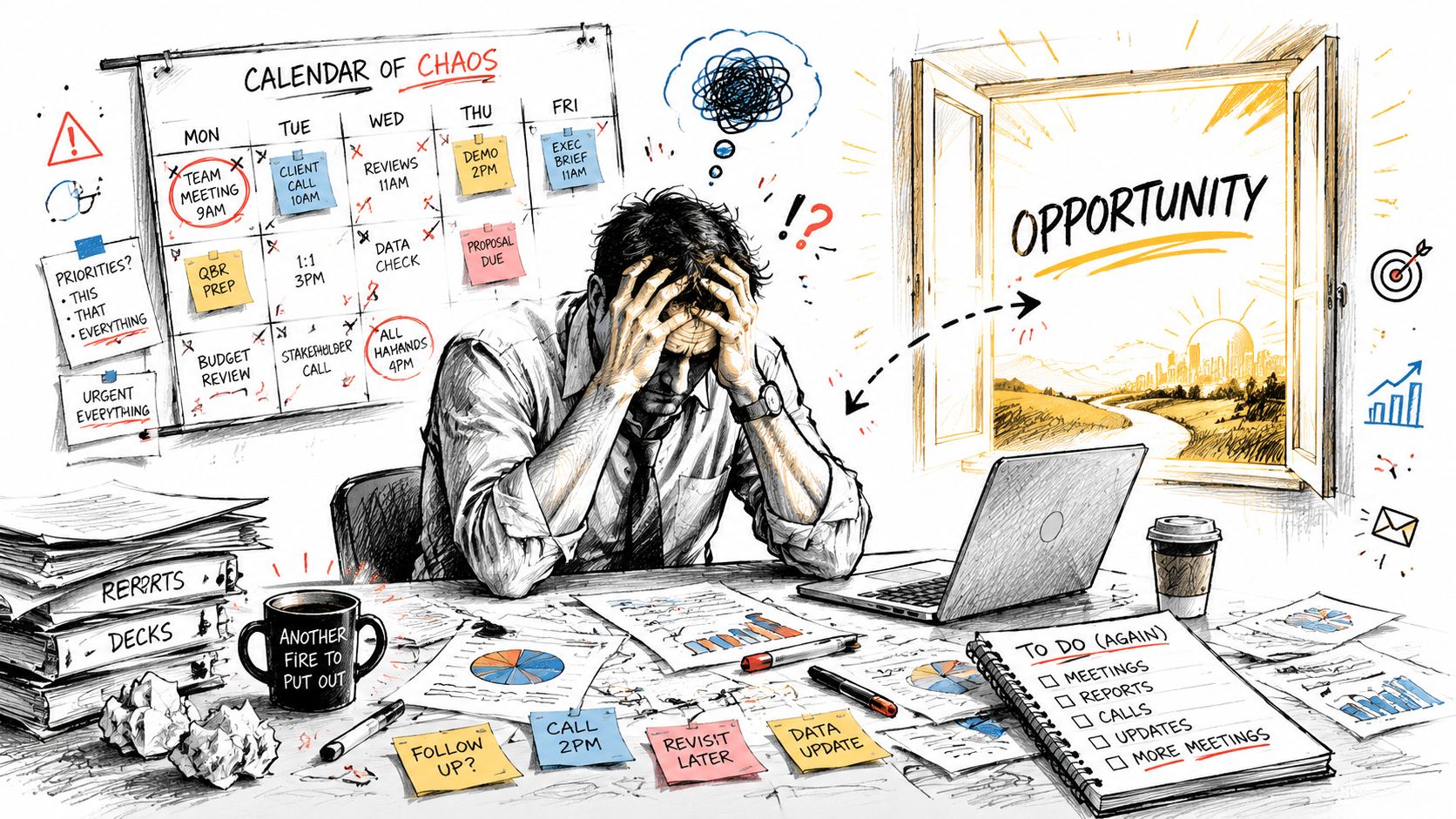
A stressed businessman sits at an overwhelmed office desk looking out a window towards a golden opportunity.

That's why formal planning matters. A landmark study by the Sales Management Association found that companies using formal account planning templates achieved 27% higher revenue growth and a 15% increase in win rates for new business opportunities. In practice, that makes sense. The plan forces people to define the buying committee, the risks, the next moves, and the actual path to expansion instead of relying on optimism and memory.

Effort doesn't replace coordination

Teams often already put effort into their best accounts. What they usually lack is a shared operating view.

A useful account plan template answers questions like:

  • Who matters: Not just the contact who replies fastest, but the economic buyer, technical evaluator, internal advocate, and quiet blocker.

  • What has to happen next: Specific moves with owners and due dates, not broad goals like “build relationship.”

  • Where the revenue can expand: The whitespace across teams, products, geographies, or use cases.

  • What could kill momentum: A competitor relationship, a renewal date, a missing executive sponsor, or weak access above director level.

Practical rule: If your account plan doesn't change what your team does this week, it isn't a plan. It's account notes.

There's another reason this matters. Strategic account growth usually depends on tight handoffs across sales, marketing, and post-sale teams. If that alignment is weak, the account gets mixed messages. Stamina's guide to sales and marketing alignment best practices is worth reading if your campaigns, outreach, and follow-up still operate on separate tracks.

The template is only the starting point

A strong account plan template gives structure. It doesn't create execution by itself. Teams often download a spreadsheet or a slide deck, fill in the obvious fields, and assume the job is done. Then the file lives in a shared drive and slowly becomes fiction.

What works is simpler and harder. Build one plan per priority account. Keep it visible in the CRM. Review it often enough that it reflects reality. Use it to decide what the team will stop doing, not just what it wants to do.

That's the difference between “we have account plans” and “our account plans help us win.”

The Anatomy of a Winning Account Plan

A high-quality account plan template isn't fancy. It's complete, clear, and tied to execution. Expert guidance from Fullcast recommends that a strong plan include an account overview, stakeholder map, SWOT analysis, whitespace opportunities, and action items with owners and deadlines, so it functions as a living execution system instead of a static document, as outlined in their strategic account plan template guidance.

If you want a simple starting point, build the template in the format your team already uses most. Excel or Google Sheets works well for collaborative planning. PowerPoint still works when leaders want a concise account review. The format matters less than whether the plan gets used weekly.

The non-negotiable sections

Here's the structure I'd keep in every account plan template:

Section

What belongs there

Why it matters

Account overview

business model, strategic priorities, current footprint, active opportunities

Gives everyone the same baseline fast

Stakeholder map

roles, influence level, stance, relationship strength

Prevents single-threaded selling

SWOT

account-specific strengths, weaknesses, opportunities, threats

Turns scattered observations into strategy

Whitespace

expansion paths, unmet needs, product or service gaps

Creates a real growth plan

Action plan

owner, deadline, next step, success signal

Converts planning into execution

What each section should actually do

Account overview should be short enough to scan before a call. If it reads like a company profile copied from a website, it's too broad. Focus on what matters to your motion now. What's changed, where you're already present, what initiative creates urgency, and what outcome the account likely cares about.

Stakeholder map is where most plans get thin. Don't just list names and titles. Add their likely motivation, their attitude toward change, and how you'll reach them. A map that says “VP of Operations” tells me nothing. A map that says “likely operational sponsor, values speed, trusts champion, not yet engaged” is useful.

For teams trying to connect planning from strategy to daily action, operational planning discipline matters here. Every stakeholder insight should lead to a move, not just a note.

The parts teams usually underbuild

SWOT should stay account-specific. Generic statements kill value. “Strong product fit” isn't a strength. “Current vendor is under pressure because onboarding has been slow” is.

Whitespace opportunities deserve more rigor than a loose upsell list. Think in terms of business units, adjacent use cases, post-sale adoption, and cross-functional entry points. Through this rigor, great account plans become growth plans instead of deal plans.

A weak template documents the account. A strong template gives the team a sequence of decisions.

Action items with owners and deadlines are what keep the plan alive. Every action should answer four things: who owns it, what they'll do, by when, and what evidence will show progress. If an action item has no owner, it's wishful thinking. If it has no deadline, it won't happen.

A Guided Walkthrough with Real-World Examples

Let's use a fictional example. You sell a SaaS platform, and one of your target accounts is Global Tech Inc. It already uses a patchwork of tools across regional teams. You've had a few good conversations with an operations director, but the account hasn't moved beyond interest.

That's exactly the kind of account where a proper account plan template pays off.

A hand filling out an account plan template on a tablet, showcasing strategic business goals and connections.

Start with the account overview

For Global Tech Inc., the overview shouldn't read like a CRM dump. It should give your team a sharp read on why this account matters now.

A useful summary might include:

  • Current relationship: Active conversation with Director of Revenue Operations. No executive sponsor yet.

  • Business situation: Regional teams use inconsistent processes and disconnected tools.

  • Likely initiative: Standardization, visibility, and tighter coordination across go-to-market teams.

  • Immediate objective: Expand access beyond the current contact and validate a business case for broader rollout.

That's enough to orient the team before a meeting or internal review. More than that, and people won't read it.

Build the stakeholder map like a field strategy

Most account plans fail here because teams mistake contact lists for stakeholder maps.

For Global Tech Inc., the map should identify at least these roles:

Stakeholder type

Example role

What you need to know

Champion

Director of Revenue Operations

Wants process consistency and internal credibility

Economic buyer

VP of Sales or CRO

Cares about revenue efficiency and team execution

Technical evaluator

Head of Systems or RevOps manager

Focused on workflow fit, admin burden, integration concerns

Blocker

Regional sales leader loyal to current tools

May resist standardization if it reduces autonomy

The goal isn't to label people for the sake of it. It's to shape the motion. If your champion is strong but junior, you need material they can use internally. If the blocker has influence in one region, you need a pilot plan that reduces perceived risk.

Don't ask, “Who have we met?” Ask, “Who can approve, accelerate, delay, or quietly kill this deal?”

Use SWOT to create action

For Global Tech Inc., a practical SWOT might look like this:

  • Strength: Current systems are fragmented, which creates a clear case for consolidation.

  • Weakness: You have limited access above the director level.

  • Opportunity: Existing tools don't appear to coordinate sales, marketing, and CRM actions in one place.

  • Threat: A competing vendor may already have executive relationships.

Notice what's missing. There's no vague language about “great fit” or “strong value proposition.” Every point should lead to a move.

For example, the weakness tells you the next action is executive access. The threat tells you to test for incumbent loyalty early instead of discovering it late in procurement.

Bain & Company reported that enterprises using digital account plan templates identify whitespace opportunities at a rate 4.2 times higher than unstructured methods, contributing to an average 31% increase in customer lifetime value. That finding is useful because it matches what good reps see in the field. Structured thinking reveals expansion paths that ad hoc notes miss.

Define whitespace like an operator

Whitespace isn't “maybe we can upsell later.” It's a concrete map of unrealized value.

For Global Tech Inc., you might identify whitespace in three areas:

  1. Sales team rollout: Start with one operating unit, then expand to regional sales leaders.

  2. Marketing coordination: Bring campaign follow-up into the same system once sales adoption is proven.

  3. Post-sale workflows: Extend the motion into onboarding and account growth after initial deployment.

If your team also needs help packaging the recommendation cleanly once the opportunity matures, these proposal templates for sales teams are a useful reference. They help translate account strategy into a buyer-facing document without starting from scratch.

After the plan takes shape, review a live demonstration format like this one:

Turn it into an execution plan

Now the plan needs real movement. For Global Tech Inc., I'd avoid a long task list and focus on a few critical actions:

  • Secure executive visibility: AE to ask champion for an introduction path to the VP level.

  • Test blocker risk: Manager and AE to learn whether a regional leader is tied to the incumbent.

  • Tailor the business case: Sales engineer to show how one platform could reduce friction across teams.

  • Expand the thread map: SDR to identify adjacent stakeholders in operations, sales leadership, and systems.

That's the difference between a filled template and a working account plan. One describes the account. The other changes the team's behavior.

Transform Your Plan from Descriptive to Decisive

Many account plans look polished and still fail. They contain company background, named stakeholders, a SWOT, and a long list of next steps. None of that guarantees a decision. It just guarantees documentation.

The biggest improvement you can make is turning the plan into a tool that forces trade-offs.

Stop asking what belongs in the plan

Start asking what the team must decide.

A more decision-oriented approach, highlighted in a recent account planning framework, is to compare why change is good versus why change is bad and assign strength scores to each consequence. That method matters because it pushes the team to test urgency, internal resistance, and the cost of staying put, rather than filling out descriptive fields and calling it strategy. The original discussion is in this account planning framework video.

For a live account, that means asking:

  • Which two or three initiatives matter this quarter

  • What happens if the account keeps the status quo

  • Which stakeholder has enough influence to move the deal

  • What risk would force us to change the plan immediately

A simple way to prioritize

You don't need a complicated model. You need one your team will use. I like a short decision table:

Initiative

Likely impact

Effort

Risk

Decision

Executive meeting

High

Medium

Medium

Prioritize now

Product workshop with end users

Medium

Medium

Low

Run after sponsor access

Broad multi-region outreach

Unclear

High

High

Delay

This kind of ranking prevents teams from chasing every possible path at once. Good account planning is selective. It says yes to a few moves and no to the rest.

Decision test: If everything on the account plan is marked important, nothing has been prioritized.

Score risks before they surprise you

Every strategic account has hidden fragility. The champion may leave. Procurement may tighten control. A competitor may already be favored by a senior leader. If those risks only live in someone's head, the plan is brittle.

Add a small risk register to the account plan template. Keep it plain:

  • Champion dependency: High if most progress depends on one contact.

  • Executive access gap: High if no budget owner is engaged.

  • Competitive exposure: Medium or high if the incumbent has political strength.

  • Internal complexity: High if multiple business units must align before purchase.

This is the same discipline behind stronger sales process optimization. Teams win more consistently when they define decision criteria before the quarter gets noisy.

A decisive account plan doesn't try to predict everything. It creates enough clarity that the team knows where to push, what to monitor, and what to do if conditions change.

How to Operationalize Your Plan Inside Stamina

A plan gets real when it lives where the team already works. Modern guidance on account planning increasingly emphasizes a living system that coordinates nurture, expansion, post-sale strategy, onboarding, and automated follow-up actions across functions, as described in Mural's account planning template guidance.

That's the standard to aim for inside a platform like Stamina. The account plan shouldn't sit beside the CRM. It should shape the CRM.
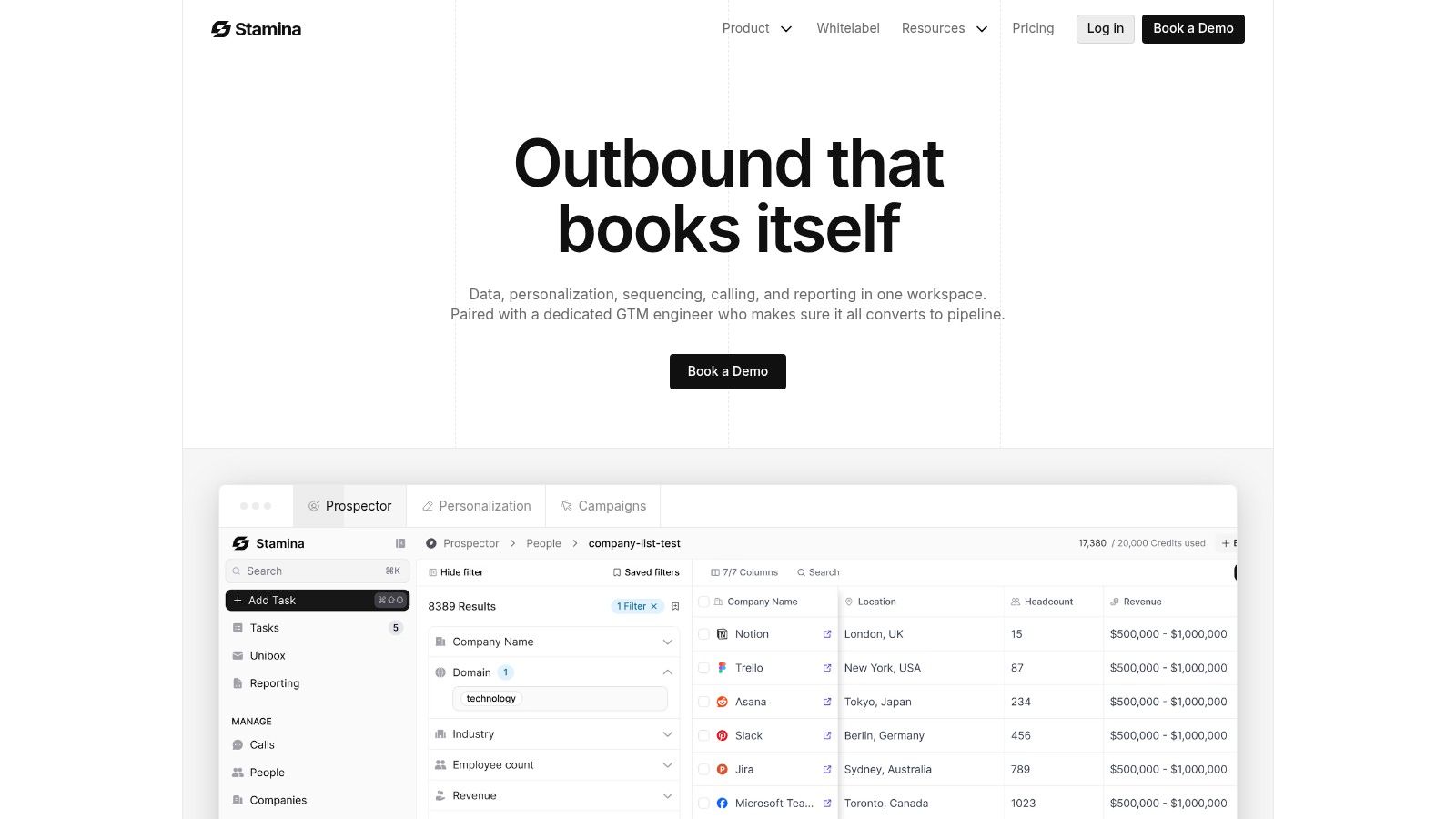
Screenshot from https://stamina.io

Put the plan into fields, not attachments

The first mistake teams make is uploading the account plan as a file and calling it integrated. That still leaves the strategy trapped in a document.

Instead, break the plan into structured CRM data:

Account plan element

How to store it in the CRM

Account priority

custom field or account tier

Champion status

contact role plus relationship status field

Economic buyer identified

yes or no field

Core objective

account-level strategy field

Key risk

risk field with review date

Next strategic action

task or workflow-triggered activity

Structured data can trigger actions; attachments cannot.

Build workflow triggers around account movement

Once the fields exist, use automation to keep the plan active. A few examples work well for SMB revenue teams:

  • When champion status changes: Create a manager review task if the champion goes cold or leaves.

  • When executive buyer is identified: Trigger a sequence for personalized follow-up and internal prep.

  • When the account enters expansion stage: Notify marketing and customer success so messaging and support stay coordinated.

  • When a renewal or onboarding milestone hits: Launch follow-up tasks tied to adoption, multi-threading, or upsell preparation.

Effective CRM workflow discipline is paramount. If your team is still handling strategic account updates manually, Stamina's overview of CRM workflow design is useful background reading.

Use Zara to execute against the map

At this point, a living account plan evolves beyond mere recordkeeping. Once the stakeholder map and strategic objectives are inside the platform, Zara can help the team execute on them.

A practical setup looks like this:

  1. Target by stakeholder role
    Build segmented outreach for the champion, economic buyer, and technical evaluator. Each role needs different language and proof.

  2. Reference the account objective
    If the account's current objective is standardization across teams, outreach should reflect that. Don't send generic copy.

  3. Trigger follow-up from engagement
    If a stakeholder replies, visits key pages, or books a meeting, the workflow should update the plan and assign the next strategic task.

  4. Support multi-threading automatically
    If the team has only one active contact, create a prompt or task to expand reach inside the account.

The account plan is the logic. AI execution is the force multiplier.

Build reporting that reflects strategy

Most dashboards track pipeline stage, activity count, and close dates. That's not enough for strategic accounts.

A better account planning dashboard includes:

  • Stakeholder coverage: Which critical roles are engaged and which are still missing

  • Objective progress: Whether the account is advancing toward this quarter's strategic goal

  • Risk visibility: Open risks by account and age

  • Cross-functional action status: Which sales, marketing, and post-sale tasks are complete or stalled

That closes the loop. The plan defines the motion. The workflows trigger the work. Zara helps execute the outreach. The dashboard shows whether the strategy is advancing or drifting.

When teams work this way, the account plan stops being a quarterly exercise and becomes the operating system for the account.

Your Blueprint for Predictable Revenue Growth

The account plan template is the blueprint. The actual result comes from how your team uses it.

A static template in a shared drive won't change an account. A living plan inside your revenue system will. It gives the team one view of the account, one set of priorities, and one place to track whether the strategy is working.

That's what separates disciplined account growth from hopeful account management.

What strong teams do differently

The teams that get more from their best accounts usually follow the same pattern:

  • They plan selectively: Not every account gets full treatment. Priority accounts get depth.

  • They decide, not just describe: The plan drives trade-offs, sequencing, and risk response.

  • They work across functions: Sales, marketing, and post-sale teams use the same account logic.

  • They operationalize the plan: Tasks, workflows, outreach, and reporting all reflect the strategy.

If you're also exploring broader AI-driven revenue tactics, the same principle applies. Tactics work better when they're attached to a clear account strategy, not sprayed across the funnel without context.

The payoff is consistency

Pipeline quality improves when reps know which accounts deserve real planning. Expansion gets easier when whitespace is defined before the first deal closes. Leadership gets better visibility because the plan isn't trapped in presentation slides. Forecast conversations get sharper because risks and stakeholder gaps are visible early.

That's also why strong account planning connects tightly to pipeline management in sales. Pipeline tells you what stage a deal is in. An account plan tells you what has to happen for the account to become materially larger, more defensible, and more likely to close.

If your current process depends on heroic reps remembering everything, you don't have a process yet. You have scattered effort.

Build the template. Keep it narrow enough to use. Put it where the team already works. Then let execution, automation, and reporting carry the strategy forward.

If you want to turn account plans into something your team can run every day, try Stamina. It brings CRM, marketing, sales engagement, automation, and AI-powered outreach into one system, so your account strategy doesn't live in a forgotten file.

Your team knows the account is important. Everyone says it in forecast calls. The AE has a good relationship with one contact. The SDR is sending outreach to adjacent stakeholders when there's time. Customer success has a few notes from onboarding on a similar customer. Marketing has a relevant case study somewhere. Nothing is coordinated.

That's how strong accounts stay average.

A good account plan template fixes that, but only if it stops being a document you update before a review and ignore after. The version that works is operational. It sits inside your CRM, ties owners to actions, and keeps the whole revenue team aligned around what to do next, who to involve, and what signal means the plan needs to change.

Why Your Best Accounts Need More Than Just Effort

The accounts with the most upside usually don't fail because the team didn't work hard enough. They fail because activity stays fragmented. One rep pushes for a meeting. Another waits for the champion to reply. A manager asks for a strategy update, so someone fills out a slide deck. Then the quarter moves on.

A stressed businessman sits at an overwhelmed office desk looking out a window towards a golden opportunity.

That's why formal planning matters. A landmark study by the Sales Management Association found that companies using formal account planning templates achieved 27% higher revenue growth and a 15% increase in win rates for new business opportunities. In practice, that makes sense. The plan forces people to define the buying committee, the risks, the next moves, and the actual path to expansion instead of relying on optimism and memory.

Effort doesn't replace coordination

Teams often already put effort into their best accounts. What they usually lack is a shared operating view.

A useful account plan template answers questions like:

  • Who matters: Not just the contact who replies fastest, but the economic buyer, technical evaluator, internal advocate, and quiet blocker.

  • What has to happen next: Specific moves with owners and due dates, not broad goals like “build relationship.”

  • Where the revenue can expand: The whitespace across teams, products, geographies, or use cases.

  • What could kill momentum: A competitor relationship, a renewal date, a missing executive sponsor, or weak access above director level.

Practical rule: If your account plan doesn't change what your team does this week, it isn't a plan. It's account notes.

There's another reason this matters. Strategic account growth usually depends on tight handoffs across sales, marketing, and post-sale teams. If that alignment is weak, the account gets mixed messages. Stamina's guide to sales and marketing alignment best practices is worth reading if your campaigns, outreach, and follow-up still operate on separate tracks.

The template is only the starting point

A strong account plan template gives structure. It doesn't create execution by itself. Teams often download a spreadsheet or a slide deck, fill in the obvious fields, and assume the job is done. Then the file lives in a shared drive and slowly becomes fiction.

What works is simpler and harder. Build one plan per priority account. Keep it visible in the CRM. Review it often enough that it reflects reality. Use it to decide what the team will stop doing, not just what it wants to do.

That's the difference between “we have account plans” and “our account plans help us win.”

The Anatomy of a Winning Account Plan

A high-quality account plan template isn't fancy. It's complete, clear, and tied to execution. Expert guidance from Fullcast recommends that a strong plan include an account overview, stakeholder map, SWOT analysis, whitespace opportunities, and action items with owners and deadlines, so it functions as a living execution system instead of a static document, as outlined in their strategic account plan template guidance.

If you want a simple starting point, build the template in the format your team already uses most. Excel or Google Sheets works well for collaborative planning. PowerPoint still works when leaders want a concise account review. The format matters less than whether the plan gets used weekly.

The non-negotiable sections

Here's the structure I'd keep in every account plan template:

Section

What belongs there

Why it matters

Account overview

business model, strategic priorities, current footprint, active opportunities

Gives everyone the same baseline fast

Stakeholder map

roles, influence level, stance, relationship strength

Prevents single-threaded selling

SWOT

account-specific strengths, weaknesses, opportunities, threats

Turns scattered observations into strategy

Whitespace

expansion paths, unmet needs, product or service gaps

Creates a real growth plan

Action plan

owner, deadline, next step, success signal

Converts planning into execution

What each section should actually do

Account overview should be short enough to scan before a call. If it reads like a company profile copied from a website, it's too broad. Focus on what matters to your motion now. What's changed, where you're already present, what initiative creates urgency, and what outcome the account likely cares about.

Stakeholder map is where most plans get thin. Don't just list names and titles. Add their likely motivation, their attitude toward change, and how you'll reach them. A map that says “VP of Operations” tells me nothing. A map that says “likely operational sponsor, values speed, trusts champion, not yet engaged” is useful.

For teams trying to connect planning from strategy to daily action, operational planning discipline matters here. Every stakeholder insight should lead to a move, not just a note.

The parts teams usually underbuild

SWOT should stay account-specific. Generic statements kill value. “Strong product fit” isn't a strength. “Current vendor is under pressure because onboarding has been slow” is.

Whitespace opportunities deserve more rigor than a loose upsell list. Think in terms of business units, adjacent use cases, post-sale adoption, and cross-functional entry points. Through this rigor, great account plans become growth plans instead of deal plans.

A weak template documents the account. A strong template gives the team a sequence of decisions.

Action items with owners and deadlines are what keep the plan alive. Every action should answer four things: who owns it, what they'll do, by when, and what evidence will show progress. If an action item has no owner, it's wishful thinking. If it has no deadline, it won't happen.

A Guided Walkthrough with Real-World Examples

Let's use a fictional example. You sell a SaaS platform, and one of your target accounts is Global Tech Inc. It already uses a patchwork of tools across regional teams. You've had a few good conversations with an operations director, but the account hasn't moved beyond interest.

That's exactly the kind of account where a proper account plan template pays off.

A hand filling out an account plan template on a tablet, showcasing strategic business goals and connections.

Start with the account overview

For Global Tech Inc., the overview shouldn't read like a CRM dump. It should give your team a sharp read on why this account matters now.

A useful summary might include:

  • Current relationship: Active conversation with Director of Revenue Operations. No executive sponsor yet.

  • Business situation: Regional teams use inconsistent processes and disconnected tools.

  • Likely initiative: Standardization, visibility, and tighter coordination across go-to-market teams.

  • Immediate objective: Expand access beyond the current contact and validate a business case for broader rollout.

That's enough to orient the team before a meeting or internal review. More than that, and people won't read it.

Build the stakeholder map like a field strategy

Most account plans fail here because teams mistake contact lists for stakeholder maps.

For Global Tech Inc., the map should identify at least these roles:

Stakeholder type

Example role

What you need to know

Champion

Director of Revenue Operations

Wants process consistency and internal credibility

Economic buyer

VP of Sales or CRO

Cares about revenue efficiency and team execution

Technical evaluator

Head of Systems or RevOps manager

Focused on workflow fit, admin burden, integration concerns

Blocker

Regional sales leader loyal to current tools

May resist standardization if it reduces autonomy

The goal isn't to label people for the sake of it. It's to shape the motion. If your champion is strong but junior, you need material they can use internally. If the blocker has influence in one region, you need a pilot plan that reduces perceived risk.

Don't ask, “Who have we met?” Ask, “Who can approve, accelerate, delay, or quietly kill this deal?”

Use SWOT to create action

For Global Tech Inc., a practical SWOT might look like this:

  • Strength: Current systems are fragmented, which creates a clear case for consolidation.

  • Weakness: You have limited access above the director level.

  • Opportunity: Existing tools don't appear to coordinate sales, marketing, and CRM actions in one place.

  • Threat: A competing vendor may already have executive relationships.

Notice what's missing. There's no vague language about “great fit” or “strong value proposition.” Every point should lead to a move.

For example, the weakness tells you the next action is executive access. The threat tells you to test for incumbent loyalty early instead of discovering it late in procurement.

Bain & Company reported that enterprises using digital account plan templates identify whitespace opportunities at a rate 4.2 times higher than unstructured methods, contributing to an average 31% increase in customer lifetime value. That finding is useful because it matches what good reps see in the field. Structured thinking reveals expansion paths that ad hoc notes miss.

Define whitespace like an operator

Whitespace isn't “maybe we can upsell later.” It's a concrete map of unrealized value.

For Global Tech Inc., you might identify whitespace in three areas:

  1. Sales team rollout: Start with one operating unit, then expand to regional sales leaders.

  2. Marketing coordination: Bring campaign follow-up into the same system once sales adoption is proven.

  3. Post-sale workflows: Extend the motion into onboarding and account growth after initial deployment.

If your team also needs help packaging the recommendation cleanly once the opportunity matures, these proposal templates for sales teams are a useful reference. They help translate account strategy into a buyer-facing document without starting from scratch.

After the plan takes shape, review a live demonstration format like this one:

Turn it into an execution plan

Now the plan needs real movement. For Global Tech Inc., I'd avoid a long task list and focus on a few critical actions:

  • Secure executive visibility: AE to ask champion for an introduction path to the VP level.

  • Test blocker risk: Manager and AE to learn whether a regional leader is tied to the incumbent.

  • Tailor the business case: Sales engineer to show how one platform could reduce friction across teams.

  • Expand the thread map: SDR to identify adjacent stakeholders in operations, sales leadership, and systems.

That's the difference between a filled template and a working account plan. One describes the account. The other changes the team's behavior.

Transform Your Plan from Descriptive to Decisive

Many account plans look polished and still fail. They contain company background, named stakeholders, a SWOT, and a long list of next steps. None of that guarantees a decision. It just guarantees documentation.

The biggest improvement you can make is turning the plan into a tool that forces trade-offs.

Stop asking what belongs in the plan

Start asking what the team must decide.

A more decision-oriented approach, highlighted in a recent account planning framework, is to compare why change is good versus why change is bad and assign strength scores to each consequence. That method matters because it pushes the team to test urgency, internal resistance, and the cost of staying put, rather than filling out descriptive fields and calling it strategy. The original discussion is in this account planning framework video.

For a live account, that means asking:

  • Which two or three initiatives matter this quarter

  • What happens if the account keeps the status quo

  • Which stakeholder has enough influence to move the deal

  • What risk would force us to change the plan immediately

A simple way to prioritize

You don't need a complicated model. You need one your team will use. I like a short decision table:

Initiative

Likely impact

Effort

Risk

Decision

Executive meeting

High

Medium

Medium

Prioritize now

Product workshop with end users

Medium

Medium

Low

Run after sponsor access

Broad multi-region outreach

Unclear

High

High

Delay

This kind of ranking prevents teams from chasing every possible path at once. Good account planning is selective. It says yes to a few moves and no to the rest.

Decision test: If everything on the account plan is marked important, nothing has been prioritized.

Score risks before they surprise you

Every strategic account has hidden fragility. The champion may leave. Procurement may tighten control. A competitor may already be favored by a senior leader. If those risks only live in someone's head, the plan is brittle.

Add a small risk register to the account plan template. Keep it plain:

  • Champion dependency: High if most progress depends on one contact.

  • Executive access gap: High if no budget owner is engaged.

  • Competitive exposure: Medium or high if the incumbent has political strength.

  • Internal complexity: High if multiple business units must align before purchase.

This is the same discipline behind stronger sales process optimization. Teams win more consistently when they define decision criteria before the quarter gets noisy.

A decisive account plan doesn't try to predict everything. It creates enough clarity that the team knows where to push, what to monitor, and what to do if conditions change.

How to Operationalize Your Plan Inside Stamina

A plan gets real when it lives where the team already works. Modern guidance on account planning increasingly emphasizes a living system that coordinates nurture, expansion, post-sale strategy, onboarding, and automated follow-up actions across functions, as described in Mural's account planning template guidance.

That's the standard to aim for inside a platform like Stamina. The account plan shouldn't sit beside the CRM. It should shape the CRM.

Screenshot from https://stamina.io

Put the plan into fields, not attachments

The first mistake teams make is uploading the account plan as a file and calling it integrated. That still leaves the strategy trapped in a document.

Instead, break the plan into structured CRM data:

Account plan element

How to store it in the CRM

Account priority

custom field or account tier

Champion status

contact role plus relationship status field

Economic buyer identified

yes or no field

Core objective

account-level strategy field

Key risk

risk field with review date

Next strategic action

task or workflow-triggered activity

Structured data can trigger actions; attachments cannot.

Build workflow triggers around account movement

Once the fields exist, use automation to keep the plan active. A few examples work well for SMB revenue teams:

  • When champion status changes: Create a manager review task if the champion goes cold or leaves.

  • When executive buyer is identified: Trigger a sequence for personalized follow-up and internal prep.

  • When the account enters expansion stage: Notify marketing and customer success so messaging and support stay coordinated.

  • When a renewal or onboarding milestone hits: Launch follow-up tasks tied to adoption, multi-threading, or upsell preparation.

Effective CRM workflow discipline is paramount. If your team is still handling strategic account updates manually, Stamina's overview of CRM workflow design is useful background reading.

Use Zara to execute against the map

At this point, a living account plan evolves beyond mere recordkeeping. Once the stakeholder map and strategic objectives are inside the platform, Zara can help the team execute on them.

A practical setup looks like this:

  1. Target by stakeholder role
    Build segmented outreach for the champion, economic buyer, and technical evaluator. Each role needs different language and proof.

  2. Reference the account objective
    If the account's current objective is standardization across teams, outreach should reflect that. Don't send generic copy.

  3. Trigger follow-up from engagement
    If a stakeholder replies, visits key pages, or books a meeting, the workflow should update the plan and assign the next strategic task.

  4. Support multi-threading automatically
    If the team has only one active contact, create a prompt or task to expand reach inside the account.

The account plan is the logic. AI execution is the force multiplier.

Build reporting that reflects strategy

Most dashboards track pipeline stage, activity count, and close dates. That's not enough for strategic accounts.

A better account planning dashboard includes:

  • Stakeholder coverage: Which critical roles are engaged and which are still missing

  • Objective progress: Whether the account is advancing toward this quarter's strategic goal

  • Risk visibility: Open risks by account and age

  • Cross-functional action status: Which sales, marketing, and post-sale tasks are complete or stalled

That closes the loop. The plan defines the motion. The workflows trigger the work. Zara helps execute the outreach. The dashboard shows whether the strategy is advancing or drifting.

When teams work this way, the account plan stops being a quarterly exercise and becomes the operating system for the account.

Your Blueprint for Predictable Revenue Growth

The account plan template is the blueprint. The actual result comes from how your team uses it.

A static template in a shared drive won't change an account. A living plan inside your revenue system will. It gives the team one view of the account, one set of priorities, and one place to track whether the strategy is working.

That's what separates disciplined account growth from hopeful account management.

What strong teams do differently

The teams that get more from their best accounts usually follow the same pattern:

  • They plan selectively: Not every account gets full treatment. Priority accounts get depth.

  • They decide, not just describe: The plan drives trade-offs, sequencing, and risk response.

  • They work across functions: Sales, marketing, and post-sale teams use the same account logic.

  • They operationalize the plan: Tasks, workflows, outreach, and reporting all reflect the strategy.

If you're also exploring broader AI-driven revenue tactics, the same principle applies. Tactics work better when they're attached to a clear account strategy, not sprayed across the funnel without context.

The payoff is consistency

Pipeline quality improves when reps know which accounts deserve real planning. Expansion gets easier when whitespace is defined before the first deal closes. Leadership gets better visibility because the plan isn't trapped in presentation slides. Forecast conversations get sharper because risks and stakeholder gaps are visible early.

That's also why strong account planning connects tightly to pipeline management in sales. Pipeline tells you what stage a deal is in. An account plan tells you what has to happen for the account to become materially larger, more defensible, and more likely to close.

If your current process depends on heroic reps remembering everything, you don't have a process yet. You have scattered effort.

Build the template. Keep it narrow enough to use. Put it where the team already works. Then let execution, automation, and reporting carry the strategy forward.

If you want to turn account plans into something your team can run every day, try Stamina. It brings CRM, marketing, sales engagement, automation, and AI-powered outreach into one system, so your account strategy doesn't live in a forgotten file.

Share this article

Share this article

Send a shareable link to your team or anyone who might find it useful.

Send a shareable link to your team or anyone who might find it useful.

Copy link

Copied

Share directly to

Table of contents

Give Your Business the Stamina it needs to Thrive

PRODUCT

COMPANY

RESOURCES

© 2026 Stamina Software Technologies Inc. All rights reserved.

PRODUCT

COMPANY

RESOURCES

© 2026 Stamina Software Technologies Inc. All rights reserved.

PRODUCT

COMPANY

RESOURCES

© 2026 Stamina Software Technologies Inc. All rights reserved.