10 Best Marketing Campaign Templates for SMBs in 2026

Find the best marketing campaign template for your SMB. Our 2026 guide covers 10 top resources for planning, execution, and tracking your next big launch.

0 - Minute Read

A campaign starts with good intentions. The brief lives in a doc, budget notes go into a spreadsheet, assets sit in a shared folder, and tasks get pushed into whatever project tool the team already has open. By the second week, those files stop agreeing with each other.

That gap shows up in predictable ways. Paid launches with old messaging. Email goes out before the landing page is approved. Reporting takes longer than the campaign itself because someone has to reconcile channel data, owner updates, and budget changes by hand.

A marketing campaign template helps only when it functions as a live system, not another file to download and forget. For growing SMB teams, the essential upgrade is a template inside the platform where planning, approvals, execution, and measurement already happen. That setup makes campaigns easier to repeat, easier to audit, and easier to improve after launch.

Static templates still have a place. They work for early planning, one-off promotions, and teams that need a quick starting point. If you need that kind of lightweight option, start with PostOnce's campaign templates. The limit is obvious in practice. Once the campaign is live, disconnected docs and spreadsheets do not handle ownership changes, status tracking, channel coordination, or revenue attribution well.

Teams that outgrow that model usually end up looking for a single platform for campaign planning and execution. The tools below cover that shift from different angles. Some are closer to project management. Some are closer to CRM and automation. A few can support both, with trade-offs in setup time, reporting depth, or channel coverage.

1. Stamina
Stamina

A common SMB scenario looks like this. Marketing builds the campaign brief in one doc, sales runs outreach from a separate tool, lead status lives in the CRM, and performance reporting gets stitched together at the end. The template exists, but the campaign itself lives in fragments.

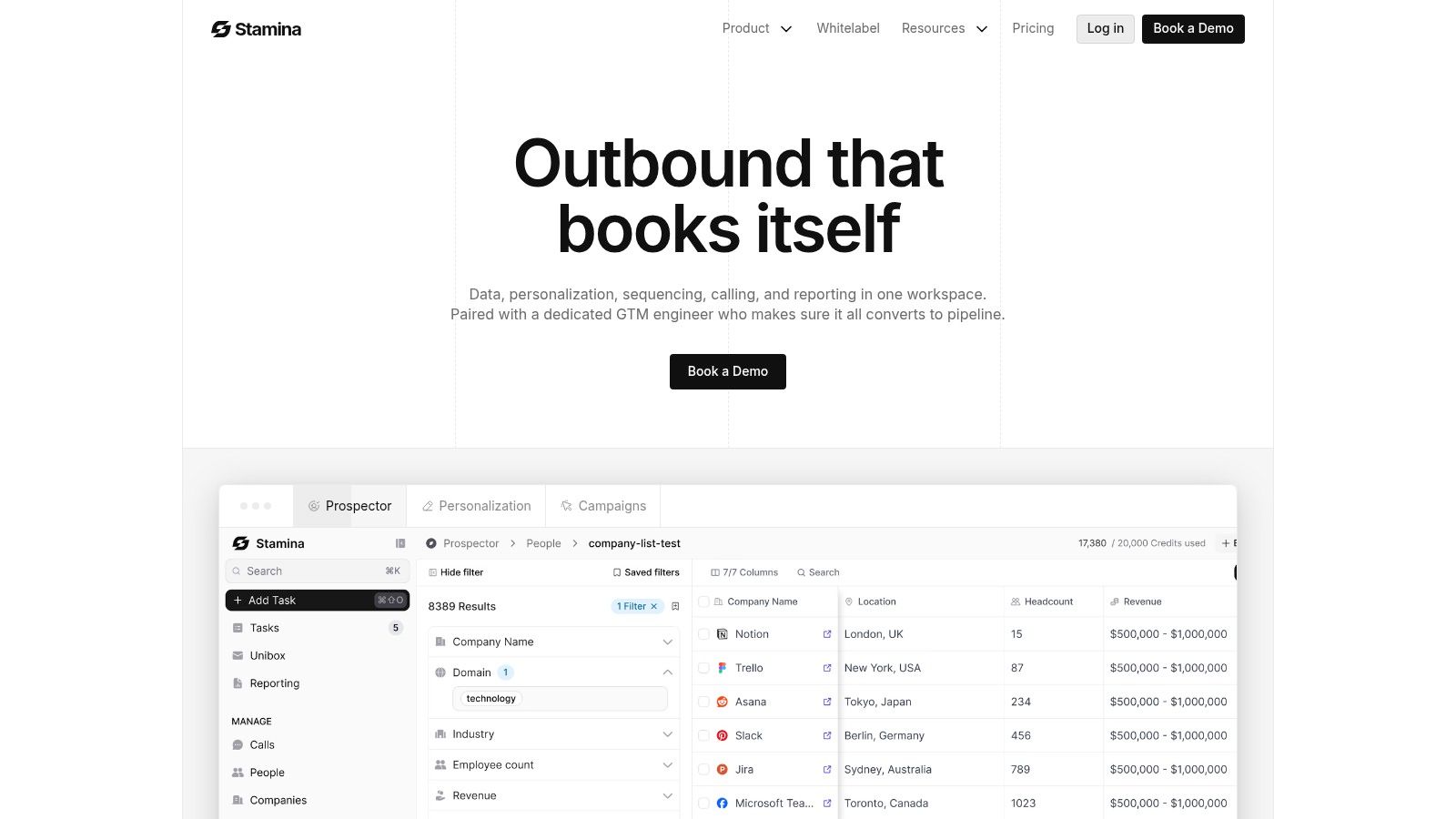
Stamina is a better fit when the template needs to function inside the system that runs the work. Instead of giving teams another planning file, it gives them one workspace for prospecting, follow-up, handoff, and pipeline visibility. That matters for teams that have already learned the hard way that disconnected docs and spreadsheets break down once campaigns involve multiple owners, live outreach, and revenue targets.

Why it stands out for SMB campaign ops

Stamina combines a verified contact database, AI-assisted outreach, sequencing, deliverability tooling, calling, CRM workflows, and analytics in one place. Zara, its built-in AI SDR, helps draft outreach and test sequence variations. For a lean team, that changes the role of a campaign template. It stops being a document people reference and becomes an operating layer people use every day.

I also put a lot of weight on the GTM engineer model. Software alone rarely fixes campaign execution problems. SMB teams usually struggle with list quality, routing logic, warmup, sequencing, and ownership across marketing and sales. Hands-on support helps shorten that setup curve and makes the system more usable in practice.

Practical rule: If a campaign template does not connect planning to execution data, it turns into a filing cabinet.

The platform is also a strong option for agencies and consultants. Multi-tenant and white-label support make it workable across multiple client environments, while internal teams get shared visibility across marketing, sales, and RevOps. That reduces the usual argument over which spreadsheet is current and which dashboard reflects reality.

Where it fits, and where it doesn't

Stamina works best for campaigns tied to outbound, nurture, lifecycle motion, and sales coordination. If the team is already trying to connect campaign planning with outreach automation, CRM updates, and downstream pipeline reporting, this is the kind of system that can hold the whole process together. Teams comparing platforms for that use case should also review what matters in marketing automation for small business, especially around handoffs and reporting depth.

It is less suited to teams that only need a basic task board or a lightweight CRM. The breadth is useful, but it also means implementation needs care. Public pricing is not available, so evaluation requires a sales conversation instead of a quick self-serve comparison.

A few strengths and trade-offs stand out:

  • Best for connected execution: Stamina brings targeting, sequencing, calling, CRM activity, and reporting into one operating environment.

  • Best for personalized outbound at scale: Zara and multi-step campaign workflows help teams produce customized outreach without building every asset manually.

  • Watch the onboarding scope: Deliverability setup, routing, and campaign architecture still need focused setup time.

  • Expect a sales-led buying process: You'll need to see how Stamina positions its all-in-one business platform and talk with the team to understand fit.

2. HubSpot
HubSpot

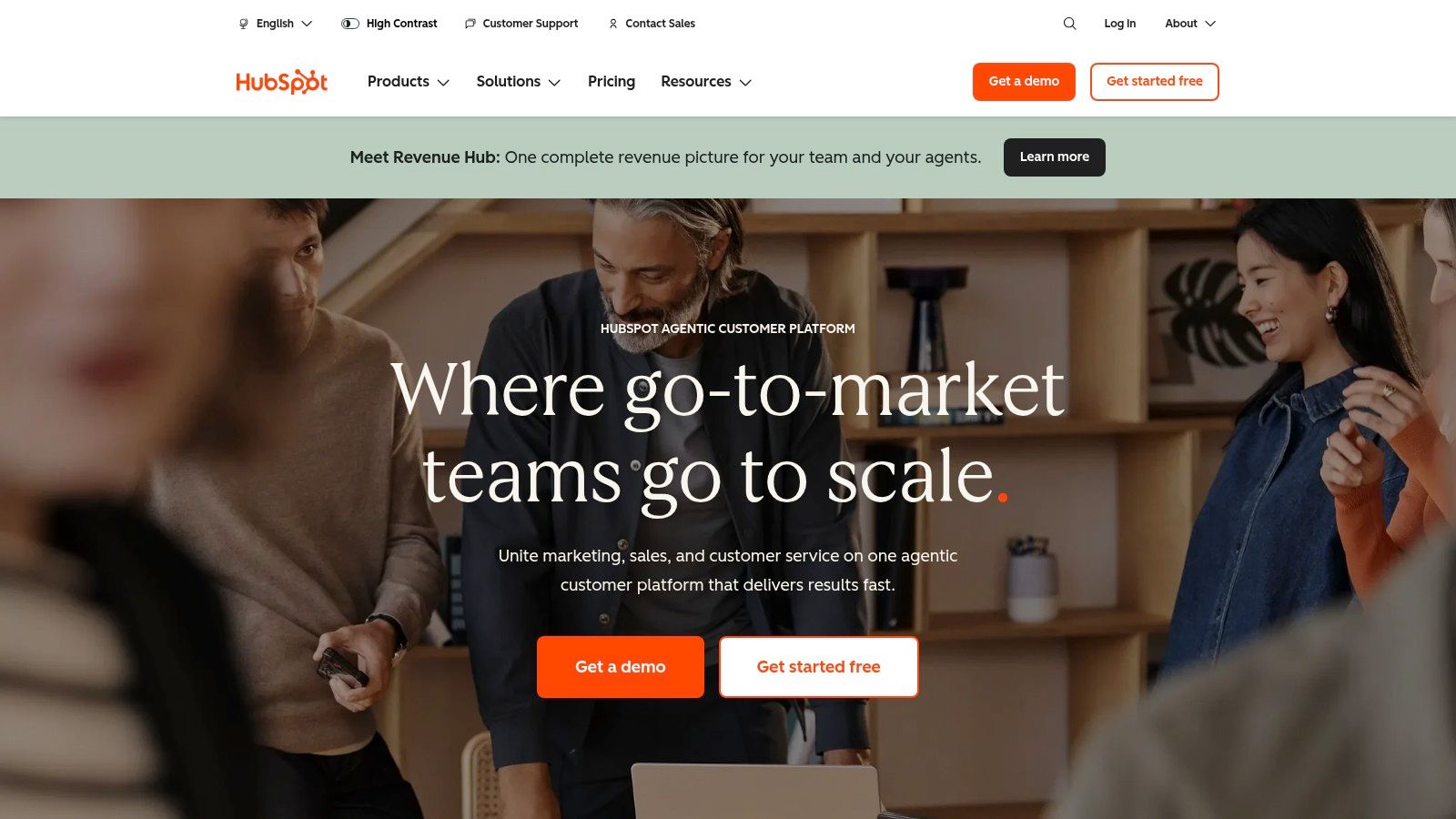
A common SMB pattern looks like this: the team starts with a campaign brief in a doc, tracks deadlines in a spreadsheet, builds emails in one tool, landing pages in another, and reports performance somewhere else. HubSpot is useful because it gives teams a path out of that sprawl. You can start with a familiar planning template, then attach the plan to the actual assets, workflows, and reporting inside the same system.

That matters more than the template itself.

HubSpot is strongest for teams already using its CRM, email, forms, landing pages, and campaign reporting. In that setup, the template becomes a living operating layer instead of a static file that gets ignored after kickoff. Owners can tie emails, pages, CTAs, workflows, and attribution to one campaign record and review performance without rebuilding the story by hand at the end of the quarter.

Best for teams standardizing inside one platform

The planning structure is solid. It covers the pieces teams usually miss when they build campaign plans from scratch: goals, audience, channels, timeline, budget, assets, owners, and measurement. If your content team also needs upstream planning support, it pairs well with some of the best content calendar templates, especially before work moves into production and automation.

HubSpot also becomes more useful once the team starts formalizing workflow logic. A campaign plan is only as good as the follow-up behind it, and that usually means lead routing, nurture timing, lifecycle updates, and reporting rules. Teams working through that shift should review how a marketing automation workflow connects planning with execution.

The trade-off is cost and depth. The free resources are helpful, but a lot of the operational value sits behind paid HubSpot tiers. There is also a practical adoption issue. If sales, marketing, and ops are not committed to using HubSpot as a shared system of record, the template can still help with planning, but execution drifts back into disconnected tools.

For growing SMBs, that is the key decision. HubSpot is not just a better campaign template. It is a better fit when the business wants one platform to hold planning, delivery, and measurement together. If you only need a lightweight brief or a simple task tracker, it can be more system than you need.

3. Asana
Asana

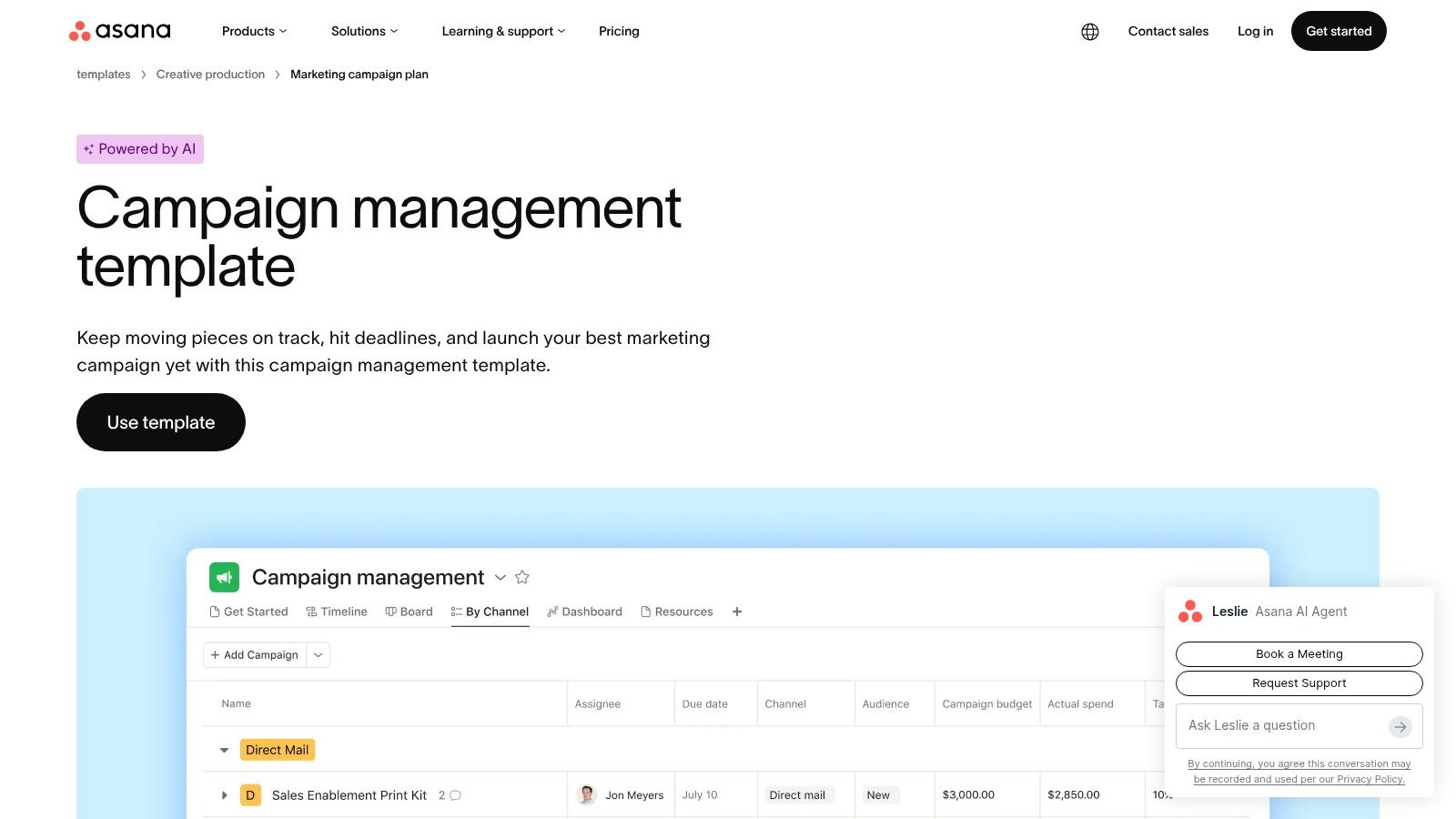
Asana is the easiest recommendation here for teams that already know their campaign process and need a cleaner way to repeat it. Its campaign management template turns the messy middle of marketing into a visible production system: intake, planning, production, launch.

That sequence sounds basic, but in practice it solves a common SMB problem. Work doesn't usually fail because nobody had ideas. It fails because dependencies, owners, approvals, and due dates were hidden in chat.

Strong for recurring launches

Asana's template gives you prebuilt tasks, custom fields, board and timeline views, and a clear structure for cloning campaigns without recreating the wheel. If you run webinars, content launches, nurture pushes, or product marketing campaigns on a regular cadence, that repeatability matters.

I also like Asana when multiple teams touch the campaign but no one wants a heavier enterprise work-management rollout. Marketing, design, content, and sales enablement can all see the same workflow without learning a very technical system.

A practical use case is pairing Asana with another system for execution and analytics. Asana owns the work. Your CRM, ad platform, or marketing automation stack owns delivery and performance. If your process discipline is weak, that split can still be a huge upgrade.

  • Good fit: recurring launches with lots of cross-functional tasks

  • Less ideal: teams wanting deep native campaign attribution inside the same tool

  • Hidden requirement: adoption. If people don't use it consistently, the template decays fast

Asana also pairs well with documented lifecycle handoffs and a defined marketing automation workflow. If content operations are part of your campaign stack, this is also a good companion to these best content calendar templates. Explore the template on Asana's campaign management page.

4. monday.com
monday.com

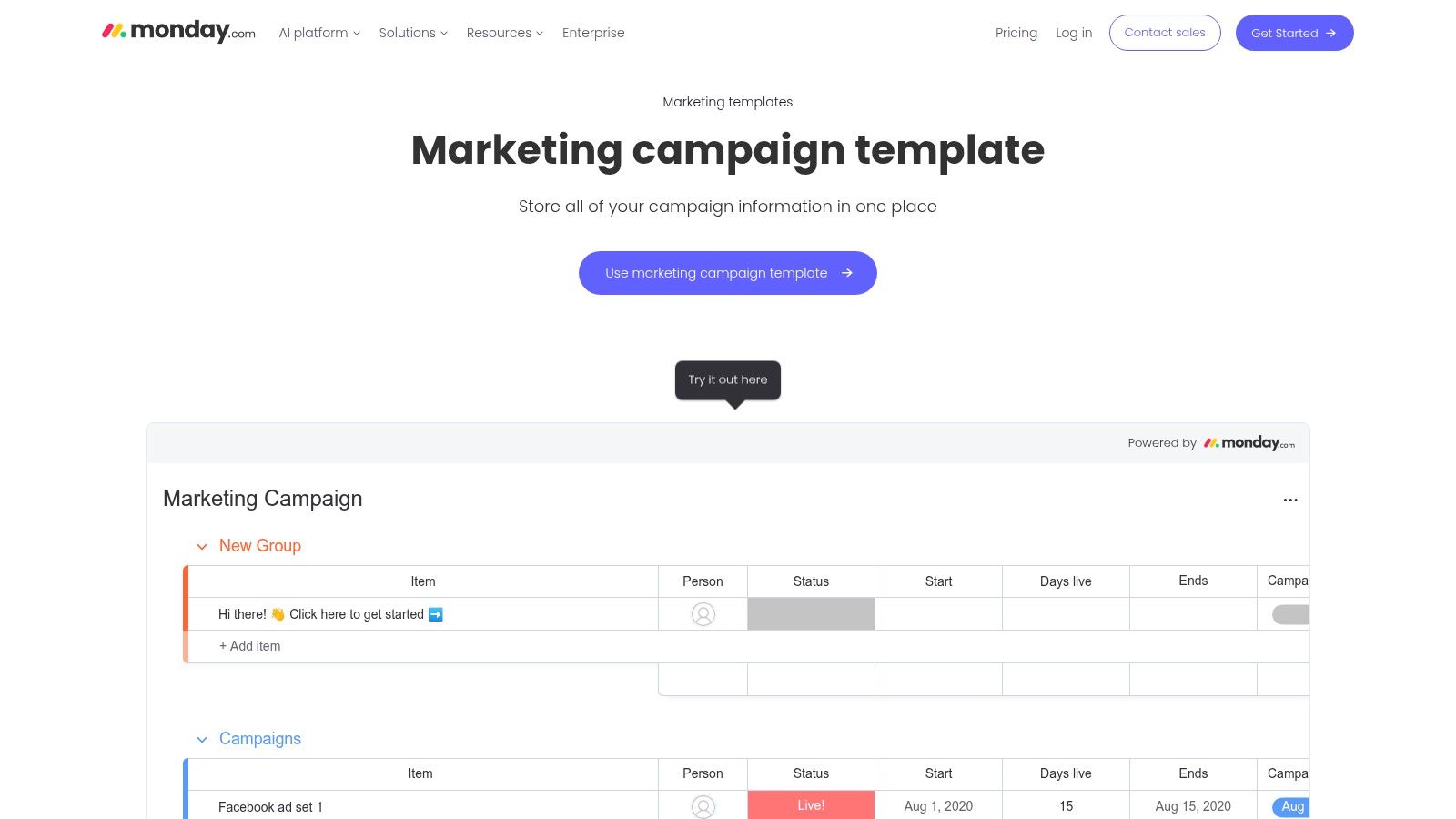
monday.com is the visual option I'd hand to a team that wants campaign clarity fast. Boards are simple to understand, statuses are obvious, and non-technical users usually don't need much explanation before they start moving work through the system.

That ease matters in SMBs where the campaign owner is often also the copy reviewer, channel manager, and project lead.

Best for visible coordination

The platform's marketing campaign templates are strong for channel planning, assignees, timelines, and status tracking. It's particularly useful if you're migrating from spreadsheets because you can import existing planning data and turn it into a board without rebuilding everything manually.

Its native automations and integrations are a significant upgrade over a static marketing campaign template. If campaign status changes can trigger updates, notifications, or downstream actions in connected tools, the board becomes a system of coordination instead of a reporting artifact.

The best monday.com implementations stay opinionated. If you let every team customize every board differently, reporting gets messy fast.

monday.com is also a practical option for agencies that need clients to understand project state at a glance. The visual interface helps reduce back-and-forth because stakeholders can usually see what's blocked, what's active, and what's approved.

The trade-off is cost shape and depth. Per-seat pricing can climb as more collaborators join, and some of the functionality that makes monday.com operationally valuable sits behind paid plans. You can review it on the monday.com marketing campaign template page.

5. ClickUp
ClickUp

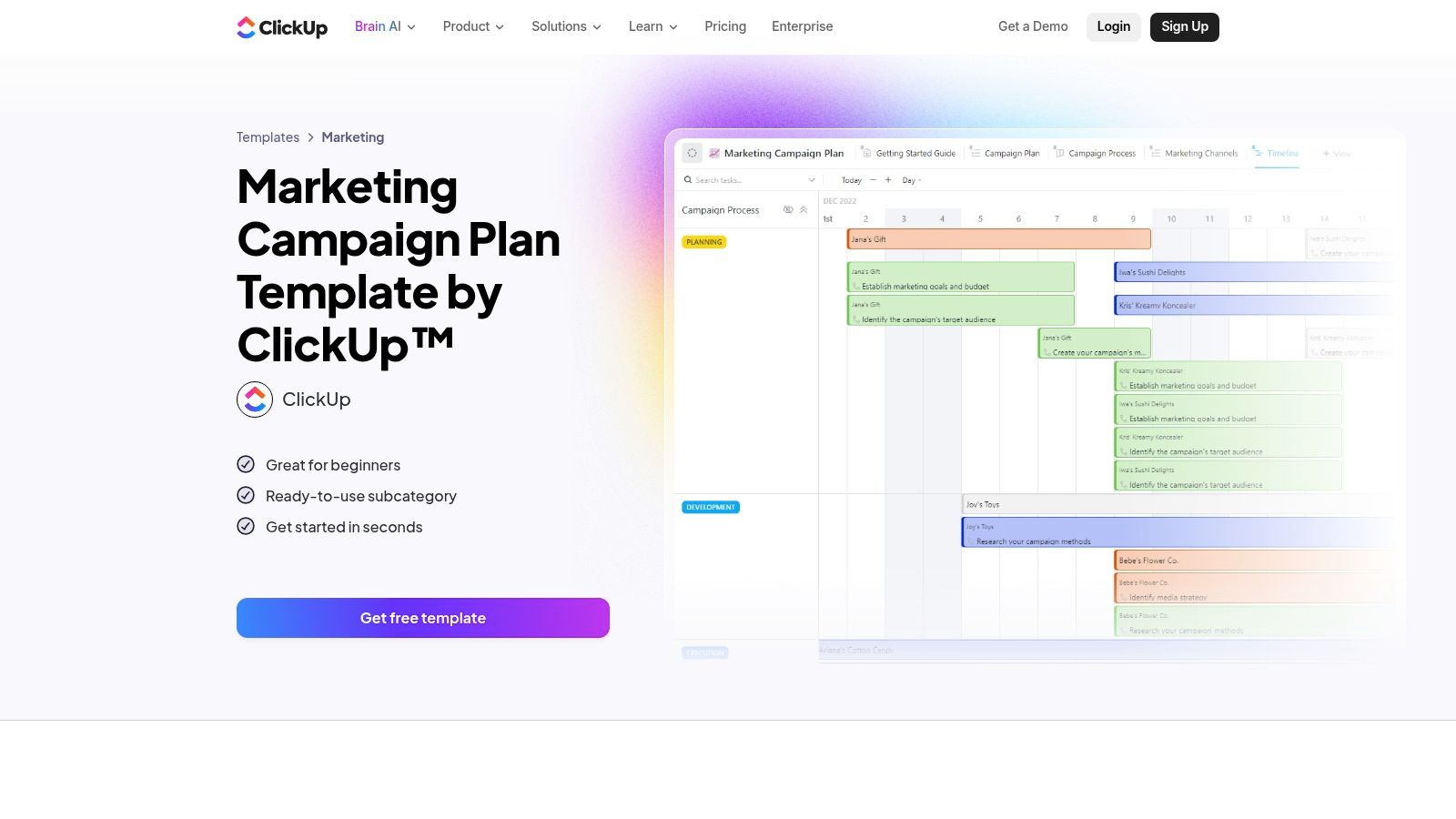
ClickUp is for teams that want one workspace to hold the brief, the task plan, the timeline, the checklist, and the dashboard. That can be excellent. It can also become a mess if nobody owns the operating model.

The upside is flexibility. The downside is also flexibility.

Great power, higher governance needs

ClickUp's marketing campaign plan templates can support List, Board, Calendar, and Gantt views in the same workspace, with docs and automations attached. For marketing ops-minded teams, that's attractive because you can turn a campaign from a single brief into a full operating environment without switching tools.

I usually like ClickUp most when a team has one person willing to standardize statuses, naming conventions, and required fields. Without that layer, template sprawl creeps in. One team tracks launch dates one way, another invents new statuses, and suddenly the “single workspace” stops being consistent.

There's a good middle ground, though. If you define a core campaign template and lock down only the fields that matter for reporting, ClickUp becomes a strong home base for recurring campaigns. It's especially good when content, design, and channel execution all need to stay tied to the same record.

  • Why teams pick it: one workspace, lots of views, deep customization

  • Why teams abandon it: too many options, weak governance, inconsistent use

  • Best role: campaign operations hub, not just a task list

You can check the template directly on the ClickUp marketing campaign plan page.

6. Airtable
Airtable

Airtable fits teams that have outgrown campaign briefs in docs and status trackers in spreadsheets. Once campaigns share assets, budgets, audiences, and reporting fields, a living template built on related records is easier to run and easier to measure.

Its advantage is structure. A campaign can connect to creative assets, channel plans, vendors, approvals, spend, and performance in one system, while each team still works from the view that matches its job. Marketing ops gets a clean data model. Channel owners get filtered views and interfaces that feel simpler than the base itself.

That distinction matters for SMB teams. A static template helps you start a campaign. Airtable can help you repeat it, because the template lives inside the workflow instead of sitting in a folder waiting to be copied.

Strongest for structured campaign operations

Linked tables are the reason to choose Airtable. They let you store one source of truth for campaign data and reuse it across planning, execution, and reporting without constant copy-paste work. If a budget owner changes a launch date or a creative asset status, that update can carry through the system instead of getting lost across three separate files.

The trade-off is setup work. Airtable rewards teams that define fields, naming conventions, record relationships, and ownership before scaling usage. If nobody owns that model, the base gets messy fast. Duplicate fields appear, teams create one-off views, and reporting loses credibility.

I usually recommend Airtable when a company has a real ops need but is not ready for a full enterprise stack. It gives growing teams a practical way to turn a campaign template into an operating system with approvals, asset tracking, and reporting tied together.

Airtable works best when one person owns the schema and protects the reporting fields from casual edits.

It is a strong choice for data-aware SMB teams that want more than a downloadable template and less than a heavyweight platform. You can explore it on the Airtable website.

7. Smartsheet

Smartsheet

A common SMB problem looks like this. The team already runs campaigns in spreadsheets, leadership wants cleaner reporting, and nobody wants to rebuild the whole process inside a tool that feels foreign. Smartsheet fits that gap better than many platforms in this list.

It keeps the row-and-column logic marketers already know, but adds dependencies, approval flows, dashboards, and cross-sheet reporting. That matters if the goal is not just to download a campaign template, but to keep the template live inside the system where dates, owners, status, and reporting stay connected.

Best for spreadsheet-native teams that need stronger campaign control

Smartsheet works well for campaign operations with real structure. Launch calendars, review cycles, budget tracking, asset status, and milestone management can sit in one working environment instead of spreading across separate sheets, docs, and slide decks. Gantt, calendar, card, and grid views give different stakeholders what they need without forcing the team to maintain separate versions.

I usually recommend it when marketing already has spreadsheet discipline and needs more control, not a totally different operating model. That is an important distinction. Smartsheet improves execution for teams that already think in timelines, dependencies, and status rollups. It is less effective for teams that want a lighter, more collaborative workspace built around quick task movement and informal planning.

Its campaign templates are useful, but the bigger value is the system around them. A static spreadsheet can outline a campaign. Smartsheet can carry that same campaign through approvals, execution, and reporting with fewer handoffs and less manual updating.

The trade-off is overhead. Someone has to own sheet structure, reporting logic, permissions, and naming standards, or the workspace gets cluttered fast. For a very small team running simple campaigns, that can feel heavier than necessary.

You can review the available resources on the Smartsheet campaign plan page.

8. Miro
Miro

Miro isn't where campaigns should live long term. It is where many good campaigns should begin.

That distinction matters because plenty of teams confuse planning alignment with execution readiness. Miro is excellent for the first one.

Best for campaign workshops and alignment

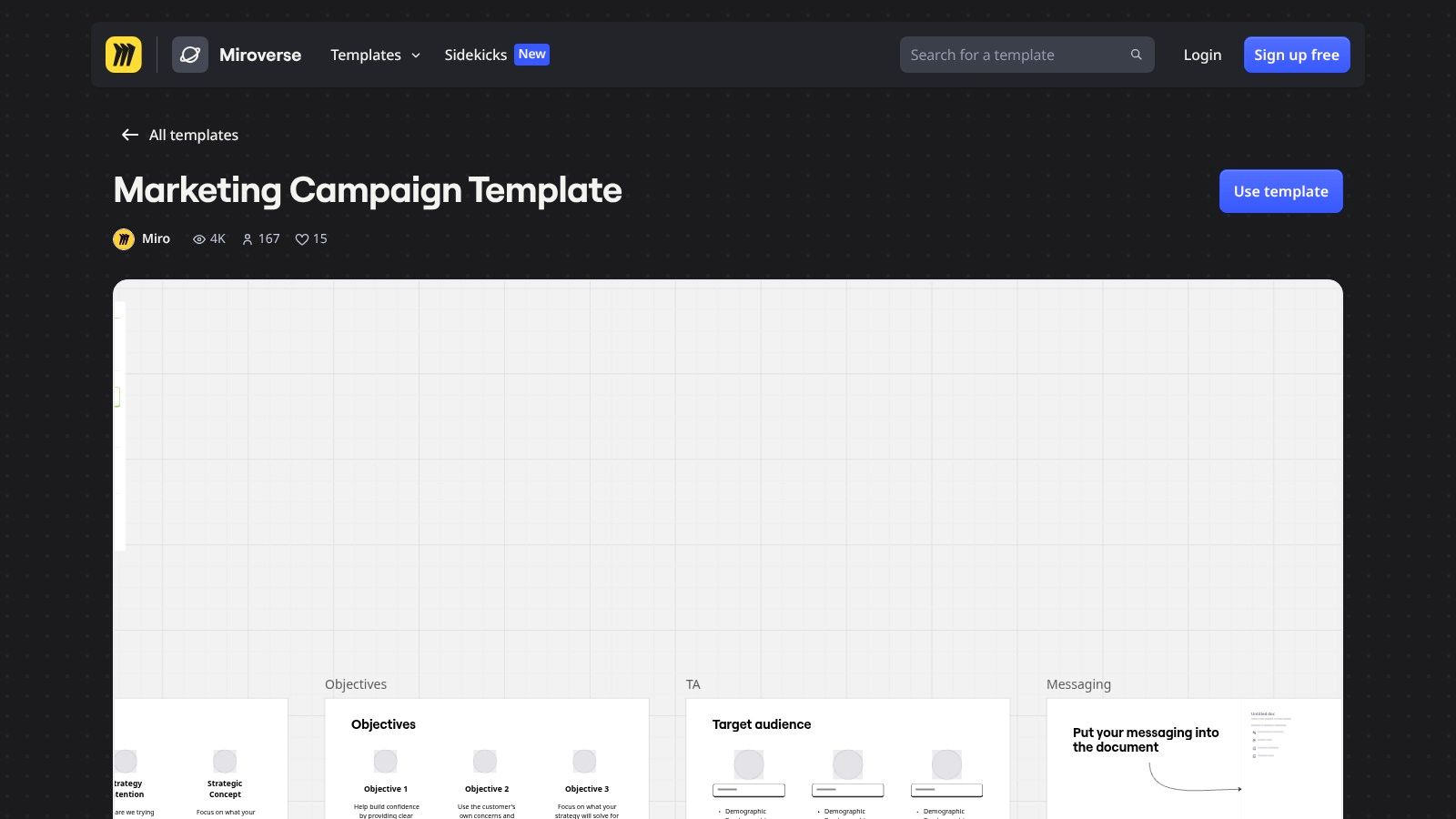
A Miro marketing campaign template is useful when you need people from marketing, sales, product, and creative in the same planning environment. Objectives, audience, messaging, channels, and timelines can all sit on one canvas along with research, mocks, and notes from the planning session.

I like it most for kickoff workshops, messaging alignment, launch mapping, and customer-journey discussion. It reduces the usual friction where one team has the brief, another has the notes, and design has a separate concept board.

But that's also the boundary. Miro won't replace your task system, CRM, or campaign analytics. If you try to force it into that role, the board turns into a wall of sticky notes nobody wants to maintain.

  • Use Miro for: ideation, mapping, alignment, stakeholder workshops

  • Don't use Miro for: ongoing production tracking or campaign reporting

  • Best combo: Miro for thinking, another platform for doing

You can browse its options on the Miro marketing campaign template page.

9. Canva

Canva

Canva solves a different campaign-template problem. It doesn't organize your full campaign operation. It accelerates creative production so the campaign doesn't stall waiting for every asset to pass through a designer.

For SMBs, that's often a bigger bottleneck than strategy.

Best for creative consistency at speed

Its template library, brand kits, and drag-and-drop editor make it easy for non-designers to build campaign assets that still look coherent across email, social, ads, and presentation materials. If your team needs fast turnaround and consistent branding, Canva earns its place quickly.

The newer AI-assisted creative flows also make it easier to build asset families around a campaign concept. That's useful when a small team needs multiple variations for different channels but doesn't have much design capacity.

The main caution is category confusion. Canva is not a campaign ops platform. It won't manage dependencies, tie work to pipeline, or replace a real marketing campaign template system for planning and reporting. It should sit alongside a campaign management tool, not in place of one.

Canva speeds up asset production. It doesn't solve campaign coordination on its own.

Used correctly, though, it removes a lot of friction from SMB campaign execution. You can explore it on the Canva website.

10. Mailchimp

Mailchimp

A common SMB scenario looks like this: the offer is approved, the audience is defined, and the team needs to ship the campaign this week. In that situation, Mailchimp works well because the template lives inside the channel where the campaign will run.

Best when repeatable email programs drive results

Mailchimp is a good fit for teams that run launch emails, newsletters, nurture tracks, and simple landing-page promotions on a regular cadence. You can save a working structure, clone it for the next campaign, swap the audience and copy, and get back into market quickly. That matters more than a polished planning doc if the core bottleneck is getting approved emails built, sent, and measured inside one system.

This is also where the difference between a static template and a living template matters. A downloaded brief can document the campaign. Mailchimp can hold the reusable email, audience logic, timing, and performance in the same environment. For growing teams, that makes iteration easier because the template is tied to execution, not stored in a folder no one revisits.

The limitation is clear. Mailchimp stays strongest at the channel level. If your campaign depends on cross-functional approvals, sales follow-up, CRM stage movement, or multi-touch reporting across paid, outbound, and lifecycle programs, you will hit the edges quickly.

That does not make it a weak choice. It makes it a focused one.

For SMBs with a real email engine, that focus is often useful. Teams can standardize nurture flows, test subject lines and content blocks, and build more disciplined recurring programs. If you are refining those sequences, this guide to what a drip campaign means in practice helps clarify how to structure them. You can check the available options on the Mailchimp email templates page.

Top 10 Marketing Campaign Template Tools Comparison

Product

Core capabilities

Unique selling point

Target audience

Price model

Stamina

Unified CRM + AI SDR (Zara), 500M+ contacts, dialer, deliverability, cross‑team workflows

All‑in‑one AI-powered outbound + dedicated GTM engineer; agency/white‑label ready

SMBs, sales teams, marketers, agencies needing scalable personalized outbound

Demo / contact sales (no public pricing)

HubSpot

Campaign briefs, in‑app templates, tracking & attribution

Seamless plan → execution inside HubSpot + large education library

Teams already in HubSpot / inbound-focused marketers

Free resources; paid Marketing Hub tiers for full features

Asana

Campaign project templates, tasks, custom fields, timelines

Repeatable project template for cross‑team campaign operations

Teams needing work‑management backbone for recurring launches

Freemium; paid tiers unlock portfolios/approvals

monday.com

Visual boards, automations, native ad/email integrations

Fast board roll‑out with native integrations to ad/email tools

Agencies & SMBs wanting visual campaign boards and automations

Per‑seat pricing; minimum seat bundles can increase cost

ClickUp

Multiple views (List/Board/Calendar/Gantt), docs, automations

Deep customization + built‑in docs and checklists in one workspace

Teams wanting tightly connected briefs, tasks and dashboards

Freemium; higher tiers for advanced automations/features

Airtable

Relational bases, linked tables, multiple views, AI assists

Data‑driven single source of truth linking campaigns, assets & results

Marketing ops and analytics‑driven teams

Freemium; record/automation limits vary by plan

Smartsheet

Sheet-based plans, dependencies, Gantt, dashboards & reports

Spreadsheet familiarity + portfolio roll‑ups and stakeholder dashboards

Teams preferring spreadsheet UX for complex programs

Paid tiers required for advanced templates/reports

Miro

Collaborative whiteboard, canvases, embeds and templates

Best for workshops, early planning and cross‑functional alignment

Ideation sessions, creative workshops and pre‑launch planning

Freemium; paid for advanced collaboration/export controls

Canva

Design templates, brand kits, AI asset generation, exports

Extremely fast multi‑asset creative production for non‑designers

Small teams needing rapid, consistent campaign visuals

Freemium; Pro for premium templates and brand features

Mailchimp

Email & landing templates, drag‑and‑drop builder, audience tools

Fast, polished email/SMS launches with audience integrations

Email-first campaigns and small businesses managing contacts

Freemium; pricing scales with contact count and features

From Template to Revenue Unify Your Marketing

Monday at 9:00 a.m., the launch status looks green. By noon, the paid team is using the wrong audience, sales is working from an older message, and no one can confirm whether the campaign is tied to pipeline or just activity. The problem is rarely effort. The problem is that the template lives in a file, while the work lives somewhere else.

Growing SMBs feel this break fast. A spreadsheet or brief can get one campaign out the door. Once campaigns run across email, paid, content, ops, and sales follow-up, disconnected files create familiar failure points: duplicate assets, unclear ownership, missed approvals, and reporting rebuilt by hand after launch instead of defined before it.

Living templates fix that by sitting inside the platform where the campaign is planned, executed, and measured. The template becomes a working system with owners, deadlines, assets, approvals, channel tasks, and performance fields tied together. That structure gives teams repeatability without rebuilding the same process every quarter.

The tools in this guide split along that line. HubSpot is strongest when campaign execution and attribution already run through the CRM. Asana, monday.com, and ClickUp give teams better operational control, but they still need disciplined setup if leadership expects clean reporting. Airtable and Smartsheet are better fits when campaigns involve heavier data structure, multiple dependencies, or portfolio-level tracking. Miro and Canva help with planning and production, but they are supporting tools, not the place to manage campaign accountability. Mailchimp is still a practical option for email-first execution, especially for smaller teams that do not need broader cross-channel orchestration.

There is a real trade-off.

Static files are cheap, familiar, and easy to share. Platform-based templates take more setup time, require process ownership, and usually cost more as usage grows. In return, teams get clearer handoffs, better version control, and reporting that does not depend on someone stitching together updates at the end of the month.

The measurement gap is usually what forces the change. Teams that build templates inside an operating system for campaigns can define tracking before launch, compare results against a baseline, and adjust based on outcomes instead of opinions. Mixpanel explains the same discipline in its user adoption measurement article, even though the principle applies well beyond product analytics.

A good template creates consistency. A living template inside the right platform creates consistency, execution control, and a clearer path from campaign activity to revenue.

If your team is also improving creative production with automation, this guide on AI ad script generation is a useful companion.

If you want a marketing campaign template that runs the campaign instead of describing it, Stamina is worth a close look. It gives SMB teams one place to plan outreach, personalize messaging, manage sequences, coordinate sales handoff, and track pipeline impact without stitching together separate tools.

A campaign starts with good intentions. The brief lives in a doc, budget notes go into a spreadsheet, assets sit in a shared folder, and tasks get pushed into whatever project tool the team already has open. By the second week, those files stop agreeing with each other.

That gap shows up in predictable ways. Paid launches with old messaging. Email goes out before the landing page is approved. Reporting takes longer than the campaign itself because someone has to reconcile channel data, owner updates, and budget changes by hand.

A marketing campaign template helps only when it functions as a live system, not another file to download and forget. For growing SMB teams, the essential upgrade is a template inside the platform where planning, approvals, execution, and measurement already happen. That setup makes campaigns easier to repeat, easier to audit, and easier to improve after launch.

Static templates still have a place. They work for early planning, one-off promotions, and teams that need a quick starting point. If you need that kind of lightweight option, start with PostOnce's campaign templates. The limit is obvious in practice. Once the campaign is live, disconnected docs and spreadsheets do not handle ownership changes, status tracking, channel coordination, or revenue attribution well.

Teams that outgrow that model usually end up looking for a single platform for campaign planning and execution. The tools below cover that shift from different angles. Some are closer to project management. Some are closer to CRM and automation. A few can support both, with trade-offs in setup time, reporting depth, or channel coverage.

1. Stamina

Stamina

A common SMB scenario looks like this. Marketing builds the campaign brief in one doc, sales runs outreach from a separate tool, lead status lives in the CRM, and performance reporting gets stitched together at the end. The template exists, but the campaign itself lives in fragments.

Stamina is a better fit when the template needs to function inside the system that runs the work. Instead of giving teams another planning file, it gives them one workspace for prospecting, follow-up, handoff, and pipeline visibility. That matters for teams that have already learned the hard way that disconnected docs and spreadsheets break down once campaigns involve multiple owners, live outreach, and revenue targets.

Why it stands out for SMB campaign ops

Stamina combines a verified contact database, AI-assisted outreach, sequencing, deliverability tooling, calling, CRM workflows, and analytics in one place. Zara, its built-in AI SDR, helps draft outreach and test sequence variations. For a lean team, that changes the role of a campaign template. It stops being a document people reference and becomes an operating layer people use every day.

I also put a lot of weight on the GTM engineer model. Software alone rarely fixes campaign execution problems. SMB teams usually struggle with list quality, routing logic, warmup, sequencing, and ownership across marketing and sales. Hands-on support helps shorten that setup curve and makes the system more usable in practice.

Practical rule: If a campaign template does not connect planning to execution data, it turns into a filing cabinet.

The platform is also a strong option for agencies and consultants. Multi-tenant and white-label support make it workable across multiple client environments, while internal teams get shared visibility across marketing, sales, and RevOps. That reduces the usual argument over which spreadsheet is current and which dashboard reflects reality.

Where it fits, and where it doesn't

Stamina works best for campaigns tied to outbound, nurture, lifecycle motion, and sales coordination. If the team is already trying to connect campaign planning with outreach automation, CRM updates, and downstream pipeline reporting, this is the kind of system that can hold the whole process together. Teams comparing platforms for that use case should also review what matters in marketing automation for small business, especially around handoffs and reporting depth.

It is less suited to teams that only need a basic task board or a lightweight CRM. The breadth is useful, but it also means implementation needs care. Public pricing is not available, so evaluation requires a sales conversation instead of a quick self-serve comparison.

A few strengths and trade-offs stand out:

  • Best for connected execution: Stamina brings targeting, sequencing, calling, CRM activity, and reporting into one operating environment.

  • Best for personalized outbound at scale: Zara and multi-step campaign workflows help teams produce customized outreach without building every asset manually.

  • Watch the onboarding scope: Deliverability setup, routing, and campaign architecture still need focused setup time.

  • Expect a sales-led buying process: You'll need to see how Stamina positions its all-in-one business platform and talk with the team to understand fit.

2. HubSpot

HubSpot

A common SMB pattern looks like this: the team starts with a campaign brief in a doc, tracks deadlines in a spreadsheet, builds emails in one tool, landing pages in another, and reports performance somewhere else. HubSpot is useful because it gives teams a path out of that sprawl. You can start with a familiar planning template, then attach the plan to the actual assets, workflows, and reporting inside the same system.

That matters more than the template itself.

HubSpot is strongest for teams already using its CRM, email, forms, landing pages, and campaign reporting. In that setup, the template becomes a living operating layer instead of a static file that gets ignored after kickoff. Owners can tie emails, pages, CTAs, workflows, and attribution to one campaign record and review performance without rebuilding the story by hand at the end of the quarter.

Best for teams standardizing inside one platform

The planning structure is solid. It covers the pieces teams usually miss when they build campaign plans from scratch: goals, audience, channels, timeline, budget, assets, owners, and measurement. If your content team also needs upstream planning support, it pairs well with some of the best content calendar templates, especially before work moves into production and automation.

HubSpot also becomes more useful once the team starts formalizing workflow logic. A campaign plan is only as good as the follow-up behind it, and that usually means lead routing, nurture timing, lifecycle updates, and reporting rules. Teams working through that shift should review how a marketing automation workflow connects planning with execution.

The trade-off is cost and depth. The free resources are helpful, but a lot of the operational value sits behind paid HubSpot tiers. There is also a practical adoption issue. If sales, marketing, and ops are not committed to using HubSpot as a shared system of record, the template can still help with planning, but execution drifts back into disconnected tools.

For growing SMBs, that is the key decision. HubSpot is not just a better campaign template. It is a better fit when the business wants one platform to hold planning, delivery, and measurement together. If you only need a lightweight brief or a simple task tracker, it can be more system than you need.

3. Asana

Asana

Asana is the easiest recommendation here for teams that already know their campaign process and need a cleaner way to repeat it. Its campaign management template turns the messy middle of marketing into a visible production system: intake, planning, production, launch.

That sequence sounds basic, but in practice it solves a common SMB problem. Work doesn't usually fail because nobody had ideas. It fails because dependencies, owners, approvals, and due dates were hidden in chat.

Strong for recurring launches

Asana's template gives you prebuilt tasks, custom fields, board and timeline views, and a clear structure for cloning campaigns without recreating the wheel. If you run webinars, content launches, nurture pushes, or product marketing campaigns on a regular cadence, that repeatability matters.

I also like Asana when multiple teams touch the campaign but no one wants a heavier enterprise work-management rollout. Marketing, design, content, and sales enablement can all see the same workflow without learning a very technical system.

A practical use case is pairing Asana with another system for execution and analytics. Asana owns the work. Your CRM, ad platform, or marketing automation stack owns delivery and performance. If your process discipline is weak, that split can still be a huge upgrade.

  • Good fit: recurring launches with lots of cross-functional tasks

  • Less ideal: teams wanting deep native campaign attribution inside the same tool

  • Hidden requirement: adoption. If people don't use it consistently, the template decays fast

Asana also pairs well with documented lifecycle handoffs and a defined marketing automation workflow. If content operations are part of your campaign stack, this is also a good companion to these best content calendar templates. Explore the template on Asana's campaign management page.

4. monday.com

monday.com

monday.com is the visual option I'd hand to a team that wants campaign clarity fast. Boards are simple to understand, statuses are obvious, and non-technical users usually don't need much explanation before they start moving work through the system.

That ease matters in SMBs where the campaign owner is often also the copy reviewer, channel manager, and project lead.

Best for visible coordination

The platform's marketing campaign templates are strong for channel planning, assignees, timelines, and status tracking. It's particularly useful if you're migrating from spreadsheets because you can import existing planning data and turn it into a board without rebuilding everything manually.

Its native automations and integrations are a significant upgrade over a static marketing campaign template. If campaign status changes can trigger updates, notifications, or downstream actions in connected tools, the board becomes a system of coordination instead of a reporting artifact.

The best monday.com implementations stay opinionated. If you let every team customize every board differently, reporting gets messy fast.

monday.com is also a practical option for agencies that need clients to understand project state at a glance. The visual interface helps reduce back-and-forth because stakeholders can usually see what's blocked, what's active, and what's approved.

The trade-off is cost shape and depth. Per-seat pricing can climb as more collaborators join, and some of the functionality that makes monday.com operationally valuable sits behind paid plans. You can review it on the monday.com marketing campaign template page.

5. ClickUp

ClickUp

ClickUp is for teams that want one workspace to hold the brief, the task plan, the timeline, the checklist, and the dashboard. That can be excellent. It can also become a mess if nobody owns the operating model.

The upside is flexibility. The downside is also flexibility.

Great power, higher governance needs

ClickUp's marketing campaign plan templates can support List, Board, Calendar, and Gantt views in the same workspace, with docs and automations attached. For marketing ops-minded teams, that's attractive because you can turn a campaign from a single brief into a full operating environment without switching tools.

I usually like ClickUp most when a team has one person willing to standardize statuses, naming conventions, and required fields. Without that layer, template sprawl creeps in. One team tracks launch dates one way, another invents new statuses, and suddenly the “single workspace” stops being consistent.

There's a good middle ground, though. If you define a core campaign template and lock down only the fields that matter for reporting, ClickUp becomes a strong home base for recurring campaigns. It's especially good when content, design, and channel execution all need to stay tied to the same record.

  • Why teams pick it: one workspace, lots of views, deep customization

  • Why teams abandon it: too many options, weak governance, inconsistent use

  • Best role: campaign operations hub, not just a task list

You can check the template directly on the ClickUp marketing campaign plan page.

6. Airtable

Airtable

Airtable fits teams that have outgrown campaign briefs in docs and status trackers in spreadsheets. Once campaigns share assets, budgets, audiences, and reporting fields, a living template built on related records is easier to run and easier to measure.

Its advantage is structure. A campaign can connect to creative assets, channel plans, vendors, approvals, spend, and performance in one system, while each team still works from the view that matches its job. Marketing ops gets a clean data model. Channel owners get filtered views and interfaces that feel simpler than the base itself.

That distinction matters for SMB teams. A static template helps you start a campaign. Airtable can help you repeat it, because the template lives inside the workflow instead of sitting in a folder waiting to be copied.

Strongest for structured campaign operations

Linked tables are the reason to choose Airtable. They let you store one source of truth for campaign data and reuse it across planning, execution, and reporting without constant copy-paste work. If a budget owner changes a launch date or a creative asset status, that update can carry through the system instead of getting lost across three separate files.

The trade-off is setup work. Airtable rewards teams that define fields, naming conventions, record relationships, and ownership before scaling usage. If nobody owns that model, the base gets messy fast. Duplicate fields appear, teams create one-off views, and reporting loses credibility.

I usually recommend Airtable when a company has a real ops need but is not ready for a full enterprise stack. It gives growing teams a practical way to turn a campaign template into an operating system with approvals, asset tracking, and reporting tied together.

Airtable works best when one person owns the schema and protects the reporting fields from casual edits.

It is a strong choice for data-aware SMB teams that want more than a downloadable template and less than a heavyweight platform. You can explore it on the Airtable website.

7. Smartsheet

Smartsheet

A common SMB problem looks like this. The team already runs campaigns in spreadsheets, leadership wants cleaner reporting, and nobody wants to rebuild the whole process inside a tool that feels foreign. Smartsheet fits that gap better than many platforms in this list.

It keeps the row-and-column logic marketers already know, but adds dependencies, approval flows, dashboards, and cross-sheet reporting. That matters if the goal is not just to download a campaign template, but to keep the template live inside the system where dates, owners, status, and reporting stay connected.

Best for spreadsheet-native teams that need stronger campaign control

Smartsheet works well for campaign operations with real structure. Launch calendars, review cycles, budget tracking, asset status, and milestone management can sit in one working environment instead of spreading across separate sheets, docs, and slide decks. Gantt, calendar, card, and grid views give different stakeholders what they need without forcing the team to maintain separate versions.

I usually recommend it when marketing already has spreadsheet discipline and needs more control, not a totally different operating model. That is an important distinction. Smartsheet improves execution for teams that already think in timelines, dependencies, and status rollups. It is less effective for teams that want a lighter, more collaborative workspace built around quick task movement and informal planning.

Its campaign templates are useful, but the bigger value is the system around them. A static spreadsheet can outline a campaign. Smartsheet can carry that same campaign through approvals, execution, and reporting with fewer handoffs and less manual updating.

The trade-off is overhead. Someone has to own sheet structure, reporting logic, permissions, and naming standards, or the workspace gets cluttered fast. For a very small team running simple campaigns, that can feel heavier than necessary.

You can review the available resources on the Smartsheet campaign plan page.

8. Miro

Miro

Miro isn't where campaigns should live long term. It is where many good campaigns should begin.

That distinction matters because plenty of teams confuse planning alignment with execution readiness. Miro is excellent for the first one.

Best for campaign workshops and alignment

A Miro marketing campaign template is useful when you need people from marketing, sales, product, and creative in the same planning environment. Objectives, audience, messaging, channels, and timelines can all sit on one canvas along with research, mocks, and notes from the planning session.

I like it most for kickoff workshops, messaging alignment, launch mapping, and customer-journey discussion. It reduces the usual friction where one team has the brief, another has the notes, and design has a separate concept board.

But that's also the boundary. Miro won't replace your task system, CRM, or campaign analytics. If you try to force it into that role, the board turns into a wall of sticky notes nobody wants to maintain.

  • Use Miro for: ideation, mapping, alignment, stakeholder workshops

  • Don't use Miro for: ongoing production tracking or campaign reporting

  • Best combo: Miro for thinking, another platform for doing

You can browse its options on the Miro marketing campaign template page.

9. Canva

Canva

Canva solves a different campaign-template problem. It doesn't organize your full campaign operation. It accelerates creative production so the campaign doesn't stall waiting for every asset to pass through a designer.

For SMBs, that's often a bigger bottleneck than strategy.

Best for creative consistency at speed

Its template library, brand kits, and drag-and-drop editor make it easy for non-designers to build campaign assets that still look coherent across email, social, ads, and presentation materials. If your team needs fast turnaround and consistent branding, Canva earns its place quickly.

The newer AI-assisted creative flows also make it easier to build asset families around a campaign concept. That's useful when a small team needs multiple variations for different channels but doesn't have much design capacity.

The main caution is category confusion. Canva is not a campaign ops platform. It won't manage dependencies, tie work to pipeline, or replace a real marketing campaign template system for planning and reporting. It should sit alongside a campaign management tool, not in place of one.

Canva speeds up asset production. It doesn't solve campaign coordination on its own.

Used correctly, though, it removes a lot of friction from SMB campaign execution. You can explore it on the Canva website.

10. Mailchimp

Mailchimp

A common SMB scenario looks like this: the offer is approved, the audience is defined, and the team needs to ship the campaign this week. In that situation, Mailchimp works well because the template lives inside the channel where the campaign will run.

Best when repeatable email programs drive results

Mailchimp is a good fit for teams that run launch emails, newsletters, nurture tracks, and simple landing-page promotions on a regular cadence. You can save a working structure, clone it for the next campaign, swap the audience and copy, and get back into market quickly. That matters more than a polished planning doc if the core bottleneck is getting approved emails built, sent, and measured inside one system.

This is also where the difference between a static template and a living template matters. A downloaded brief can document the campaign. Mailchimp can hold the reusable email, audience logic, timing, and performance in the same environment. For growing teams, that makes iteration easier because the template is tied to execution, not stored in a folder no one revisits.

The limitation is clear. Mailchimp stays strongest at the channel level. If your campaign depends on cross-functional approvals, sales follow-up, CRM stage movement, or multi-touch reporting across paid, outbound, and lifecycle programs, you will hit the edges quickly.

That does not make it a weak choice. It makes it a focused one.

For SMBs with a real email engine, that focus is often useful. Teams can standardize nurture flows, test subject lines and content blocks, and build more disciplined recurring programs. If you are refining those sequences, this guide to what a drip campaign means in practice helps clarify how to structure them. You can check the available options on the Mailchimp email templates page.

Top 10 Marketing Campaign Template Tools Comparison

Product

Core capabilities

Unique selling point

Target audience

Price model

Stamina

Unified CRM + AI SDR (Zara), 500M+ contacts, dialer, deliverability, cross‑team workflows

All‑in‑one AI-powered outbound + dedicated GTM engineer; agency/white‑label ready

SMBs, sales teams, marketers, agencies needing scalable personalized outbound

Demo / contact sales (no public pricing)

HubSpot

Campaign briefs, in‑app templates, tracking & attribution

Seamless plan → execution inside HubSpot + large education library

Teams already in HubSpot / inbound-focused marketers

Free resources; paid Marketing Hub tiers for full features

Asana

Campaign project templates, tasks, custom fields, timelines

Repeatable project template for cross‑team campaign operations

Teams needing work‑management backbone for recurring launches

Freemium; paid tiers unlock portfolios/approvals

monday.com

Visual boards, automations, native ad/email integrations

Fast board roll‑out with native integrations to ad/email tools

Agencies & SMBs wanting visual campaign boards and automations

Per‑seat pricing; minimum seat bundles can increase cost

ClickUp

Multiple views (List/Board/Calendar/Gantt), docs, automations

Deep customization + built‑in docs and checklists in one workspace

Teams wanting tightly connected briefs, tasks and dashboards

Freemium; higher tiers for advanced automations/features

Airtable

Relational bases, linked tables, multiple views, AI assists

Data‑driven single source of truth linking campaigns, assets & results

Marketing ops and analytics‑driven teams

Freemium; record/automation limits vary by plan

Smartsheet

Sheet-based plans, dependencies, Gantt, dashboards & reports

Spreadsheet familiarity + portfolio roll‑ups and stakeholder dashboards

Teams preferring spreadsheet UX for complex programs

Paid tiers required for advanced templates/reports

Miro

Collaborative whiteboard, canvases, embeds and templates

Best for workshops, early planning and cross‑functional alignment

Ideation sessions, creative workshops and pre‑launch planning

Freemium; paid for advanced collaboration/export controls

Canva

Design templates, brand kits, AI asset generation, exports

Extremely fast multi‑asset creative production for non‑designers

Small teams needing rapid, consistent campaign visuals

Freemium; Pro for premium templates and brand features

Mailchimp

Email & landing templates, drag‑and‑drop builder, audience tools

Fast, polished email/SMS launches with audience integrations

Email-first campaigns and small businesses managing contacts

Freemium; pricing scales with contact count and features

From Template to Revenue Unify Your Marketing

Monday at 9:00 a.m., the launch status looks green. By noon, the paid team is using the wrong audience, sales is working from an older message, and no one can confirm whether the campaign is tied to pipeline or just activity. The problem is rarely effort. The problem is that the template lives in a file, while the work lives somewhere else.

Growing SMBs feel this break fast. A spreadsheet or brief can get one campaign out the door. Once campaigns run across email, paid, content, ops, and sales follow-up, disconnected files create familiar failure points: duplicate assets, unclear ownership, missed approvals, and reporting rebuilt by hand after launch instead of defined before it.

Living templates fix that by sitting inside the platform where the campaign is planned, executed, and measured. The template becomes a working system with owners, deadlines, assets, approvals, channel tasks, and performance fields tied together. That structure gives teams repeatability without rebuilding the same process every quarter.

The tools in this guide split along that line. HubSpot is strongest when campaign execution and attribution already run through the CRM. Asana, monday.com, and ClickUp give teams better operational control, but they still need disciplined setup if leadership expects clean reporting. Airtable and Smartsheet are better fits when campaigns involve heavier data structure, multiple dependencies, or portfolio-level tracking. Miro and Canva help with planning and production, but they are supporting tools, not the place to manage campaign accountability. Mailchimp is still a practical option for email-first execution, especially for smaller teams that do not need broader cross-channel orchestration.

There is a real trade-off.

Static files are cheap, familiar, and easy to share. Platform-based templates take more setup time, require process ownership, and usually cost more as usage grows. In return, teams get clearer handoffs, better version control, and reporting that does not depend on someone stitching together updates at the end of the month.

The measurement gap is usually what forces the change. Teams that build templates inside an operating system for campaigns can define tracking before launch, compare results against a baseline, and adjust based on outcomes instead of opinions. Mixpanel explains the same discipline in its user adoption measurement article, even though the principle applies well beyond product analytics.

A good template creates consistency. A living template inside the right platform creates consistency, execution control, and a clearer path from campaign activity to revenue.

If your team is also improving creative production with automation, this guide on AI ad script generation is a useful companion.

If you want a marketing campaign template that runs the campaign instead of describing it, Stamina is worth a close look. It gives SMB teams one place to plan outreach, personalize messaging, manage sequences, coordinate sales handoff, and track pipeline impact without stitching together separate tools.

Share this article

Share this article

Send a shareable link to your team or anyone who might find it useful.

Send a shareable link to your team or anyone who might find it useful.

Copy link

Copied

Share directly to

Table of contents

Give Your Business the Stamina it needs to Thrive

PRODUCT

COMPANY

RESOURCES

© 2026 Stamina Software Technologies Inc. All rights reserved.

PRODUCT

COMPANY

RESOURCES

© 2026 Stamina Software Technologies Inc. All rights reserved.

PRODUCT

COMPANY

RESOURCES

© 2026 Stamina Software Technologies Inc. All rights reserved.