
A rep gets the number, the deal looks warm, and the CRM still has no inbox. The instinct is to text, call again, or guess the email pattern and move on, because nobody wants a good lead to go cold while they hunt for a contact field. That's exactly where most outbound teams create avoidable bounce risk, reach the wrong person, or send a technically valid email to someone who never asked for it.
Search email with phone number works best when it's treated like a pipeline, not a shortcut. First identify who owns the number, then enrich the record with reverse-lookup or B2B data, then generate only a tiny shortlist if the domain is clear, then verify before anything goes into a sequence. That order matters because the common failure modes are all expensive in different ways, wrong identity, guessed inboxes that don't exist, and contact data that's real but not appropriate to message.
The Phone-to-Inbox Problem Most Reps Get Wrong
A sales rep sees a mobile number in a CRM note, but the inbox field is empty, and the account is too valuable to ignore. That's the moment when teams start improvising. Some send a text that never gets answered, some fire a second call, and some try a guessed email just to “keep the motion going.”
The problem is that phone-to-email enrichment isn't a magic lookup, it's a sequence of decisions. Major platforms already show that contact discovery can surface from profile data, like Gmail on Android letting you open an email, tap the sender's profile picture, and inspect contact details, which is a reminder that discovery depends on what's publicly attached to the identity in the first place. Google's help also shows that when composing, you can tap an entered email address and inspect the profile picture for contact details, which is useful because the same person can show up differently across surfaces depending on privacy settings and account type. Gmail's Android contact discovery flow makes the point plainly, contact data is often exposed through a profile, not a single database.
The mistake is treating the number like an email address substitute. It isn't. It's an identifier that needs cross-referencing.
That's why the workflow has to protect against three specific misses. The first is inferring the wrong person. The second is generating an inbox that never existed. The third is sending to a real address that wasn't meant for cold outreach. If your process doesn't separate those outcomes, you'll keep confusing “found something” with “found the right thing.”
A better mental model is simple. Identify. Enrich. Guess sparingly. Verify. Comply. Outreach. That's the only sequence that keeps the work repeatable instead of lucky. If your team already cares about sender health and opens, it's worth pairing this workflow with a practical review of how to improve email open rates so the contact you find has a chance to perform.
Identify the Person Behind the Number First
The first move is not email generation. It's identity confirmation. A phone number can belong to a founder, a dispatcher, a contractor, a recycled mobile, or a direct dial that now points somewhere else, so the number alone is never enough.
Start with exact-match searches
Use the number in quotes, then try it again with and without country formatting. Public pages often expose numbers inconsistently, so one version might hit a company bio while another turns up a LinkedIn profile or a staff directory. The strongest workflow is to identify the person and employer via exact-match search, then confirm the company domain, infer the likely corporate pattern, and only then generate candidate addresses before verification, because that sequence reduces noise before you ever guess an inbox. That approach is laid out in a practical lookup workflow.
A few heuristics matter here. If the number appears on a business profile, directory listing, or company site, it's much easier to justify enrichment. If it appears only on a personal profile or a casual social post, the contact is more likely to be private, unstable, or unsuitable for outbound. The search outcome should end with three things in hand, full name, employer, and likely domain.
Confirm the employer before you do anything else
This step kills a lot of false positives. A rep who assumes a number belongs to the target company will often create a perfectly formatted email for the wrong human. That's how teams end up with “confidently wrong” outreach, which is worse than no outreach at all.
Practical rule: if you can't tie the number to a business identity, don't guess an inbox yet.
Once the employer is clear, the domain check becomes useful. It tells you whether a corporate pattern is even worth testing. If the company is tiny, newly formed, or highly private, manual research often beats a fast guess. If the contact is clearly tied to a business identity, then the next step can be enrichment instead of blind pattern hunting. For a broader research workflow, finding someone's email is only valuable after the identity is stable.
Enrich With Reverse-Lookup and B2B Data Tools
Once the person and company are confirmed, enrichment is where the work gets faster. Commercial reverse-lookup tools now market phone-number-to-email enrichment as a standard prospecting motion, which tells you how mature this workflow has become in B2B. One vendor says it has access to 850M+ verified profiles across 40+ data sources and says a phone lookup can return a confirmed email, name, employer, job title, LinkedIn profile, and other contact details within seconds, which is exactly why these tools are used for scale rather than one-off searching. SignalHire's phone-to-email overview is a good example of how these products are positioned.
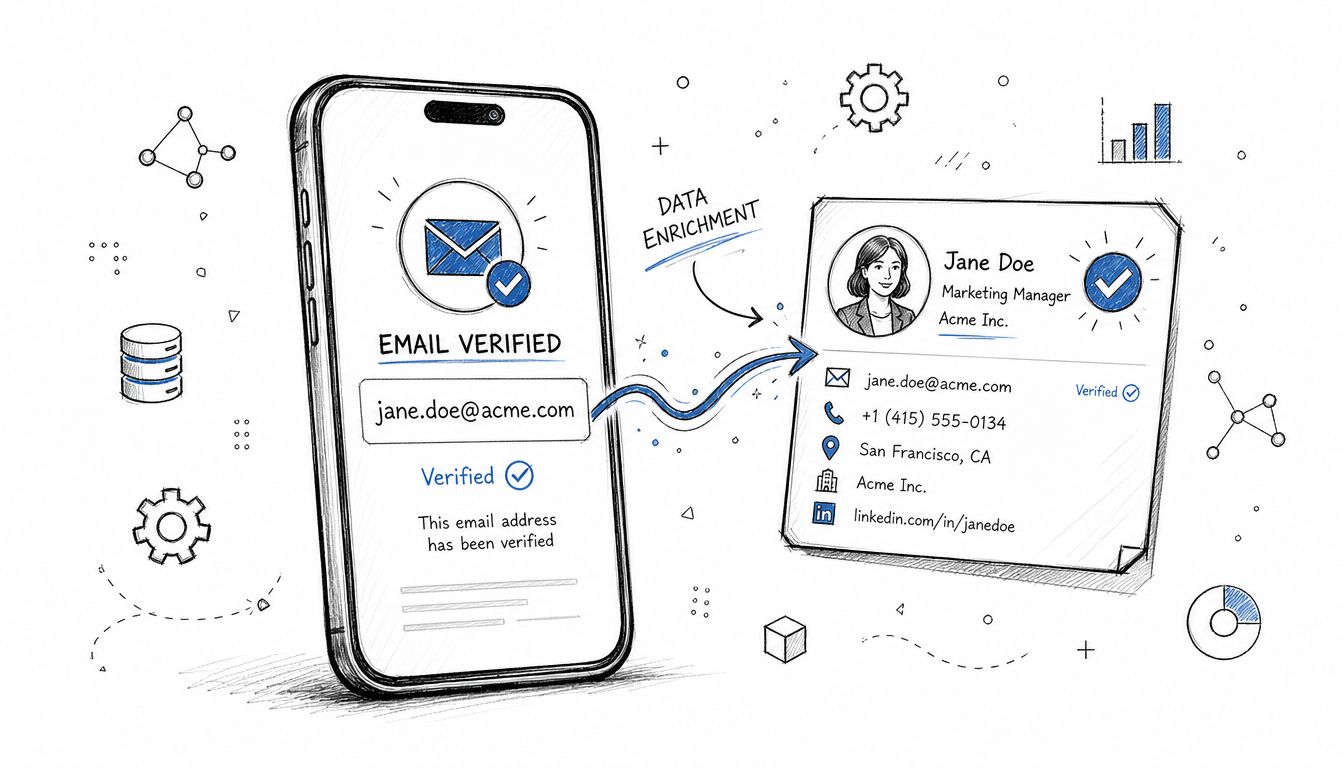
What a trustworthy enrichment result looks like
The result should not just say “email found.” It should tell you enough to judge confidence. A useful output usually includes the name, employer, title, and some kind of source trail or corroborating profile detail. If the tool gives you a deliverable-looking address without any clue how it got there, treat that as a warning sign, not a win.
That's especially important because reverse lookup tools pull from public records, professional databases, and social profiles, not from a single authoritative inbox registry. The industry language around this workflow is explicit about combining multiple sources, which is why the result is best understood as enriched contact intelligence, not truth by default. If you need a way to gather public contact clues at scale, a best web scraping API can help support the research layer, but it still doesn't replace verification or judgment.
Use enrichment as one input, not the whole decision
This is the point where many reps over-trust the tool. A match can be directionally right and still stale, generic, or tied to a previous employer. That's why the record should move from enrichment into verification before anyone presses send.
If your stack includes broader prospect intelligence, it helps when enrichment sits beside other signals instead of living in a silo. Research tools that surface job changes, profiles, and contact context are more useful when they feed the same pipeline that handles outreach readiness. For a deeper view on how teams evaluate these systems, prospect research tools should be judged on source quality as much as speed.
A fast lookup is useful only if you can defend the result. Otherwise, it's just a fast way to be wrong.
Pattern-Guessing Corporate Emails When Enrichment Falls Short
Sometimes the enrichment tool comes back empty. That happens a lot with smaller companies, private firms, and records outside the best data vendors' coverage. At that point, guessing can still help, but only if the domain is confirmed and the shortlist stays tiny.
Keep the pattern list short
The goal is not to brute-force an inbox. It's to test one or two plausible structures, then verify. The most common corporate patterns are the familiar ones, firstname.lastname, firstnamelastname, and first initial plus lastname. A guide focused on OSINT phone-number lookup tactics can be useful here because it reinforces the same principle, search the identity first, then keep the output narrow.
Common Corporate Email Patterns by Company Size | Small (<50) | Mid (50-500) | Enterprise (500+) |
|---|---|---|---|
firstname.lastname | Common | Very common | Very common |
firstnamelastname | Common | Common | Common |
f.lastname | Sometimes | Common | Common |
The exact pattern is less important than restraint. In small firms, naming conventions can be inconsistent, and the owner may use a personal address or a shared inbox. In larger organizations, the pattern is usually more standardized, but that doesn't mean every address is safe to send to without a check.
Know when to stop guessing
If the company domain is unclear, if the number looks personal, or if the name can't be tied to a stable employer, stop here and route the record to manual research. The cost of guessing rises every time you add another variant, because each unverified address creates another chance to bounce.
Rule of thumb: one verified address beats five guesses every time.
For teams that work contact discovery alongside LinkedIn research, it's better to use the same restraint there too. Finding someone's email on LinkedIn is useful when the profile is clearly business-related, but it still needs the same narrow shortlist and verification discipline.
Verify Before You Send or Sequence
Verification is the key bottleneck. Discovery feels productive, but deliverability gets damaged at the point of send, not the point of search. That's why guessed or enriched addresses should be checked before they enter any sequence, even if they look polished.
Use the lightest check that still gives you signal
For a handful of records, a Google sign-in probe is the simplest low-friction check. If the address exists, Google prompts for a password. If it doesn't, there's no valid account prompt. Saleshandy's walkthrough describes that behavior clearly and also makes the bigger point, guessed corporate patterns and reverse lookup results still need verification before outreach.
For bulk work, dedicated verification tools are the better choice because they can run SMTP and deliverability checks at scale. Catch-all domains are trickier, because they may accept mail without proving the inbox is monitored, so a green result there still deserves caution. If the status is risky or unknown, pause the record. Don't send it into a live sequence just because it looks “probably fine.”
What the sender should do with each result
A clean verified address can move forward, but it should still get a human review if the name or company context is thin. A risky result should stay out of automation. An unknown result should be treated as a research task, not an outreach task.
Verified: move to outreach, but write a custom first line.
Risky: hold for manual review or alternate contact discovery.
Unknown: do not sequence it, and do not assume it's safe.
Catch-all: treat as conditional, not confirmed.
When sales teams route this through a connected workflow, bounce-risk flags need to be visible before the sequence starts. Otherwise, someone will eventually push an unverified guess into a live step just to hit quota pressure, and that's when the damage starts to compound.
Privacy, Consent, and the Rules You Cannot Ignore
Most guides stop at the lookup. That's the wrong place to stop, because a usable email and an acceptable email are not always the same thing. The practical boundary is whether the phone number is publicly tied to a business identity, and that affects both the chance of finding an address and the posture of the outreach that follows.
Publicly listed business contacts are not the same as personal mobiles
A work number on a company site, directory, or profile is a very different case from a personal mobile found through casual searching. The former is often part of public business contact discovery. The latter can cross into unwanted contact very quickly, even if the data is technically visible somewhere online. That distinction is why the best content on this topic should talk about accuracy, consent, and legality, not just lookup shortcuts, because most existing guides frame the process as simple enrichment and skip the hard boundary questions. SignalHire's contact-details guide calls out that gap directly.
Publicly available doesn't automatically mean outreach-ready.
Regional rules change the practical answer. GDPR, CAN-SPAM, and CASL don't behave the same way, and SMBs that sell across regions can't treat a single lookup rule as universal. A team sending fewer, better-qualified emails is preferable to spraying a list that may have come from scraped data or weak consent assumptions.
Scraping and bought lists create hidden risk
Buying scraped contacts feels fast, but it usually pushes the risk downstream into deliverability, complaint handling, and list quality. The team thinks it saved time, then spends more time cleaning up bounces and bad records. A safer filter is simple, if the number is clearly public and business-related, enrichment may be reasonable, but if the source is unclear or the identity is personal, skip it.
If your team wants a practical way to sanity-check the legal side of outreach decisions, an AI legal assistant for business owners can help with internal review questions. It won't replace counsel, but it can keep the sourcing conversation grounded before a bad record enters the CRM.
Putting It Together and Reaching Out With Confidence
The clean workflow is straightforward when you strip away the noise. Start with the number, confirm the person and employer, enrich from trustworthy tools, generate at most one or two corporate guesses if the domain is clear, verify before send, then choose outreach based on the contact's actual status. That whole loop should be fast enough to run record by record without turning into a research project.
A confirmed business contact deserves a direct first line, not a generic blast. Try this:
“Hi [Name], I found your number listed with [Company] and used that to confirm I had the right email before reaching out. I'm contacting you because [specific reason tied to role or company].”
A warmer inbound-style opener works better when the record came from a public profile, referral, or verified company contact:
“Hi [Name], I'm following up on the contact details I verified for [Company]. If you're the right person for [topic], I'd love to send a concise note that's relevant to your team.”
The sequencing rule should stay strict. Never send more than two unverified guesses per company. Never send a verified address without a custom first line. That combination keeps your outreach from looking automated even when the research was partly machine-assisted.
A simple checklist helps keep the process repeatable, identity confirmed, employer confirmed, domain checked, one or two guesses at most, verified, compliance reviewed, then sent. If you can't get through those steps cleanly, a LinkedIn connect or a referral is usually faster than forcing the phone-to-email path. The point isn't to use this method everywhere, it's to use it where it produces real contact data you can trust.
If you want the whole workflow, research, enrichment, verification, and outreach, to live in one place instead of scattered across point tools, explore Stamina. It's built for teams that need their CRM, outbound motion, and contact enrichment to work together without letting unverified data slip into sequence.

