AI Agent Workflow: Master Revenue Operations 2026

Learn to build & implement practical AI agent workflows for revenue operations. Covers architecture, templates, KPIs, and common pitfalls.

0 - Minute Read

Most RevOps teams hit the same wall. Your CRM is full, your automation builder looks impressive, and your sequences still break the moment a buyer behaves like a real person instead of a flowchart.

A lead visits pricing twice, ignores the demo CTA, replies with a procurement question, then goes silent for two weeks. Traditional automation doesn't know what to do with that. It waits for a rigid trigger, fires a generic action, and hands the mess back to a human.

That gap is where an AI agent workflow starts to matter. Not because "agentic" sounds advanced, but because revenue teams deal with messy inputs, partial context, and decisions that change from account to account. The practical question isn't whether you should use AI. It's whether a fixed workflow is enough, or whether a specific step needs judgment, tool use, and adaptation.

Moving Beyond Automation to Agentic Workflows

Monday morning, a new demo request hits the CRM from a target account. The contact used a personal email, the company name is abbreviated, two people from the same domain visited pricing last week, and the account owner changed territories yesterday. A standard workflow can route the form and create a task. It cannot reliably decide whether this should go to sales now, enter a nurture path, or wait for data cleanup first.

That distinction matters in RevOps.

Rules-based automation is still the right choice for fixed, low-risk work. Update a field. Assign an owner. Send a confirmation email. Create the Salesforce task. Once the process needs context, trade-offs, or exception handling, rigid logic starts to break. You end up stacking branches on branches, then asking ops or sales managers to clean up the misses.

An AI agent workflow fits that middle ground. The workflow itself stays structured, but a specific step can interpret messy inputs, check multiple systems, choose from approved actions, and explain why it took that path. In practice, that is very different from giving an agent free rein across your stack. For SMB teams, that difference is the whole point. A well-scoped AI-powered flow usually gets you faster revenue impact with less operational risk than chasing full autonomy too early.

Where traditional automation loses reliability

RevOps work looks simple until real buyer behavior shows up.

  • Inbound qualification: A form fill does not tell you whether the account matches your ICP, whether the lead should bypass SDR review, or whether the first response should be sales-led or marketing-led.

  • Outbound sequencing: Fixed cadences miss context like job changes, new funding, product page visits, or an open support issue that should pause outreach.

  • Lifecycle movement: Accounts move backward, stall, reappear through another channel, or expand from a different team. Linear stage logic handles that poorly.

  • CRM hygiene: Duplicate accounts, conflicting owners, and missing firmographics create edge cases that rule trees rarely resolve cleanly.

The failure mode is usually not dramatic. It is expensive drift. Leads get routed late. Reps work the wrong accounts. Marketing keeps pushing contacts that sales has already disqualified. Pipeline reviews fill up with exceptions nobody designed for.

AI can help, but only if you apply it in the right place. Use a simple AI-powered flow when the task is narrow and the acceptable output is clear, such as summarizing an inbound form, enriching an account, or drafting a reply for approval. Use an agent when the system needs to evaluate changing context, choose among several actions, and use tools in sequence within defined limits. If you're sorting out that boundary, Salesmotion's guide to AI agents is a useful comparison. For a marketing-specific example, this article on an AI agent for marketing workflows shows how signal monitoring and action orchestration work inside a revenue process.

What changes for SMB teams

The upside is not a fully autonomous digital employee. The upside is reducing the manual coordination work sitting between marketing, SDRs, sales, and ops.

A practical example is inbound routing. Instead of assigning every hand-raiser by geography and hoping for the best, an agentic step can review account fit, recent product activity, open opportunities, territory rules, and duplicate records before recommending or triggering the next action. It can draft the first message, log the rationale, and send sensitive cases to a human for approval. That produces better speed-to-lead without letting the system make irreversible decisions on its own.

PwC's 2025 AI Jobs Barometer reports that AI exposure is now associated with higher productivity growth across industries, which is a useful signal for operators evaluating where AI belongs in revenue work. The practical lesson is narrower than the headlines suggest. Start with bounded decisions inside existing workflows. Add autonomy only after the process is stable, the guardrails are clear, and the team can measure whether the agent is improving conversion, coverage, or cycle time.

The question is not whether your RevOps team needs agents. The better question is which revenue decisions are too variable for standard automation and too repetitive to keep routing back to senior humans.

Designing Your Revenue Operations AI Architecture

Monday at 9:07 a.m., a demo request hits the CRM, the enrichment tool appends two conflicting employee counts, the account already has an open opportunity under a different owner, and an SDR sequence is scheduled to fire in ten minutes. That is the kind of revenue moment your AI architecture has to handle well. If the system cannot resolve that mess with clear rules and limited AI judgment, it will create more cleanup work than pipeline.
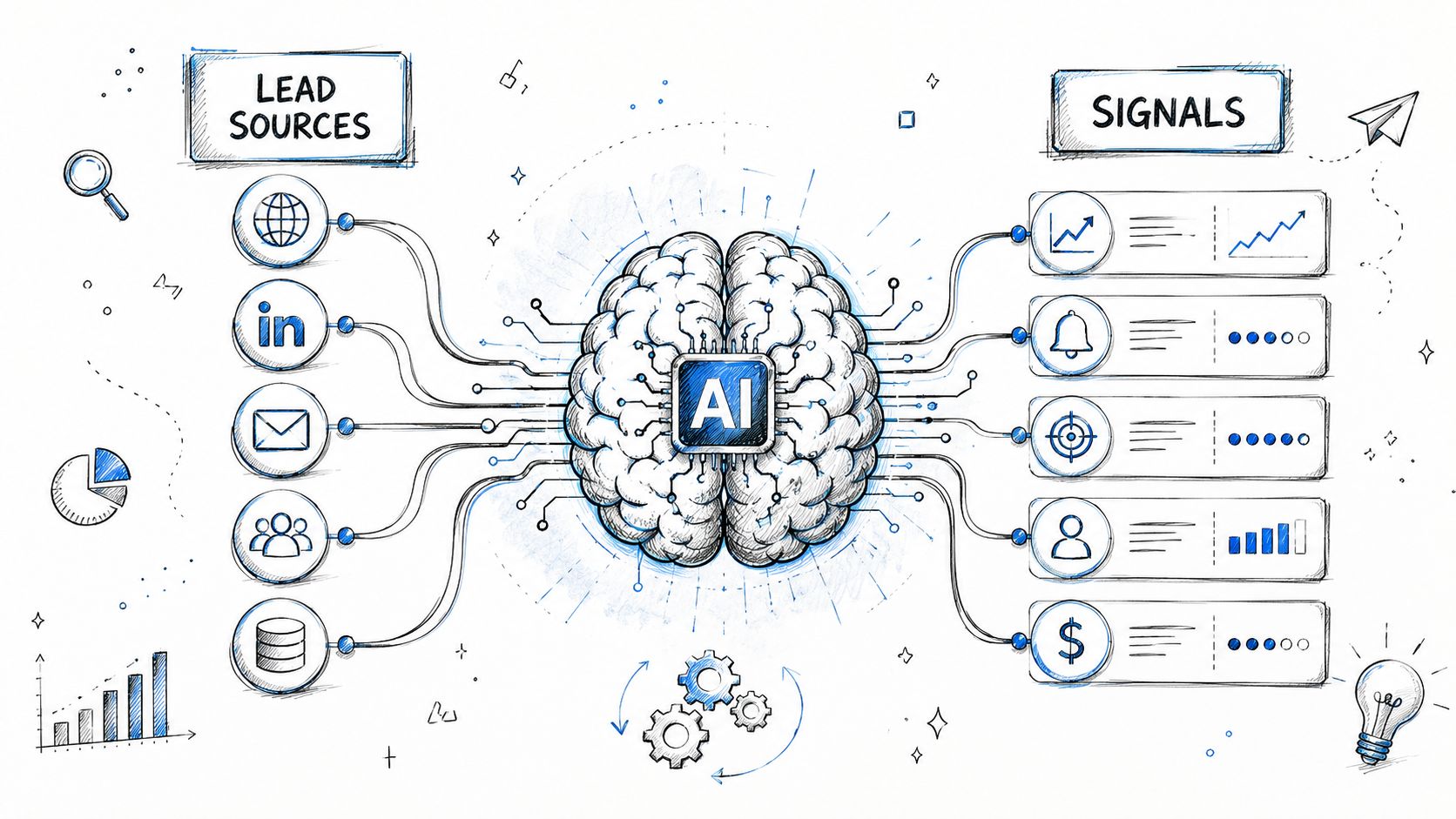
A hand-drawn illustration showing lead sources feeding into an AI brain that processes data into sales signals.

Start with control points, not model selection. In RevOps, the architecture needs to answer four practical questions: what triggers the workflow, what context the system can access, which decisions AI is allowed to make, and which actions require approval. Teams that skip this design step usually end up with a clever demo and a messy production process.

The right pattern for most SMBs is a workflow-first design with agentic steps inside it. Use standard automation for rules that should never vary, such as territory assignment, suppression logic, lifecycle stages, and ownership. Use AI where the work is repetitive but judgment still helps, such as summarizing account context, choosing a message angle, or flagging records that do not fit cleanly into the rules.

The four parts that matter

A reliable revenue architecture usually has four layers. Keep them separate so you can debug failures fast.

Signals

Signals are the events that start the workflow. Good triggers are specific and tied to revenue activity, not generic engagement noise.

Examples include:

  • Website behavior: pricing page visits, repeat sessions, form submissions

  • CRM changes: stage changes, lead owner assignment, new contacts added to accounts

  • Engagement data: email replies, unsubscribes, meeting no-shows

  • Third-party inputs: enrichment updates, firmographic changes, job changes

Weak signals create busywork. Strong signals create timely action.

Decision layer

Teams often overbuild. The AI does not need to run the whole process. It needs a narrow job description.

Useful decision tasks include scoring urgency, selecting from a fixed set of routing paths, summarizing account history for a rep, or deciding whether a record should go to human review. Keep the options bounded. If the model can invent its own paths, you will spend your time auditing edge cases instead of improving conversion.

Tools

Tools are the systems the workflow can read from or write to. In practice, that is usually your CRM, MAP, enrichment source, email platform, calendar, and internal docs.

Give the agent the smallest useful toolset. Each added system increases the chance of bad context, duplicate actions, and harder root-cause analysis. If your team is also tightening process discipline, this guide on optimizing sales ops is a useful companion because AI performs better when routing, ownership, and follow-up rules are already clear.

Actions

Actions are the outputs the workflow is allowed to take. Create a task. Draft an email. update a field. Route a lead. Pause outreach. Escalate to a manager for approval.

This layer should be explicit. I have seen teams spend hours refining prompts before they define whether the system is allowed to change ownership or contact a prospect. That sequence is backward.

Agent versus workflow is the core design choice

This is the decision that matters most for SMB teams. A simple AI-powered flow is usually the better starting point than a fully autonomous agent.

A practical design looks like this:

  1. Collect inputs from website, CRM, and enrichment systems.

  2. Apply deterministic rules for hard constraints such as territory, ICP fit, suppression, and ownership.

  3. Use AI for bounded reasoning such as prioritization, summarization, or recommended next step.

  4. Execute approved actions through fixed integrations.

  5. Log outcomes and exceptions so the team can review what happened.

That structure scales because it matches how revenue teams work. Hard rules stay hard. AI handles gray areas. Humans step in when the cost of a wrong action is high.

Data quality decides whether this works. A connected setup for marketing automation and CRM integration reduces handoff failures because the workflow is not trying to reconcile conflicting records across disconnected systems. Clean inputs also make it easier to tell whether a bad outcome came from the model, the rule logic, or the source data.

A good RevOps AI architecture is built for reliability first. If you can name the trigger, the allowed context, the decision boundary, and the approved actions, you are building something your team can trust and your revenue leaders can measure.

Practical AI Workflow Templates for RevOps Teams

The easiest way to understand an AI agent workflow is to look at real revenue use cases. Not futuristic ones. The boring, high-impact work your team is already doing manually.
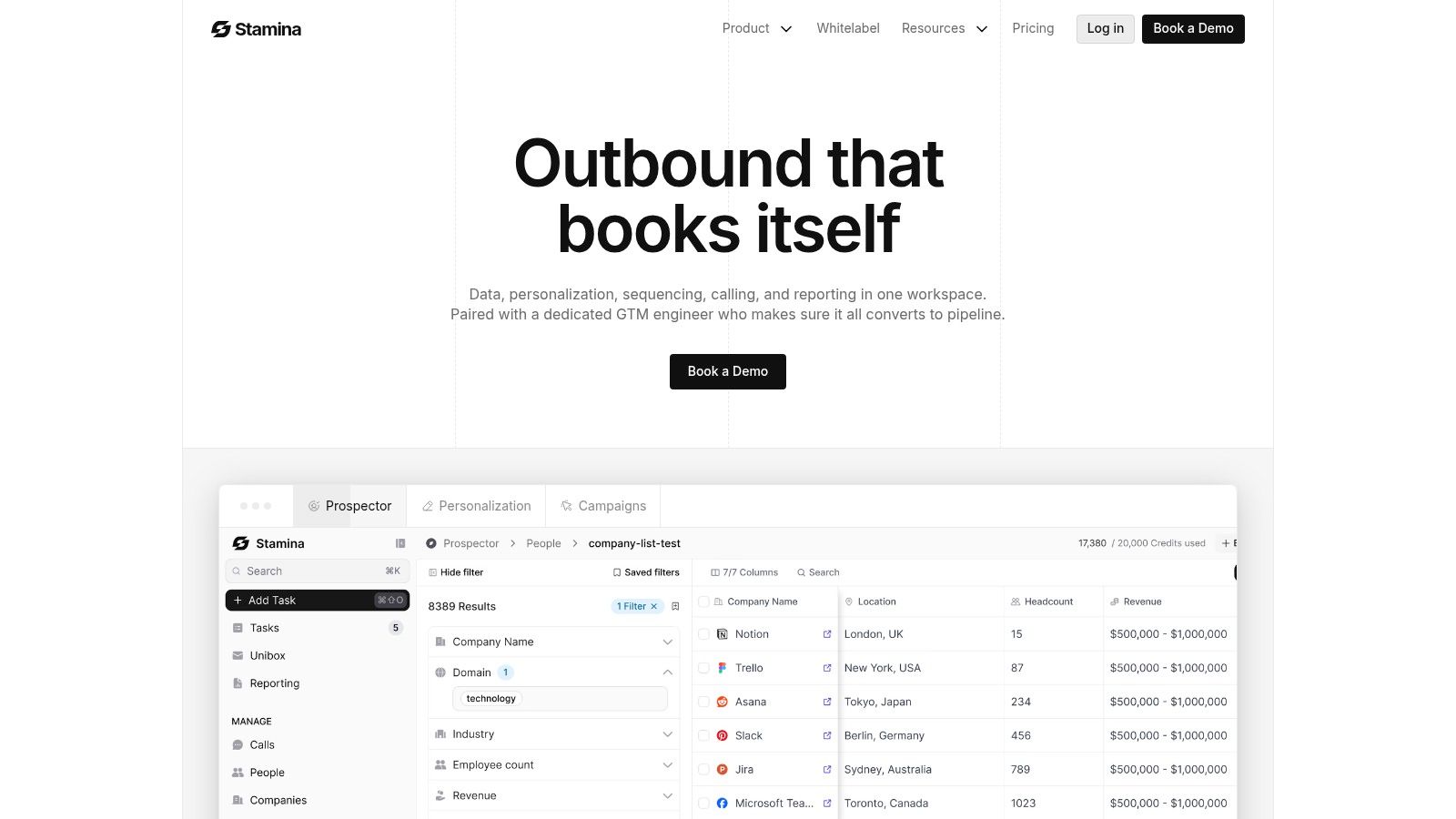
Screenshot from https://stamina.io

Below are three templates that work well for SMB RevOps teams because they sit in the sweet spot: enough variability to benefit from AI, enough structure to stay governable.

Outbound SDR workflow

The goal is straightforward. Find the right prospects, research them quickly, and produce outreach a rep can use without spending half the day in tabs.

A common trigger is a new target account entering an outbound list, a fresh buying signal, or an ICP match from enrichment data. The workflow starts by pulling account context, recent activity, role information, and known pain points from your CRM and prospecting tools.

Then the agent does the work humans usually hate doing repeatedly:

  • Summarize account context from available records

  • Identify likely outreach angles based on role and recent signals

  • Draft a first-touch email and optionally follow-ups

  • Flag uncertainty when data is thin or conflicting

  • Write back to CRM with notes, tags, and next-step recommendations

The important constraint is that the workflow should not autonomously blast sequences to every record it touches. Generally, the safer pattern is draft-first, approve-or-auto-send only for tightly scoped segments.

For teams evaluating platforms that combine signal detection, outreach, and CRM execution, marketing automation workflow examples are useful reference points for how these plays get orchestrated in practice.

Lead nurture workflow

This one is less flashy and often more valuable. Most pipelines leak because nurture is generic, late, or disconnected from actual buyer behavior.

The trigger might be a lead downloading a resource, attending a webinar, revisiting the site, or stalling after an initial conversation. A standard nurture flow would just move the contact into a static sequence. An AI-powered workflow can do better by looking at recency, content consumed, firmographic fit, and CRM history before choosing what happens next.

A reliable version of this workflow does four things well:

  1. It identifies the buyer's current context.

  2. It selects one of a few approved nurture paths.

  3. It generates messaging that fits the path.

  4. It stops itself when sales engagement or disqualifying signals appear.

Fixed-step workflows often outperform "full agents." Typically, an autonomous system inventing a journey on the fly isn't what's needed. Instead, a workflow that can classify intent correctly, choose from predefined motions, and adapt the messaging within those bounds is required.

The best nurture systems don't sound robotic, but they also don't improvise their way into compliance or brand problems.

Re-engagement workflow

Cold leads are a perfect use case for an AI agent workflow because the task looks simple but has lots of nuance. Timing matters. Context matters. Message angle matters.

The trigger is usually inactivity paired with a fresh signal: a site revisit, a funding update, a role change, a product launch, or a reappearance in your data sources. The workflow checks whether the record should still be marketed to, reviews the last touchpoint history, and then chooses a re-entry motion.

A practical re-engagement flow often includes:

  • History review: what was sent, what was opened, what got ignored

  • Context selection: what's changed since the last conversation

  • Message generation: a re-intro note tied to the new context

  • Channel choice: email, task creation, ad audience sync, or rep follow-up

  • Exit logic: stop if the lead responds, unsubscribes, or gets reassigned

This workflow works because the AI step is narrow. It isn't deciding the full GTM strategy. It's deciding how to re-open a conversation based on a constrained set of signals and actions.

Comparison of AI Agent Workflow Templates

Workflow Template

Primary Goal

Example Trigger

Key AI Actions

Outbound SDR workflow

Prioritize and personalize outbound outreach

New target account or buying signal

Research account, summarize context, draft outreach, recommend next step

Lead nurture workflow

Move engaged leads toward a sales conversation

Content engagement or repeat site activity

Classify intent, choose nurture path, generate message, pause on sales signals

Re-engagement workflow

Reactivate stalled or cold leads

Inactivity plus a fresh signal

Review history, pick angle, draft re-entry message, choose channel

Which one should you build first

Start with the workflow that already has clear triggers and measurable outcomes.

If your team struggles with top-of-funnel efficiency, build outbound. If you have a lot of engaged leads going nowhere, build nurture. If your CRM is full of old pipeline that still has latent demand, build re-engagement.

What doesn't work is building the most "agentic" workflow first. Build the one your managers can audit, your reps can trust, and your ops team can debug on a bad Tuesday afternoon.

Implementing Your First AI Agent Workflow

The first build should feel smaller than your ambition. That's a feature, not a limitation.
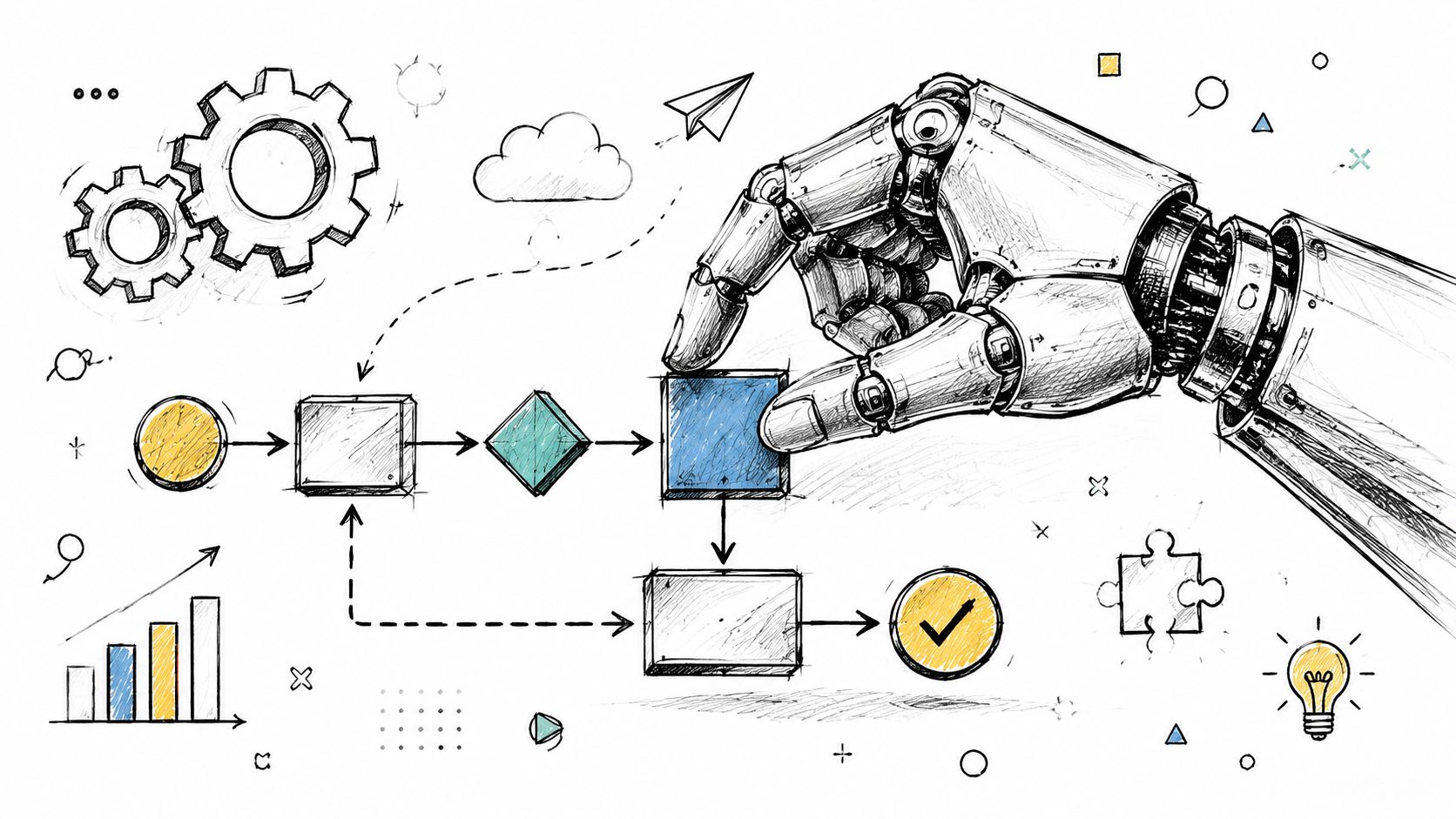
A robotic hand interacting with a drawn flowchart representing an automated artificial intelligence agent workflow process.

The fastest way to kill momentum is to start with a workflow that touches too many systems, too many edge cases, and too many stakeholders. Start with one outcome, one trigger family, and a short list of allowed actions.

A sound build pattern is to define the task first, implement each step as a discrete node or tool, connect those tools to the agent, and only then feed the agent the full task. That staged approach improves traceability and makes failures easier to isolate during testing, as described in KNIME's guide to building an AI agent in stages.

Start with a single revenue outcome

Pick an outcome your team already cares about. Good examples include improving inbound routing quality, reducing SDR research time, or increasing the speed of lead follow-up.

Bad starting goals are broad and fuzzy:

  • Too broad: automate the whole funnel

  • Too vague: improve sales productivity

  • Too risky: let the agent run outbound autonomously across the database

Good goals are specific enough to map. If you're exploring SDR-specific use cases, this overview of what an AI SDR is is a good lens for separating prospecting support from fully autonomous selling.

Map the human workflow before you automate it

Teams often skip this because they think the model will figure it out. It won't. If your human process is inconsistent, the agent will amplify the inconsistency.

Write down the current flow in plain language:

  1. Trigger arrives: for example, a demo request or repeat pricing page visit.

  2. Person gathers context: they check CRM history, company details, and prior engagement.

  3. Decision happens: route to sales, send nurture, ask for more info, or disqualify.

  4. Action executes: create task, send draft, update record, notify owner.

  5. Result gets logged: someone records what happened and what comes next.

That map tells you which steps should stay deterministic and which one might benefit from an agent.

Build around the decision, not around the hype. Most of the workflow should still be boring on purpose.

Turn the workflow into nodes

Now break the process into discrete nodes. Each node should do one thing and expose a clear input and output.

A simple inbound qualification workflow might look like this:

  • Node one: capture form submission and account lookup

  • Node two: enrich company and contact data

  • Node three: apply hard routing rules

  • Node four: agent decides message angle or escalation need

  • Node five: create CRM update and email draft

  • Node six: human review for sensitive cases

This structure matters because you can test node by node before the workflow runs end to end.

A quick visual can help before you wire the full build:

Add tools one at a time

Don't connect every possible integration up front. Start with the minimum set needed to produce the outcome.

For most RevOps workflows, that means:

  • CRM first: because record integrity and action logging matter most

  • Email or engagement platform second: because that's usually where the workflow outputs land

  • Enrichment or research tools third: only when they improve decision quality enough to justify the complexity

Every added tool creates another failure mode. If the workflow works with two systems, don't make it use six.

Test in slices, not all at once

Run each node in isolation. Then run the full path on a narrow set of records. Then expand.

Look for practical failure modes:

  • Bad inputs: incomplete firmographic data, duplicate contacts, stale ownership

  • Bad decisions: overconfident qualification, weak message angle, wrong routing

  • Bad outputs: malformed CRM notes, incorrect task creation, unusable email drafts

What works in production is rarely the fanciest build. It's the one that the ops lead can inspect, the SDR manager can trust, and the team can improve without re-architecting the entire stack.

Testing Measuring and Optimizing for Success

An AI agent workflow isn't "done" when it launches. It's only done when your team can tell whether it is helping, where it is failing, and what should change next.
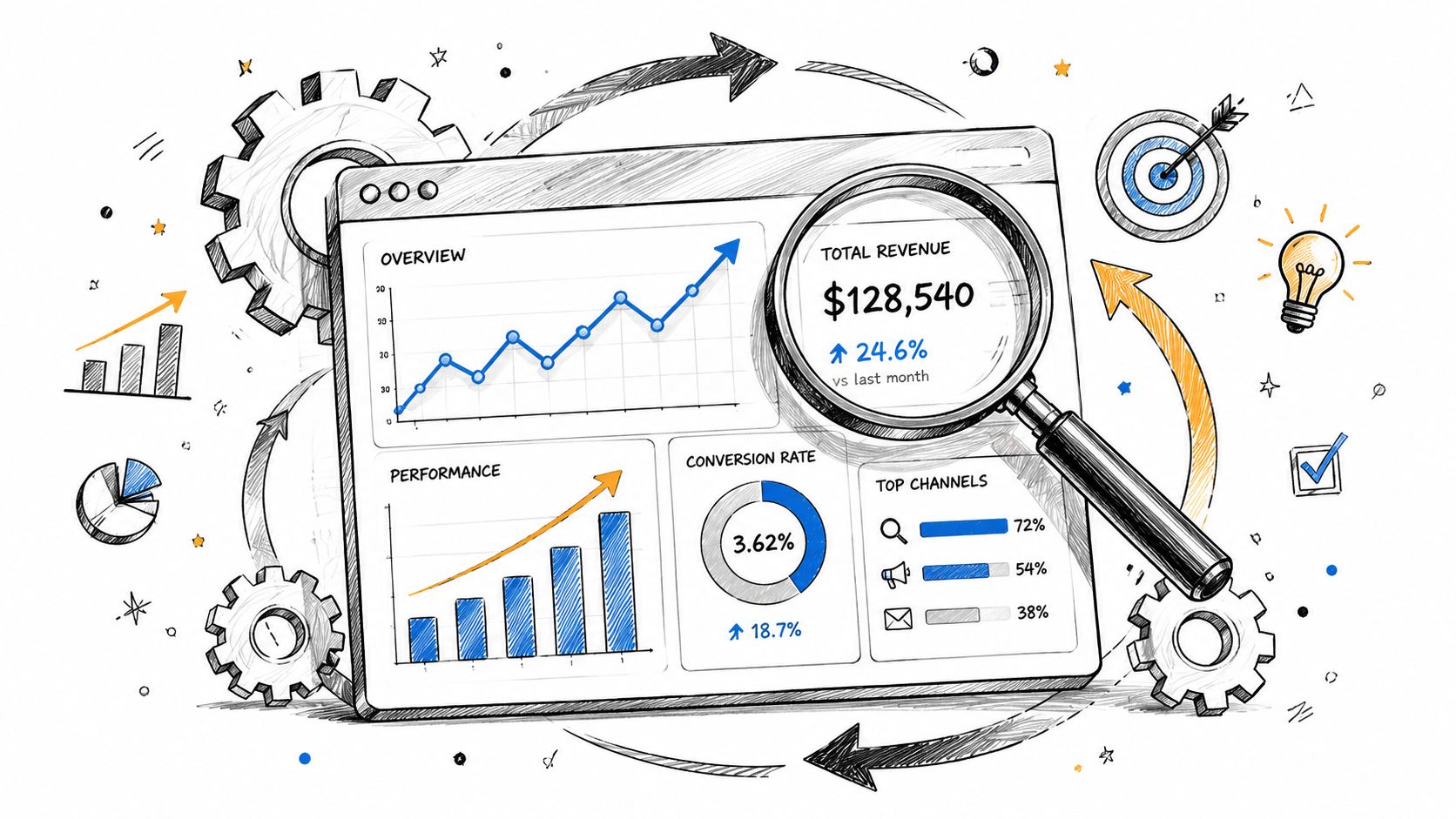
A hand-drawn illustration showing a digital dashboard with graphs, a magnifying glass, and business performance icons.

The most useful benchmark for production workflows is not one universal success number. It's a measurement stack that tracks task success rate, processing time, user feedback, token usage, and cost continuously, along with sandbox testing and human-in-the-loop checkpoints before sensitive actions, according to Logic20/20's guide to production AI agent workflows.

The metrics that actually matter

Revenue teams should track the workflow the same way they track any other operating process.

  • Task success rate: Did the workflow complete the intended job without manual rescue?

  • Processing time: How long did it take from trigger to usable action?

  • User feedback: Did reps, marketers, or managers think the output was useful?

  • Token usage: Is the reasoning step efficient or bloated?

  • Cost per run: Is the workflow financially reasonable for the volume it handles?

Notice what's missing. Vanity metrics. A workflow that generates a lot of activity but creates cleanup work isn't helping.

How to interpret the signals

The metrics only matter if they change decisions.

If task success is low, inspect node-level failures before you rewrite prompts. If processing time is high, reduce unnecessary tool calls or long context windows. If user feedback is poor, the issue might be message relevance, not model quality. If token usage and cost climb, the agent may have too much context or too many tools.

A few optimization moves usually pay off quickly:

  • Use sandbox testing: Validate new logic before it touches live records.

  • Keep human checkpoints: Require review for sensitive changes, external sends, or high-value accounts.

  • Cache repeat lookups: Don't pay repeatedly for the same enrichment or reference data.

  • Limit tools: Narrow choice improves tool selection quality.

  • Create fallback branches: If the workflow drifts, route to a default deterministic path.

A good workflow fails safely. A bad one keeps operating while nobody notices quality has dropped.

The operating rhythm that works

The best teams review workflows like managers review reps. They look at output quality, edge cases, and exceptions on a regular cadence. They don't wait for a crisis.

That means reading actual outputs, not just dashboards. Scan the CRM notes. Read the generated emails. Look at where humans overrode the workflow. Those overrides usually show you whether the agent needs better instructions, tighter permissions, or less responsibility.

Avoiding Common Pitfalls and Building for the Future

Most failures in AI agent workflow design aren't model failures. They're operating model failures.

Teams give the agent too many tools, too much context, and too much authority before they've earned confidence in the basics. Then they mistake activity for control because the workflow appears busy, records are changing, and messages are going out.

A central production risk is that autonomy can create an illusion of governance when workflows don't have strong guardrails and monitoring, especially for SMB teams automating across sales, marketing, and CRM systems, as noted in Token Security's discussion of AI agent risks.

The mistakes that show up early

A few patterns cause trouble fast:

  • Overusing the word agent: Many workflows should start as fixed-step systems with one intelligent decision point.

  • Granting broad permissions: If the workflow can update anything, it eventually will update the wrong thing.

  • Skipping escalation paths: Sensitive actions need a clear route to a human.

  • Chasing autonomy before reliability: Revenue teams need consistency before cleverness.

There's also a strategic design question teams ignore: some tasks shouldn't be agentic at all. A simple router plus a handful of well-defined actions often beats a free-form agent for production work. Crawl, then walk, then run.

What a durable approach looks like

Use AI where judgment adds value. Keep deterministic steps deterministic. Scope permissions tightly. Review outputs often. Expand only after the workflow is reliable under normal conditions and edge cases.

That's the practical path for SMBs. Not a fantasy of full autonomy, but a governed system that helps your team move faster without losing control.

Stamina helps SMB revenue teams run sales, marketing, and CRM workflows from one platform, including AI-powered prospecting, nurturing, and cross-team automation. If you're building an AI agent workflow and want fewer handoff issues between systems, Stamina is worth evaluating as a connected operating layer.

Most RevOps teams hit the same wall. Your CRM is full, your automation builder looks impressive, and your sequences still break the moment a buyer behaves like a real person instead of a flowchart.

A lead visits pricing twice, ignores the demo CTA, replies with a procurement question, then goes silent for two weeks. Traditional automation doesn't know what to do with that. It waits for a rigid trigger, fires a generic action, and hands the mess back to a human.

That gap is where an AI agent workflow starts to matter. Not because "agentic" sounds advanced, but because revenue teams deal with messy inputs, partial context, and decisions that change from account to account. The practical question isn't whether you should use AI. It's whether a fixed workflow is enough, or whether a specific step needs judgment, tool use, and adaptation.

Moving Beyond Automation to Agentic Workflows

Monday morning, a new demo request hits the CRM from a target account. The contact used a personal email, the company name is abbreviated, two people from the same domain visited pricing last week, and the account owner changed territories yesterday. A standard workflow can route the form and create a task. It cannot reliably decide whether this should go to sales now, enter a nurture path, or wait for data cleanup first.

That distinction matters in RevOps.

Rules-based automation is still the right choice for fixed, low-risk work. Update a field. Assign an owner. Send a confirmation email. Create the Salesforce task. Once the process needs context, trade-offs, or exception handling, rigid logic starts to break. You end up stacking branches on branches, then asking ops or sales managers to clean up the misses.

An AI agent workflow fits that middle ground. The workflow itself stays structured, but a specific step can interpret messy inputs, check multiple systems, choose from approved actions, and explain why it took that path. In practice, that is very different from giving an agent free rein across your stack. For SMB teams, that difference is the whole point. A well-scoped AI-powered flow usually gets you faster revenue impact with less operational risk than chasing full autonomy too early.

Where traditional automation loses reliability

RevOps work looks simple until real buyer behavior shows up.

  • Inbound qualification: A form fill does not tell you whether the account matches your ICP, whether the lead should bypass SDR review, or whether the first response should be sales-led or marketing-led.

  • Outbound sequencing: Fixed cadences miss context like job changes, new funding, product page visits, or an open support issue that should pause outreach.

  • Lifecycle movement: Accounts move backward, stall, reappear through another channel, or expand from a different team. Linear stage logic handles that poorly.

  • CRM hygiene: Duplicate accounts, conflicting owners, and missing firmographics create edge cases that rule trees rarely resolve cleanly.

The failure mode is usually not dramatic. It is expensive drift. Leads get routed late. Reps work the wrong accounts. Marketing keeps pushing contacts that sales has already disqualified. Pipeline reviews fill up with exceptions nobody designed for.

AI can help, but only if you apply it in the right place. Use a simple AI-powered flow when the task is narrow and the acceptable output is clear, such as summarizing an inbound form, enriching an account, or drafting a reply for approval. Use an agent when the system needs to evaluate changing context, choose among several actions, and use tools in sequence within defined limits. If you're sorting out that boundary, Salesmotion's guide to AI agents is a useful comparison. For a marketing-specific example, this article on an AI agent for marketing workflows shows how signal monitoring and action orchestration work inside a revenue process.

What changes for SMB teams

The upside is not a fully autonomous digital employee. The upside is reducing the manual coordination work sitting between marketing, SDRs, sales, and ops.

A practical example is inbound routing. Instead of assigning every hand-raiser by geography and hoping for the best, an agentic step can review account fit, recent product activity, open opportunities, territory rules, and duplicate records before recommending or triggering the next action. It can draft the first message, log the rationale, and send sensitive cases to a human for approval. That produces better speed-to-lead without letting the system make irreversible decisions on its own.

PwC's 2025 AI Jobs Barometer reports that AI exposure is now associated with higher productivity growth across industries, which is a useful signal for operators evaluating where AI belongs in revenue work. The practical lesson is narrower than the headlines suggest. Start with bounded decisions inside existing workflows. Add autonomy only after the process is stable, the guardrails are clear, and the team can measure whether the agent is improving conversion, coverage, or cycle time.

The question is not whether your RevOps team needs agents. The better question is which revenue decisions are too variable for standard automation and too repetitive to keep routing back to senior humans.

Designing Your Revenue Operations AI Architecture

Monday at 9:07 a.m., a demo request hits the CRM, the enrichment tool appends two conflicting employee counts, the account already has an open opportunity under a different owner, and an SDR sequence is scheduled to fire in ten minutes. That is the kind of revenue moment your AI architecture has to handle well. If the system cannot resolve that mess with clear rules and limited AI judgment, it will create more cleanup work than pipeline.

A hand-drawn illustration showing lead sources feeding into an AI brain that processes data into sales signals.

Start with control points, not model selection. In RevOps, the architecture needs to answer four practical questions: what triggers the workflow, what context the system can access, which decisions AI is allowed to make, and which actions require approval. Teams that skip this design step usually end up with a clever demo and a messy production process.

The right pattern for most SMBs is a workflow-first design with agentic steps inside it. Use standard automation for rules that should never vary, such as territory assignment, suppression logic, lifecycle stages, and ownership. Use AI where the work is repetitive but judgment still helps, such as summarizing account context, choosing a message angle, or flagging records that do not fit cleanly into the rules.

The four parts that matter

A reliable revenue architecture usually has four layers. Keep them separate so you can debug failures fast.

Signals

Signals are the events that start the workflow. Good triggers are specific and tied to revenue activity, not generic engagement noise.

Examples include:

  • Website behavior: pricing page visits, repeat sessions, form submissions

  • CRM changes: stage changes, lead owner assignment, new contacts added to accounts

  • Engagement data: email replies, unsubscribes, meeting no-shows

  • Third-party inputs: enrichment updates, firmographic changes, job changes

Weak signals create busywork. Strong signals create timely action.

Decision layer

Teams often overbuild. The AI does not need to run the whole process. It needs a narrow job description.

Useful decision tasks include scoring urgency, selecting from a fixed set of routing paths, summarizing account history for a rep, or deciding whether a record should go to human review. Keep the options bounded. If the model can invent its own paths, you will spend your time auditing edge cases instead of improving conversion.

Tools

Tools are the systems the workflow can read from or write to. In practice, that is usually your CRM, MAP, enrichment source, email platform, calendar, and internal docs.

Give the agent the smallest useful toolset. Each added system increases the chance of bad context, duplicate actions, and harder root-cause analysis. If your team is also tightening process discipline, this guide on optimizing sales ops is a useful companion because AI performs better when routing, ownership, and follow-up rules are already clear.

Actions

Actions are the outputs the workflow is allowed to take. Create a task. Draft an email. update a field. Route a lead. Pause outreach. Escalate to a manager for approval.

This layer should be explicit. I have seen teams spend hours refining prompts before they define whether the system is allowed to change ownership or contact a prospect. That sequence is backward.

Agent versus workflow is the core design choice

This is the decision that matters most for SMB teams. A simple AI-powered flow is usually the better starting point than a fully autonomous agent.

A practical design looks like this:

  1. Collect inputs from website, CRM, and enrichment systems.

  2. Apply deterministic rules for hard constraints such as territory, ICP fit, suppression, and ownership.

  3. Use AI for bounded reasoning such as prioritization, summarization, or recommended next step.

  4. Execute approved actions through fixed integrations.

  5. Log outcomes and exceptions so the team can review what happened.

That structure scales because it matches how revenue teams work. Hard rules stay hard. AI handles gray areas. Humans step in when the cost of a wrong action is high.

Data quality decides whether this works. A connected setup for marketing automation and CRM integration reduces handoff failures because the workflow is not trying to reconcile conflicting records across disconnected systems. Clean inputs also make it easier to tell whether a bad outcome came from the model, the rule logic, or the source data.

A good RevOps AI architecture is built for reliability first. If you can name the trigger, the allowed context, the decision boundary, and the approved actions, you are building something your team can trust and your revenue leaders can measure.

Practical AI Workflow Templates for RevOps Teams

The easiest way to understand an AI agent workflow is to look at real revenue use cases. Not futuristic ones. The boring, high-impact work your team is already doing manually.

Screenshot from https://stamina.io

Below are three templates that work well for SMB RevOps teams because they sit in the sweet spot: enough variability to benefit from AI, enough structure to stay governable.

Outbound SDR workflow

The goal is straightforward. Find the right prospects, research them quickly, and produce outreach a rep can use without spending half the day in tabs.

A common trigger is a new target account entering an outbound list, a fresh buying signal, or an ICP match from enrichment data. The workflow starts by pulling account context, recent activity, role information, and known pain points from your CRM and prospecting tools.

Then the agent does the work humans usually hate doing repeatedly:

  • Summarize account context from available records

  • Identify likely outreach angles based on role and recent signals

  • Draft a first-touch email and optionally follow-ups

  • Flag uncertainty when data is thin or conflicting

  • Write back to CRM with notes, tags, and next-step recommendations

The important constraint is that the workflow should not autonomously blast sequences to every record it touches. Generally, the safer pattern is draft-first, approve-or-auto-send only for tightly scoped segments.

For teams evaluating platforms that combine signal detection, outreach, and CRM execution, marketing automation workflow examples are useful reference points for how these plays get orchestrated in practice.

Lead nurture workflow

This one is less flashy and often more valuable. Most pipelines leak because nurture is generic, late, or disconnected from actual buyer behavior.

The trigger might be a lead downloading a resource, attending a webinar, revisiting the site, or stalling after an initial conversation. A standard nurture flow would just move the contact into a static sequence. An AI-powered workflow can do better by looking at recency, content consumed, firmographic fit, and CRM history before choosing what happens next.

A reliable version of this workflow does four things well:

  1. It identifies the buyer's current context.

  2. It selects one of a few approved nurture paths.

  3. It generates messaging that fits the path.

  4. It stops itself when sales engagement or disqualifying signals appear.

Fixed-step workflows often outperform "full agents." Typically, an autonomous system inventing a journey on the fly isn't what's needed. Instead, a workflow that can classify intent correctly, choose from predefined motions, and adapt the messaging within those bounds is required.

The best nurture systems don't sound robotic, but they also don't improvise their way into compliance or brand problems.

Re-engagement workflow

Cold leads are a perfect use case for an AI agent workflow because the task looks simple but has lots of nuance. Timing matters. Context matters. Message angle matters.

The trigger is usually inactivity paired with a fresh signal: a site revisit, a funding update, a role change, a product launch, or a reappearance in your data sources. The workflow checks whether the record should still be marketed to, reviews the last touchpoint history, and then chooses a re-entry motion.

A practical re-engagement flow often includes:

  • History review: what was sent, what was opened, what got ignored

  • Context selection: what's changed since the last conversation

  • Message generation: a re-intro note tied to the new context

  • Channel choice: email, task creation, ad audience sync, or rep follow-up

  • Exit logic: stop if the lead responds, unsubscribes, or gets reassigned

This workflow works because the AI step is narrow. It isn't deciding the full GTM strategy. It's deciding how to re-open a conversation based on a constrained set of signals and actions.

Comparison of AI Agent Workflow Templates

Workflow Template

Primary Goal

Example Trigger

Key AI Actions

Outbound SDR workflow

Prioritize and personalize outbound outreach

New target account or buying signal

Research account, summarize context, draft outreach, recommend next step

Lead nurture workflow

Move engaged leads toward a sales conversation

Content engagement or repeat site activity

Classify intent, choose nurture path, generate message, pause on sales signals

Re-engagement workflow

Reactivate stalled or cold leads

Inactivity plus a fresh signal

Review history, pick angle, draft re-entry message, choose channel

Which one should you build first

Start with the workflow that already has clear triggers and measurable outcomes.

If your team struggles with top-of-funnel efficiency, build outbound. If you have a lot of engaged leads going nowhere, build nurture. If your CRM is full of old pipeline that still has latent demand, build re-engagement.

What doesn't work is building the most "agentic" workflow first. Build the one your managers can audit, your reps can trust, and your ops team can debug on a bad Tuesday afternoon.

Implementing Your First AI Agent Workflow

The first build should feel smaller than your ambition. That's a feature, not a limitation.

A robotic hand interacting with a drawn flowchart representing an automated artificial intelligence agent workflow process.

The fastest way to kill momentum is to start with a workflow that touches too many systems, too many edge cases, and too many stakeholders. Start with one outcome, one trigger family, and a short list of allowed actions.

A sound build pattern is to define the task first, implement each step as a discrete node or tool, connect those tools to the agent, and only then feed the agent the full task. That staged approach improves traceability and makes failures easier to isolate during testing, as described in KNIME's guide to building an AI agent in stages.

Start with a single revenue outcome

Pick an outcome your team already cares about. Good examples include improving inbound routing quality, reducing SDR research time, or increasing the speed of lead follow-up.

Bad starting goals are broad and fuzzy:

  • Too broad: automate the whole funnel

  • Too vague: improve sales productivity

  • Too risky: let the agent run outbound autonomously across the database

Good goals are specific enough to map. If you're exploring SDR-specific use cases, this overview of what an AI SDR is is a good lens for separating prospecting support from fully autonomous selling.

Map the human workflow before you automate it

Teams often skip this because they think the model will figure it out. It won't. If your human process is inconsistent, the agent will amplify the inconsistency.

Write down the current flow in plain language:

  1. Trigger arrives: for example, a demo request or repeat pricing page visit.

  2. Person gathers context: they check CRM history, company details, and prior engagement.

  3. Decision happens: route to sales, send nurture, ask for more info, or disqualify.

  4. Action executes: create task, send draft, update record, notify owner.

  5. Result gets logged: someone records what happened and what comes next.

That map tells you which steps should stay deterministic and which one might benefit from an agent.

Build around the decision, not around the hype. Most of the workflow should still be boring on purpose.

Turn the workflow into nodes

Now break the process into discrete nodes. Each node should do one thing and expose a clear input and output.

A simple inbound qualification workflow might look like this:

  • Node one: capture form submission and account lookup

  • Node two: enrich company and contact data

  • Node three: apply hard routing rules

  • Node four: agent decides message angle or escalation need

  • Node five: create CRM update and email draft

  • Node six: human review for sensitive cases

This structure matters because you can test node by node before the workflow runs end to end.

A quick visual can help before you wire the full build:

Add tools one at a time

Don't connect every possible integration up front. Start with the minimum set needed to produce the outcome.

For most RevOps workflows, that means:

  • CRM first: because record integrity and action logging matter most

  • Email or engagement platform second: because that's usually where the workflow outputs land

  • Enrichment or research tools third: only when they improve decision quality enough to justify the complexity

Every added tool creates another failure mode. If the workflow works with two systems, don't make it use six.

Test in slices, not all at once

Run each node in isolation. Then run the full path on a narrow set of records. Then expand.

Look for practical failure modes:

  • Bad inputs: incomplete firmographic data, duplicate contacts, stale ownership

  • Bad decisions: overconfident qualification, weak message angle, wrong routing

  • Bad outputs: malformed CRM notes, incorrect task creation, unusable email drafts

What works in production is rarely the fanciest build. It's the one that the ops lead can inspect, the SDR manager can trust, and the team can improve without re-architecting the entire stack.

Testing Measuring and Optimizing for Success

An AI agent workflow isn't "done" when it launches. It's only done when your team can tell whether it is helping, where it is failing, and what should change next.

A hand-drawn illustration showing a digital dashboard with graphs, a magnifying glass, and business performance icons.

The most useful benchmark for production workflows is not one universal success number. It's a measurement stack that tracks task success rate, processing time, user feedback, token usage, and cost continuously, along with sandbox testing and human-in-the-loop checkpoints before sensitive actions, according to Logic20/20's guide to production AI agent workflows.

The metrics that actually matter

Revenue teams should track the workflow the same way they track any other operating process.

  • Task success rate: Did the workflow complete the intended job without manual rescue?

  • Processing time: How long did it take from trigger to usable action?

  • User feedback: Did reps, marketers, or managers think the output was useful?

  • Token usage: Is the reasoning step efficient or bloated?

  • Cost per run: Is the workflow financially reasonable for the volume it handles?

Notice what's missing. Vanity metrics. A workflow that generates a lot of activity but creates cleanup work isn't helping.

How to interpret the signals

The metrics only matter if they change decisions.

If task success is low, inspect node-level failures before you rewrite prompts. If processing time is high, reduce unnecessary tool calls or long context windows. If user feedback is poor, the issue might be message relevance, not model quality. If token usage and cost climb, the agent may have too much context or too many tools.

A few optimization moves usually pay off quickly:

  • Use sandbox testing: Validate new logic before it touches live records.

  • Keep human checkpoints: Require review for sensitive changes, external sends, or high-value accounts.

  • Cache repeat lookups: Don't pay repeatedly for the same enrichment or reference data.

  • Limit tools: Narrow choice improves tool selection quality.

  • Create fallback branches: If the workflow drifts, route to a default deterministic path.

A good workflow fails safely. A bad one keeps operating while nobody notices quality has dropped.

The operating rhythm that works

The best teams review workflows like managers review reps. They look at output quality, edge cases, and exceptions on a regular cadence. They don't wait for a crisis.

That means reading actual outputs, not just dashboards. Scan the CRM notes. Read the generated emails. Look at where humans overrode the workflow. Those overrides usually show you whether the agent needs better instructions, tighter permissions, or less responsibility.

Avoiding Common Pitfalls and Building for the Future

Most failures in AI agent workflow design aren't model failures. They're operating model failures.

Teams give the agent too many tools, too much context, and too much authority before they've earned confidence in the basics. Then they mistake activity for control because the workflow appears busy, records are changing, and messages are going out.

A central production risk is that autonomy can create an illusion of governance when workflows don't have strong guardrails and monitoring, especially for SMB teams automating across sales, marketing, and CRM systems, as noted in Token Security's discussion of AI agent risks.

The mistakes that show up early

A few patterns cause trouble fast:

  • Overusing the word agent: Many workflows should start as fixed-step systems with one intelligent decision point.

  • Granting broad permissions: If the workflow can update anything, it eventually will update the wrong thing.

  • Skipping escalation paths: Sensitive actions need a clear route to a human.

  • Chasing autonomy before reliability: Revenue teams need consistency before cleverness.

There's also a strategic design question teams ignore: some tasks shouldn't be agentic at all. A simple router plus a handful of well-defined actions often beats a free-form agent for production work. Crawl, then walk, then run.

What a durable approach looks like

Use AI where judgment adds value. Keep deterministic steps deterministic. Scope permissions tightly. Review outputs often. Expand only after the workflow is reliable under normal conditions and edge cases.

That's the practical path for SMBs. Not a fantasy of full autonomy, but a governed system that helps your team move faster without losing control.

Stamina helps SMB revenue teams run sales, marketing, and CRM workflows from one platform, including AI-powered prospecting, nurturing, and cross-team automation. If you're building an AI agent workflow and want fewer handoff issues between systems, Stamina is worth evaluating as a connected operating layer.

Share this article

Share this article

Send a shareable link to your team or anyone who might find it useful.

Send a shareable link to your team or anyone who might find it useful.

Copy link

Copied

Share directly to

Table of contents

Give Your Business the Stamina it needs to Thrive

PRODUCT

COMPANY

RESOURCES

© 2026 Stamina Software Technologies Inc. All rights reserved.

PRODUCT

COMPANY

RESOURCES

© 2026 Stamina Software Technologies Inc. All rights reserved.

PRODUCT

COMPANY

RESOURCES

© 2026 Stamina Software Technologies Inc. All rights reserved.