What Is Marketing Automation: Your 2026 SMB Guide

Explore what is marketing automation, how it works, & its key benefits for SMBs. Learn to get started in 2026 without an enterprise price tag.

0 - Minute Read

Marketing automation is software that runs repeatable marketing tasks for you based on customer behavior, and 76% of enterprises worldwide already use some form of it. It matters because businesses using automation report stronger lead generation, and some see 451% more qualified leads than manual processes.

If you're running an SMB, you've probably felt the moment when growth starts creating chaos. A lead fills out a form, someone on your team forgets to follow up, another prospect gets the wrong email, and your sales pipeline lives in one tool while customer history lives in another. Nothing is broken enough to force a change, but nothing feels clean either.

The simplest way to think about marketing automation is this. It's a smart 24/7 assistant for your marketing team. It doesn't replace judgment, strategy, or relationships. It handles the repetitive work, responds quickly when customers take action, and keeps follow-up moving when your team is busy doing actual revenue work.

For a small business, that's the difference between "we should follow up with everyone" and "everyone gets the right follow-up at the right time."

What Is Marketing Automation Anyway

At the basic level, marketing automation means using software to send, schedule, and trigger marketing actions without having to do each step manually. That could be a welcome email after someone joins your list, a reminder after they abandon a cart, or a sales alert when they visit your pricing page.

A simple analogy helps. Think of your front office. If every customer had to wait for one person to notice them, greet them, answer a common question, and route them to the right place, service would slow down fast. Marketing automation does that first layer of coordination for your digital customer journey.

A simple definition in plain English

When someone shows interest, the system notices. Then it responds based on rules you've already set.

That means marketing automation isn't just "send emails automatically." It's closer to a system of if this happens, do that next.

Marketing automation works best when it handles routine timing and routing, while your team handles judgment, messaging, and conversations.

The more formal definition is useful too. HubSpot describes it as a trigger-based workflow system where a customer action, such as a form submission, page visit, or email click, starts a preconfigured sequence that uses contact data and behavior signals to deliver personalized responses across channels in near real time. You can see that framework in HubSpot's explanation of trigger-based marketing automation workflows.

What people usually get wrong

A lot of SMB owners hear the phrase and assume it means one of three things:

  • Only email software. Email is often part of it, but automation can also coordinate SMS, web actions, social touchpoints, and handoffs to sales.

  • A set-it-and-forget-it machine. It still needs human oversight, clear offers, clean data, and good timing.

  • A tool for large companies. In practice, smaller teams often benefit the most because they feel the pain of manual follow-up sooner.

A better question than "What is marketing automation?" is this: where are people falling through the cracks in your customer journey right now?

Why it matters for SMBs

When your business is small, manual work feels manageable. As inquiries grow, manual work becomes hidden friction. Leads wait too long. Sales reps work from incomplete context. Marketing sends messages that don't reflect what buyers already did.

Marketing automation creates consistency. It helps every lead get a response, every nurture path follow a logic, and every team member work from shared signals instead of memory.

How Marketing Automation Actually Works

Most automation systems run on three building blocks. Triggers, actions, and logic. Once you understand those, the whole category gets much easier to evaluate.
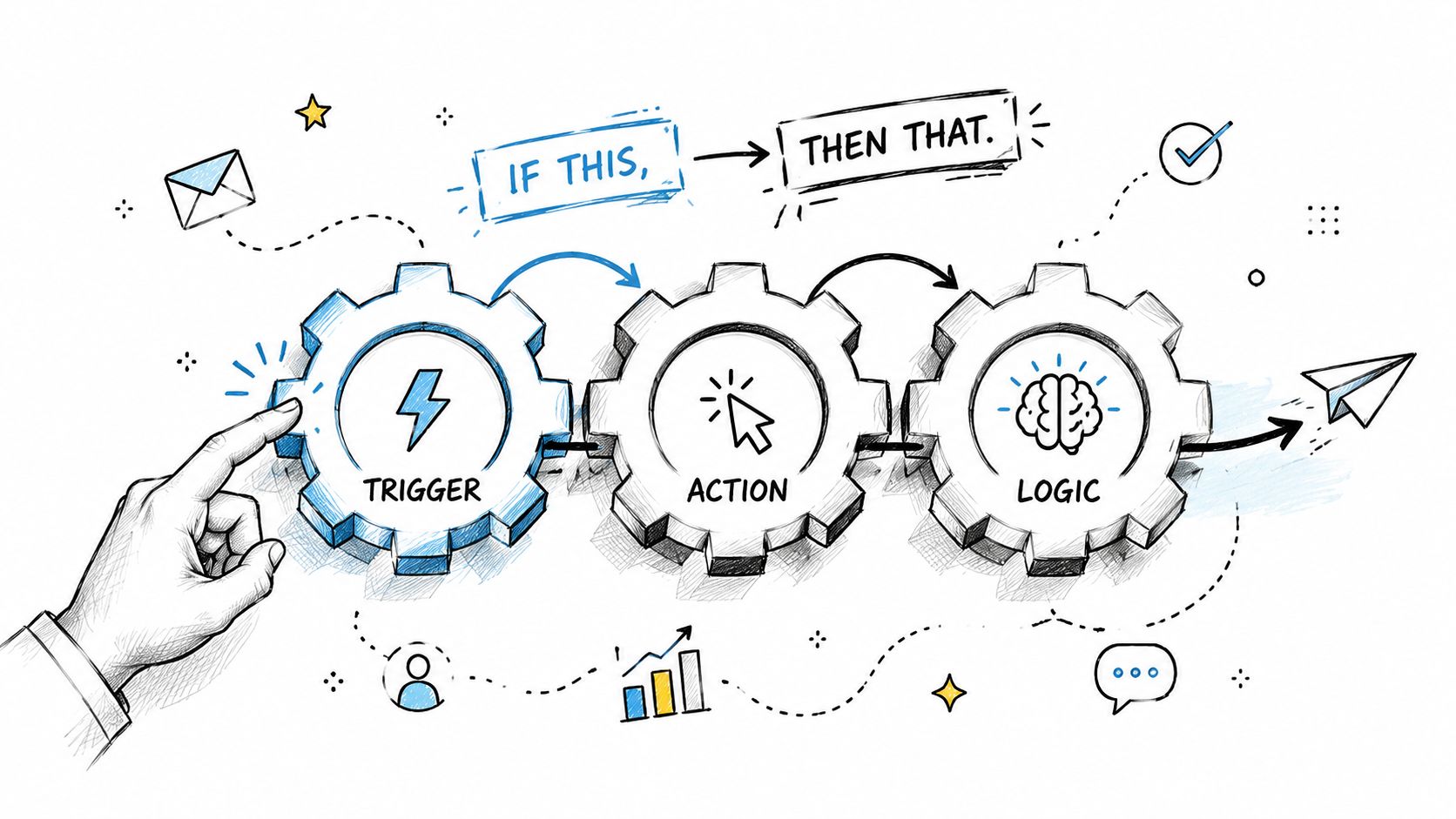
A hand touching a gear representing a marketing automation process with trigger, action, and logic stages.

Trigger, action, logic

A trigger is the event that starts the workflow. A form fill, an email click, a pricing page visit, a booked demo, or a purchase.

An action is what the system does next. It might send an email, add a tag, create a task, update a lead score, notify a rep, or move a contact into another audience.

Logic decides who gets what. It checks conditions like industry, product interest, lifecycle stage, or whether the person already became a customer.

Here's a simple example:

  1. Trigger. A visitor downloads your buying guide.

  2. Action. The system sends a thank-you email immediately.

  3. Logic. If the contact works at a company you serve, send a follow-up two days later. If not, place them in a broader nurture stream.

  4. Next action. If they click the pricing link, notify sales and create a task.

  5. Exit rule. If they book a call, stop the nurture emails.

That's the core engine. You define the path once, then the software runs it every time.

What "multichannel" actually means

Modern platforms don't just automate one inbox. They coordinate multiple touchpoints from a shared customer record. Actito explains this well in its overview of multichannel marketing automation and unified customer data.

For an SMB, that usually means the platform can connect signals and actions across:

  • Email for nurture, onboarding, and promotions

  • SMS for time-sensitive reminders

  • Website behavior for page-based triggers

  • CRM updates for lead status and ownership

  • Sales tasks for handoffs and follow-up reminders

AI is changing the day-to-day work. By 2026, 91% of marketers report that AI and automation tools have significantly impacted their workflows, and automated workflows such as abandoned cart or post-purchase messages can generate up to 30 times more revenue per recipient than traditional campaigns according to the verified Statista and InBeat figures referenced in this brief.

A workflow should feel timely, not robotic

Good automation responds to intent. Bad automation just sends more messages.

If you want a useful companion read on where AI fits into this, Busylike has a grounded piece on practical AI marketing strategies that can help you think beyond generic sequence writing.

For a more visual breakdown of how a sequence gets built, this guide to a marketing automation workflow is useful because it shows how the steps connect instead of treating every campaign like a standalone blast.

Practical rule: If a workflow can't be explained on one screen, it's probably too complex for your first version.

The hidden layer is the customer profile

The system gets smarter when every action feeds a shared record. If someone downloaded a guide last week, clicked your pricing page yesterday, and opened today's email, your team shouldn't treat those as unrelated events.

That's why stronger automation setups center on a unified profile. Not because "single source of truth" sounds nice, but because disconnected data creates dumb automation. The message arrives late, the offer is wrong, or sales reaches out without knowing what marketing already sent.

The Real Business Impact of Automation

Automation only matters if it changes business outcomes. For SMBs, those outcomes usually fall into three buckets. More qualified demand, lower operating drag, and faster revenue work.
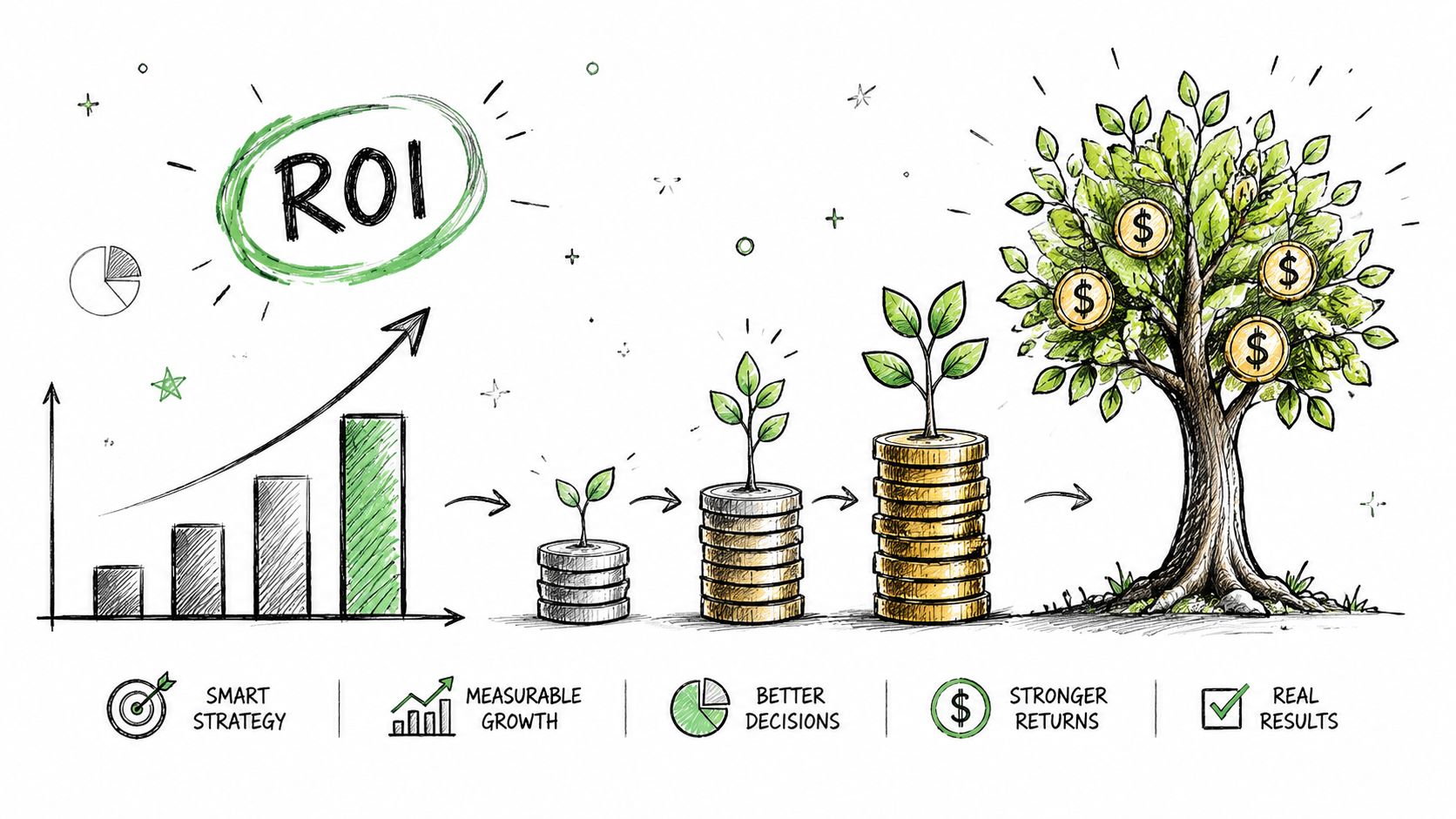
A hand-drawn illustration showing the process of business growth from strategy to achieving return on investment.

Efficiency you can actually feel

Teams usually notice the operational lift first. Repetitive follow-ups, reminders, status changes, and routine nurture messages stop eating hours every week.

Verified 2026 figures show that businesses using automation platforms report improved lead generation, with some seeing a 451% increase in qualified leads, plus a 12.2% reduction in marketing overhead and a 14.5% increase in sales productivity from the cited Business2Community and Nucleus Research data in this brief.

That combination matters because SMBs rarely have excess headcount. If your marketer is acting like a coordinator, your sales rep is doing admin work, and your founder is chasing stale leads, productivity isn't a theory problem. It's a pipeline problem.

Growth impact, not just task reduction

The biggest mistake is valuing automation only by time saved. Time savings are nice. Revenue movement is the ultimate test.

Here's the more useful lens:

Business problem

What automation changes

What to watch

Leads go cold

Follow-up happens immediately

Lead-to-meeting rate

Sales spends time on weak leads

Intent signals help prioritize outreach

Qualified pipeline creation

Marketing sends generic campaigns

Messages change based on behavior

Conversion by segment

Teams work from separate systems

Handoffs happen with more context

Sales cycle friction

If you're trying to improve qualification, a strong place to start is lead scoring. This explanation of lead scoring automation is useful because it ties automation to sales priority instead of just campaign reporting.

Don't judge automation by the number of workflows you built. Judge it by whether the right leads move faster.

The KPIs that matter most

You don't need a giant dashboard. Start with a short list that connects to revenue:

  • Lead-to-customer conversion rate. Are more leads becoming paying customers?

  • Speed to follow-up. Are prospects hearing from you while intent is still high?

  • Sales productivity. Is your team spending more time in conversations and less time routing data?

  • Marketing overhead. Are routine campaign tasks taking less manual effort?

For SMBs, the best ROI often comes from fewer dropped balls, cleaner prioritization, and faster handoffs. Those improvements may look operational at first, but they compound into better pipeline quality over time.

Automation in Action Marketing and Sales Plays

The easiest way to understand automation is to watch it work across teams. Not as "marketing sends emails" and "sales makes calls," but as one connected motion where both functions react to the same customer signals.
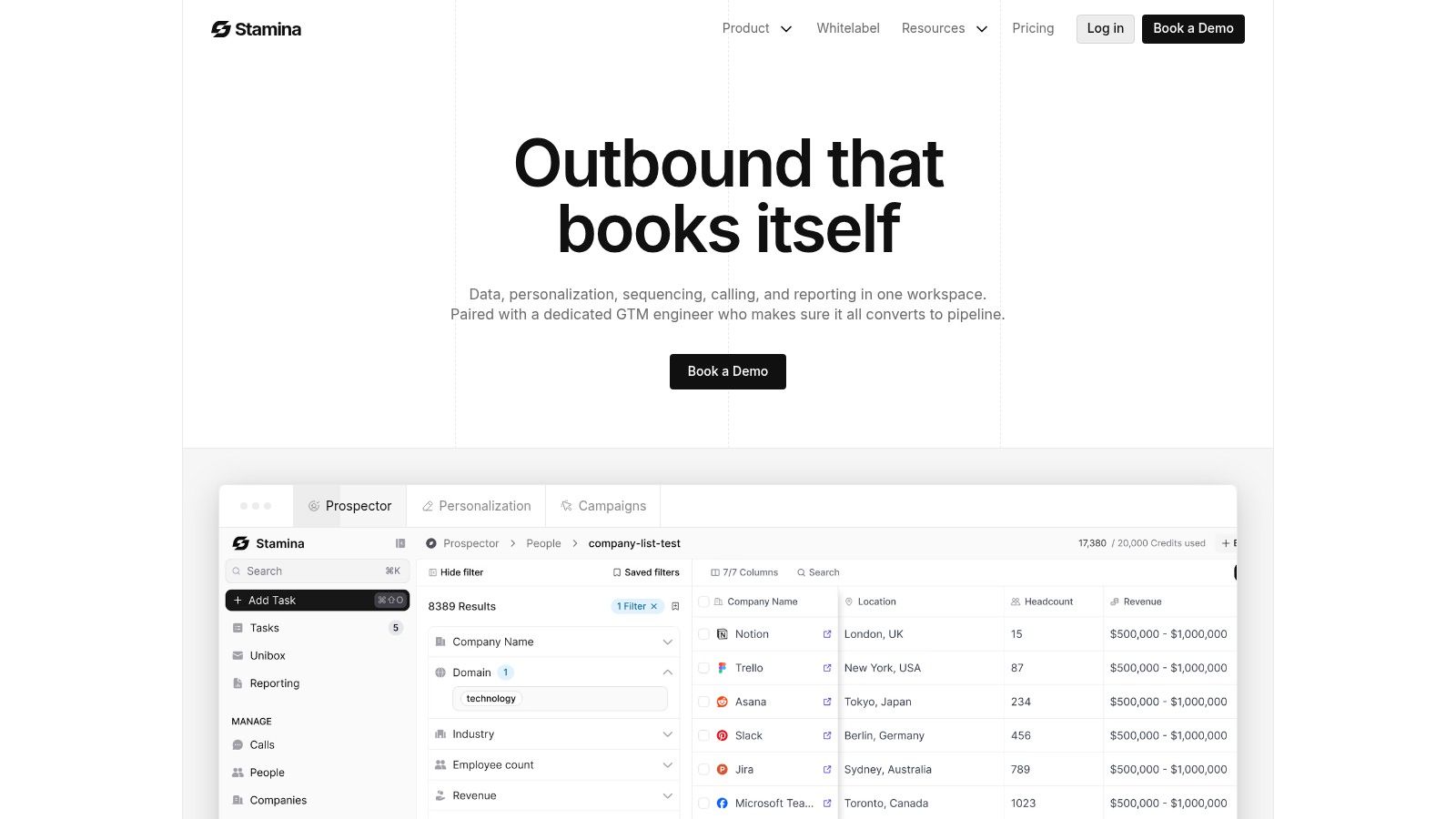
Screenshot from https://stamina.io

Play one, the automated lead handoff

Say a prospect downloads a comparison guide. Marketing starts a nurture flow. A few days later, that same person visits the pricing page twice and clicks a product email.

That's no longer just a marketing contact. It's a sales signal.

A useful handoff flow looks like this:

  • Marketing captures intent. The contact enters a nurture sequence after the original form fill.

  • Behavior raises priority. Pricing-page activity and repeat engagement increase the lead's urgency.

  • Sales gets context. The CRM creates a task or alert with recent activity, so outreach isn't blind.

  • The sequence changes. Once a rep engages, the marketing flow can pause or shift to support sales instead of competing with it.

This is where unified systems matter. If your email platform, CRM, and sales tool don't share context, the handoff becomes messy. A rep reaches out without knowing what content the lead consumed, or marketing keeps sending nurture emails after a live conversation starts.

For teams building nurture paths before the handoff, this guide on lead nurturing with marketing automation shows the mechanics well.

Play two, when anonymous traffic becomes a sales opportunity

A lot of buying intent shows up before a form fill. Someone from a target company lands on your site, returns later, checks a service page, and leaves. No one on your team sees it unless your platform connects web activity to outreach workflows.

That's where marketing automation starts influencing outbound, not just inbound.

For example, a rep might get alerted when a target account returns to a high-intent page. Marketing doesn't need to send a generic campaign. Sales can use that signal to send a more relevant note, reference the likely pain point, and time the outreach better.

If social activity is part of that process too, it helps to understand how teams streamline social media workflow so content, engagement signals, and follow-up don't sit in separate silos.

A lot of "cold" outreach isn't cold. It's just poorly timed because the team can't see the signals.

One platform changes the quality of execution

When your stack is fragmented, every play requires glue. Exports, manual notes, Slack messages, spreadsheet updates, and guesswork.

When your stack is connected, the same play becomes operational. A platform such as Stamina combines CRM, sales engagement, and marketing automation so a website visit, sequence reply, lifecycle change, or follow-up task can live in the same workflow rather than across disconnected tools.

A short product walkthrough makes this easier to picture in practice:

What good coordination looks like

You don't need dozens of plays. Most SMBs get value from a small set of high-intent automations:

  1. New lead response that sends the right first touch immediately.

  2. Sales-ready alert when behavior suggests buying intent.

  3. Re-engagement sequence for stalled leads or old opportunities.

  4. Post-meeting follow-up that keeps momentum after a rep call.

The point isn't more automation. It's fewer gaps between buyer action and team response.

How to Start Without Overcomplicating Things

Most SMBs don't fail at automation because the concept is too advanced. They fail because they buy too much software before they clean up the basics.

The first basic is understanding the boundary between systems. Verified guidance in Salesforce's overview of marketing automation and CRM roles makes the distinction clear: marketing automation handles campaign triggers, lead nurturing, scoring, and personalization across channels, while CRM manages customer records and sales pipelines.

Marketing automation versus CRM

Here's the practical difference:

Tool type

Main job

Typical examples

Marketing automation

Trigger campaigns and nurture contacts

Welcome flows, lead scoring, follow-up sequences

CRM

Store records and manage pipeline

Contacts, deals, owners, stages, activities

Sales engagement

Help reps execute outreach

Sequences, tasks, reminders, calling, email steps

SMB buyers often expect one platform to do all three perfectly out of the box. That's where confusion starts. If you buy an automation tool but your data is messy and lead ownership is unclear, the workflow won't fix the operating problem. It will just speed it up.

A simple starting plan

Start smaller than you think you need.

  • Pick one workflow with obvious value. A welcome sequence for new contacts, a follow-up after demo requests, or a reactivation flow for dormant leads.

  • Clean the data first. Make sure contact fields, lifecycle stages, and ownership rules make sense before you automate them.

  • Define one success metric. That might be faster response time, more booked meetings, or fewer missed follow-ups.

Start with one moment where a prospect currently waits too long, gets ignored, or gets the wrong message.

Once that first workflow works, add the next one. That's a much healthier pattern than building a giant automation map you can't maintain.

Why unified platforms are often the better SMB choice

Separate tools can work, especially if you already have a stable stack. But many growing businesses end up stitching together email software, a CRM, a form tool, and a sales sequencer that don't share enough context.

A unified platform reduces that friction because marketing actions, sales tasks, and customer records update in one place. That doesn't automatically make the tool right for you, but it usually makes execution cleaner.

If you're comparing options, it helps to review practical SMB examples that show how teams drive ROI with automation campaigns without building enterprise-level complexity.

How much automation is too much

Over-automation shows up fast. Buyers get too many messages. Personalization becomes awkward because the data is thin. A sales rep calls right after an irrelevant nurture email goes out.

Watch for these warning signs:

  • Message fatigue. Contacts hear from you too often across too many channels.

  • Weak personalization. The system uses tokens and triggers, but the message doesn't match real intent.

  • Workflow conflicts. Marketing and sales both contact the same lead without coordination.

  • No human checkpoints. High-value prospects get treated exactly like low-intent subscribers.

Good automation supports human judgment. It doesn't try to replace it.

Beyond Automation The Rise of Unified Platforms

Marketing automation started as a way to save time on repetitive campaign work. Today, it plays a broader role. It connects customer behavior, team actions, and pipeline movement across the lifecycle.

That shift matters because the main challenge for SMBs usually isn't a lack of tools. It's tool fragmentation. One system sends emails, another stores contacts, another manages sales outreach, and no one fully trusts the data between them.

Why the stack is moving toward connected systems

When platforms share the same customer record, several things get easier at once:

  • Marketing sees sales context. Campaigns can reflect real pipeline stage and ownership.

  • Sales sees engagement history. Reps know what a lead downloaded, opened, or revisited.

  • Operations gets cleaner reporting. Performance isn't split across disconnected dashboards.

If you're weighing that approach, this piece on marketing automation and CRM integration gives a practical view of what connected systems solve operationally.

The bigger lesson for SMB owners

The best answer to "what is marketing automation" isn't "software that sends emails for me."

It's this. Marketing automation is the operating layer that helps your business respond consistently to buyer behavior, route intent to the right person, and keep customer communication moving without constant manual work.

That only works well when automation, CRM, and sales engagement are aligned. If those pieces stay separate, you're still asking your team to do the integration work manually.

The future isn't more disconnected point tools. It's fewer systems with better coordination, stronger data flow, and enough flexibility to support both marketing and sales in one lifecycle.

If you're evaluating ways to simplify your stack, Stamina is worth a look as one option for combining CRM, sales engagement, and marketing automation in a single system. For a growing SMB, that kind of setup can make it easier to build practical workflows, reduce handoff friction, and keep the whole customer journey connected.

Marketing automation is software that runs repeatable marketing tasks for you based on customer behavior, and 76% of enterprises worldwide already use some form of it. It matters because businesses using automation report stronger lead generation, and some see 451% more qualified leads than manual processes.

If you're running an SMB, you've probably felt the moment when growth starts creating chaos. A lead fills out a form, someone on your team forgets to follow up, another prospect gets the wrong email, and your sales pipeline lives in one tool while customer history lives in another. Nothing is broken enough to force a change, but nothing feels clean either.

The simplest way to think about marketing automation is this. It's a smart 24/7 assistant for your marketing team. It doesn't replace judgment, strategy, or relationships. It handles the repetitive work, responds quickly when customers take action, and keeps follow-up moving when your team is busy doing actual revenue work.

For a small business, that's the difference between "we should follow up with everyone" and "everyone gets the right follow-up at the right time."

What Is Marketing Automation Anyway

At the basic level, marketing automation means using software to send, schedule, and trigger marketing actions without having to do each step manually. That could be a welcome email after someone joins your list, a reminder after they abandon a cart, or a sales alert when they visit your pricing page.

A simple analogy helps. Think of your front office. If every customer had to wait for one person to notice them, greet them, answer a common question, and route them to the right place, service would slow down fast. Marketing automation does that first layer of coordination for your digital customer journey.

A simple definition in plain English

When someone shows interest, the system notices. Then it responds based on rules you've already set.

That means marketing automation isn't just "send emails automatically." It's closer to a system of if this happens, do that next.

Marketing automation works best when it handles routine timing and routing, while your team handles judgment, messaging, and conversations.

The more formal definition is useful too. HubSpot describes it as a trigger-based workflow system where a customer action, such as a form submission, page visit, or email click, starts a preconfigured sequence that uses contact data and behavior signals to deliver personalized responses across channels in near real time. You can see that framework in HubSpot's explanation of trigger-based marketing automation workflows.

What people usually get wrong

A lot of SMB owners hear the phrase and assume it means one of three things:

  • Only email software. Email is often part of it, but automation can also coordinate SMS, web actions, social touchpoints, and handoffs to sales.

  • A set-it-and-forget-it machine. It still needs human oversight, clear offers, clean data, and good timing.

  • A tool for large companies. In practice, smaller teams often benefit the most because they feel the pain of manual follow-up sooner.

A better question than "What is marketing automation?" is this: where are people falling through the cracks in your customer journey right now?

Why it matters for SMBs

When your business is small, manual work feels manageable. As inquiries grow, manual work becomes hidden friction. Leads wait too long. Sales reps work from incomplete context. Marketing sends messages that don't reflect what buyers already did.

Marketing automation creates consistency. It helps every lead get a response, every nurture path follow a logic, and every team member work from shared signals instead of memory.

How Marketing Automation Actually Works

Most automation systems run on three building blocks. Triggers, actions, and logic. Once you understand those, the whole category gets much easier to evaluate.

A hand touching a gear representing a marketing automation process with trigger, action, and logic stages.

Trigger, action, logic

A trigger is the event that starts the workflow. A form fill, an email click, a pricing page visit, a booked demo, or a purchase.

An action is what the system does next. It might send an email, add a tag, create a task, update a lead score, notify a rep, or move a contact into another audience.

Logic decides who gets what. It checks conditions like industry, product interest, lifecycle stage, or whether the person already became a customer.

Here's a simple example:

  1. Trigger. A visitor downloads your buying guide.

  2. Action. The system sends a thank-you email immediately.

  3. Logic. If the contact works at a company you serve, send a follow-up two days later. If not, place them in a broader nurture stream.

  4. Next action. If they click the pricing link, notify sales and create a task.

  5. Exit rule. If they book a call, stop the nurture emails.

That's the core engine. You define the path once, then the software runs it every time.

What "multichannel" actually means

Modern platforms don't just automate one inbox. They coordinate multiple touchpoints from a shared customer record. Actito explains this well in its overview of multichannel marketing automation and unified customer data.

For an SMB, that usually means the platform can connect signals and actions across:

  • Email for nurture, onboarding, and promotions

  • SMS for time-sensitive reminders

  • Website behavior for page-based triggers

  • CRM updates for lead status and ownership

  • Sales tasks for handoffs and follow-up reminders

AI is changing the day-to-day work. By 2026, 91% of marketers report that AI and automation tools have significantly impacted their workflows, and automated workflows such as abandoned cart or post-purchase messages can generate up to 30 times more revenue per recipient than traditional campaigns according to the verified Statista and InBeat figures referenced in this brief.

A workflow should feel timely, not robotic

Good automation responds to intent. Bad automation just sends more messages.

If you want a useful companion read on where AI fits into this, Busylike has a grounded piece on practical AI marketing strategies that can help you think beyond generic sequence writing.

For a more visual breakdown of how a sequence gets built, this guide to a marketing automation workflow is useful because it shows how the steps connect instead of treating every campaign like a standalone blast.

Practical rule: If a workflow can't be explained on one screen, it's probably too complex for your first version.

The hidden layer is the customer profile

The system gets smarter when every action feeds a shared record. If someone downloaded a guide last week, clicked your pricing page yesterday, and opened today's email, your team shouldn't treat those as unrelated events.

That's why stronger automation setups center on a unified profile. Not because "single source of truth" sounds nice, but because disconnected data creates dumb automation. The message arrives late, the offer is wrong, or sales reaches out without knowing what marketing already sent.

The Real Business Impact of Automation

Automation only matters if it changes business outcomes. For SMBs, those outcomes usually fall into three buckets. More qualified demand, lower operating drag, and faster revenue work.

A hand-drawn illustration showing the process of business growth from strategy to achieving return on investment.

Efficiency you can actually feel

Teams usually notice the operational lift first. Repetitive follow-ups, reminders, status changes, and routine nurture messages stop eating hours every week.

Verified 2026 figures show that businesses using automation platforms report improved lead generation, with some seeing a 451% increase in qualified leads, plus a 12.2% reduction in marketing overhead and a 14.5% increase in sales productivity from the cited Business2Community and Nucleus Research data in this brief.

That combination matters because SMBs rarely have excess headcount. If your marketer is acting like a coordinator, your sales rep is doing admin work, and your founder is chasing stale leads, productivity isn't a theory problem. It's a pipeline problem.

Growth impact, not just task reduction

The biggest mistake is valuing automation only by time saved. Time savings are nice. Revenue movement is the ultimate test.

Here's the more useful lens:

Business problem

What automation changes

What to watch

Leads go cold

Follow-up happens immediately

Lead-to-meeting rate

Sales spends time on weak leads

Intent signals help prioritize outreach

Qualified pipeline creation

Marketing sends generic campaigns

Messages change based on behavior

Conversion by segment

Teams work from separate systems

Handoffs happen with more context

Sales cycle friction

If you're trying to improve qualification, a strong place to start is lead scoring. This explanation of lead scoring automation is useful because it ties automation to sales priority instead of just campaign reporting.

Don't judge automation by the number of workflows you built. Judge it by whether the right leads move faster.

The KPIs that matter most

You don't need a giant dashboard. Start with a short list that connects to revenue:

  • Lead-to-customer conversion rate. Are more leads becoming paying customers?

  • Speed to follow-up. Are prospects hearing from you while intent is still high?

  • Sales productivity. Is your team spending more time in conversations and less time routing data?

  • Marketing overhead. Are routine campaign tasks taking less manual effort?

For SMBs, the best ROI often comes from fewer dropped balls, cleaner prioritization, and faster handoffs. Those improvements may look operational at first, but they compound into better pipeline quality over time.

Automation in Action Marketing and Sales Plays

The easiest way to understand automation is to watch it work across teams. Not as "marketing sends emails" and "sales makes calls," but as one connected motion where both functions react to the same customer signals.

Screenshot from https://stamina.io

Play one, the automated lead handoff

Say a prospect downloads a comparison guide. Marketing starts a nurture flow. A few days later, that same person visits the pricing page twice and clicks a product email.

That's no longer just a marketing contact. It's a sales signal.

A useful handoff flow looks like this:

  • Marketing captures intent. The contact enters a nurture sequence after the original form fill.

  • Behavior raises priority. Pricing-page activity and repeat engagement increase the lead's urgency.

  • Sales gets context. The CRM creates a task or alert with recent activity, so outreach isn't blind.

  • The sequence changes. Once a rep engages, the marketing flow can pause or shift to support sales instead of competing with it.

This is where unified systems matter. If your email platform, CRM, and sales tool don't share context, the handoff becomes messy. A rep reaches out without knowing what content the lead consumed, or marketing keeps sending nurture emails after a live conversation starts.

For teams building nurture paths before the handoff, this guide on lead nurturing with marketing automation shows the mechanics well.

Play two, when anonymous traffic becomes a sales opportunity

A lot of buying intent shows up before a form fill. Someone from a target company lands on your site, returns later, checks a service page, and leaves. No one on your team sees it unless your platform connects web activity to outreach workflows.

That's where marketing automation starts influencing outbound, not just inbound.

For example, a rep might get alerted when a target account returns to a high-intent page. Marketing doesn't need to send a generic campaign. Sales can use that signal to send a more relevant note, reference the likely pain point, and time the outreach better.

If social activity is part of that process too, it helps to understand how teams streamline social media workflow so content, engagement signals, and follow-up don't sit in separate silos.

A lot of "cold" outreach isn't cold. It's just poorly timed because the team can't see the signals.

One platform changes the quality of execution

When your stack is fragmented, every play requires glue. Exports, manual notes, Slack messages, spreadsheet updates, and guesswork.

When your stack is connected, the same play becomes operational. A platform such as Stamina combines CRM, sales engagement, and marketing automation so a website visit, sequence reply, lifecycle change, or follow-up task can live in the same workflow rather than across disconnected tools.

A short product walkthrough makes this easier to picture in practice:

What good coordination looks like

You don't need dozens of plays. Most SMBs get value from a small set of high-intent automations:

  1. New lead response that sends the right first touch immediately.

  2. Sales-ready alert when behavior suggests buying intent.

  3. Re-engagement sequence for stalled leads or old opportunities.

  4. Post-meeting follow-up that keeps momentum after a rep call.

The point isn't more automation. It's fewer gaps between buyer action and team response.

How to Start Without Overcomplicating Things

Most SMBs don't fail at automation because the concept is too advanced. They fail because they buy too much software before they clean up the basics.

The first basic is understanding the boundary between systems. Verified guidance in Salesforce's overview of marketing automation and CRM roles makes the distinction clear: marketing automation handles campaign triggers, lead nurturing, scoring, and personalization across channels, while CRM manages customer records and sales pipelines.

Marketing automation versus CRM

Here's the practical difference:

Tool type

Main job

Typical examples

Marketing automation

Trigger campaigns and nurture contacts

Welcome flows, lead scoring, follow-up sequences

CRM

Store records and manage pipeline

Contacts, deals, owners, stages, activities

Sales engagement

Help reps execute outreach

Sequences, tasks, reminders, calling, email steps

SMB buyers often expect one platform to do all three perfectly out of the box. That's where confusion starts. If you buy an automation tool but your data is messy and lead ownership is unclear, the workflow won't fix the operating problem. It will just speed it up.

A simple starting plan

Start smaller than you think you need.

  • Pick one workflow with obvious value. A welcome sequence for new contacts, a follow-up after demo requests, or a reactivation flow for dormant leads.

  • Clean the data first. Make sure contact fields, lifecycle stages, and ownership rules make sense before you automate them.

  • Define one success metric. That might be faster response time, more booked meetings, or fewer missed follow-ups.

Start with one moment where a prospect currently waits too long, gets ignored, or gets the wrong message.

Once that first workflow works, add the next one. That's a much healthier pattern than building a giant automation map you can't maintain.

Why unified platforms are often the better SMB choice

Separate tools can work, especially if you already have a stable stack. But many growing businesses end up stitching together email software, a CRM, a form tool, and a sales sequencer that don't share enough context.

A unified platform reduces that friction because marketing actions, sales tasks, and customer records update in one place. That doesn't automatically make the tool right for you, but it usually makes execution cleaner.

If you're comparing options, it helps to review practical SMB examples that show how teams drive ROI with automation campaigns without building enterprise-level complexity.

How much automation is too much

Over-automation shows up fast. Buyers get too many messages. Personalization becomes awkward because the data is thin. A sales rep calls right after an irrelevant nurture email goes out.

Watch for these warning signs:

  • Message fatigue. Contacts hear from you too often across too many channels.

  • Weak personalization. The system uses tokens and triggers, but the message doesn't match real intent.

  • Workflow conflicts. Marketing and sales both contact the same lead without coordination.

  • No human checkpoints. High-value prospects get treated exactly like low-intent subscribers.

Good automation supports human judgment. It doesn't try to replace it.

Beyond Automation The Rise of Unified Platforms

Marketing automation started as a way to save time on repetitive campaign work. Today, it plays a broader role. It connects customer behavior, team actions, and pipeline movement across the lifecycle.

That shift matters because the main challenge for SMBs usually isn't a lack of tools. It's tool fragmentation. One system sends emails, another stores contacts, another manages sales outreach, and no one fully trusts the data between them.

Why the stack is moving toward connected systems

When platforms share the same customer record, several things get easier at once:

  • Marketing sees sales context. Campaigns can reflect real pipeline stage and ownership.

  • Sales sees engagement history. Reps know what a lead downloaded, opened, or revisited.

  • Operations gets cleaner reporting. Performance isn't split across disconnected dashboards.

If you're weighing that approach, this piece on marketing automation and CRM integration gives a practical view of what connected systems solve operationally.

The bigger lesson for SMB owners

The best answer to "what is marketing automation" isn't "software that sends emails for me."

It's this. Marketing automation is the operating layer that helps your business respond consistently to buyer behavior, route intent to the right person, and keep customer communication moving without constant manual work.

That only works well when automation, CRM, and sales engagement are aligned. If those pieces stay separate, you're still asking your team to do the integration work manually.

The future isn't more disconnected point tools. It's fewer systems with better coordination, stronger data flow, and enough flexibility to support both marketing and sales in one lifecycle.

If you're evaluating ways to simplify your stack, Stamina is worth a look as one option for combining CRM, sales engagement, and marketing automation in a single system. For a growing SMB, that kind of setup can make it easier to build practical workflows, reduce handoff friction, and keep the whole customer journey connected.

Share this article

Share this article

Send a shareable link to your team or anyone who might find it useful.

Send a shareable link to your team or anyone who might find it useful.

Copy link

Copied

Share directly to

Table of contents

Give Your Business the Stamina it needs to Thrive

PRODUCT

COMPANY

RESOURCES

© 2026 Stamina Software Technologies Inc. All rights reserved.

PRODUCT

COMPANY

RESOURCES

© 2026 Stamina Software Technologies Inc. All rights reserved.

PRODUCT

COMPANY

RESOURCES

© 2026 Stamina Software Technologies Inc. All rights reserved.